

QuickBooks Online
ข้อกำหนด
แผน HubSpot สิทธิ์บัญชี HubSpot ไม่จำเป็นต้องมีสิทธิ์ ประเภทสิทธิ์การเข้าถึง แชร์แล้ว การสมัครใช้บริการ QuickBooks Online - Simple Start, Essentials, Plus หรือ Advanced แพ็กเกจ
ภาพรวม

1/6 - Connect tools to sync data bidirectionally
HubSpot’s QuickBooks Online integration enables you to connect data between tools to get a complete view of the customer, streamline your billing & payments process, and keep accurate financial records.
Sync data between HubSpot and QuickBooks Online in a few clicks
Sync Invoices, Contacts/Customers, and Products bi-directionally between HubSpot and QuickBooks Online. Whether invoices, customers, products, or payments are created in HubSpot or QuickBooks Online, the integration provides a complete view of your customer in HubSpot. Synced data can be used to generate reports, trigger automation, or simply be viewed by users with the appropriate permissions, without ever having to leave HubSpot.
You decide which data should sync and the direction that data syncs. Data syncs at regular intervals, and you can also sync on demand when you want the most recent updates. The integration's health reports and alerts identify records that have failed to sync and provide helpful recommendations on how to resolve sync errors.
Streamline your billing process and keep QuickBooks Online up-to-date
Revenue Hub offers features like Quotes, Invoices, Subscriptions, and Payment Links to bill and collect payments. You can create invoices from scratch, or convert Quotes or Deals into Invoices or Subscriptions, all within HubSpot. Two-way invoice sync will create HubSpot invoices in QuickBooks Online, and payments will sync automatically.
Empower your front-office to send bills and chase payments so Accounting can stay focused on what they love: managing the financial health of the business.
ฟีเจอร์
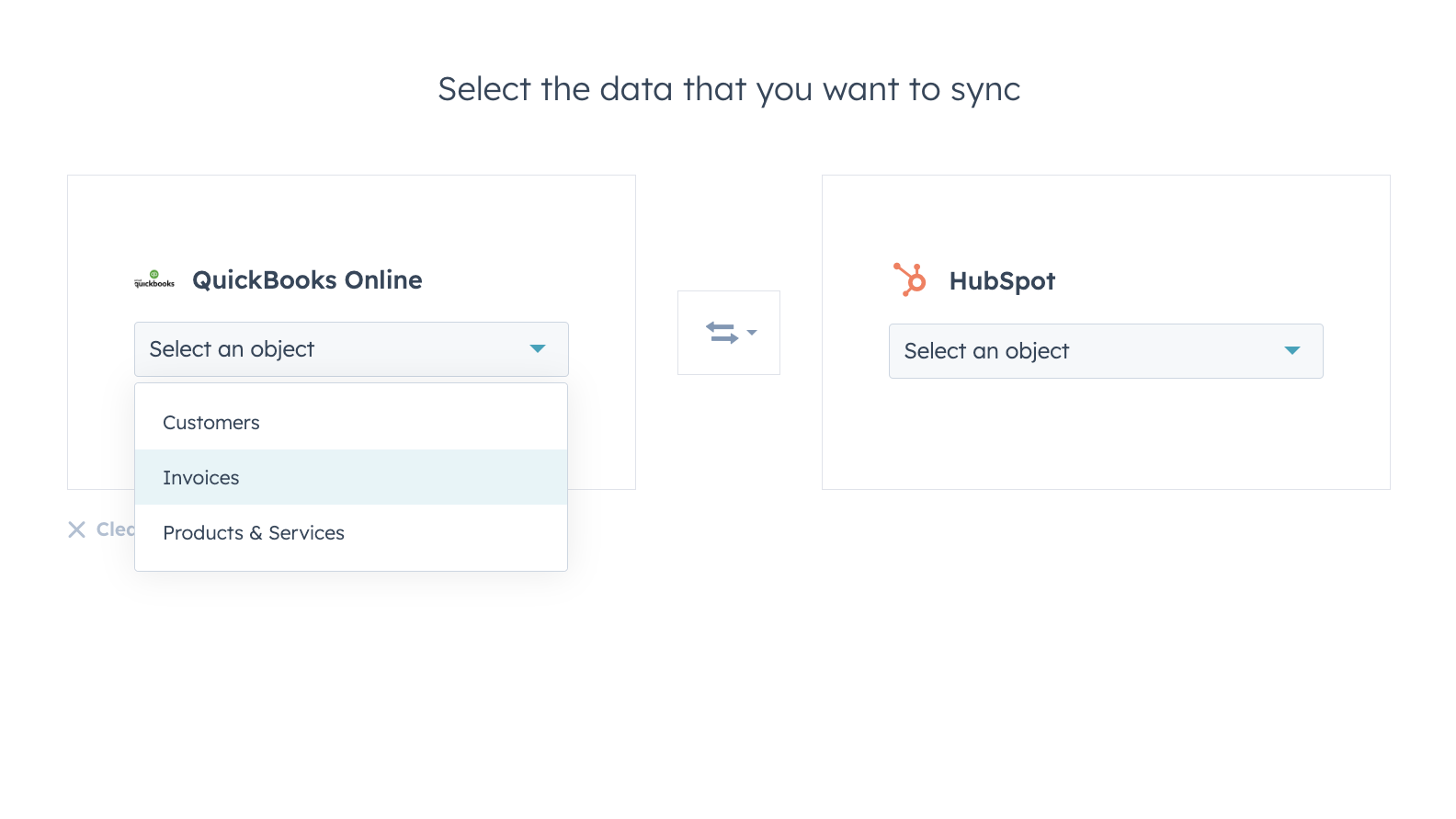
Sync data between HubSpot and QuickBooks Online confidently
Contacts, Invoices, and Products can be synced to HubSpot, from HubSpot, or both ways. The integration’s sync filters give you full control over what, when and how your data is synced between HubSpot and QuickBooks Online.
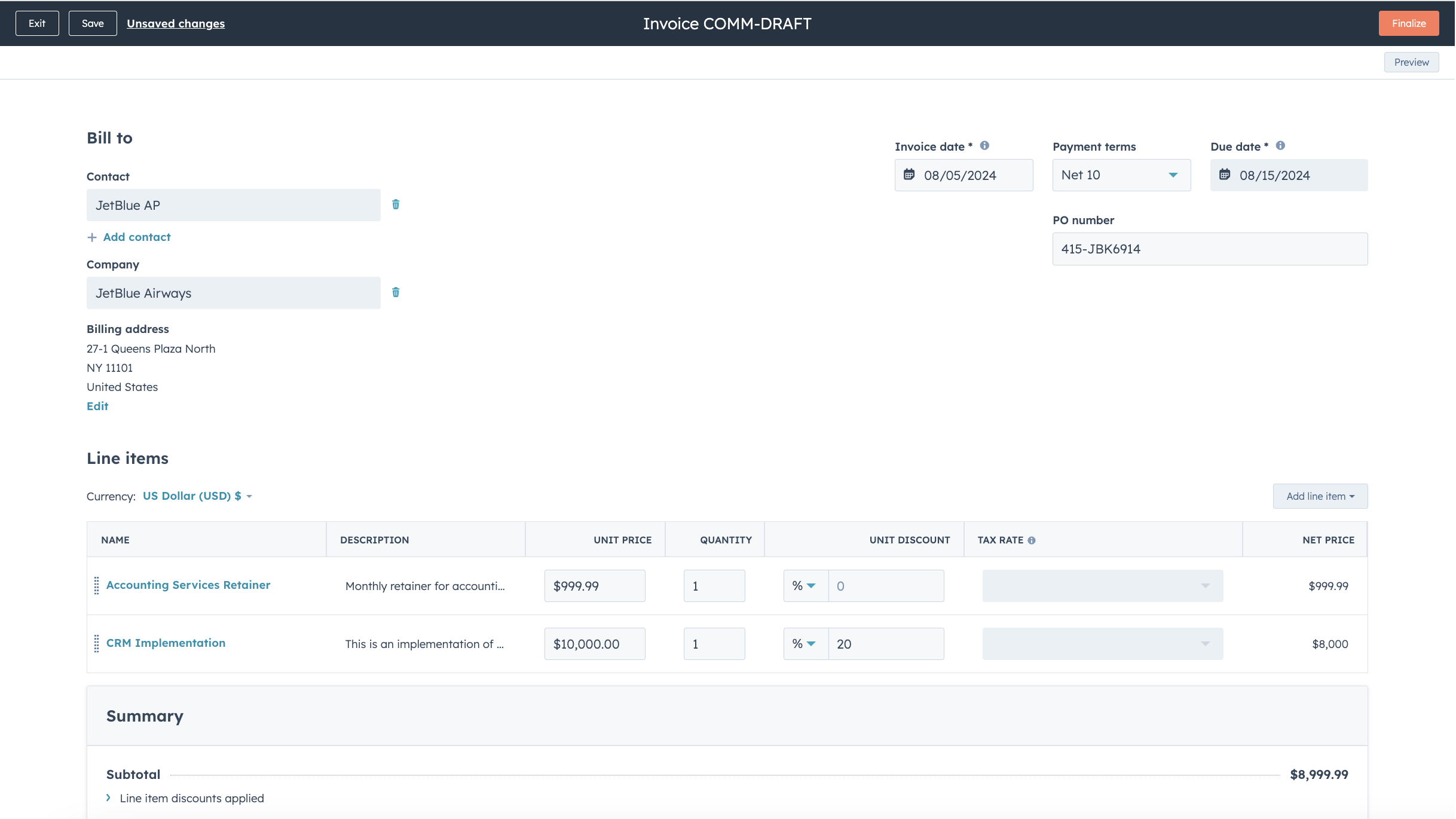
Streamline your billing process and keep QuickBooks Online up to date
Convert Quotes and Deals into invoices and subscriptions in just a few clicks, or create invoices from scratch, speeding up your billing process. Published Invoices are synced to QuickBooks Online and updated with payments when they are paid via HubSpot, or when payments are recorded in QuickBooks Online.
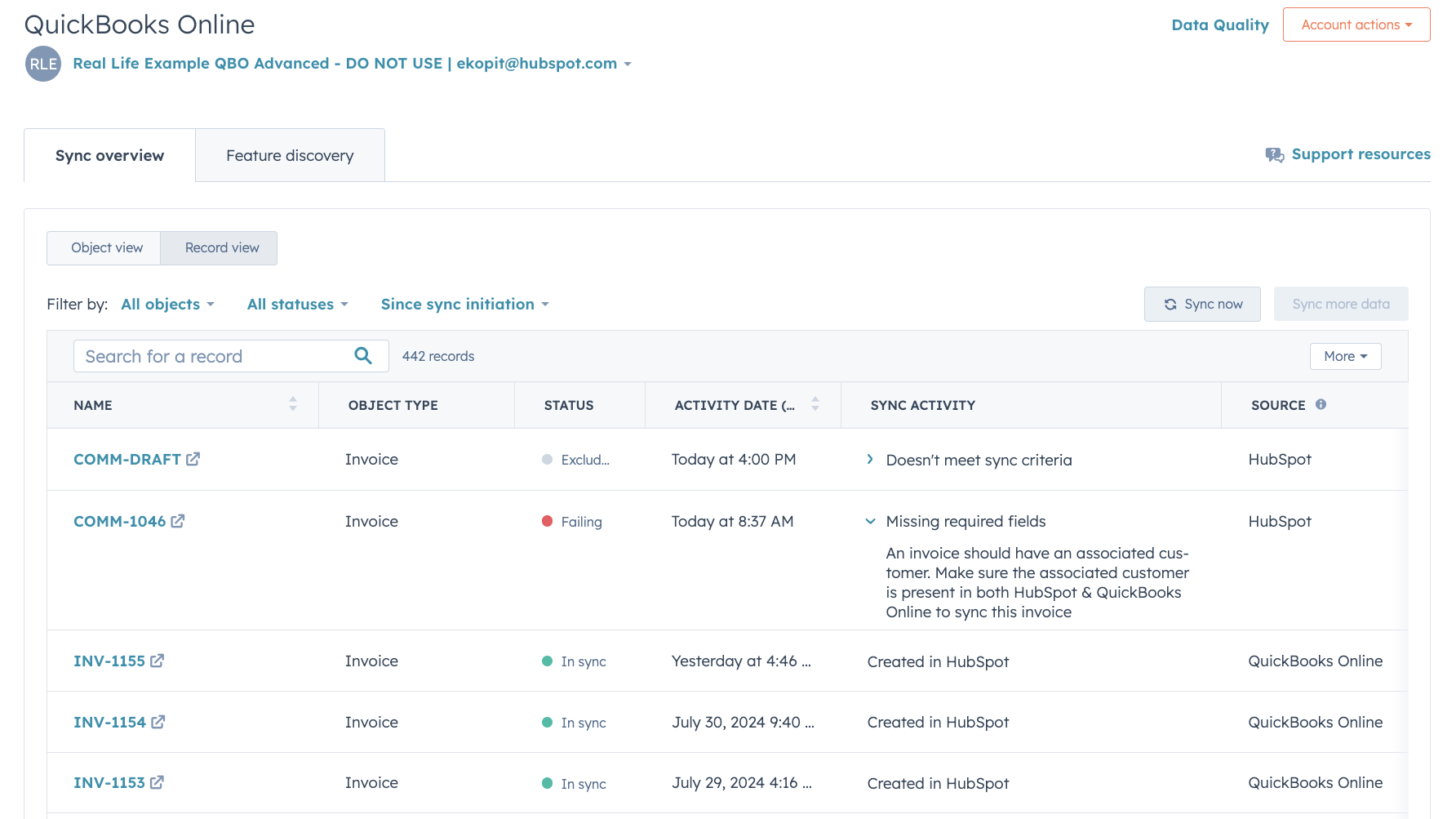
In-depth sync health reporting and error resolution
In-depth sync health reporting helps you identify in real time which records are syncing, and how to resolve sync errors quickly.
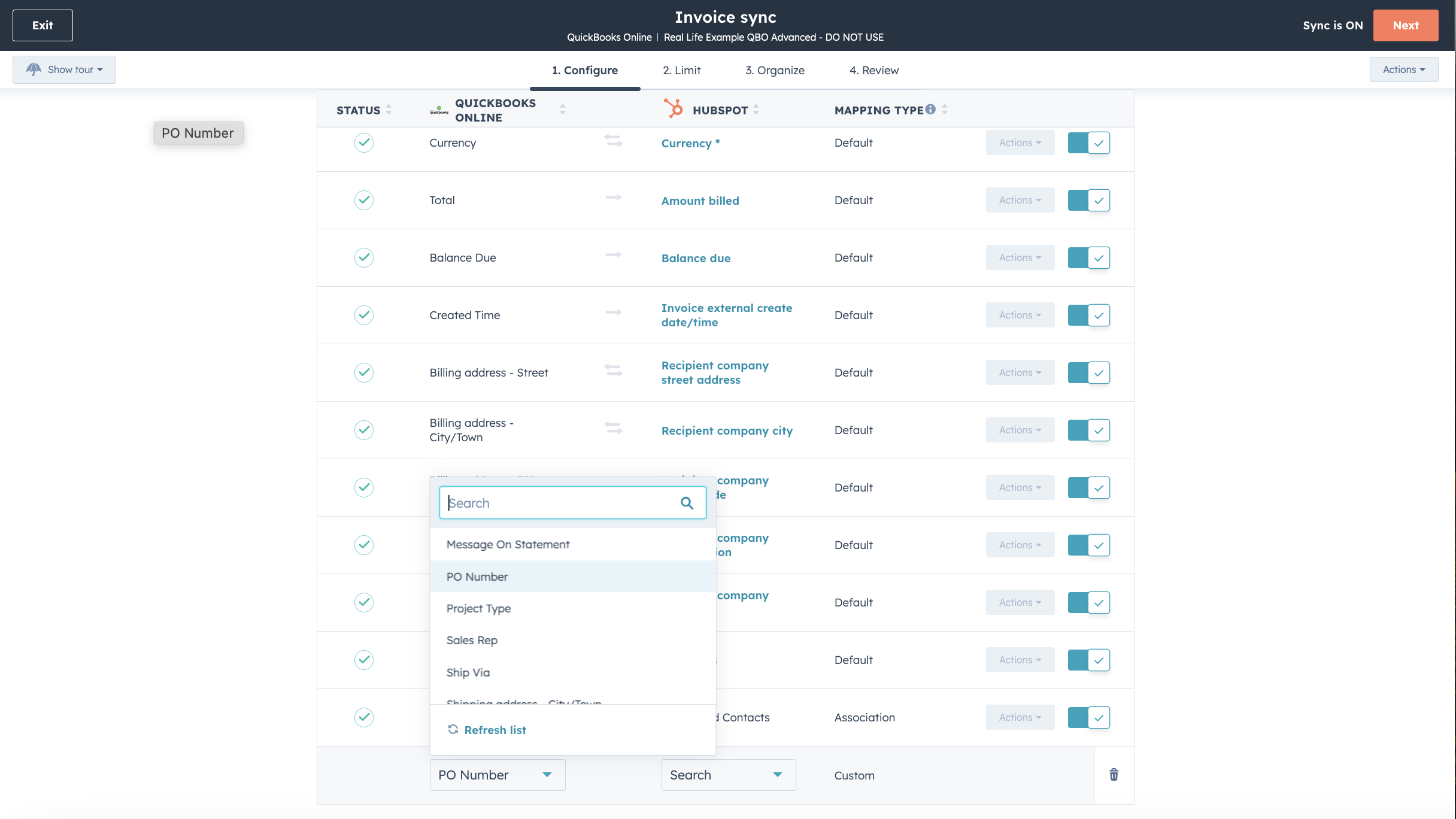
Customize your field mappings
With Operations Hub Starter or above, you can customize your invoice, contact, or product sync field mappings to better match your data model.

Works with data studio in Data Hub
Built for marketers, data studio in Data Hub lets anyone blend data in a familiar, spreadsheet-like interface with the help of AI. Create custom datasets that power advanced segmentation, automation, and reporting. You can also easily manage the flow of data between multiple external data sources, including Stripe, and the HubSpot CRM
ฟังก์ชันการทำงานแอป
ข้อมูลที่แบ่งปัน
Each object has field mappings that match information across HubSpot and QuickBooks Online. Default mappings are listed below. Changing the default mappings requires Operations Hub Starter or up. QuickBooks Online offers limited custom fields support in their API (maximum 3 on invoices only).
Customers | ||
Invoices | ||
Products & Services | ||
Quickbooks Online data |
รีวิว
2.1
101
2.1
101
แม้ว่าผู้ใช้รายงานว่าฟังก์ชันการซิงค์สองทางมีจำกัดและมีข้อมูลซ้ำซ้อน แต่บางคนชื่นชมความสามารถในการดูใบแจ้งหนี้และติดตามการชำระเงินได้โดยตรง บางคนพบว่าการผสานรวมมีประโยชน์สำหรับการจัดระเบียบข้อมูลการขาย แม้ว่าบางคนจะระบุถึงความท้าทายในการจับคู่ข้อมูลและการขาดการสนับสนุนด้านภาษีสำหรับบัญชีระหว่างประเทศ
- 27 มิ.ย. 2026
Issues around invoice sync from HubSpot to QuickBooks. But Invoice can be synced from HB to QB only if they are paid that too on a specific date and time.
Easy to integrate
Krish, A.
- 1 มิ.ย. 2026
Limited API
Not so well
The Pom, C.
การกำหนดราคา
Simple Start
US$35
/เดือนTrack income & expenses
Capture & organize receipts
Maximize tax deductions
Invoice & accept payments
Track miles
Send estimates
Track sales & sales tax
Manage 1099 contractors
Run general reports
Simple Start
US$35
/เดือนTrack income & expenses
Capture & organize receipts
Maximize tax deductions
Invoice & accept payments
Track miles
Send estimates
Track sales & sales tax
Manage 1099 contractors
Run general reports
* ราคาที่แสดงนี้มีไว้เพื่อแสดงข้อมูลเท่านั้น ราคาทั้งหมดยังไม่รวมภาษี สิทธิพิเศษ ส่วนลด หรือตัวแปรราคาอื่นๆ คุณควรติดต่อพาร์ทเนอร์เพื่อรับข้อมูลราคาล่าสุดและถูกต้องที่สุด HubSpot จะไม่รับผิดชอบใดๆ ต่อข้อมูลราคานี้ซึ่งจัดทำโดยพาร์ทเนอร์ของเรา การกำหนดราคาอัปเดตล่าสุด: 01/07/2026
ข้อมูลเพิ่มเติม
สร้างโดย - HubSpot
ติดตั้ง - 15K การติดตั้ง
หมวดหมู่ ภาษาที่แอปนี้สามารถใช้ได้ จีน ฝรั่งเศส สเปน อังกฤษ และอิตาลี