Google Ads
Create, manage, optimize, and report on Google ads—all from HubSpot.
Built by HubSpot
Installs - 122K installs
Rating 3.1
(213)
Requirements
HubSpot Plan HubSpot Account permissions No permissions required Access Type Shared Google Ads Subscription - Google Ads Account plan
Overview
1/6 - Get an overview of HubSpot's Google Ads integration.
With Google Ads in HubSpot, you can create Search and Performance Max campaigns, build audiences from your CRM data, manage Google ads alongside your other ad networks, apply Google Ads recommendations without leaving HubSpot, and track full-funnel ad performance to attribute revenue to specific campaigns, ad groups, and keywords.
Features
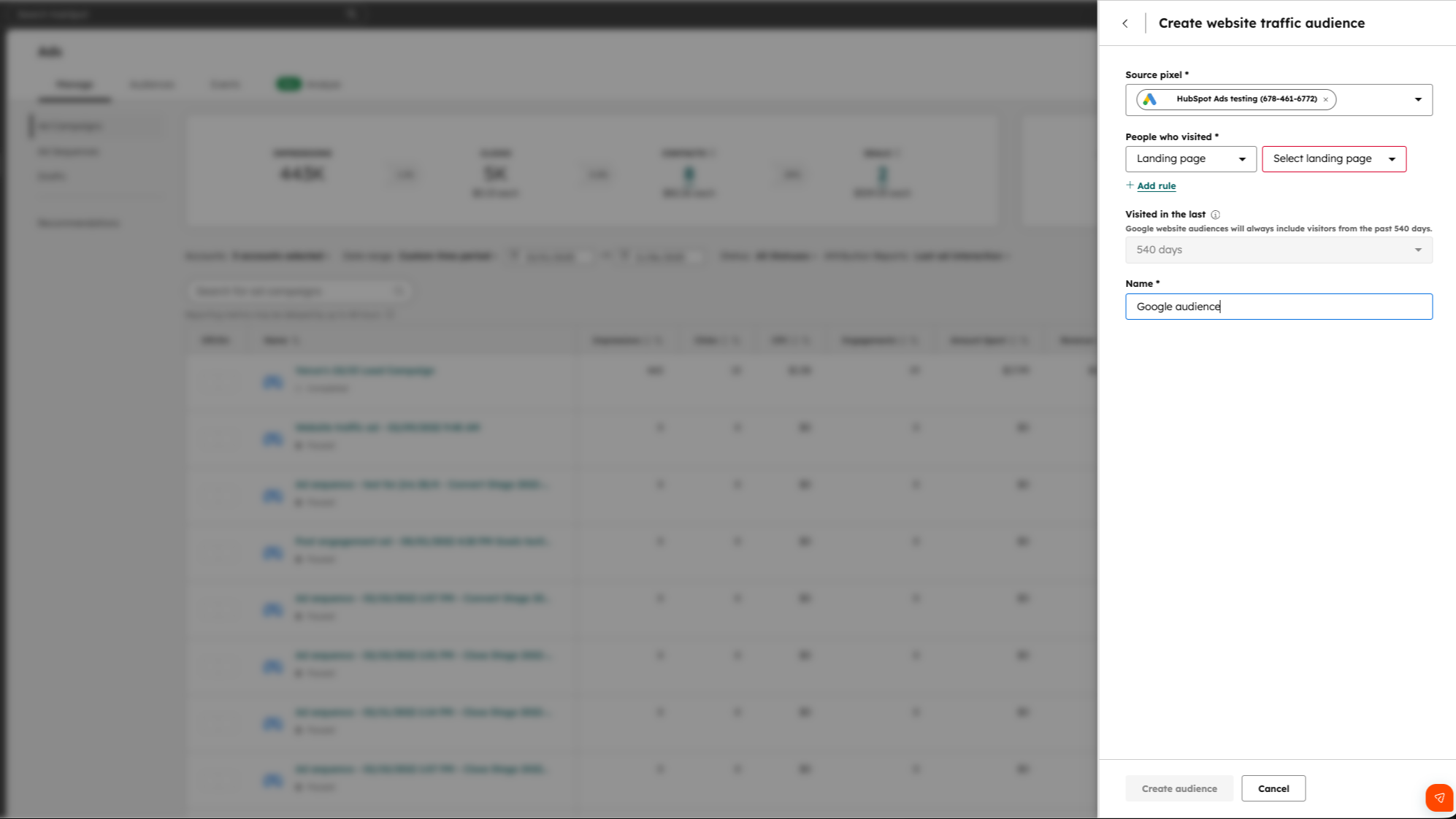
Create targeted audiences using HubSpot CRM data
Create website visitor and/or contact audiences from HubSpot contact lists segmented by lifecycle stage, company attributes, or deal data and sync them to Google Ads. Contacts are automatically added or removed as they move through your funnel, keeping your targeting aligned with your latest CRM data.
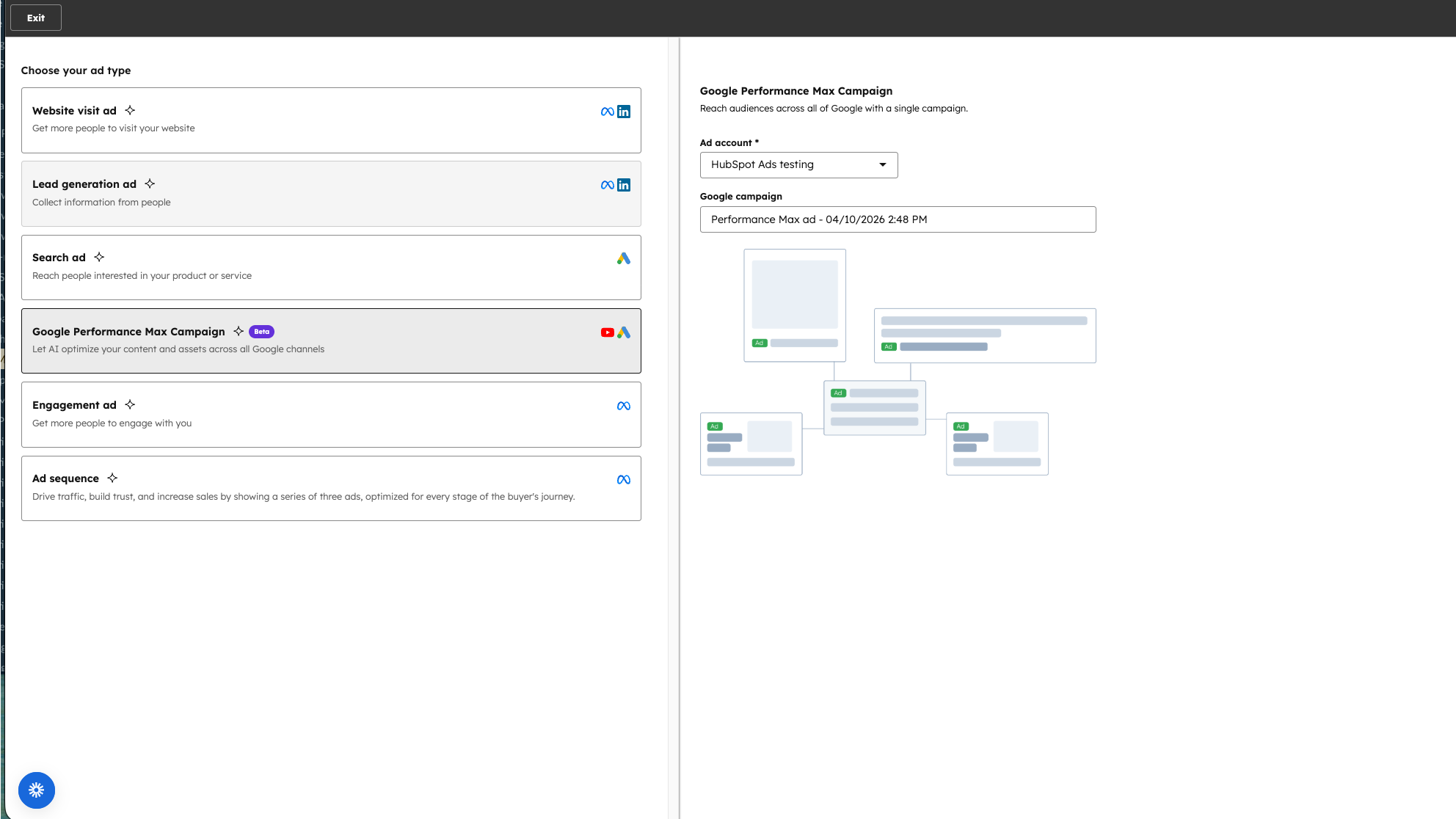
Find new customers across every Google channel with Performance Max
With Performance Max ads you can convert new leads across Search, YouTube, Maps, Discover, and more from a single and easy to manage campaign. Google AI uses your HubSpot CRM data to proactively target users who look and behave like your best customers.
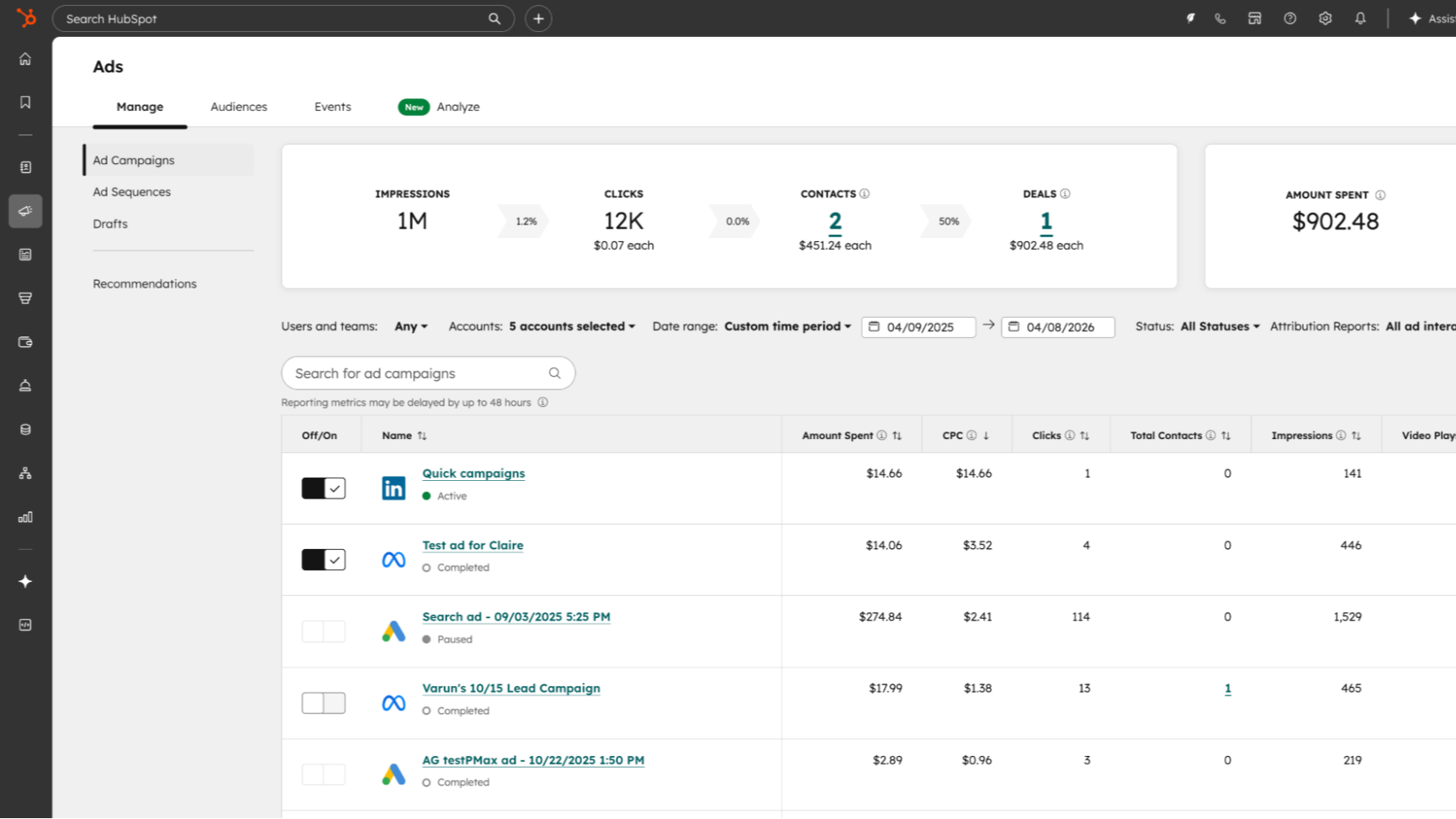
Create, manage, and report on Google ads in HubSpot
Build Google Search and Performance Max ad campaigns directly in HubSpot, then manage them from a single dashboard alongside your other ad networks. Track and report on every ad—even those published outside of HubSpot—to see which ad campaigns drive contacts, deals, and revenue.
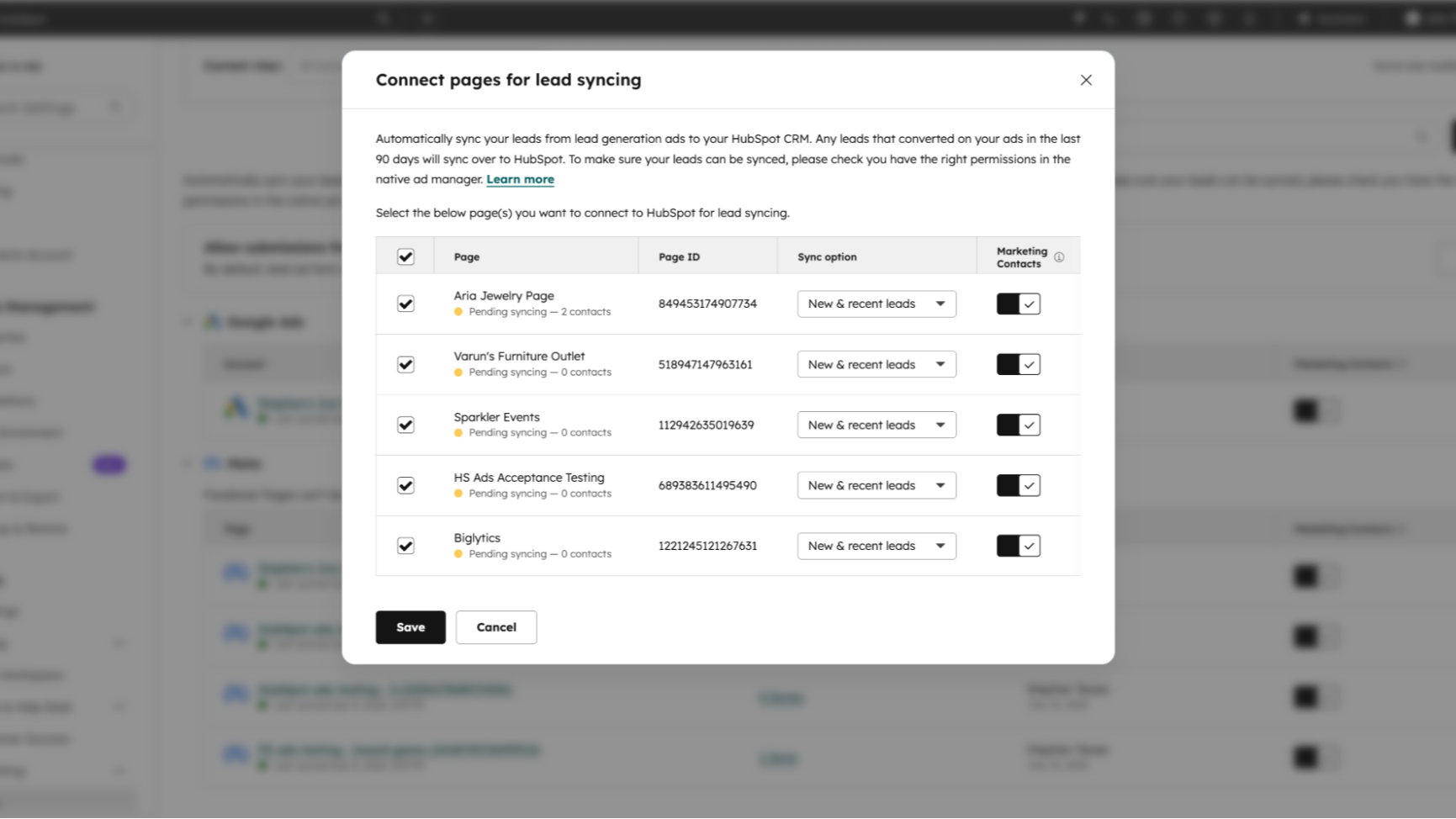
Sync leads from Google to HubSpot
Automatically sync leads from Google ads as HubSpot contacts—no need for CSV exports or manual data entry.
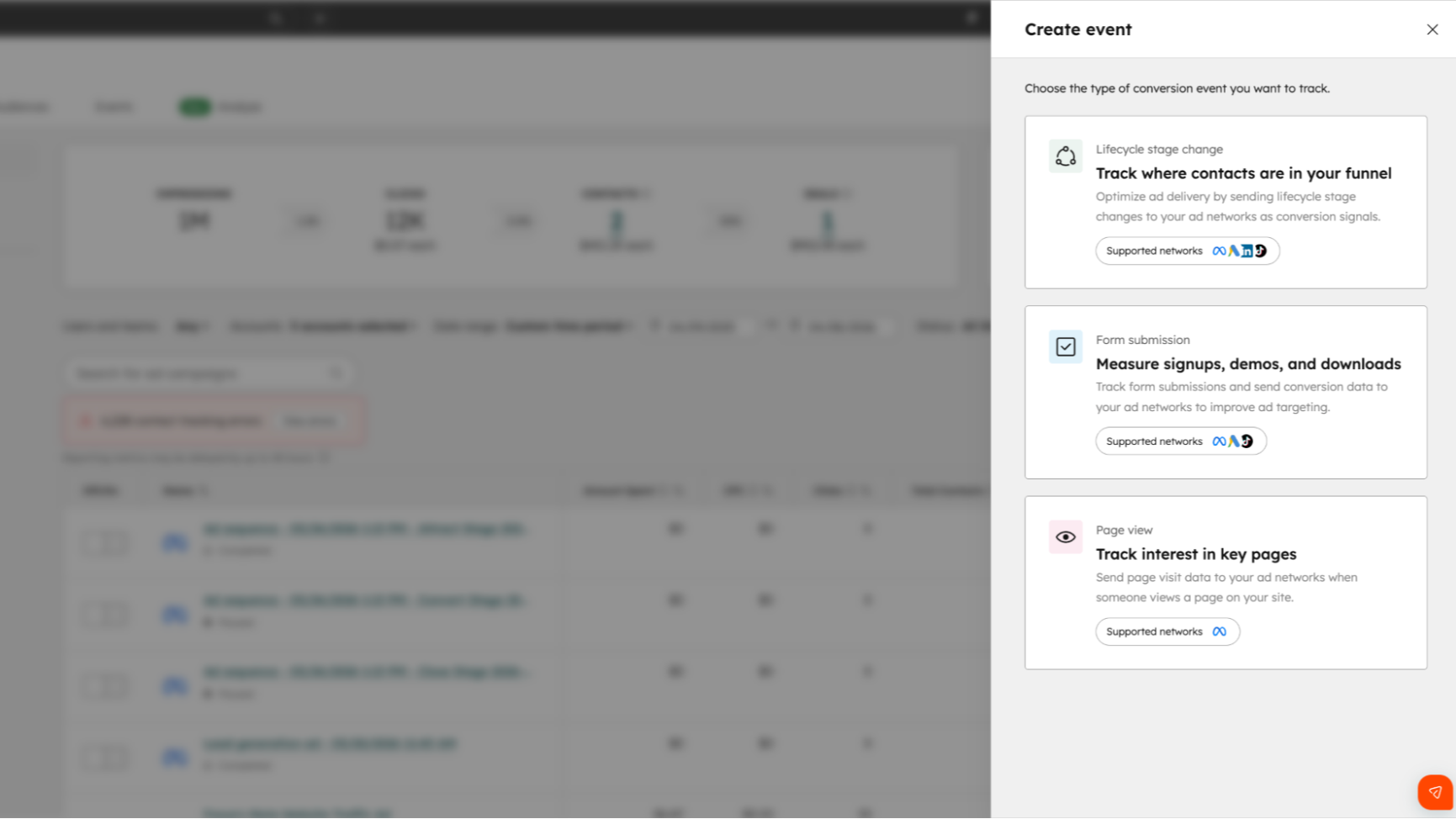
Sync conversions from HubSpot to Google
Send conversion events — like lifecycle stage changes, form submissions, and closed deals — from HubSpot to Google to optimize ads for the outcomes that actually drive revenue, not just clicks.
App Functionality
Shared Data
Ad performance | ||
Audiences | ||
Audiences | ||
Tracking Pixel |
Reviews
3.1
213
3.1
213
- Mar 27, 2026
Completely unusable - no data transfer, no events, simply doesn't work
No sources are transferred at all and no events are sent to GTM. So not usable. We had to add a listener event so that we could get any data at all. But this is not transferred to hubsport
Does not work
Lesnino, R.
- Mar 20, 2026
Frustrating setup process with confusing conversion settings makes integration unnecessarily difficult despite promising lead tracking potential
Currently, it's not working that well. I've attempted to use HubSpots Ads events and I've had to change the set up a number of times because it's not very easy to know what is the correct settings between HubSpot and Google's conversion goals settings.
Being able to see the campaigns, ad groups, and keywords tied to new leads that come in. The potential to link good data between HubSpot and Google Ads to hopefully increase the quality of leads Google is bringing in.
Setting up ads events and getting them configured the correct way in Google ads is hard for me personally. I think there are some other cons but I can't think of them right now.
Hvidston, B.
Pricing
Google Ads Account
$0
Google Ads Account
$0
* The pricing here is for display purposes only. All prices do not include taxes, incentives, discounts, or other pricing variables. You should contact the partner for the most up to date and correct pricing information. HubSpot does not take any responsibility for this pricing information, which is provided by our partners. Pricing last updated: 04/13/2026
New arrivals