
Google Drive sync by Ulgebra
Attach files for contacts in Google Drive
Requirements
HubSpot Plan HubSpot Account permissions - View the required account permissions
Google Drive sync by Ulgebra Subscription - Classic plan
Overview
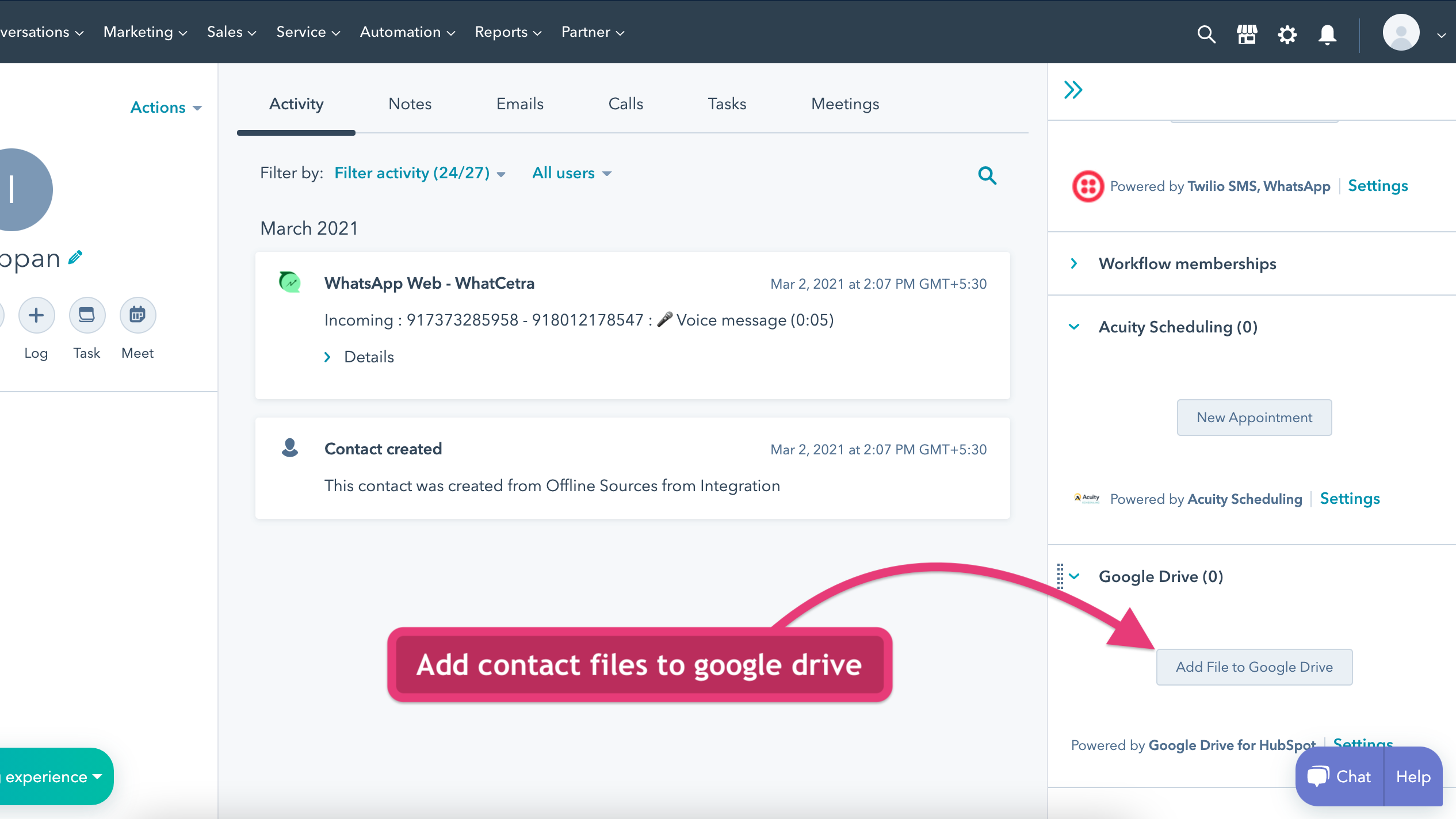
1/2 - Add contact files to Google Drive
Google Drive for HubSpot extension lets you manage your contact files in Google Drive easily.
Using this extension, you can easily add files to any HubSpot contact.
This extension fetches the files added for the CRM contact and files can be renamed and downloaded easily.
You can also organize the files with creating multiple nested folders for better file management.
Features

Add contact files to Google Drive
Go to any contact in HubSpot CRM In the right section, find Google Drive card. Click Add file to Google Drive button Authorise Google Drive and upload files to be stored in Google Drive for that contact
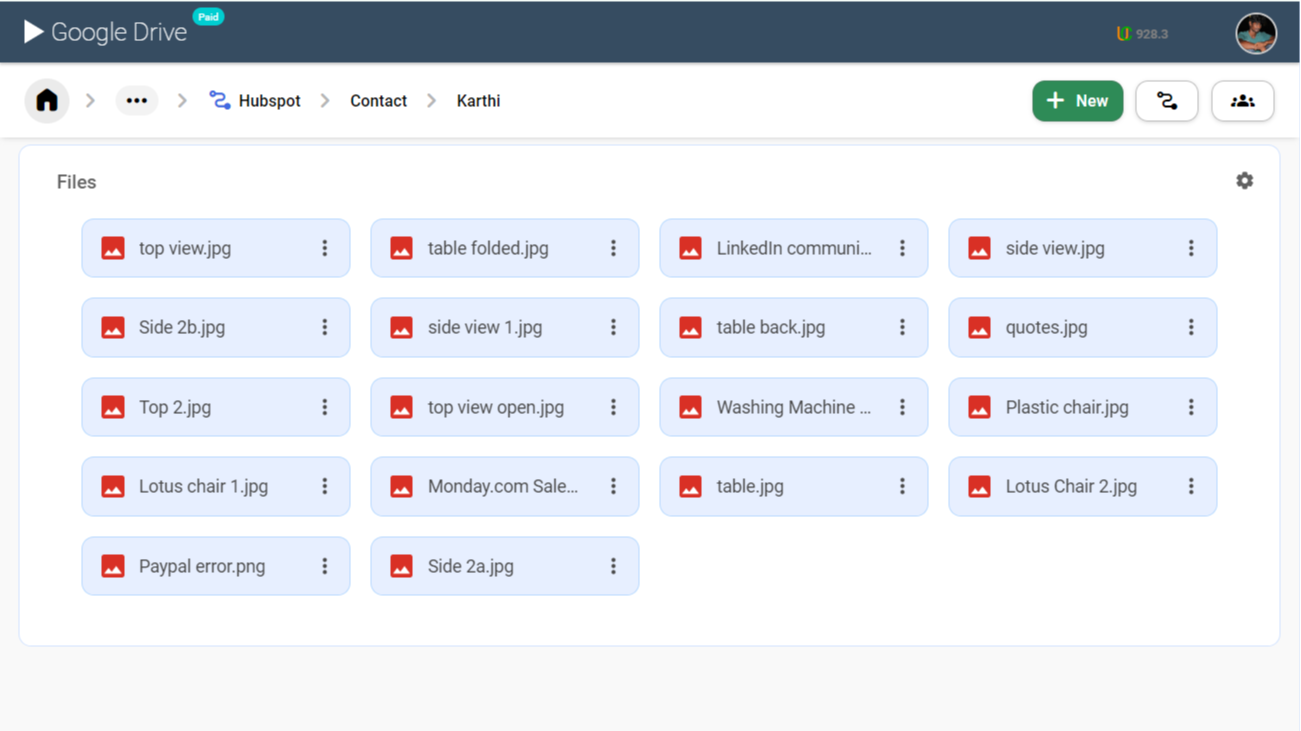
View/Upload files to Google Drive from HubSpot Contact
Go to any contact in HubSpot CRM In the right section, find Google Drive card. Click Add file to Google Drive button Authorise Google Drive and view files stored in Google Drive for that contact Click download on any file to view the file content
App Functionality
Shared Data
HubSpot attachments |
Reviews
1.8
5
1.8
5
- Jun 4, 2025
Shared Drive Access Missing - Major Limitation for Team Collaboration
Doesn't do what I need it to
Connects Google Drive to HubSpot
Does not connect to shared Google Drives, so my team can't see the files I attach
Freeman, K.
- Mar 24, 2025
Can not sync
When I log in it does not allow me to locate any files just a blank screen
N/a
I can not use it!
System LLC, T.B.
Pricing
Classic
$4
/monthAdd contact files to Google Drive
Sync contact attachments in Google Drive
The pricing will be charged per user
Classic
$4
/monthAdd contact files to Google Drive
Sync contact attachments in Google Drive
The pricing will be charged per user
* The pricing here is for display purposes only. All prices do not include taxes, incentives, discounts, or other pricing variables. You should contact the partner for the most up to date and correct pricing information. HubSpot does not take any responsibility for this pricing information, which is provided by our partners. Pricing last updated: 08/09/2025
Getting attention today


