
Microsoft Dynamics 365
Data Sync - Sync HubSpot and Dynamics contact, company & product data
Requirements
HubSpot Plan HubSpot Account permissions No permissions required Access Type Shared Microsoft Dynamics 365 Subscription - Sales Professional, Sales Enterprise, or Sales Premium plans
Overview
1/6
Here’s what you’ll get with the HubSpot app for Microsoft Dynamics 365:
- Easy to get started - no technical work required
- Fast app your whole team can rely on
- Two-way contact, lead and account sync that automatically updates changes from one system to the other
- Choose which records sync from HubSpot to Microsoft Dynamics 365
- Send lead scores from HubSpot to Microsoft Dynamics 365
...with all of these features and more, your sales team will be more productive than ever. With this app, you’ll empower your sales team with valuable data to help them prioritize their outreach, save time, build more meaningful relationships, and close more deals.
Plus, HubSpot employs a team of engineers and support staff dedicated to maintaining and improving your app.
Note: We only support cloud domains hosted on dynamics.com.
Features
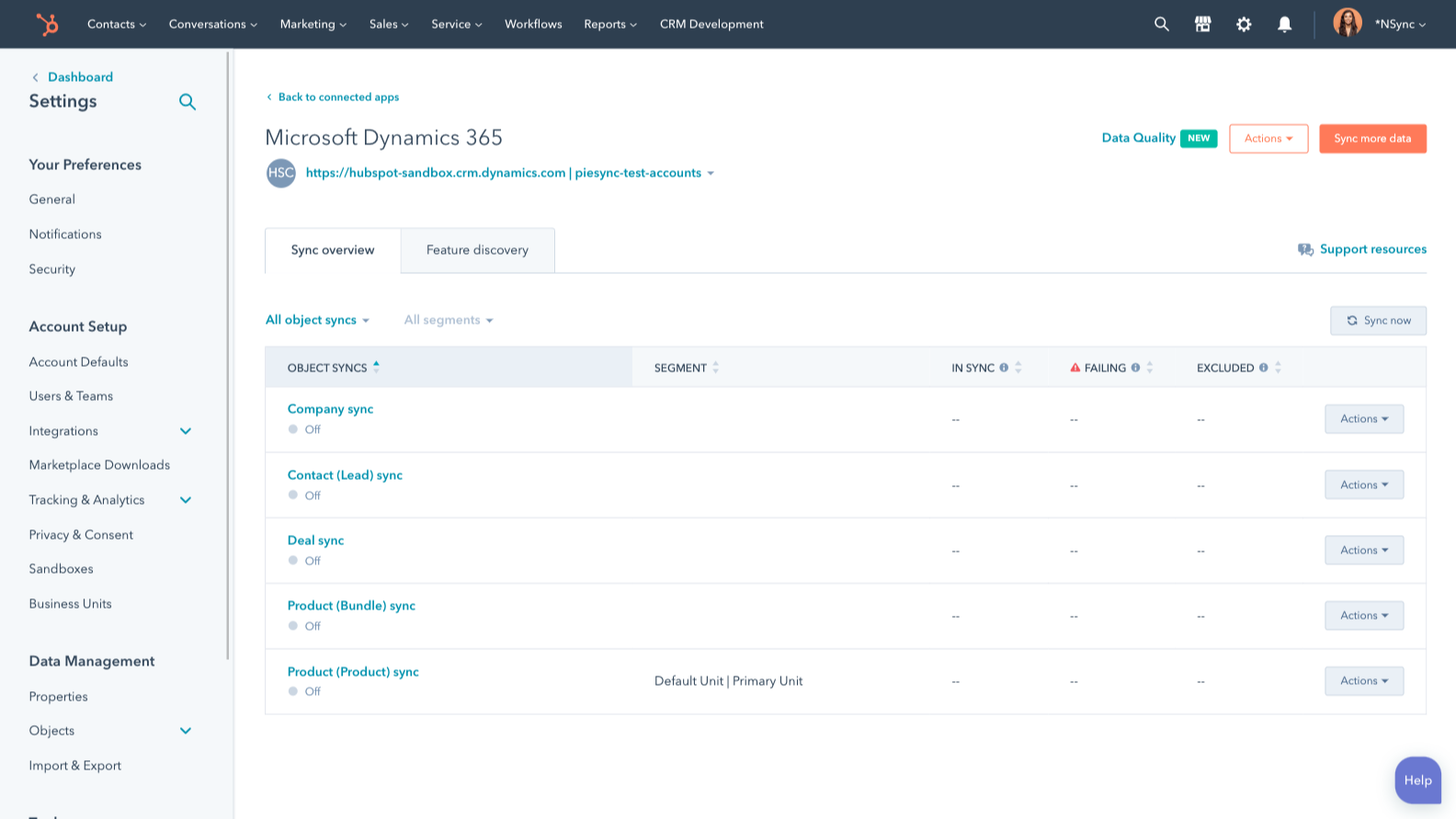
Two-way data sync
Keep both systems updated by syncing new and existing records as well as updates between HubSpot and Microsoft Dynamics 365. Sync Microsoft Dynamics 365 leads, contacts, accounts, opportunities, products and more to HubSpot. Create your own custom field mappings or make changes to your default ones with Data Hub Starter or Professional plans.
-1%20copy%202-1.png)
Create sales orders in Microsoft Dynamics 365
Create a Microsoft Dynamics 365 sales order and add in all the relevant information–so sales reps can kick off the next steps in the fulfillment process–without navigating away from HubSpot. Create it automatically using a HubSpot deal workflow or manually through a HubSpot deal record.
-1%20copy%202-2-1.png)
Custom field mappings
Custom field mappings are available with Data Hub Starter or Up. Custom mappings add the flexibility to create your own mappings or make changes to your default ones.
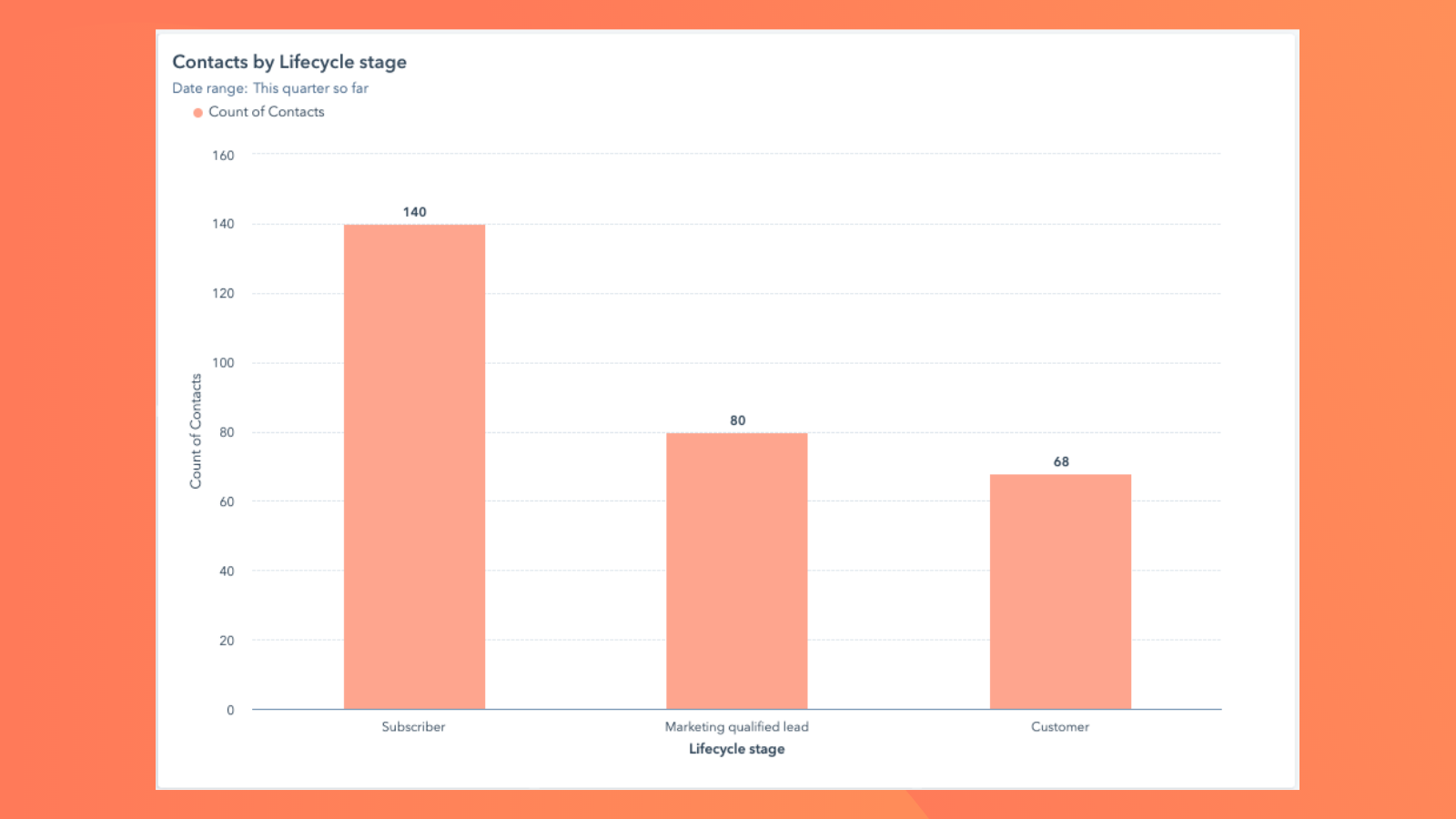
Close the loop between marketing and sales
Use details from Microsoft Dynamics 365 opportunities, leads, contacts and accounts to personalize marketing emails, segment your database, or send emails on behalf of a lead’s sales rep.
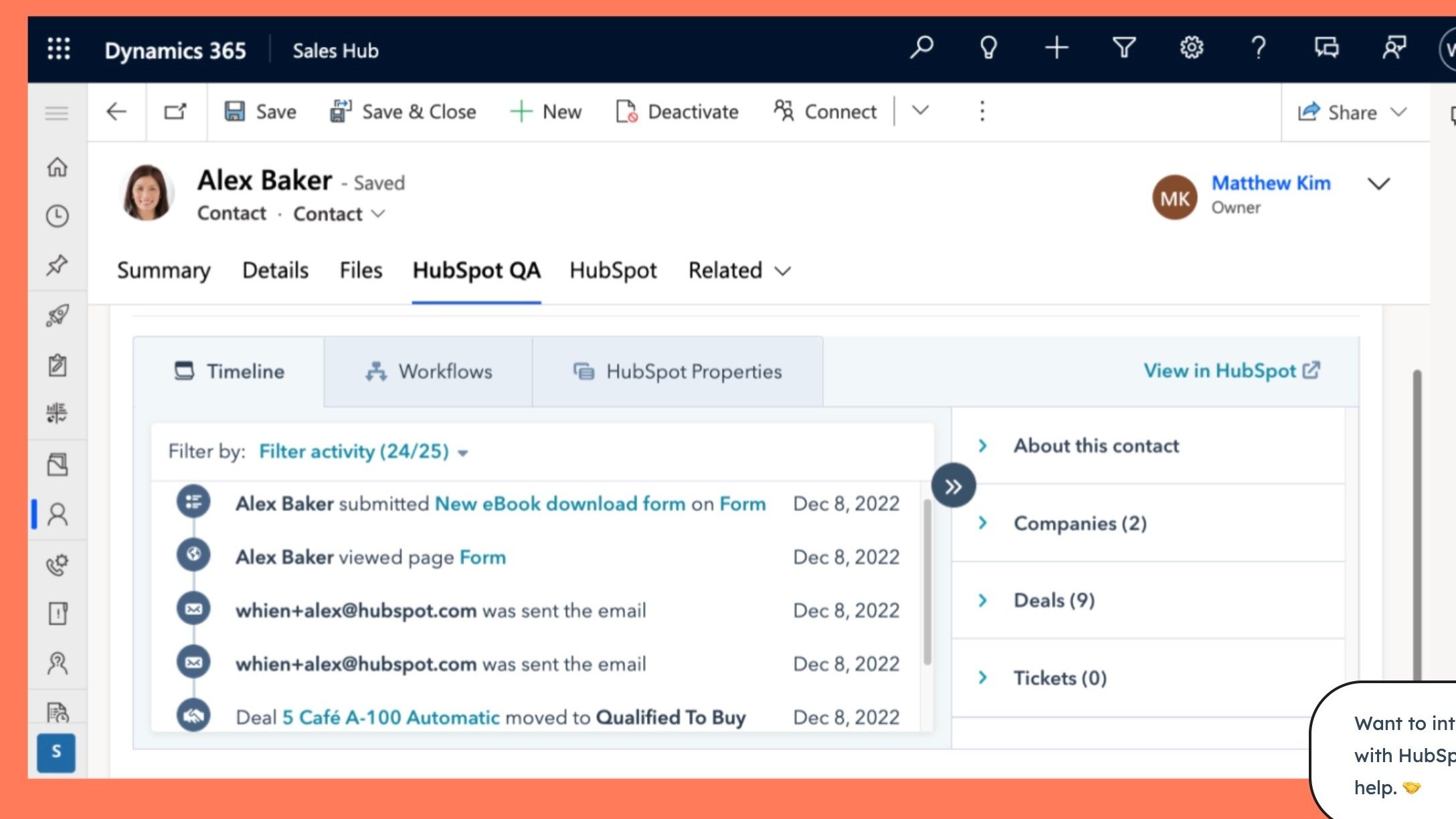
HubSpot embedded in Microsoft Dynamics 365
Utilize HubSpot tools without leaving Microsoft Dynamics 365. The HubSpot embed feature provides insights into HubSpot contact, company, and deal records and lets you enroll these records in workflows from right within Microsoft Dynamics 365.
App Functionality
Shared Data
Each object has field mappings that connect matching information from Dynamics. Default mappings are listed below.
Accounts | ||
Appointments | ||
Bundles | ||
Cases | ||
Contacts | ||
Emails | ||
Entities | ||
Invoices | ||
Leads | ||
Notes | ||
Opportunities | ||
Phone Calls | ||
Products | ||
Sales Orders | ||
Tasks |
Reviews
2.5
25
2.5
25
- Apr 13, 2026
Solid core functionality but missing crucial lead sync capabilities holds it back
It has worked well for the core functionality it currently supports.
Contacts, Companies, and Deals sync well.
Lead Object support doesn't currently exist in a way that works well with HubSpot's Lead Object.
Nielsen, D.
- Mar 25, 2026
Useful for internal management but the problem is HubSpot when it comes to integration with Dynamics - total frustration with HubSpot.
Dynamics has been very useful in my organization as ERP for 9 years. It has always worked very well.
Simple management of opportunities, projects, suppliers and invoices
HubSpot DOES NOT ALLOW A RELIABLE CONNECTION WITH DYNAMICS
Pons, J.
Pricing
Sales Professional
$65
/monthA simple way to modernize sales productivity
Get the revenue-generating capabilities of sales force automation (SFA) with the productivity of Office 365.
- Exceed customer exceptions
- Free up time for selling
- Make data-driven decisions
- Get up and running fast
- Customize without code
Sales Professional
$65
/monthA simple way to modernize sales productivity
Get the revenue-generating capabilities of sales force automation (SFA) with the productivity of Office 365.
- Exceed customer exceptions
- Free up time for selling
- Make data-driven decisions
- Get up and running fast
- Customize without code
* The pricing here is for display purposes only. All prices do not include taxes, incentives, discounts, or other pricing variables. You should contact the partner for the most up to date and correct pricing information. HubSpot does not take any responsibility for this pricing information, which is provided by our partners. Pricing last updated: 12/17/2025
Getting attention today
-1.png)