WebinarGeek
Built by - WebinarGeek
Installs - 900+ installs
Rating 4.2
(17)

Leading
Requirements
HubSpot Plan HubSpot Account permissions - View the required account permissions
Access Type Shared WebinarGeek Subscription - Premium or Enterprise plans
Overview
1/6
As soon your HubSpot is connected with WebinarGeek the basis is already set up correctly and you are already able to benefit from the following possibilities:
All the webinar registrations are automatically registered or updated in HubSpot.
All the viewing behavior and all actions of the webinar viewers will automatically be send over to HubSpot as events. Think about chat messages, polls, call to actions, questions, evaluation forms, and of course data such as watch time.
Every contact in HubSpot will get two custom properties with the date your contact last viewed a webinar and when they last registered for a webinar, which can be used to segment your contacts.
Use HubSpot forms to collect registrations for your webinar and fully customize the registration process.
Connect HubSpot lists to webinars and auto-register contacts for the events you choose.
Send HubSpot marketing emails to confirm registration to your webinar subscribers.
Features
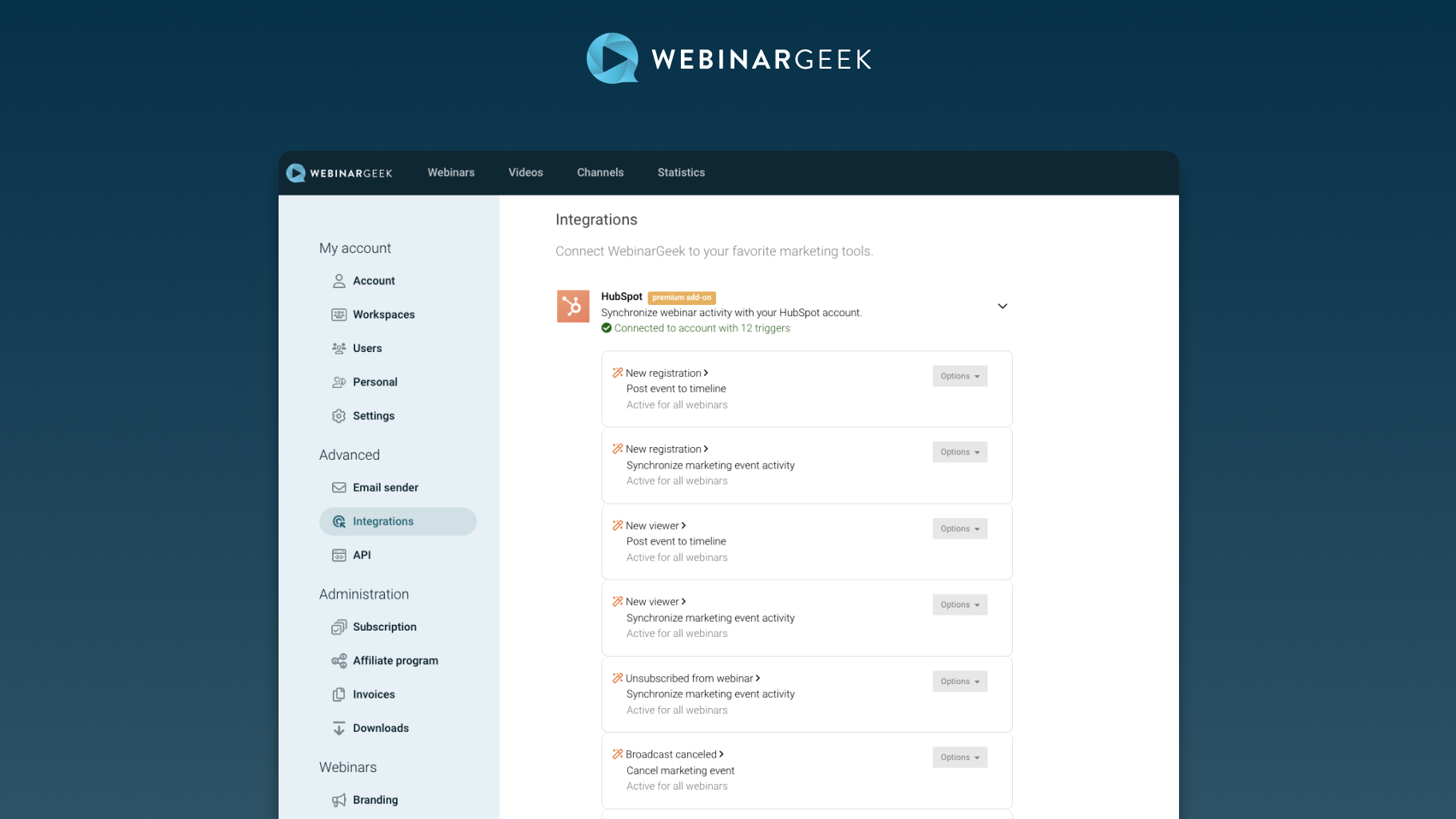
Use HubSpot forms to collect webinar registrations
Connect your HubSpot form to WebinarGeek in order to collect subscribers and automatically register them for your webinars. This way you can fully customize your registration process to your own needs.
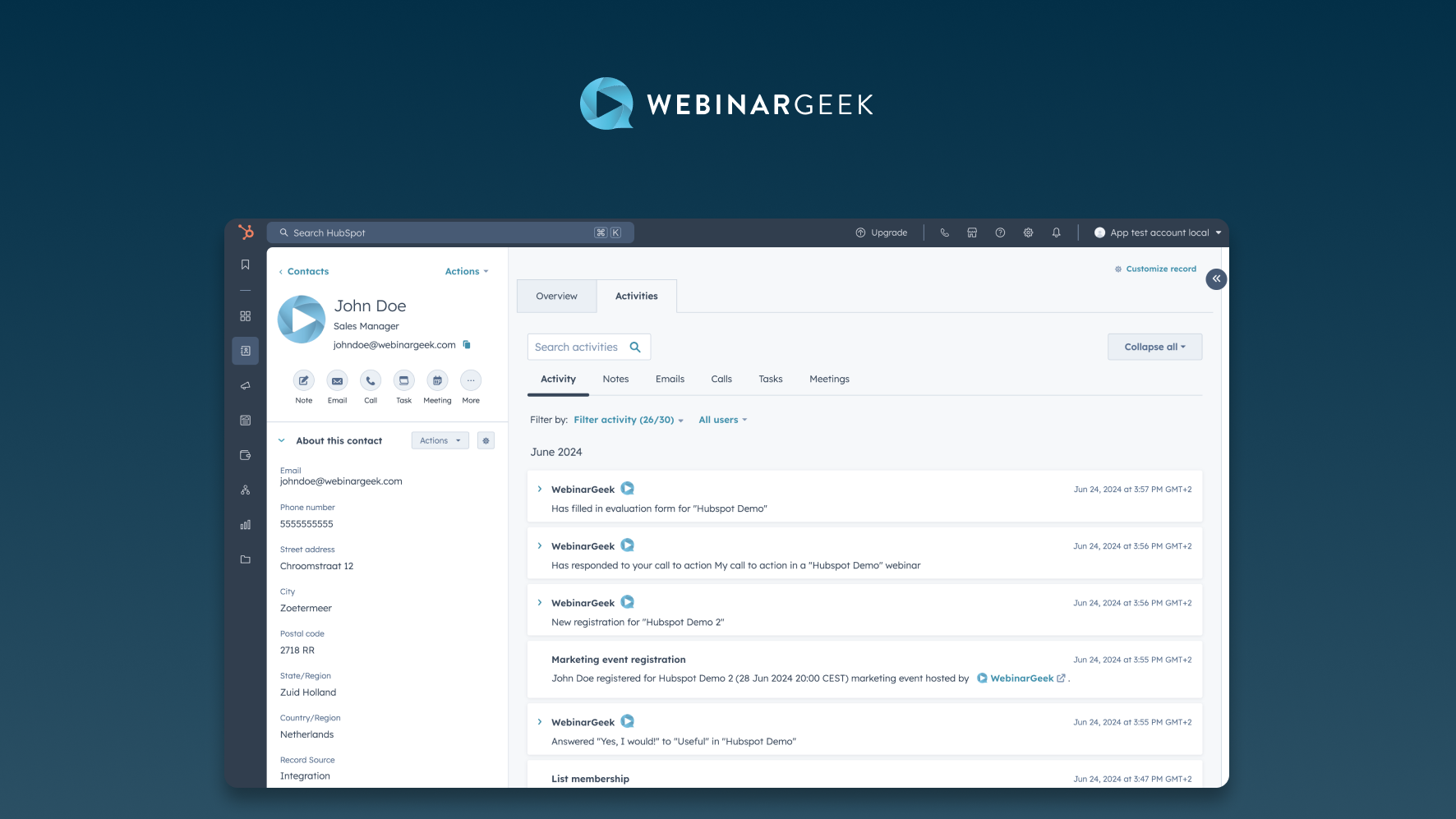
Webinar events are sent to your HubSpot timeline
Events such as new registration, poll votes, calls to action filled in, new viewers, evaluation forms, questions will be automatically send to your HubSpot timeline.
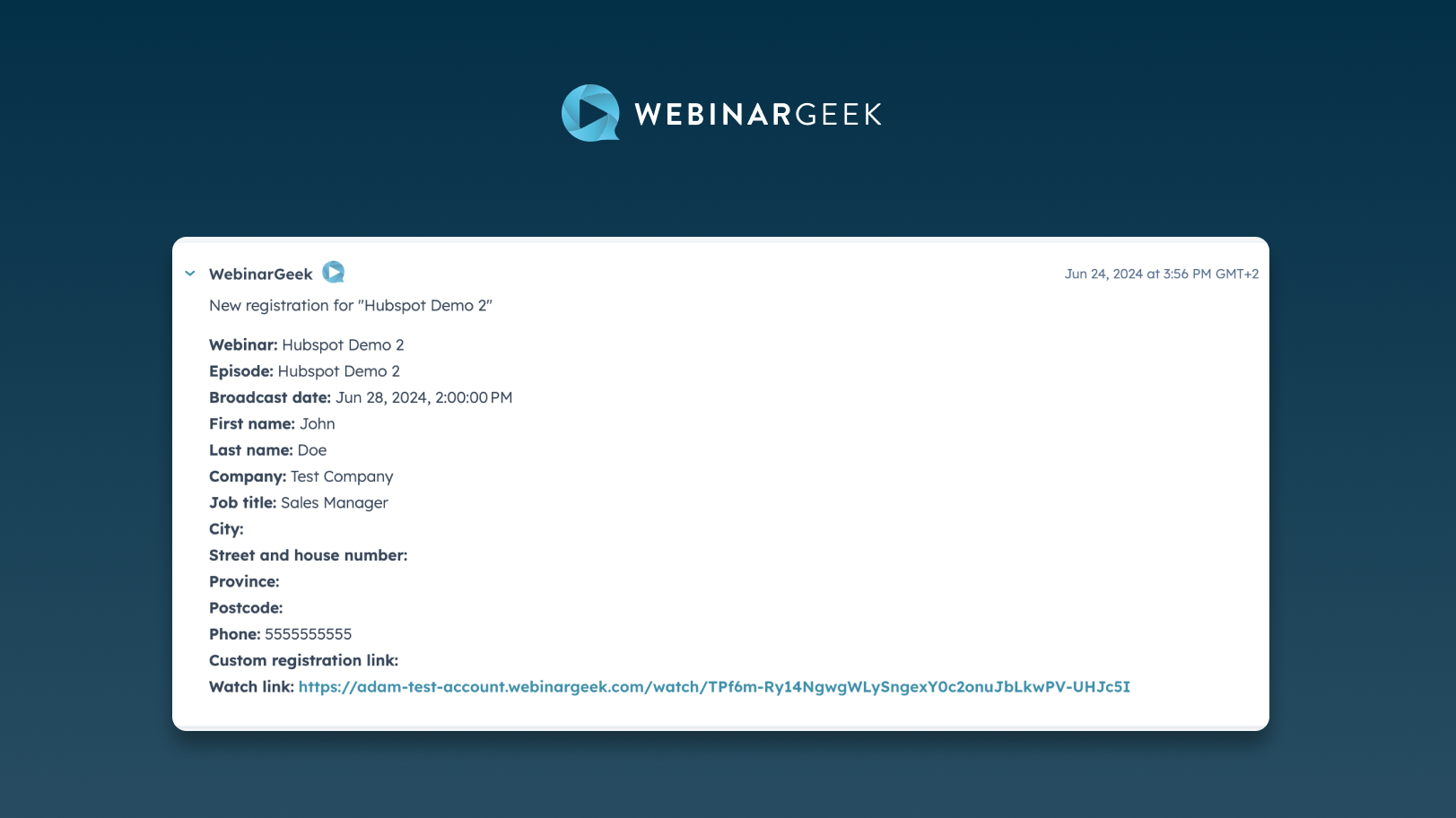
Complete marketing integration
Use HubSpot marketing email to send the unique watch link and the webinar date and time to those who subscribe to your webinar based on their contact properties. Synchronize marketing event activities when someone registers, views or unsubscribes from your webinar to see the effectiveness of your marketing strategy.
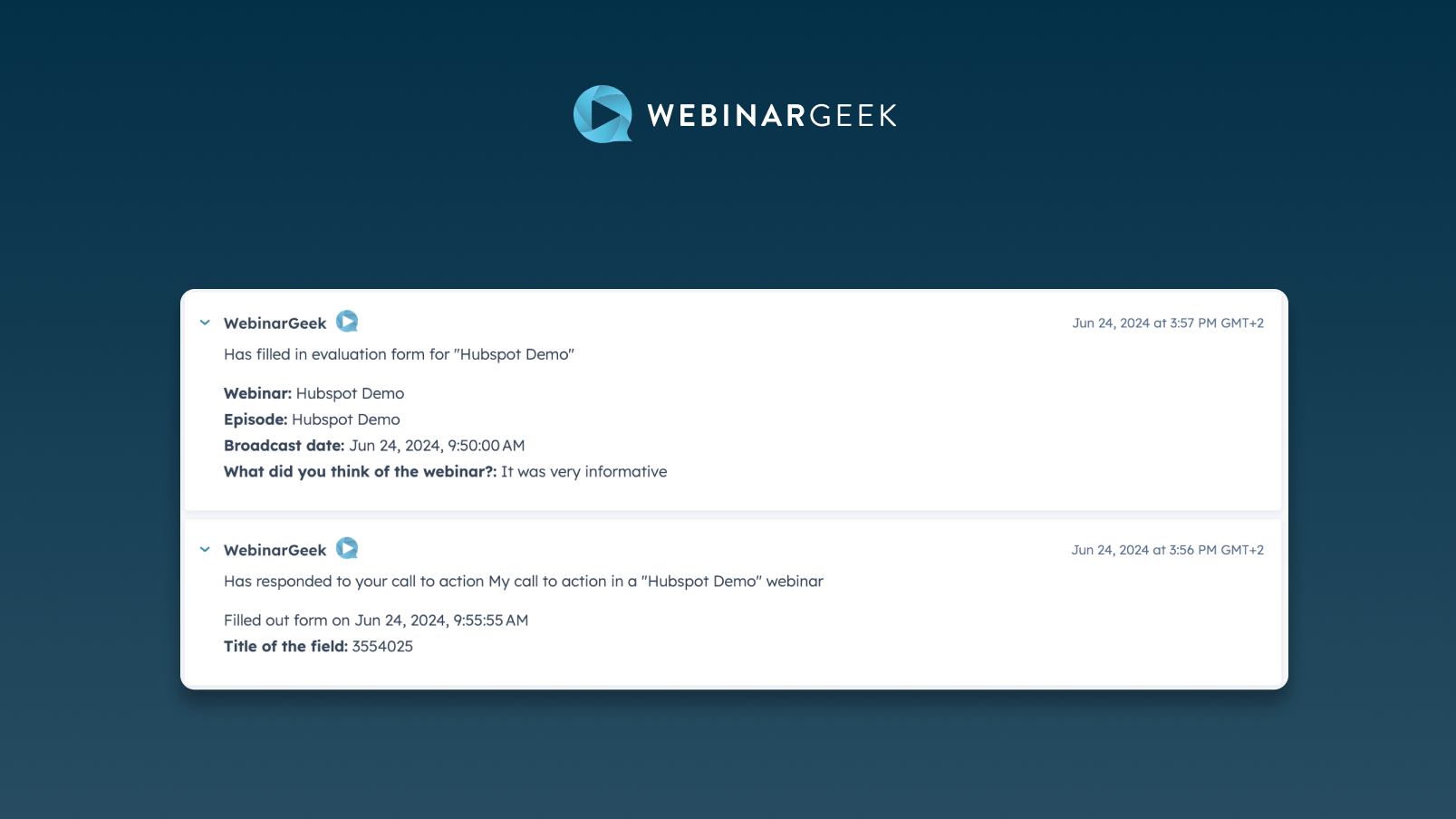
Webinar activity is captured in contact fields
Use contact fields to segment your audience based on webinar activity. Easily segment your recent viewers from your audience or filter your contacts based on whether they ever watched a webinar.
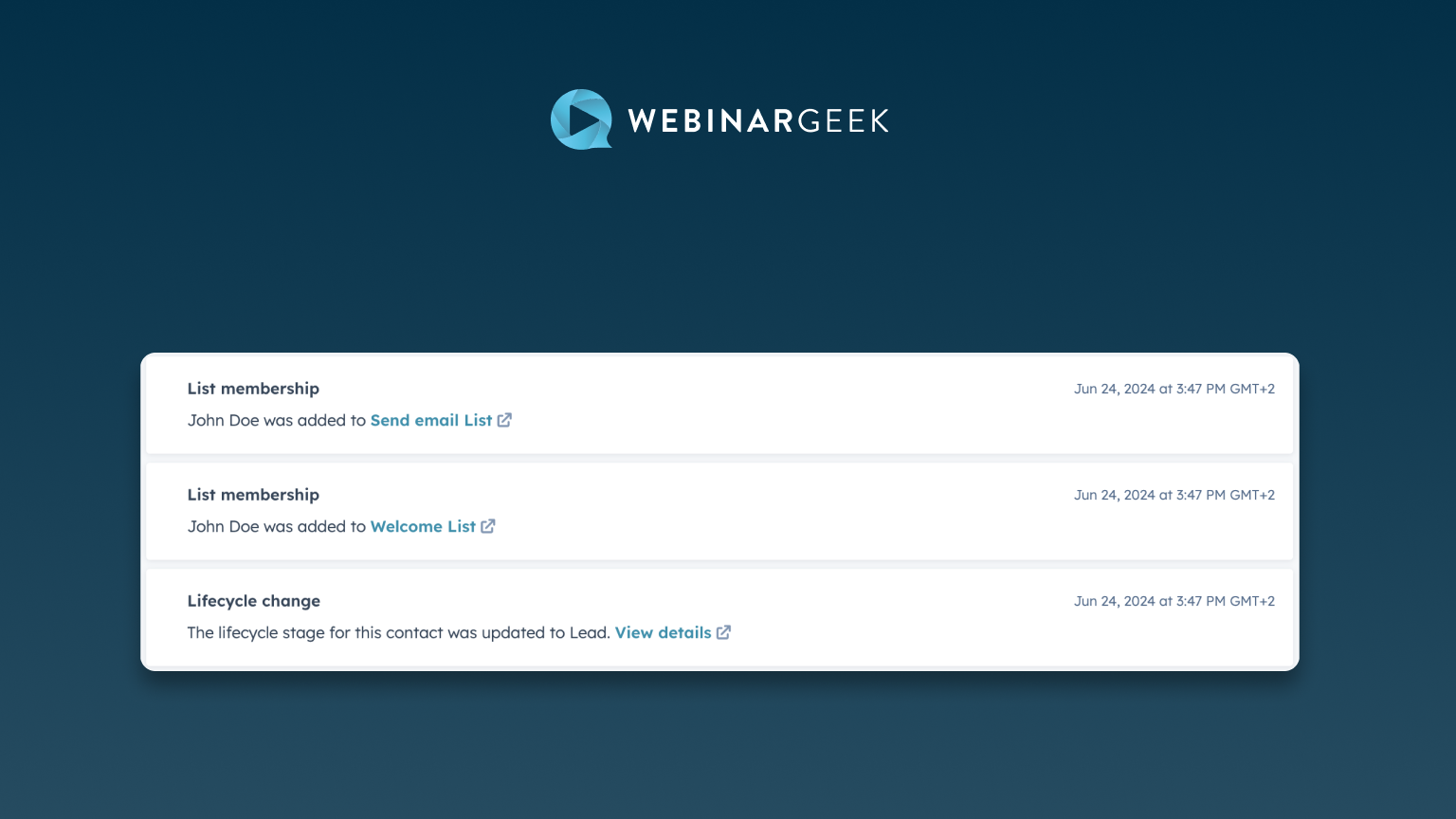
In-depth segmentation and filtering based on webinar activity
Every time someone watches your webinars their activity and statistics are sent to your HubSpot timeline, allowing you to create audience profiles and filters within your webinar or your entire audience.
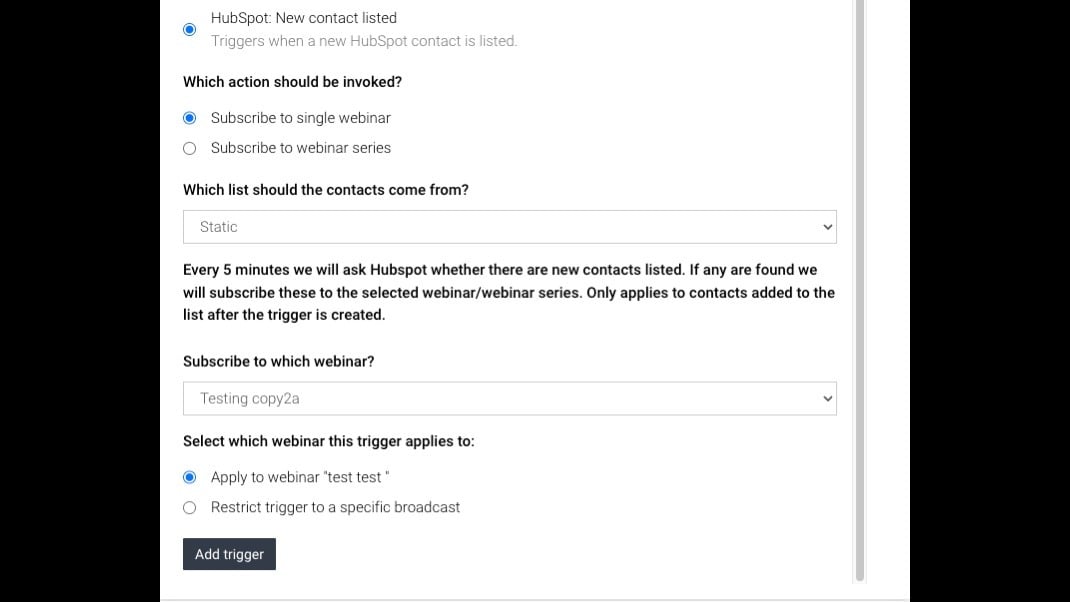
Connect HubSpot Lists to Webinars
Link HubSpot contact lists to specific webinars. WebinarGeek automatically registers contacts for the events you select, keeping CRM and webinar data in sync while reducing manual work and improving targeted outreach.
App Functionality
Shared Data
Subscriber | ||
Subscriber | ||
Subscriber | ||
Subscriber | ||
Subscriber | ||
Watched Live | ||
Watched On-Demand | ||
Watched Replay |
Reviews
4.2
17
4.2
17
- Apr 28, 2026
Simple and worthwhile integration
Great comprehensive webinar platform, integration like an advanced version of what was possible with Teams
all the data we have access to and the segmentation
havent found any yet
Pearson, R.
- Nov 11, 2025
Smooth setup and hosting but clunky data handling makes audience segmentation a workaround fest
WebinarGeek integrates smoothly with HubSpot for registrations and timeline activities, but the data model makes audience segmentation clumsy. Key events (viewed, watch start, broadcast date) often land as timeline activities or text fields, so filters don’t behave like true date/datetime properties. This leads to empty segments unless you use workarounds (substring matching, multiple event filters, or workflows to normalize data).
Reliable registration sync and clear timeline entries Solid webinar hosting experience for attendees Basic HubSpot integration is easy to set up
Viewer/assessment data not consistently exposed as segmentable properties Text-based dates and timezone quirks break filters Requires extra workflows to mirror events into usable contact fields 69€ / month only for HubSpot Events that require extra work and manual cleaning
Langer, F.
Pricing
Premium
€69
/monthEverything you need to grow with webinars.
All our standard features
Up to 5000 live viewers
Custom branding
Moderator dashboard
HD+ quality
Automated webinars
Marketing integrations
Premium
€69
/monthEverything you need to grow with webinars.
All our standard features
Up to 5000 live viewers
Custom branding
Moderator dashboard
HD+ quality
Automated webinars
Marketing integrations
* The pricing here is for display purposes only. All prices do not include taxes, incentives, discounts, or other pricing variables. You should contact the partner for the most up to date and correct pricing information. HubSpot does not take any responsibility for this pricing information, which is provided by our partners. Pricing last updated: 05/05/2026