
Teamwork.com
Link projects, tasks, & time to stay updated on customer projects.
Built by - Teamwork.com
Installs - 700+ installs
Rating - 3.4(8)
Requirements
HubSpot Plan Works with all HubSpot plans Learn more HubSpot Account permissions - View the required account permissions
Teamwork.com Subscription - Grow, Scale, or Enterprise plans
Overview
1/9
Teamwork.com is the only platform that combines best-in-class client operations with easy-to-use project management, loved by agencies and client service teams.
The Teamwork.com HubSpot App addresses the pain of disconnected Project Management Systems & CRM systems. Now, you can effortlessly link Projects & Tasks to Deals, Companies, Contacts, and Tickets directly within HubSpot. Plus, Create & View Teamwork project & task details without ever leaving your CRM.
This update enhances productivity, ensures seamless integration, and future-proofs your setup—all while providing a stable and user-friendly experience. It’s the solution you need to supercharge your HubSpot and Teamwork connection.
Features
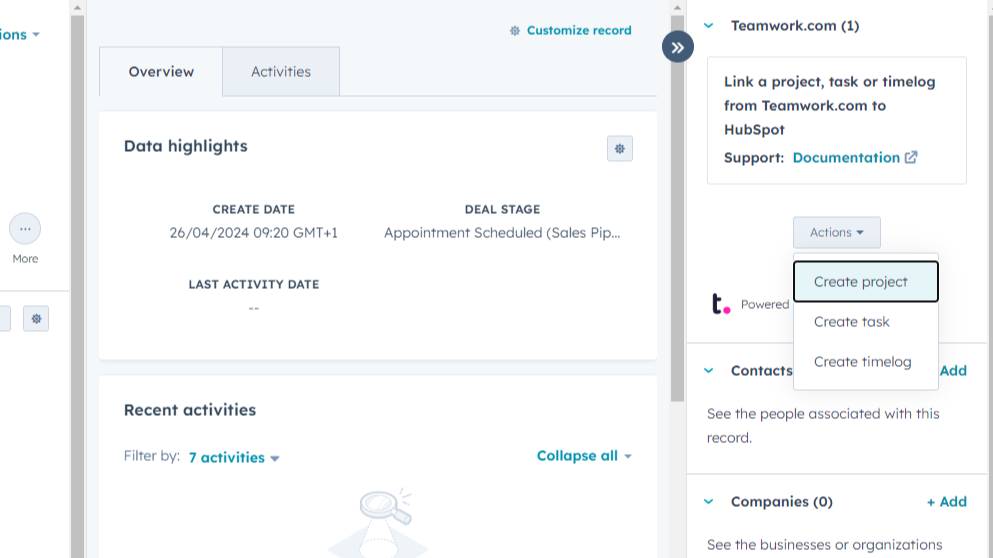
Link Teamwork Tasks, Projects, and Time Logs
View, create, and link Teamwork tasks, projects, and time logs directly to your HubSpot CRM objects, such as Deals, Companies, Contacts, and Tickets. This seamless integration keeps your sales, support, and project management teams aligned, ensuring that everyone has the latest information at their fingertips.
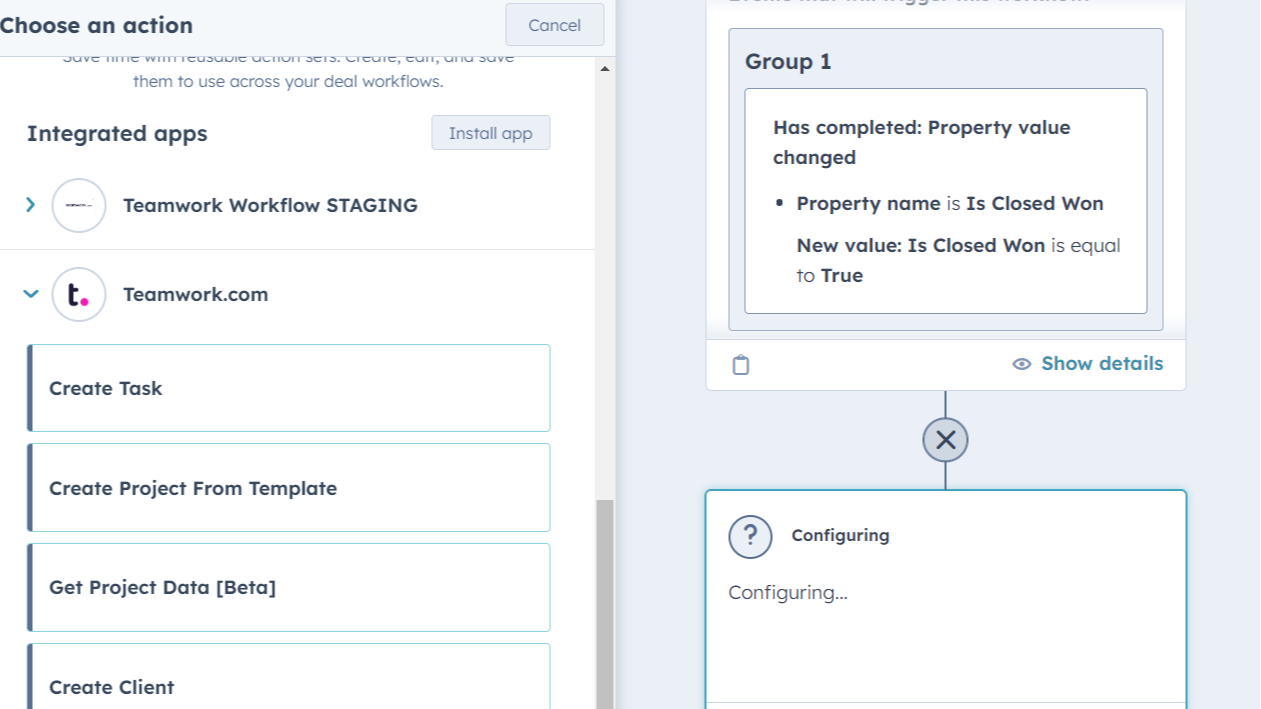
Automate Project Management with Workflows
Easily automate the creation of Teamwork tasks, projects, and clients directly from HubSpot workflows. Once installed, simply select the desired Teamwork.com action in HubSpot's workflow builder to streamline your processes.
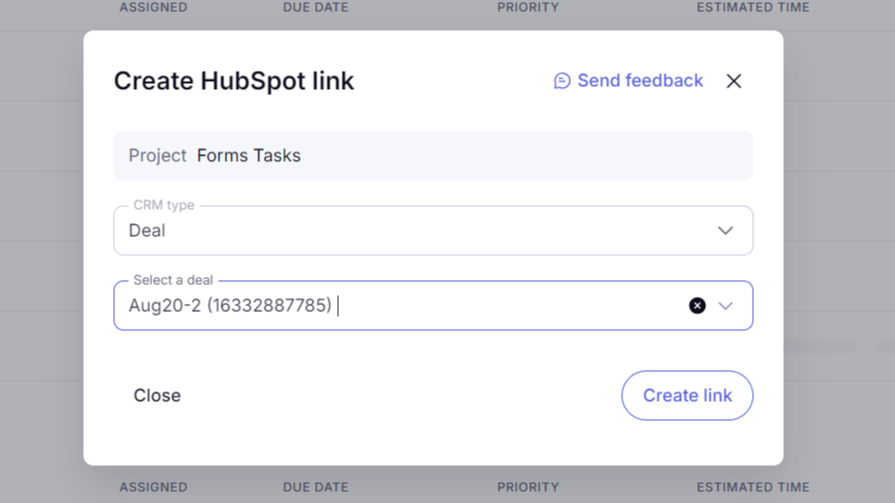
Link CRM Objects via Teamwork.com
Link HubSpot items—such as Deals, Companies, Contacts, and Tickets—directly from your Teamwork projects or tasks. By linking CRM objects from Teamwork, you can effortlessly track the progress of deals, manage client relationships, and keep all project-related information in up-to-date with HubSpot.
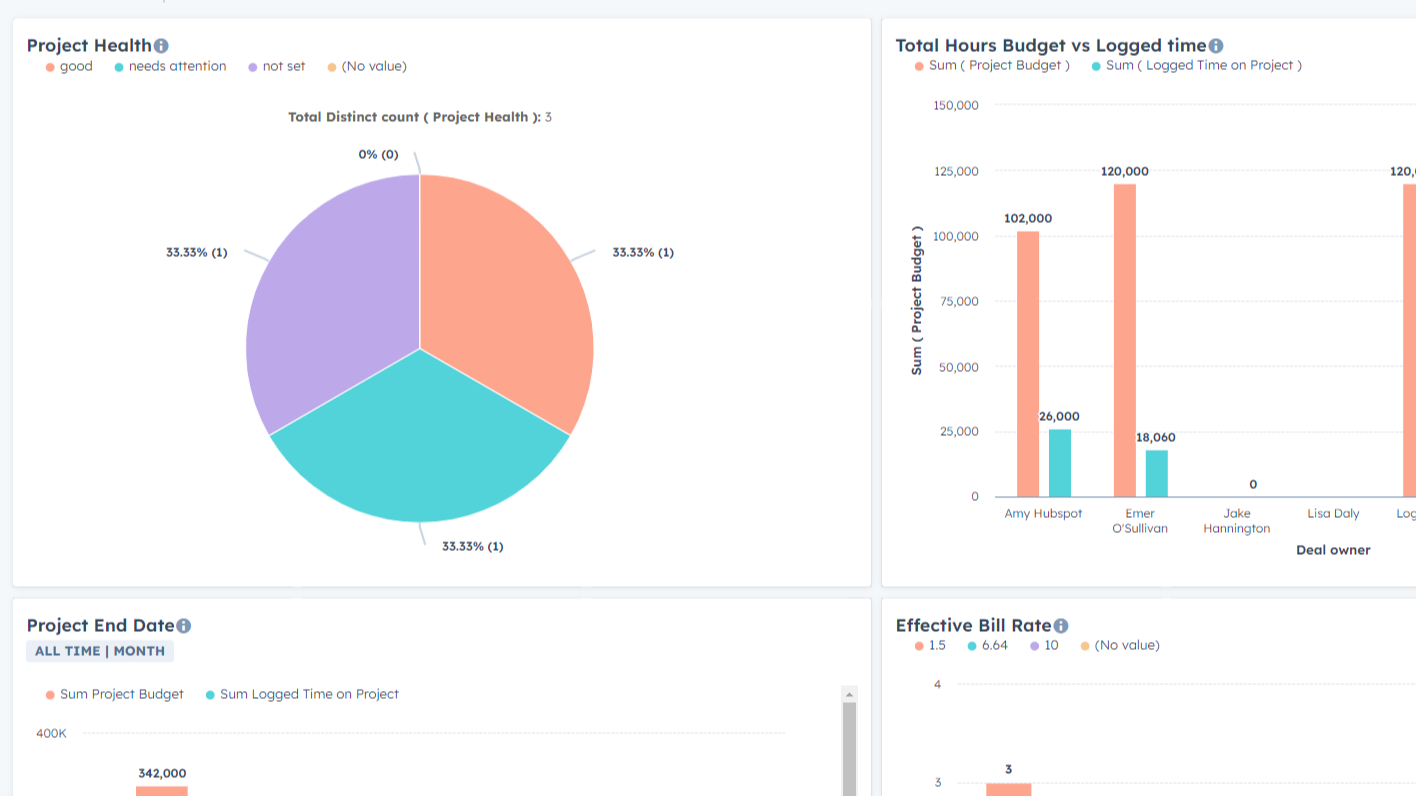
Sync Project Data to HubSpot Custom Properties
Sync Teamwork project data with HubSpot custom properties on Deals, Companies, and Contacts. This integration is a one-way scheduled import (from Teamwork to HubSpot) of standard project fields, such as health, profitability, etc. Report on project data within HubSpot dashboards, ensuring your team has all the information needed to drive success.
App Functionality
Shared Data
Client | ||
Log time | ||
Log time | ||
Log Time | ||
Log Time | ||
Project | ||
Project | ||
Project | ||
Task | ||
Task | ||
Tasks | ||
Tasks |
Reviews
3.4
8
3.4
8
- Mar 4, 2025
Doesnt work
Needs work and better implementation. Needs two way syncing for project updates.
None, doesnt work
Doesnt work
Talbott, W.
- Aug 7, 2024
Where did the create project button go?
While I appreciate you've added a lot of additional functionality, taking away the 'create project' (in our world magic button) from the Deals window in HubSpot is a mistake. It was such an easy thing for us to do when a deal is closed won, to click the button. The create project from the Teamwork extension button doesn't allow us to add a new client company - we can only search existing. Not helpful. Bring back the button. Pleeeease
Project management
We love 99% of Teamwork
We miss the button on the deals page.
Tucker, D.
Marketing Services - 6 to 10 employees
Grow
€19.99
/monthManage complex client projects.
- All our standard features
- All Integrations
- Workload & Capacity Management
- Advanced Budgeting
- Powerful Reports
Grow
€19.99
/monthManage complex client projects.
- All our standard features
- All Integrations
- Workload & Capacity Management
- Advanced Budgeting
- Powerful Reports
* The pricing here is for display purposes only. All prices do not include taxes, incentives, discounts, or other pricing variables. You should contact the partner for the most up to date and correct pricing information. HubSpot does not take any responsibility for this pricing information, which is provided by our partners. Pricing last updated: 11/15/2025
More info
Built by - Teamwork.com
Installs - 700+ installs
Categories Languages this app is available in English
Now trending