

BoloSign – eSignature and PDF Automation
Built by - BoloForms
Installs - 20+ installs
Requirements
HubSpot Plan HubSpot Account permissions - View the required account permissions
Access Type Shared BoloSign – eSignature and PDF Automation Subscription - Business Plan plan
Overview
1/8 - The Most Trusted E-Signature Solution for HubSpot Users
The eSignature built for HubSpot teams
BoloSign isn’t a generic eSignature tool that happens to “connect” with HubSpot. It’s designed for HubSpot from the ground up, so your sales, marketing, and operations teams can close deals faster without leaving the CRM they already live in.
Move deals forward automatically
Every signed document updates your HubSpot pipeline in real time. Proposals viewed? Deal stage updated. Contract signed? Pipeline advanced. Your reps spend more time closing and less time cleaning up data. From bulk send to branded templates and secure audit logs, you have it all with BoloSign.
Prefill everything with one click
Stop wasting hours creating the same contracts again and again. Select a HubSpot deal or contact, and BoloSign instantly pre-fills your templates with variables like deal amount, stage, owner, company details, and emails. You get error-free, ready-to-send documents in seconds.
Keep the whole team aligned
Documents, templates, approvals, and audit trails are all tied back to HubSpot. That means marketing sees brand-ready proposals, finance sees payment terms, legal sees compliance and everyone is working from the same source of truth inside your CRM.
Why HubSpot teams choose BoloSign
Unlimited documents, templates, and members
Real-time HubSpot deal sync
Prefill variables from deals and contacts
Signing order and compliance controls
Affordable pricing, simple setup
Features
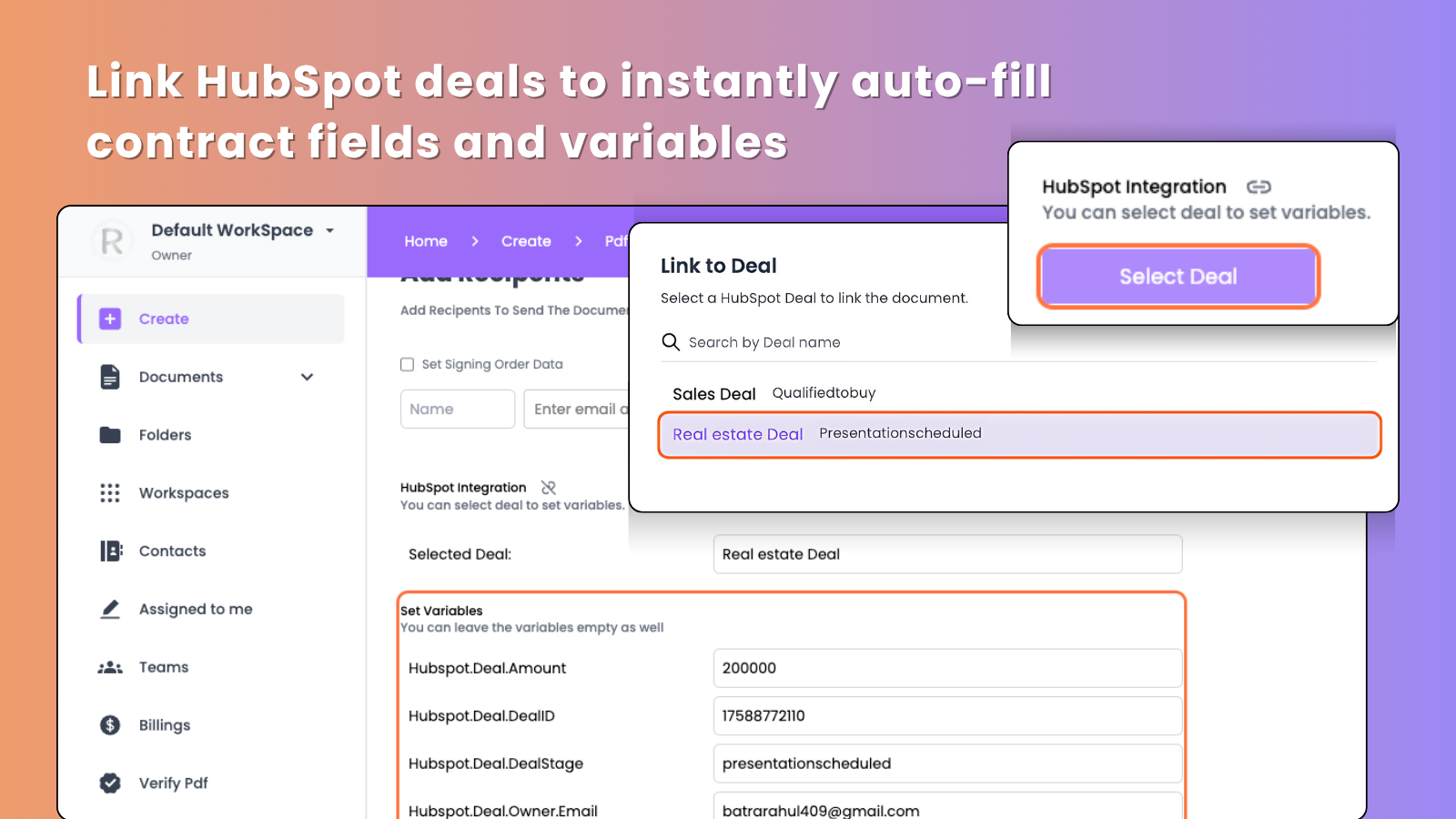
Pull CRM data and properties into documents automatically
Autofill the content of your sales documents with CRM data, including customer name, address, organization, phone number, and any other deal or customer data. Working with the pdf and forms? You can reduce manual work by pre-populating the customer data from CRM into form fields.
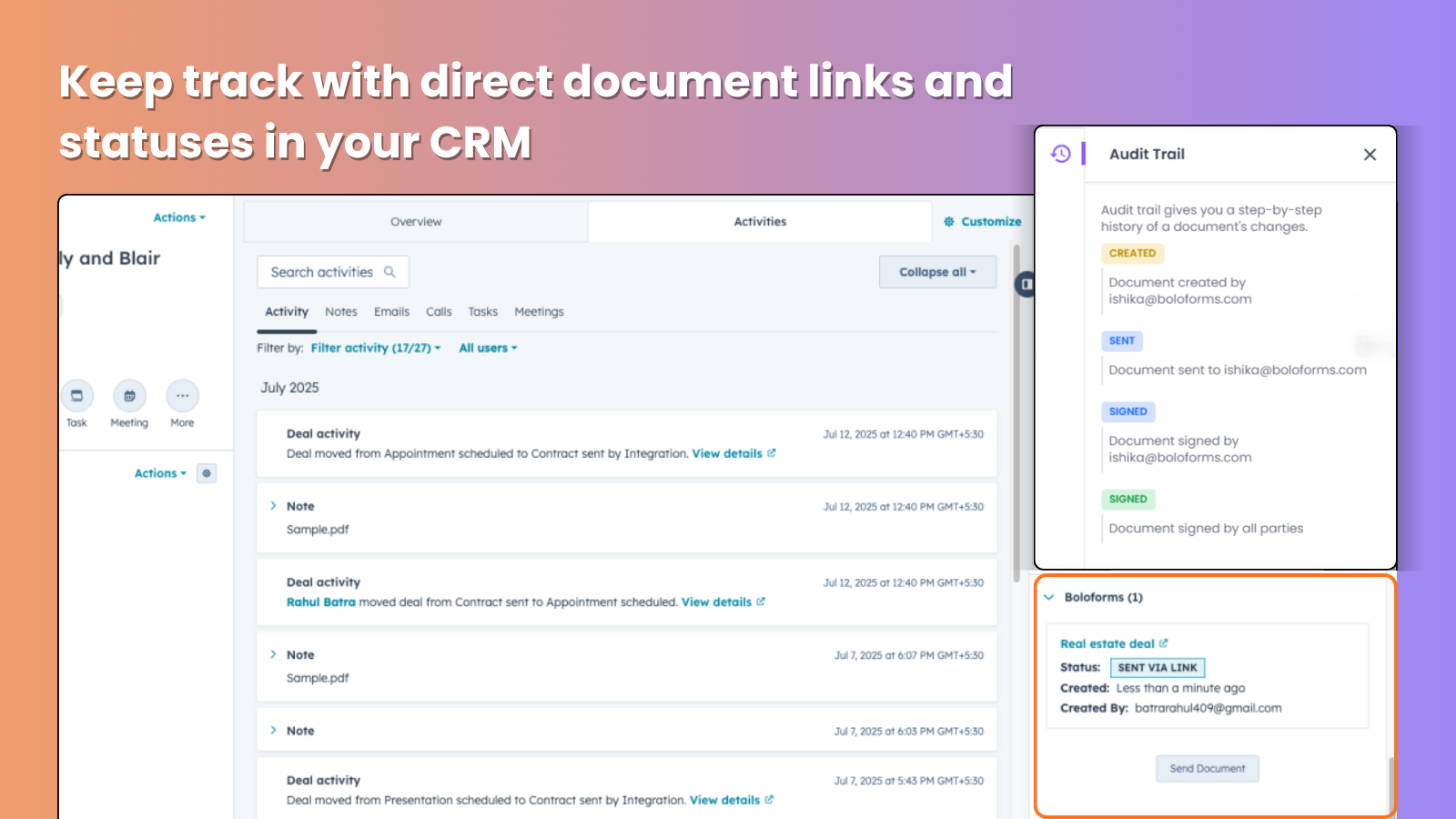
Keep track with direct document links and statuses in your CRM
You’ll receive instant email alerts when your document stage changes and you can monitor these updates right in HubSpot. Open or download the signed document right from the objects where it was created. For more flexibility add direct document links to emails or notes.
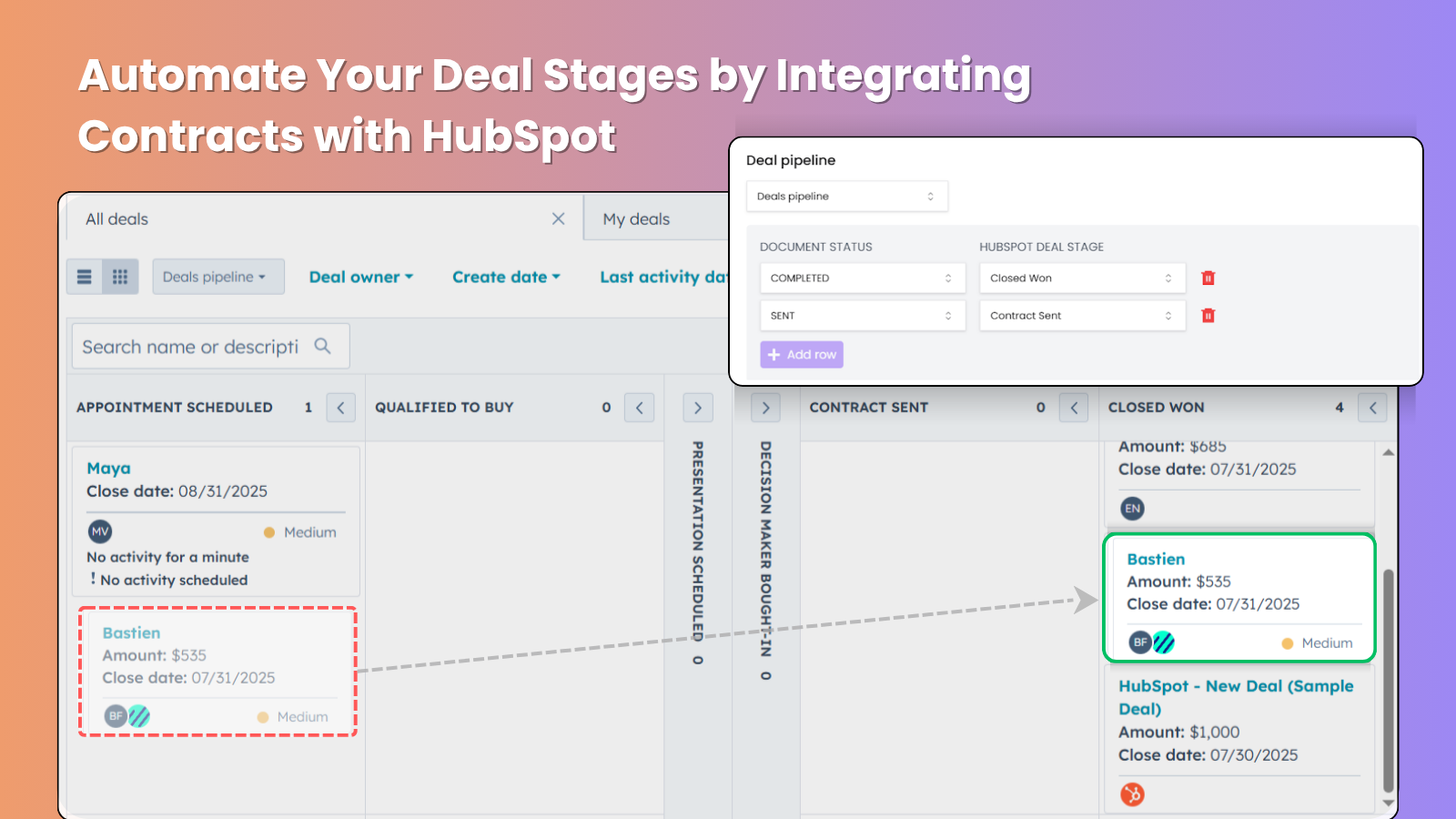
Get two-way data sync and reporting
Whenever the document status changes in Bolosign, update the deal status in HubSpot and attach the PDF to the deal.
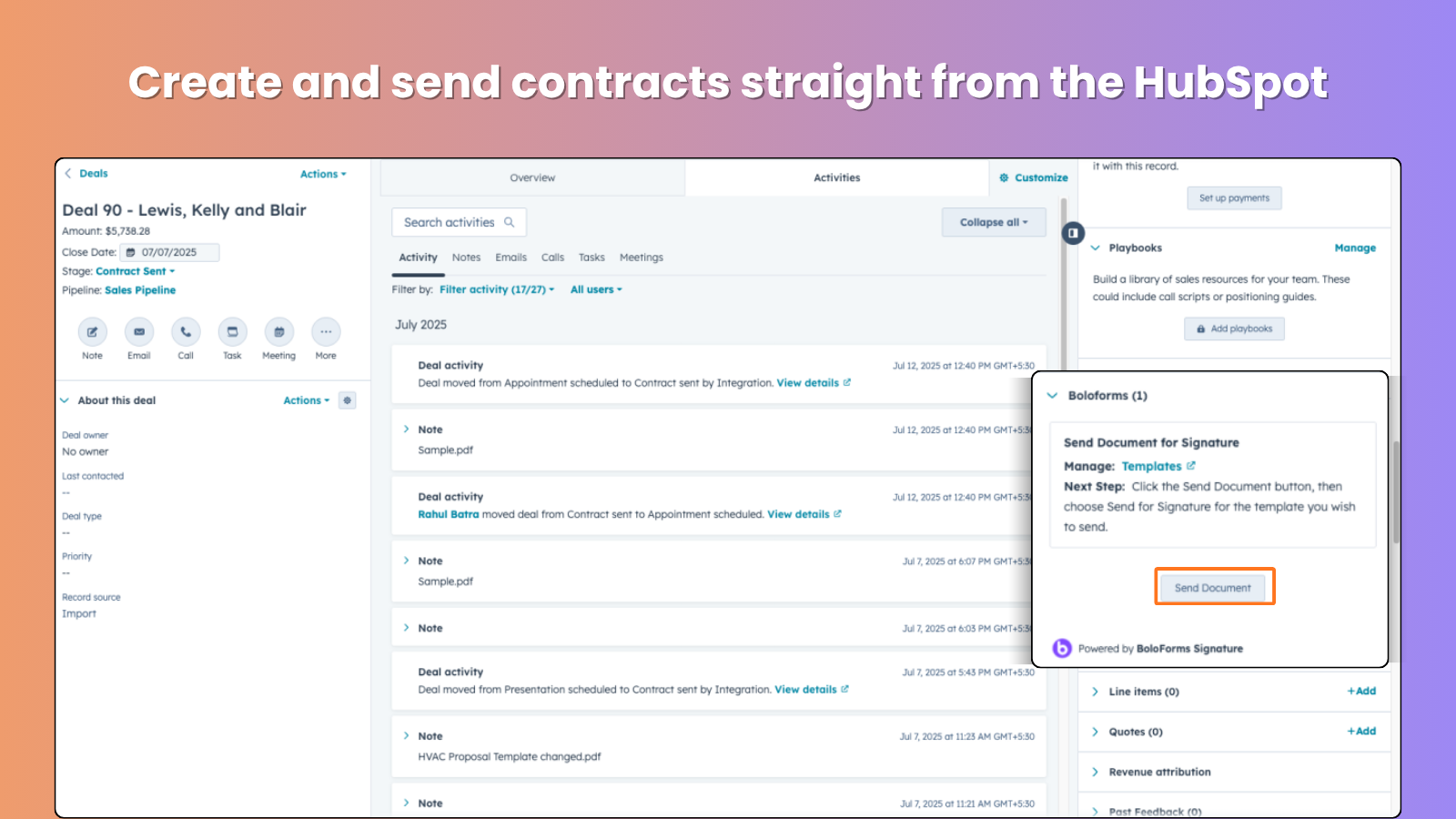
Create & Send Contracts in HubSpot
With BoloSign, you can generate a contract right from your HubSpot deal and send it out for signature instantly. Everything stays in HubSpot—fast, accurate, and hassle-free for your sales team.

Auto-fill docs from HubSpot Leads and automate Lead stages
Autofill the content of your leads documents with CRM data. Working with the pdf and forms? You can reduce manual work by pre-populating the customer data from CRM into form fields.
App Functionality
Shared Data
HubSpot Variable | ||
Document Status | ||
Recipients |
Reviews
Business Plan
$99
/monthFor teams of all sizes
Unlimited Form Submissions
Unlimited Members
Unlimited Documents
Unlimited Templates
Unlimited Forms
Redirection URL in Forms
Email Branding
Bulk Download
Read Receipts
Integrations
Business Plan
$99
/monthFor teams of all sizes
Unlimited Form Submissions
Unlimited Members
Unlimited Documents
Unlimited Templates
Unlimited Forms
Redirection URL in Forms
Email Branding
Bulk Download
Read Receipts
Integrations
* The pricing here is for display purposes only. All prices do not include taxes, incentives, discounts, or other pricing variables. You should contact the partner for the most up to date and correct pricing information. HubSpot does not take any responsibility for this pricing information, which is provided by our partners. Pricing last updated: 02/05/2026
Getting attention today

Microsoft Teams
Use Microsoft Teams and HubSpot for meetings, conversations, and more!

Slack
Manage CRM records, get AI-powered assistance from Breeze, send real-time notifications, and collaborate with your team — without leaving Slack.
