
-1.png)
FollowPilot
Built by - FollowPilot
Installs - <10 installs
Requirements
HubSpot Plan HubSpot Account permissions - View the required account permissions
Access Type Shared FollowPilot Subscription - Starter, Pro, or Autopilot plans
Overview
1/6 - Video presentation of the main features in FollowPilot
FollowPilot helps sales teams generate better follow-up email drafts directly inside HubSpot.
Instead of switching tools or writing every follow-up from scratch, reps can create AI-generated drafts from HubSpot contacts, deals, and tasks. FollowPilot uses CRM context such as contact details, company information, deal information, tasks, email history, meetings, and notes to help produce relevant, ready-to-review emails.
Reps can generate drafts manually from Contact and Deal pages, or use autopilot workflows to automatically prepare follow-up drafts from HubSpot tasks.
The result: faster follow-up execution, more consistent emails, and fewer missed opportunities.
Features
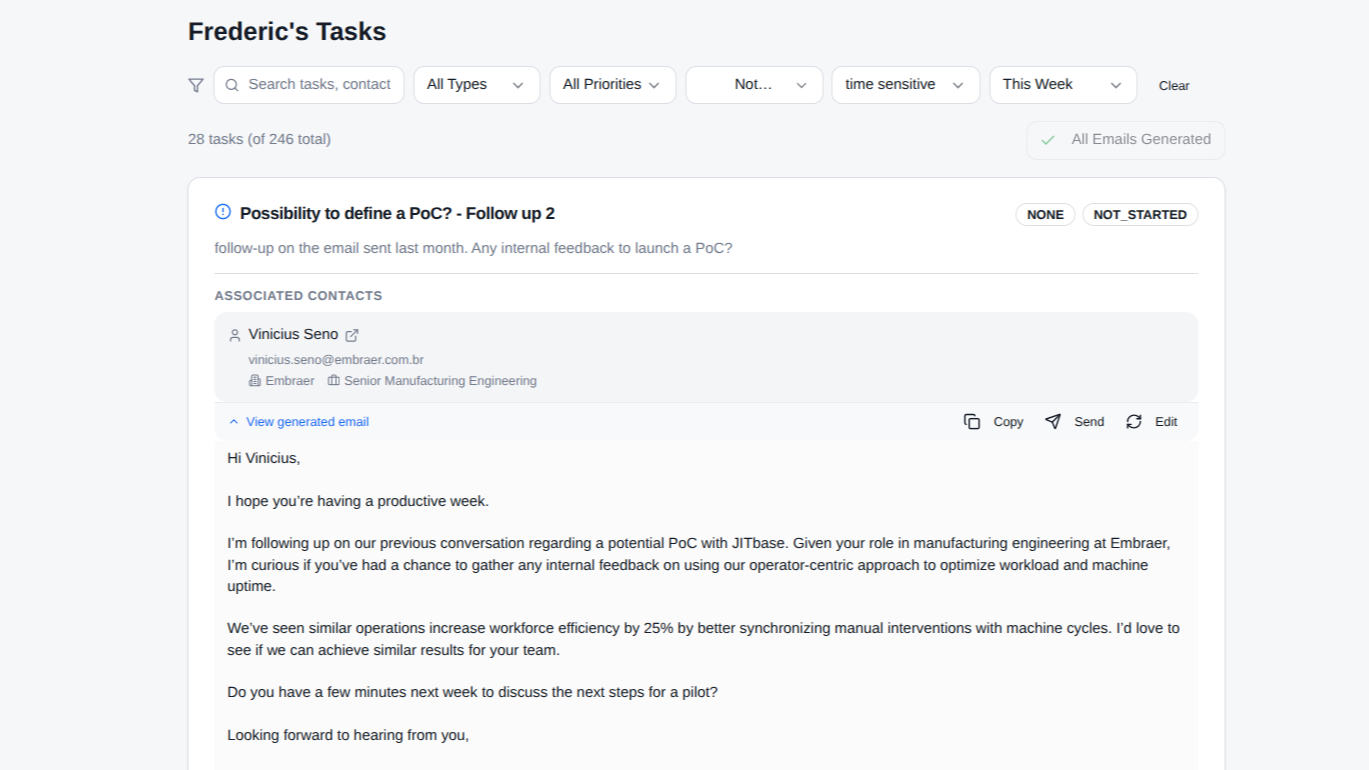
Generate follow-up emails from tasks
FollowPilot generates personalized follow-up emails using HubSpot contact details, CRM context, and previous sales activities. This helps sales reps save time and write better follow-ups without starting from scratch. Sales Reps can choose how much automation they want, from generating emails manually to fully automating follow-up email creation.
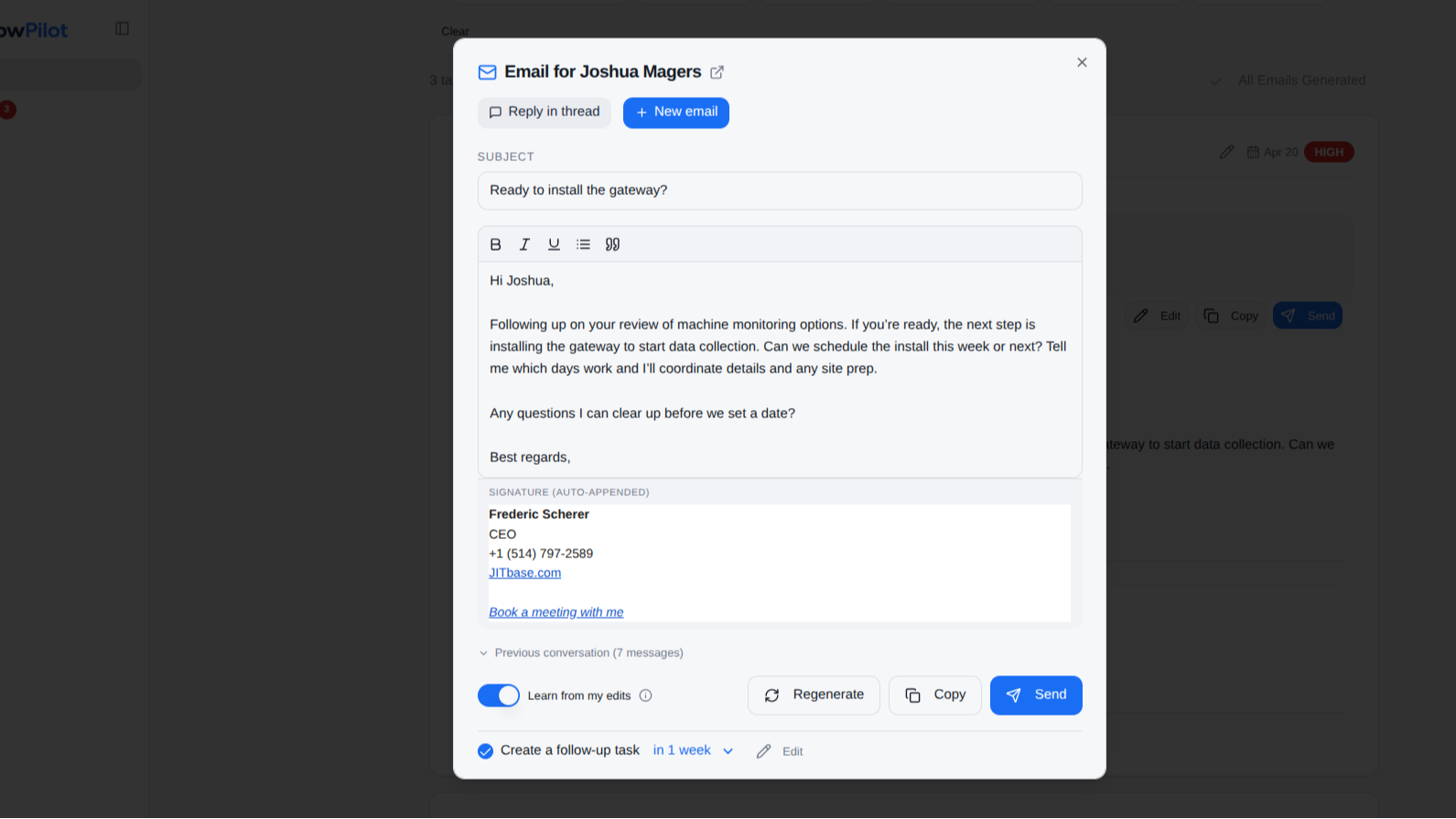
Send emails directly from your inbox
FollowPilot sends emails through the user’s inbox account (Gmail or Outlook), ensuring messages come from their real address and fit naturally into their existing workflow. This allows users to send follow-ups without switching tools, while keeping communication consistent with their usual email setup.
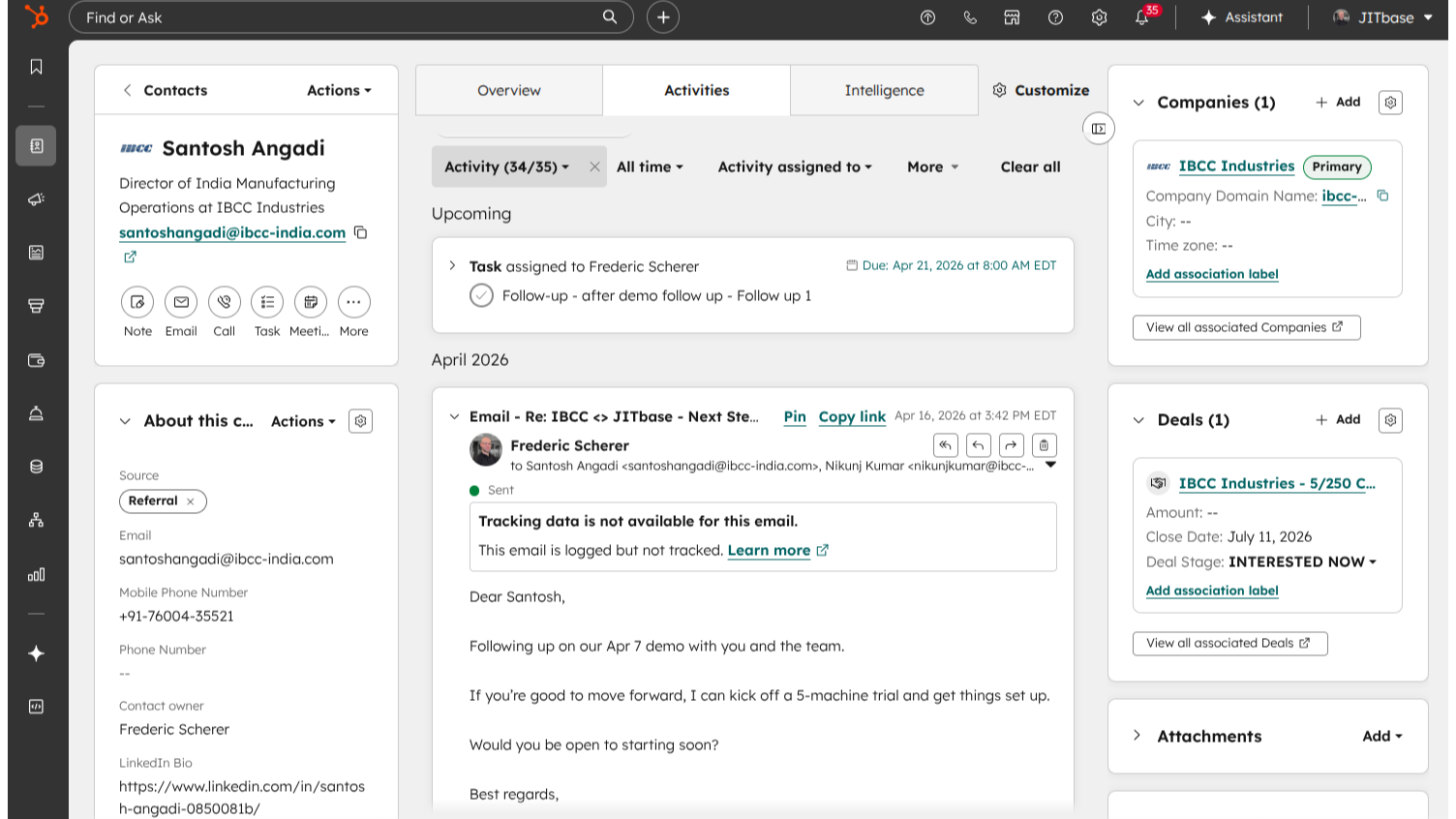
Automatically log email activity to HubSpot
Emails sent through FollowPilot are automatically logged in HubSpot and associated with the correct contact. This ensures the CRM stays up to date without manual input, giving full visibility into communication history.
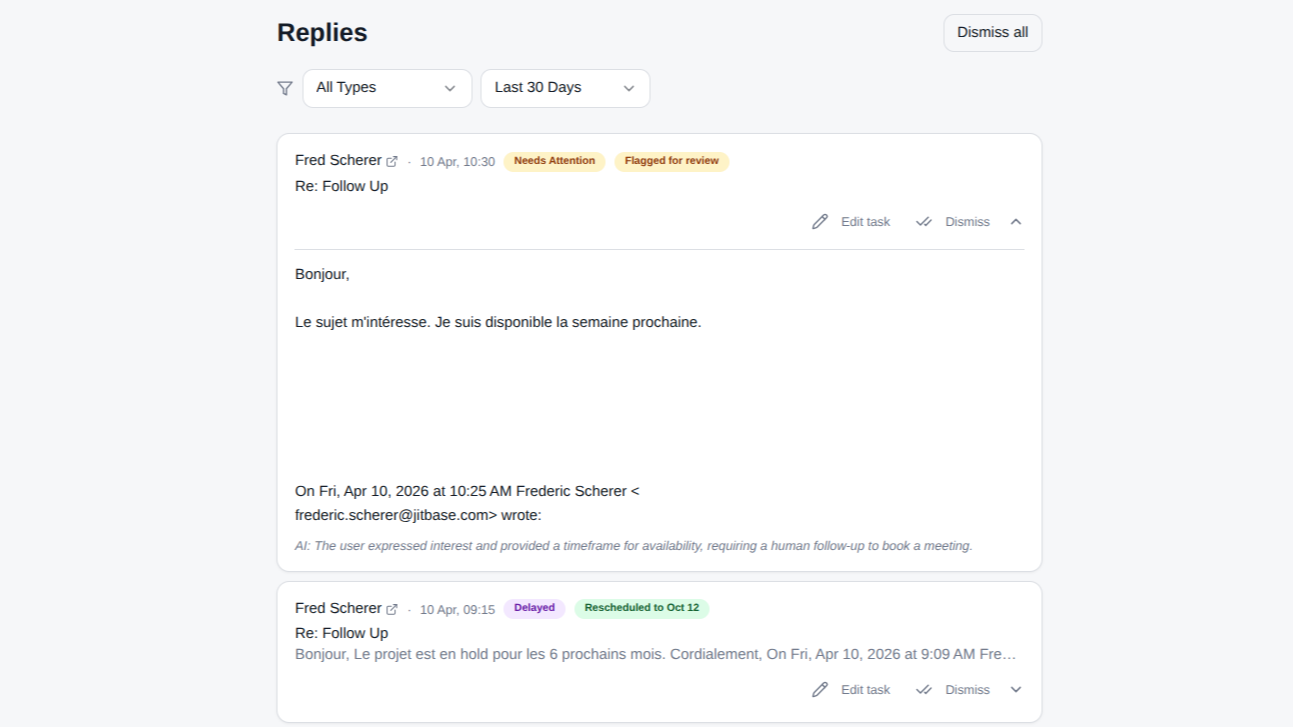
Keep follow-ups moving with automatic task updates
FollowPilot helps users stay on top of follow-ups by adjusting HubSpot tasks based on email activity and replies. Example: if a contact replies, the follow-up task is adjusted to reflect the new conversation, helping the user focus on the right next action, at the right time.
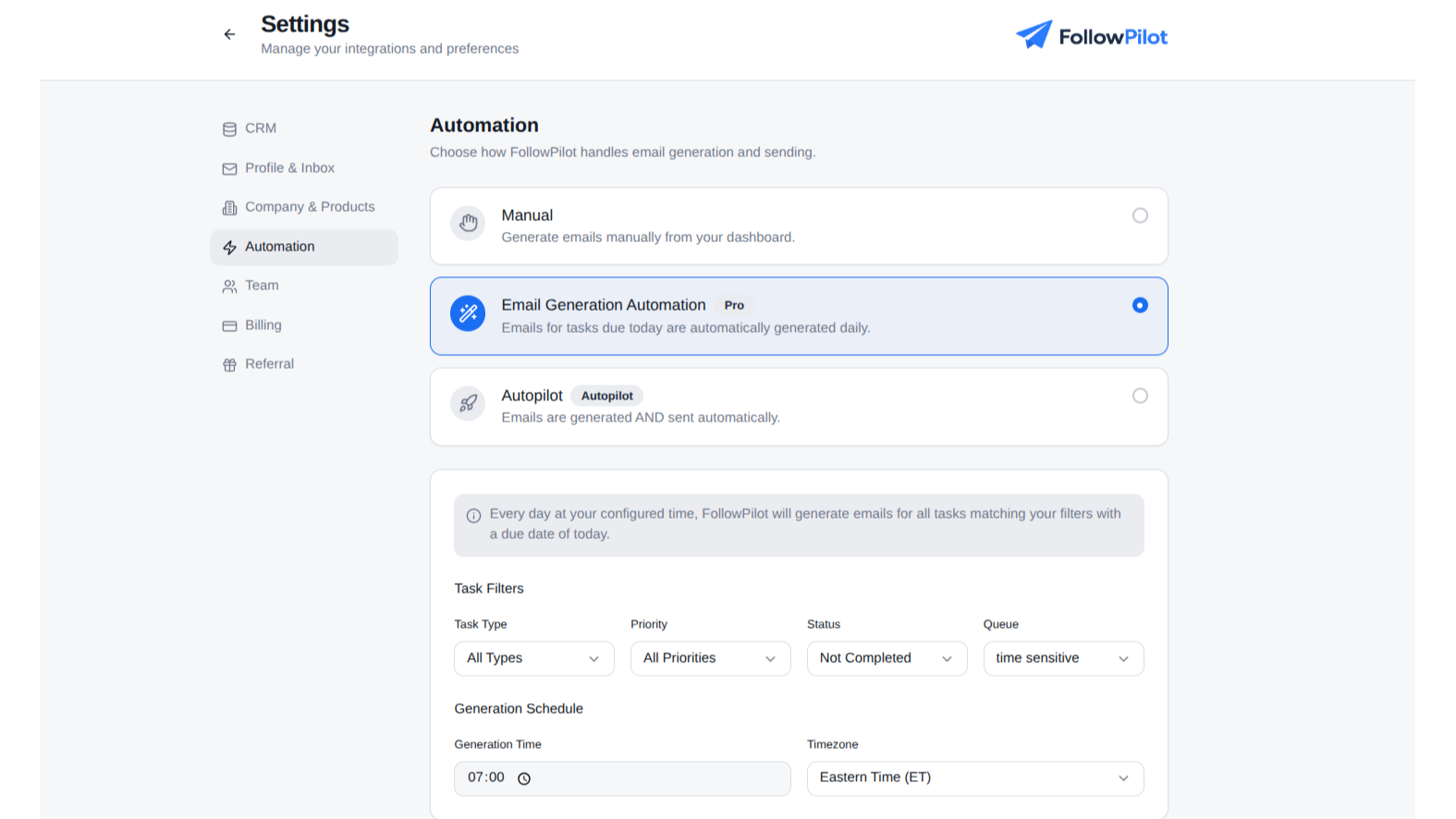
Flexible automation
Users can choose how much automation they want — from generating emails manually to automatically sending follow-ups.
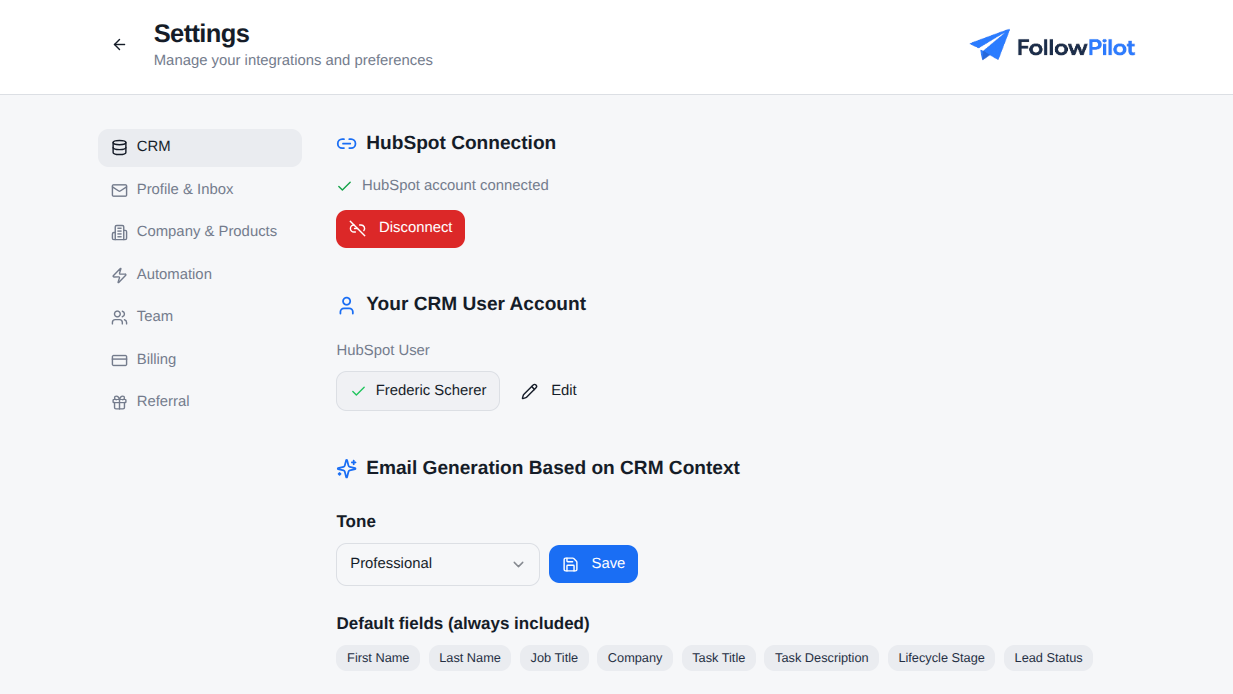
Match follow-ups to the right HubSpot owner
FollowPilot reads HubSpot owner records so each user can connect their account to the correct HubSpot identity. This helps ensure follow-up tasks and CRM activity stay aligned with the right rep.
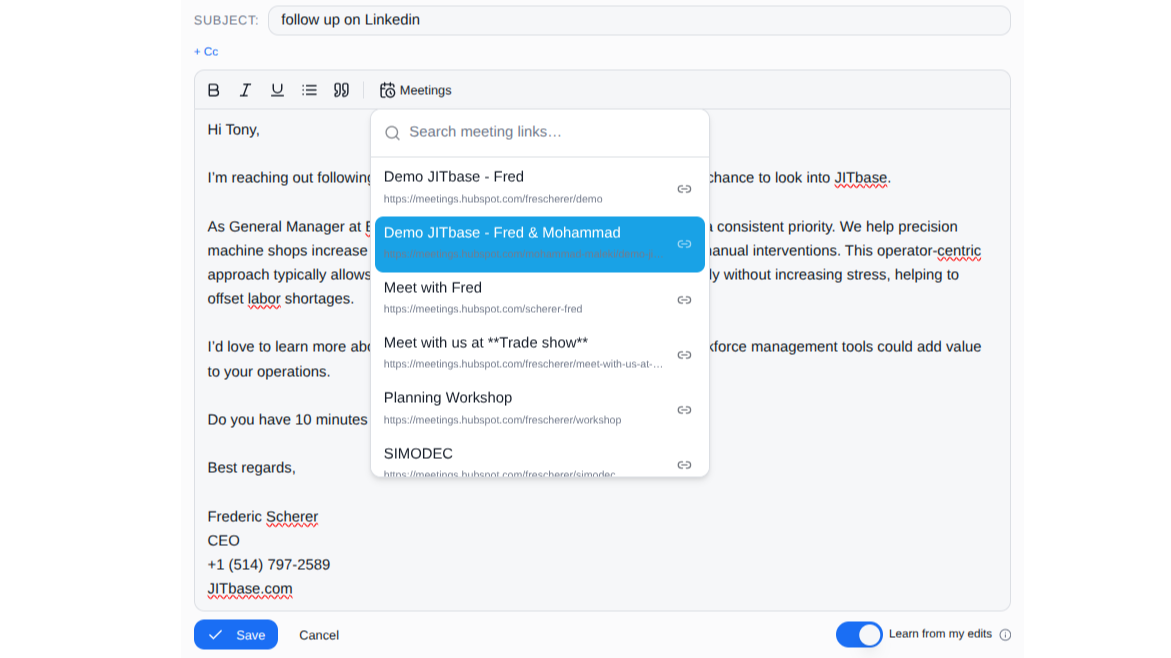
Add Meeting links in emails
Used to allow users to insert their own HubSpot meeting scheduling links into FollowPilot-generated emails.
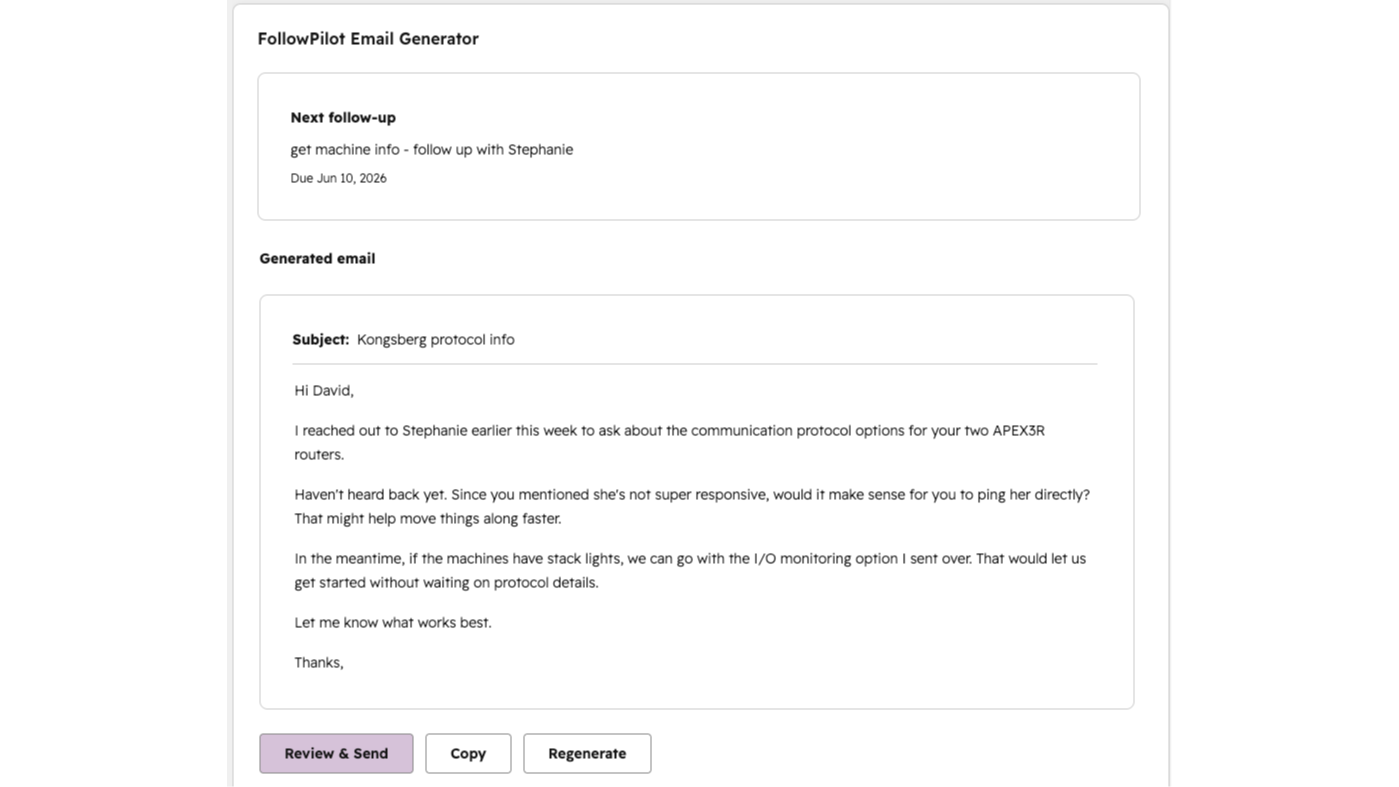
Generate follow-ups from HubSpot deals
Create AI follow-up drafts directly from HubSpot Deal records using deal context, associated contacts, recent activity, and CRM history.
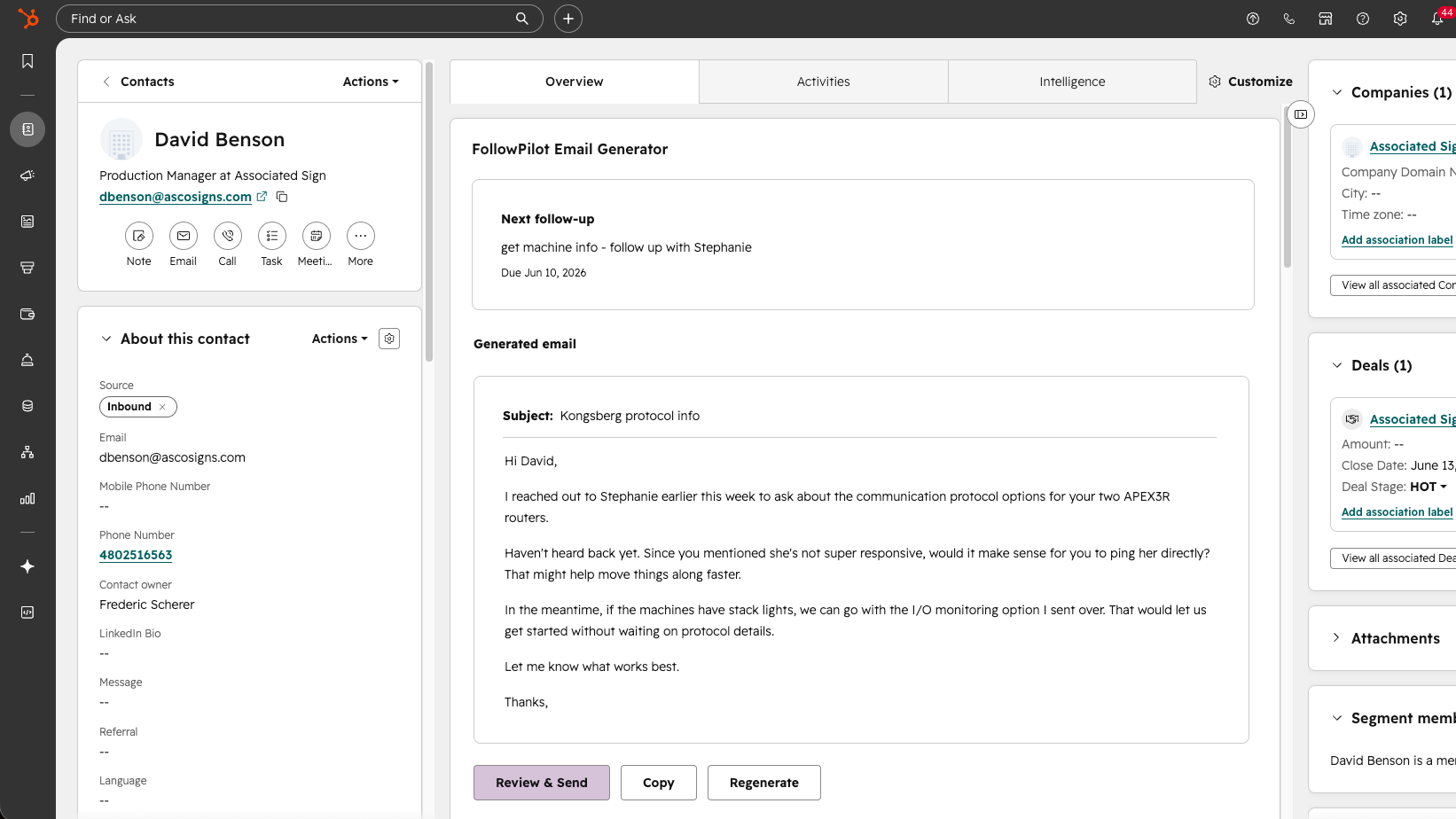
Generate emails from HubSpot contacts
Create AI follow-up drafts directly from HubSpot Contact records using contact details, company information, tasks, emails, meetings, and notes.
App Functionality
Shared Data
Contacts | ||
Tasks | ||
Emails Replies | ||
Contact Properties | ||
User | ||
Meeting link |
FollowPilot exchanges only the data necessary to support follow-up emails.
The app reads contact and task data from HubSpot to generate personalized email drafts. When emails are sent, activity is logged back to HubSpot and associated with the relevant contact. FollowPilot also updates and creates follow-up tasks based on user actions and email replies.
FollowPilot does not modify data beyond what is required to manage follow-up tasks and log email activity.
Reviews
Pricing
Starter
$15
/monthFor individuals getting started with AI-powered follow-ups
AI voice matching
Email generation
Up to 50 emails/month
Starter
$15
/monthFor individuals getting started with AI-powered follow-ups
AI voice matching
Email generation
Up to 50 emails/month
* The pricing here is for display purposes only. All prices do not include taxes, incentives, discounts, or other pricing variables. You should contact the partner for the most up to date and correct pricing information. HubSpot does not take any responsibility for this pricing information, which is provided by our partners. Pricing last updated: 06/10/2026
More info
Built by - FollowPilot
Installs - <10 installs
Categories Languages this app is available in English
New arrivals

Cyberstaff
The AI Layer That Runs Your Business Speaks to customers across all channels & automates the follow-up admin. AI does the work. You make the decisions.

Microsoft Advertising
Track, manage and measure Microsoft Advertising campaigns — all inside HubSpot
