

Projectworks
Built by - Projectworks
Installs - 100+ installs
Rating 3.8
(4)
Requirements
HubSpot Plan HubSpot Account permissions - View the required account permissions
Access Type Shared Projectworks Subscription - Scale, Unleash, or Build plans
Overview
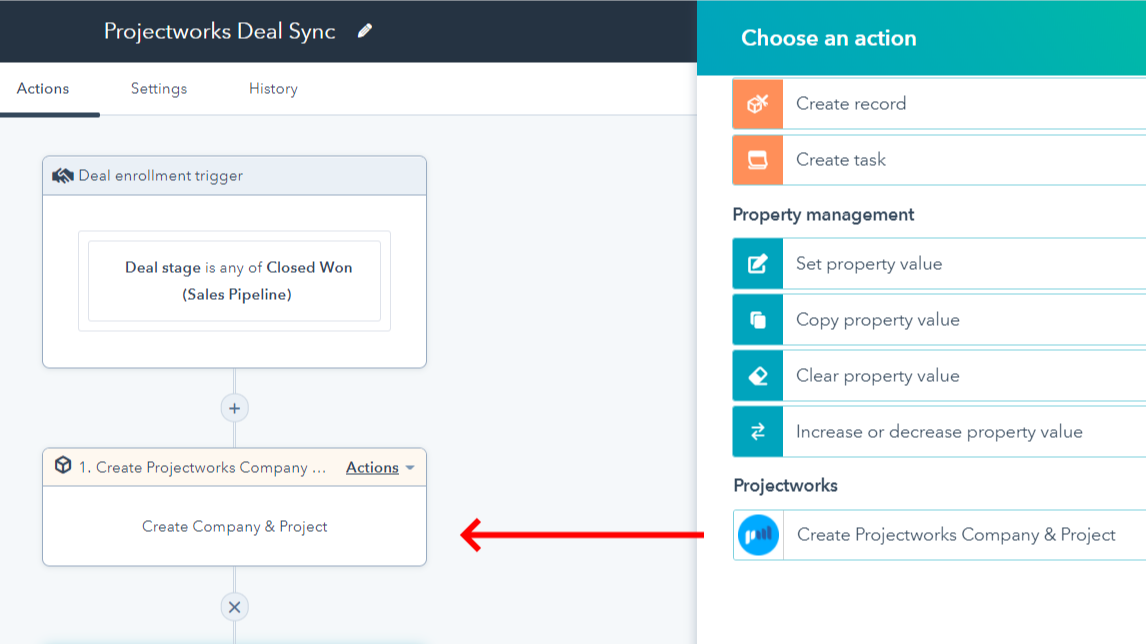
1/7 - Sync HubSpot projects, companies, and budgets to Projectworks
Grow your firm, and your impact.
Projectworks is AI-powered, operator-built professional services automation software for consulting firms that want to grow and make a difference.
Bringing deals, proposals, time tracking, resourcing, invoicing, and forecasting together in one platform, it gives you the visibility to see what’s working, fix what’s not, and scale your firm with confidence.
The team behind our platform has 150+ years of collective experience in professional services. These days, our software is used and loved by 15,000+ consultants across 56 countries, who have invoiced $3 billion within the platform. On average, Projectworks customers grow by 20% in their first year of use.
Projectworks is an all-in-one professional services automation software. Core features include:
Time tracking: Easy-to-use timesheets that actually get filled out, with a simple review and approval process. Simplify project time tracking and keep billing up to date with integrated time management software for consultants.
Expense tracking: Track expense burn against your project budget, with painless expense submission for employees.
Resource management software: Plan and allocate resources effectively. See availability and utilization in real time with powerful resource planning tools that make project delivery predictable.
Revenue forecasting & project profitability: Combine time tracking, expenses, and resourcing data to model revenue, monitor utilization and profitability, and make confident growth decisions.
Invoicing: Create pre-populated invoices that auto-sync seamlessly with Xero, reducing admin and helping you get paid faster.
Project management: Track budget burn, employee utilization, and other key metrics to complete projects on time and budget.
Reporting & insights: Access real-time dashboards, project profitability reports, and PSA analytics that bring clarity to every decision. Track the consulting metrics that matter most - across projects, clients, and teams.
Simplified rate management: Easily assign and modify custom rates by project.
Deep integrations: Connect HubSpot and other popular software tools to run your firm on a unified project management and financial reporting platform.
Projectworks offers three methods of integrating with HubSpot to allow teams to sync HubSpot companies and deals into Projectworks, reducing the time spent setting up new projects.
You can set up a simple workflow in HubSpot to send and update contacts from HubSpot into Projectworks. The contact information can include their email, name, primary associated company and phone number.
Features
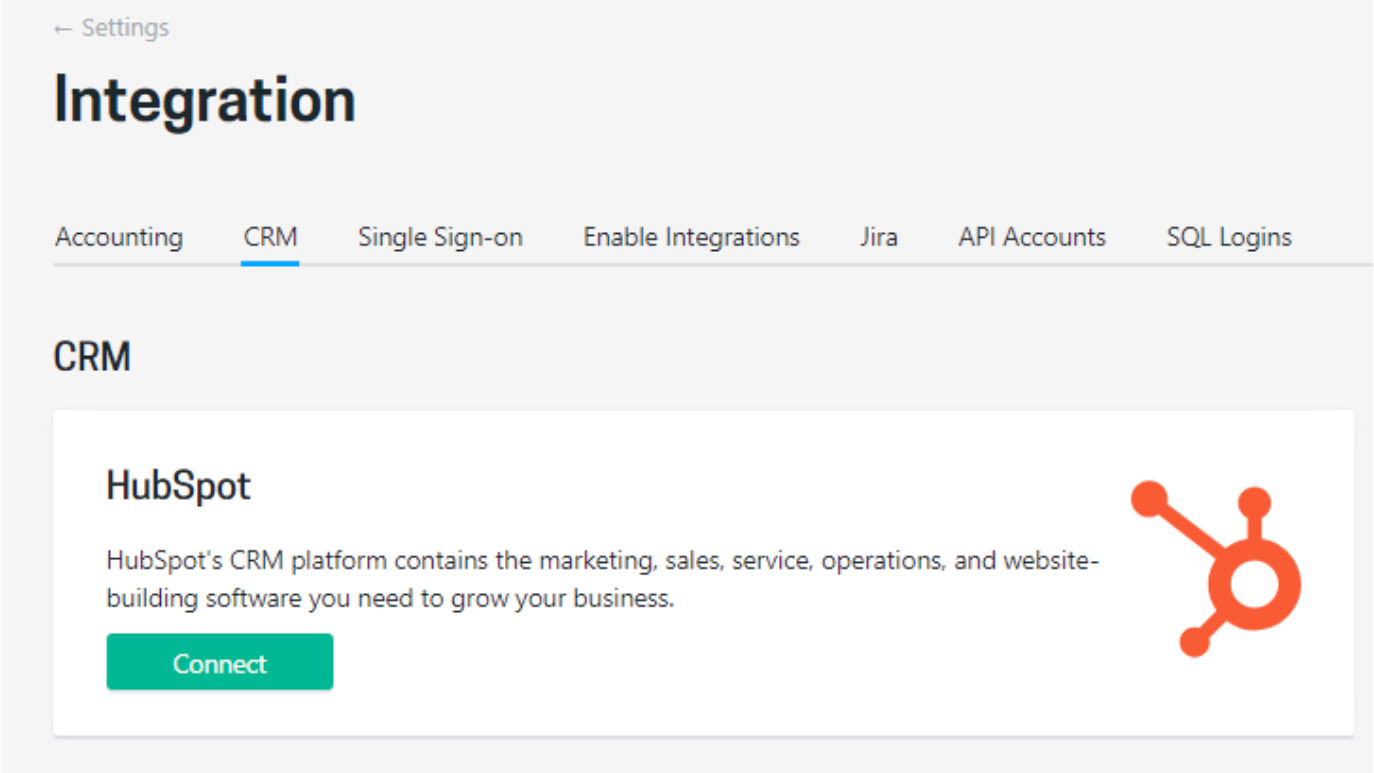
Turn HubSpot Deals into Projectworks Projects, automatically
Connect Projectworks and HubSpot, pull data from deal stages in HubSpot pipelines to create and update Projects. Save time with a single automated view of opportunities through to signed projects.
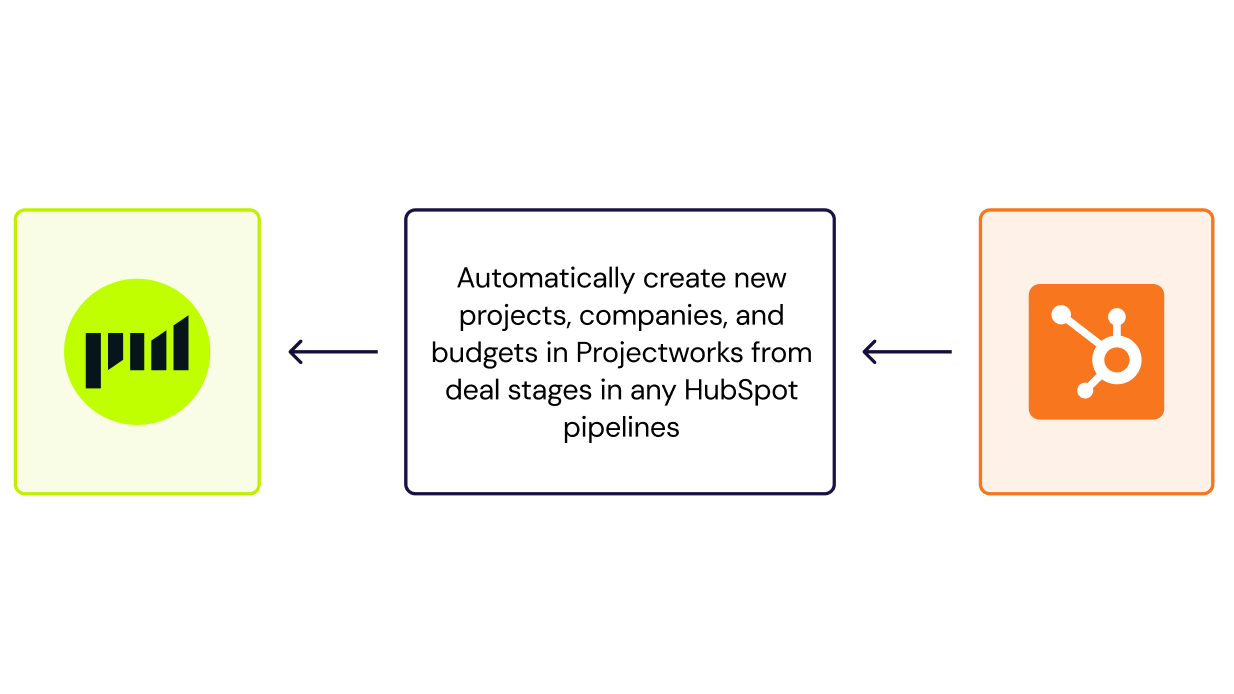
Automatically create Projects and Contacts using HubSpot workflows
For HubSpot customers on a tier with workflows enabled, the same project creation automation can be enabled using workflows. Additionally, contact-based workflows can be used to automatically create a contact in Projectworks.
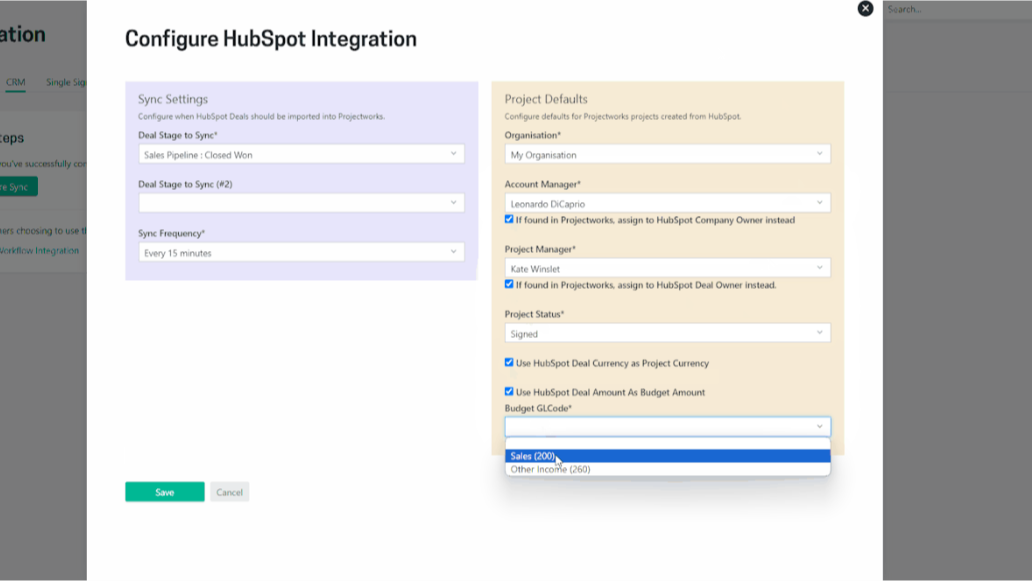
Turn HubSpot deal amounts into Budgets in Projectworks
If this is selected, the integration will create a single budget for the Projectworks Project from the HubSpot deal amount.
App Functionality
Projects | ||
Companies | ||
Contacts | ||
Budgets |
Projectworks offers three methods of integrating with HubSpot to pull in HubSpot Deals into Projectworks as projects, automatically.
- Use Projectworks Native Integration (automatically create projects and companies in Projectworks from your HubSpot deals)
- Use HubSpot Workflows
- Use Zapier to Connect Projectworks to HubSpot
Reviews
3.8
4
3.8
4
- Jul 31, 2024
Over rated
I feel the integration is a bit overrated: 1. The new contacts created in HubSpot should push back into Project Works 2. This minimum delay of 15minutes to pulse a "create new project" command from HubSpot to PW is too long. This should be instantaneous.
Quote, Time, invoice, Margin, Utilization, Forecast and Resourcing
Really very good. .
Would like to quote disbursements with qty x rate and manage monthly draw accordingly.
Buhrmann, H.
Consulting/Advisory - 2 to 5 employees
- Aug 27, 2023
Just what we needed
We have tried a number of different project management tools including Mavenlink, Workflow Max and Accelo. Projectworks is our favorite by far. Its the right balance of advanced features but simplified functionality and usability. Unlike many of the other tools, the controls it has (i.e. to stop people entering time on the wrong timecode etc.) actually work. the team were very helpful getting us started and have been so responsive to any ideas we have of feedback. The resourcing element is better than most because you can resource at a project level rather than specific timecodes which is great when you have an autonomous team who know what they need to do. They also constantly push out updates and changes that you actually need (previous tools would push out changes to layout of color schemes when core functionality wasn't even working).
Resourcing, project management, time tracking, leave management, reporting
Simple resourcing at project level, responsive team, good controls
Kearney, N.
Technology - Software - 11 to 25 employees
Pricing
Scale
$24
/monthFor growing firms who want custom workflows, multi-office, and payroll integrations.
Everything in Build, plus...
Quotes
Jira integration
DevOps integration
HubSpot integration
HR/Payroll integrations
Multi-office
Multi-currency
SSO
5 Custom Fields
5 Custom Reports
Scale
$24
/monthFor growing firms who want custom workflows, multi-office, and payroll integrations.
Everything in Build, plus...
Quotes
Jira integration
DevOps integration
HubSpot integration
HR/Payroll integrations
Multi-office
Multi-currency
SSO
5 Custom Fields
5 Custom Reports
* The pricing here is for display purposes only. All prices do not include taxes, incentives, discounts, or other pricing variables. You should contact the partner for the most up to date and correct pricing information. HubSpot does not take any responsibility for this pricing information, which is provided by our partners. Pricing last updated: 08/19/2026
More info
Built by - Projectworks
Installs - 100+ installs
Categories Languages this app is available in English
New arrivals

Primal Sales AI
Built to learn. Built to close.

Proxoria
Connect your business apps to your AI (Claude, ChatGPT, Mistral) in 1 click
