
Quo

Leading
Requirements
HubSpot Plan HubSpot Account permissions - View the required account permissions
Access Type Shared Quo Subscription - Business or Scale plans
Overview
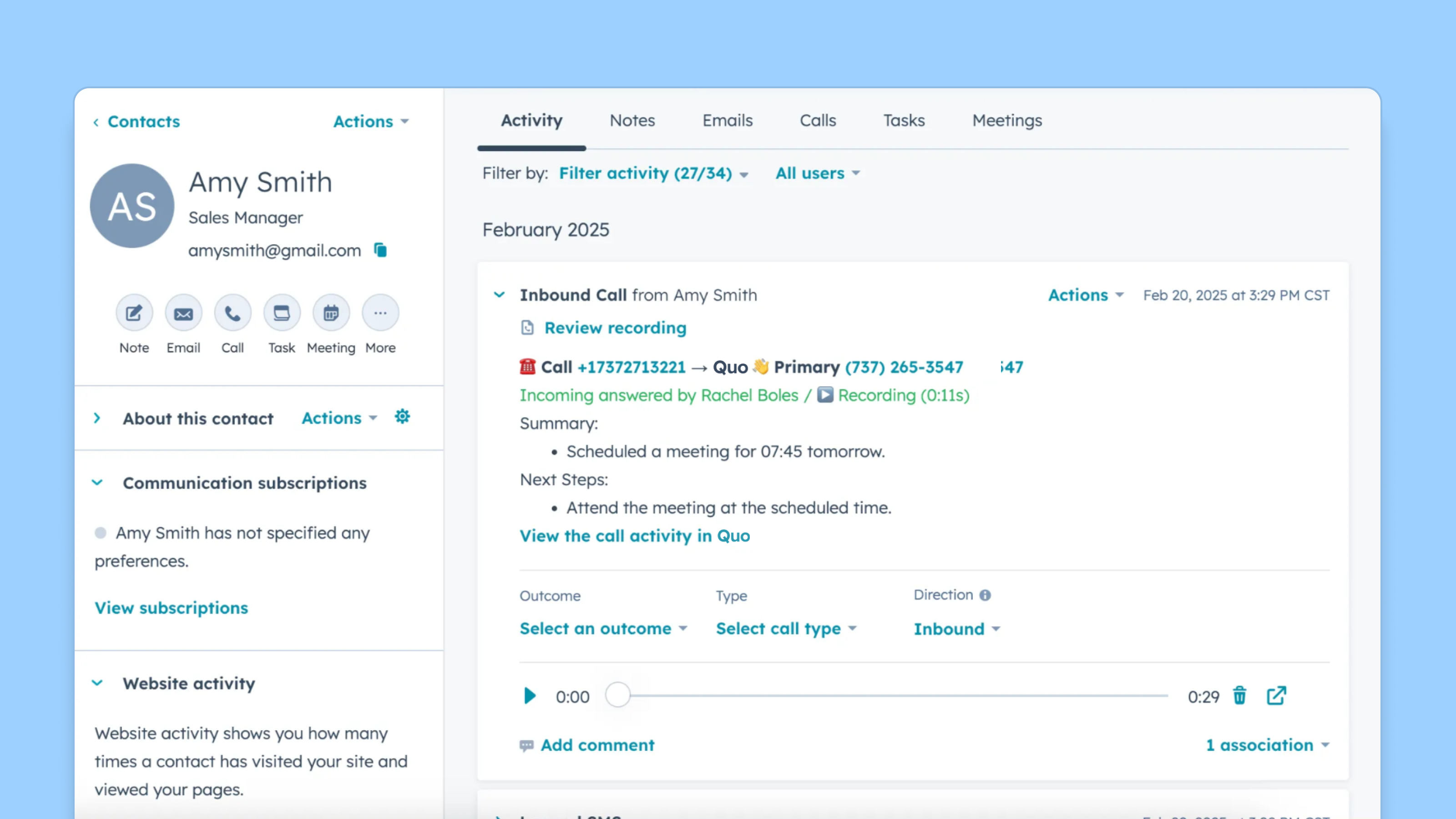
1/4 - Let AI capture and save call summaries and transcripts
Quo is the next-generation phone system to engage customers, collaborate with your team, and scale your reach with AI — without losing the personal touch.
Rated #1 in customer satisfaction on G2 and trusted by 100,000+ companies, Quo brings calls, texts, and customer information into one easy-to-use, AI-powered platform.
Never lose a customer
Businesses thrive on responsiveness, but missed calls mean missed opportunities. Sona, your AI agent, answers calls 24/7, handles common questions, captures key details, and ensures every interaction is logged to HubSpot. It’s like having an always-on receptionist, so you never miss a lead.
Keep your CRM up to date
Quo logs every customer call, voicemail, text message, and AI-generated call summary directly to the right contact in HubSpot. Contact updates flow both ways between Quo and HubSpot, so your records stay clean and consistent across both systems. No more manual entry, no more missing context. You get accurate data that helps your team stay aligned and your reports tell the full story.
Sync HubSpot contacts with zero effort
Contacts sync bidirectionally between Quo and HubSpot, so when your team calls or messages a contact, they'll see that person's name in Quo without having to add them manually, and any updates made in either system keep both in sync. Your team always knows who they're speaking with, so they can jump into conversations with confidence and make every customer feel valued.
Features
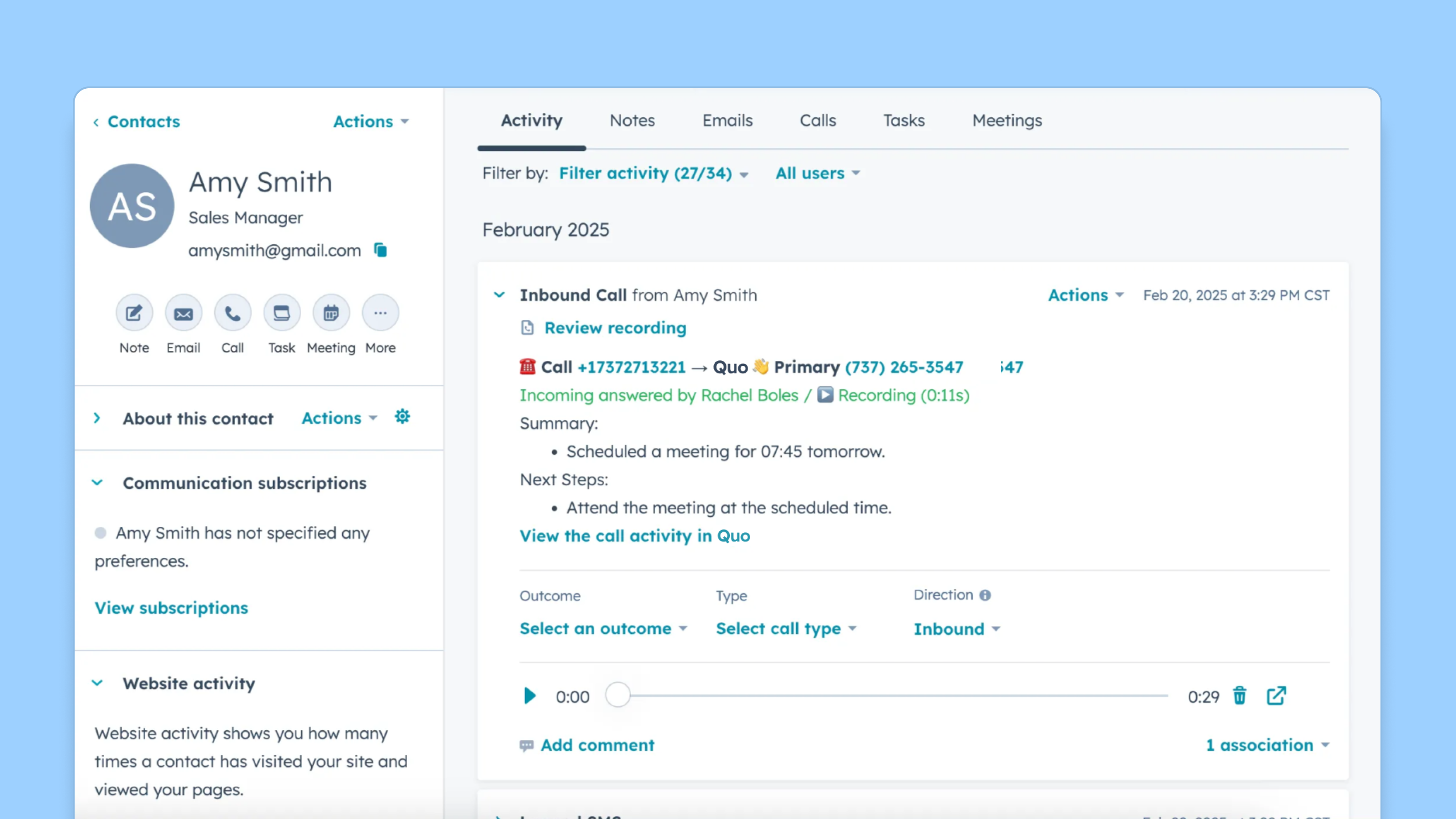
Automatically log all Quo activity
All Quo activities (incoming calls, outgoing calls, call recordings, voicemail, and text messages) can automatically be logged to a relevant contact in HubSpot.
%20(1)-2-1.png)
Sync HubSpot contacts
Automatically sync contacts bidirectionally between Quo and HubSpot. Incoming calls will display the contact's name from HubSpot.
App Functionality
Shared Data
Contacts | ||
Calls | ||
AI call summaries | ||
SMS | ||
Contacts | ||
Calls & SMS | ||
Calls | ||
Contacts |
Users can fully customize their Quo contacts record to sync all data they want from HubSpot. Contacts sync both ways between Quo and HubSpot, so records stay up to date in either system.
Reviews
3.4
75
3.4
75
- Jul 9, 2026
Quo + HubSpot is a BIG win!
I've had Quo (formerly OpenPhone) for many years. I was thrilled to see it could be integrated with HubSpot.
Automatic tracking of calls and texts in real time. Recording the calls (with disclosure) allows for conversations to flow without trying to take notes, or recap after the call... providing you don't jump right into another call.
Would like to be able to text directly from HubSpot, like you can do with calls.
Reese, M.
- Jun 24, 2026
No option to place call
Just sync call log. No option to make calls.
Patel, R.
Business
$23
/monthFor businesses looking for more call handling and automation features
Unlimited calls and texts to US and Canada
Integrations with HubSpot, Zapier, Make, and more
AI call summaries and transcripts
Shared phone numbers
Inbound call routing (IVR, team routing)
Analytics and reporting
Live chat support
Business
$23
/monthFor businesses looking for more call handling and automation features
Unlimited calls and texts to US and Canada
Integrations with HubSpot, Zapier, Make, and more
AI call summaries and transcripts
Shared phone numbers
Inbound call routing (IVR, team routing)
Analytics and reporting
Live chat support
* The pricing here is for display purposes only. All prices do not include taxes, incentives, discounts, or other pricing variables. You should contact the partner for the most up to date and correct pricing information. HubSpot does not take any responsibility for this pricing information, which is provided by our partners. Pricing last updated: 04/28/2026
New arrivals

Aha! Ideas
Empower sales and support teams to share customer requests — then analyze the potential revenue behind them.

DATEV Unternehmen Online
DATEV & HubSpot: Rechnungen einfach automatisch synchronisieren
