

Shopify
Built by HubSpot
Installs - 15K installs
Rating 2.3
(56)
Requirements
HubSpot Plan HubSpot Account permissions No permissions required Access Type Shared Shopify Subscription - Basic Shopify, Shopify, or Advanced Shopify plans
Overview
1/6
Unify ecommerce and customer data across Shopify and HubSpot to drive more personalized marketing, increase revenue, and reduce manual data management. This HubSpot-built integration connects your store data directly to HubSpot so teams can personalize campaigns, automate follow-ups, and measure revenue impact with confidence.
Install this app to:
Personalize emails automatically with orders, products viewed recently or often, abandoned checkouts, and more to re-engage shoppers and increase conversions
Tie store revenue to conversions, emails, and campaigns by tracking Shopify orders and more in HubSpot pipelines, customer journey reports, and email performance reports
Use Shopify data in HubSpot Data Studio to blend and combine ecommerce data in a familiar spreadsheet-style interface
Get set up quickly with data sync using pre-built field mappings, automatic historical data sync, and configurable sync settings that adapt to your business needs
Spend less time fixing data with real-time two-way and one-way syncing that reduces manual work, cleans up your data, and reduces silos
Features
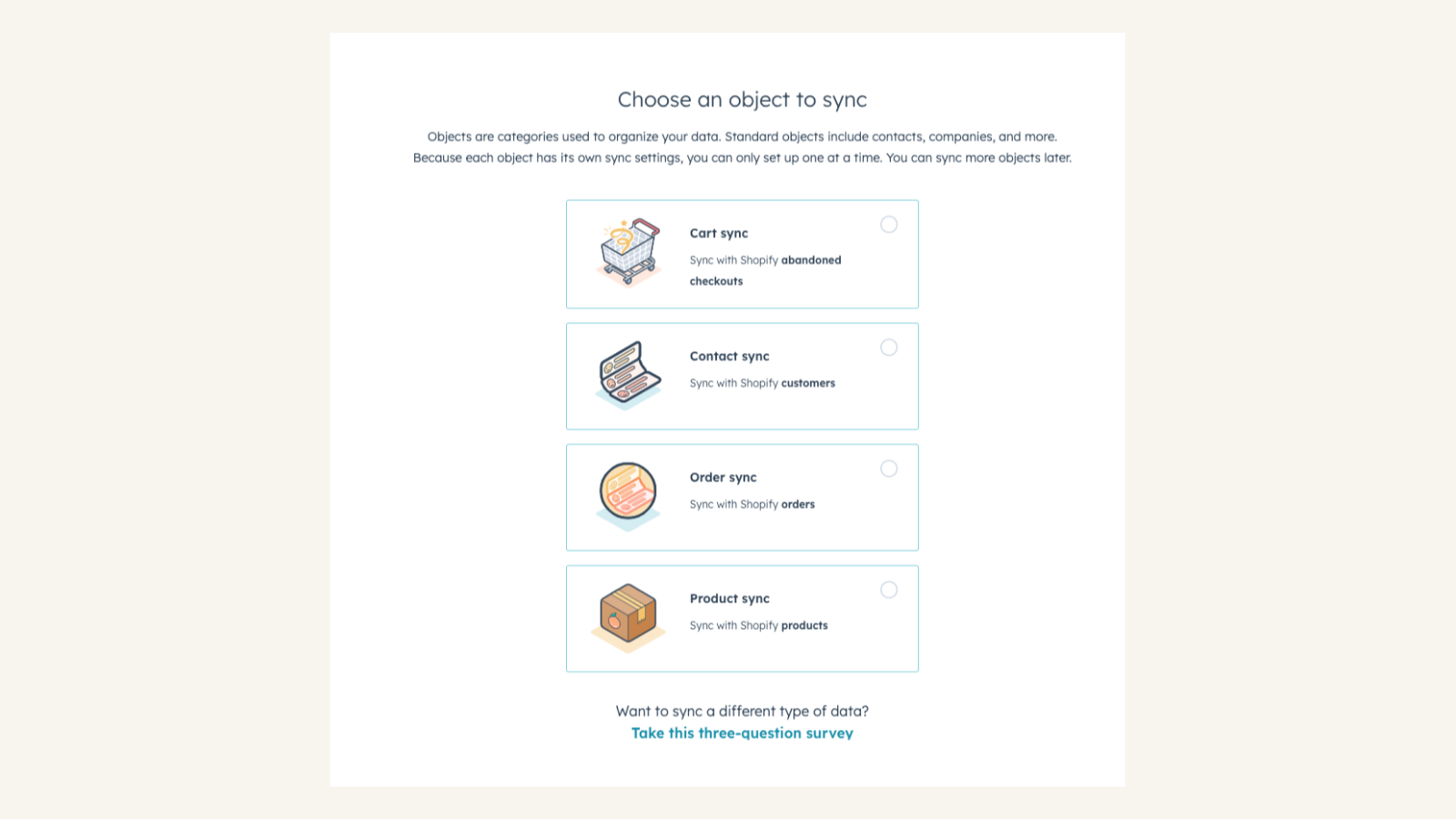
Sync Shopify and HubSpot data
Sync creates and updates contact and products bidirectionally between HubSpot and Shopify. Orders and abandoned checkouts can also be synced one-way from Shopify to HubSpot
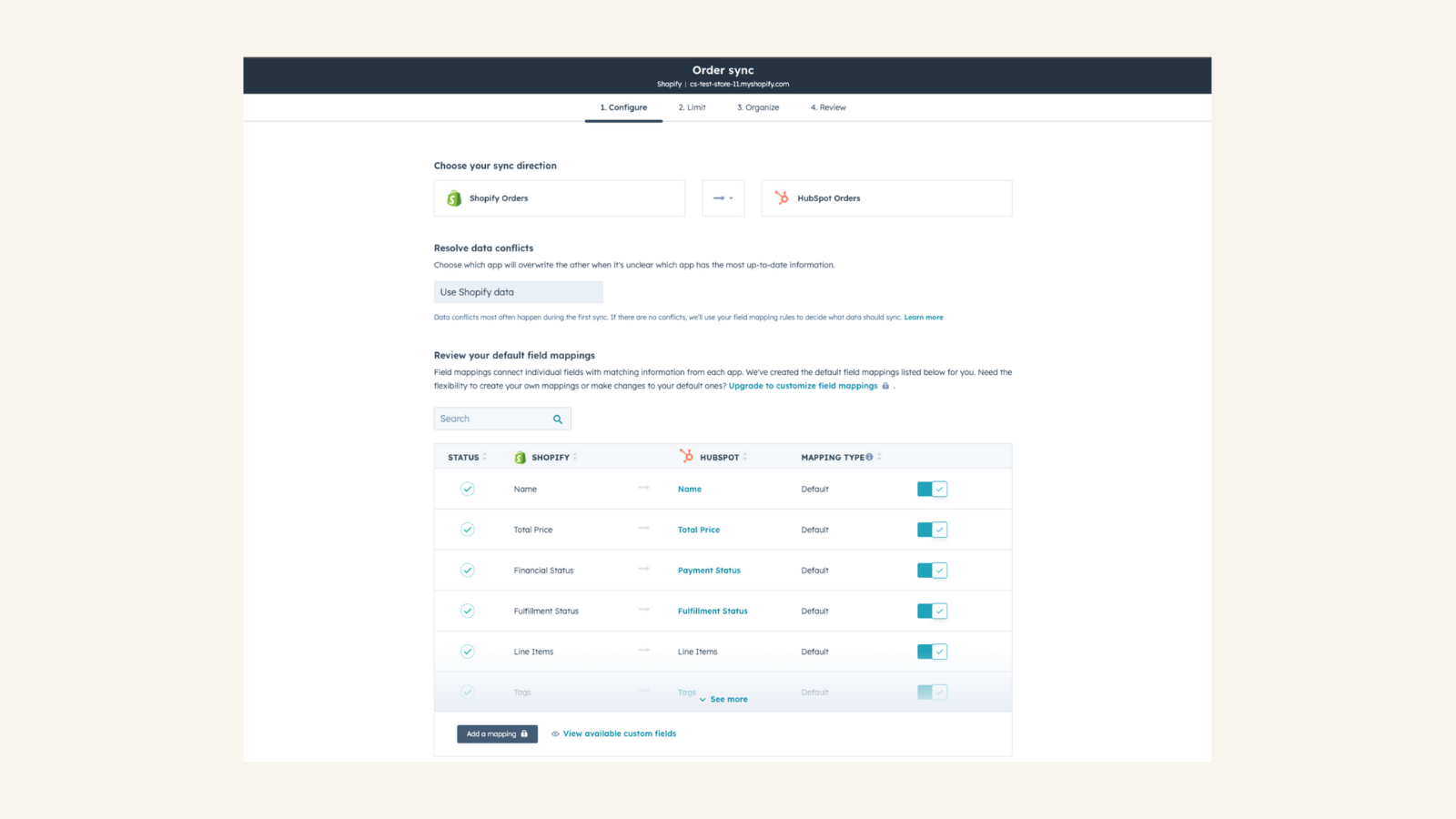
Sync settings and control
Control how your data syncs by adding sync settings and rules for how your contacts, products, orders and abandoned checkouts sync between systems. You can set up a one- or two-way sync. You can also add a filter for any Shopify field or HubSpot list to sync exactly what you want—and nothing you don’t.
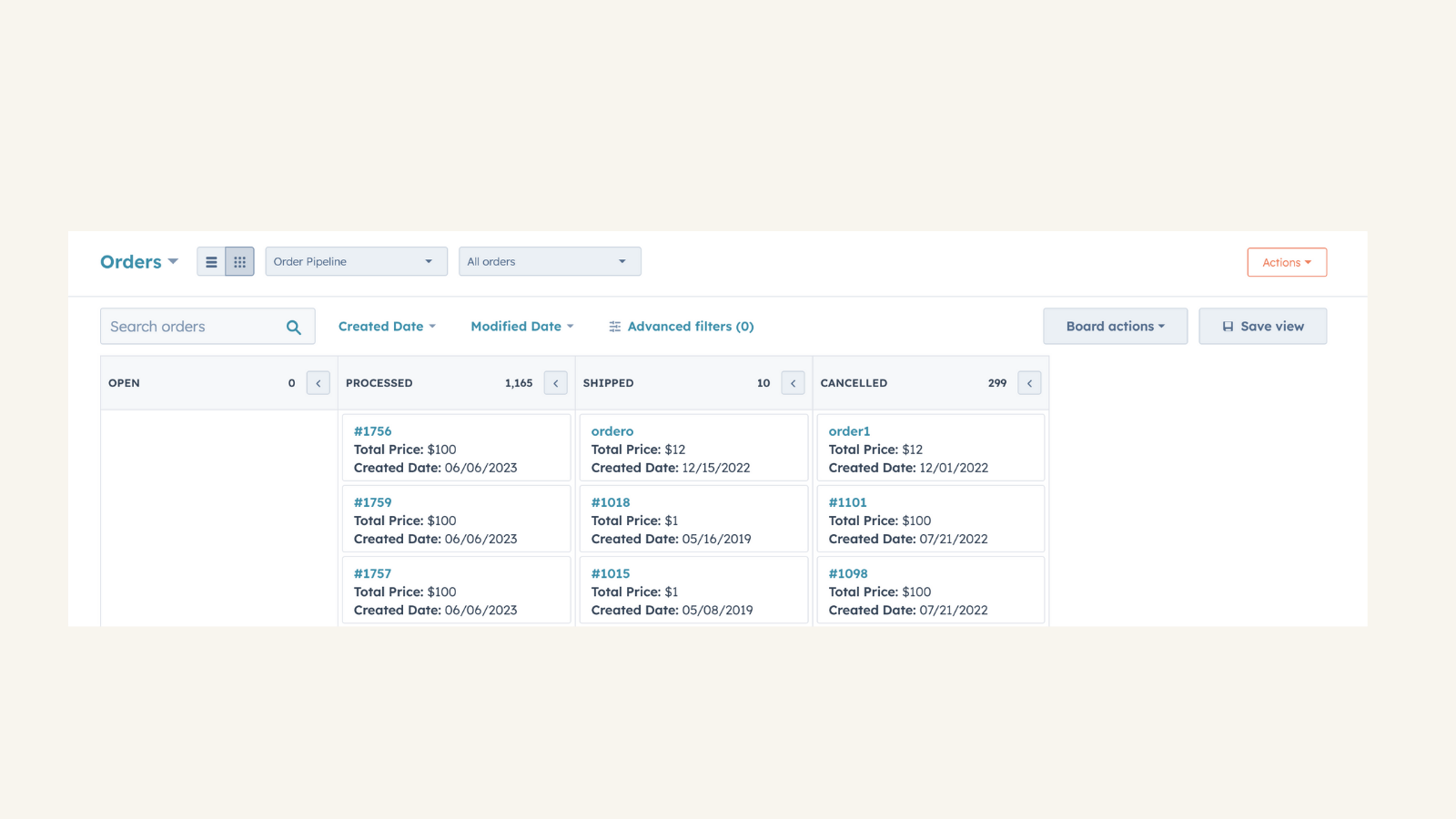
Track the status of your Shopify orders
Leverage the default order pipeline to track the status of your Shopify orders.
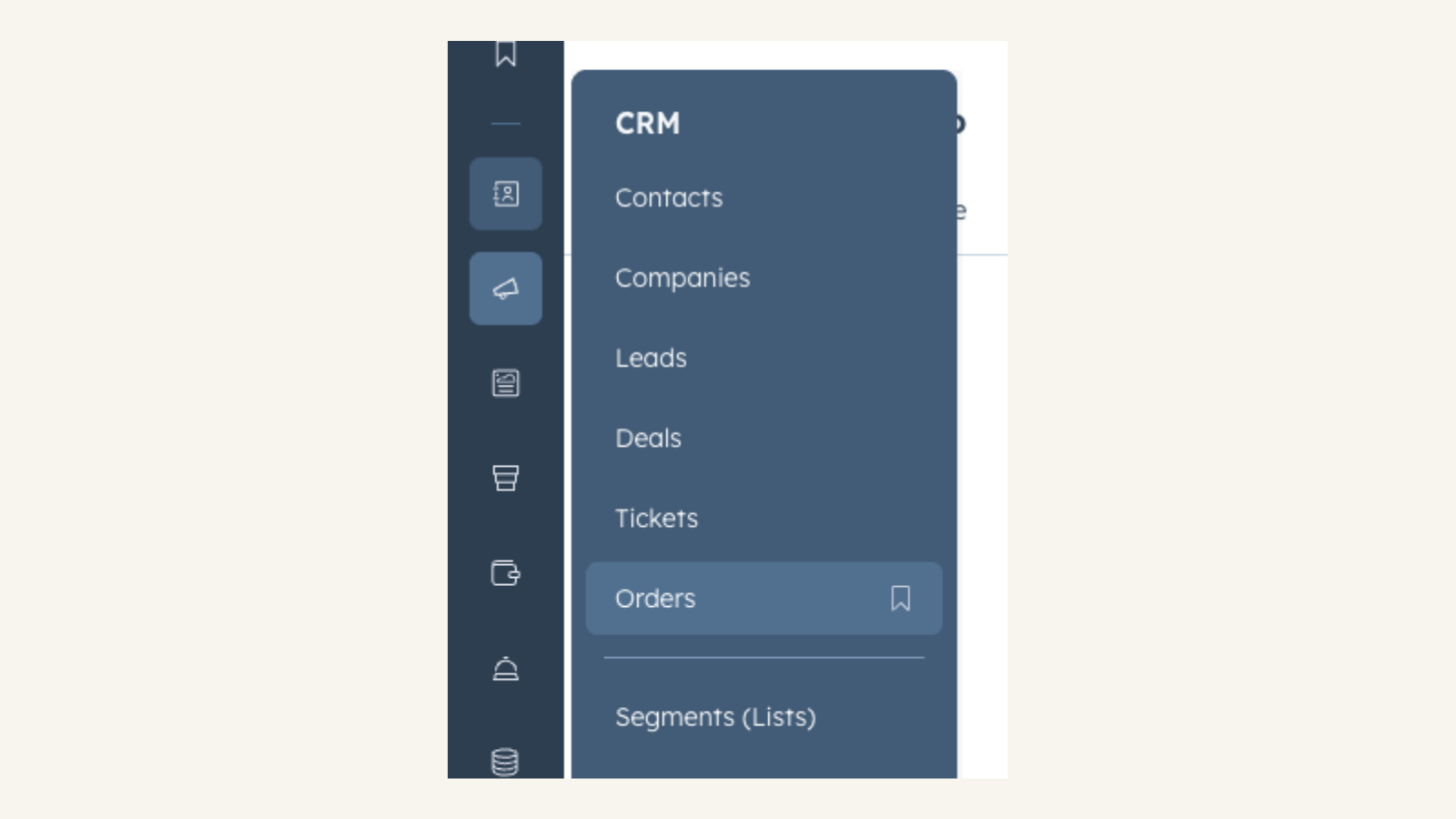
Easily access orders from the navigation menu
Use the navigation menu to to quickly access orders and carts landing pages.
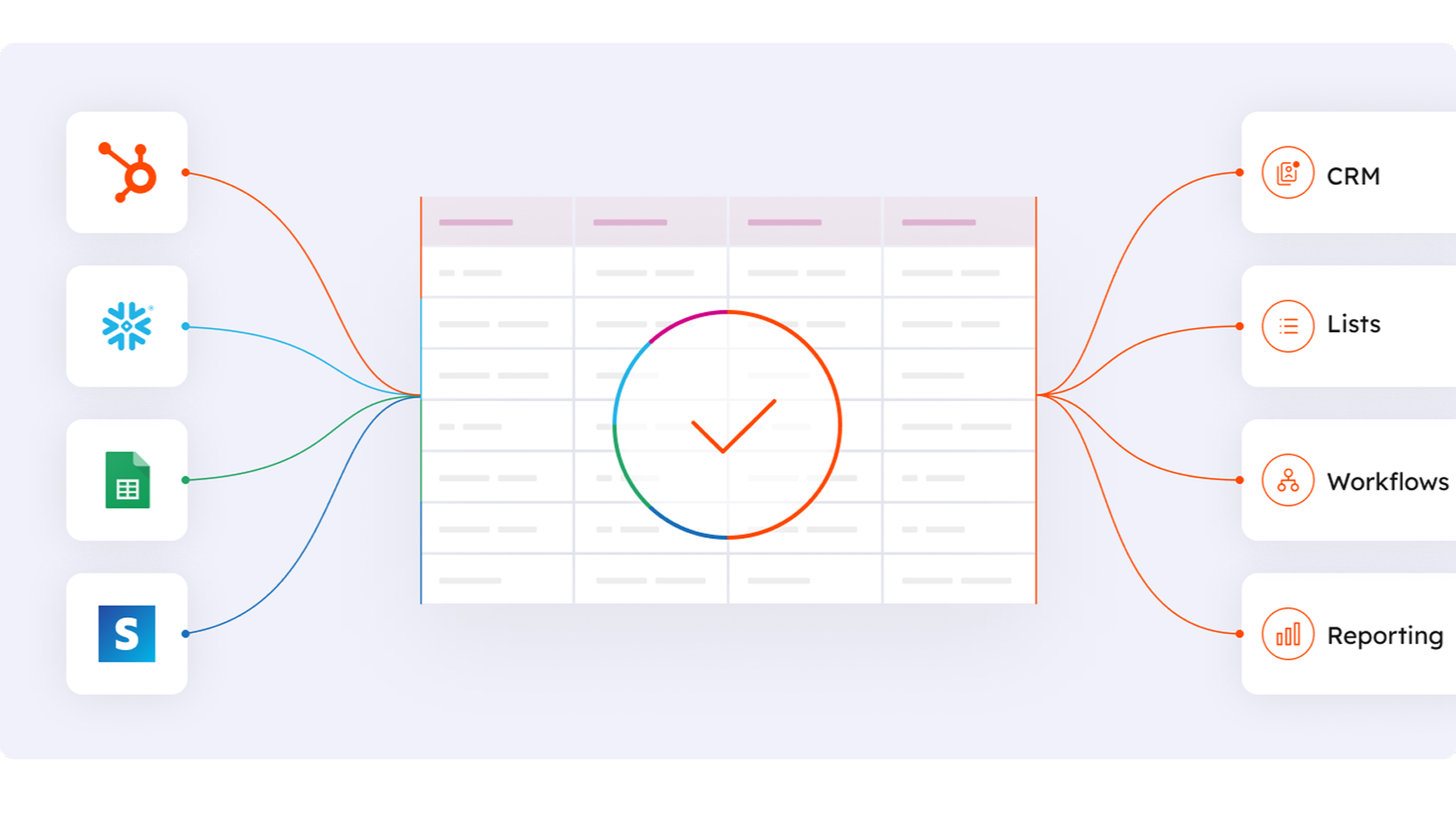
Works with data studio in Data Hub
Built for marketers, data studio in Data Hub lets anyone blend data in a familiar, spreadsheet-like interface with the help of AI. Create custom datasets that power advanced segmentation, automation, and reporting. You can also easily manage the flow of data between multiple external data sources, including Stripe, and the HubSpot CRM
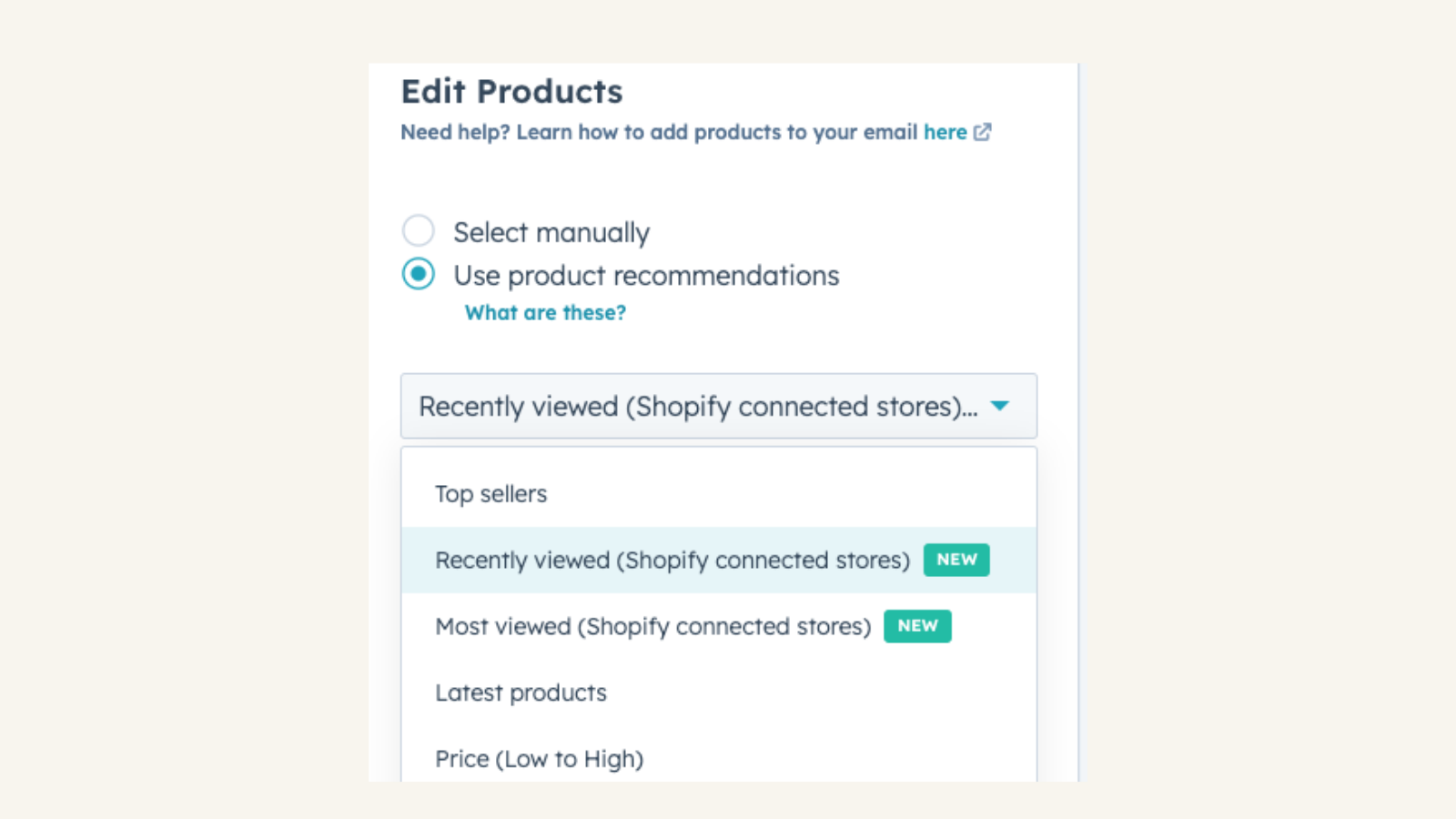
Personalize emails using order, browsing, and checkout data
Pull contacts' recently viewed products from your Shopify store into your HubSpot marketing emails. Easily identify and showcase products that your customers have recently explored, helping to re-engage them and boost sales.
App Functionality
Shared Data
Each object has field mappings that connect matching information from each app. Default mappings are listed below. If you want to change these default mappings or create your own, custom field mappings are available with Operations Hub Starter and up.
Companies only available for Shopify Plus.
Abandoned Checkouts | ||
Companies | ||
Customers | ||
Orders | ||
Products | ||
Shopify data |
Reviews
2.3
56
2.3
56
The app synchronizes Shopify data with HubSpot, though users note the platform's shift from Deals to Orders affects existing workflows and reporting. While some mention missing field mapping and attribution tracking, a few appreciate the straightforward setup and the ability to monitor abandoned carts.
- Oct 3, 2026
John, O.
- Jun 25, 2026
Hnatov, E.
Pricing
Basic Shopify
$29
/monthAll the basics for starting a new business
Online Store
Unlimited products
Staff accounts
24/7 support
Sales channels
Manual order creation
Discount codes
Free SSL certificate
Abandoned cart recovery
Shipping discount up to 64%
Print shipping labels
Fraud analysis
Shopify POS app
Hardware peripheral support
Third-party POS apps
Basic Shopify
$29
/monthAll the basics for starting a new business
Online Store
Unlimited products
Staff accounts
24/7 support
Sales channels
Manual order creation
Discount codes
Free SSL certificate
Abandoned cart recovery
Shipping discount up to 64%
Print shipping labels
Fraud analysis
Shopify POS app
Hardware peripheral support
Third-party POS apps
* The pricing here is for display purposes only. All prices do not include taxes, incentives, discounts, or other pricing variables. You should contact the partner for the most up to date and correct pricing information. HubSpot does not take any responsibility for this pricing information, which is provided by our partners. Pricing last updated: 04/09/2026