

StarfishETL
Successful Integrations & Migrations Start Here
Built by - Technology Advisors
Installs - 40+ installs
Rating 5
(2)
Requirements
HubSpot Plan HubSpot Account permissions - View the required account permissions
Access Type Shared StarfishETL Subscription - HubSpot / CRM Essentials Bundle plan
Overview
1/2
Integration between HubSpot and CRM has one of the most practical business use cases. Your CRM is a smorgasbord of customer insights that can easily translate to applicable marketing campaigns. Integrating it with your marketing automation means you’ll always have up-to-date lists, engagement histories, and marketing performance metrics at your fingertips.
Your CRM and HubSpot each serve important functions for your team. The two systems are impressive by themselves, but combine their compatible attributes and you have an unstoppable sales, marketing, and services powerhouse. Pull lists directly into HubSpot from CRM and never worry about the upkeep. Updates happen automatically as you make changes in your CRM, so your HubSpot list is always accurate. Want to know if a prospect signed up for a webinar? Have they visited a webpage? View your HubSpot customer activity within your CRM platform for deeper marketing insights and more relevant sales calls.
Use automation to align departments, maximize sales and marketing collaboration, and nurture better customer relationships. StarfishETL is your robust and secure tool for CRM and HubSpot integration. Plus, our skilled developers and qualified support staff are available for whatever you need. It’s a winning combination!
Features
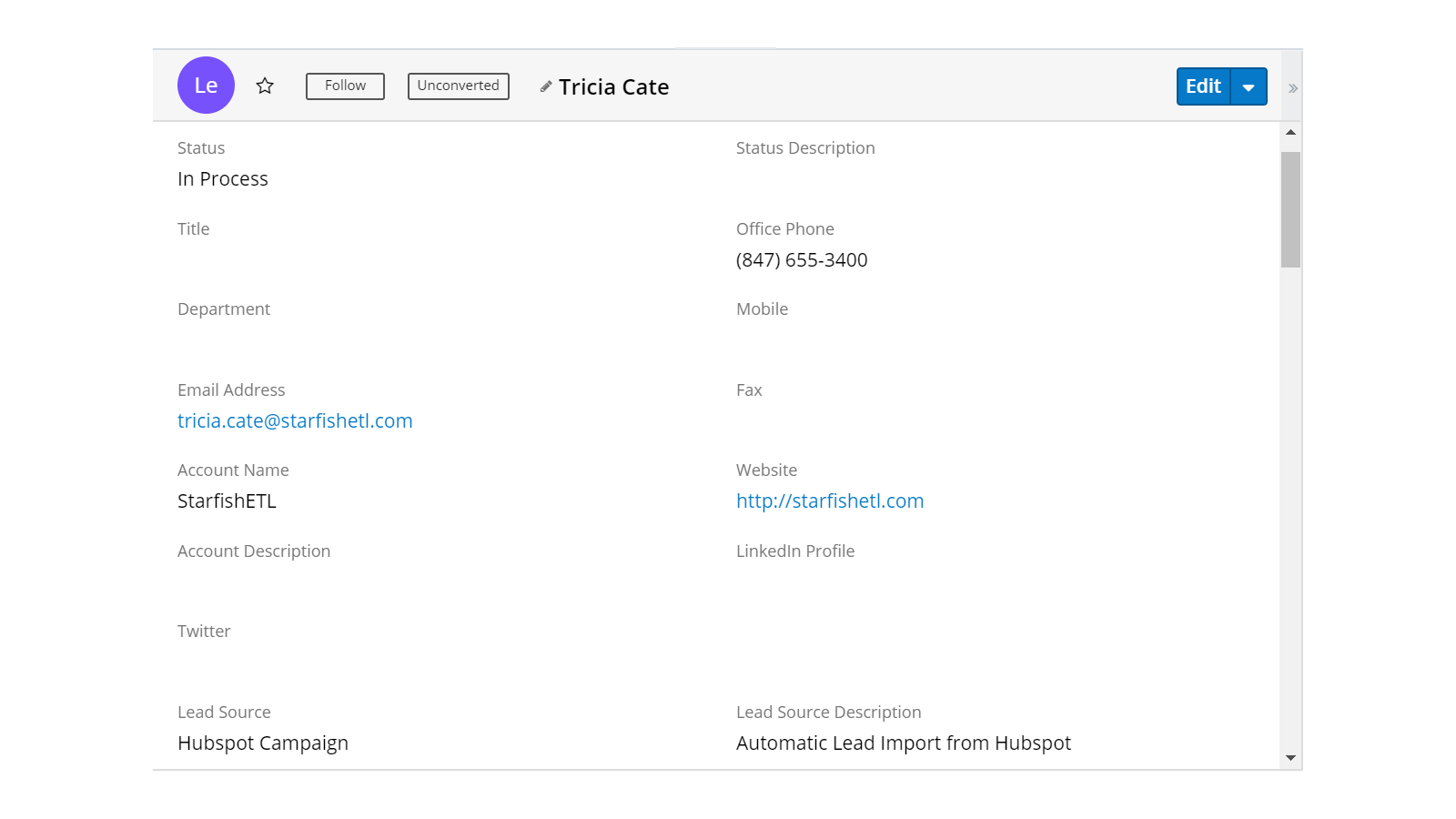
New Leads from HubSpot automatically create Leads in your CRM
As leads come into HubSpot you can have them automatically created for your sales team in your CRM. You can set parameters as to what leads get entered such as Life Cycle Stage.
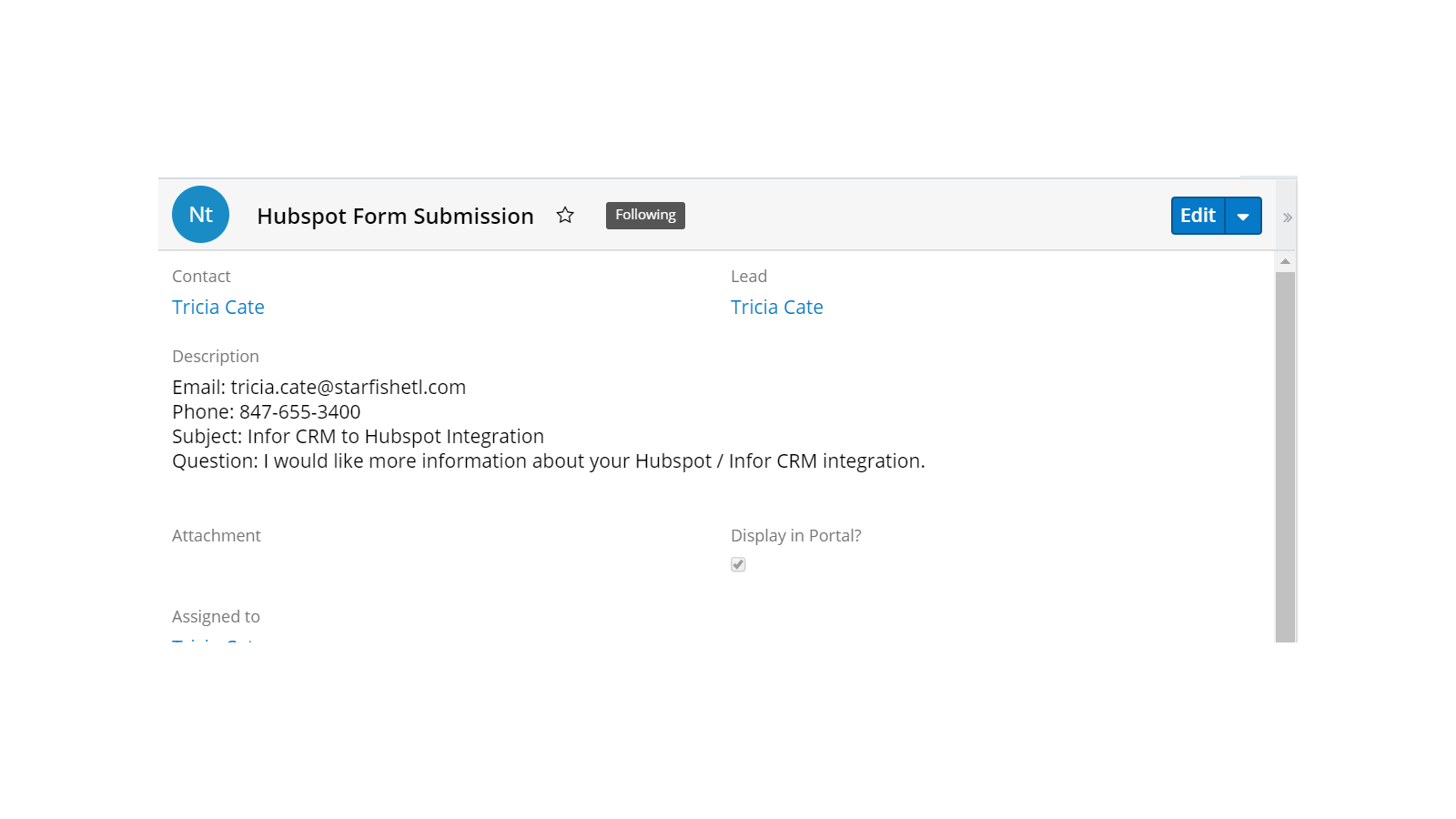
Forms, emails, subscriptions and more from HubSpot logged in your CRM.
As your contacts interact with you, that activity can be logged in your CRM.
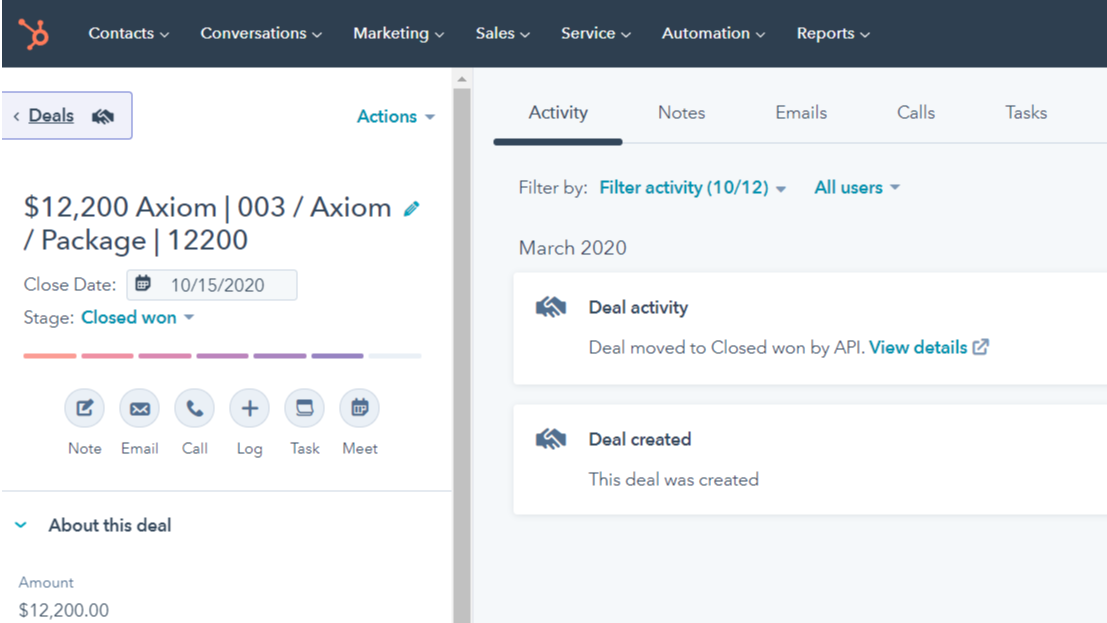
Opportunities in CRM create and update Deals in HubSpot
Convert your leads to contacts in your CRM, create Opportunities and those Opportunities will get created in HubSpot. As your Opportunities advance to Closed (hopefully won, not lost) StarfishETL will update your HubSpot Deals and Contacts as they move from MQL to SQL to Customer!
App Functionality
Shared Data
CRM Contact | ||
CRM Email or Notes | ||
CRM Lead | ||
CRM Leads | ||
CRM Notes | ||
CRM Notes | ||
CRM Opportunity | ||
Sales Activity in CRM |
Reviews
- Dec 24, 2025
Works very well for CRM and HubSpot sync - easy setup with powerful scripting, though complex integrations can get complicated
StarfishETL works very well. It keeps the data in sync between our CRM system and HubSpot.
Easy to setup and fairly easy to map entities and fields back and forth. Very powerful scripting functionality to transform data where necessary.
Depending on the scope of the integration, it can get somewhat complicated, but that would happy with any tool.
Kuehlthau, J.
- Apr 22, 2022
Excellent tool to use with HubSpot
StarfishETL is very powerful and easy to use tool to help integrate all your system needs.
We use the ETL to move data from our CRM system to HubSpot marketing platform
Easily transform and move data from system to system in a useable format.
none
Petersen, D.
Finance & Insurance - 201 to 1,000 employees
HubSpot / CRM Essentials Bundle
$4,800
/yearPrebuilt integration for HubSpot and your CRM
Update CRM leads as HubSpot Contacts change
Create CRM Leads based on HubSpot lead score or
status of “Sales Qualified Lead”
Add CRM Notes when HubSpot Contacts submit a form, subscription, or email
Create a HubSpot Contact with Leads from CRM
Update HubSpots Contact as Leads and contacts are changed in CRM
Update a HubSpot Lifecycle Stage for each Opportunity
Add a HubSpot Engagement with engagements in CRM
Create a HubSpot Deal when CRM Opportunity is marked is closed
HubSpot / CRM Essentials Bundle
$4,800
/yearPrebuilt integration for HubSpot and your CRM
Update CRM leads as HubSpot Contacts change
Create CRM Leads based on HubSpot lead score or
status of “Sales Qualified Lead”
Add CRM Notes when HubSpot Contacts submit a form, subscription, or email
Create a HubSpot Contact with Leads from CRM
Update HubSpots Contact as Leads and contacts are changed in CRM
Update a HubSpot Lifecycle Stage for each Opportunity
Add a HubSpot Engagement with engagements in CRM
Create a HubSpot Deal when CRM Opportunity is marked is closed
* The pricing here is for display purposes only. All prices do not include taxes, incentives, discounts, or other pricing variables. You should contact the partner for the most up to date and correct pricing information. HubSpot does not take any responsibility for this pricing information, which is provided by our partners. Pricing last updated: 08/09/2025
New arrivals

-1-2.jpeg)
