

Outlook Contacts
Requisitos
Plano da HubSpot Permissões da conta da HubSpot Nenhuma permissão necessária Tipo de acesso Pessoal Assinatura Outlook Contacts - Review Outlook Contacts's Pricing Page plano
Visão geral
1/2
Sincronize seus contatos do Outlook (pessoal) sem a necessidade de inserir dados manualmente ou fazer importações complicadas e demoradas. Também funciona para o Exchange Server e versões superiores!
Veja o que você obtém com o Data Sync da HubSpot:
- Sincronização bidirecional: Os dados são compartilhados entre o Outlook e o HubSpot em tempo real
- Mapeamentos de campo padrão: A configuração é rápida com mapeamentos de campo prontos para uso já criados para você
- Sincronização de histórico: Seus dados existentes serão sincronizados imediatamente, e as atualizações serão sincronizadas à medida que ocorrerem
Contatos pessoais
Esse aplicativo precisa ser instalado pelos usuários individuais da HubSpot e será sincronizado com sua pasta de contatos pessoais do Outlook. Essa é a pasta de contatos que também seria sincronizada com um smartphone.
Esse aplicativo não sincroniza contatos compartilhados ou o Active Directory.
Permissões necessárias
Seu usuário da HubSpot precisa de permissões de leitura/gravação para todos os contatos, bem como ter a capacidade de editar propriedades.
Usando o Exchange Server?
Caso você queira usar essa sincronização com Exchange Servers locais, eles precisam atender a todos os requisitos de implantação híbrida. Seu Active Directory local deve estar sincronizado com o Azure Active Directory e todos os servidores Exchange 2016 devem ser atualizados para CU3 ou posterior (não há suporte para versões anteriores).
Recursos
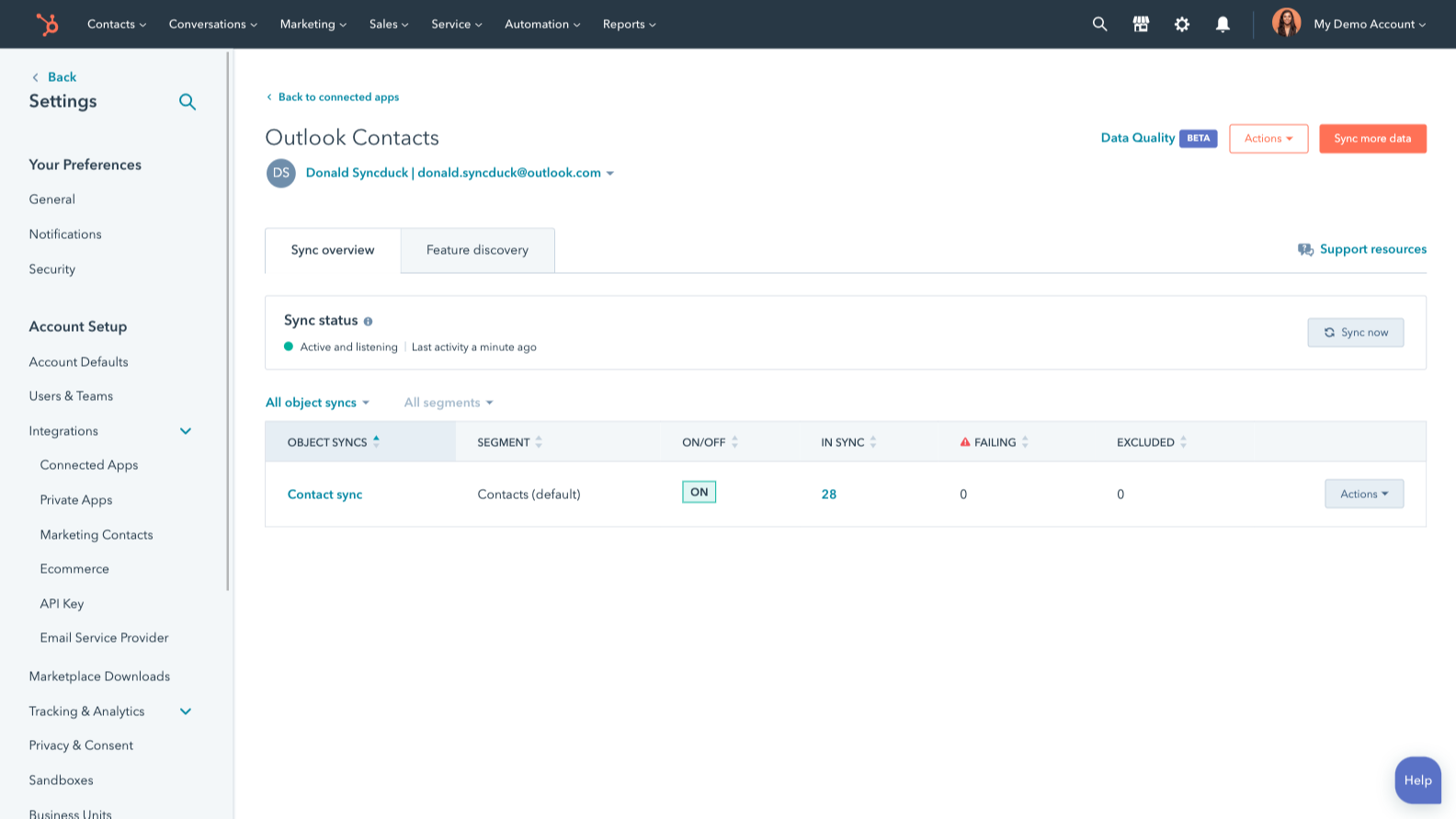
Sincronizar dados do Outlook/Exchange e do HubSpot
Torne a entrada manual de dados uma coisa do passado sincronizando contatos entre o HubSpot e o Outlook/Exchange. Quando os registros forem criados ou atualizados em um dos aplicativos, essas informações serão automaticamente compartilhadas com o outro.
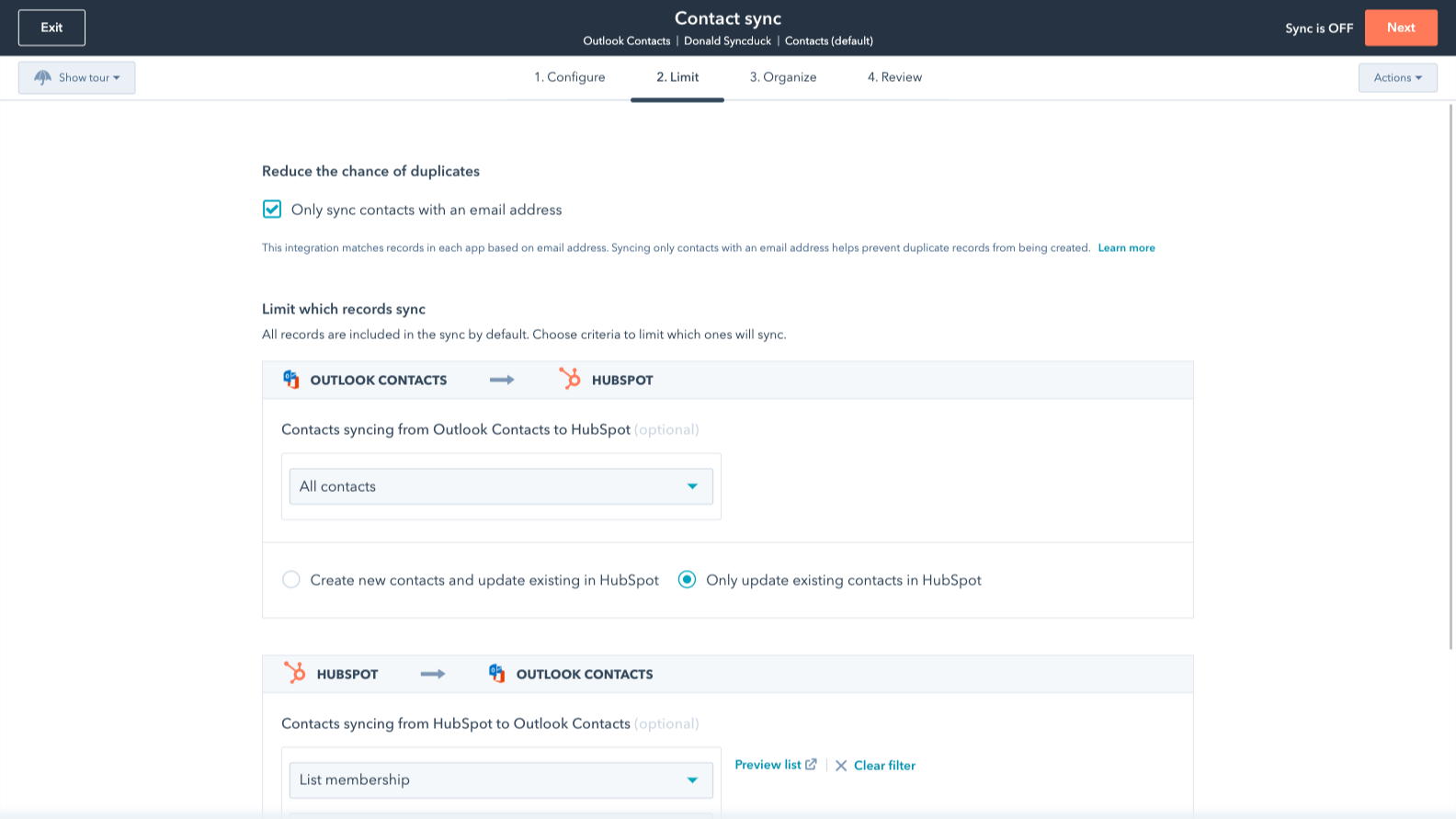
Sincronize apenas os dados que você deseja
Você tem o controle dos seus dados. É possível configurar uma sincronização unidirecional ou bidirecional, o que significa que você pode sincronizar os dados de apenas um aplicativo para o outro ou alternadamente entre os dois aplicativos. Você também pode adicionar um filtro para qualquer campo do Outlook/Exchange (como categorias ou nome da empresa) ou lista da HubSpot para sincronizar exatamente o que você deseja - e nada do que não deseja.
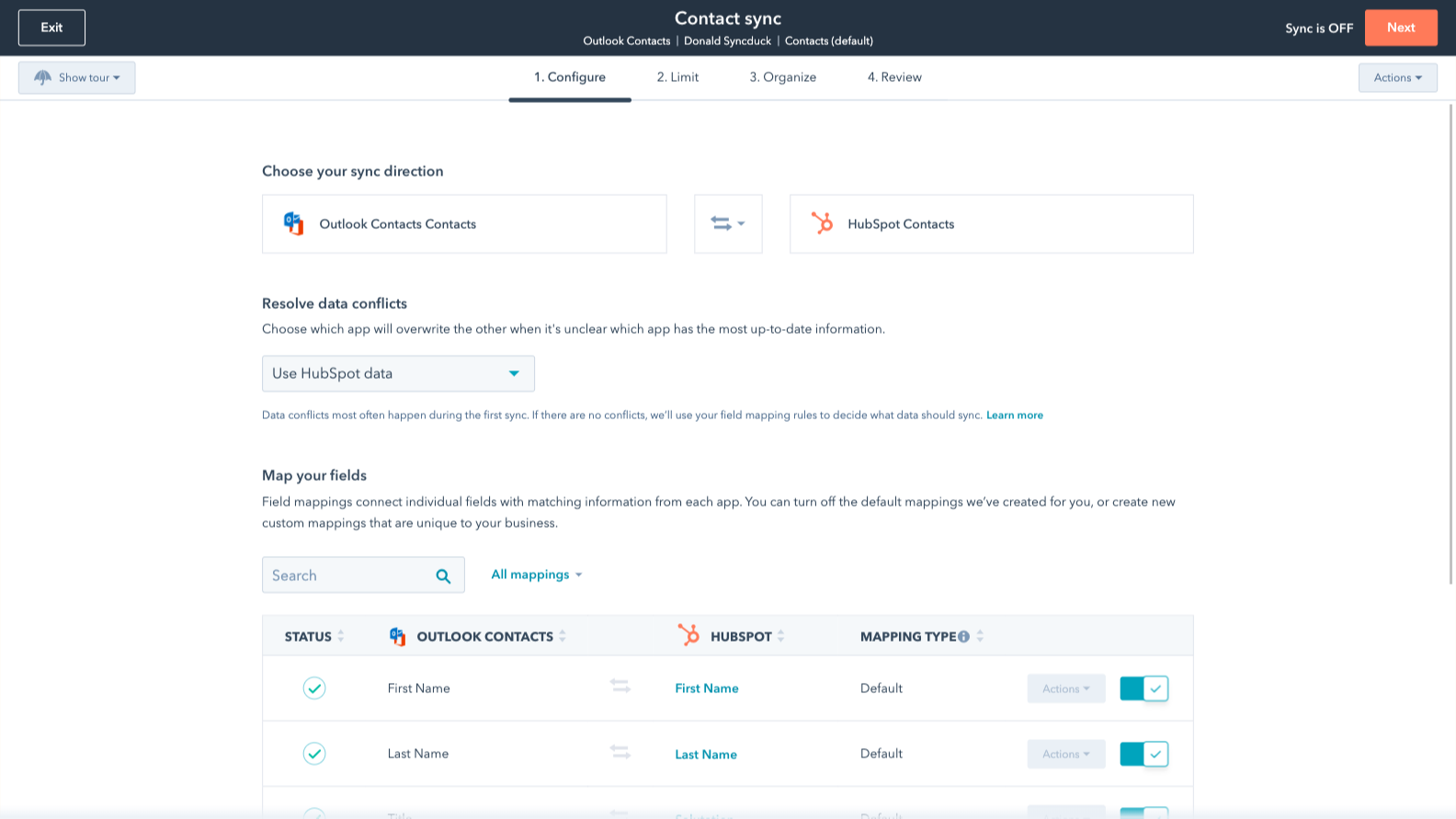
Mapeamentos de campo padrão
Os mapeamentos de campo conectam informações correspondentes em cada aplicativo - e nós já os criamos para você. Nossos mapeamentos de campo padrão prontos para uso tornam a configuração rápida e mantêm seus dados limpos e organizados. Além disso, não há surpresas: Você pode ver exatamente quais campos já vêm mapeados na seção "Dados compartilhados" abaixo.
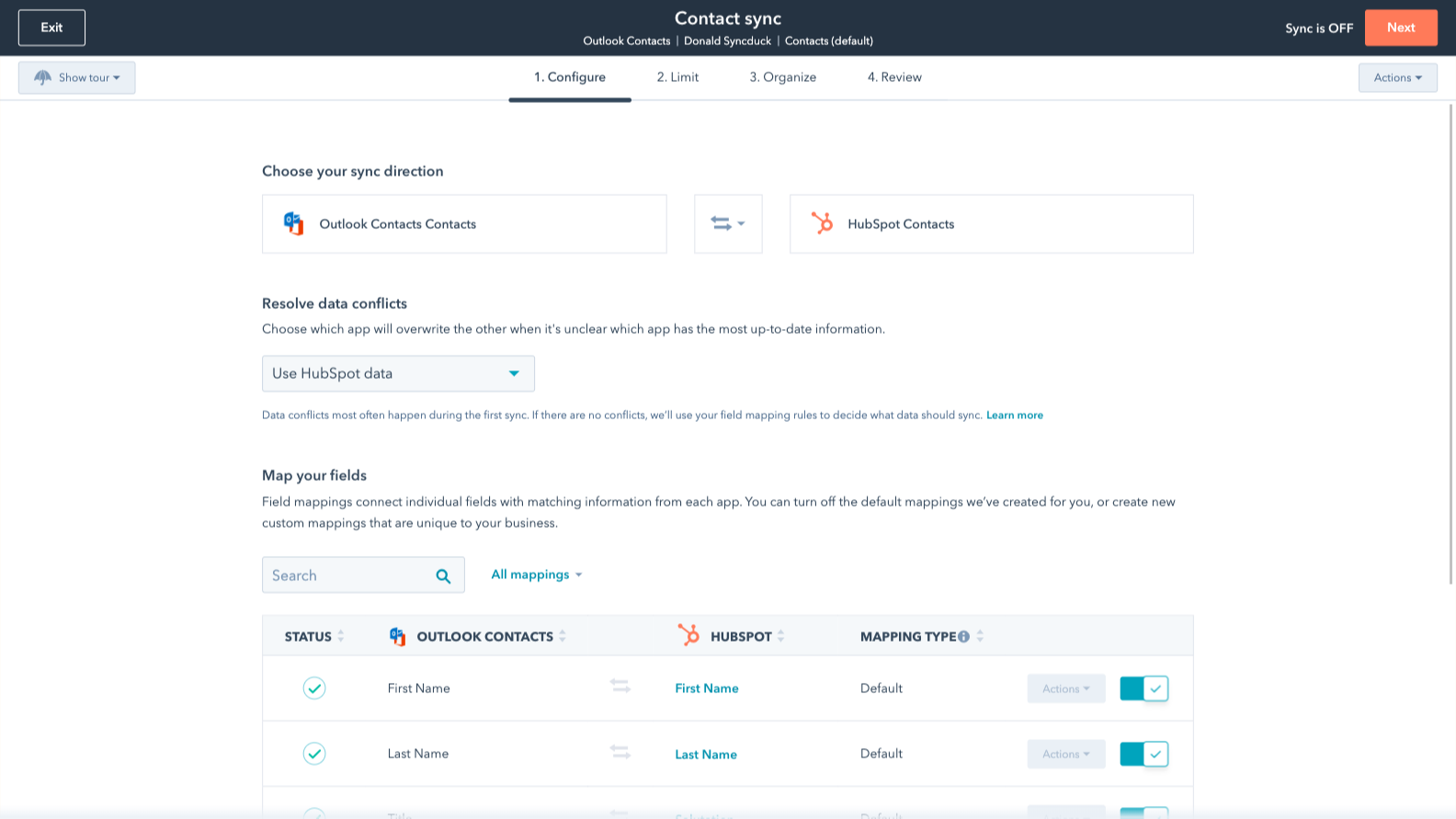
Mapeamentos de campos personalizados
Os mapeamentos de campo personalizados estão disponíveis nos planos Starter ou Professional do Data Hub. Os mapeamentos personalizados oferecem a flexibilidade de criar seus próprios mapeamentos ou fazer alterações nos mapeamentos padrão.
Funcionalidade do aplicativo
Dados compartilhados
Each object has field mappings that connect matching information from each app. Default mappings are listed below. If you want to change these default mappings or create your own, custom field mappings are available with Data Hub Starter and up.
The following will not sync: Public folders, Global Address List
Contacts |
Avaliações
3,1
226
3,1
226
Muitos usuários consideram que a ferramenta economiza tempo ao centralizar contatos e acompanhar e-mails diretamente no Outlook, embora muitos também apontem problemas de sincronização que geram registros duplicados ou não atribuídos. Alguns relatam que o complemento deixa a interface de e-mail mais lenta ou se desconecta periodicamente, exigindo logins manuais. Apesar dessas interrupções, gerenciar os dados do funil de vendas juntamente com as comunicações da caixa de entrada continua sendo uma maneira eficiente de alinhar as atividades de vendas.
- 2 de Set de 2025
Uma ferramenta que permite a identificação de chamadas por SMS!
A ferramenta funciona para sincronizar contatos com o Outlook.
Capacidade de sincronizar contatos com o Outlook para permitir a identificação de chamadas por SMS
Ele permite apenas uma sincronização inicial por vez. Agora há uma maneira padrão de adicionar uma categoria do Outlook como sincronização de contatos.
Knight, G.
- 21 de Ago de 2025
A sincronização não está funcionando de jeito nenhum e a equipe de suporte se recusa a ajudar — é totalmente inútil!!
Não consigo fazer a sincronização dos contatos funcionar, e o suporte nem quis saber!!
A sincronização não funciona
A sincronização não funciona
Woodman, T.
Review Outlook Contacts's Pricing Page
US$ 0
Use o link "Ver todas as opções de preços" no lado direito
Certifique-se de confirmar a assinatura da HubSpot e a assinatura de Contatos do Outlook necessárias para instalar essa integração Observação: "Gratuito" se refere ao custo da integração, não às assinaturas do aplicativo.
Note: "Free" is referring to the cost of the integration, not the app subscriptions.
Review Outlook Contacts's Pricing Page
US$ 0
Use o link "Ver todas as opções de preços" no lado direito
Certifique-se de confirmar a assinatura da HubSpot e a assinatura de Contatos do Outlook necessárias para instalar essa integração Observação: "Gratuito" se refere ao custo da integração, não às assinaturas do aplicativo.
Note: "Free" is referring to the cost of the integration, not the app subscriptions.
* O preço aqui é apenas para fins de exibição. Todos os preços não incluem impostos, incentivos, descontos ou outras variáveis de preços. Você deve entrar em contato com o parceiro para obter informações mais atualizadas e precisas. A HubSpot não se responsabiliza por essas informações de preços, que são fornecidas pelos nossos parceiros. Preços atualizados pela última vez: 03/09/2025