

Outlook Contacts
Requirements
HubSpot Plan HubSpot Account permissions No permissions required Access Type Personal Outlook Contacts Subscription - Review Outlook Contacts's Pricing Page plan
Overview
1/2
Sync your Outlook (personal) contacts without manual data entry or messy, time-consuming imports. Works for Exchange Server and up too!
Here’s what you get with Data Sync by HubSpot:
- Two-way sync: Data is shared between Outlook and HubSpot in real time
- Default field mappings: Set-up is quick with out-of-the-box field mappings already created for you
- Historical syncing: Your existing data will sync right away, and updates will sync as they happen
Personal contacts
This app needs to be installed by the individual HubSpot users and will sync with their personal Outlook contact folder. This is the contacts folder that would also sync with a smartphone.
This app does not sync shared contacts, or the Active Directory.
Permissions required
Your HubSpot user needs read/write permissions to all contacts, as well as have the ability to edit properties.
Using Exchange Server?
In case you like to use this sync with on-premise Exchange Servers, they need to meet all hybrid deployment requirements. Your on-premise Active Directory must be in sync with the Azure Active Directory and all Exchange 2016 servers must be upgraded to CU3 or later (earlier versions are not supported).
Features
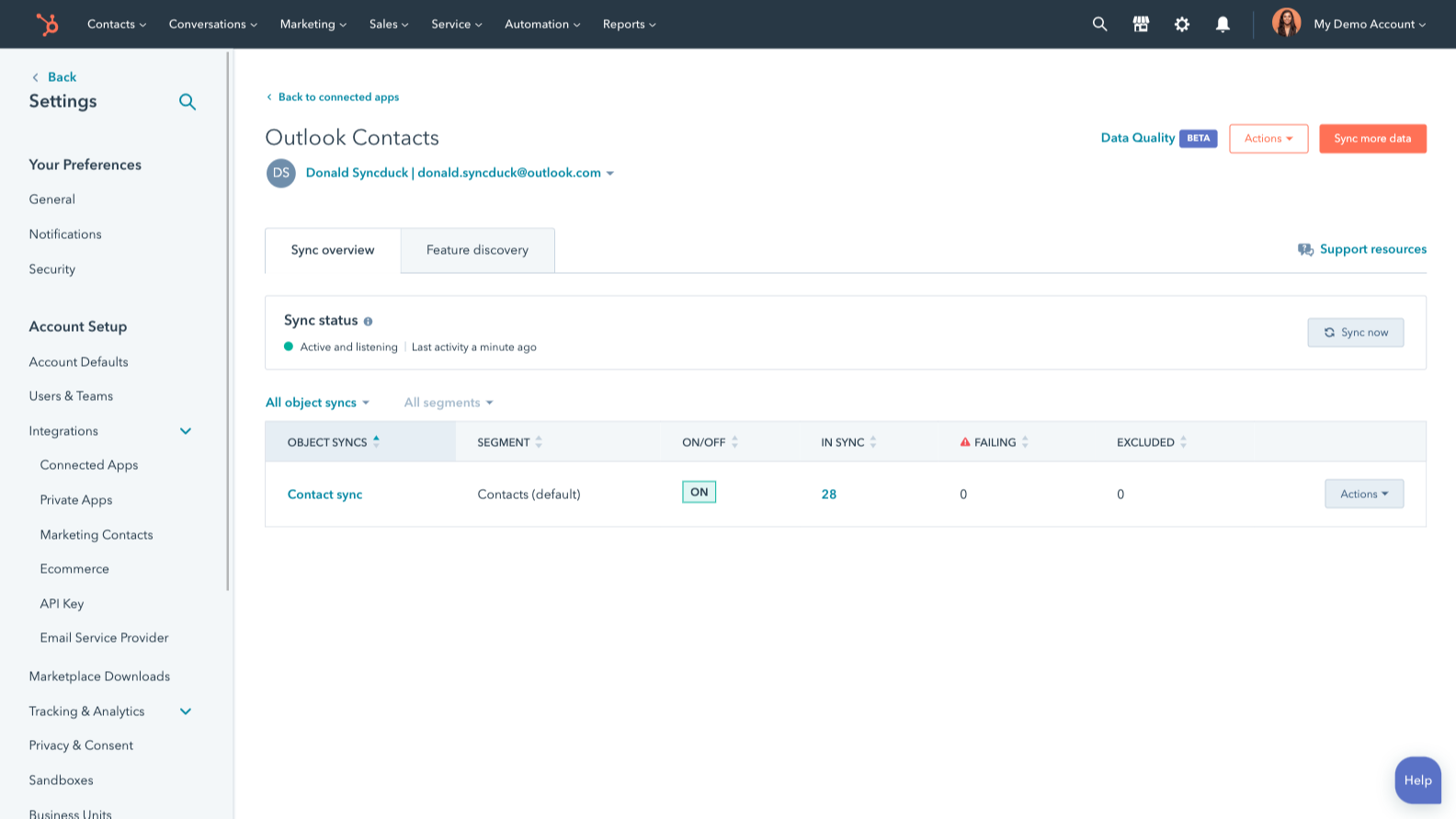
Sync Outlook/Exchange and HubSpot data
Make manual data entry a thing of the past by syncing contacts between HubSpot and Outlook/Exchange. When records are created or updated in either app, that information will be automatically shared with the other one.
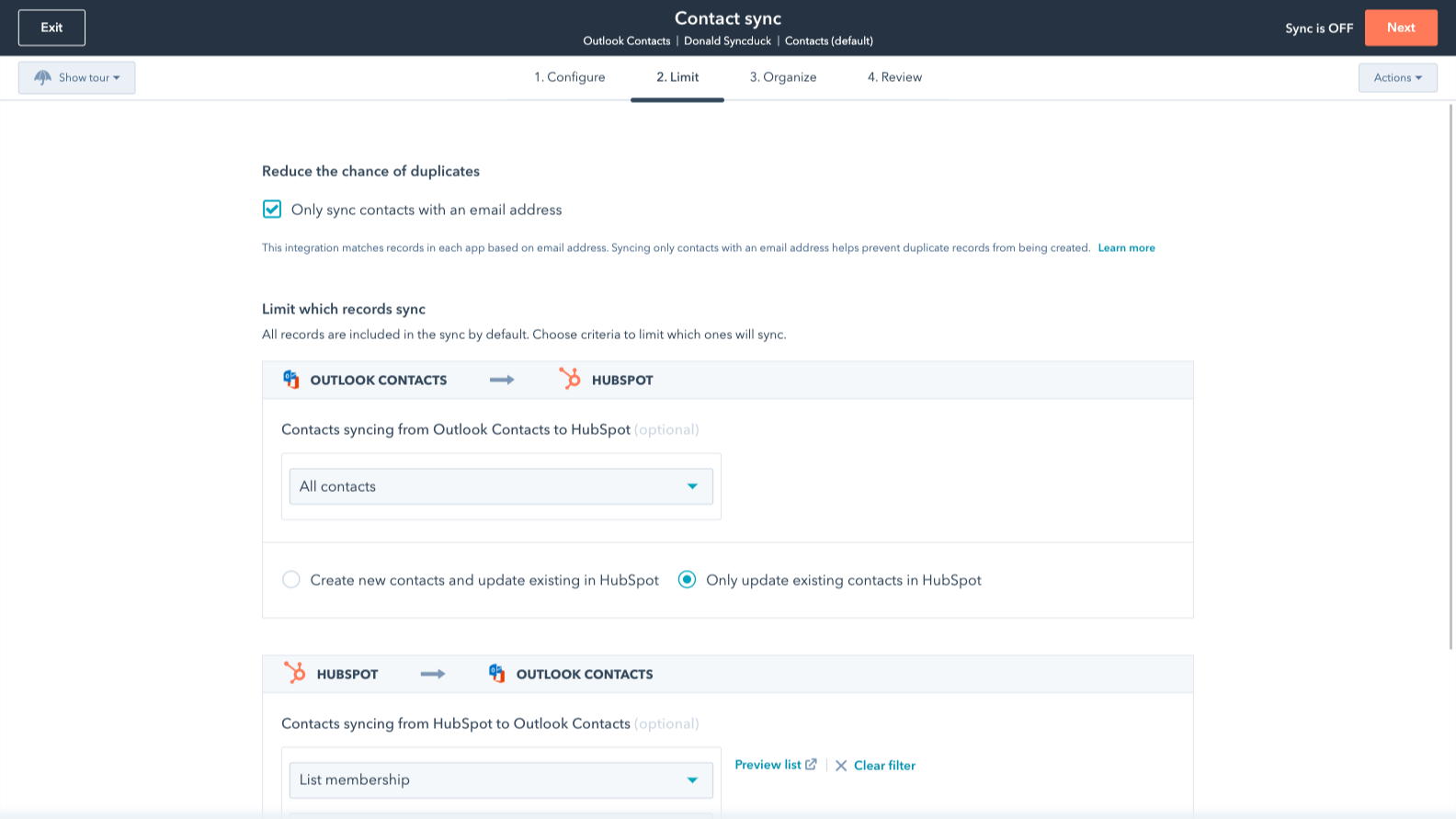
Sync only the data you want
You’re in control of your data. You can set up a one- or two-way sync, which means you can either sync data from only one app to the other or back-and-forth between both apps. You can also add a filter for any Outlook/Exchange field (like categories or company name) or HubSpot list to sync exactly what you want—and nothing you don’t.
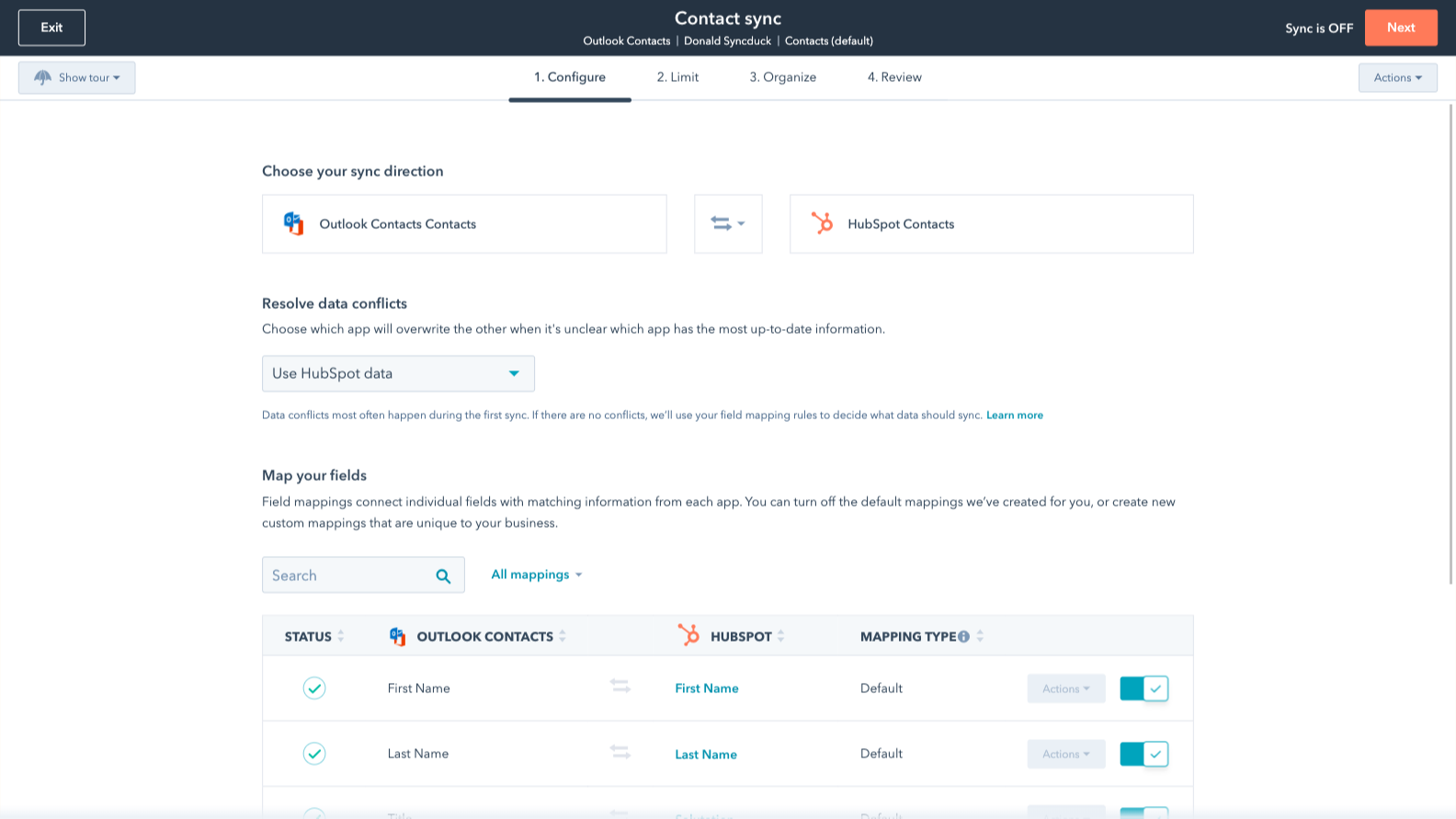
Default field mappings
Field mappings connect matching information in each app—and we’ve already created them for you. Our out-of-the-box default field mappings make set-up quick and keep your data clean and organized. Plus, there are no surprises: You can see exactly which fields come already mapped in the “Shared data” section below.
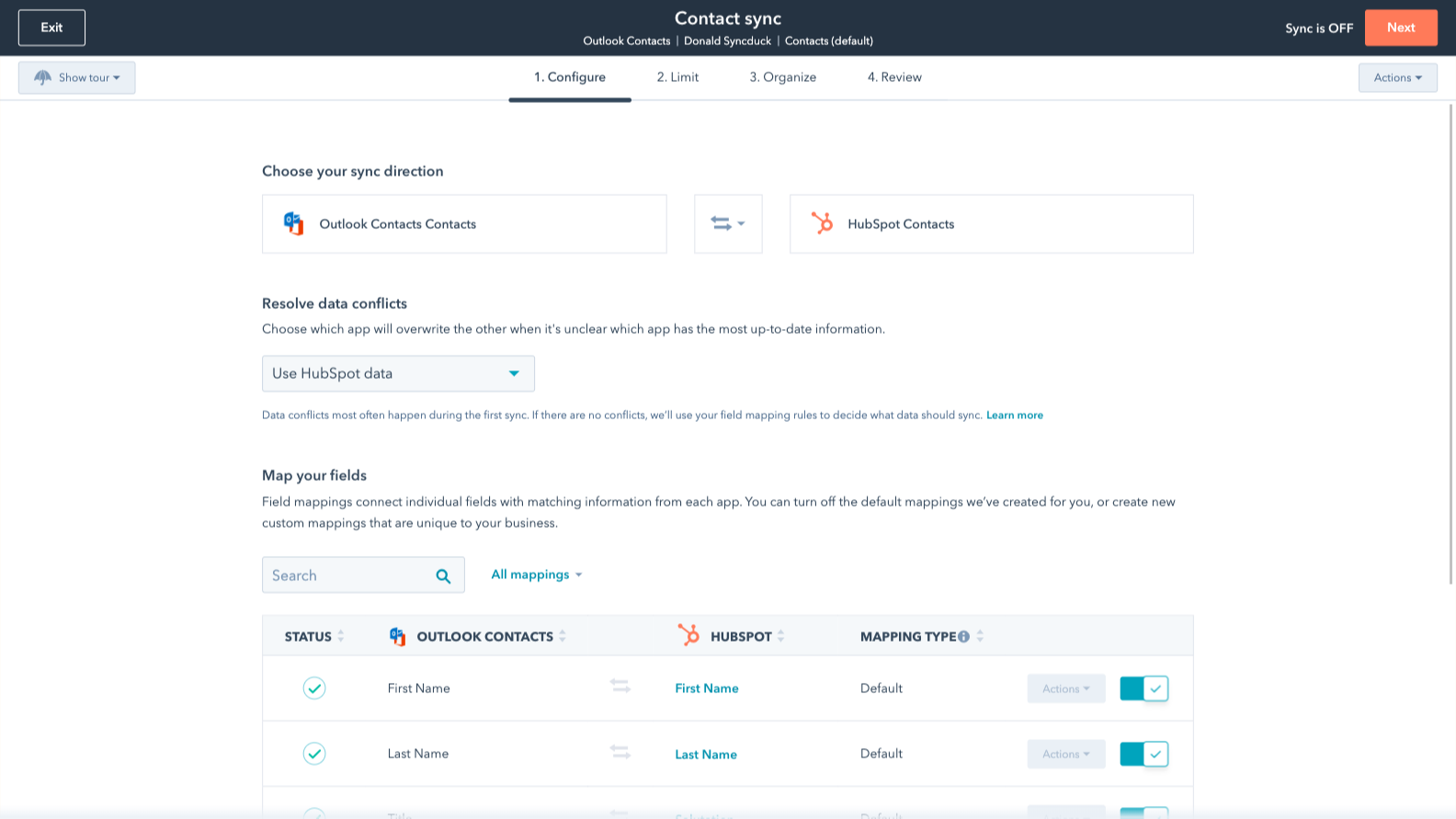
Custom field mappings
Custom field mappings are available with Data Hub Starter or Professional plans. Custom mappings add the flexibility to create your own mappings or make changes to your default ones.
App Functionality
Shared Data
Each object has field mappings that connect matching information from each app. Default mappings are listed below. If you want to change these default mappings or create your own, custom field mappings are available with Data Hub Starter and up.
The following will not sync: Public folders, Global Address List
Contacts |
Reviews
3.1
226
3.1
226
Many users find the tool saves time by centralizing contacts and tracking emails directly in Outlook, though many also note syncing issues that generate duplicate or unassigned records. Some report the add-in slows down the email interface or periodically disconnects, prompting manual log-ins. Despite these interruptions, managing pipeline data alongside inbox communications remains an efficient way to align sales activity.
- Sep 2, 2025
A tool that allows SMS Caller ID!
The tool works to sync contacts to Outlook.
Ability to sync contacts to Outlook to allow SMS Caller ID
It only allows one inital sync at a time. There is now default way to add an Outlook Category as the contacts sync.
Knight, G.
- Aug 21, 2025
Sync completely broken and support team refuses to help - absolutely useless!!
I can’t get the contacts sync to work and the support didn’t want to know!!
Sync doesn’t work
Sync doesn’t work
Woodman, T.
Pricing
Review Outlook Contacts's Pricing Page
$0
Use the 'See all pricing options' link on the righthand side
Make sure to confirm the HubSpot subscription and the Outlook Contacts subscription needed to install this integration
Note: "Free" is referring to the cost of the integration, not the app subscriptions.
Review Outlook Contacts's Pricing Page
$0
Use the 'See all pricing options' link on the righthand side
Make sure to confirm the HubSpot subscription and the Outlook Contacts subscription needed to install this integration
Note: "Free" is referring to the cost of the integration, not the app subscriptions.
* The pricing here is for display purposes only. All prices do not include taxes, incentives, discounts, or other pricing variables. You should contact the partner for the most up to date and correct pricing information. HubSpot does not take any responsibility for this pricing information, which is provided by our partners. Pricing last updated: 09/03/2025
New arrivals

&Open Gifting App
Turn a great moment into a real gift, from the contact record or in workflows.

Atnimo
Make your business conversation create New Opportunities for you.
