

Outlook Contacts
Krav
HubSpot-abonnement Tilladelser til HubSpot-konto Ingen tilladelser påkrævet Adgangstype Personlig Outlook Contacts abonnement - Review Outlook Contacts's Pricing Page plan
Oversigt
1/2
Sync your Outlook (personal) contacts without manual data entry or messy, time-consuming imports. Works for Exchange Server and up too!
Here’s what you get with Data Sync by HubSpot:
- Two-way sync: Data is shared between Outlook and HubSpot in real time
- Default field mappings: Set-up is quick with out-of-the-box field mappings already created for you
- Historical syncing: Your existing data will sync right away, and updates will sync as they happen
Personal contacts
This app needs to be installed by the individual HubSpot users and will sync with their personal Outlook contact folder. This is the contacts folder that would also sync with a smartphone.
This app does not sync shared contacts, or the Active Directory.
Permissions required
Your HubSpot user needs read/write permissions to all contacts, as well as have the ability to edit properties.
Using Exchange Server?
In case you like to use this sync with on-premise Exchange Servers, they need to meet all hybrid deployment requirements. Your on-premise Active Directory must be in sync with the Azure Active Directory and all Exchange 2016 servers must be upgraded to CU3 or later (earlier versions are not supported).
Funktioner
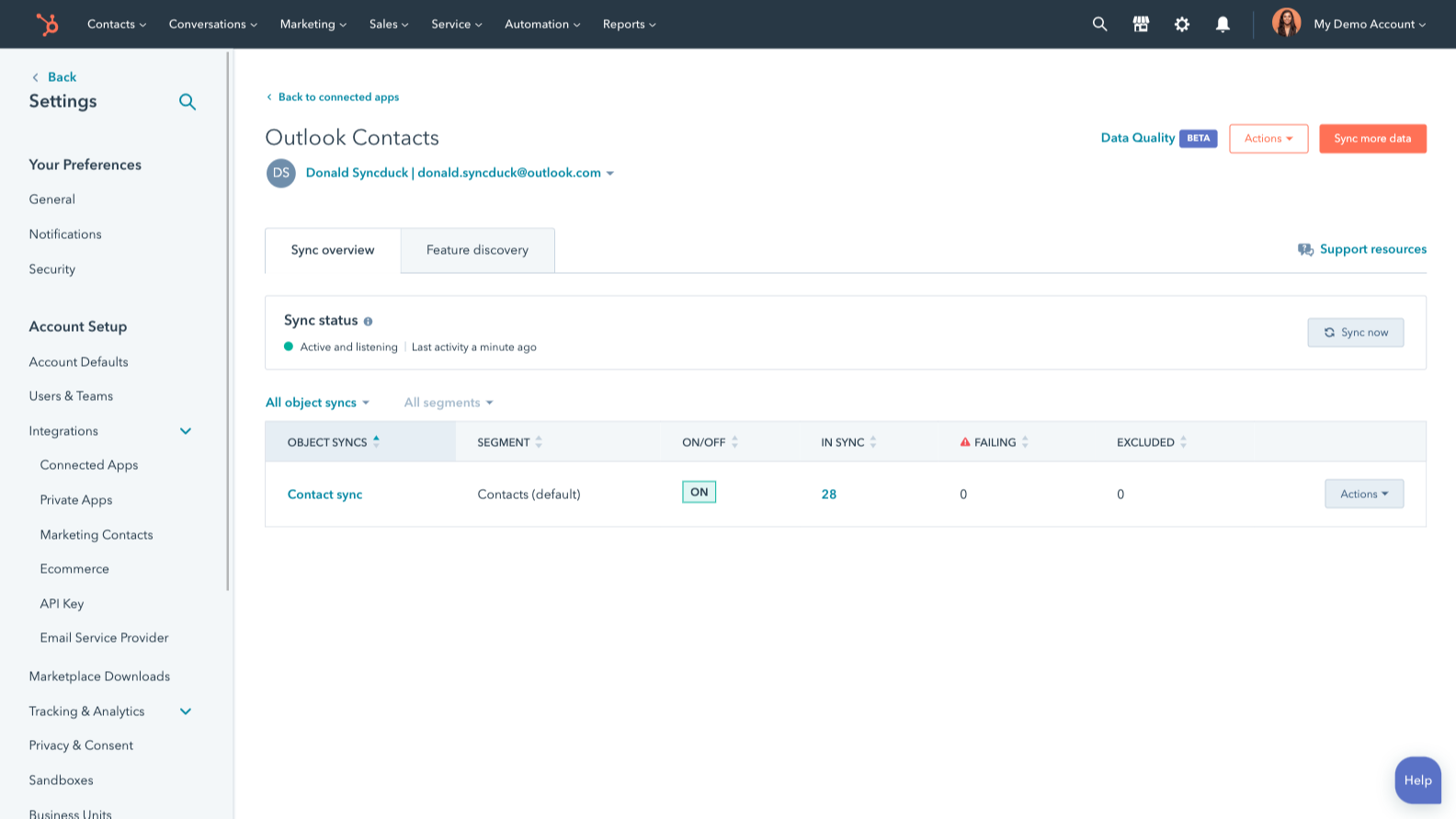
Sync Outlook/Exchange and HubSpot data
Make manual data entry a thing of the past by syncing contacts between HubSpot and Outlook/Exchange. When records are created or updated in either app, that information will be automatically shared with the other one.
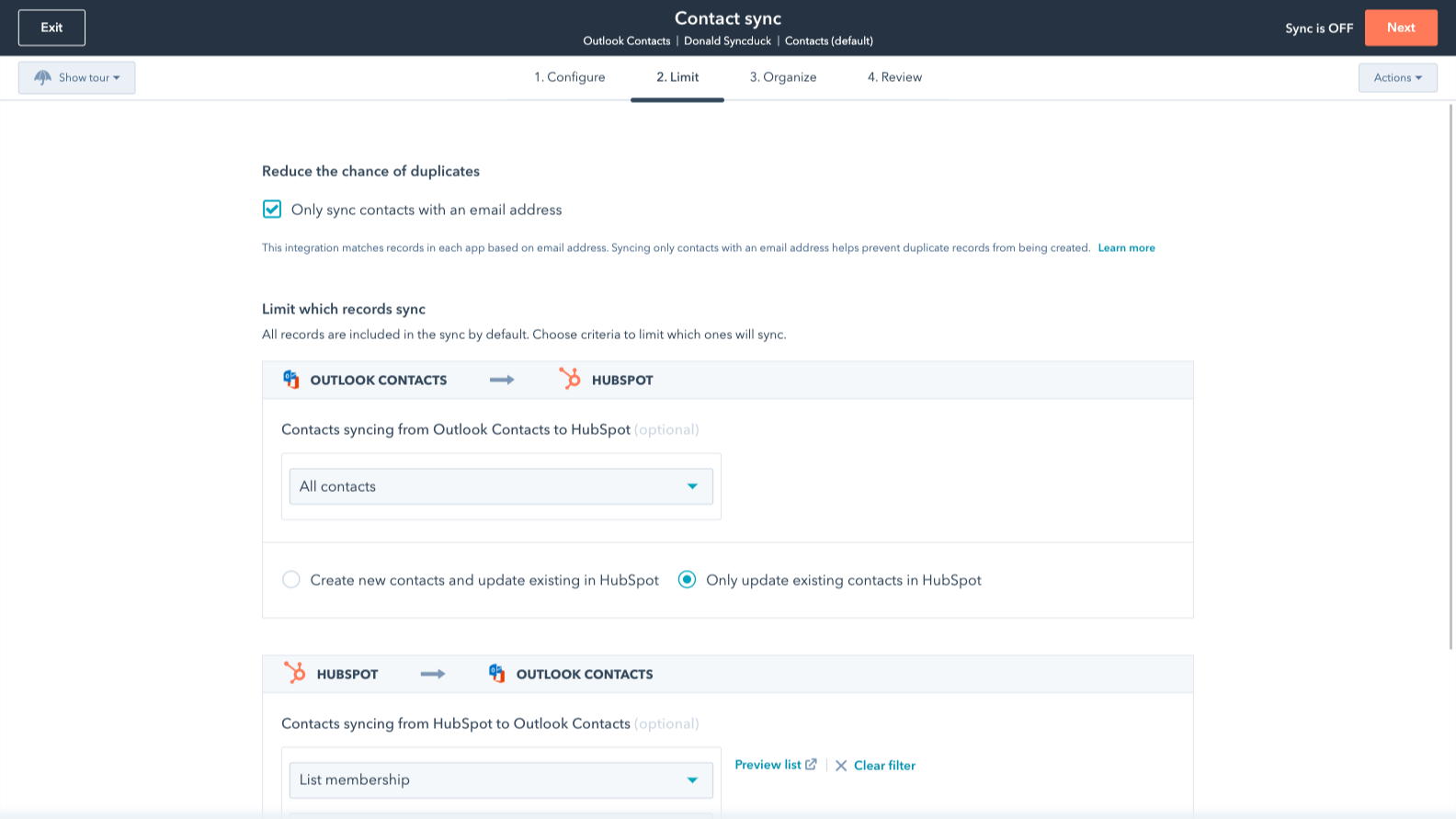
Sync only the data you want
You’re in control of your data. You can set up a one- or two-way sync, which means you can either sync data from only one app to the other or back-and-forth between both apps. You can also add a filter for any Outlook/Exchange field (like categories or company name) or HubSpot list to sync exactly what you want—and nothing you don’t.
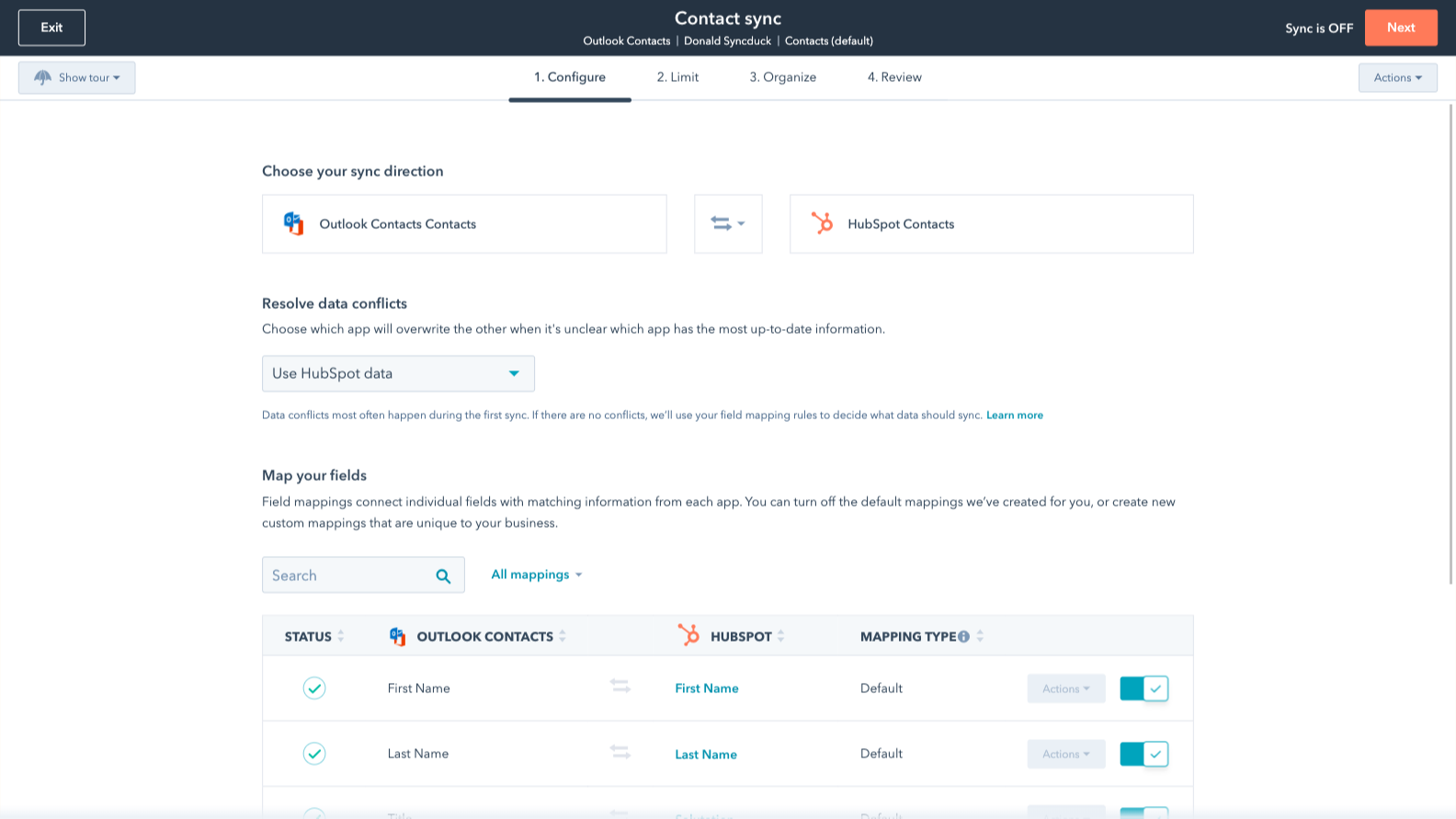
Default field mappings
Field mappings connect matching information in each app—and we’ve already created them for you. Our out-of-the-box default field mappings make set-up quick and keep your data clean and organized. Plus, there are no surprises: You can see exactly which fields come already mapped in the “Shared data” section below.
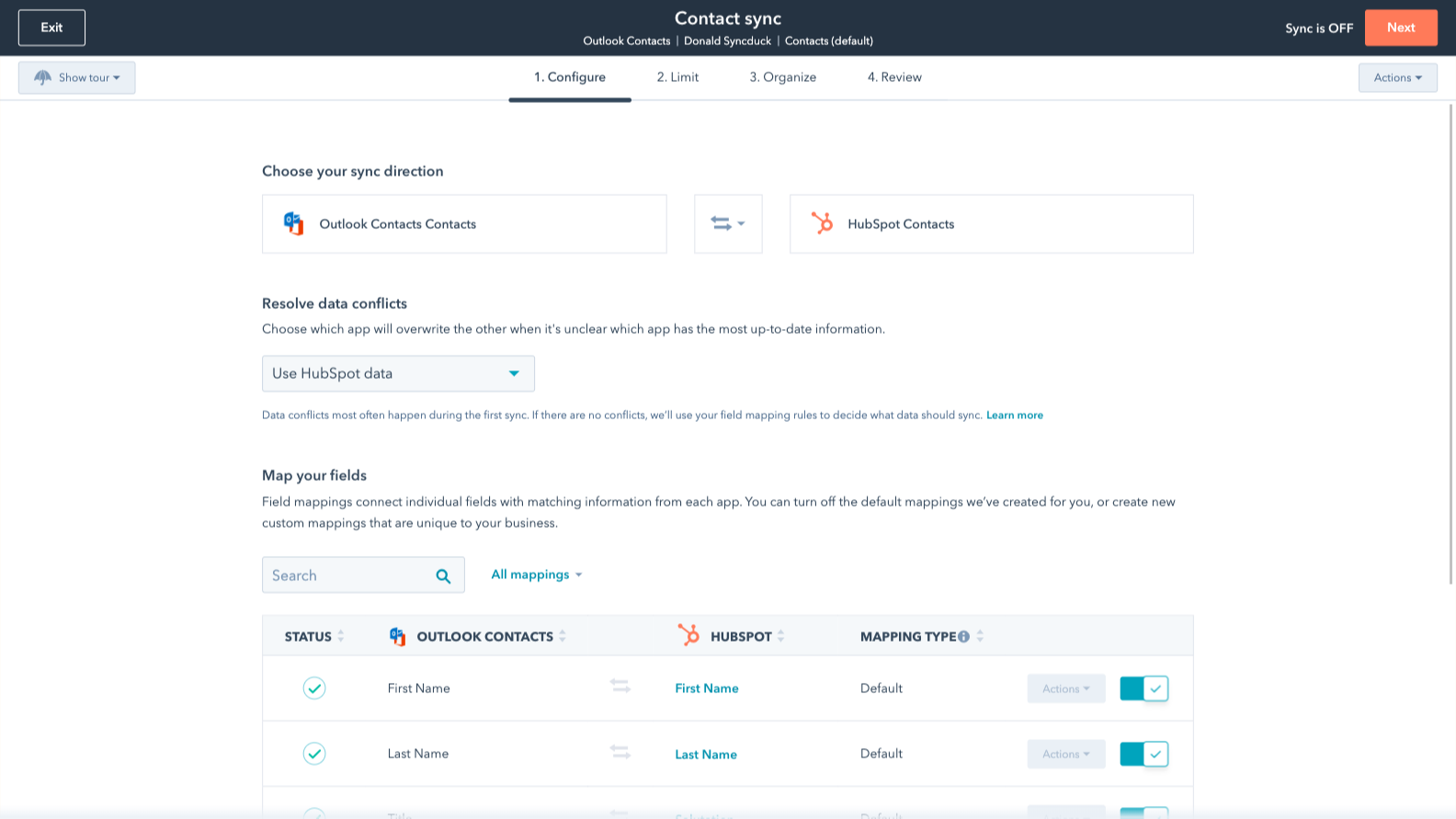
Custom field mappings
Custom field mappings are available with Data Hub Starter or Professional plans. Custom mappings add the flexibility to create your own mappings or make changes to your default ones.
Appfunktionalitet
Delte data
Each object has field mappings that connect matching information from each app. Default mappings are listed below. If you want to change these default mappings or create your own, custom field mappings are available with Data Hub Starter and up.
The following will not sync: Public folders, Global Address List
Contacts |
Anmeldelser
3,1
226
3,1
226
Mange brugere oplever, at værktøjet sparer tid ved at samle kontakter og holde styr på e-mails direkte i Outlook, selvom mange også nævner synkroniseringsproblemer, der medfører dubletter eller ikke-tildelte poster. Nogle rapporterer, at tilføjelsesprogrammet gør e-mail-grænsefladen langsommere eller periodisk afbryder forbindelsen, hvilket kræver manuel login. På trods af disse afbrydelser er styring af pipeline-data sideløbende med kommunikationen i indbakken fortsat en effektiv måde at koordinere salgsaktiviteterne på.
- 2. sep 2025
Et værktøj, der giver mulighed for SMS-opkalds-ID!
Værktøjet fungerer til at synkronisere kontakter til Outlook.
Mulighed for at synkronisere kontakter til Outlook for at tillade SMS-opkalds-id
Den tillader kun én indledende synkronisering ad gangen. Der er nu en standardmåde at tilføje en Outlook-kategori på, når kontakterne synkroniseres.
Knight, G.
- 21. aug 2025
Synkroniseringen virker slet ikke, og supportteamet nægter at hjælpe – fuldstændig ubrugeligt!!
Jeg kan ikke få synkroniseringen af kontakterne til at fungere, og supporten ville slet ikke høre på mig!!
Synkroniseringen virker ikke
Synkroniseringen virker ikke
Woodman, T.
Priser
Review Outlook Contacts's Pricing Page
0 US$
Use the 'See all pricing options' link on the righthand side
Make sure to confirm the HubSpot subscription and the Outlook Contacts subscription needed to install this integration
Note: "Free" is referring to the cost of the integration, not the app subscriptions.
Review Outlook Contacts's Pricing Page
0 US$
Use the 'See all pricing options' link on the righthand side
Make sure to confirm the HubSpot subscription and the Outlook Contacts subscription needed to install this integration
Note: "Free" is referring to the cost of the integration, not the app subscriptions.
* Priserne her er kun til visningsformål. Alle priser er ekskl. afgifter, incitamenter, rabatter eller andre prisvariabler. Du bør kontakte partneren for at få de mest ajourførte og korrekte prisoplysninger. HubSpot påtager sig intet ansvar for disse prisoplysninger, som leveres af vores partnere. Priser sidst opdateret: 03.09.2025
Flere oplysninger
Udviklet af - HubSpot
Installeringer - 40K installationer
Kategorier Sprog som denne app er tilgængelig på Engelsk ,Finsk ,Fransk ,Hollandsk ,Italiensk ,Japansk ,Polsk ,Portugisisk ,Spansk ,Svensk ogTysk