

Dynamic Dropdowns
สร้างโดย - Daeda Technologies
ติดตั้ง - 20+ การติดตั้ง

Rising
ข้อกำหนด
แผน HubSpot สิทธิ์บัญชี HubSpot - ดูสิทธิ์บัญชี ที่จำเป็น
ประเภทสิทธิ์การเข้าถึง แชร์แล้ว การสมัครใช้บริการ Dynamic Dropdowns - Lifetime Access แพ็กเกจ
ภาพรวม
1/9 - A one-minute tour: messy text in, clean dropdown out, filled on your existing records.
Turn messy text fields into clean dropdowns built from the values your team already uses, then fill them on your existing records. Works with Contacts, Companies, Deals, Tickets and Listings.
Free-text fields drift: "USA", "usa" and "U.S.A." end up as three different answers, so reports split and filters miss records. HubSpot won't change a field's type once it's in use on records, segments or workflows, certain default properties can't be edited, and building option lists by hand takes hours.
Dynamic Dropdowns builds a new dropdown beside the old field:
Scan: pick any single-line text property, default or custom, and see the values in use across up to 10,000 records.
Merge: values that differ only in case, punctuation or spacing become one option, labelled with the most common spelling.
Curate: exclude junk and test entries, or add options nobody has typed yet.
Create: a new dropdown property on the object you choose, ready for forms, filters and workflows.
Fill: one click fills existing records on the same object from the old values, after a preview of the counts. Switch on fill on sync to keep new records filled.
Keep current: sync in new values on demand, or about every 6 hours with auto-sync on. Excluded values stay out, and nothing you've added is removed.
Values already set are never overwritten, and your original property is never changed. Filling needs optional write permissions; on accounts that approve apps, a Super Admin turns them on.
Try every feature free for 14 days, no card needed. After that it's $20 once per HubSpot account, with no subscription.
ฟีเจอร์
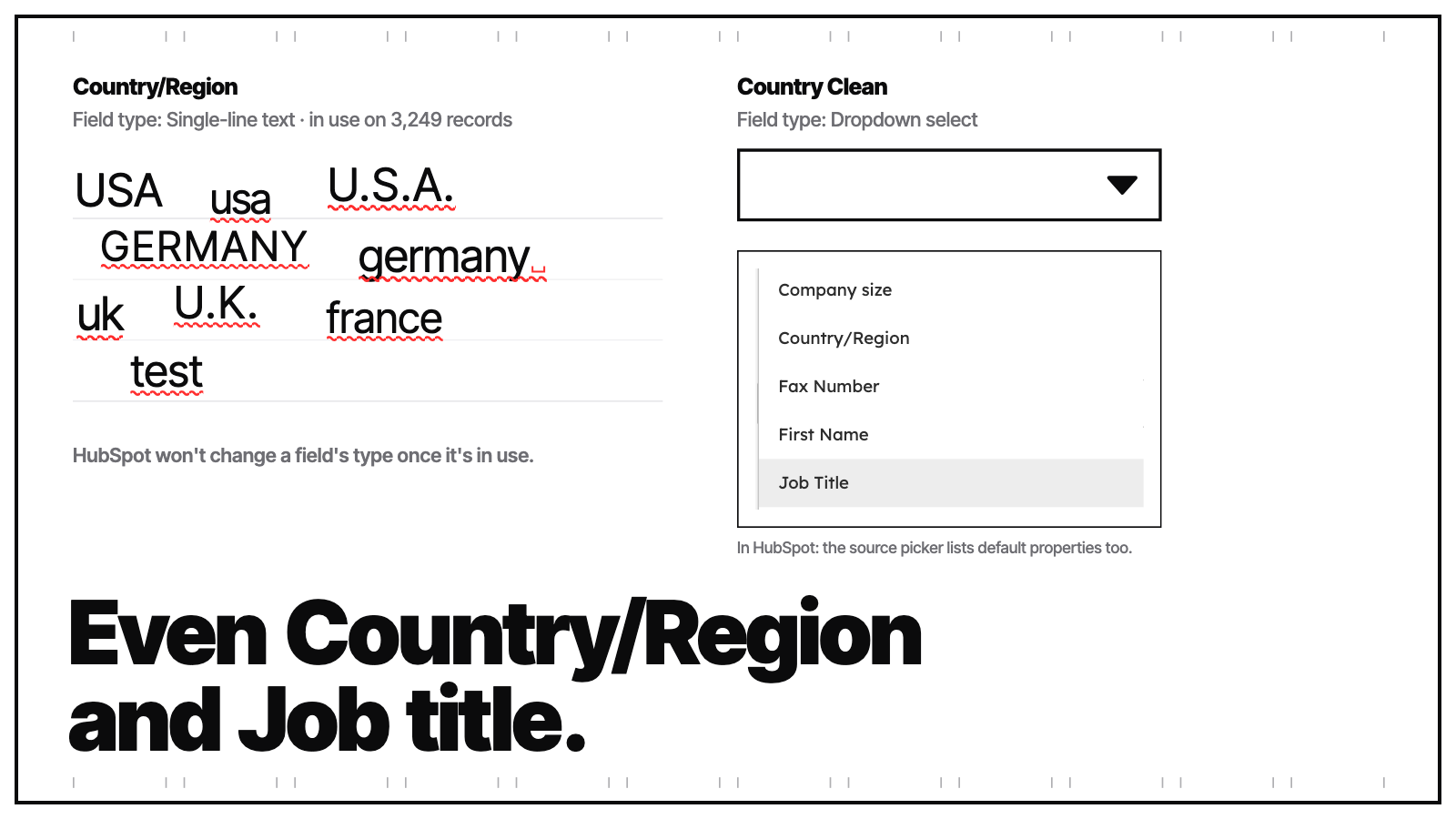
Works on Country/Region, Job title and other default properties
HubSpot won't change a field's type once it's in use on records, segments or workflows, and certain default properties can't be edited. Dynamic Dropdowns reads any single-line text property, default or custom, even Country/Region and Job title, and builds a new dropdown beside it, so nothing in the original is lost.
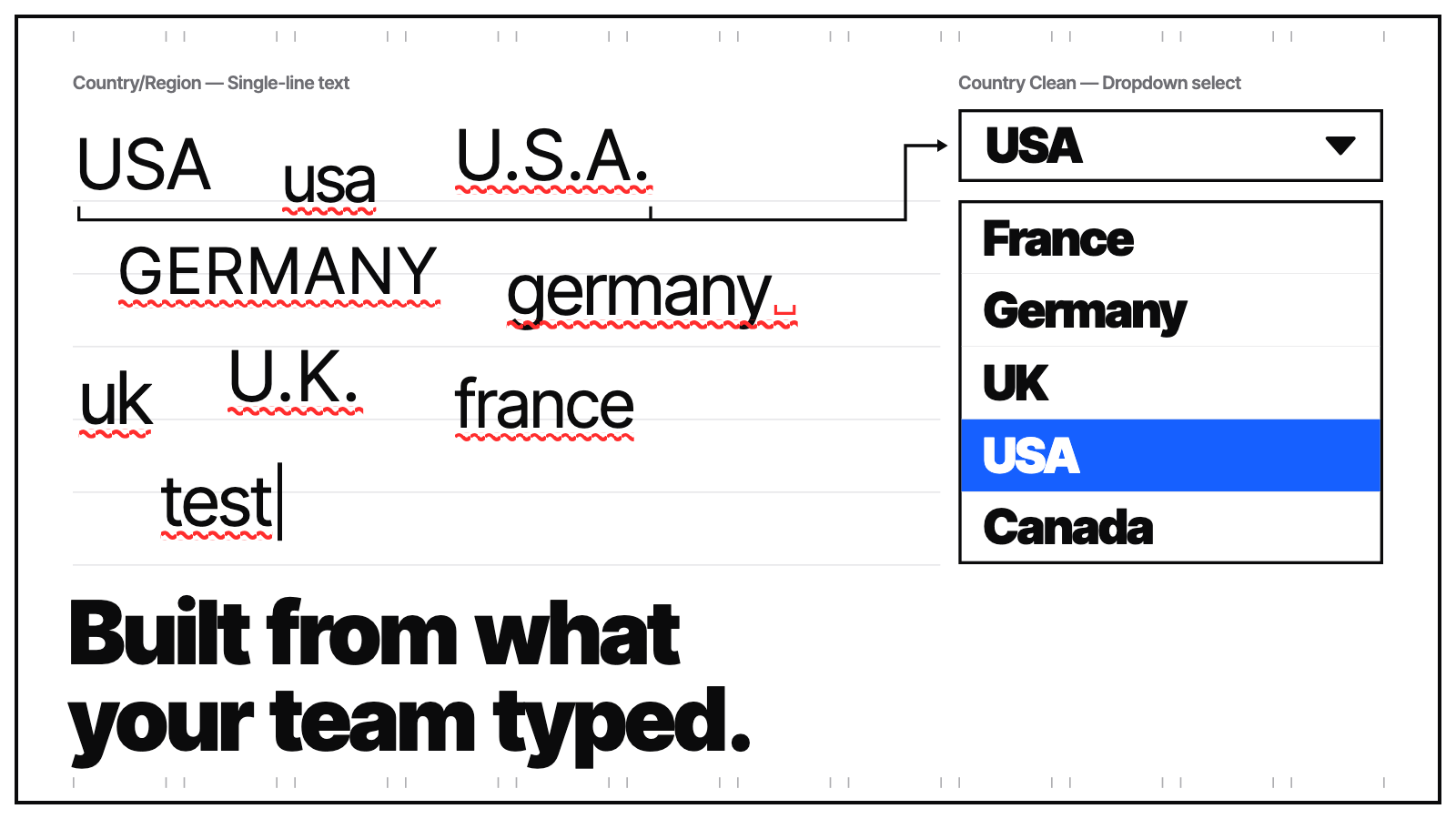
Built from the values your team already uses
Pick a text property on Contacts, Companies, Deals, Tickets or Listings and scan up to 10,000 records to see the values in use. No more typing option lists by hand or guessing what reps have entered. If the property is empty, add the options yourself.
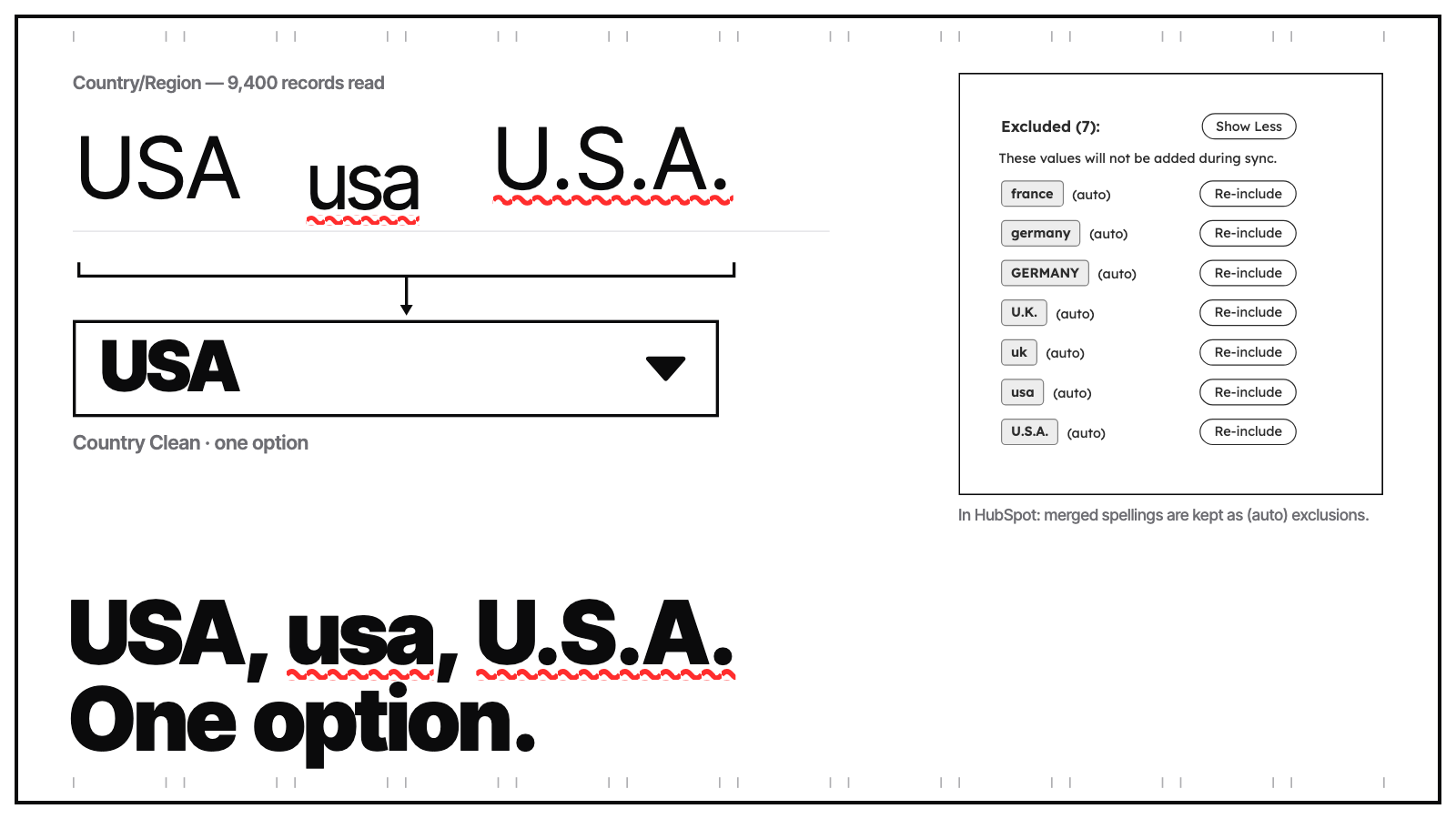
Variants merged automatically
Values that differ only in case, punctuation or spacing collapse into one option, so USA, usa and U.S.A. become a single choice labelled with the most common spelling. Merged variants stay visible under Excluded and can be brought back with one click. Different words, such as US and United States, stay separate.
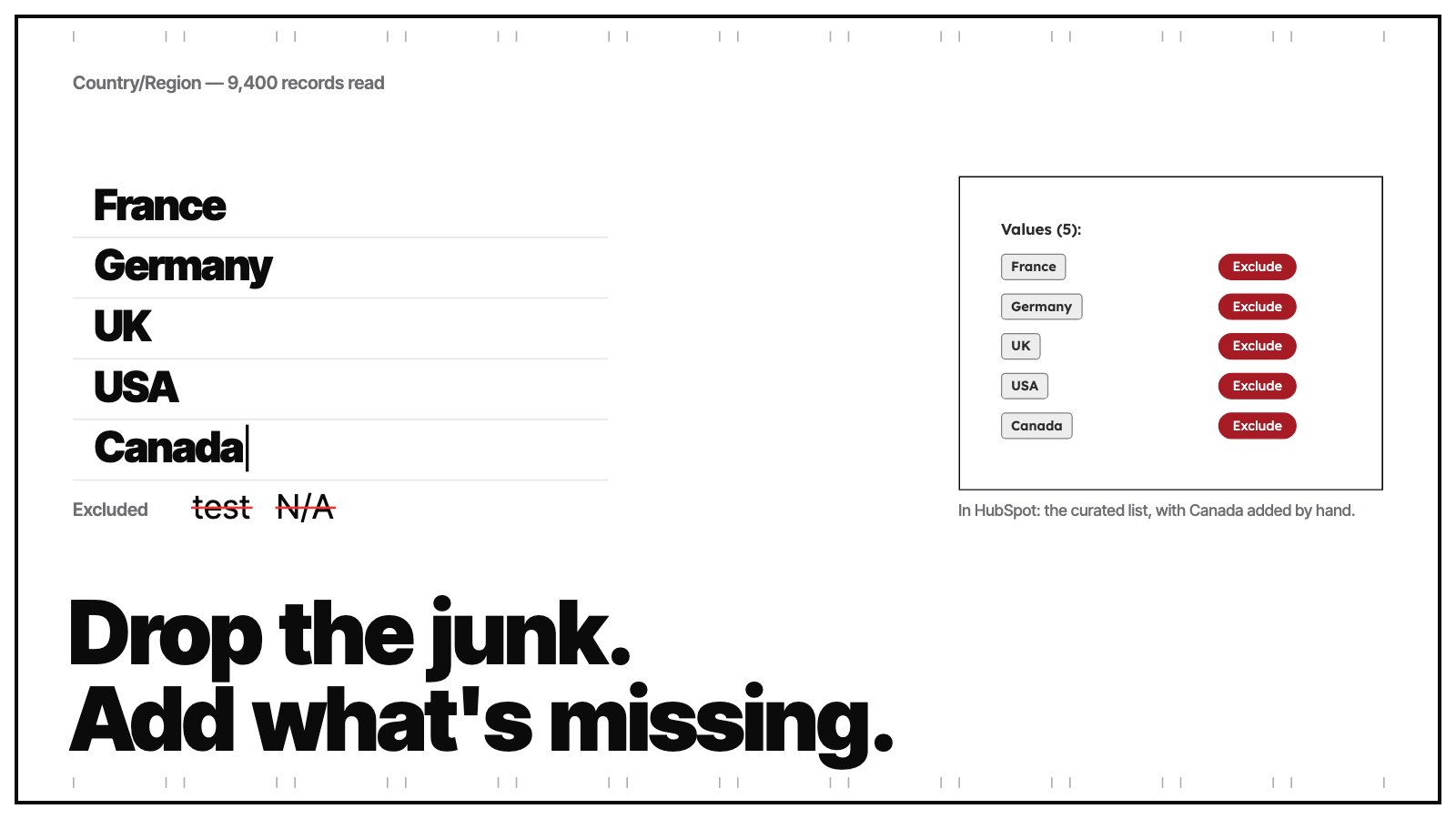
You decide what's on the list
Exclude test entries and junk, add options nobody has typed yet, then name the property and create it. Excluded values stay out on every future sync, and options you add by hand are kept.
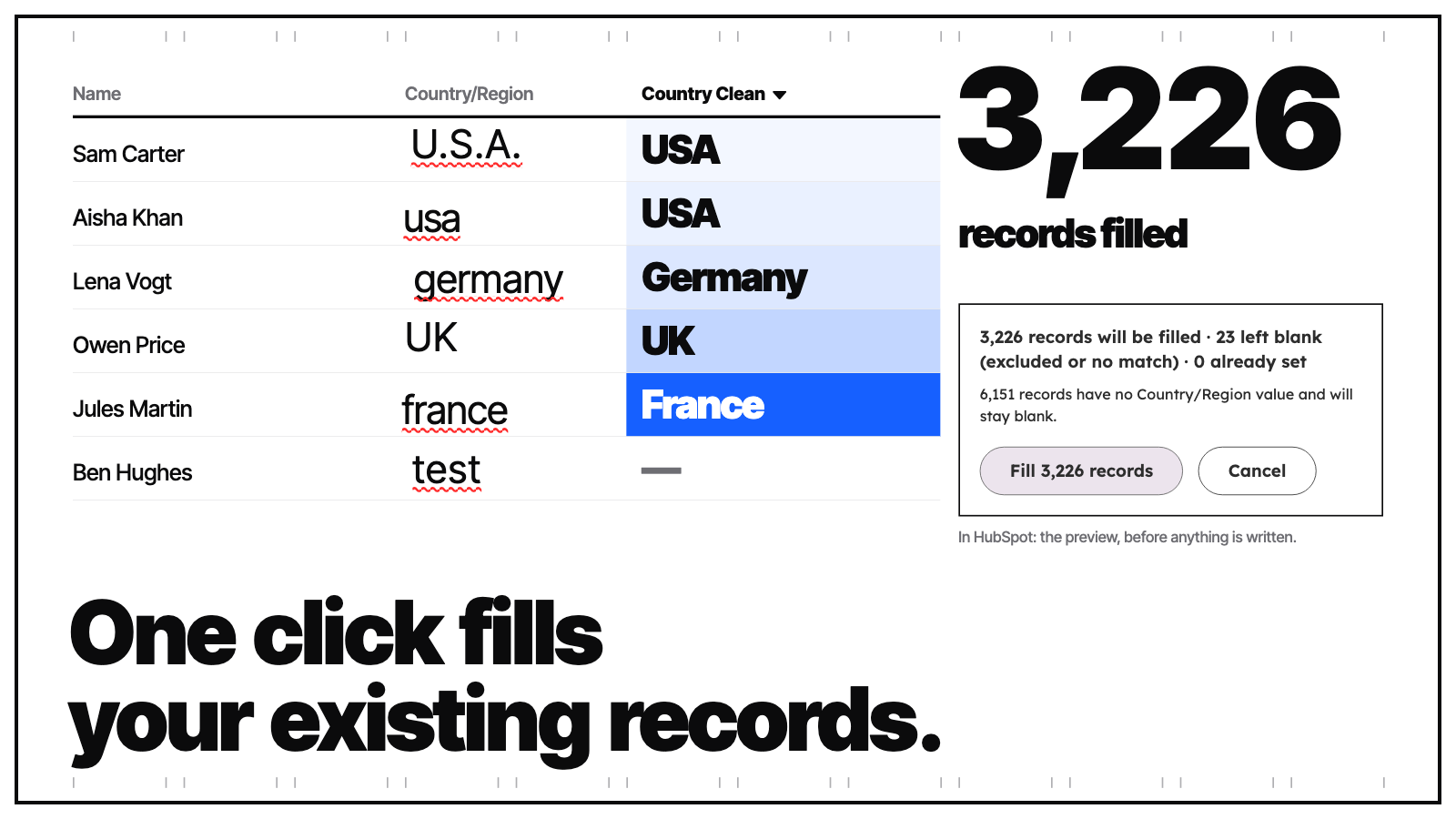
Fill existing records in one click
Fill the new dropdown on records that already have a value in the old text field, on the same object. A preview shows how many will be filled, left blank or are already set before anything is written. Values already set are never overwritten. Filling needs optional write permissions; on accounts that approve apps, a Super Admin turns them on.
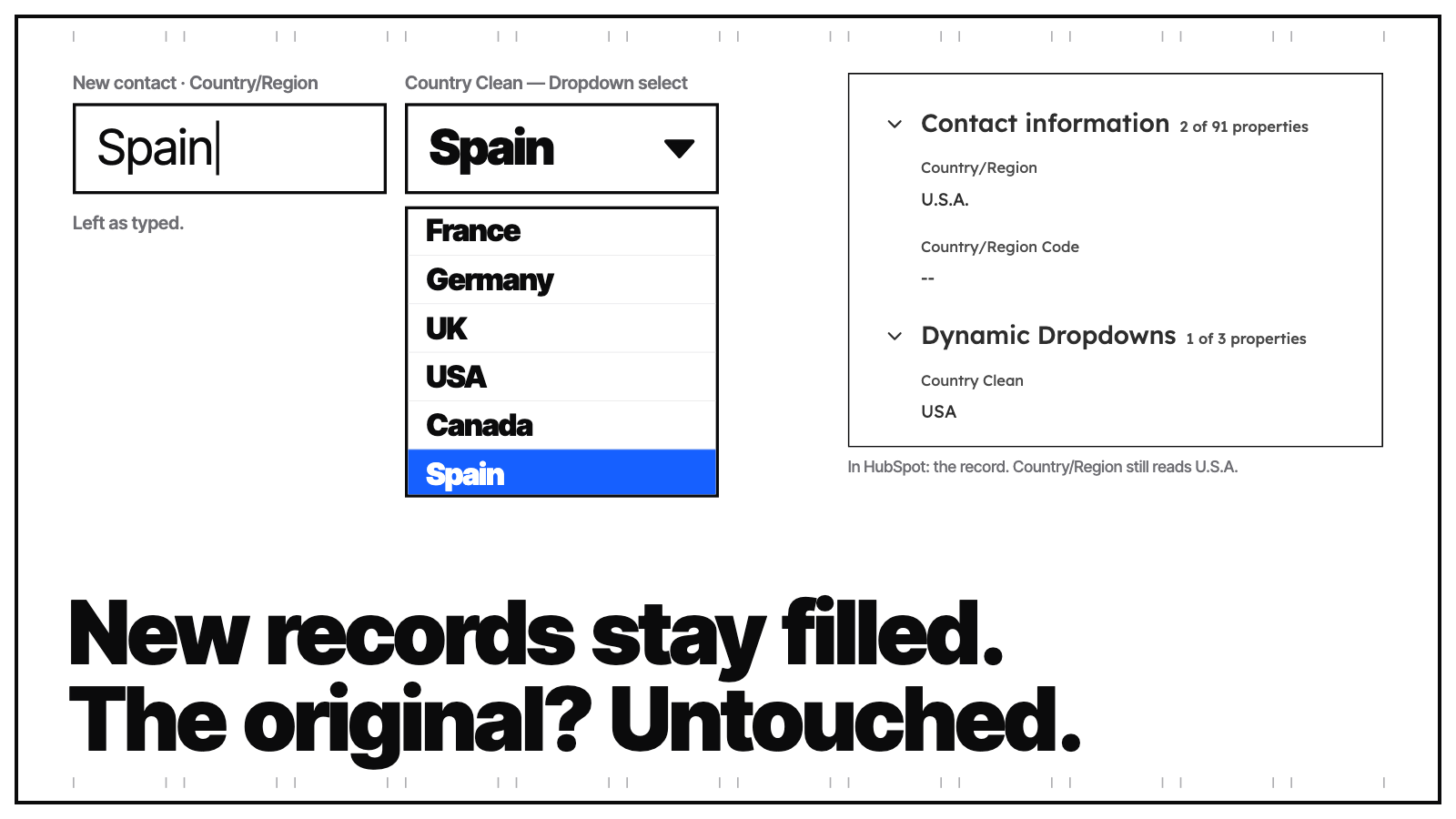
Keeps new records filled, never touches the original
Sync adds new values on demand, or about every 6 hours with auto-sync on, without removing or renaming your options. Switch on fill on sync to fill new records too. Your original text property and its values are never changed: the dropdown is a new property, ready for forms, filters and workflows.
ฟังก์ชันการทำงานแอป
ข้อมูลที่แบ่งปัน
CRM Properties | ||
CRM Properties | ||
CRM Properties | ||
CRM Properties | ||
Contact Properties | ||
Company Properties | ||
Deal Properties | ||
CRM Properties |
Dynamic Dropdowns reads the values of the text property you choose and creates new dropdown properties in your HubSpot account. When you fill a dropdown, it writes that dropdown's value on your contacts, companies, deals, tickets or listings. Write access to contacts, companies, deals and listings is optional, and you grant it when you install or reconnect the app; on accounts that require app approval, a Super Admin turns these permissions on. The app never changes the original text property and never overwrites a dropdown value that's already set. We store each dropdown's name and settings, the values you exclude and the counts from each fill, so the app can remember your choices. We don't store your records.
รีวิว
การกำหนดราคา
Lifetime Access
US$20
ค่าธรรมเนียมครั้งเดียวEvery feature, one payment, yours for good.
Unlimited dropdown properties
Works on default and custom text properties
Automatic variant merging and exclusions
Fill existing records from the old values
Contacts, Companies, Deals, Tickets and Listings
Sync on demand or about every 6 hours
No card needed for the trial
Lifetime Access
US$20
ค่าธรรมเนียมครั้งเดียวEvery feature, one payment, yours for good.
Unlimited dropdown properties
Works on default and custom text properties
Automatic variant merging and exclusions
Fill existing records from the old values
Contacts, Companies, Deals, Tickets and Listings
Sync on demand or about every 6 hours
No card needed for the trial
* ราคาที่แสดงนี้มีไว้เพื่อแสดงข้อมูลเท่านั้น ราคาทั้งหมดยังไม่รวมภาษี สิทธิพิเศษ ส่วนลด หรือตัวแปรราคาอื่นๆ คุณควรติดต่อพาร์ทเนอร์เพื่อรับข้อมูลราคาล่าสุดและถูกต้องที่สุด HubSpot จะไม่รับผิดชอบใดๆ ต่อข้อมูลราคานี้ซึ่งจัดทำโดยพาร์ทเนอร์ของเรา การกำหนดราคาอัปเดตล่าสุด: 05/10/2026
ข้อมูลเพิ่มเติม
สร้างโดย - Daeda Technologies
ติดตั้ง - 20+ การติดตั้ง
หมวดหมู่ ภาษาที่แอปนี้สามารถใช้ได้ อังกฤษ
กำลังได้รับความสนใจในวันนี้

Slack
Manage CRM records, get AI-powered assistance from Breeze, send real-time notifications, and collaborate with your team — without leaving Slack.

Zoom
Use Zoom with HubSpot meetings, workflows, contact records and more.
