

SurveyMonkey
ข้อกำหนด
แผน HubSpot สิทธิ์บัญชี HubSpot ไม่จำเป็นต้องมีสิทธิ์ ประเภทสิทธิ์การเข้าถึง แชร์แล้ว การสมัครใช้บริการ SurveyMonkey - Individual Advantage หรือ Team Advantage แพ็กเกจ
ภาพรวม
1/4 - SurveyMonkey app for HubSpot demo video
Monitor sentiment and take action on survey data
Segment email lists and create automated workflows* based on survey responses, so you can trigger follow-ups for satisfaction surveys and alert account managers when customers respond with critical feedback.
Get smart about your content
Send a content preference survey. Use smart CTAs, smart content, and active lists to ensure survey respondents only get the content types they say they like best.
Bring context to every conversation
Reps can view survey responses directly on CRM records, so they bring full context to every conversation. Plus, use survey information as scoring criteria to help prioritize follow-up.
* list segmentation and workflows for Professional and Enterprise users
ฟีเจอร์
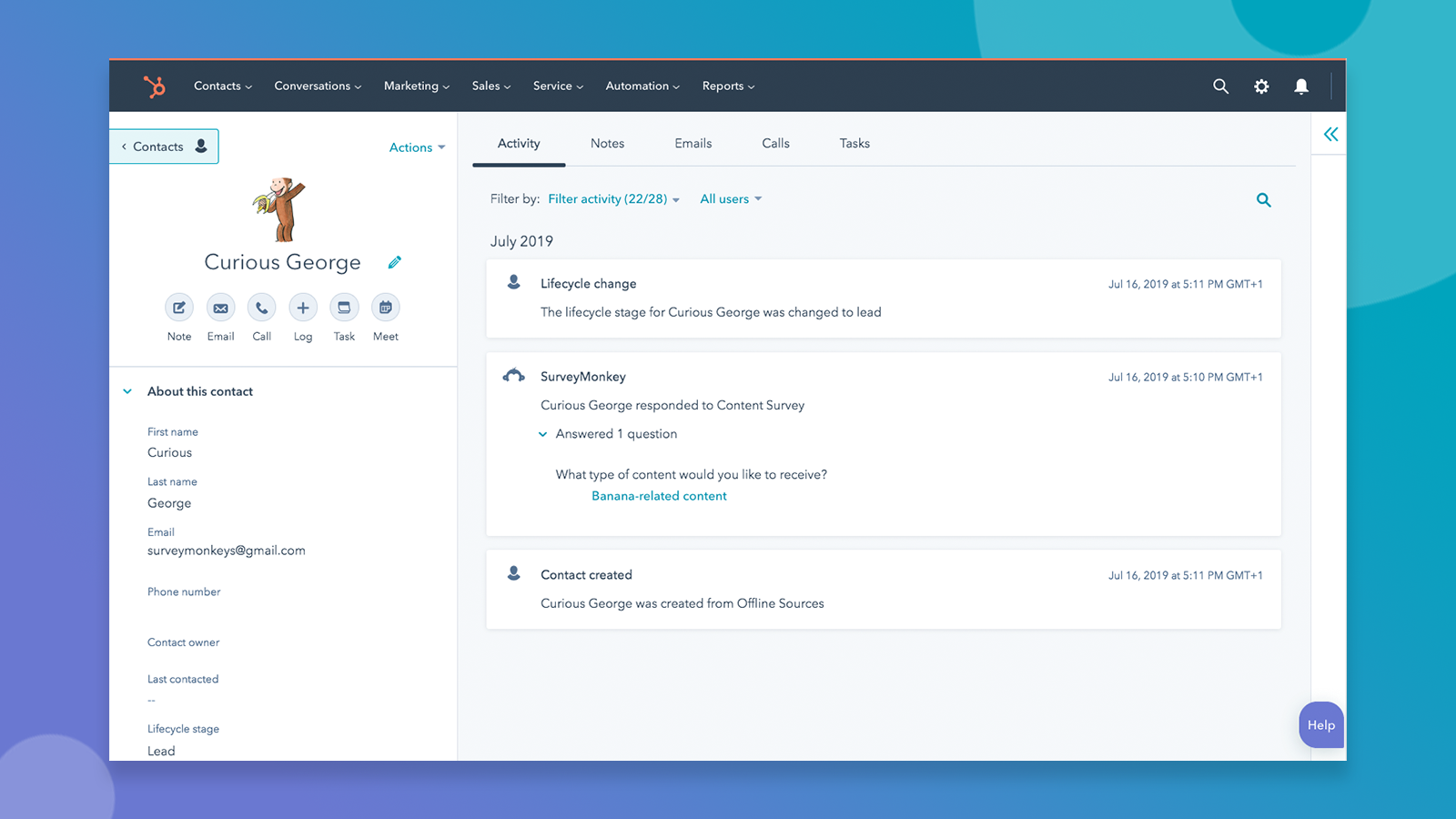
Sync survey responses to HubSpot automatically
When someone fills out a survey you’ve synced with HubSpot, you'll see a SurveyMonkey response on that contact's timeline. If the person filling out the survey is not yet in your database, a new contact will be automatically created for you.
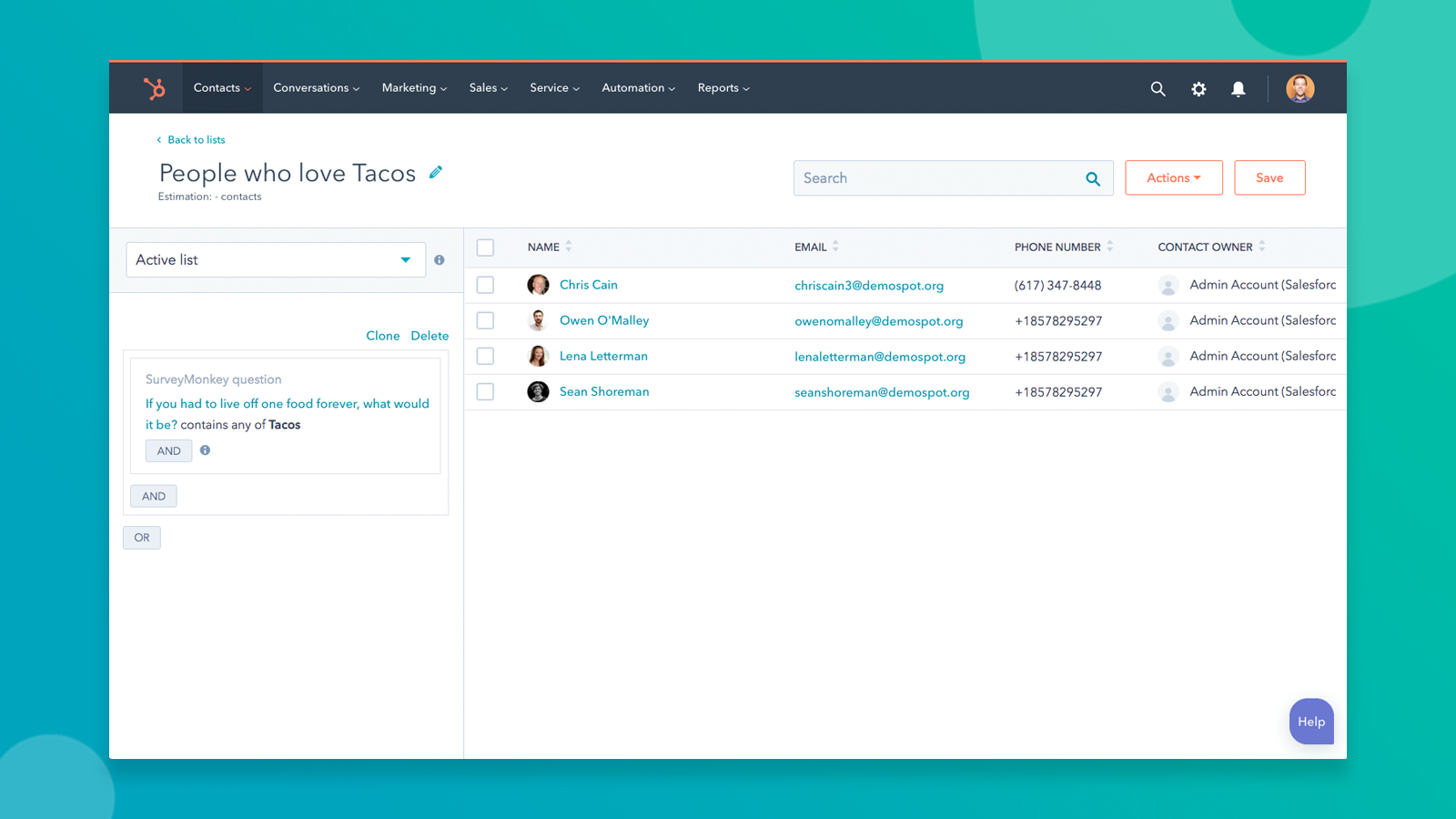
Segment based on survey responses
Create lists, set workflow triggers, update scoring criteria, and more based on survey responses.
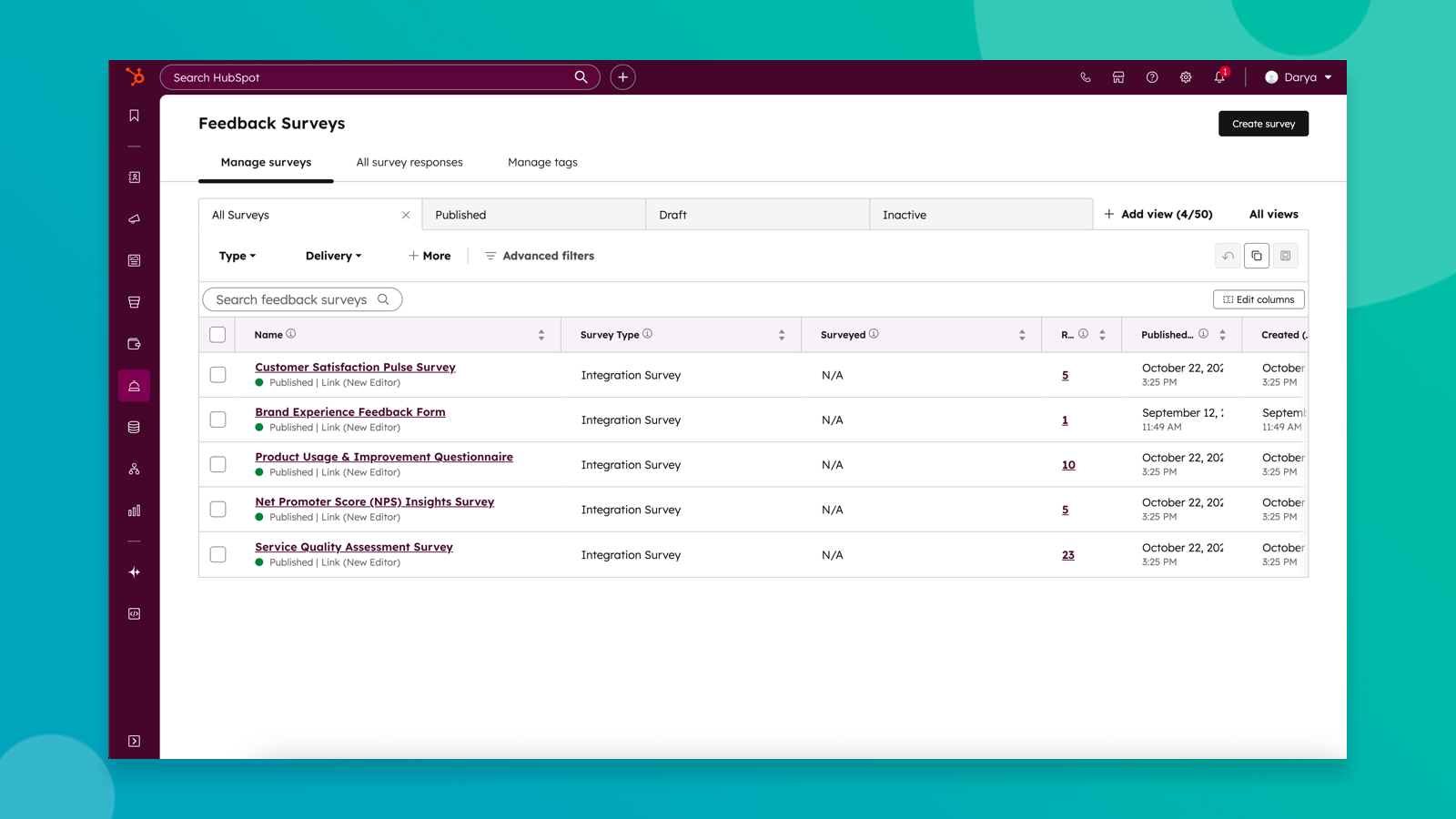
Sync SurveyMonkey surveys to HubSpot feedback surveys
Bring survey data from SurveyMonkey directly to HubSpot surveys to unlock Breeze-powered survey insights and more powerful reporting, segmentation, and automation.
ฟังก์ชันการทำงานแอป
Respondents | ||
Respondents | ||
Survey Respondent | ||
Survey Responses |
รีวิว
2.7
58
2.7
58
ผู้ใช้รายงานว่าคำตอบจากแบบสำรวจไม่ถูกแมปกับคุณสมบัติของ HubSpot เพื่อการรายงาน และระบุว่าพวกเขาไม่สามารถปรับแต่งคำเชิญทางอีเมลได้ ถึงแม้จะมีปัญหาในการแมปข้อมูลเหล่านี้ แต่บางผู้ใช้ก็ชื่นชมการตั้งค่าที่เรียบง่ายและความสามารถในการดูความคิดเห็นโดยตรงในบันทึกข้อมูลติดต่อแต่ละราย
- 30 ก.ย. 2026
Housing Bank
100%
ALEJAWI, E.
- 10 ก.ย. 2026
Easy Survey Management and Useful HubSpot Integration
SurveyMonkey has been a very useful tool for collecting feedback, surveys, and customer information. The integration with HubSpot makes it easier to connect survey responses with my customer and business workflows. It helps me understand customer needs, gather valuable feedback, and make better business decisions based on responses.
The biggest advantage is the ease of creating and sharing professional surveys. The HubSpot integration also helps streamline customer data and feedback management, reducing the need for manual work. The platform is user-friendly and makes it easy to organize and analyze responses.
Some advanced features and customization options may take a little time to understand, especially when setting up more complex workflows and integrations.
John, O.
การกำหนดราคา
Individual Advantage
US$32
/เดือนFor individuals sending professional surveys
Unlimited number of surveys
Unlimited questions per survey
Unlimited responses per survey
24/7 expedited email support
...and more!
Individual Advantage
US$32
/เดือนFor individuals sending professional surveys
Unlimited number of surveys
Unlimited questions per survey
Unlimited responses per survey
24/7 expedited email support
...and more!
* ราคาที่แสดงนี้มีไว้เพื่อแสดงข้อมูลเท่านั้น ราคาทั้งหมดยังไม่รวมภาษี สิทธิพิเศษ ส่วนลด หรือตัวแปรราคาอื่นๆ คุณควรติดต่อพาร์ทเนอร์เพื่อรับข้อมูลราคาล่าสุดและถูกต้องที่สุด HubSpot จะไม่รับผิดชอบใดๆ ต่อข้อมูลราคานี้ซึ่งจัดทำโดยพาร์ทเนอร์ของเรา การกำหนดราคาอัปเดตล่าสุด: 26/10/2026