要求
HubSpot 版本 HubSpot 帳戶權限 無需權限 存取權類型 已分享 Insightly 訂閱 - Plus、Professional或Enterprise 版本
總覽
%20(1)-Apr-20-2021-06-32-53-82-PM.png)
1/1 - Sync runs in the background to keep your databases up-to-date
Sync data between Insightly and HubSpot without manual data entry or messy, time-consuming imports.
Here’s what you get with Data Sync by HubSpot:
- Two-way sync: Data is shared between Insightly and HubSpot in real time
- Default field mappings: Set-up is quick with out-of-the-box field mappings already created for you
- Historical syncing: Your existing data will sync right away, and updates will sync as they happen
功能
.png)
Sync Insightly and HubSpot data
Make manual data entry a thing of the past by syncing data between HubSpot and Insightly. When records are created or updated in either app, that information will be automatically shared with the other one.
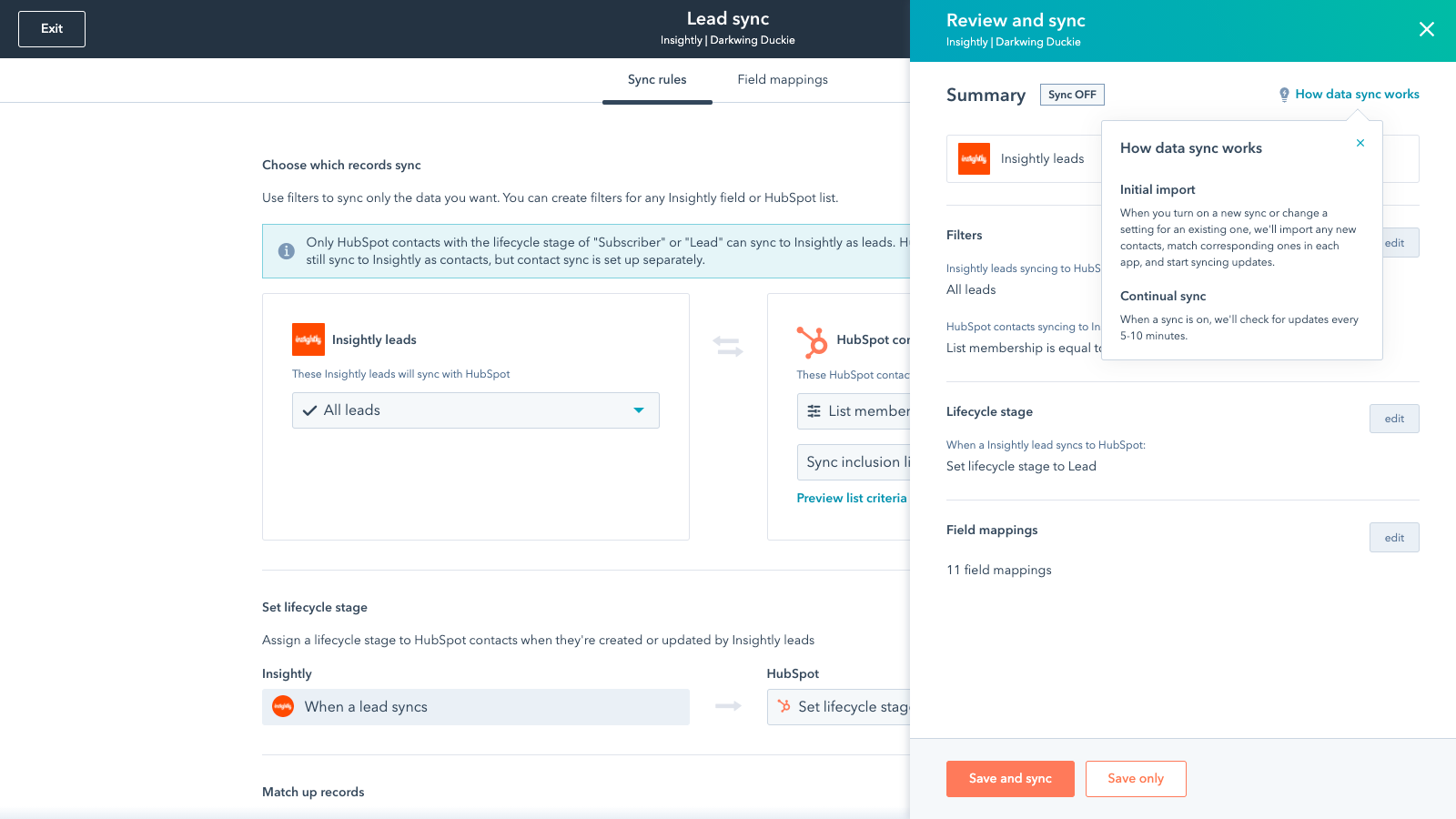
Sync only the data you want
You’re in control of your data. You can set up a one- or two-way sync, which means you can either sync data from only one app to the other or back-and-forth between both apps. You can also add a filter for any Insightly field (like tags or custom fields) or HubSpot list to sync exactly what you want—and nothing you don’t.
%20(2)-Apr-20-2021-06-33-52-62-PM.png)
Default field mappings
Field mappings connect matching information in each app—and we’ve already created them for you. Our out-of-the-box default field mappings make set-up quick and keep your data clean and organized. Plus, there are no surprises: You can see exactly which fields come already mapped in the “Shared data” section below.
%20(3)-Apr-20-2021-06-34-03-58-PM.png)
Custom field mappings
Custom field mappings are available with Operations Hub Starter or Professional plans. Custom mappings add the flexibility to create your own mappings or make changes to your default ones.
應用程式功能
共用資料
Each object has field mappings that connect matching information from each app. Default mappings are listed below. If you want to change these default mappings or create your own, custom field mappings are available with Operations Hub Starter and up.
Contacts | ||
Leads | ||
Opportunities | ||
Organizations | ||
Custom Object |
評論
- 2023年6月15日
Didn't transfer all the data from Insighlty
We have been using Insightly and we are checking if we can more from there to HubSpot. We need to transfer all our data in HubSpot before shifting completely. The shift has not been decided yet though.
We have been using Insightly as our CRM
Kasartos Mashias, A.
銀行 / 金融服務 - 11 至 25 位員工
- 2023年2月21日
Easy to Switch from Insightly to HubSpot
Using the Insightly connector to HubSpot allowed me to easily import my data into HubSpot.
I used to use Insightly for our company CRM and am now switching over to HubSpot.
The Insightly connector saves a lot of work by not having to recreate all our company's contacts and CRM data.
No disadvantages.
Hadeed, A.
教育 - 2 至 5 位員工
價格
Plus
US$29
/ 月Plus
US$29
/ 月* 此處顯示的價格僅供參考。所有價格均不包含稅金、獎勵、折扣或其他價格變數。如需最新的正確價格資訊,請連絡合作夥伴。HubSpot 對合作夥伴所提供的價格資訊不承擔任何責任。上次更新價格時間:2025/08/22
Getting attention today