

Coupler.io
Erstellt von - Railsware Products Studio LLC
Installationen - 2 Tsd. Installationen
Bewertung 3,6
(15)

Rising
Anforderungen
HubSpot-Produktversion HubSpot-Account-Berechtigungen - Erforderliche Account-Berechtigungen anzeigen
Zugriffstyp Geteilt Coupler.io-Abonnement - Produktversionen: Free, Starter, Active, Pro oder Business
Übersicht
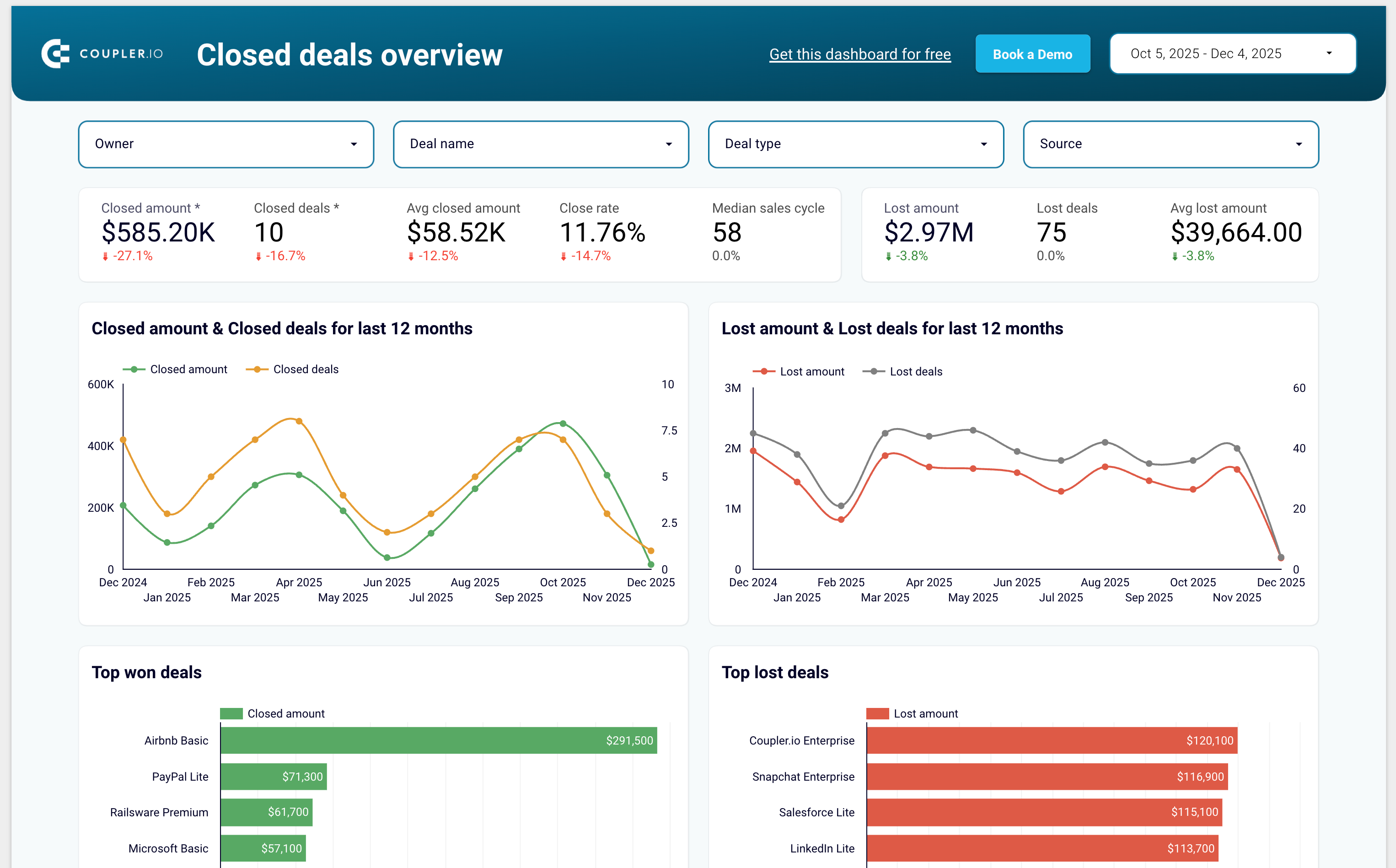
1/7 - Sales KPI dashboard template for HubSpot
Coupler.io is a no-code data integration and AI analytics platform that centralizes business data from 400+ sources and turns it into actionable insights. It’s ideal for data analysts and business teams across Finance, Marketing, Sales, and Leadership who need fast, reliable, and automated reporting.
With Coupler.io, you can automatically export and sync data from HubSpot, Google Analytics, Facebook Ads, Salesforce, Shopify, QuickBooks Online, and many other business tools.
The platform lets you blend HubSpot data with cross-channel marketing, sales, and finance data to build complete multi-source reports without writing code.
You can load your data into Google Sheets, Excel, Looker Studio, Power BI, and data warehouses such as BigQuery, Redshift, and Snowflake.
Coupler.io also supports AI destinations, allowing you to chat with your business data inside AI tools like ChatGPT, Claude and more.
Coupler.io offers pre-built dashboard templates for HubSpot including:
Sales KPI dashboard to overview sales metrics and KPIs
CRM dashboard to understand HubSpot sales and track the team performance
Customer acquisition dashboard to monitor your acquisition funnel
Marketing and sales performance dashboard to overview your full funnel
Funktionen
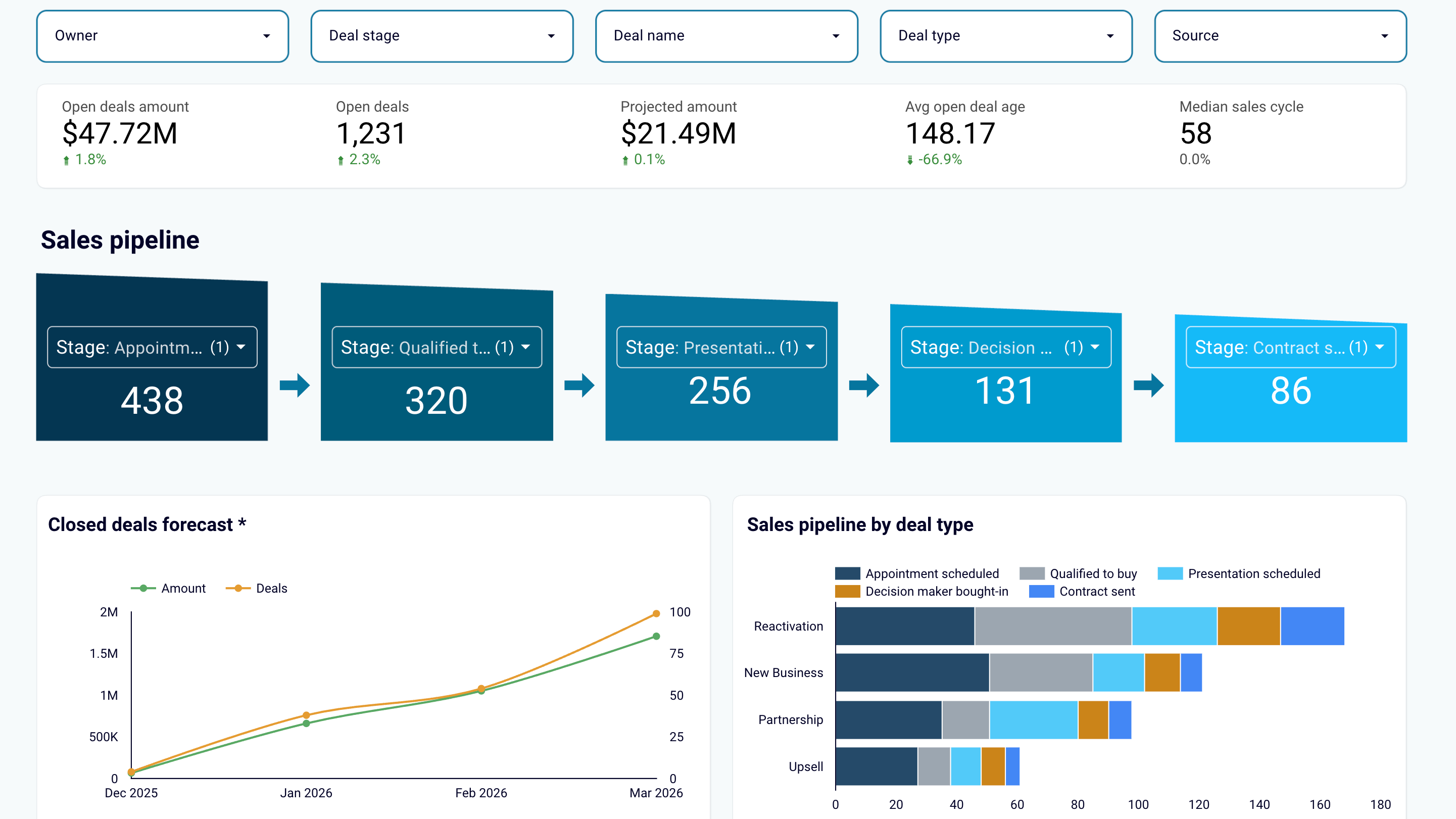
Create sales reports or use predesigned dashboard templates
Export data from HubSpot and transform it into simple reports that you can load to spreadsheets (Google Sheets, Excel) or BI tools (Looker Studio, Power BI, Tableau). Create auto-updating sales dashboards or use the predesigned templates in the data visualization tools you prefer. Track sales results and derive insights to maximize revenue.
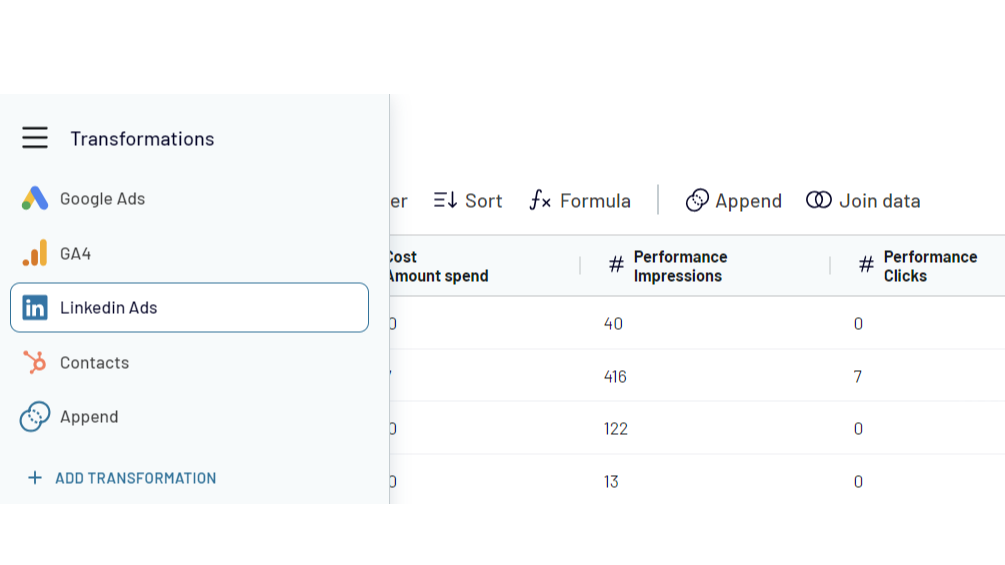
Combine HubSpot data with information from other apps
Create cross-channel reports by collecting data from multiple sources. Export data from HubSpot CRM and aggregate it with the information from other apps such as Shopify, QuickBooks, Xero, Facebook Ads, LinkedIn Ads, Google Analytics 4. Choose from 400+ data sources!
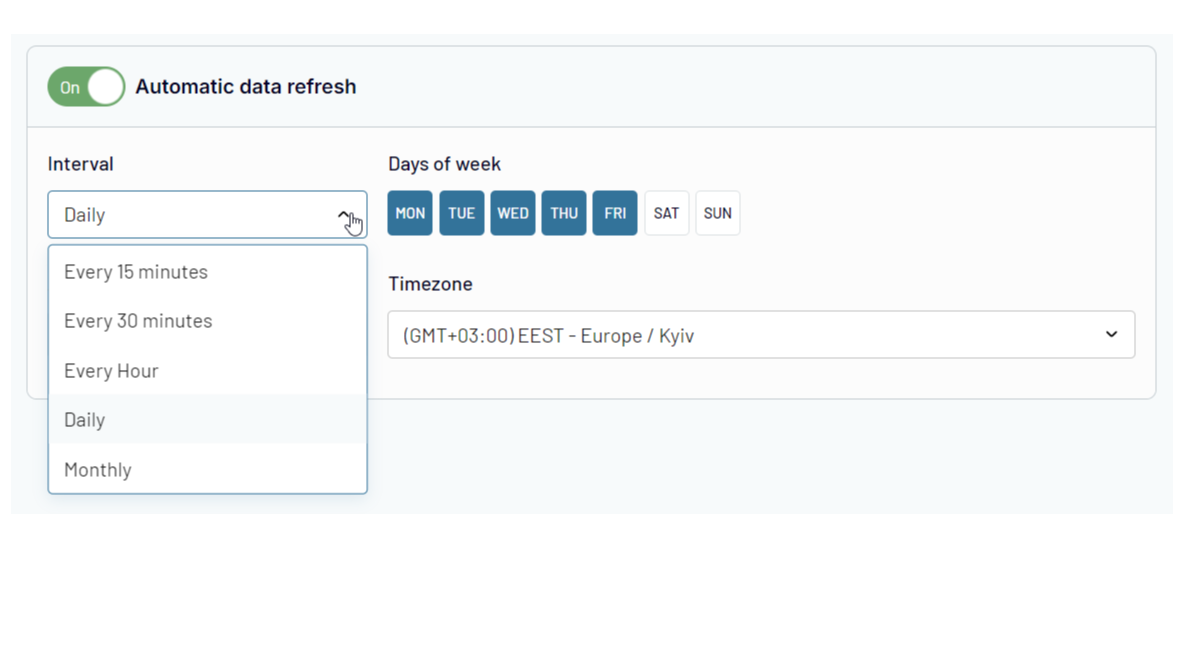
Automate data exports and reporting at your company
Forget about manual copy-pasting! Use Coupler.io's automatic data refresh functionality to schedule HubSpot data import to the selected destination. Ensure that your reporting is always 100% up-to-date and lacks human errors.
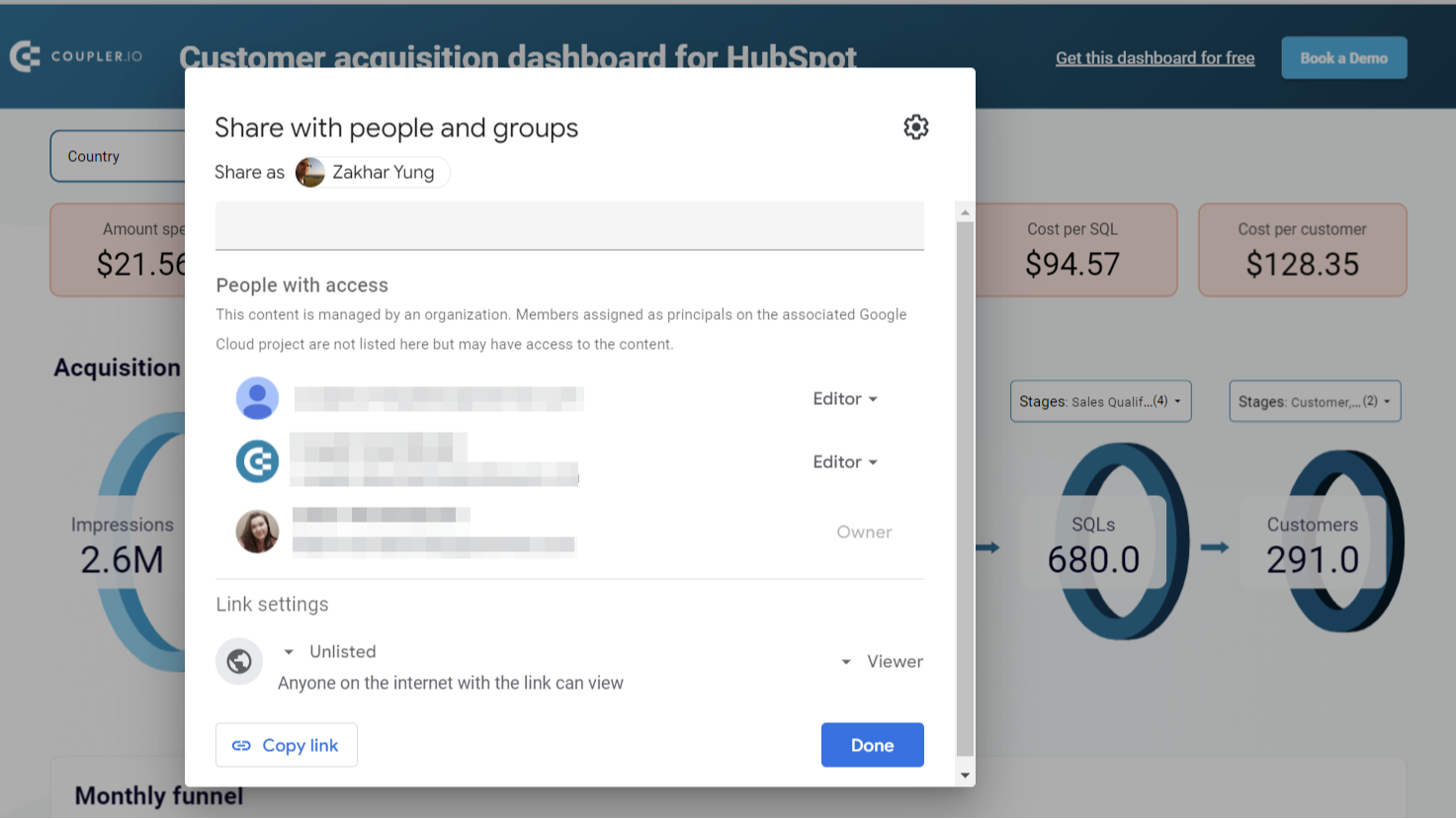
Share sales data with the team and stakeholders
Ensure your colleagues or stakeholders can track sales performance metrics and other CRM data without access to your HubSpot account. Export HubSpot data to shareable spreadsheets or provide view-only access to the reports you’ve created in BI tools. This approach allows you to manage sales data accessibility easily and make changes as needed.
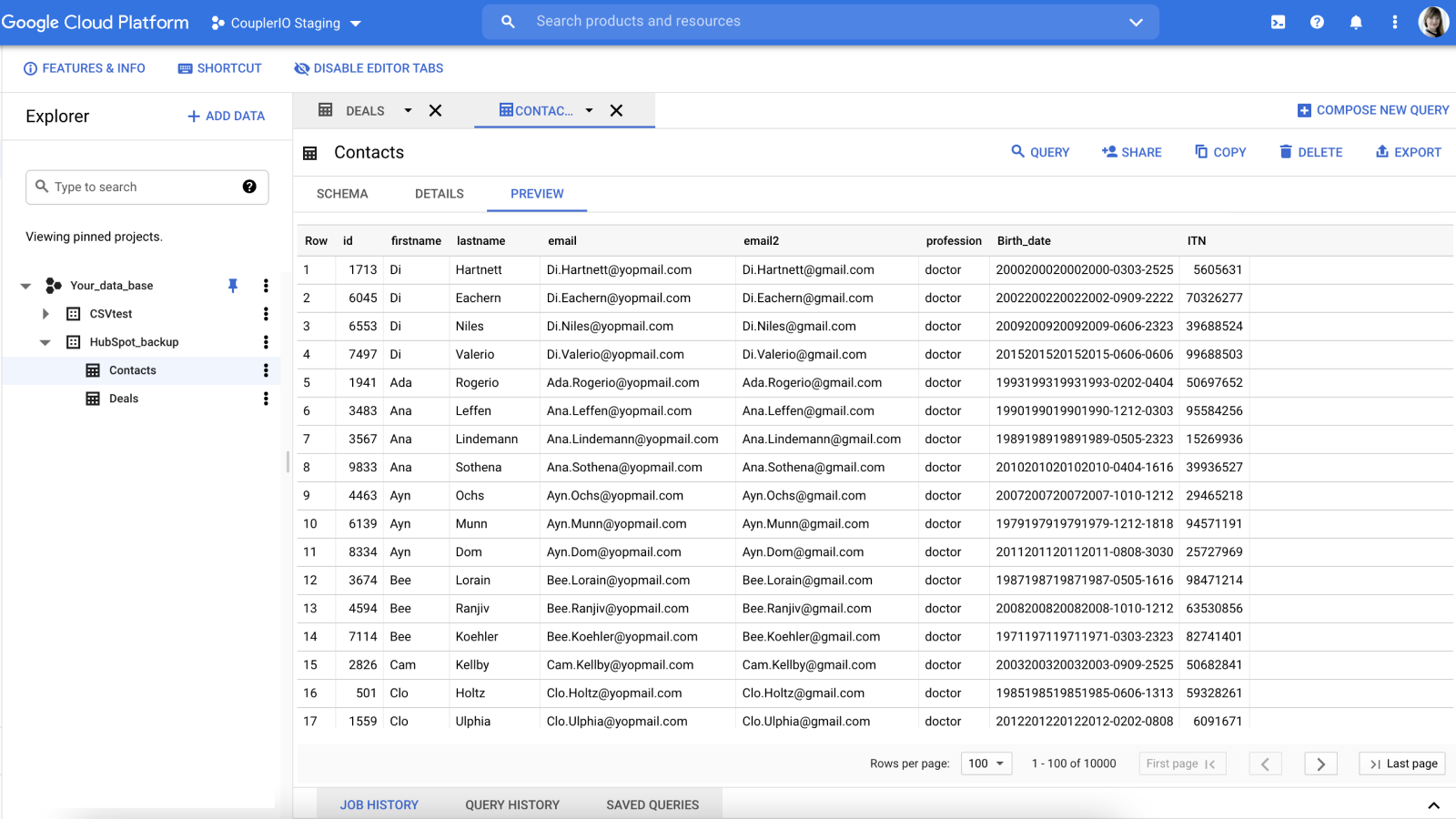
Create secure automated data backups
Keep an encrypted copy of your sales data in Google BigQuery cloud storage. Set up HubSpot integration with a few clicks and back up your data automatically on an hourly, daily, or weekly basis.
App-Funktionalität
Datenaustausch
Google Sheets / Excel / BigQuery / Looker Studio / Power BI / monday.com | ||
Google Sheets / Excel / BigQuery / Looker Studio / Power BI / monday.com | ||
Google Sheets / Excel / BigQuery / Looker Studio / Power BI / monday.com | ||
Google Sheets / Excel / BigQuery / Looker Studio / Power BI / monday.com | ||
Google Sheets / Excel / BigQuery / Looker Studio / Power BI / monday.com | ||
Google Sheets / Excel / BigQuery / Looker Studio / Power BI / monday.com | ||
Google Sheets / Excel / BigQuery / Looker Studio / Power BI / monday.com | ||
Google Sheets / Excel / BigQuery / Looker Studio / Power BI / monday.com | ||
Google Sheets / Excel / BigQuery / Looker Studio / Power BI / monday.com | ||
Google Sheets / Excel / BigQuery / Looker Studio / Power BI / monday.com | ||
Google Sheets / Excel / BigQuery / Looker Studio / Power BI / monday.com | ||
Google Sheets / Excel / BigQuery / Looker Studio / Power BI / monday.com | ||
Google Sheets / Excel / BigQuery / Looker Studio / Power BI / monday.com | ||
Google Sheets / Excel / BigQuery / Looker Studio / Power BI / monday.com | ||
Google Sheets / Excel / BigQuery / Looker Studio / Power BI / monday.com |
Rezensionen
3,6
15
3,6
15
- 13. Mai 2026
Gute Strecke
Am Anfang sah es aus wie ein kostenloses Tool, aber am Ende war es begrenzt. Einfach zu installieren und funktioniert gut
Einfach zu installieren
Preis im Verhältnis zu unseren Bedürfnissen
Boekholt, J.
- 8. März 2026
Hervorragend geeignet für Geschäftsprognosen, hat aber Probleme mit größeren Datenmengen und verursacht Synchronisationsabbrüche
Im Großen und Ganzen funktioniert es für unseren Anwendungsfall, bei dem es darum geht, die Geschäftsinformationen in unsere Prognosen und Cashflows einfließen zu lassen. Beim Versuch, größere Datensätze abzurufen, stürzt die Synchronisierung manchmal ab, so dass Sie bestimmte Daten vorher herausfiltern müssen.
Ziemlich intuitiv zu bedienen und einmal eingerichtet, sind die Aktualisierungen einfach
Große Daten können Probleme verursachen
McNamara, L.
Free
0 $
For newcomers and personal projects that only require one active no-code data connection.
1 user
1 account
1 data source
1 data destination
100 rows/run
Manual data refresh
Free
0 $
For newcomers and personal projects that only require one active no-code data connection.
1 user
1 account
1 data source
1 data destination
100 rows/run
Manual data refresh
* Die hier angegebenen Preise dienen nur zu Illustrationszwecken. Alle Preise enthalten keine Steuern, Sonderangebote, Rabatte oder sonstigen Preisvarianten. Bitte wenden Sie sich direkt an den Partner, um aktuelle und korrekte Preisinformationen zu erhalten. HubSpot übernimmt keine Verantwortung für Preisinformationen, die von unseren Partnern bereitgestellt werden. Letzte Aktualisierung der Preisinformationen: 10.12.2025
Weitere Infos
Erstellt von - Railsware Products Studio LLC
Installationen - 2 Tsd. Installationen
Kategorien Sprachen, in denen diese App verfügbar ist Englisch