

Coupler.io
安裝次數 - 2k 次安裝
評分 3.6
(15)

要求
HubSpot 版本 HubSpot 帳戶權限 - 檢視所需的帳戶權限
存取權類型 已分享 Coupler.io 訂閱 - Free、Starter、Active、Pro或Business 版本
總覽
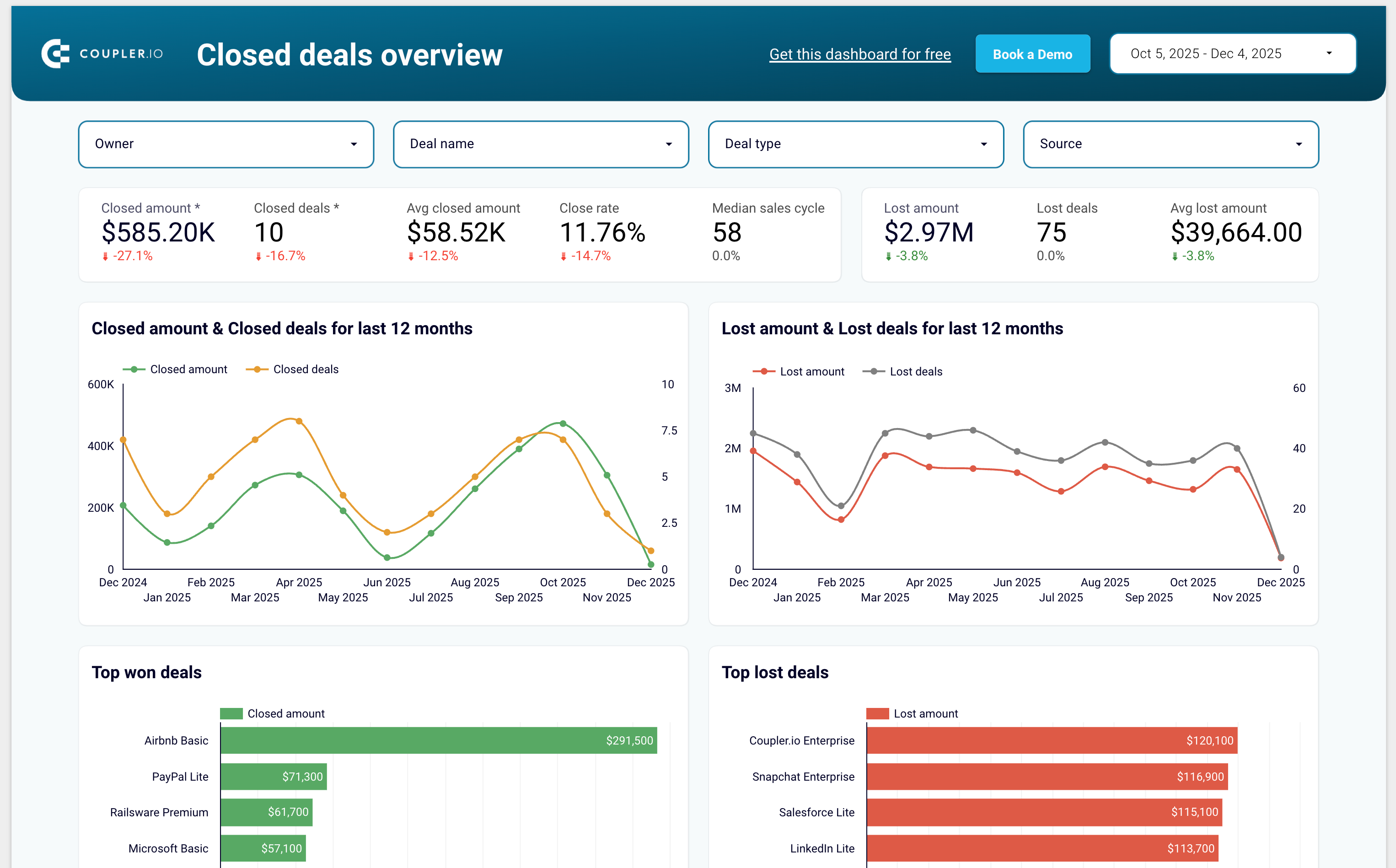
1/7 - Sales KPI dashboard template for HubSpot
Coupler.io is a no-code data integration and AI analytics platform that centralizes business data from 400+ sources and turns it into actionable insights. It’s ideal for data analysts and business teams across Finance, Marketing, Sales, and Leadership who need fast, reliable, and automated reporting.
With Coupler.io, you can automatically export and sync data from HubSpot, Google Analytics, Facebook Ads, Salesforce, Shopify, QuickBooks Online, and many other business tools.
The platform lets you blend HubSpot data with cross-channel marketing, sales, and finance data to build complete multi-source reports without writing code.
You can load your data into Google Sheets, Excel, Looker Studio, Power BI, and data warehouses such as BigQuery, Redshift, and Snowflake.
Coupler.io also supports AI destinations, allowing you to chat with your business data inside AI tools like ChatGPT, Claude and more.
Coupler.io offers pre-built dashboard templates for HubSpot including:
Sales KPI dashboard to overview sales metrics and KPIs
CRM dashboard to understand HubSpot sales and track the team performance
Customer acquisition dashboard to monitor your acquisition funnel
Marketing and sales performance dashboard to overview your full funnel
功能
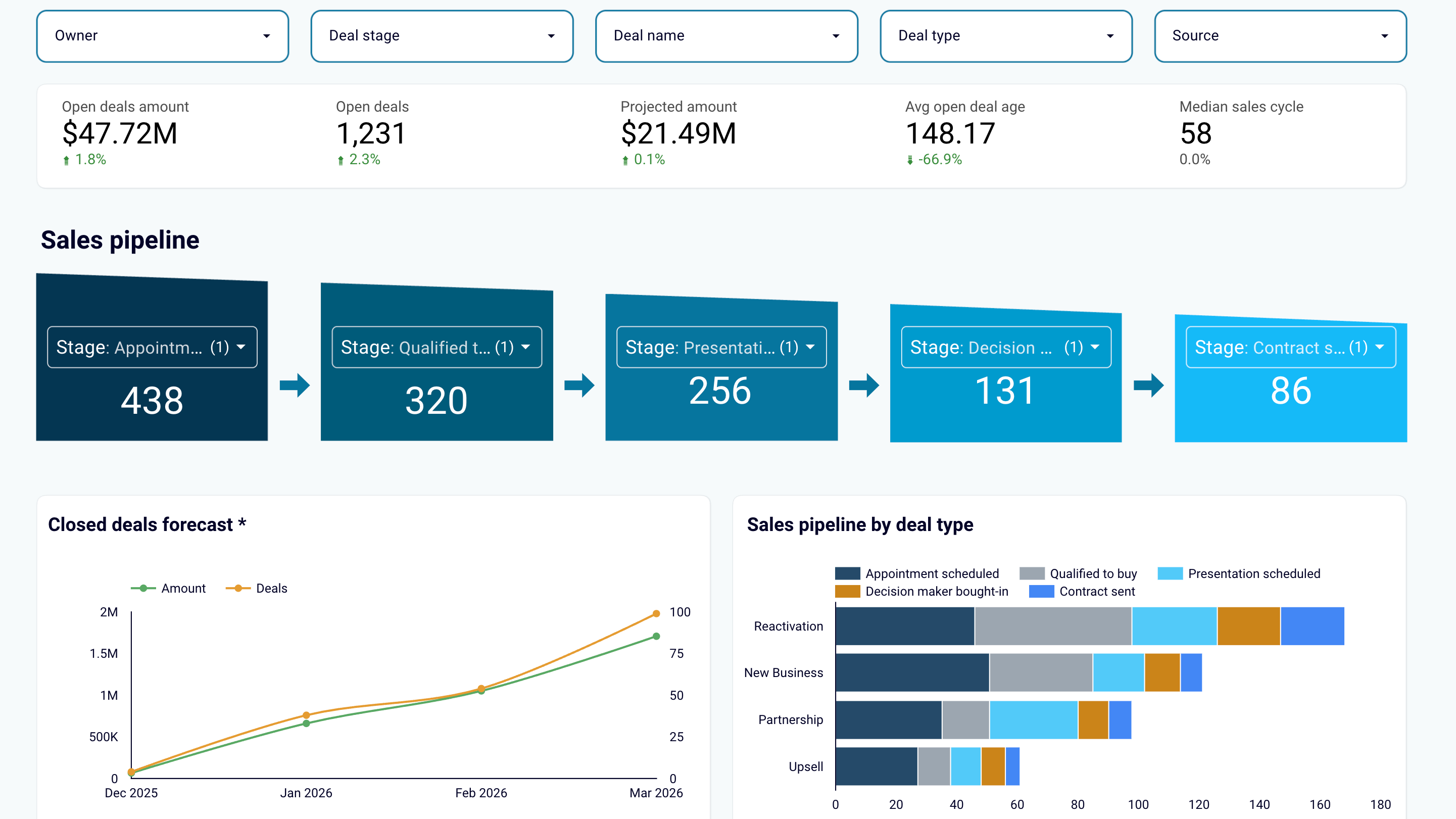
Create sales reports or use predesigned dashboard templates
Export data from HubSpot and transform it into simple reports that you can load to spreadsheets (Google Sheets, Excel) or BI tools (Looker Studio, Power BI, Tableau). Create auto-updating sales dashboards or use the predesigned templates in the data visualization tools you prefer. Track sales results and derive insights to maximize revenue.
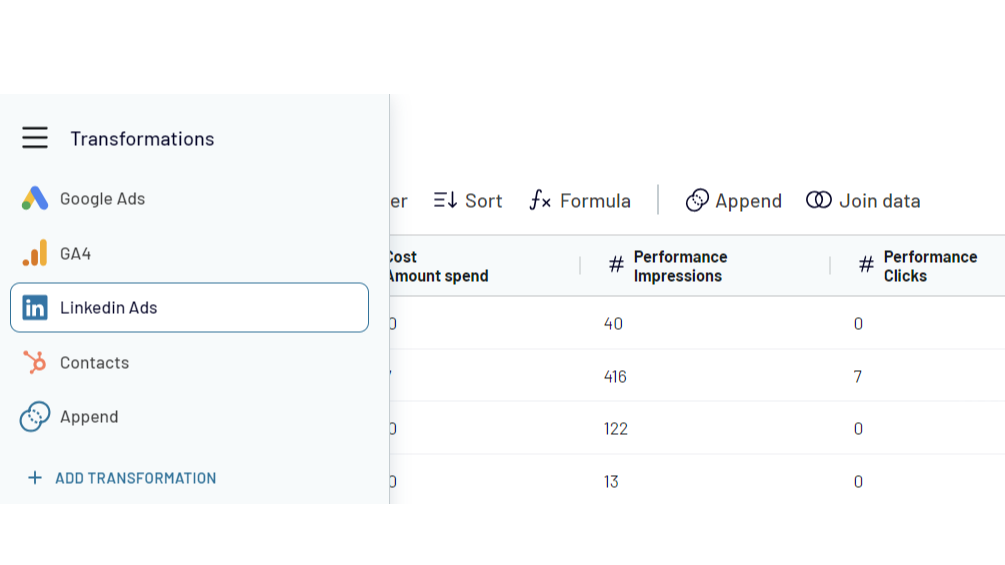
Combine HubSpot data with information from other apps
Create cross-channel reports by collecting data from multiple sources. Export data from HubSpot CRM and aggregate it with the information from other apps such as Shopify, QuickBooks, Xero, Facebook Ads, LinkedIn Ads, Google Analytics 4. Choose from 400+ data sources!
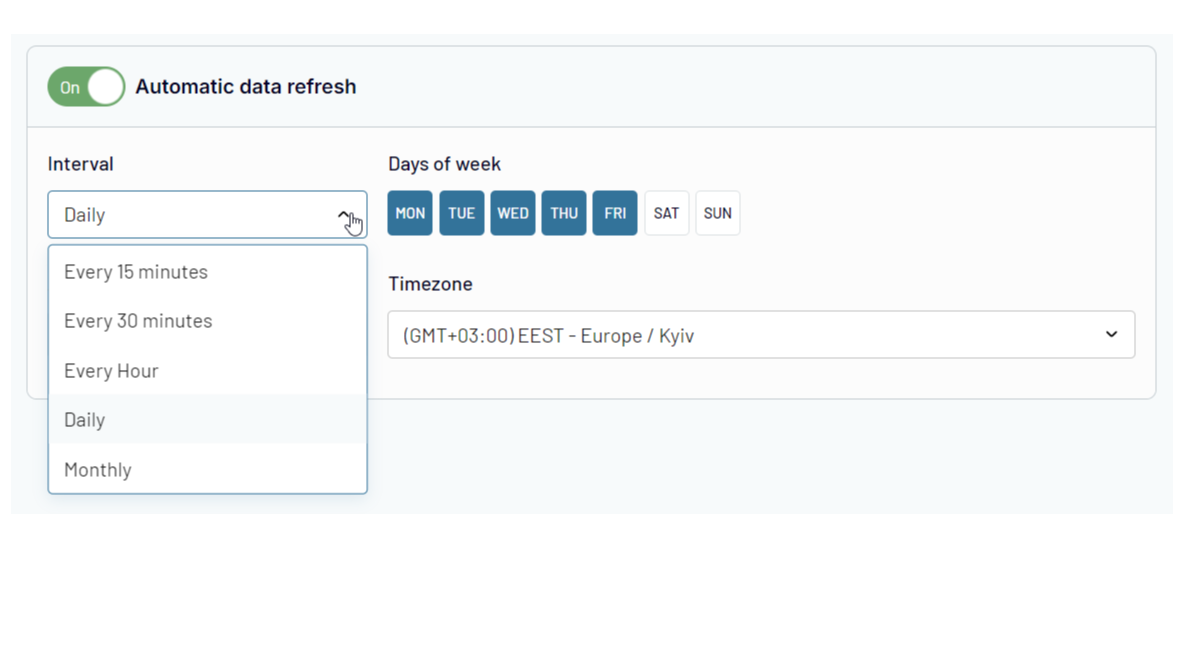
Automate data exports and reporting at your company
Forget about manual copy-pasting! Use Coupler.io's automatic data refresh functionality to schedule HubSpot data import to the selected destination. Ensure that your reporting is always 100% up-to-date and lacks human errors.
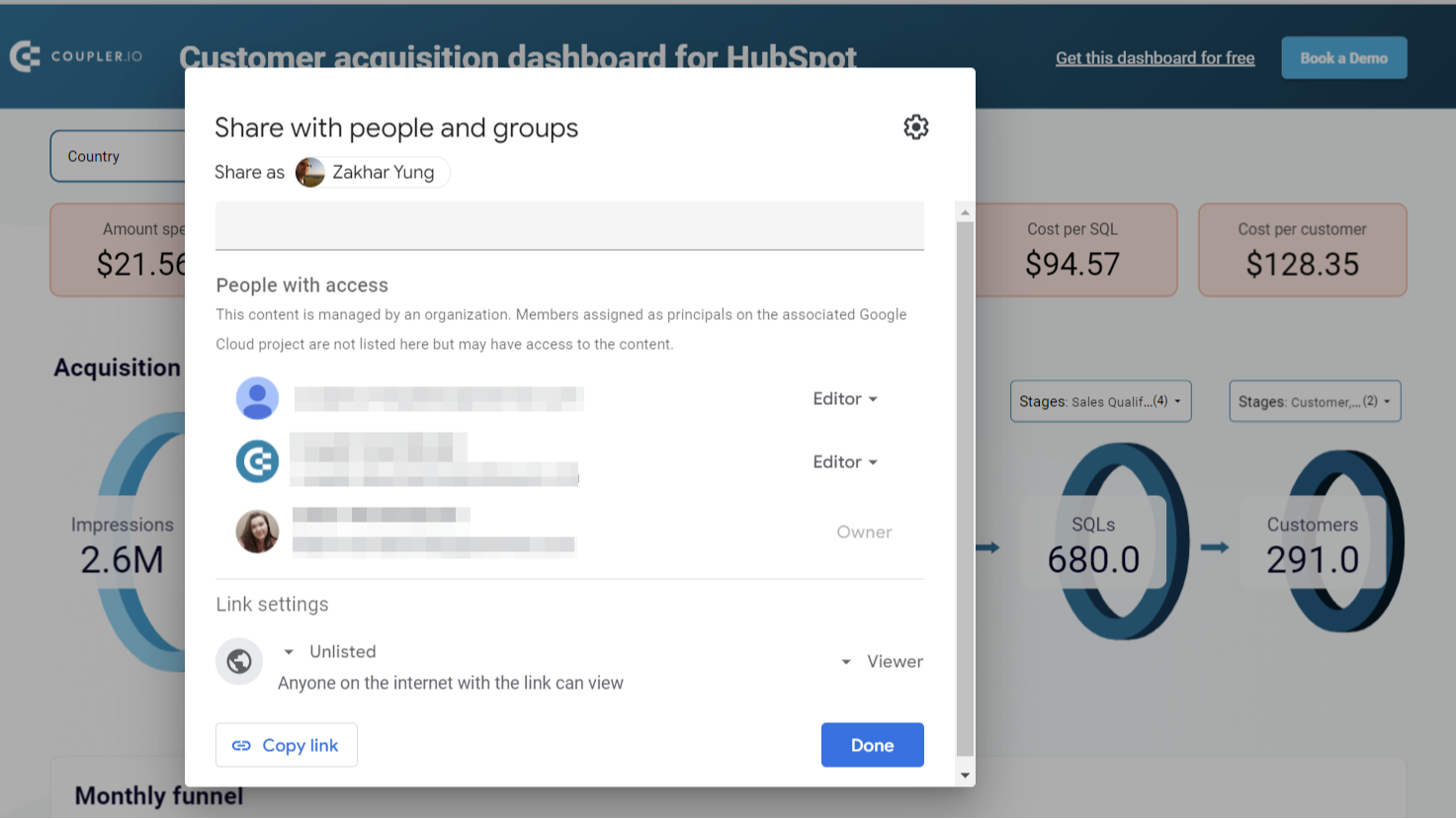
Share sales data with the team and stakeholders
Ensure your colleagues or stakeholders can track sales performance metrics and other CRM data without access to your HubSpot account. Export HubSpot data to shareable spreadsheets or provide view-only access to the reports you’ve created in BI tools. This approach allows you to manage sales data accessibility easily and make changes as needed.
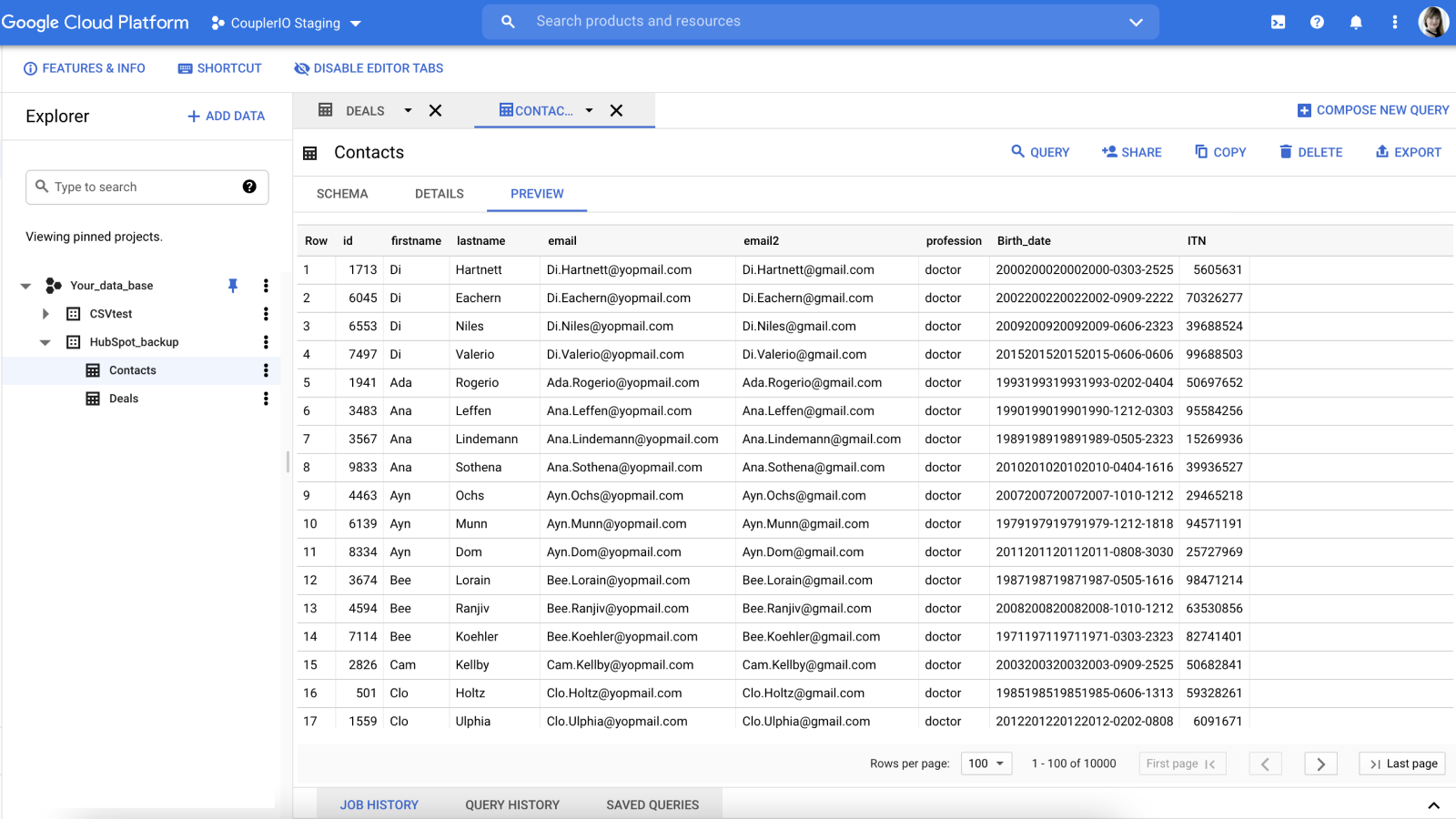
Create secure automated data backups
Keep an encrypted copy of your sales data in Google BigQuery cloud storage. Set up HubSpot integration with a few clicks and back up your data automatically on an hourly, daily, or weekly basis.
應用程式功能
共用資料
Google Sheets / Excel / BigQuery / Looker Studio / Power BI / monday.com | ||
Google Sheets / Excel / BigQuery / Looker Studio / Power BI / monday.com | ||
Google Sheets / Excel / BigQuery / Looker Studio / Power BI / monday.com | ||
Google Sheets / Excel / BigQuery / Looker Studio / Power BI / monday.com | ||
Google Sheets / Excel / BigQuery / Looker Studio / Power BI / monday.com | ||
Google Sheets / Excel / BigQuery / Looker Studio / Power BI / monday.com | ||
Google Sheets / Excel / BigQuery / Looker Studio / Power BI / monday.com | ||
Google Sheets / Excel / BigQuery / Looker Studio / Power BI / monday.com | ||
Google Sheets / Excel / BigQuery / Looker Studio / Power BI / monday.com | ||
Google Sheets / Excel / BigQuery / Looker Studio / Power BI / monday.com | ||
Google Sheets / Excel / BigQuery / Looker Studio / Power BI / monday.com | ||
Google Sheets / Excel / BigQuery / Looker Studio / Power BI / monday.com | ||
Google Sheets / Excel / BigQuery / Looker Studio / Power BI / monday.com | ||
Google Sheets / Excel / BigQuery / Looker Studio / Power BI / monday.com | ||
Google Sheets / Excel / BigQuery / Looker Studio / Power BI / monday.com |
評論
3.6
15
3.6
15
- 2026年5月13日
良好的路径
一开始,它看起来像是一个免费工具,但最终却受到了限制。安装简单,运行良好
安装简单
价格与我们的需求相符
Boekholt, J.
- 2026年3月8日
对交易预测非常有效,但在处理较大的数据集时,会导致同步崩溃
当尝试获取更大的数据集时,同步有时会崩溃,因此在此之前需要过滤掉某些数据。
使用相当直观,一旦设置好,刷新也很简单
大数据可能导致问题
McNamara, L.
價格
Free
US$0
For newcomers and personal projects that only require one active no-code data connection.
1 user
1 account
1 data source
1 data destination
100 rows/run
Manual data refresh
Free
US$0
For newcomers and personal projects that only require one active no-code data connection.
1 user
1 account
1 data source
1 data destination
100 rows/run
Manual data refresh
* 此處顯示的價格僅供參考。所有價格均不包含稅金、獎勵、折扣或其他價格變數。如需最新的正確價格資訊,請連絡合作夥伴。HubSpot 對合作夥伴所提供的價格資訊不承擔任何責任。上次更新價格時間:2025/12/10
更多資訊
建立者 - Railsware Products Studio LLC
安裝次數 - 2k 次安裝
類別 此應用程式可用的語言 英文