
-1.png)
Salesloft CRM Sync
Anforderungen
HubSpot-Produktversion HubSpot-Account-Berechtigungen - Erforderliche Account-Berechtigungen anzeigen
Zugriffstyp Geteilt Salesloft CRM Sync-Abonnement - Produktversionen: Essentials, Advanced oder Premier
Übersicht
-2-1.png)
1/4 - Easy setup for CRM sync
With the CRM Sync for HubSpot integration, get a complete, streamlined integration experience directly from Salesloft. Sellers and administrators alike can benefit from improved sync performance, enhanced syncing capabilities, and a more robust view of HubSpot CRM data, right inside Salesloft.
The HubSpot integration offers:
Automatic two-way sync of People, Accounts between systems
Automatic one-way sync of Opportunities from HubSpot CRM to Salesloft
Automatic one-way sync of Salesloft Activities to HubSpot CRM
Your data is serious business. We make safeguarding it our business.
Funktionen
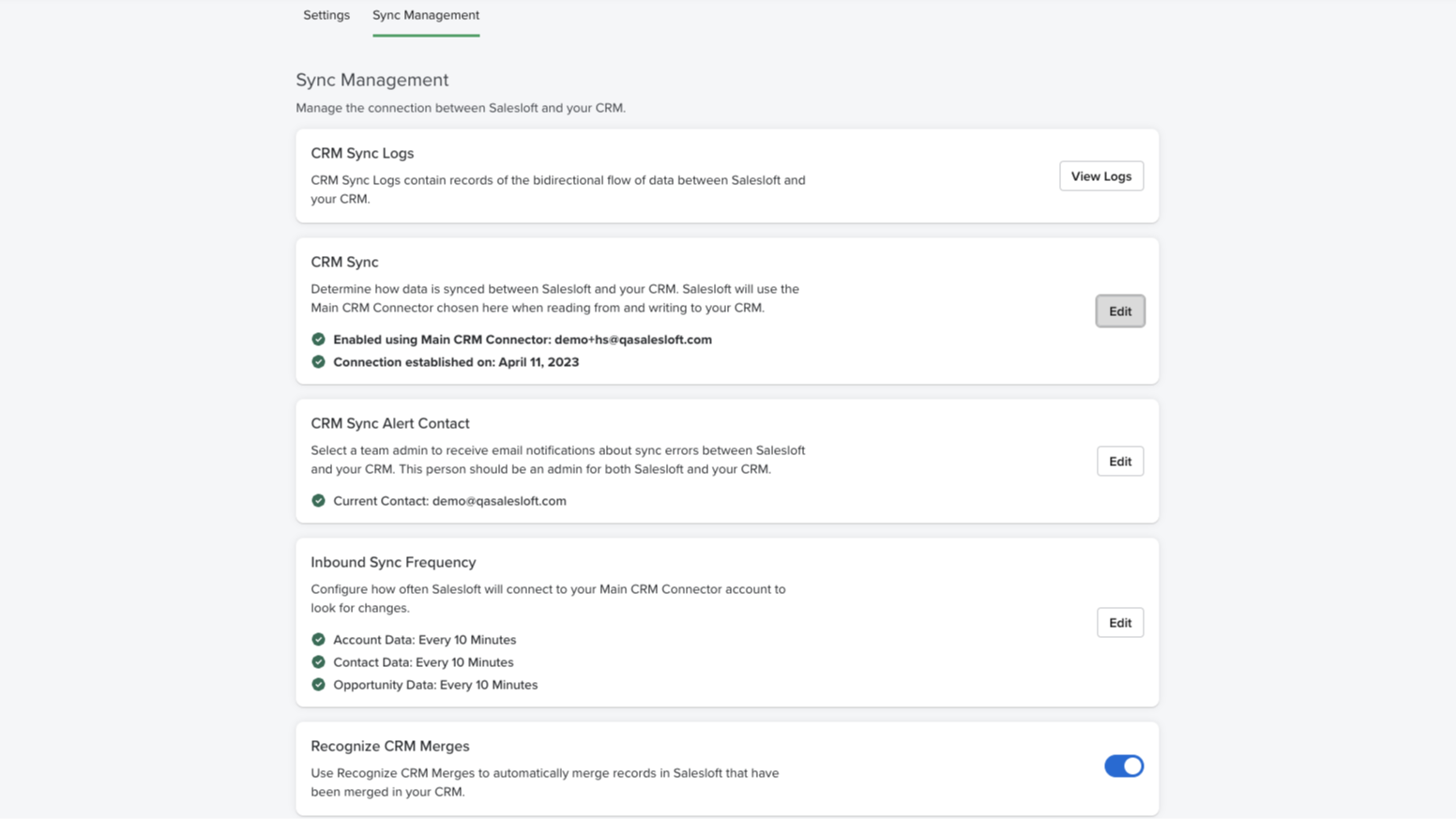
Real-time bidirectional sync
Effortlessly synchronize and maintain accurate Person, Account, and Opportunity data across both platforms. Our user-friendly configuration makes it easy to automatically handle new record creation, updates, deletions, and merges in your CRM.
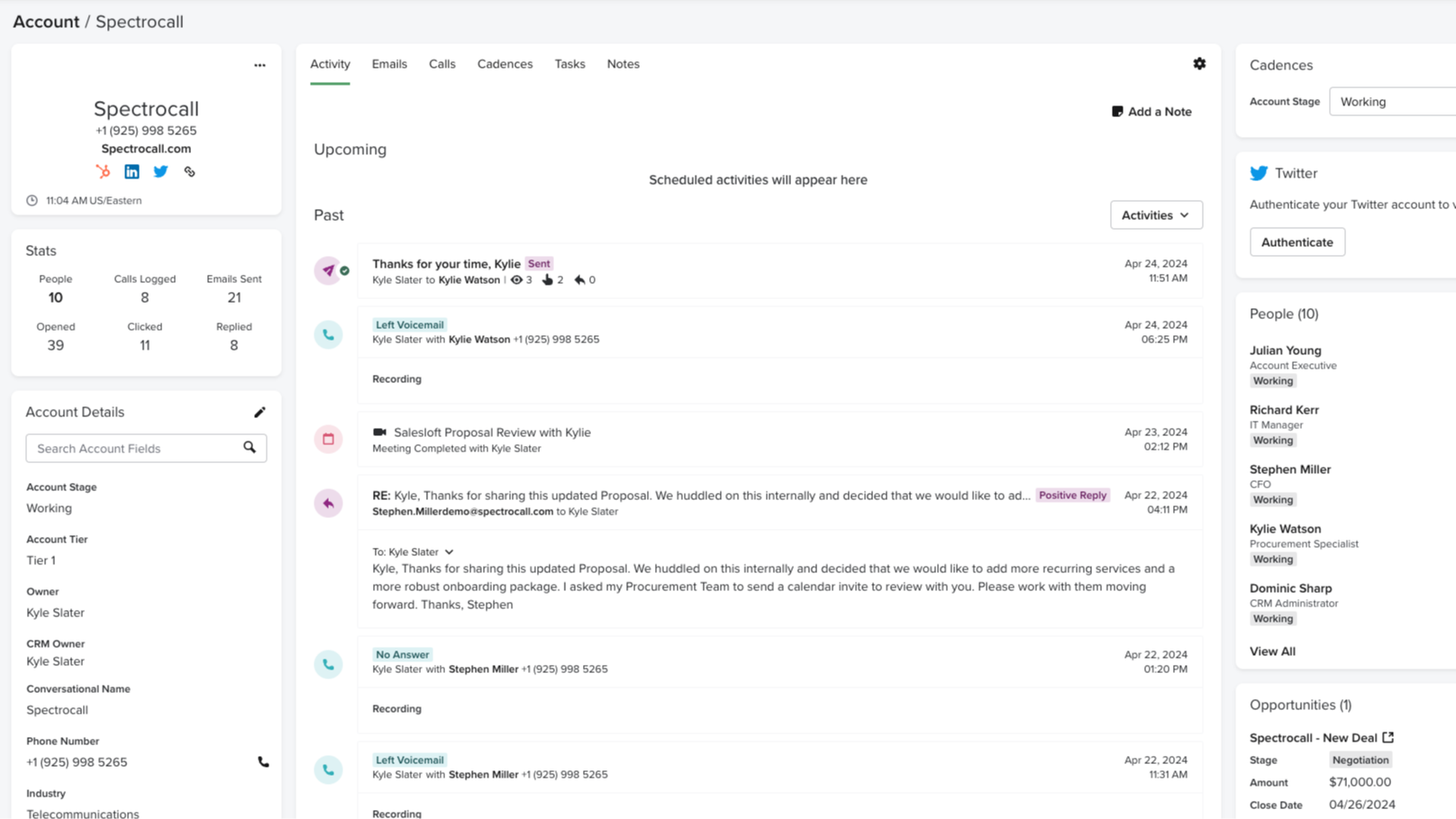
Automatically record Salesloft activities to HubSpot
Monitoring and tracking sales activities is a crucial element of what makes HubSpot so effective. With CRM Sync for HubSpot, all activities in Salesloft, such as calls made, emails sent, and conversation recording URLs, are automatically recorded as activities in HubSpot. No manual updating — just one cohesive view of your activity.
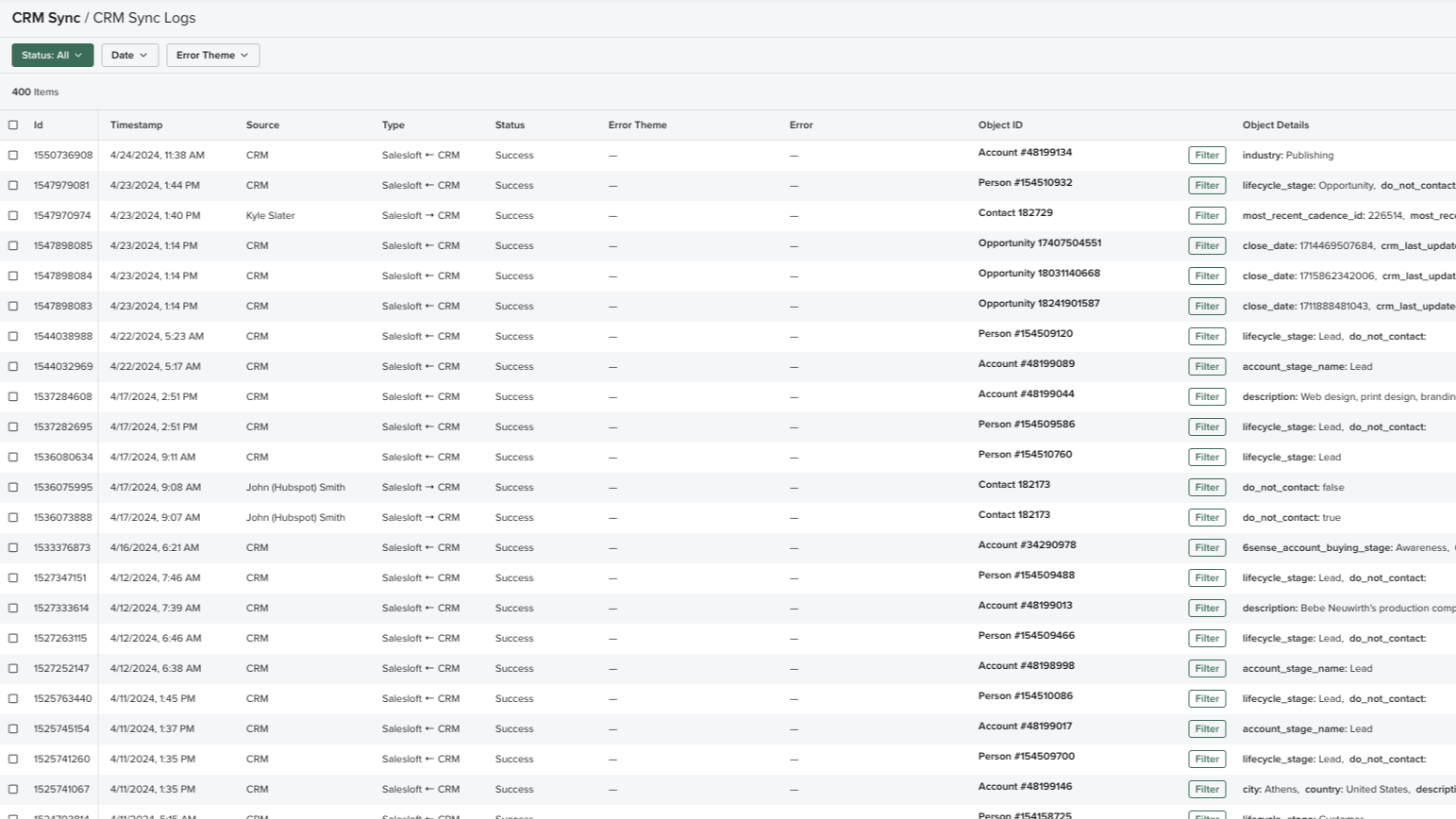
Comprehensive sync log
Complete transparency and valuable insight into what data is being transferred with a real-time log of all sync activities, including status and outcomes. Review all the details on fields, records, time, and direction, easily monitor the data transfer between platforms, easily retry failed syncs, and troubleshoot mapping errors, should they arise.
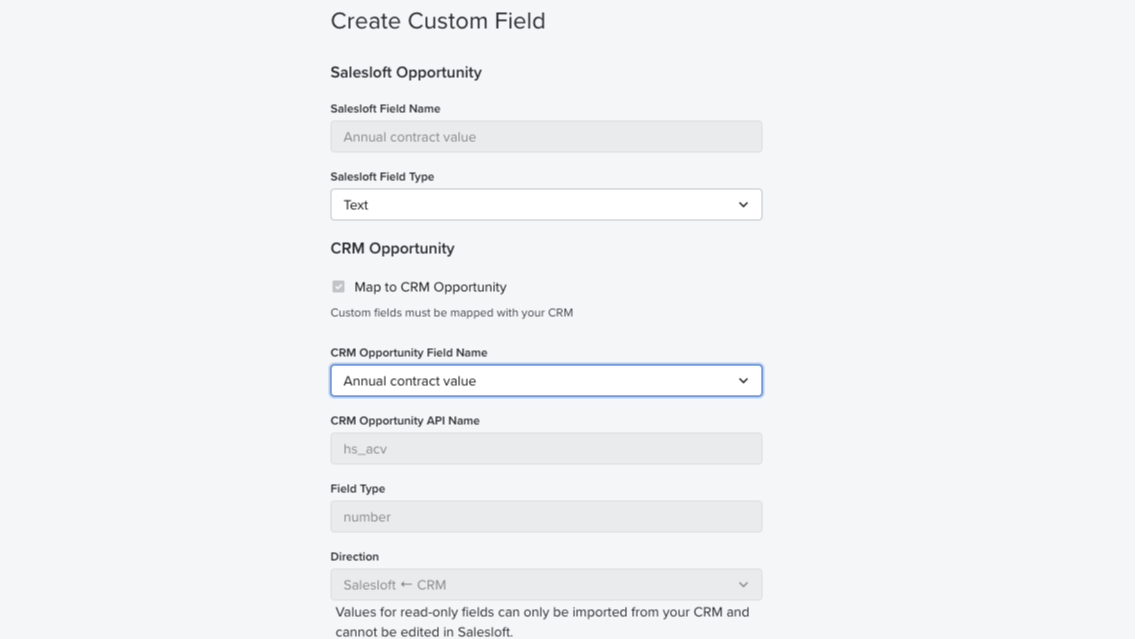
Field mapping
Auto-map standard fields from HubSpot CRM to Salesloft and easily set up your team’s instance in no time. Administrators can also create custom field mappings and control the data fields to sync between systems.
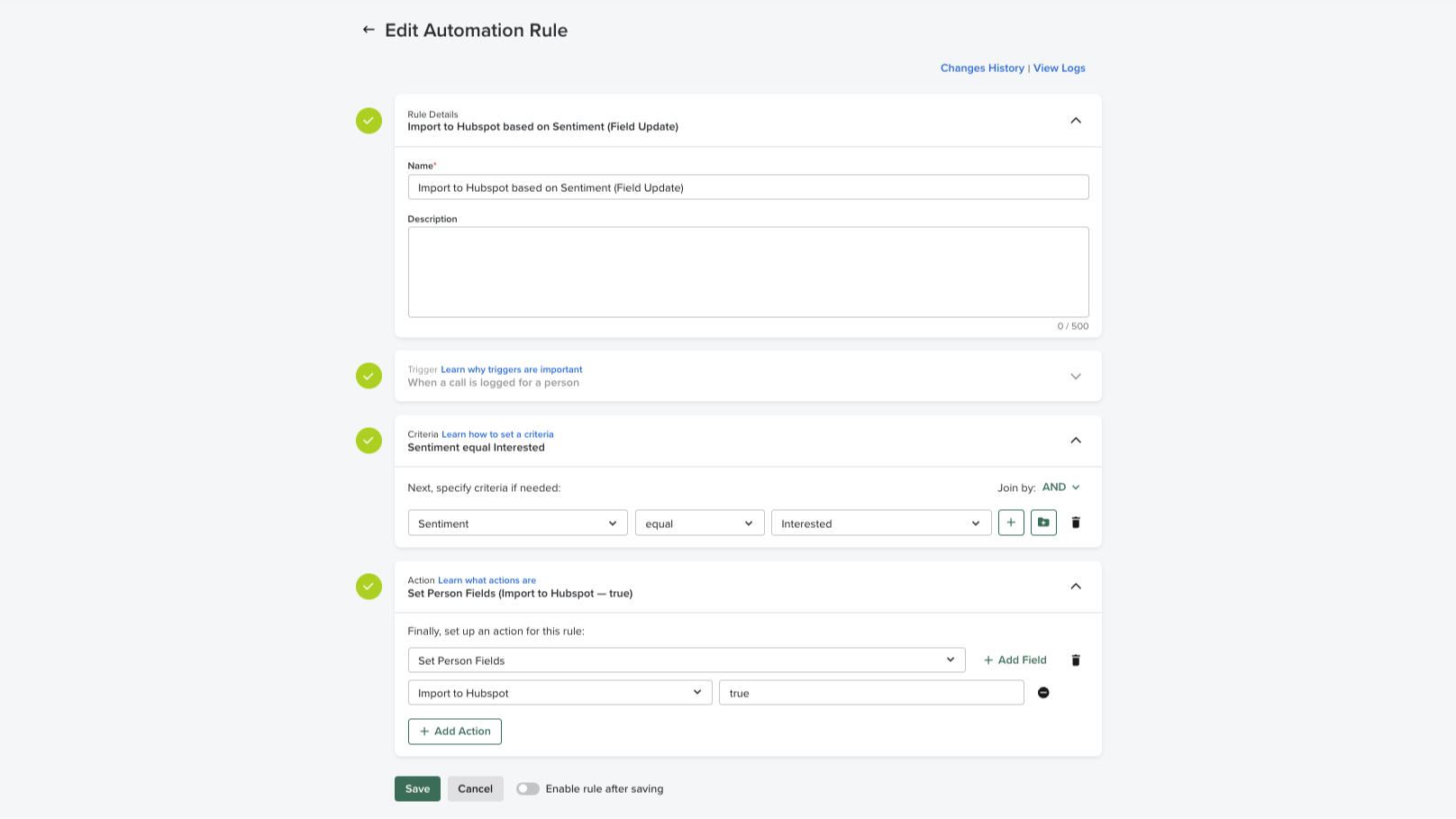
Automation rules
Easily apply automation rules based on CRM data to execute manual, repetitive processes. Administrators can maintain full control over the flow of data in and out of the system and standard criteria can be set across the sales team, preventing duplicate communications at the account-based level.
App-Funktionalität
Datenaustausch
Activities | ||
People | ||
Accounts | ||
Opportunities | ||
CRM Owner ID | ||
Imports |
Rezensionen
2,3
4
2,3
4
- 28. Sep. 2026
Nicht intuitiv
Es war zwar relativ einfach, aber in der Dokumentation waren eine ganze Reihe von Gatchas versteckt.
Sie hatten Unterlagen, in denen jeder Schritt erläutert wurde.
Bevor die Synchronisierung aktiviert werden konnte, mussten zahlreiche Vorbereitungen getroffen werden, damit sie ohne manuellen Aufwand funktionierte – diese wurden in der Benutzeroberfläche jedoch nicht angezeigt. Die automatische Feldzuordnung funktionierte nicht, sodass ich alle Felder manuell zuordnen musste.
Pryntz-Nadworny, R.
- 12. Aug. 2026
Young, E.
Essentials
Grow pipeline and gain insight
Pipeline generation
Rep coaching
Essentials
Grow pipeline and gain insight
Pipeline generation
Rep coaching
* Die hier angegebenen Preise dienen nur zu Illustrationszwecken. Alle Preise enthalten keine Steuern, Sonderangebote, Rabatte oder sonstigen Preisvarianten. Bitte wenden Sie sich direkt an den Partner, um aktuelle und korrekte Preisinformationen zu erhalten. HubSpot übernimmt keine Verantwortung für Preisinformationen, die von unseren Partnern bereitgestellt werden. Letzte Aktualisierung der Preisinformationen: 02.08.2025
Weitere Infos
Erstellt von - Salesloft
Installationen - 900+ Installationen
Kategorien Sprachen, in denen diese App verfügbar ist Deutsch ,Englisch ,Französisch undSpanisch