
-1.png)
Salesloft CRM Sync
Requirements
HubSpot Plan HubSpot Account permissions - View the required account permissions
Access Type Shared Salesloft CRM Sync Subscription - Essentials, Advanced, or Premier plans
Overview
-2-1.png)
1/4 - Easy setup for CRM sync
With the CRM Sync for HubSpot integration, get a complete, streamlined integration experience directly from Salesloft. Sellers and administrators alike can benefit from improved sync performance, enhanced syncing capabilities, and a more robust view of HubSpot CRM data, right inside Salesloft.
The HubSpot integration offers:
Automatic two-way sync of People, Accounts between systems
Automatic one-way sync of Opportunities from HubSpot CRM to Salesloft
Automatic one-way sync of Salesloft Activities to HubSpot CRM
Your data is serious business. We make safeguarding it our business.
Features
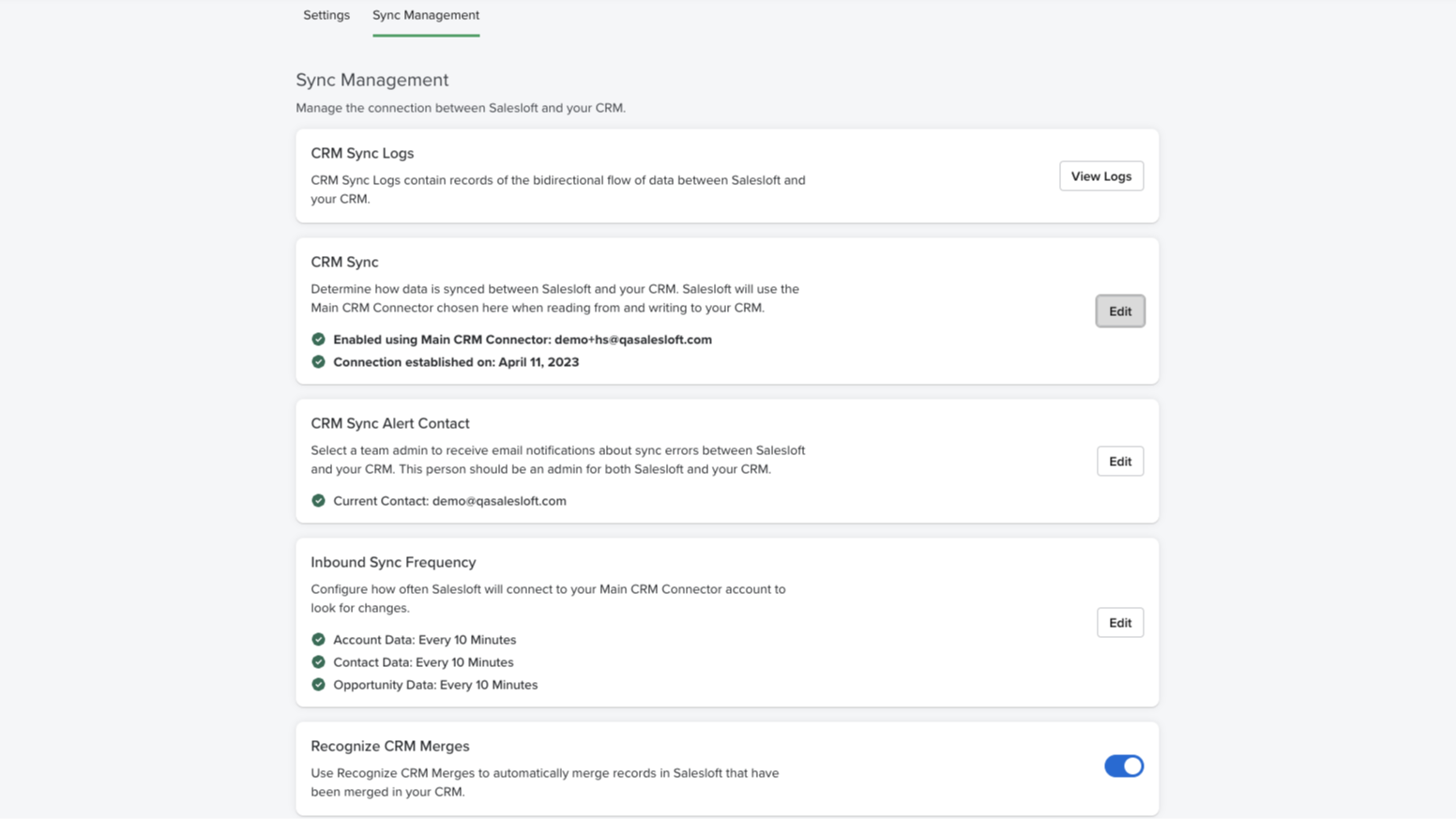
Real-time bidirectional sync
Effortlessly synchronize and maintain accurate Person, Account, and Opportunity data across both platforms. Our user-friendly configuration makes it easy to automatically handle new record creation, updates, deletions, and merges in your CRM.
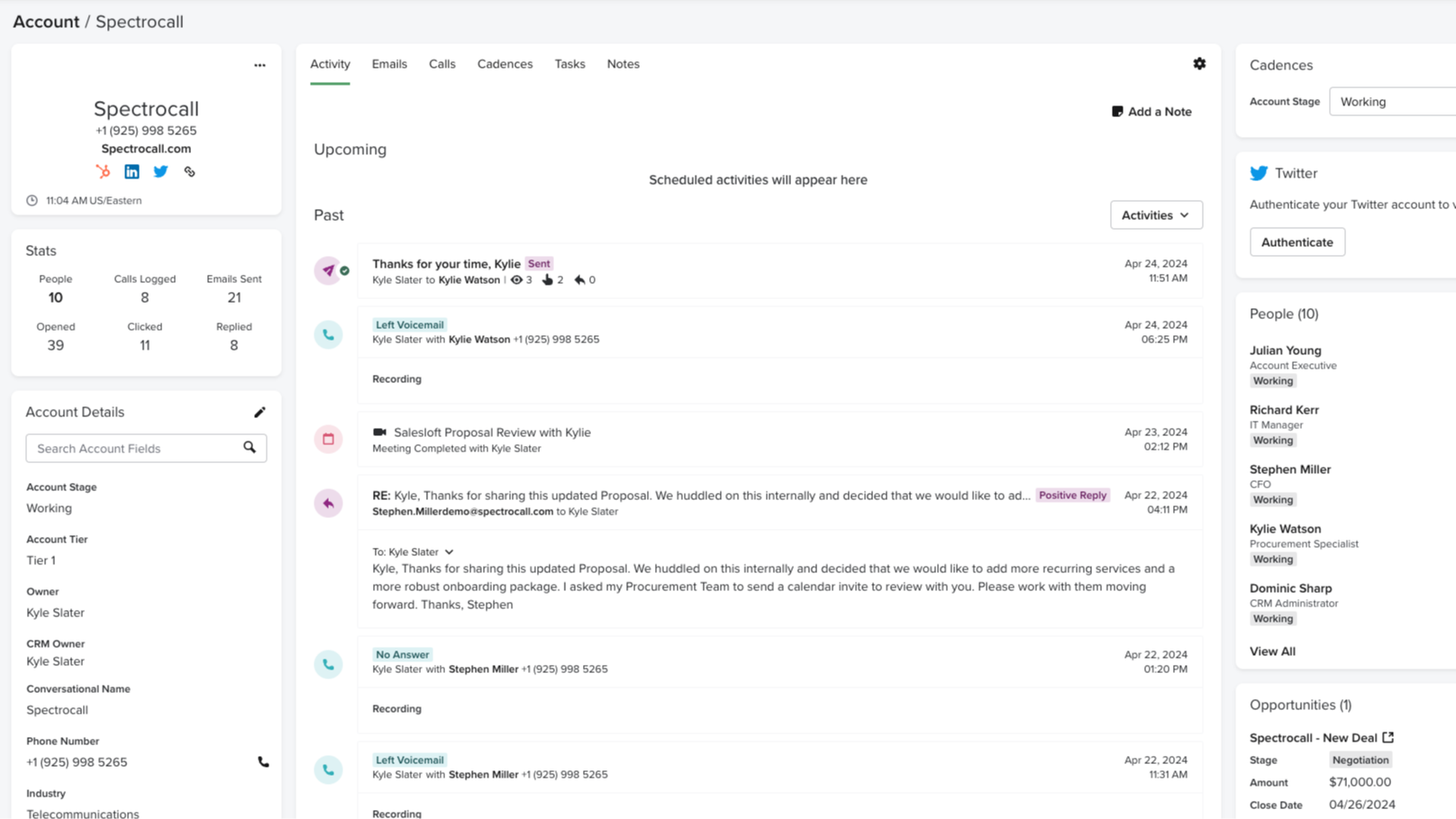
Automatically record Salesloft activities to HubSpot
Monitoring and tracking sales activities is a crucial element of what makes HubSpot so effective. With CRM Sync for HubSpot, all activities in Salesloft, such as calls made, emails sent, and conversation recording URLs, are automatically recorded as activities in HubSpot. No manual updating — just one cohesive view of your activity.
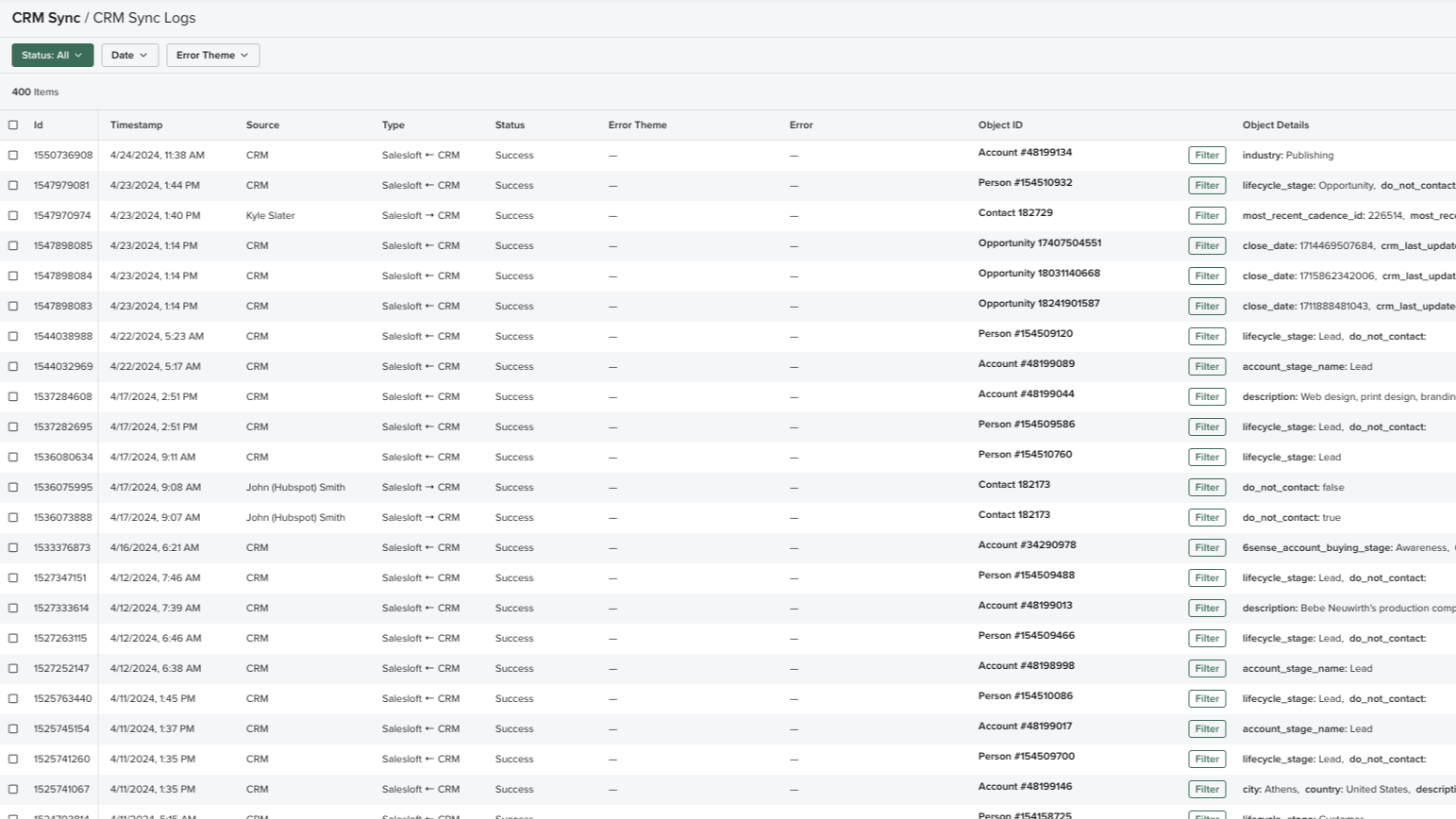
Comprehensive sync log
Complete transparency and valuable insight into what data is being transferred with a real-time log of all sync activities, including status and outcomes. Review all the details on fields, records, time, and direction, easily monitor the data transfer between platforms, easily retry failed syncs, and troubleshoot mapping errors, should they arise.
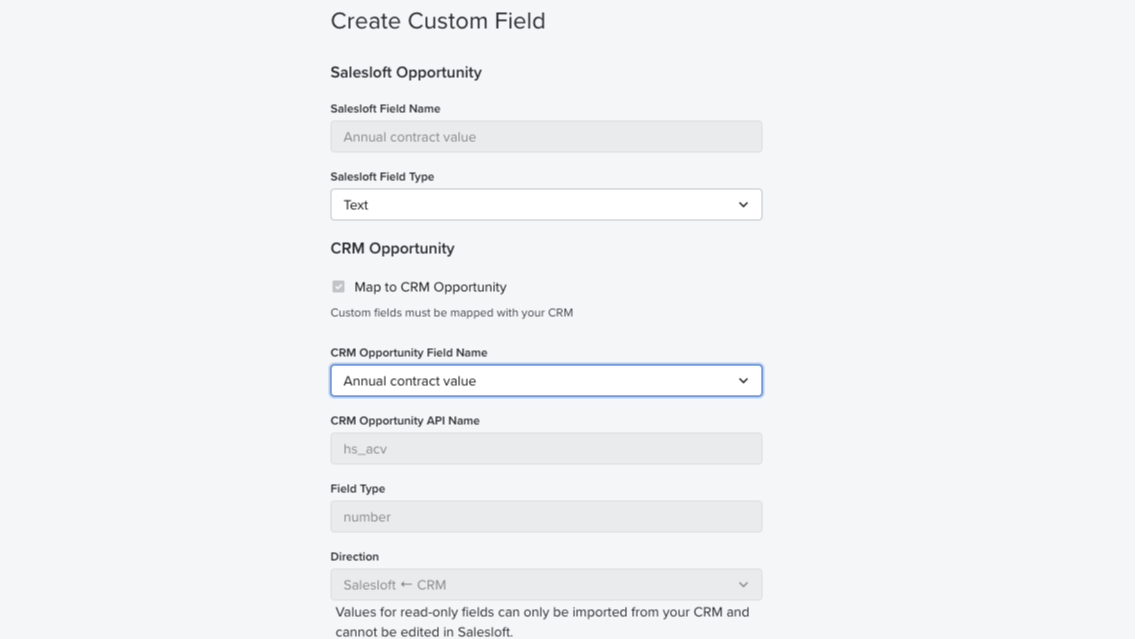
Field mapping
Auto-map standard fields from HubSpot CRM to Salesloft and easily set up your team’s instance in no time. Administrators can also create custom field mappings and control the data fields to sync between systems.
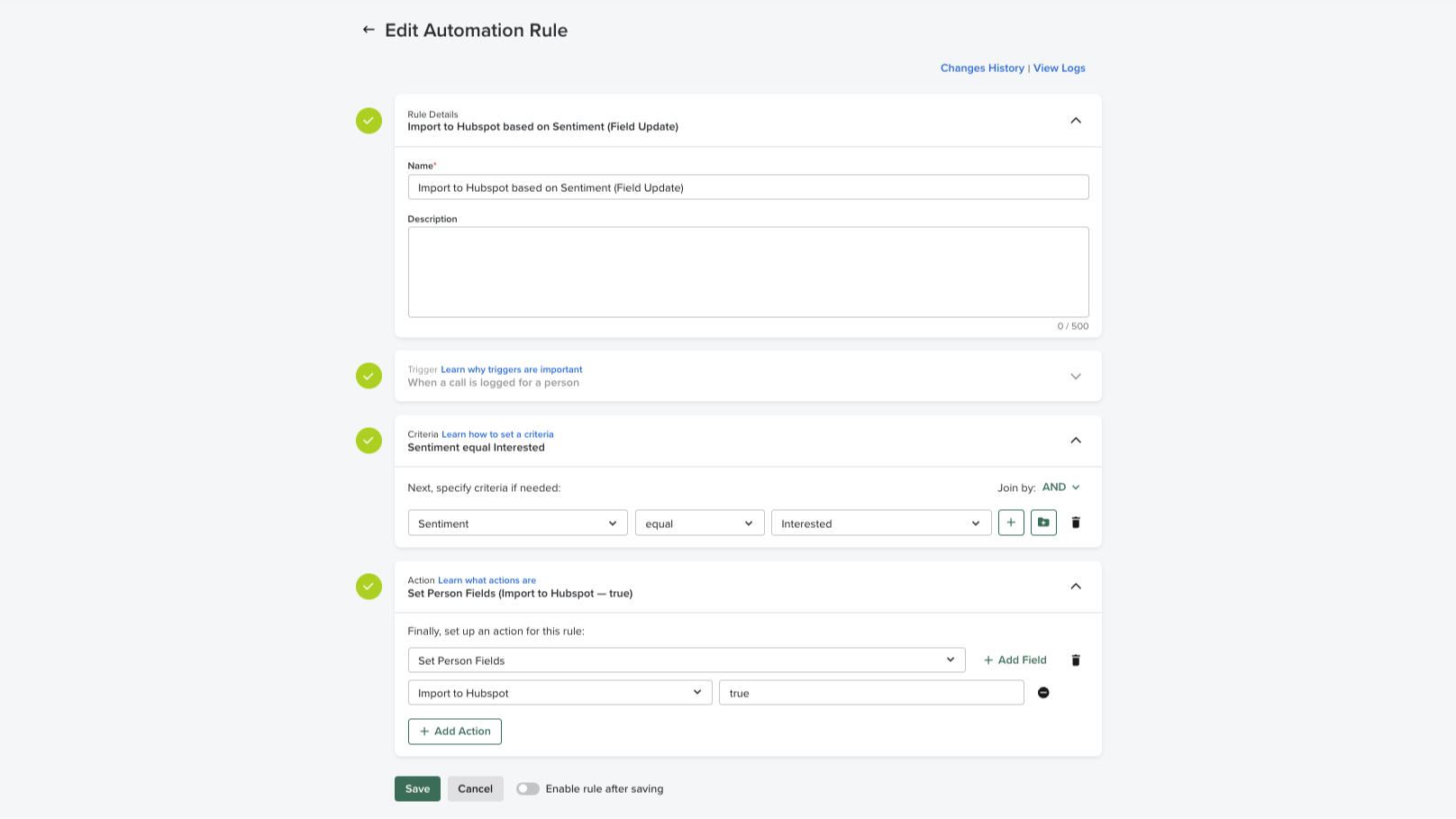
Automation rules
Easily apply automation rules based on CRM data to execute manual, repetitive processes. Administrators can maintain full control over the flow of data in and out of the system and standard criteria can be set across the sales team, preventing duplicate communications at the account-based level.
App Functionality
Shared Data
Activities | ||
People | ||
Accounts | ||
Opportunities | ||
CRM Owner ID | ||
Imports |
Reviews
2.3
4
2.3
4
- Sep 28, 2026
Not intuitive
While it was relatively easy, there were a bunch of gatchas hidden in the documentation.
They had documentation to explain each step.
There were a lot of things that needed to be done ahead of turning on the sync so it would work without manual effort that weren't shown in the UI. The auto field mapping didn't work, so I had to manually map all the fields.
Pryntz-Nadworny, R.
- Aug 12, 2026
Young, E.
Pricing
Essentials
Grow pipeline and gain insight
Pipeline generation
Rep coaching
Essentials
Grow pipeline and gain insight
Pipeline generation
Rep coaching
* The pricing here is for display purposes only. All prices do not include taxes, incentives, discounts, or other pricing variables. You should contact the partner for the most up to date and correct pricing information. HubSpot does not take any responsibility for this pricing information, which is provided by our partners. Pricing last updated: 08/02/2025
Most popular

Gmail
Bring HubSpot to your inbox with the HubSpot integration for Gmail.

Google Calendar
Book meetings quickly and easily with HubSpot and Google Calendar.
