
-1.png)
Salesloft CRM Sync
Exigences
Abonnement HubSpot Autorisations de compte HubSpot - Afficher les autorisations de compte requises
Type d'accès Partagé Abonnement à Salesloft CRM Sync - Abonnements : Essentials, Advanced ou Premier
Vue d'ensemble
-2-1.png)
1/4 - Easy setup for CRM sync
With the CRM Sync for HubSpot integration, get a complete, streamlined integration experience directly from Salesloft. Sellers and administrators alike can benefit from improved sync performance, enhanced syncing capabilities, and a more robust view of HubSpot CRM data, right inside Salesloft.
The HubSpot integration offers:
Automatic two-way sync of People, Accounts between systems
Automatic one-way sync of Opportunities from HubSpot CRM to Salesloft
Automatic one-way sync of Salesloft Activities to HubSpot CRM
Your data is serious business. We make safeguarding it our business.
Fonctionnalités
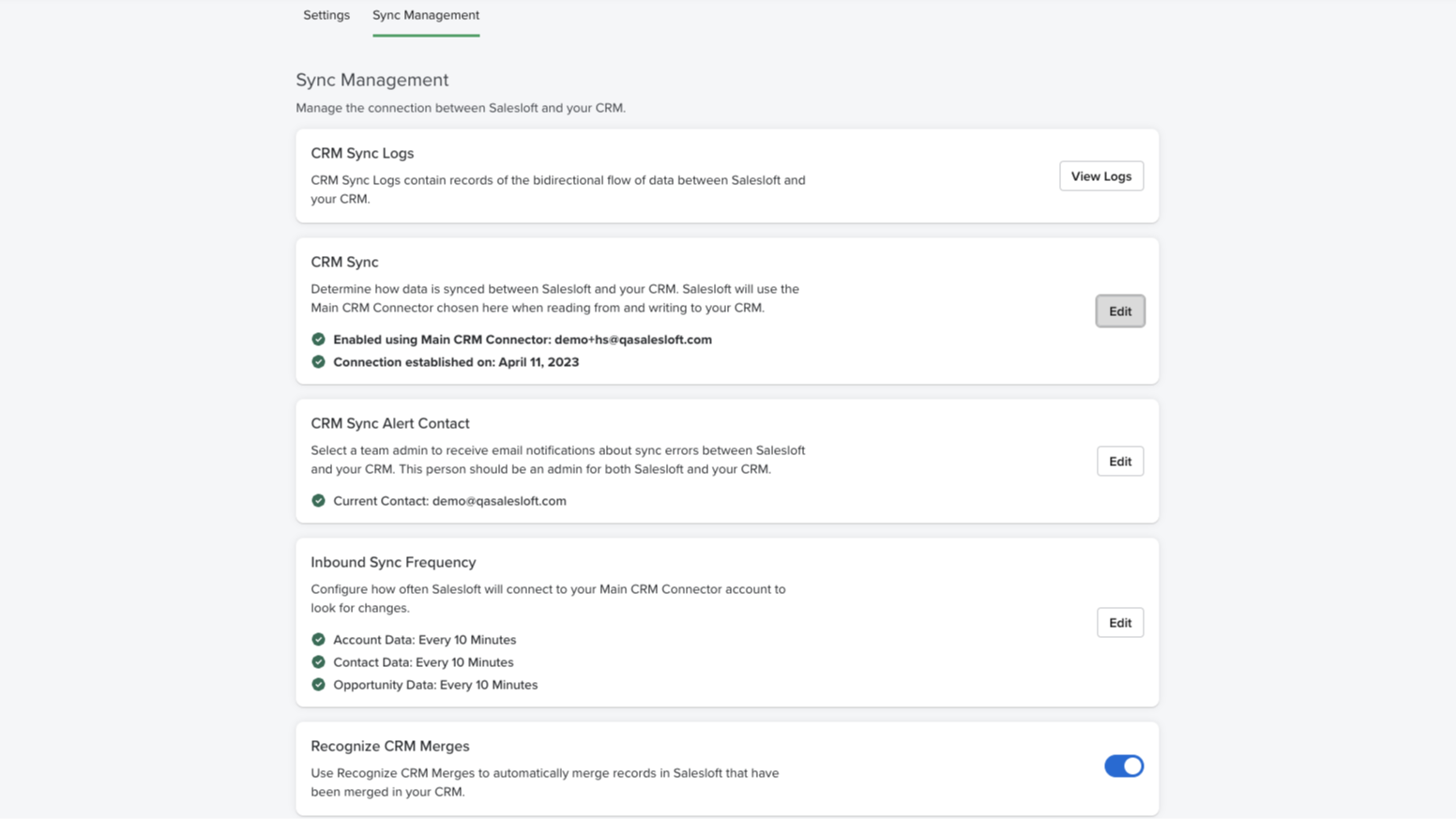
Real-time bidirectional sync
Effortlessly synchronize and maintain accurate Person, Account, and Opportunity data across both platforms. Our user-friendly configuration makes it easy to automatically handle new record creation, updates, deletions, and merges in your CRM.
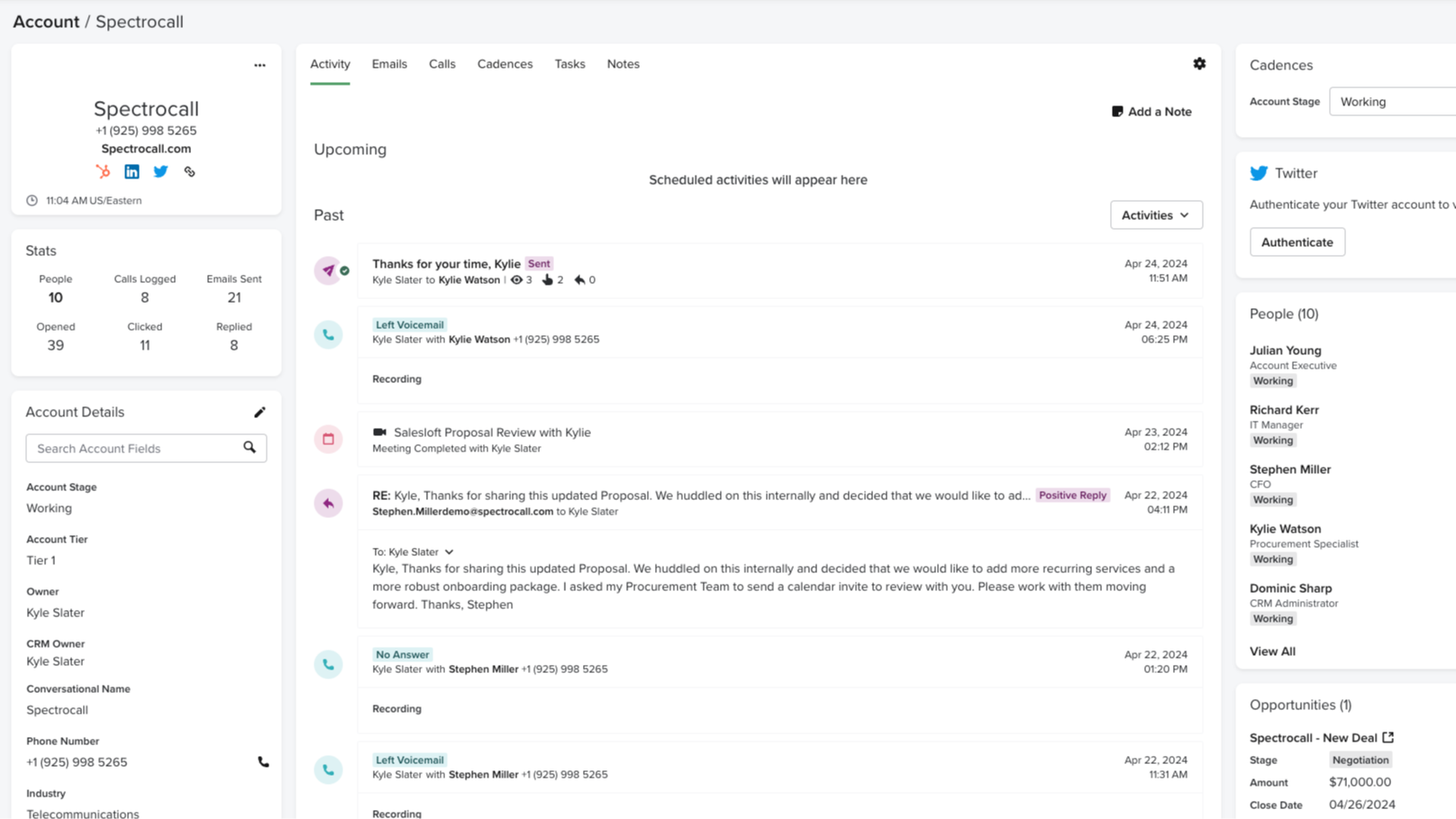
Automatically record Salesloft activities to HubSpot
Monitoring and tracking sales activities is a crucial element of what makes HubSpot so effective. With CRM Sync for HubSpot, all activities in Salesloft, such as calls made, emails sent, and conversation recording URLs, are automatically recorded as activities in HubSpot. No manual updating — just one cohesive view of your activity.
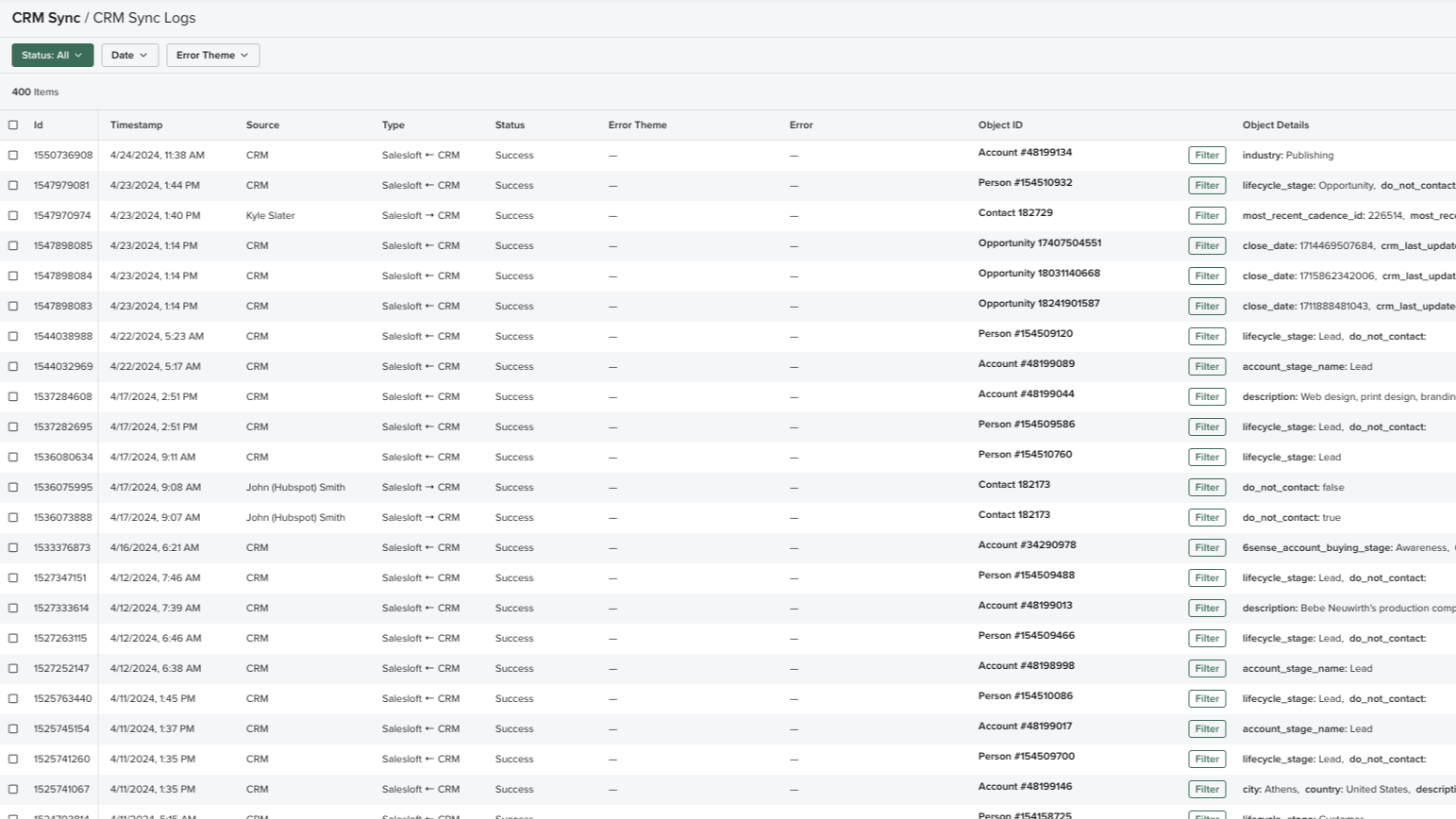
Comprehensive sync log
Complete transparency and valuable insight into what data is being transferred with a real-time log of all sync activities, including status and outcomes. Review all the details on fields, records, time, and direction, easily monitor the data transfer between platforms, easily retry failed syncs, and troubleshoot mapping errors, should they arise.
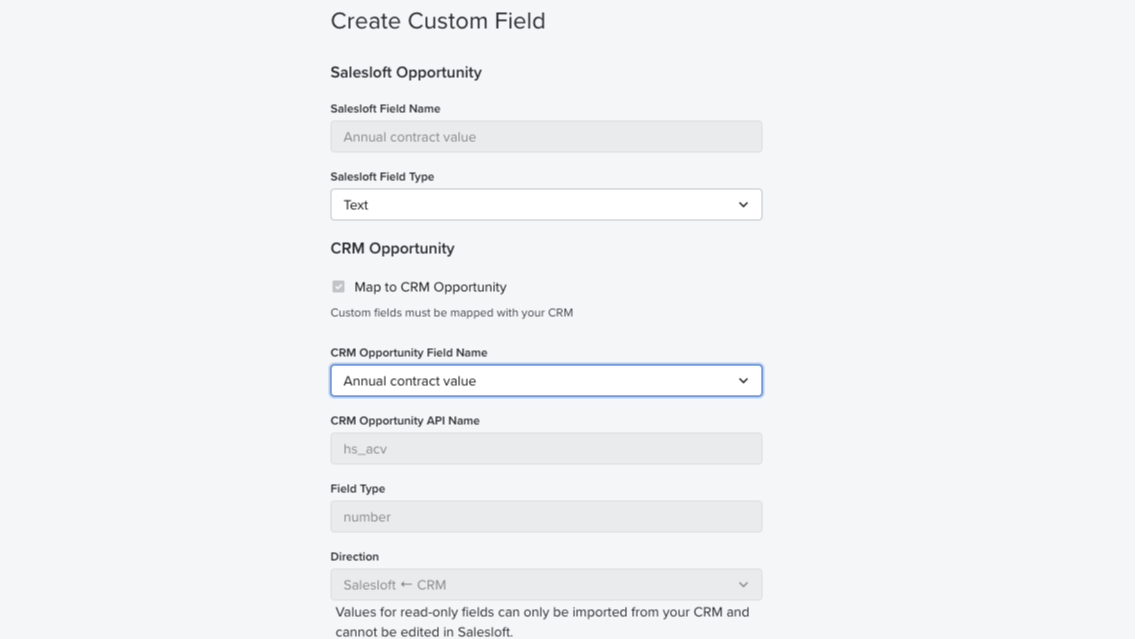
Field mapping
Auto-map standard fields from HubSpot CRM to Salesloft and easily set up your team’s instance in no time. Administrators can also create custom field mappings and control the data fields to sync between systems.
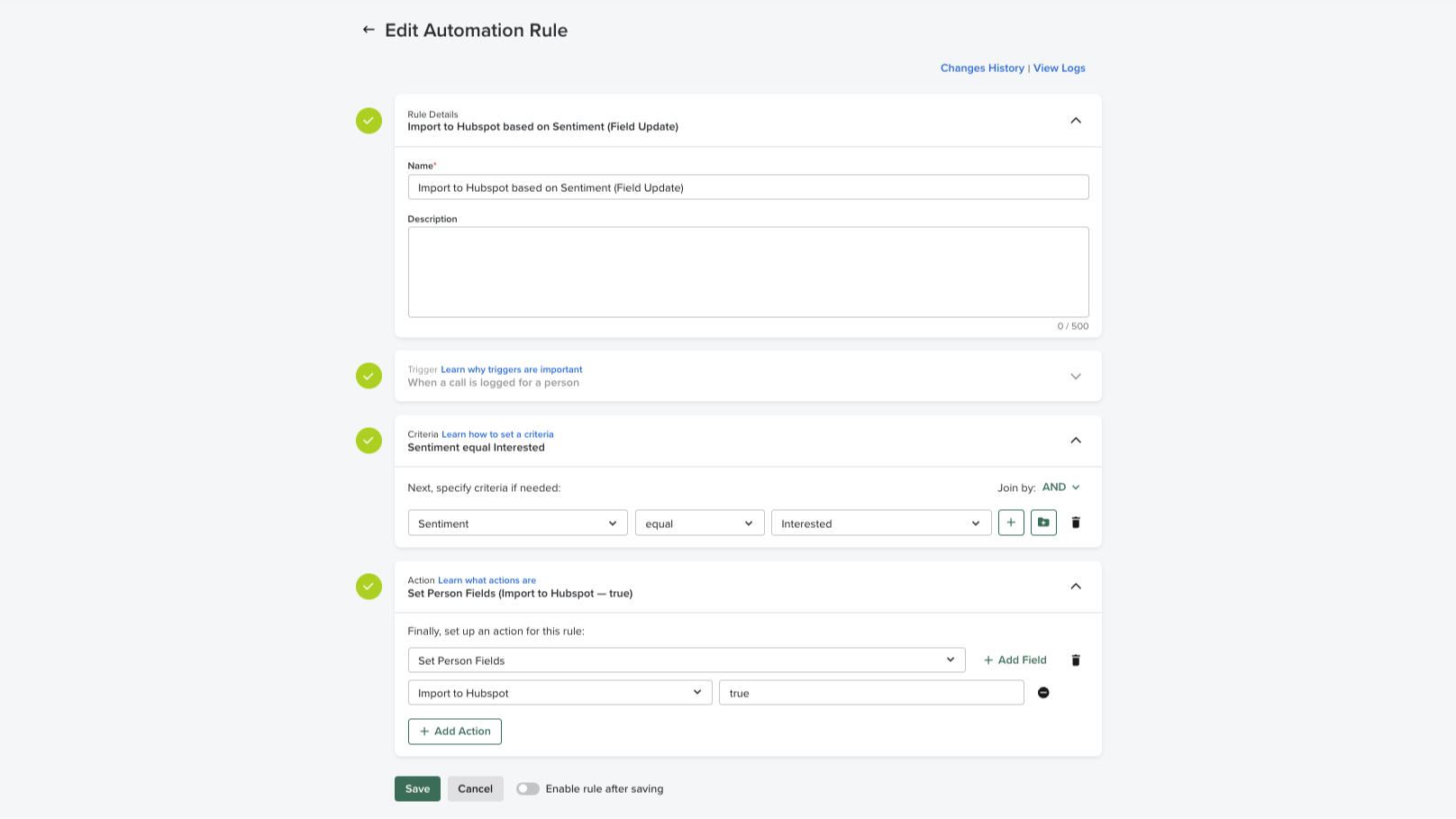
Automation rules
Easily apply automation rules based on CRM data to execute manual, repetitive processes. Administrators can maintain full control over the flow of data in and out of the system and standard criteria can be set across the sales team, preventing duplicate communications at the account-based level.
Fonctionnalité de l'application
Données partagées
Activities | ||
People | ||
Accounts | ||
Opportunities | ||
CRM Owner ID | ||
Imports |
- 2 déc. 2025
INCROYABLE
INCROYABLE. Cela fait trois mois que nous utilisons cette plateforme et nous avons même payé un consultant que vous nous avez tous recommandé pour la mettre en place et elle est littéralement inutile. Je ne peux pas imaginer une expérience pire que celle que nous avons eue.
Aucun.
Tout.
Spangenberg, K.
- 26 nov. 2024
Works occasionally
Most times my salesloft doesn’t work inside of my HubSpot so I have to work directly out of HubSpot.
Aleman, M.J.
Tarification
Essentials
Grow pipeline and gain insight
Pipeline generation
Rep coaching
Essentials
Grow pipeline and gain insight
Pipeline generation
Rep coaching
* Les prix mentionnés ici sont uniquement présentés à titre indicatif. Tous les prix n'incluent pas les taxes, les offres spéciales, les réductions ni les autres facteurs pouvant affecter les tarifs. Vous devez contacter le partenaire pour obtenir les tarifs les plus récents. HubSpot n'assume aucune responsabilité pour les informations de tarification fournies par ses partenaires. Dernière mise à jour des prix : 02/08/2025
Informations supplémentaires
Créé par - Salesloft
Installation - 900+ installations
Catégories Langues dans lesquelles cette application est disponible Allemand ,Anglais ,Espagnol etFrançais
Attirer l'attention aujourd'hui

Zoom Phone for HubSpot
Enhance your HubSpot experience and streamline your workflows.

Zapier
The easiest way to automate and connect HubSpot to 8,000+ apps
