
-1.png)
Salesloft CRM Sync
Requisitos
Plan de HubSpot Permisos de cuenta de HubSpot - Ver los permisos de cuenta requeridos
Tipo de acceso Compartida Suscripción: Salesloft CRM Sync - Suscripciones: Essentials, Advanced o Premier
Vista general
-2-1.png)
1/4 - Easy setup for CRM sync
With the CRM Sync for HubSpot integration, get a complete, streamlined integration experience directly from Salesloft. Sellers and administrators alike can benefit from improved sync performance, enhanced syncing capabilities, and a more robust view of HubSpot CRM data, right inside Salesloft.
The HubSpot integration offers:
Automatic two-way sync of People, Accounts between systems
Automatic one-way sync of Opportunities from HubSpot CRM to Salesloft
Automatic one-way sync of Salesloft Activities to HubSpot CRM
Your data is serious business. We make safeguarding it our business.
Características
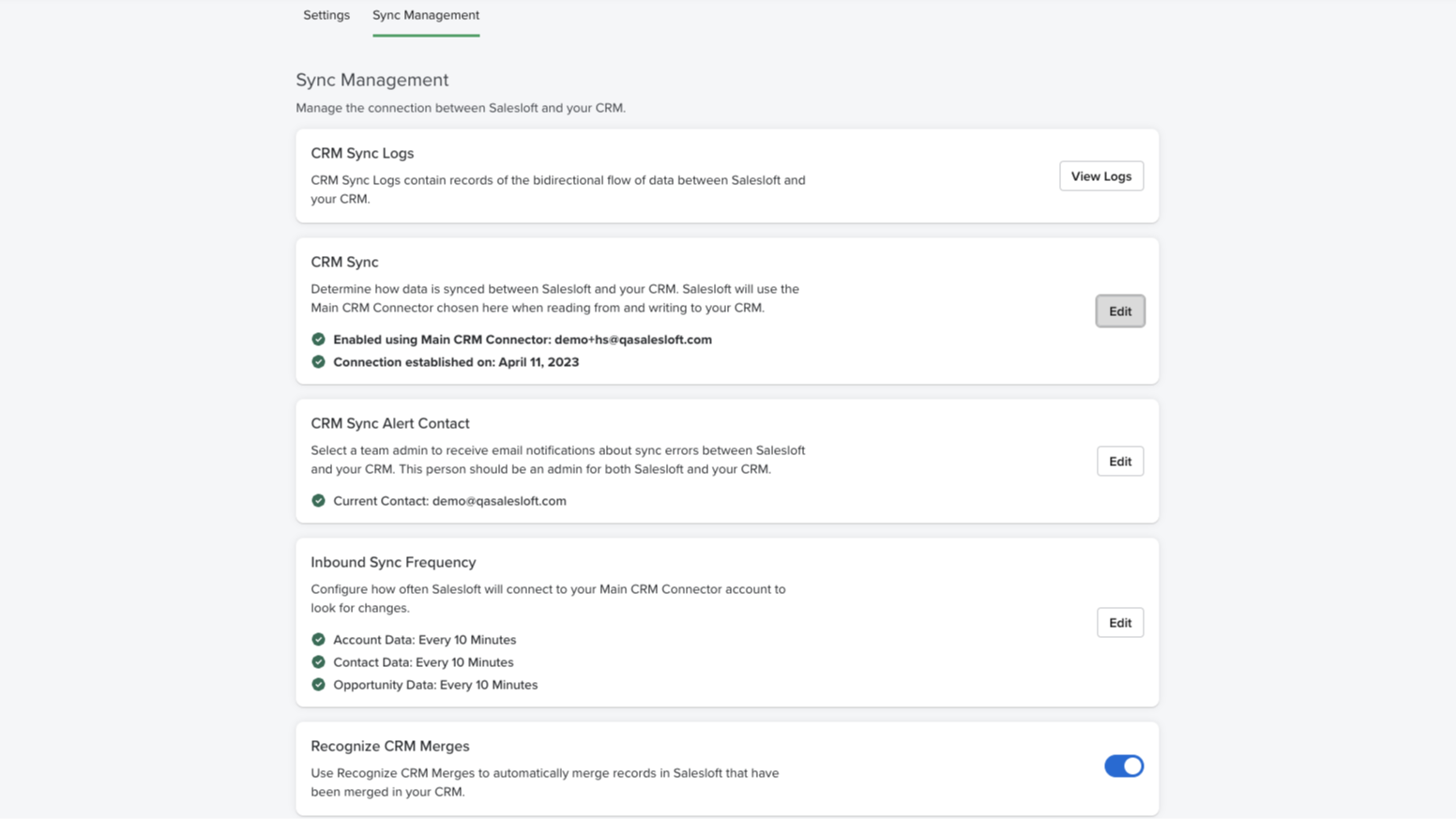
Real-time bidirectional sync
Effortlessly synchronize and maintain accurate Person, Account, and Opportunity data across both platforms. Our user-friendly configuration makes it easy to automatically handle new record creation, updates, deletions, and merges in your CRM.
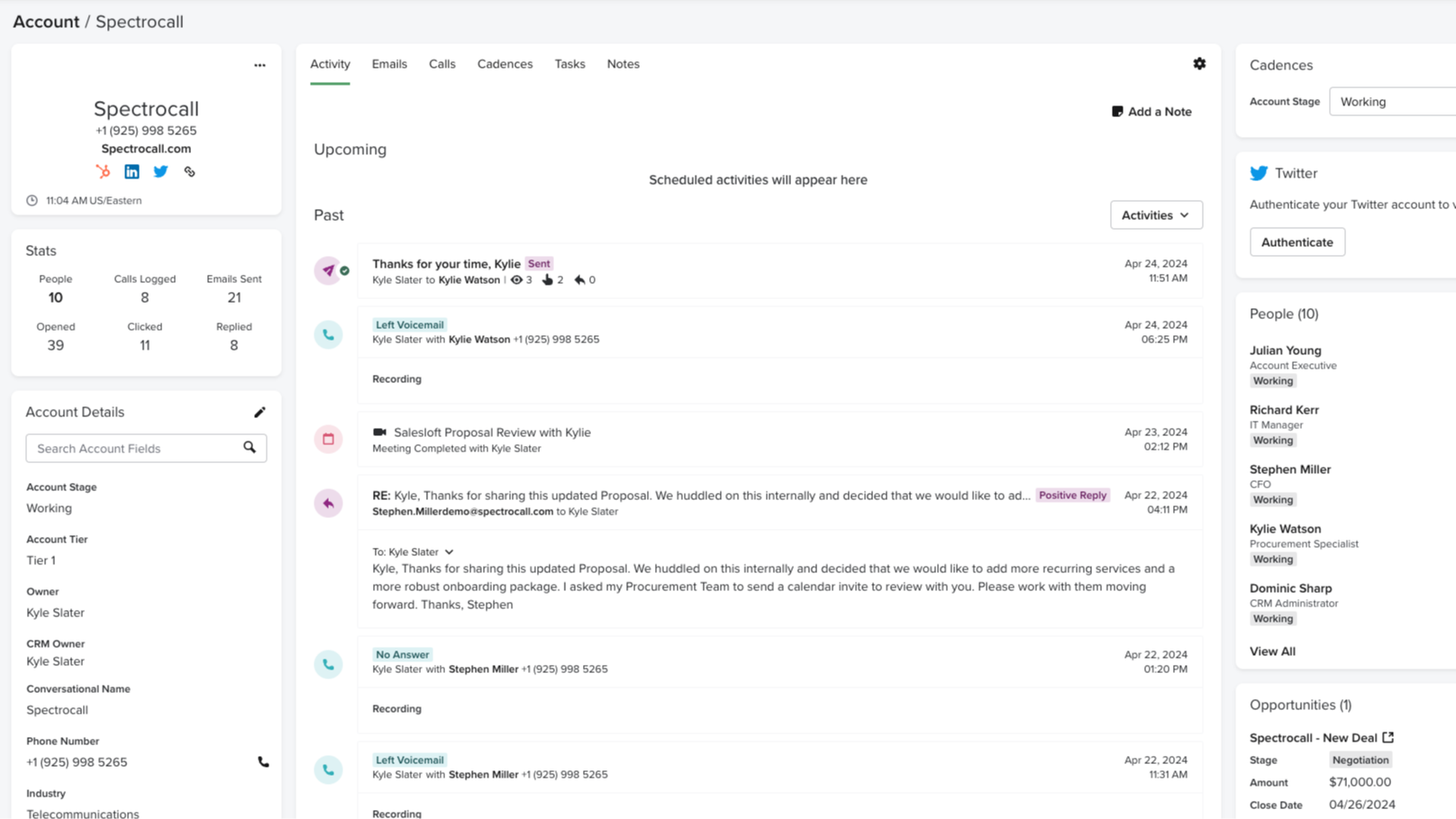
Automatically record Salesloft activities to HubSpot
Monitoring and tracking sales activities is a crucial element of what makes HubSpot so effective. With CRM Sync for HubSpot, all activities in Salesloft, such as calls made, emails sent, and conversation recording URLs, are automatically recorded as activities in HubSpot. No manual updating — just one cohesive view of your activity.
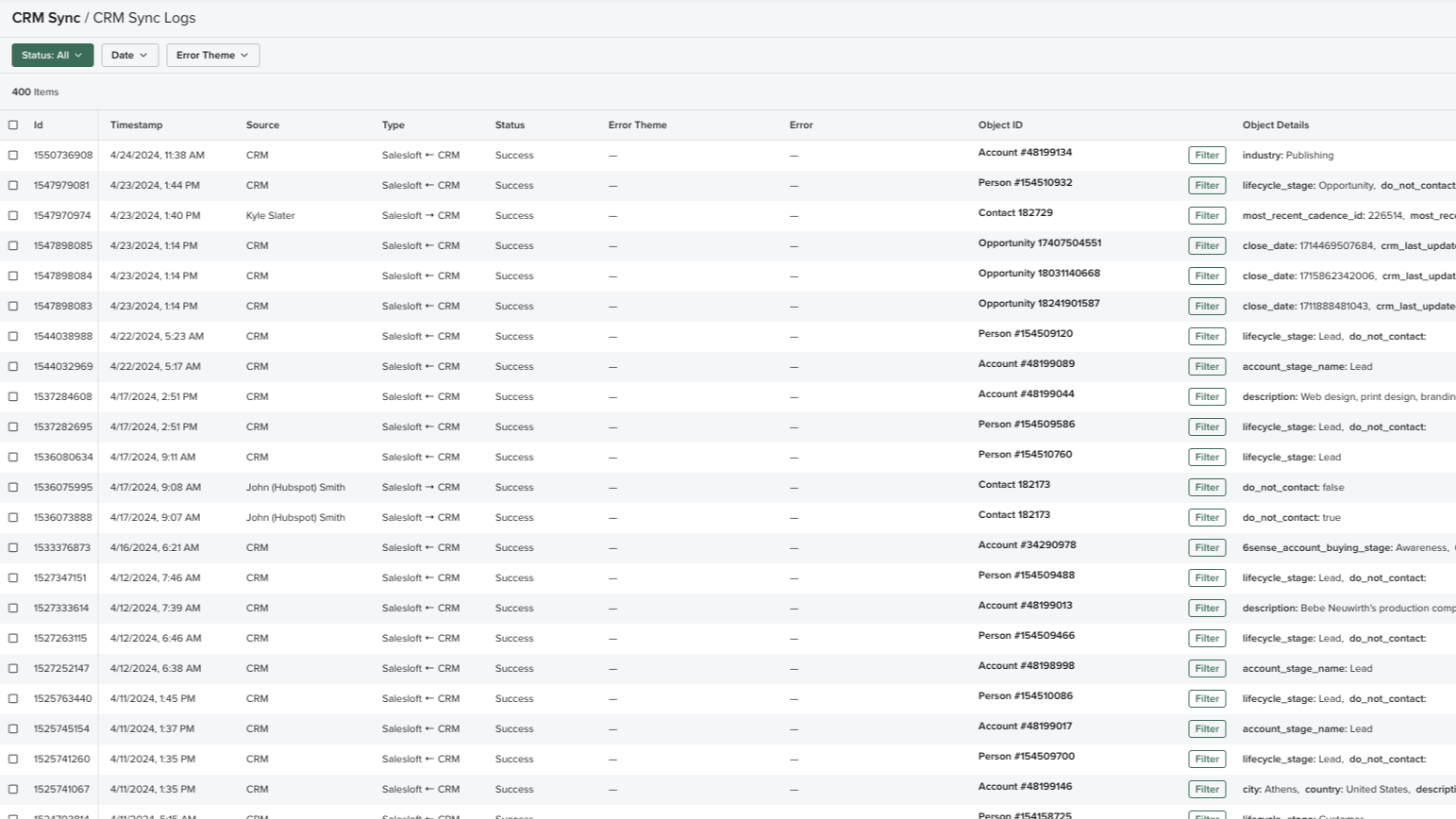
Comprehensive sync log
Complete transparency and valuable insight into what data is being transferred with a real-time log of all sync activities, including status and outcomes. Review all the details on fields, records, time, and direction, easily monitor the data transfer between platforms, easily retry failed syncs, and troubleshoot mapping errors, should they arise.
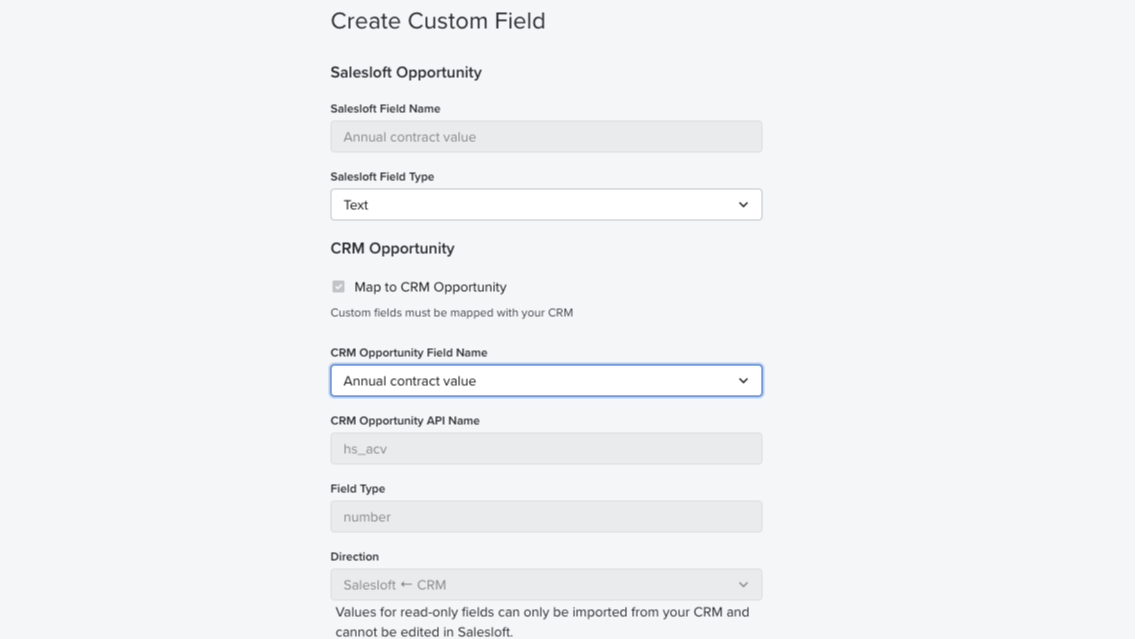
Field mapping
Auto-map standard fields from HubSpot CRM to Salesloft and easily set up your team’s instance in no time. Administrators can also create custom field mappings and control the data fields to sync between systems.
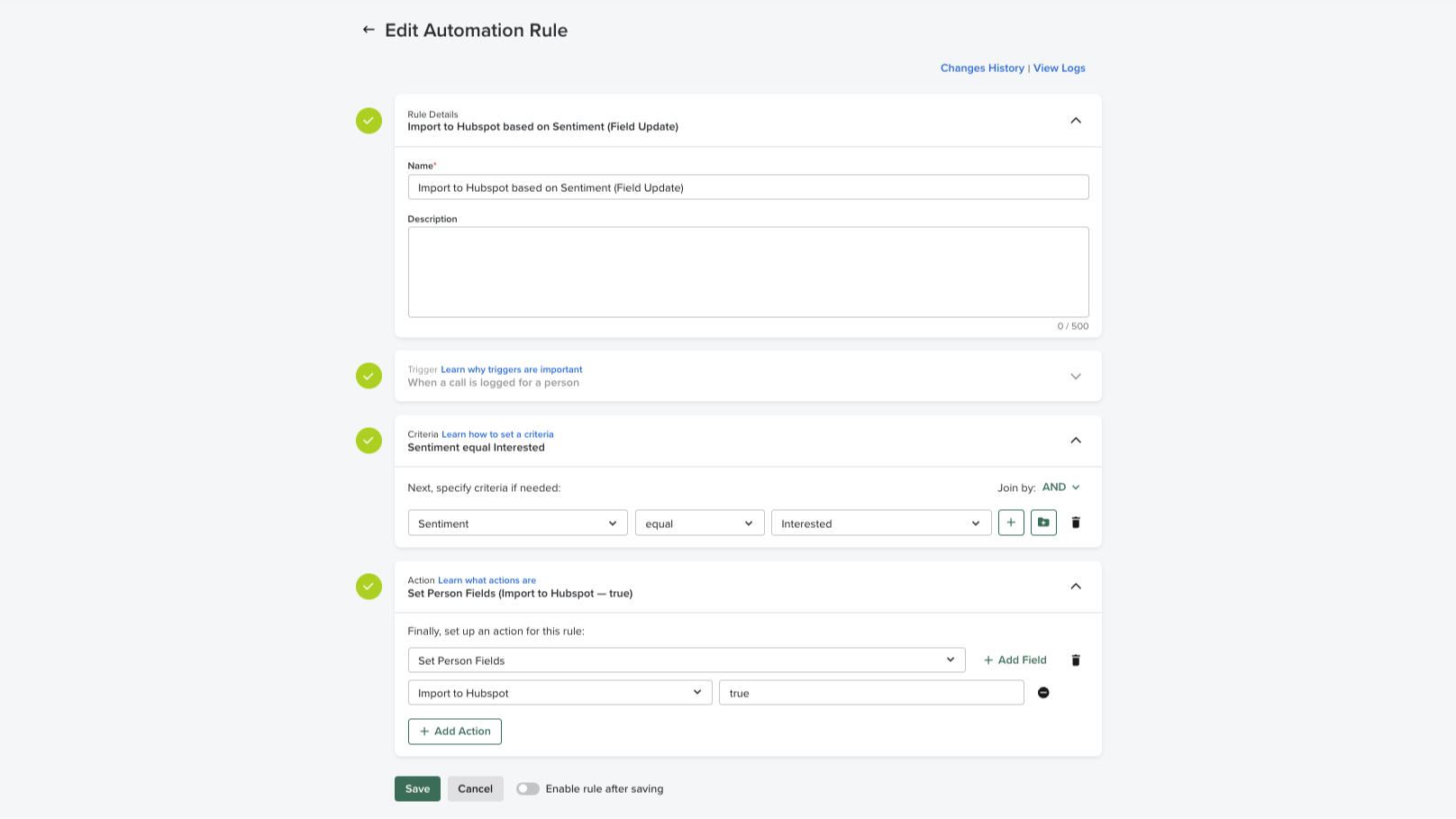
Automation rules
Easily apply automation rules based on CRM data to execute manual, repetitive processes. Administrators can maintain full control over the flow of data in and out of the system and standard criteria can be set across the sales team, preventing duplicate communications at the account-based level.
Funcionalidad de la aplicación
Datos compartidos
Activities | ||
People | ||
Accounts | ||
Opportunities | ||
CRM Owner ID | ||
Imports |
Valoraciones
2,3
4
2,3
4
- 28 de sep. de 2026
No es intuitivo
Aunque resultaba relativamente fácil, había un montón de gatchas ocultos en la documentación.
Tenían documentación que explicaba cada paso.
Había muchas cosas que había que hacer antes de activar la sincronización para que funcionara sin necesidad de intervenir manualmente, cosas que no se mostraban en la interfaz de usuario. La asignación automática de campos no funcionaba, así que tuve que asignar todos los campos manualmente.
Pryntz-Nadworny, R.
- 12 de ago. de 2026
Young, E.
Essentials
Grow pipeline and gain insight
Pipeline generation
Rep coaching
Essentials
Grow pipeline and gain insight
Pipeline generation
Rep coaching
* El precio que aparece aquí es solo para fines de visualización. Los precios no incluyen impuestos, incentivos, descuentos u otras variables. Debes comunicarte con nuestro partner para obtener la información de precios más actualizada y correcta. HubSpot no se hace responsable de los precios que proporcionan nuestros partners. Precios actualizados por última vez: 02/08/2025
Más información
Desarrollado por - Salesloft
Instalaciones - Más de 900 instalaciones
Categorías Idiomas en los que está disponible esta aplicación Alemán ,Español ,Francés yInglés
Recibe atención en el presente

Slack
Gestione registros de CRM, obtenga asistencia de Breeze basada en IA, envíe notificaciones en tiempo real y colabore con su equipo, sin salir de Slack.

Zoom
Utiliza Zoom con las reuniones, los flujos de trabajo, los registros de contactos y otras funciones de HubSpot.
