

Katana Cloud Inventory
Créé par - Katana Cloud Inventory
Installation - 200+ installations
Exigences
Abonnement HubSpot Autorisations de compte HubSpot - Afficher les autorisations de compte requises
Type d'accès Partagé Abonnement à Katana Cloud Inventory - Abonnements : Free ou Core
Vue d'ensemble
1/4
Katana simplifies inventory management, empowering businesses to grow faster and meet sales demand with real-time insights, seamless integrations, and intuitive workflows for accurate forecasting and reporting.
Here's how Katana's HubSpot integration helps you:
Automate sales, inventory, and production data flows, allowing teams to see stock in real time.
Import HubSpot deals from selected pipelines and stages into Katana as Sales Orders, along with any related customer or product data.
Sync inventory levels directly to HubSpot by updating a new product property.
Unlock real-time data syncs and optimized resource management directly in HubSpot to handle increased order volumes and reduce stock issues.
Fonctionnalités
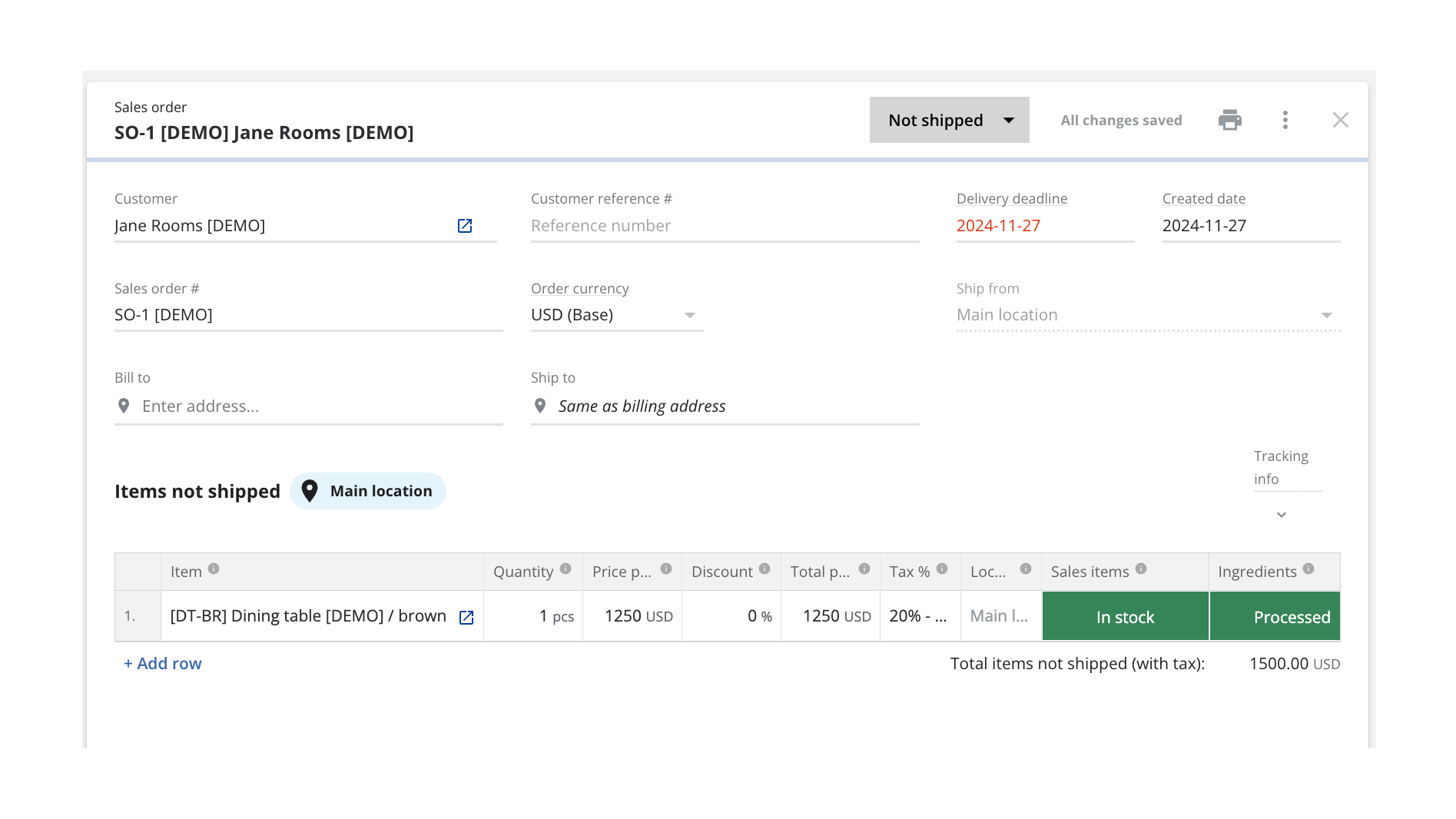
Turn HubSpot Deals into Katana Sales Orders
Once connected, Katana automatically pulls in deals currently in the configured pipeline stage from HubSpot and saves them as sales orders (SOs). You can configure which sales pipeline and deal stage will be used when sending deals over to be turned into SOs, and all future deals will be imported automatically when reaching that stage.
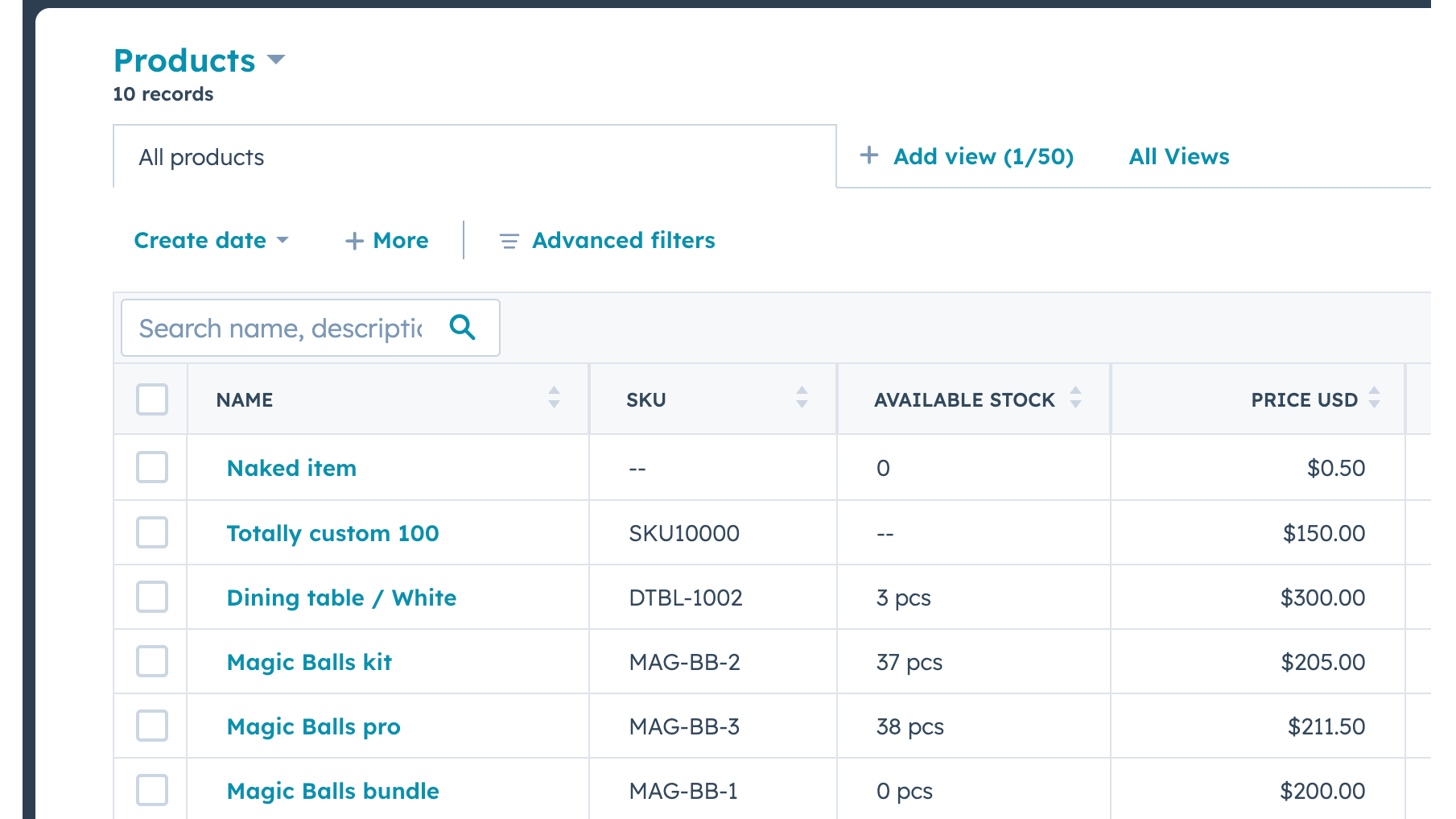
Send Real-time Inventory Levels from Katana to HubSpot
Data about product stock availability is pushed from Katana to HubSpot. Katana uses SKUs to match products on deal line items. A new item will be imported when there's no SKU and no other item with the same name.
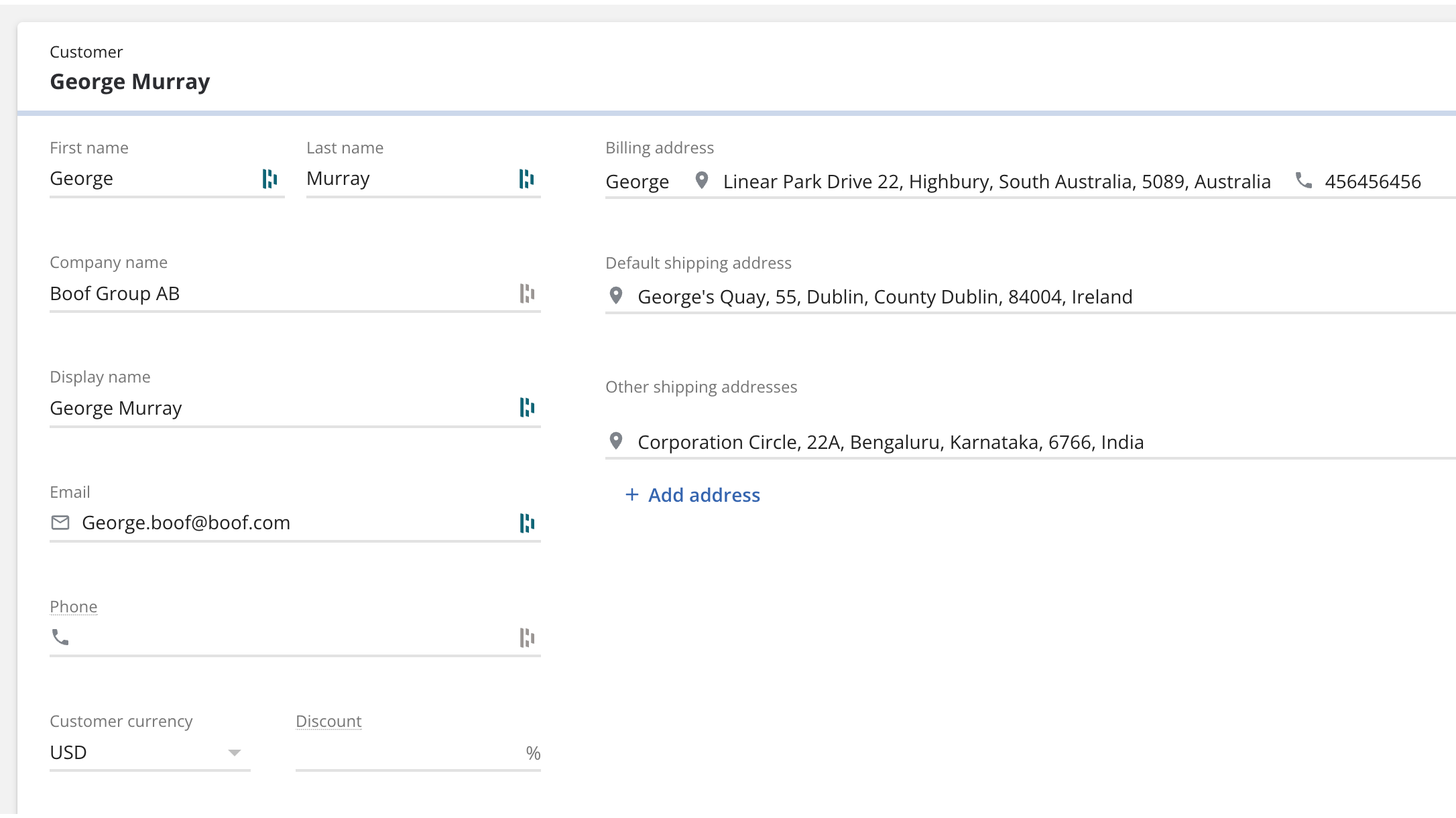
Bring contacts and companies from HubSpot to Katana
Information about your contacts and companies associated with deals will be automatically imported as customers in Katana to keep two systems in sync.
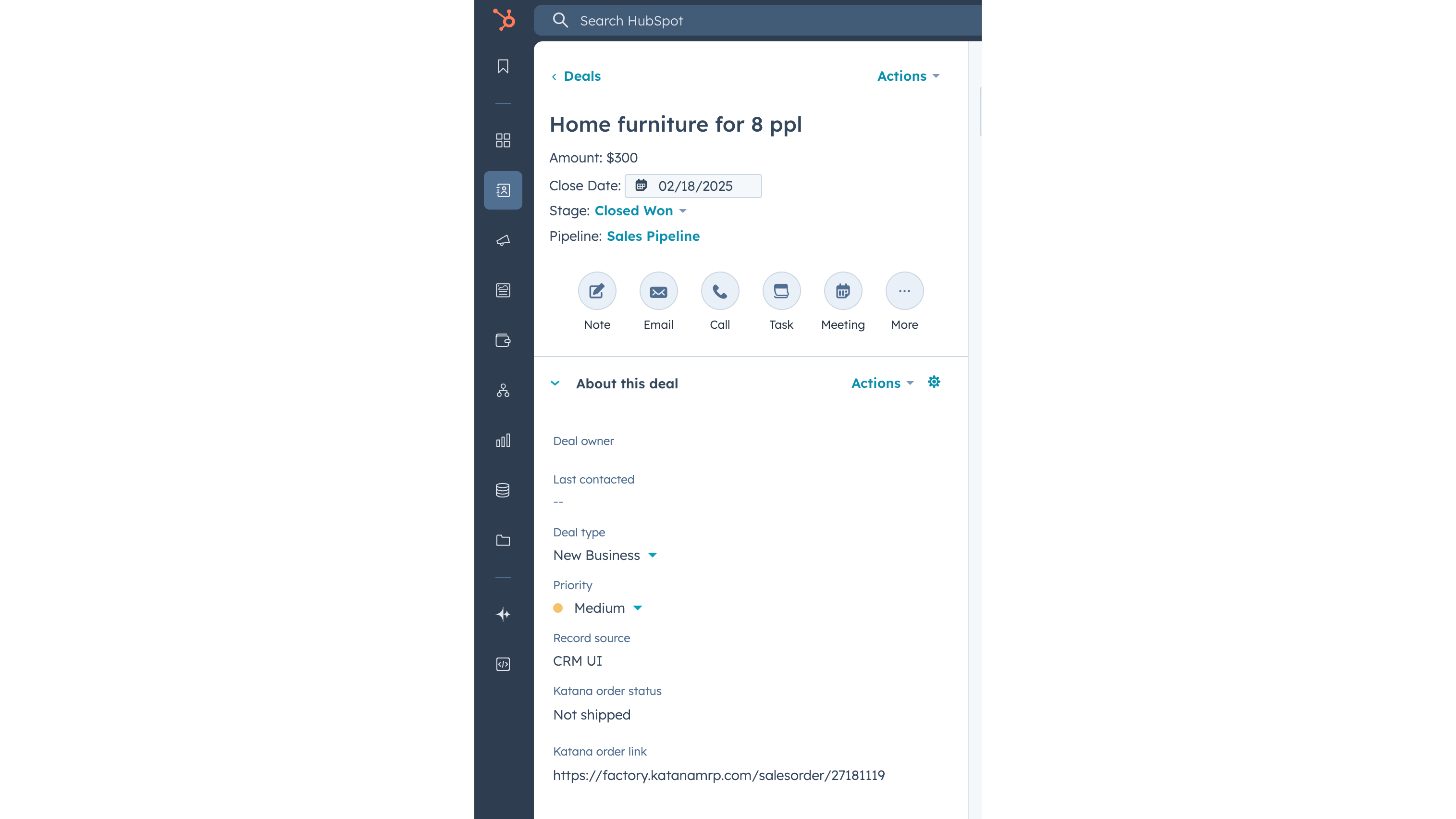
Update Katana sales order status info on a deal
When sales order has been created in Katana from the HubSpot deal, then Katana sends the order fulfillment status back to the deal, together with the link to the order Katana. When sales order status changes in Katana, for example to “Packed” or “Delivered”, then this information is automatically updated in HubSpot’s deal view.
Fonctionnalité de l'application
Données partagées
Customers | ||
Customers | ||
Sales orders | ||
Items | ||
Inventory level | ||
Sales order |
Avis
Tarification
Free
0 $US
Explore all of Katana’s features with no upfront cost
Up to 30 SKUs
3 inventory locations
Free
0 $US
Explore all of Katana’s features with no upfront cost
Up to 30 SKUs
3 inventory locations
* Les prix mentionnés ici sont uniquement présentés à titre indicatif. Tous les prix n'incluent pas les taxes, les offres spéciales, les réductions ni les autres facteurs pouvant affecter les tarifs. Vous devez contacter le partenaire pour obtenir les tarifs les plus récents. HubSpot n'assume aucune responsabilité pour les informations de tarification fournies par ses partenaires. Dernière mise à jour des prix : 03/02/2026
Informations supplémentaires
Créé par - Katana Cloud Inventory
Installation - 200+ installations
Catégories Langues dans lesquelles cette application est disponible Anglais
Nouveautés

AdvancedRollups
Créez les indicateurs agrégés dont votre entreprise a besoin, sans flux de travail complexes ni code personnalisé.

Ingenious Pixies
Mettez vos données en perspective en comparant vos performances aux normes du secteur
