

Katana Cloud Inventory
Creazione di - Katana Cloud Inventory
Installazioni - PIù di 200 installazioni
Requisiti
Piano HubSpot Autorizzazioni dell'account HubSpot - Visualizza le autorizzazioni dell'account richieste
Tipo di accesso Condiviso Abbonamento Katana Cloud Inventory - Piani Free o Core
Panoramica
1/4
Katana simplifies inventory management, empowering businesses to grow faster and meet sales demand with real-time insights, seamless integrations, and intuitive workflows for accurate forecasting and reporting.
Here's how Katana's HubSpot integration helps you:
Automate sales, inventory, and production data flows, allowing teams to see stock in real time.
Import HubSpot deals from selected pipelines and stages into Katana as Sales Orders, along with any related customer or product data.
Sync inventory levels directly to HubSpot by updating a new product property.
Unlock real-time data syncs and optimized resource management directly in HubSpot to handle increased order volumes and reduce stock issues.
Funzionalità
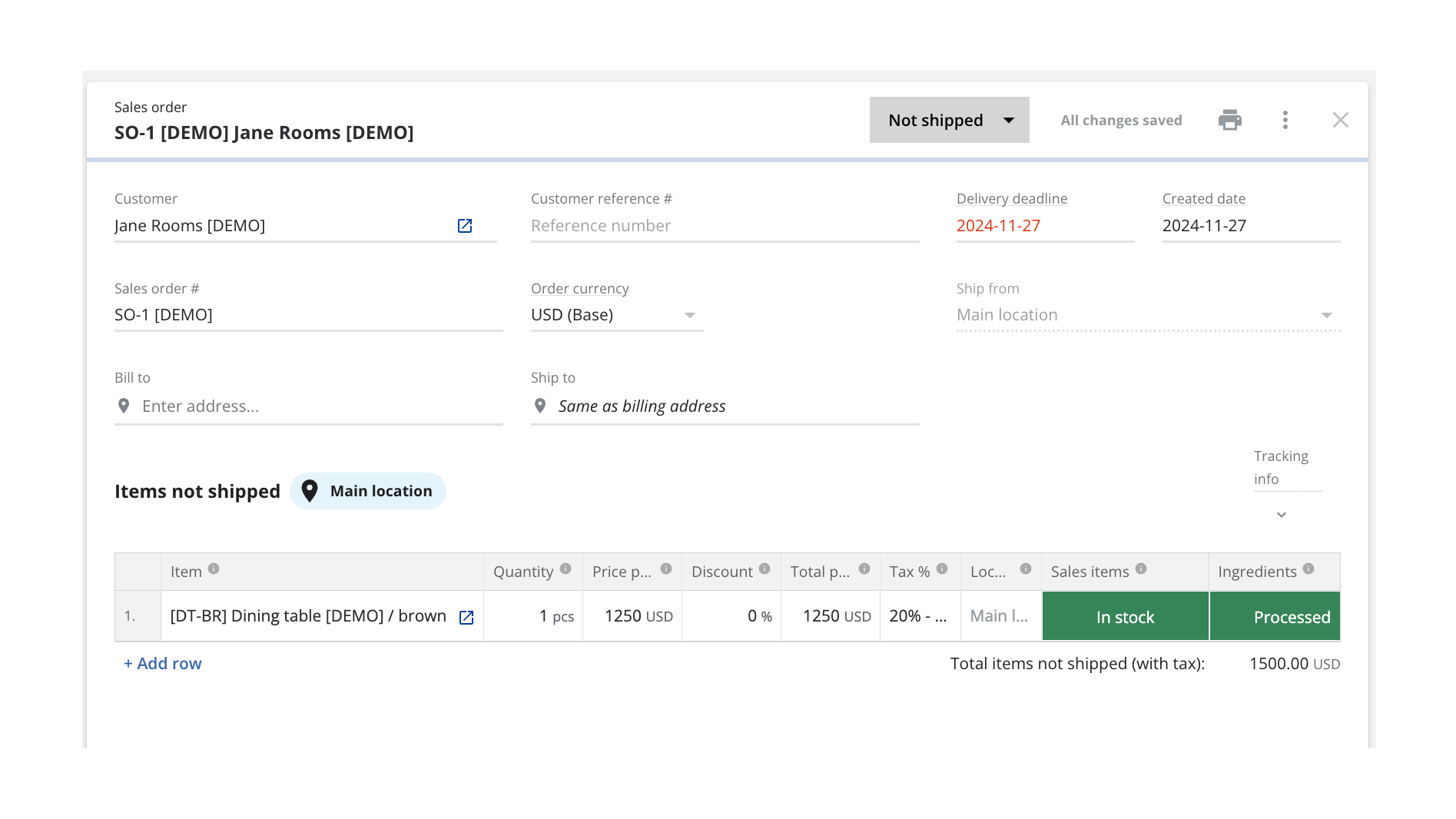
Turn HubSpot Deals into Katana Sales Orders
Once connected, Katana automatically pulls in deals currently in the configured pipeline stage from HubSpot and saves them as sales orders (SOs). You can configure which sales pipeline and deal stage will be used when sending deals over to be turned into SOs, and all future deals will be imported automatically when reaching that stage.
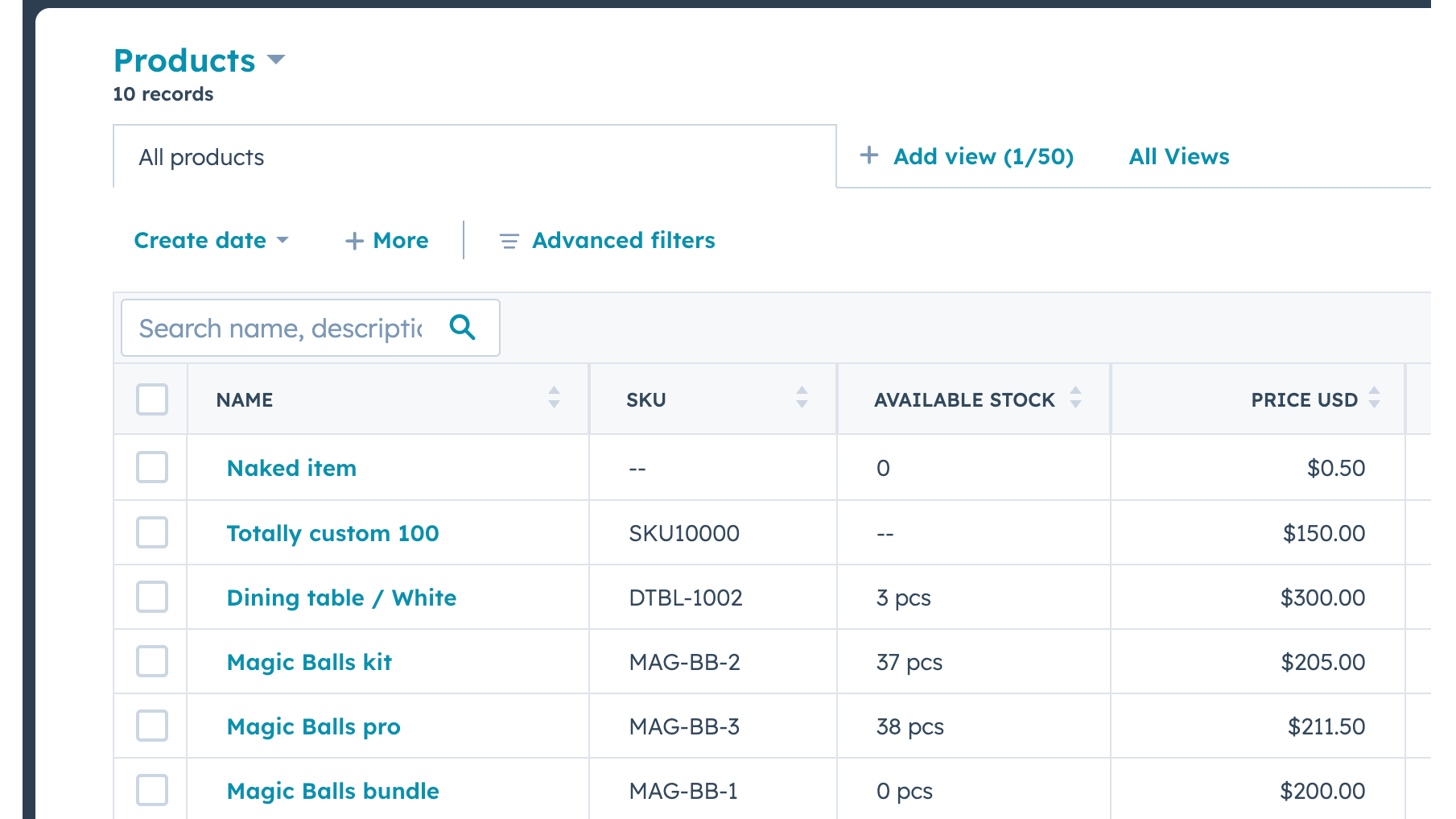
Send Real-time Inventory Levels from Katana to HubSpot
Data about product stock availability is pushed from Katana to HubSpot. Katana uses SKUs to match products on deal line items. A new item will be imported when there's no SKU and no other item with the same name.
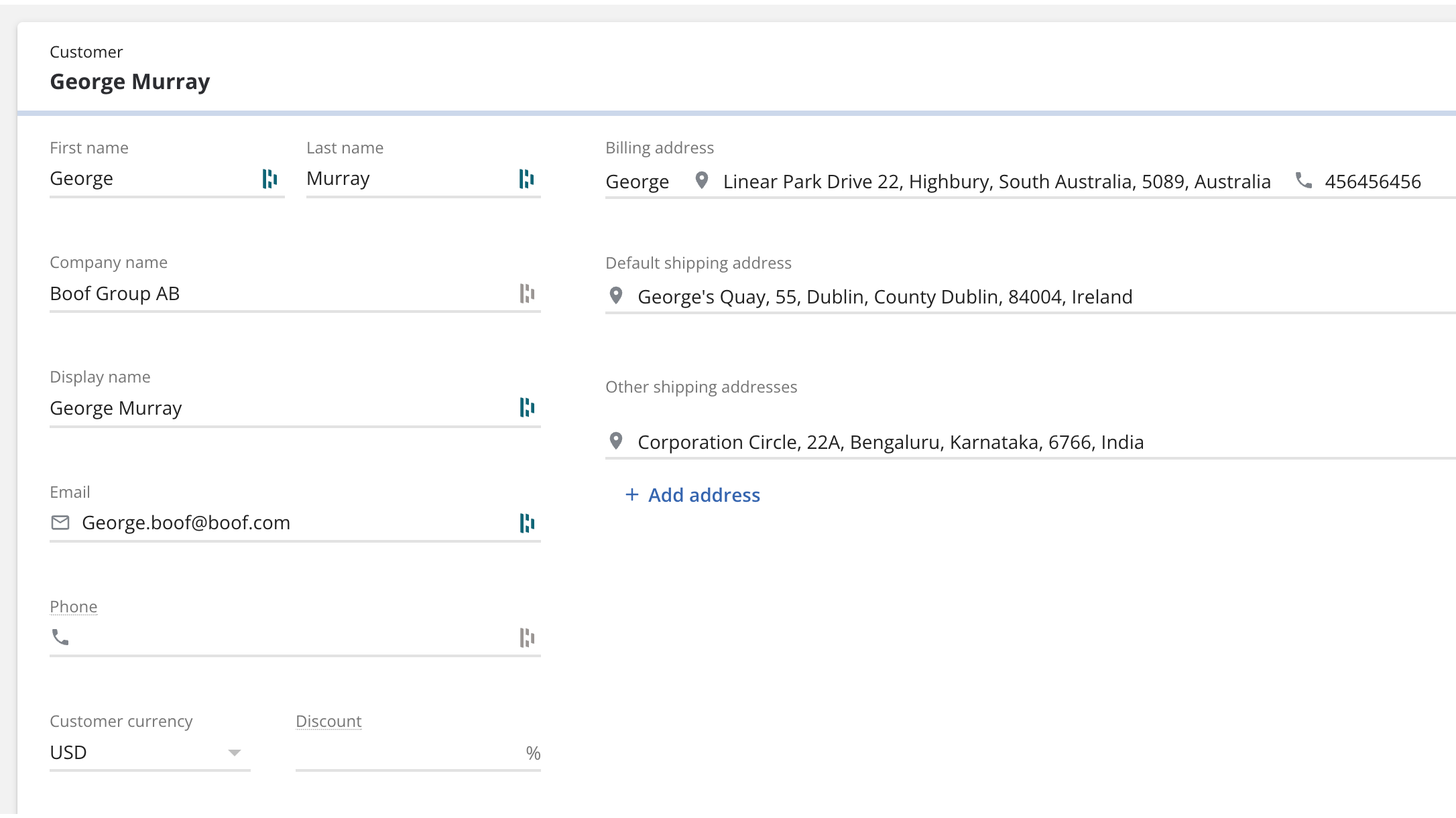
Bring contacts and companies from HubSpot to Katana
Information about your contacts and companies associated with deals will be automatically imported as customers in Katana to keep two systems in sync.
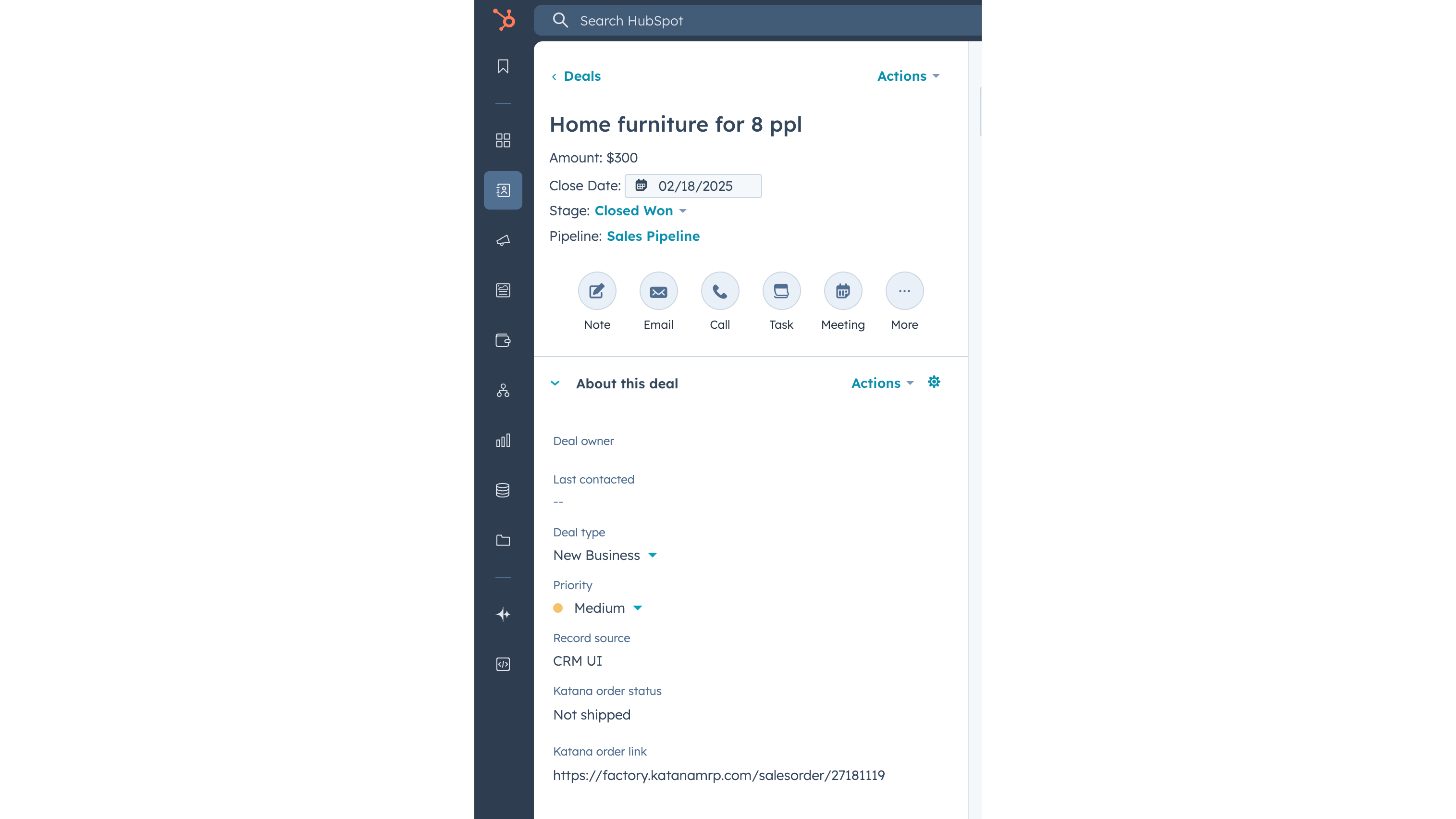
Update Katana sales order status info on a deal
When sales order has been created in Katana from the HubSpot deal, then Katana sends the order fulfillment status back to the deal, together with the link to the order Katana. When sales order status changes in Katana, for example to “Packed” or “Delivered”, then this information is automatically updated in HubSpot’s deal view.
Funzionalità dell'app
Dati condivisi
Customers | ||
Customers | ||
Sales orders | ||
Items | ||
Inventory level | ||
Sales order |
Recensioni
Free
0 USD
Explore all of Katana’s features with no upfront cost
Up to 30 SKUs
3 inventory locations
Free
0 USD
Explore all of Katana’s features with no upfront cost
Up to 30 SKUs
3 inventory locations
* I prezzi riportati sono a scopo informativo. I prezzi non includono tasse, incentivi, sconti o altre variabili. Contatta il partner per ricevere il tariffario aggiornato. HubSpot declina qualsiasi responsabilità circa le informazioni di prezzo fornite dai propri partner. Ultimo aggiornamento tariffario: 03/02/2026
Maggiori informazioni
Creazione di - Katana Cloud Inventory
Installazioni - PIù di 200 installazioni
Categorie Lingue in cui è disponibile questa app Inglese
Nuovi arrivi

AdvancedRollups
Crea le metriche aggregate di cui la tua azienda ha bisogno senza flussi di lavoro complessi né codice personalizzato.

Ingenious Pixies
Metti i tuoi dati nel giusto contesto confrontando le tue prestazioni con gli standard del settore
