

Katana Cloud Inventory
Utworzone przez - Katana Cloud Inventory
Instaluje - Ponad 200 instalacji
Wymagania
Plan HubSpot Uprawnienia konta HubSpot - Wyświetl wymagane uprawnienia konta
Typ dostępu Udostępniono Subskrypcja Katana Cloud Inventory - Free lub Core planu
Przegląd
1/4
Katana simplifies inventory management, empowering businesses to grow faster and meet sales demand with real-time insights, seamless integrations, and intuitive workflows for accurate forecasting and reporting.
Here's how Katana's HubSpot integration helps you:
Automate sales, inventory, and production data flows, allowing teams to see stock in real time.
Import HubSpot deals from selected pipelines and stages into Katana as Sales Orders, along with any related customer or product data.
Sync inventory levels directly to HubSpot by updating a new product property.
Unlock real-time data syncs and optimized resource management directly in HubSpot to handle increased order volumes and reduce stock issues.
Cechy
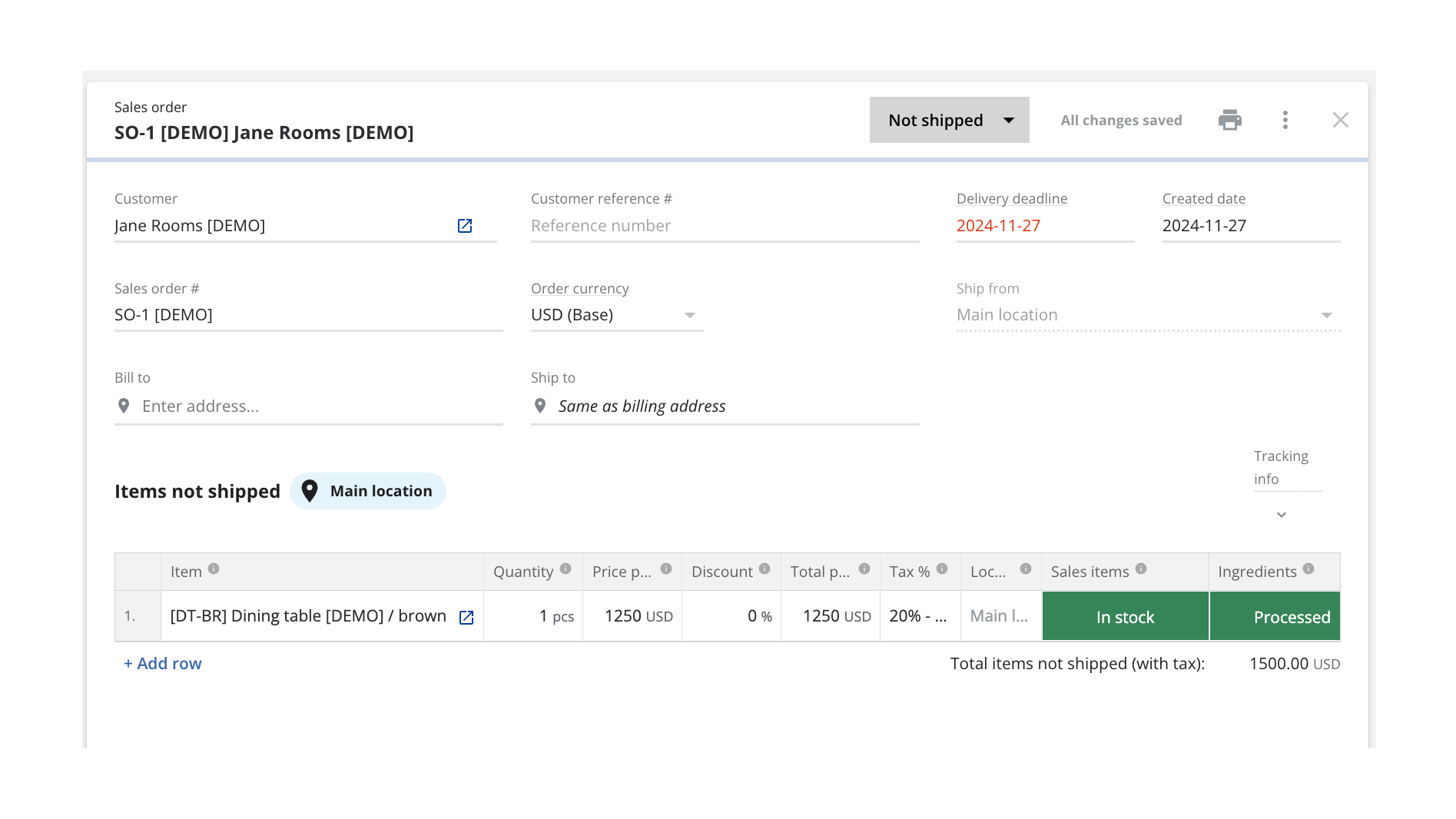
Turn HubSpot Deals into Katana Sales Orders
Once connected, Katana automatically pulls in deals currently in the configured pipeline stage from HubSpot and saves them as sales orders (SOs). You can configure which sales pipeline and deal stage will be used when sending deals over to be turned into SOs, and all future deals will be imported automatically when reaching that stage.
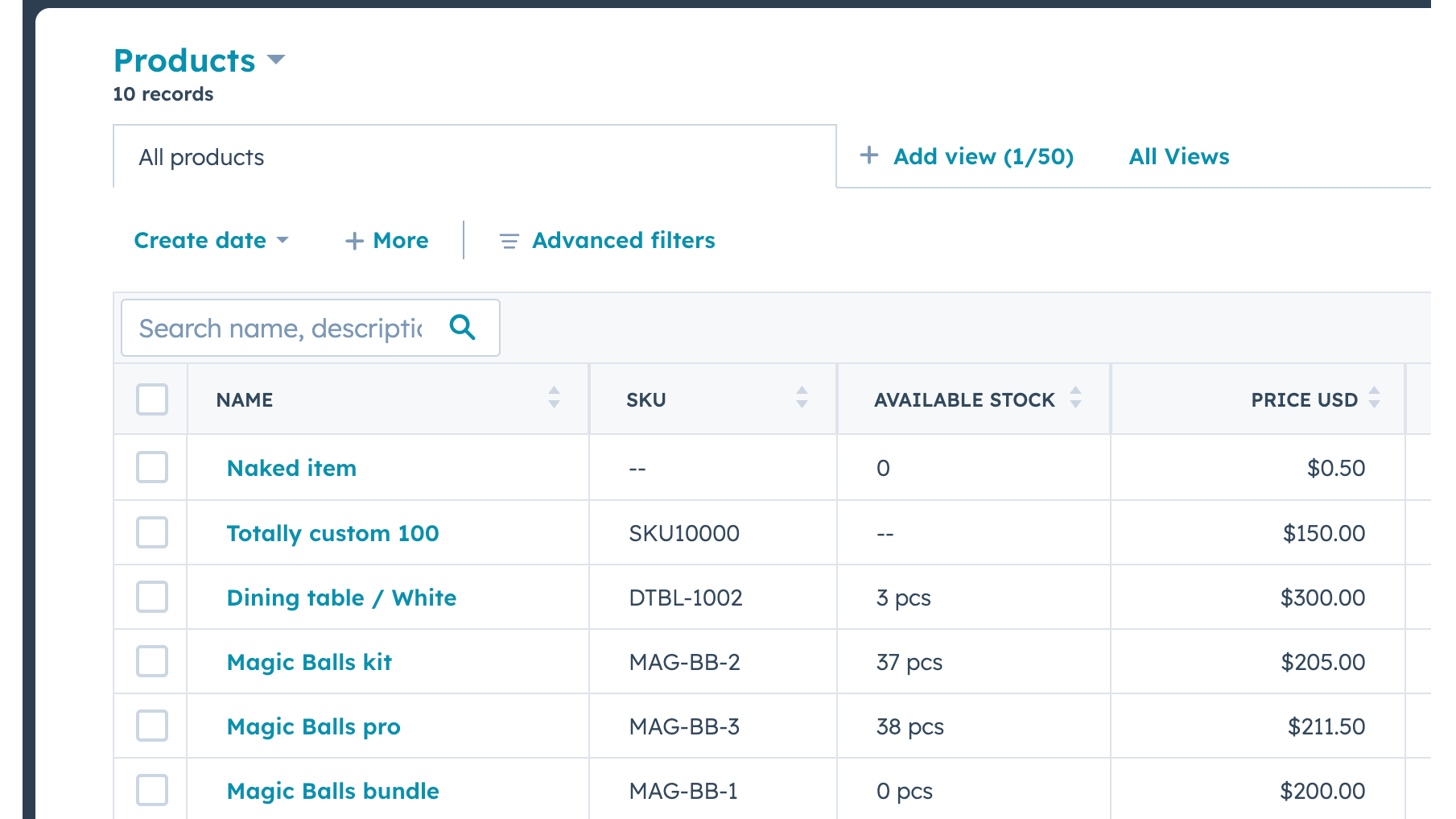
Send Real-time Inventory Levels from Katana to HubSpot
Data about product stock availability is pushed from Katana to HubSpot. Katana uses SKUs to match products on deal line items. A new item will be imported when there's no SKU and no other item with the same name.
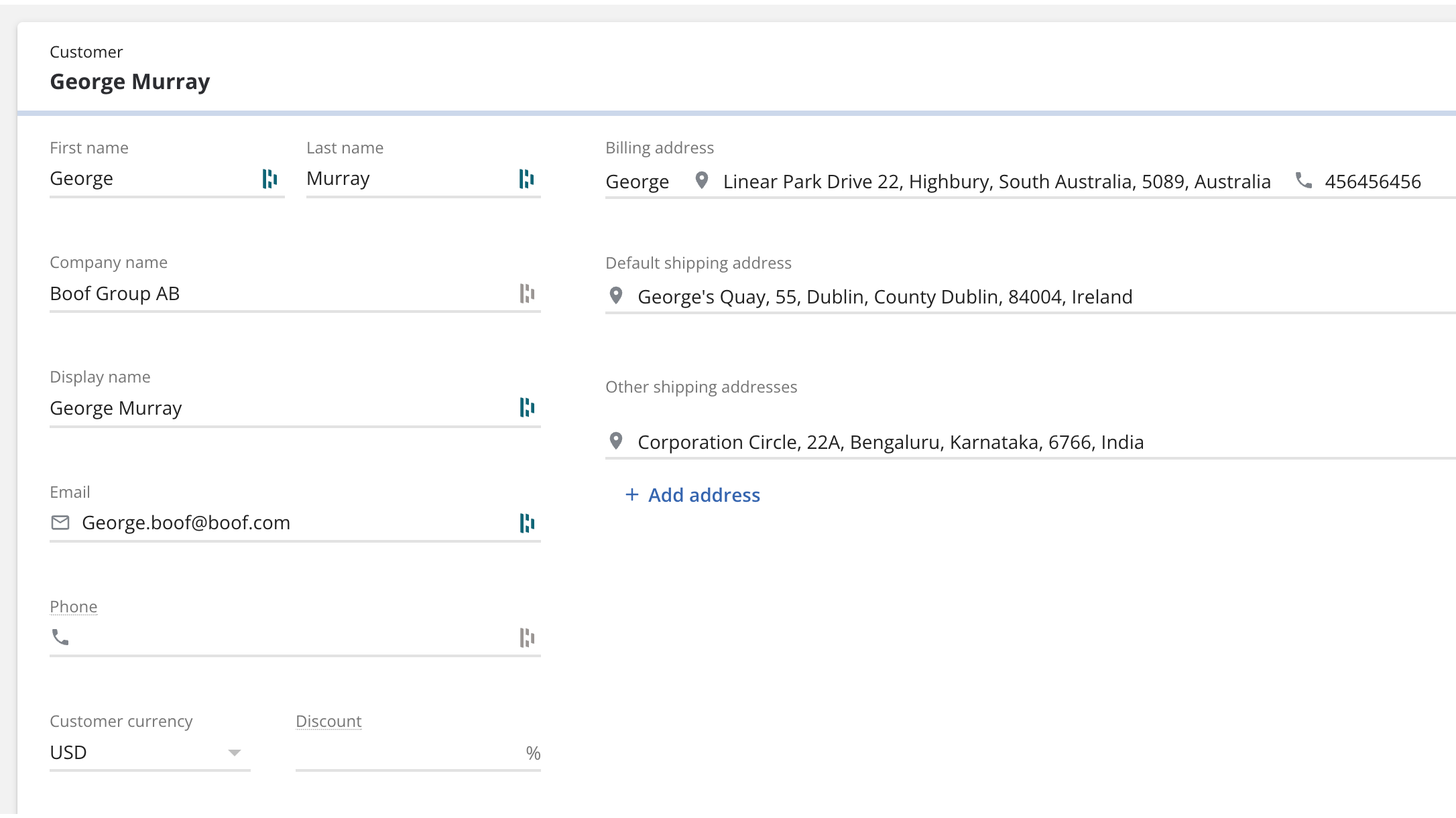
Bring contacts and companies from HubSpot to Katana
Information about your contacts and companies associated with deals will be automatically imported as customers in Katana to keep two systems in sync.
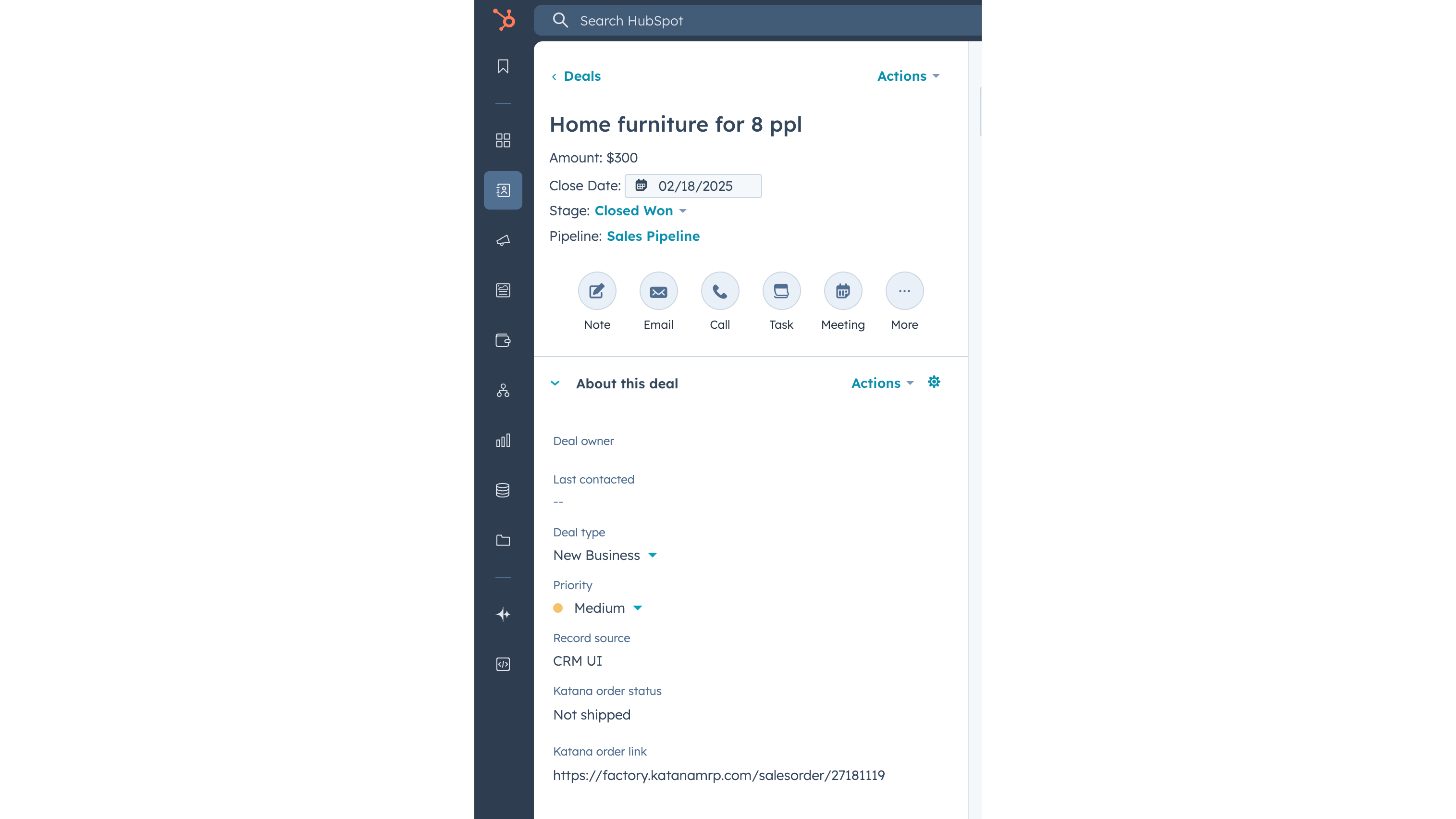
Update Katana sales order status info on a deal
When sales order has been created in Katana from the HubSpot deal, then Katana sends the order fulfillment status back to the deal, together with the link to the order Katana. When sales order status changes in Katana, for example to “Packed” or “Delivered”, then this information is automatically updated in HubSpot’s deal view.
Funkcjonalność aplikacji
Udostępnione dane
Customers | ||
Customers | ||
Sales orders | ||
Items | ||
Inventory level | ||
Sales order |
Recenzje
Free
0 USD
Explore all of Katana’s features with no upfront cost
Up to 30 SKUs
3 inventory locations
Free
0 USD
Explore all of Katana’s features with no upfront cost
Up to 30 SKUs
3 inventory locations
* Powyższe ceny zostały podane wyłącznie w celach informacyjnych. Nie zawierają one podatków, premii, zniżek lub innych zmiennych cenowych. Skontaktuj się z partnerem w celu uzyskania najbardziej aktualnych i poprawnych informacji o cenach. HubSpot nie ponosi żadnej odpowiedzialności za informacje cenowe, które są dostarczane przez naszych partnerów. Ostatnia aktualizacja cen: 03.02.2026
Więcej informacji
Utworzone przez - Katana Cloud Inventory
Instaluje - Ponad 200 instalacji
Kategorie Języki, w których dostępna jest ta aplikacja Angielski
Nowości

AdvancedRollups
Twórz wskaźniki zbiorcze dostosowane do potrzeb Twojej firmy bez skomplikowanych procesów i kodu niestandardowego.

Ingenious Pixies
Umieść swoje dane w odpowiednim kontekście, porównując wyniki swojej firmy ze standardami branżowymi
