

Katana Cloud Inventory
Criado por - Katana Cloud Inventory
Instalações - mais de 200 instalações
Requisitos
Plano da HubSpot Permissões da conta da HubSpot - Ver permissões de conta necessárias
Tipo de acesso Compartilhado Assinatura Katana Cloud Inventory - Free ou Core planos
Visão geral
1/4
Katana simplifies inventory management, empowering businesses to grow faster and meet sales demand with real-time insights, seamless integrations, and intuitive workflows for accurate forecasting and reporting.
Here's how Katana's HubSpot integration helps you:
Automate sales, inventory, and production data flows, allowing teams to see stock in real time.
Import HubSpot deals from selected pipelines and stages into Katana as Sales Orders, along with any related customer or product data.
Sync inventory levels directly to HubSpot by updating a new product property.
Unlock real-time data syncs and optimized resource management directly in HubSpot to handle increased order volumes and reduce stock issues.
Recursos
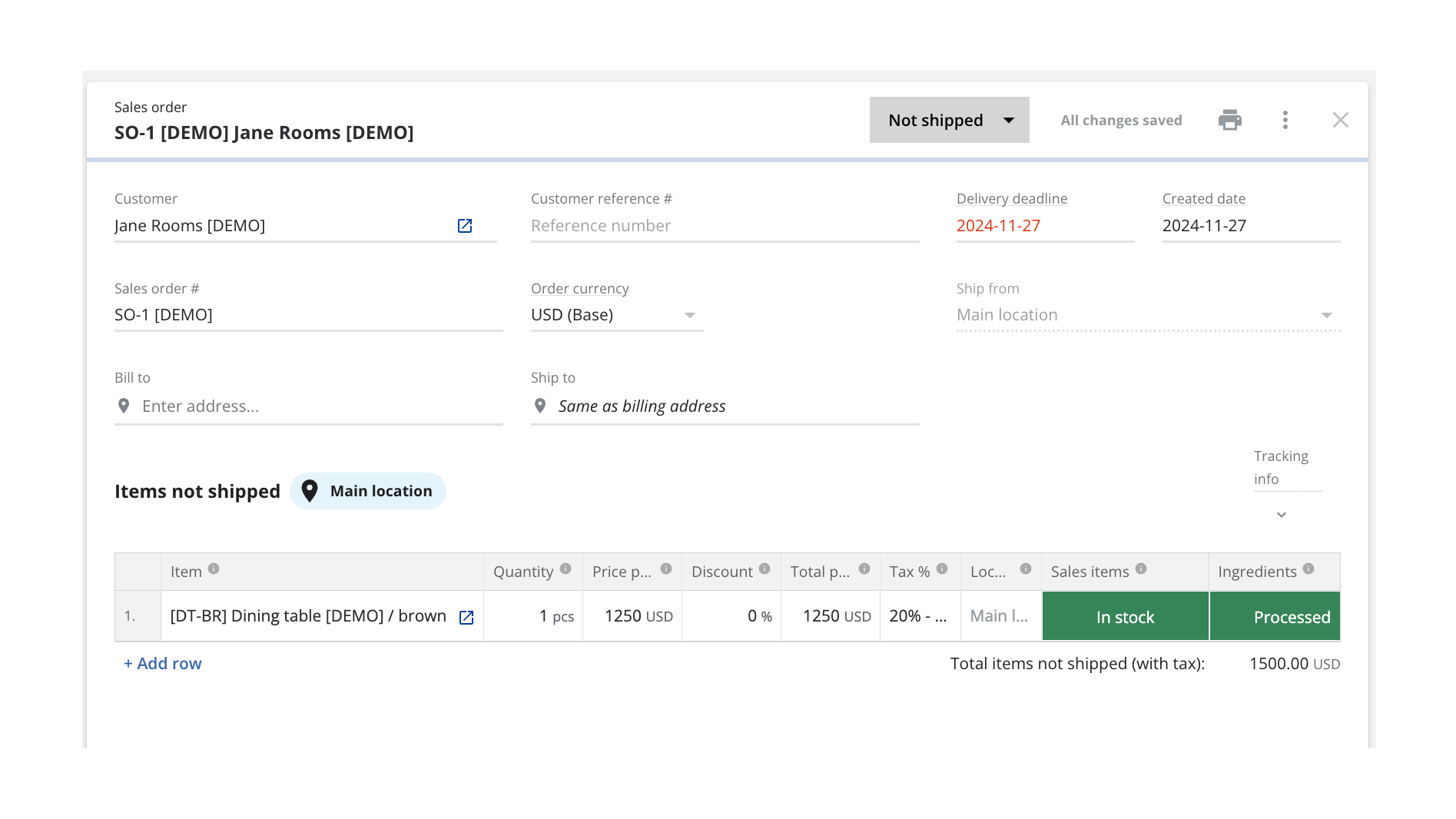
Turn HubSpot Deals into Katana Sales Orders
Once connected, Katana automatically pulls in deals currently in the configured pipeline stage from HubSpot and saves them as sales orders (SOs). You can configure which sales pipeline and deal stage will be used when sending deals over to be turned into SOs, and all future deals will be imported automatically when reaching that stage.
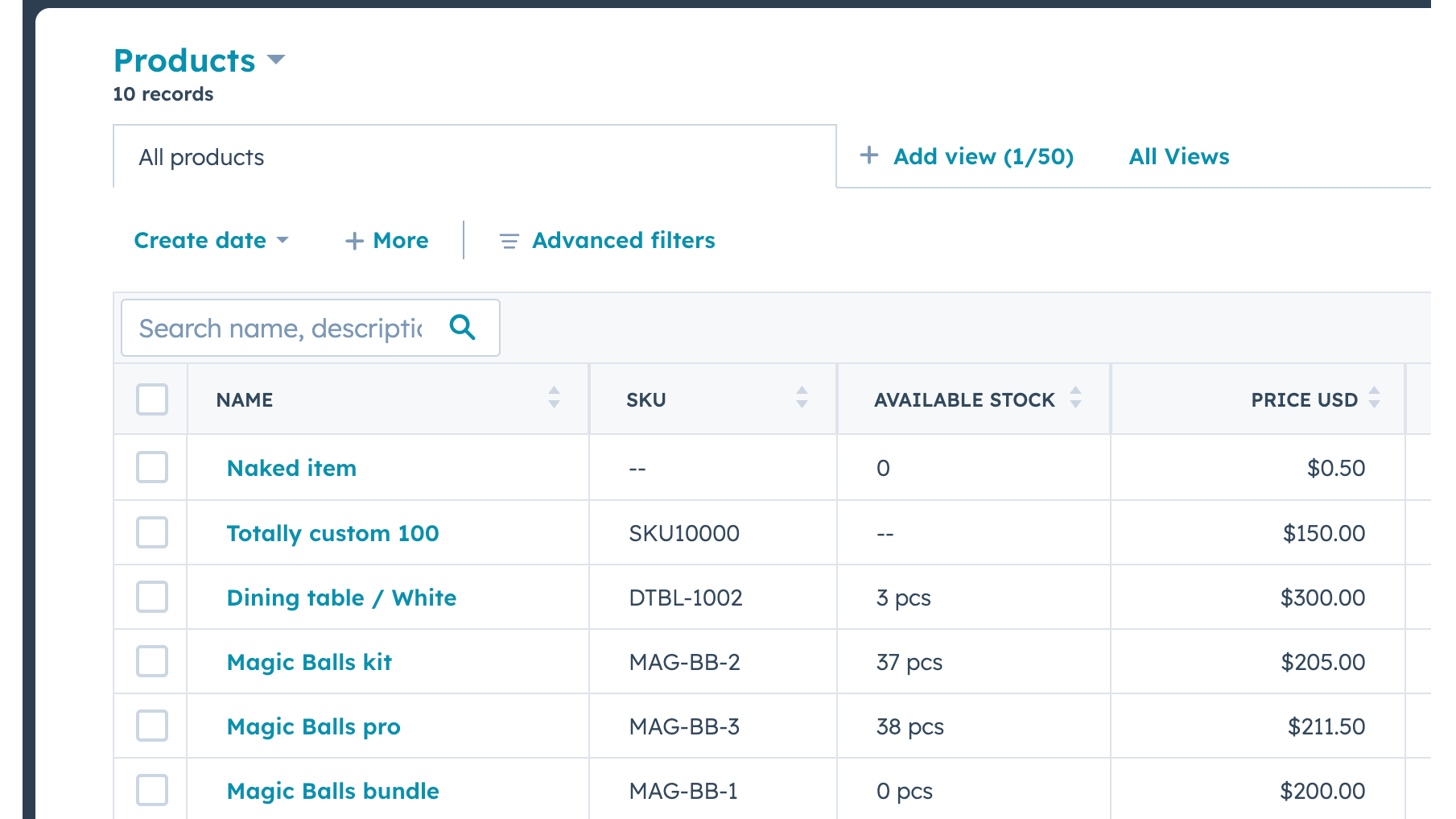
Send Real-time Inventory Levels from Katana to HubSpot
Data about product stock availability is pushed from Katana to HubSpot. Katana uses SKUs to match products on deal line items. A new item will be imported when there's no SKU and no other item with the same name.
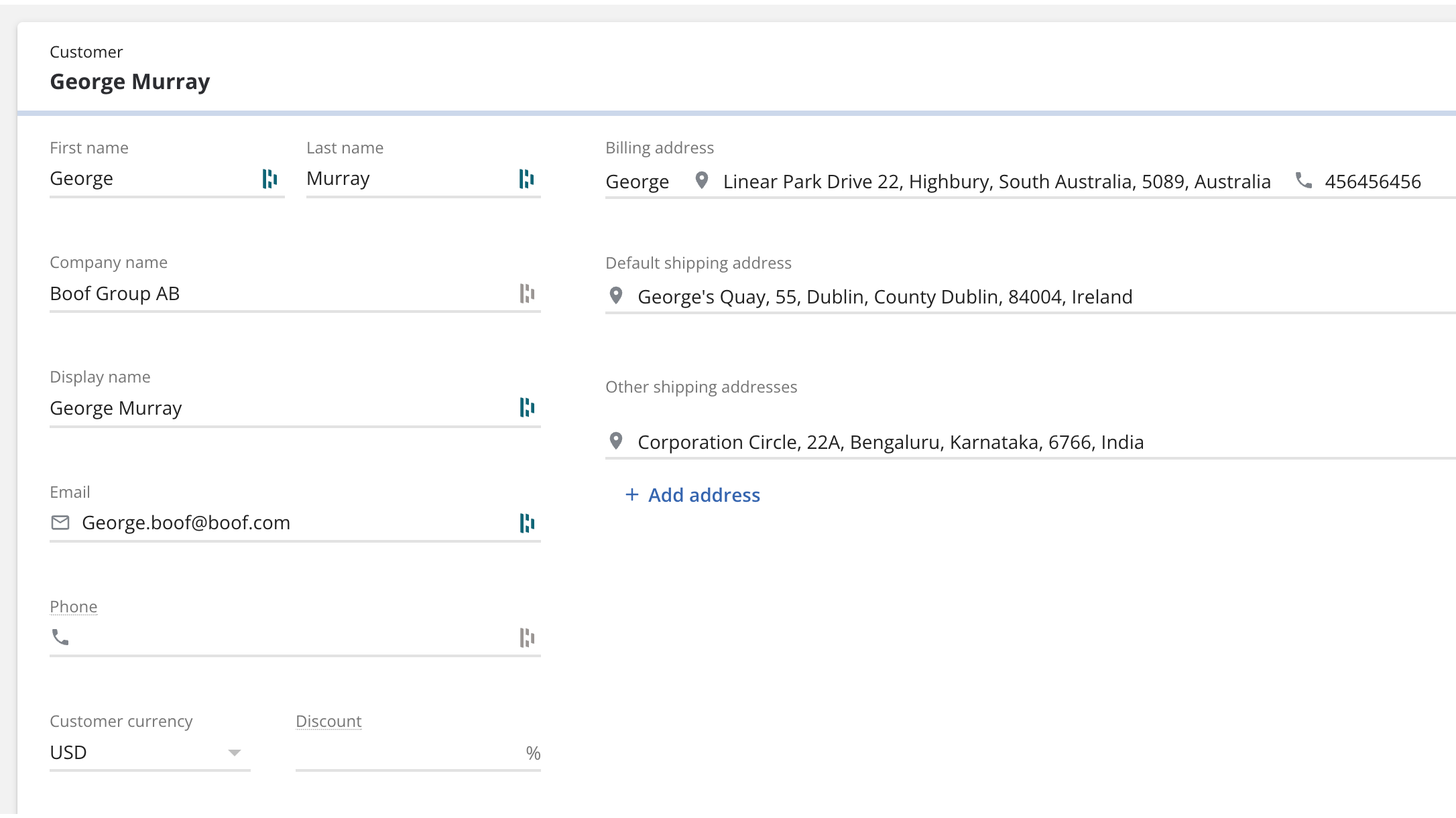
Bring contacts and companies from HubSpot to Katana
Information about your contacts and companies associated with deals will be automatically imported as customers in Katana to keep two systems in sync.
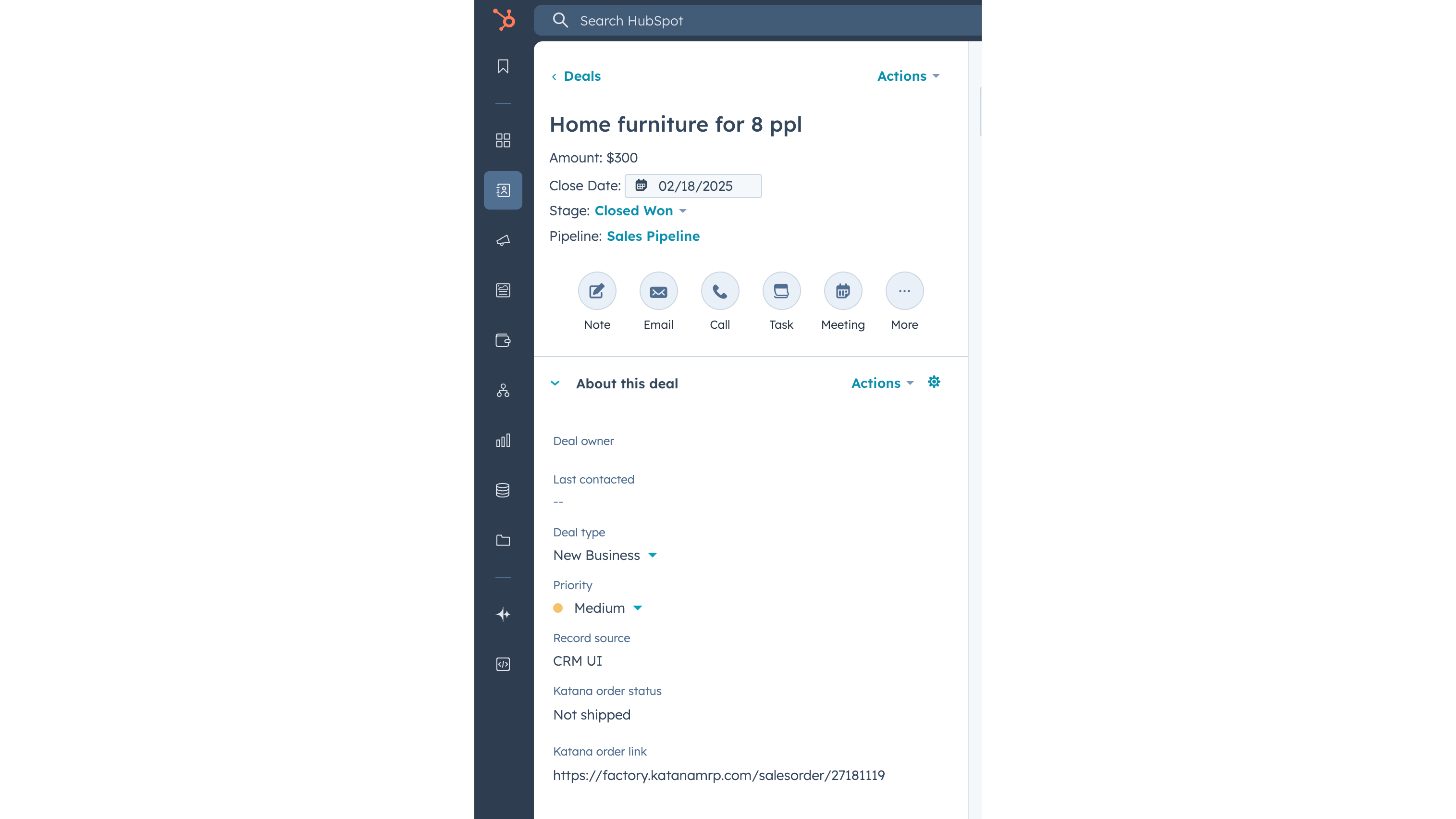
Update Katana sales order status info on a deal
When sales order has been created in Katana from the HubSpot deal, then Katana sends the order fulfillment status back to the deal, together with the link to the order Katana. When sales order status changes in Katana, for example to “Packed” or “Delivered”, then this information is automatically updated in HubSpot’s deal view.
Funcionalidade do aplicativo
Dados compartilhados
Customers | ||
Customers | ||
Sales orders | ||
Items | ||
Inventory level | ||
Sales order |
Avaliações
Free
US$ 0
Explore all of Katana’s features with no upfront cost
Up to 30 SKUs
3 inventory locations
Free
US$ 0
Explore all of Katana’s features with no upfront cost
Up to 30 SKUs
3 inventory locations
* O preço aqui é apenas para fins de exibição. Todos os preços não incluem impostos, incentivos, descontos ou outras variáveis de preços. Você deve entrar em contato com o parceiro para obter informações mais atualizadas e precisas. A HubSpot não se responsabiliza por essas informações de preços, que são fornecidas pelos nossos parceiros. Preços atualizados pela última vez: 03/02/2026
Mais informações
Criado por - Katana Cloud Inventory
Instalações - mais de 200 instalações
Categorias Idiomas nos quais este aplicativo está disponível Inglês
New arrivals

AdvancedRollups
Create the rollup metrics your business needs without complex workflows or custom code.

Ingenious Pixies
Contextualize your data by comparing your performance against industry standards
