

QuickBooks Online
Requisiti
Piano HubSpot Autorizzazioni dell'account HubSpot Nessuna autorizzazione richiesta Tipo di accesso Condiviso Abbonamento QuickBooks Online - Piani Inizio semplice, Elementi fondamentali, Inoltre o Avanzato
Panoramica

1/6 - Connect tools to sync data bidirectionally
L'integrazione di HubSpot con QuickBooks Online ti consente di collegare i dati tra i vari strumenti per ottenere una visione completa del cliente, semplificare il processo di fatturazione e pagamento e mantenere una contabilità accurata.
Sincronizza i dati tra HubSpot e QuickBooks Online con pochi clic
Sincronizza fatture, contatti/clienti e prodotti in modo bidirezionale tra HubSpot e QuickBooks Online. Che le fatture, i clienti, i prodotti o i pagamenti vengano creati in HubSpot o in QuickBooks Online, l’integrazione offre una visione completa del cliente in HubSpot. I dati sincronizzati possono essere utilizzati per generare report, attivare flussi automatizzati o semplicemente essere visualizzati dagli utenti con le autorizzazioni appropriate, senza mai dover uscire da HubSpot.
Sei tu a decidere quali dati sincronizzare e in quale direzione. La sincronizzazione avviene a intervalli regolari, ma puoi anche eseguire la sincronizzazione su richiesta quando desideri gli aggiornamenti più recenti. I report sullo stato dell’integrazione e gli avvisi identificano i record la cui sincronizzazione non è andata a buon fine e forniscono consigli utili su come risolvere gli errori di sincronizzazione.
Semplifica il tuo processo di fatturazione e mantieni aggiornato QuickBooks Online
Revenue Hub offre funzionalità quali Preventivi, Fatture, Abbonamenti e Link di pagamento per emettere fatture e riscuotere i pagamenti. Puoi creare fatture da zero oppure convertire Preventivi o Opportunità in Fatture o Abbonamenti, il tutto all’interno di HubSpot. La sincronizzazione bidirezionale delle fatture creerà le fatture di HubSpot in QuickBooks Online e i pagamenti verranno sincronizzati automaticamente.
Consenti al tuo front-office di inviare fatture e sollecitare i pagamenti, così che il reparto contabilità possa concentrarsi su ciò che ama: gestire la salute finanziaria dell’azienda.
Funzionalità
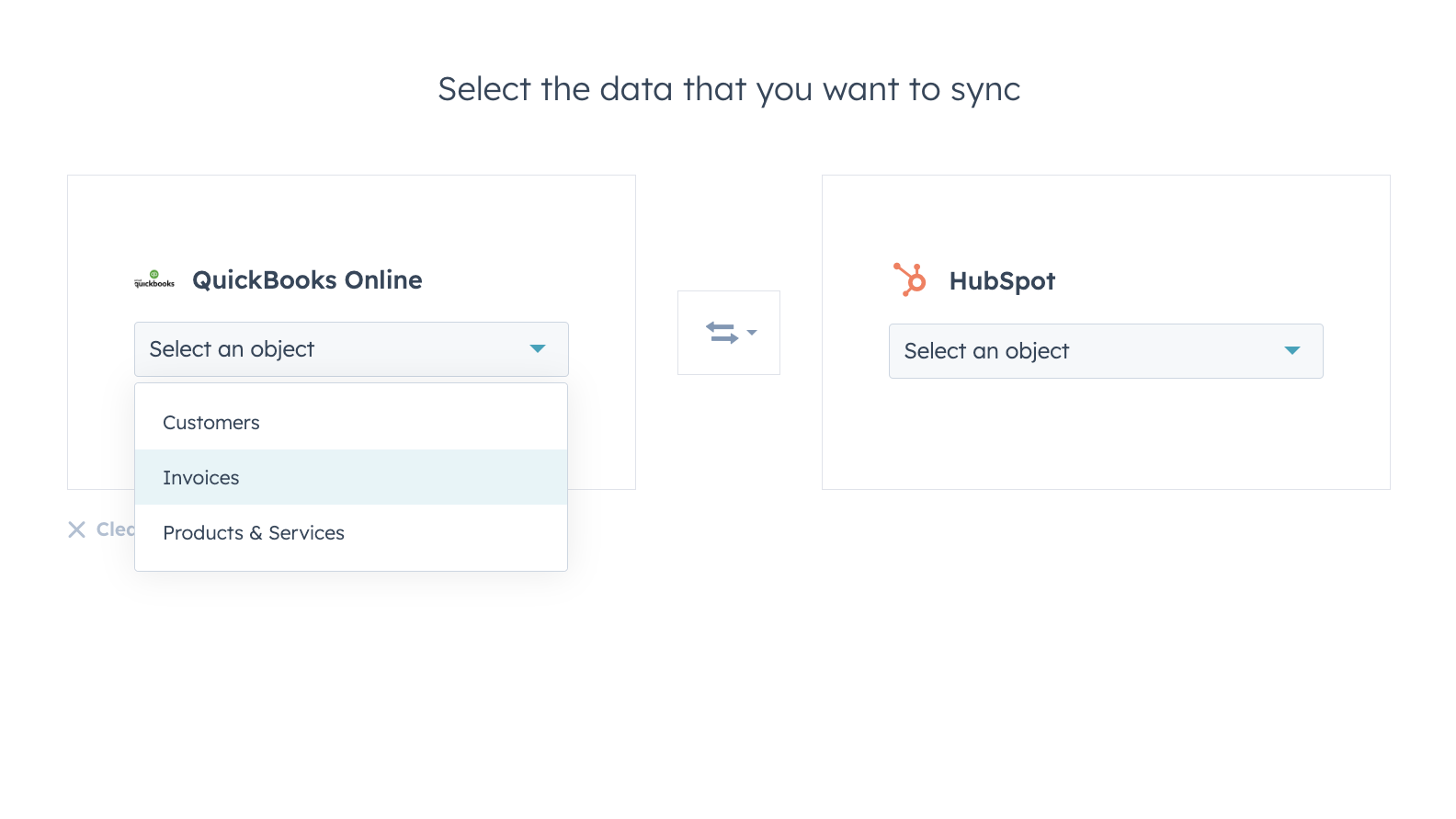
Sincronizza i dati tra HubSpot e QuickBooks Online in tutta sicurezza
I contatti, le fatture e i prodotti possono essere sincronizzati con HubSpot, da HubSpot o in entrambe le direzioni. I filtri di sincronizzazione dell’integrazione ti offrono il pieno controllo su cosa, quando e come i tuoi dati vengono sincronizzati tra HubSpot e QuickBooks Online.
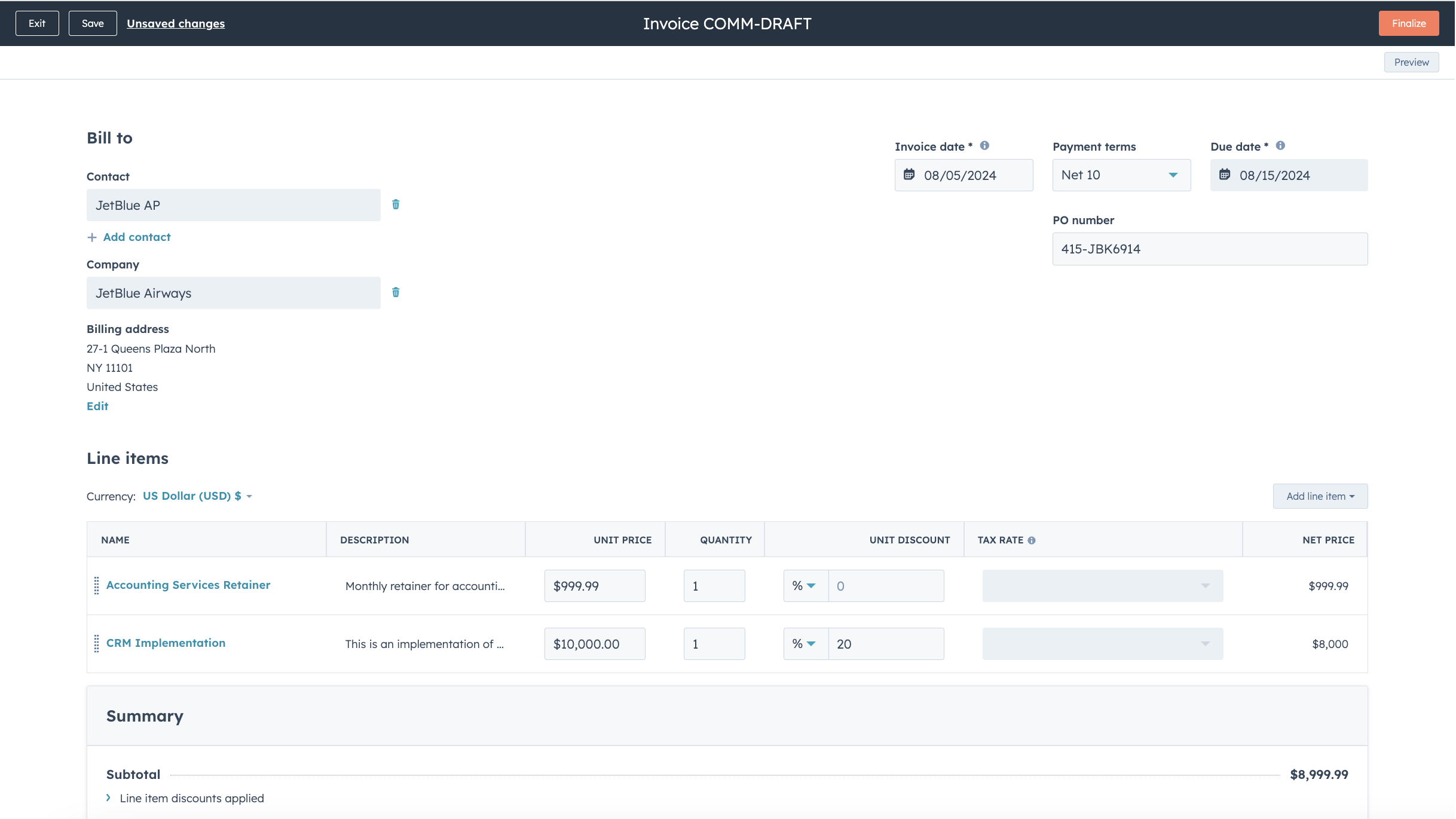
Semplifica il processo di fatturazione e mantieni aggiornato QuickBooks Online
Trasforma preventivi e offerte in fatture e abbonamenti con pochi clic, oppure crea fatture da zero, velocizzando il processo di fatturazione. Le fatture emesse vengono sincronizzate con QuickBooks Online e aggiornate con i pagamenti quando questi vengono effettuati tramite HubSpot o quando vengono registrati in QuickBooks Online.
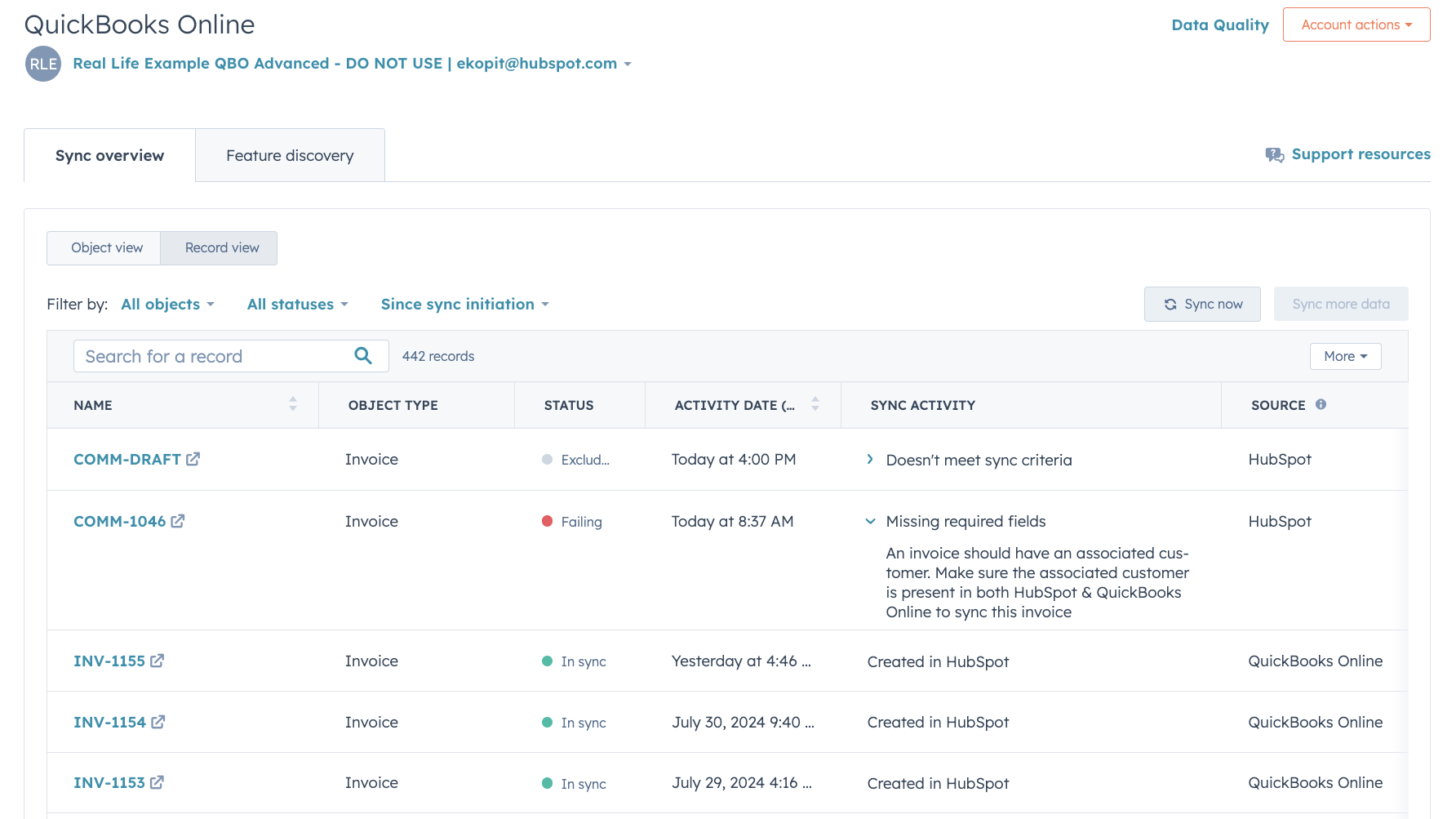
Report dettagliati sullo stato della sincronizzazione e risoluzione degli errori
I report approfonditi sullo stato della sincronizzazione ti aiutano a identificare in tempo reale quali record sono in fase di sincronizzazione e come risolvere rapidamente gli errori di sincronizzazione.
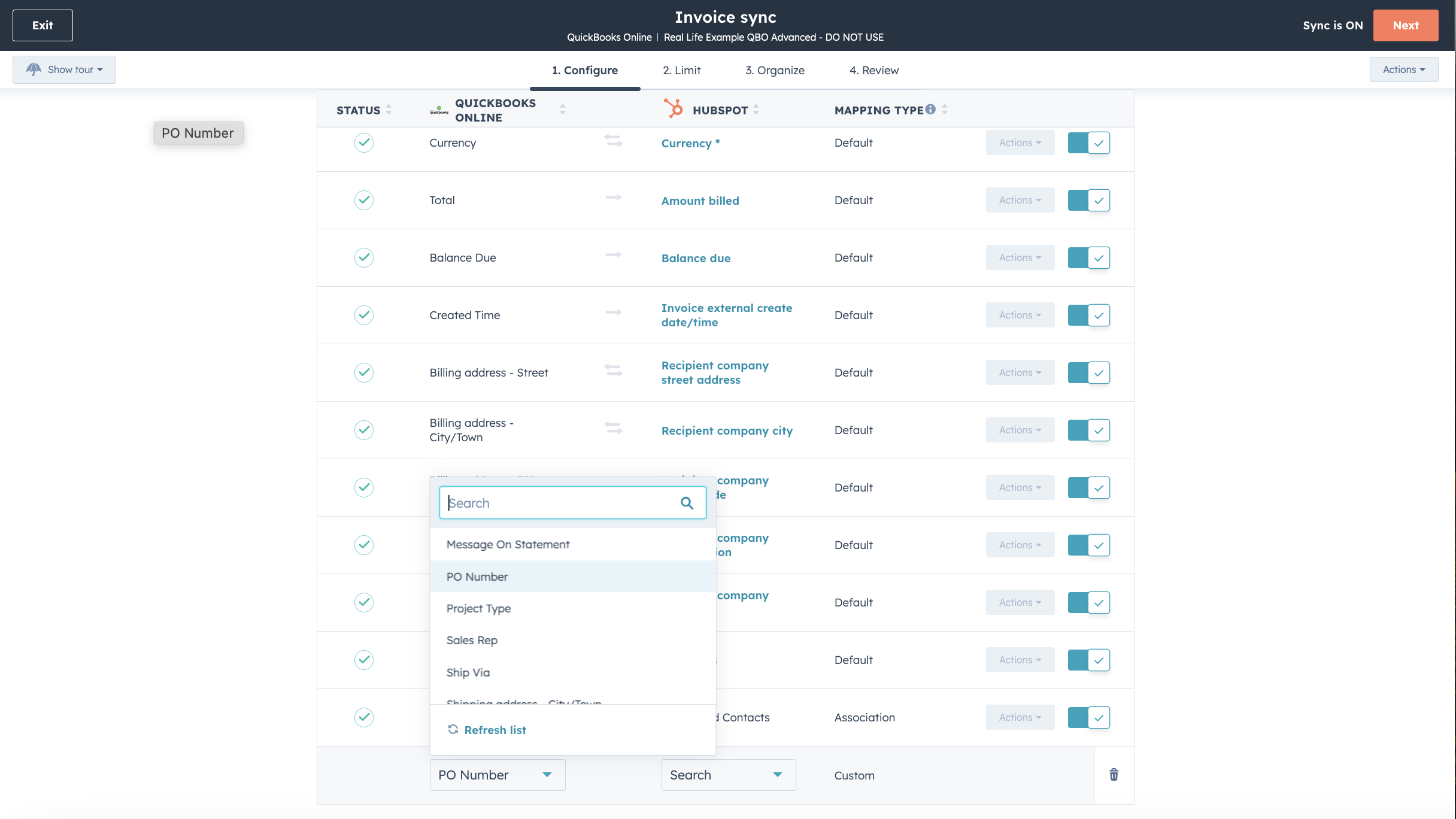
Personalizza le mappature dei campi
Con Operations Hub Starter o versioni successive, puoi personalizzare le mappature dei campi di sincronizzazione relativi a fatture, contatti o prodotti per adattarle meglio al tuo modello di dati.

Funziona con Data Studio in Data Hub
Progettato per i professionisti del marketing, Data Studio in Data Hub consente a chiunque di integrare i dati in un’interfaccia intuitiva, simile a un foglio di calcolo, con l’aiuto dell’intelligenza artificiale. Crea set di dati personalizzati che consentono segmentazioni avanzate, automazione e reportistica. Puoi inoltre gestire facilmente il flusso di dati tra più fonti esterne, tra cui Stripe e il CRM di HubSpot
Funzionalità dell'app
Dati condivisi
Ogni oggetto dispone di mappature dei campi che mettono in corrispondenza le informazioni tra HubSpot e QuickBooks Online. Di seguito sono elencate le mappature predefinite. Per modificare le mappature predefinite è necessario disporre di Operations Hub Starter o di una versione superiore. QuickBooks Online offre un supporto limitato ai campi personalizzati nella propria API (massimo 3, solo sulle fatture).
Customers | ||
Invoices | ||
Products & Services | ||
Quickbooks Online data |
Recensioni
2,1
101
2,1
101
Sebbene gli utenti segnalino funzionalità di sincronizzazione bidirezionale limitate e la presenza di record duplicati, alcuni apprezzano la possibilità di visualizzare direttamente le fatture e monitorare i pagamenti. Alcuni ritengono che l'integrazione sia utile per organizzare i dati di vendita, mentre altri segnalano difficoltà di mappatura e la mancanza di supporto fiscale per i conti internazionali.
- 27 giu 2026
Problemi relativi alla sincronizzazione delle fatture da HubSpot a QuickBooks. Tuttavia, le fatture possono essere sincronizzate da HB a QB solo se sono state pagate, e precisamente in una data e un'ora specifiche.
Facile da integrare
Krish, A.
Inizio semplice
35 USD
/meseTieni traccia delle entrate e delle uscite
Acquisizione e organizzazione delle ricevute
Ottimizzare le detrazioni fiscali
Emettere fatture e accettare pagamenti
Miglia percorse
Invia preventivi
Monitoraggio delle vendite e dell'imposta sulle vendite
Gestire i collaboratori con modulo 1099
Eseguire report generali
Inizio semplice
35 USD
/meseTieni traccia delle entrate e delle uscite
Acquisizione e organizzazione delle ricevute
Ottimizzare le detrazioni fiscali
Emettere fatture e accettare pagamenti
Miglia percorse
Invia preventivi
Monitoraggio delle vendite e dell'imposta sulle vendite
Gestire i collaboratori con modulo 1099
Eseguire report generali
* I prezzi riportati sono a scopo informativo. I prezzi non includono tasse, incentivi, sconti o altre variabili. Contatta il partner per ricevere il tariffario aggiornato. HubSpot declina qualsiasi responsabilità circa le informazioni di prezzo fornite dai propri partner. Ultimo aggiornamento tariffario: 01/07/2026
Maggiori informazioni
Creazione di - HubSpot
Installazioni - 14.900 installazioni
Categorie Lingue in cui è disponibile questa app Cinese ,Francese ,Inglese ,Italiano eSpagnolo