

timetoreply
インストール数 - 20件以上のインストール
必要な条件
HubSpotエディション HubSpotアカウント権限 - 必要なアカウント権限を表示
アクセス権のタイプ 共有 timetoreplyの契約内容 - プラン:Success Plan (price per mailbox)、またはSales Plan (price per mailbox per month)
概要
1/8
Advanced email analytics for day-to-day business email.
Email reply time tracking and average email reply time stats for individual and shared mailboxes.
Real-time alerts for any emails that have not received a response after a certain threshold that you set.
Customer report (by domain or email address) showing you your team's email peformances per customer email or domain including average reply times, emails received, emails sent, awaiting a customer reply, completed.
Users should use timetoreply and integrate HubSpot so that they can do the following:
1. Sync HubSpot contacts with timetoreply to automatically create and update Customer Groups that can be used to filter data in timetoreply.
2. Create real-time alerts for HubSpot contacts that meet certain criteria to ensure that no email goes unanswered or takes too long to get a reply.
3. Create a task in HubSpot should an alert fire in timetoreply for an email that has missed its response time deadline.
機能

Sync email analytics and reply time data from timetoreply to HubSpot
timetoreply tracks avg. email reply times and other day to day business email metrics that can be synced back into HubSpot on a per contact basis so that this data can be used in HubSpot workflows to improve responsiveness and reduce churn.
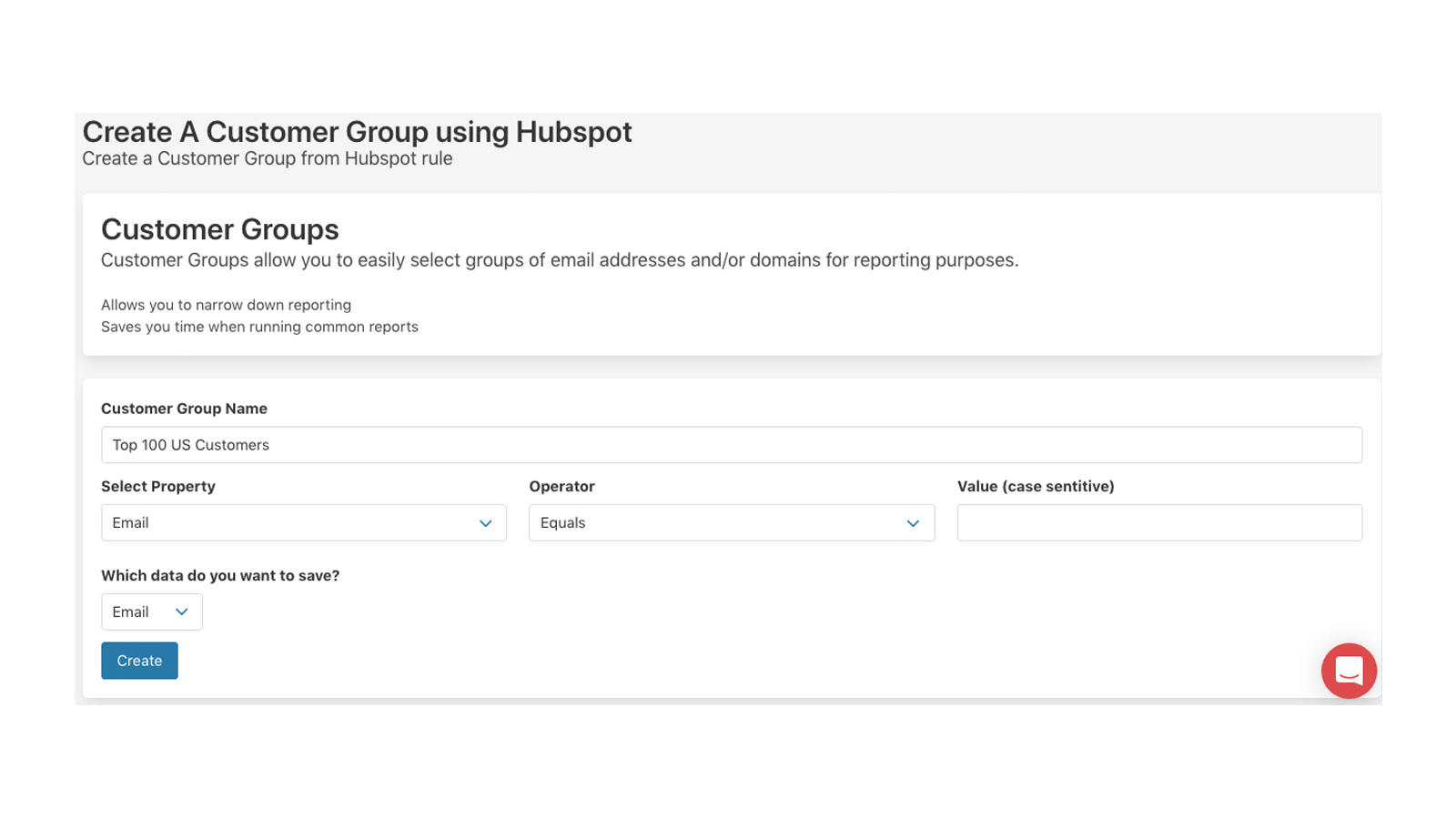
Create Customer Groups in timetoreply using HubSpot Contacts data
Create Customer Groups in timetoreply that can be used for reporting and real-time email alerts. See how well (or badly) you are responding to your key customers on day to day email. By syncing HubSpot with timetoreply your customer group filters will always be up to date and inline with your HubSpot data.
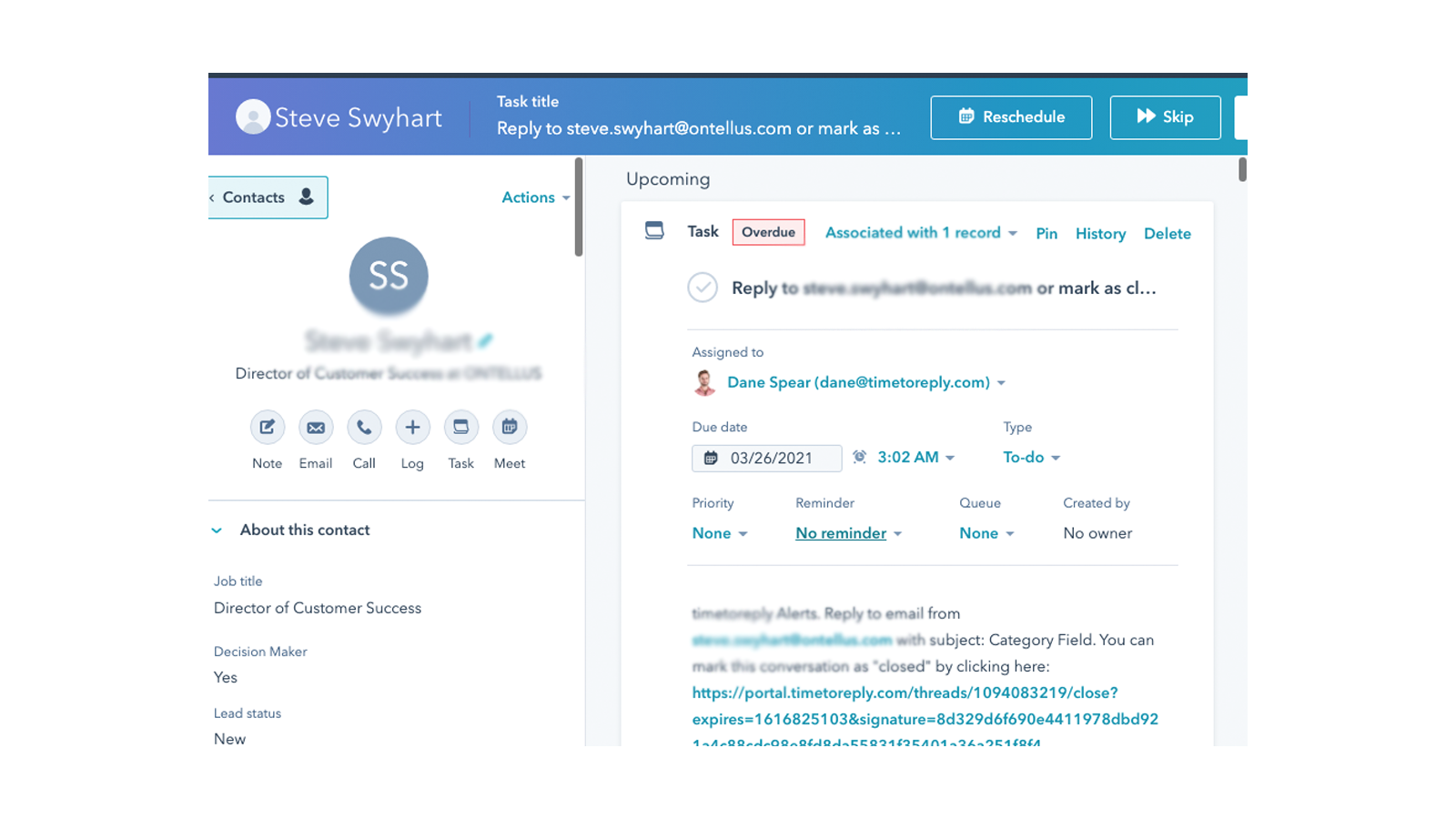
Create a task in HubSpot when a real-time email alert fires
timetoreply allows it's customers to create alerts for when specific emails have not received a reply after X amount of time. When this occurs timetoreply sends out an email alert, but if you link HubSpot and timetoreply you can choose to create a task in HubSpot for the agent responsible to respond to the email.
アプリ機能
共有されるデータ
Email metrics | ||
Customer Groups |
確認
価格
Success Plan (price per mailbox)
$15
/月For customer facing teams that want to provide great service
0Success Plan (price per mailbox)
$15
/月For customer facing teams that want to provide great service
0* こちらの価格は参考表示価格です。どの価格にも税、インセンティブ、値引など、価格に関する変動要素は含まれていません。価格に関する正確な最新情報については、この提供元パートナーまでお問い合わせください。HubSpotは、パートナー各社が提供する価格情報について一切の責任を負わないものとします。価格の最終更新:2025/08/09