

timetoreply
Gemaakt door - Timetoreply Limited
Installaties - 20+ installaties
Vereisten
HubSpot-abonnement HubSpot-accountmachtigingen - Bekijk de vereiste accountmachtigingen
Toegangstype Gedeeld timetoreply-abonnement - Success Plan (price per mailbox) of Sales Plan (price per mailbox per month) plannen
Overzicht
1/8
Advanced email analytics for day-to-day business email.
Email reply time tracking and average email reply time stats for individual and shared mailboxes.
Real-time alerts for any emails that have not received a response after a certain threshold that you set.
Customer report (by domain or email address) showing you your team's email peformances per customer email or domain including average reply times, emails received, emails sent, awaiting a customer reply, completed.
Users should use timetoreply and integrate HubSpot so that they can do the following:
1. Sync HubSpot contacts with timetoreply to automatically create and update Customer Groups that can be used to filter data in timetoreply.
2. Create real-time alerts for HubSpot contacts that meet certain criteria to ensure that no email goes unanswered or takes too long to get a reply.
3. Create a task in HubSpot should an alert fire in timetoreply for an email that has missed its response time deadline.
Functies

Sync email analytics and reply time data from timetoreply to HubSpot
timetoreply tracks avg. email reply times and other day to day business email metrics that can be synced back into HubSpot on a per contact basis so that this data can be used in HubSpot workflows to improve responsiveness and reduce churn.
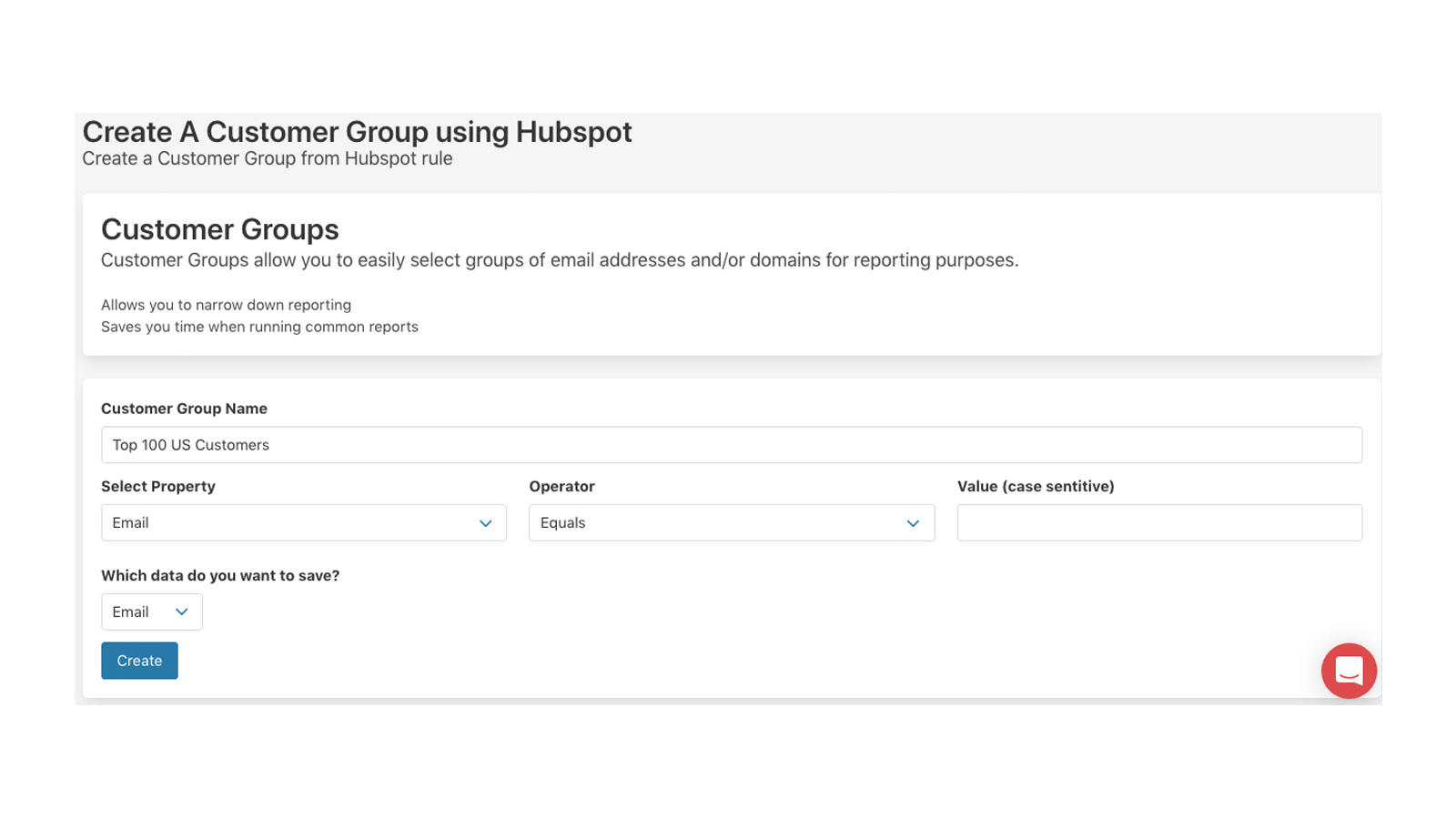
Create Customer Groups in timetoreply using HubSpot Contacts data
Create Customer Groups in timetoreply that can be used for reporting and real-time email alerts. See how well (or badly) you are responding to your key customers on day to day email. By syncing HubSpot with timetoreply your customer group filters will always be up to date and inline with your HubSpot data.
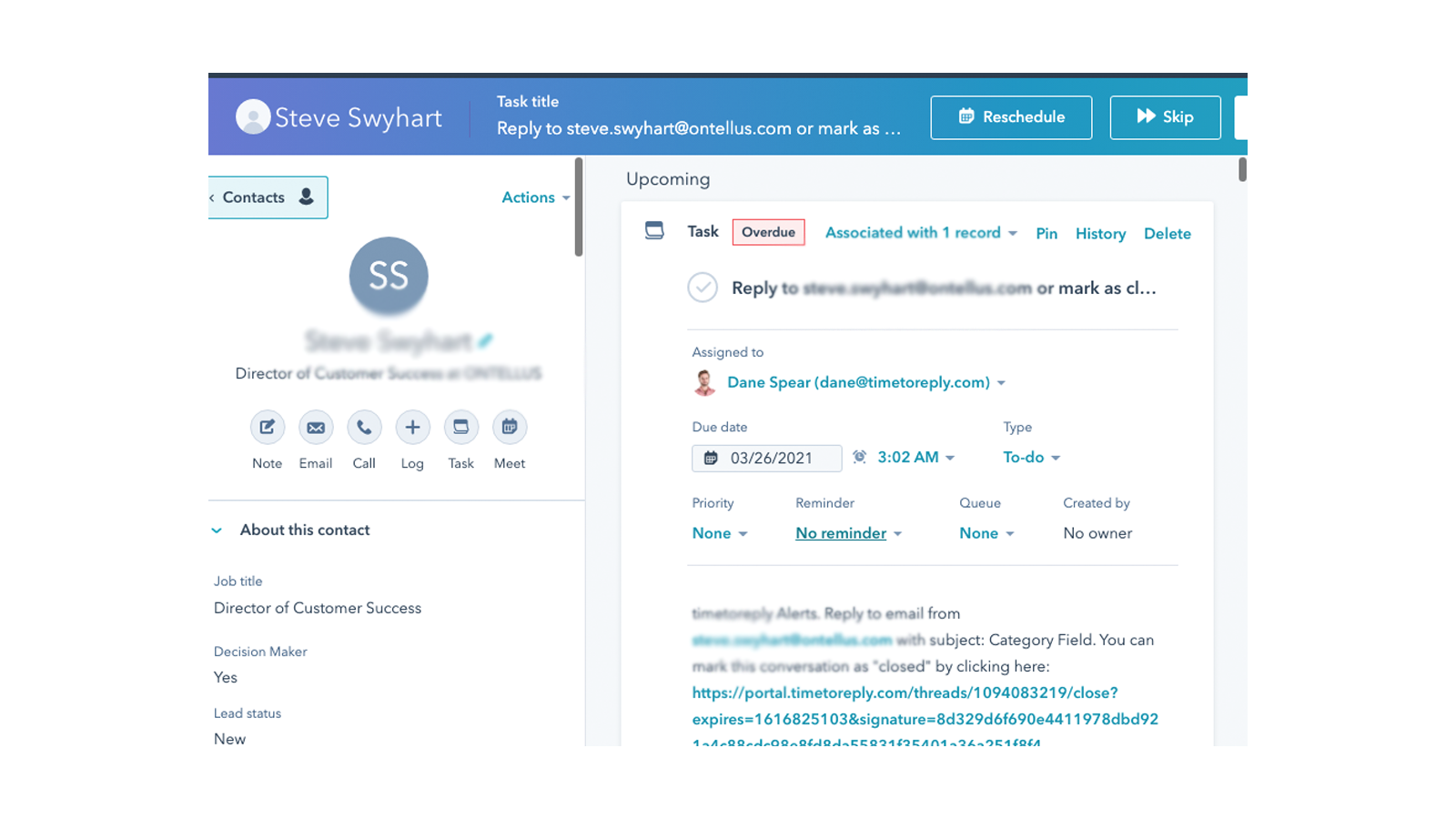
Create a task in HubSpot when a real-time email alert fires
timetoreply allows it's customers to create alerts for when specific emails have not received a reply after X amount of time. When this occurs timetoreply sends out an email alert, but if you link HubSpot and timetoreply you can choose to create a task in HubSpot for the agent responsible to respond to the email.
App-functionaliteit
Gedeelde gegevens
Email metrics | ||
Customer Groups |
Reviews
Prijzen
Success Plan (price per mailbox)
US$ 15
/maandFor customer facing teams that want to provide great service
0Success Plan (price per mailbox)
US$ 15
/maandFor customer facing teams that want to provide great service
0* De hier vermelde prijzen dienen alleen ter illustratie. Alle prijzen zijn exclusief belasting, bonussen, kortingen of andere prijsvariabelen. Neem contact op met de partner voor de meest recente en correcte prijsinformatie. HubSpot erkent geen verantwoordelijkheid voor deze prijsinformatie, die wordt verstrekt door onze partners. Prijzen laatst bijgewerkt: 09-08-2025
Meer info
Gemaakt door - Timetoreply Limited
Installaties - 20+ installaties
Categorieën Talen waarin deze app beschikbaar is Engels
Nieuwe artikelen

Veracross Integration
Synchroniseer toelatingsgegevens naadloos tussen Veracross en HubSpot om uw inschrijvings- en marketingteams samen te brengen.

PandaDoc (EU) | eSign, CPQ, Payments
Create, track, and eSign sales proposals & contracts inside HubSpot. For app.pandadoc.eu accounts
