

timetoreply
Créé par - Timetoreply Limited
Installation - 20+ installations
Exigences
Abonnement HubSpot Autorisations de compte HubSpot - Afficher les autorisations de compte requises
Type d'accès Partagé Abonnement à timetoreply - Abonnements : Success Plan (price per mailbox) ou Sales Plan (price per mailbox per month)
Vue d'ensemble
1/8
Advanced email analytics for day-to-day business email.
Email reply time tracking and average email reply time stats for individual and shared mailboxes.
Real-time alerts for any emails that have not received a response after a certain threshold that you set.
Customer report (by domain or email address) showing you your team's email peformances per customer email or domain including average reply times, emails received, emails sent, awaiting a customer reply, completed.
Users should use timetoreply and integrate HubSpot so that they can do the following:
1. Sync HubSpot contacts with timetoreply to automatically create and update Customer Groups that can be used to filter data in timetoreply.
2. Create real-time alerts for HubSpot contacts that meet certain criteria to ensure that no email goes unanswered or takes too long to get a reply.
3. Create a task in HubSpot should an alert fire in timetoreply for an email that has missed its response time deadline.
Fonctionnalités

Sync email analytics and reply time data from timetoreply to HubSpot
timetoreply tracks avg. email reply times and other day to day business email metrics that can be synced back into HubSpot on a per contact basis so that this data can be used in HubSpot workflows to improve responsiveness and reduce churn.
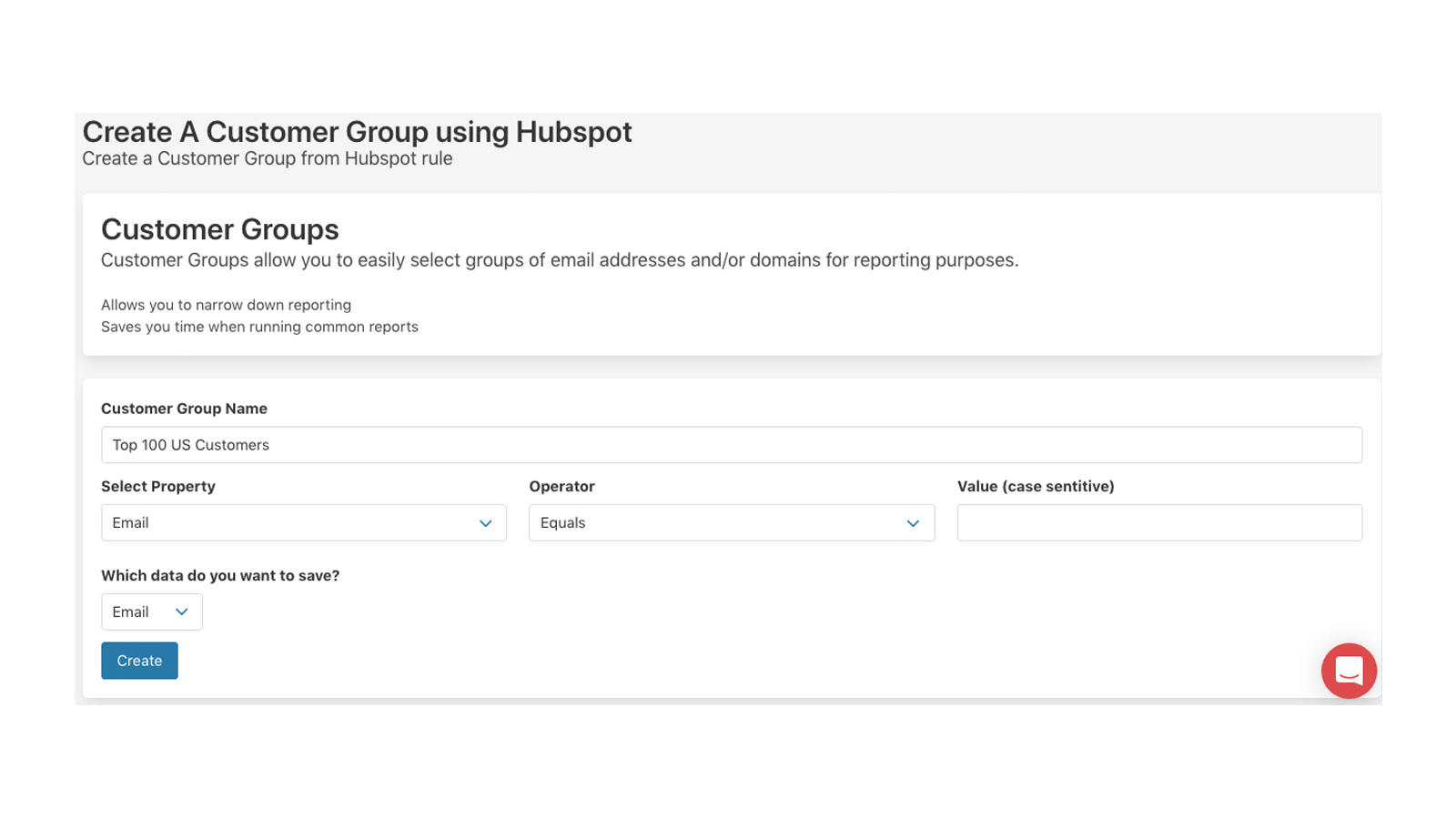
Create Customer Groups in timetoreply using HubSpot Contacts data
Create Customer Groups in timetoreply that can be used for reporting and real-time email alerts. See how well (or badly) you are responding to your key customers on day to day email. By syncing HubSpot with timetoreply your customer group filters will always be up to date and inline with your HubSpot data.
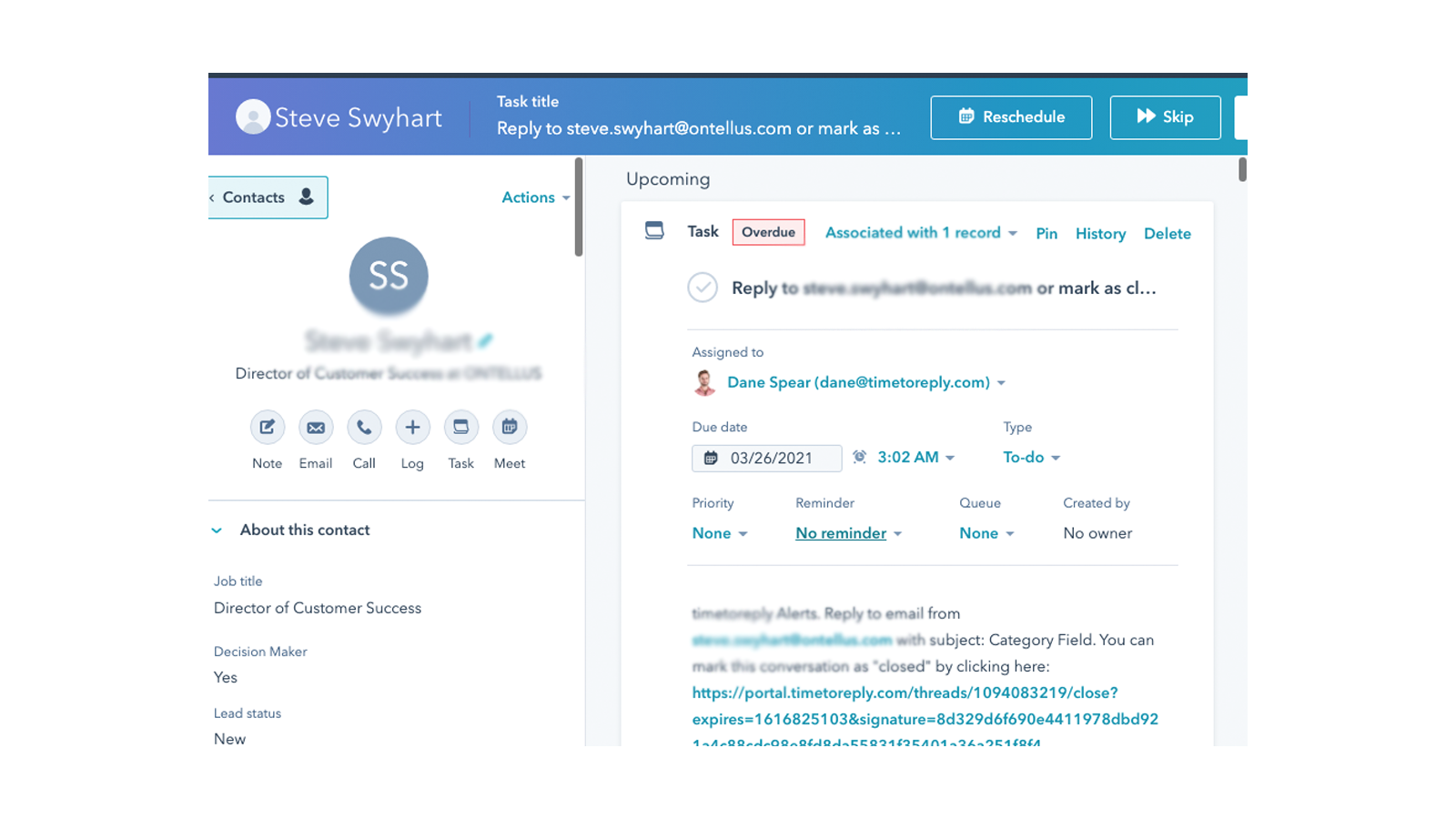
Create a task in HubSpot when a real-time email alert fires
timetoreply allows it's customers to create alerts for when specific emails have not received a reply after X amount of time. When this occurs timetoreply sends out an email alert, but if you link HubSpot and timetoreply you can choose to create a task in HubSpot for the agent responsible to respond to the email.
Fonctionnalité de l'application
Données partagées
Email metrics | ||
Customer Groups |
Avis
Tarification
Success Plan (price per mailbox)
15 $US
/moisFor customer facing teams that want to provide great service
0Success Plan (price per mailbox)
15 $US
/moisFor customer facing teams that want to provide great service
0* Les prix mentionnés ici sont uniquement présentés à titre indicatif. Tous les prix n'incluent pas les taxes, les offres spéciales, les réductions ni les autres facteurs pouvant affecter les tarifs. Vous devez contacter le partenaire pour obtenir les tarifs les plus récents. HubSpot n'assume aucune responsabilité pour les informations de tarification fournies par ses partenaires. Dernière mise à jour des prix : 09/08/2025
Informations supplémentaires
Créé par - Timetoreply Limited
Installation - 20+ installations
Catégories Langues dans lesquelles cette application est disponible Anglais
Attirer l'attention aujourd'hui

Jira Sync by IssueLinker
Le client le signale dans HubSpot, l'équipe technique le voit dans Jira, et chaque mise à jour circule dans les deux sens, sans transfert de tâches, sans copier-coller, sans notification sur Slack.

GitHub Sync by IssueLinker
Le client le signale dans HubSpot, l'équipe technique le voit dans GitHub, et chaque mise à jour circule dans les deux sens, sans passage de relais, sans copier-coller, sans notification sur Slack.
