

timetoreply
Rakentanut - Timetoreply Limited
Asennukset - Yli 20 asennusta
Vaatimukset
HubSpot-tilaus HubSpot-tilin käyttöoikeudet - Tarkastele vaadittuja tilin käyttöoikeuksia
Pääsytyyppi Jaettu timetoreply-tilaus - Success Plan (price per mailbox) tai Sales Plan (price per mailbox per month) paketit
Yhteenveto
1/8
Advanced email analytics for day-to-day business email.
Email reply time tracking and average email reply time stats for individual and shared mailboxes.
Real-time alerts for any emails that have not received a response after a certain threshold that you set.
Customer report (by domain or email address) showing you your team's email peformances per customer email or domain including average reply times, emails received, emails sent, awaiting a customer reply, completed.
Users should use timetoreply and integrate HubSpot so that they can do the following:
1. Sync HubSpot contacts with timetoreply to automatically create and update Customer Groups that can be used to filter data in timetoreply.
2. Create real-time alerts for HubSpot contacts that meet certain criteria to ensure that no email goes unanswered or takes too long to get a reply.
3. Create a task in HubSpot should an alert fire in timetoreply for an email that has missed its response time deadline.
Ominaisuudet

Sync email analytics and reply time data from timetoreply to HubSpot
timetoreply tracks avg. email reply times and other day to day business email metrics that can be synced back into HubSpot on a per contact basis so that this data can be used in HubSpot workflows to improve responsiveness and reduce churn.
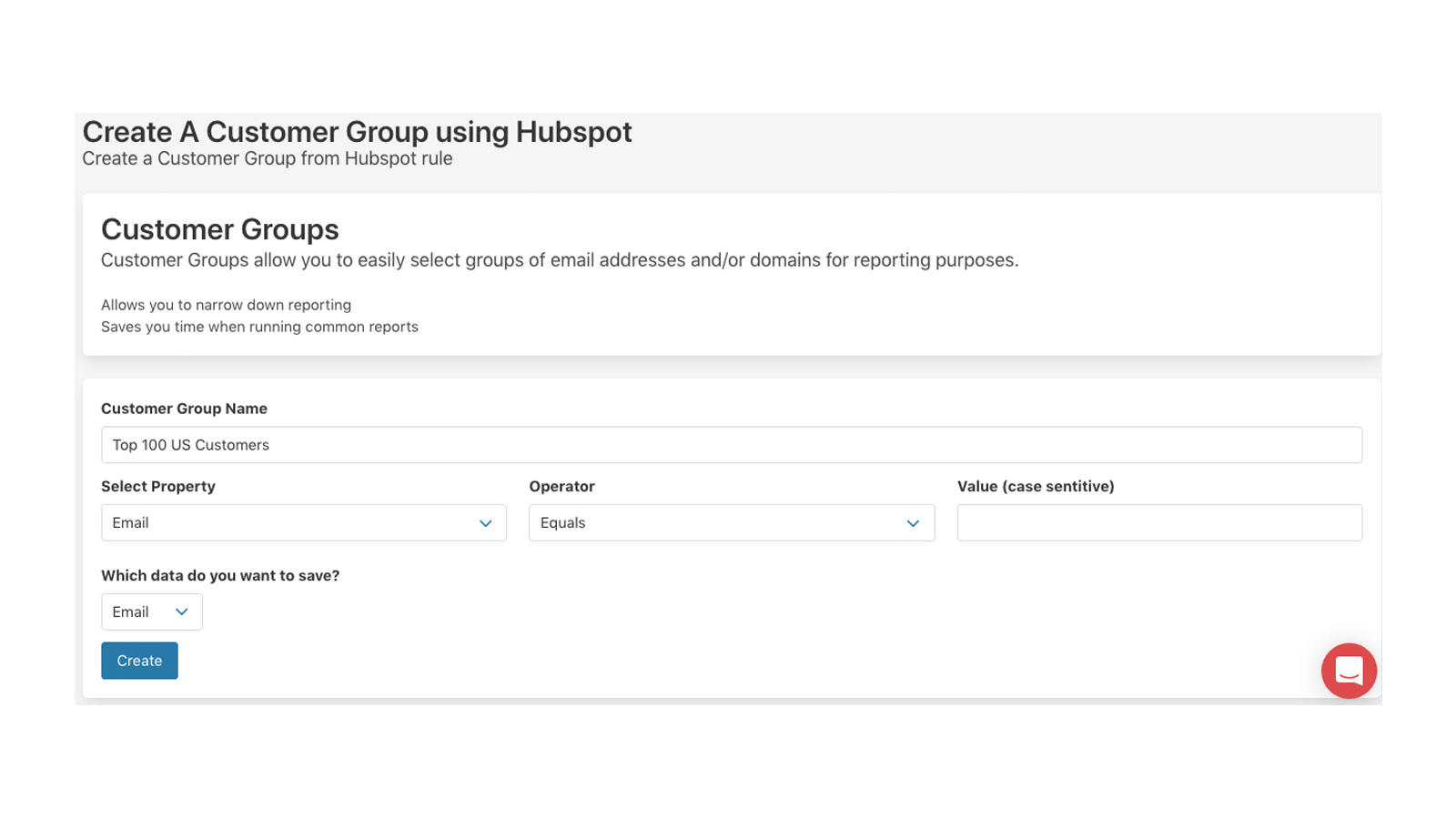
Create Customer Groups in timetoreply using HubSpot Contacts data
Create Customer Groups in timetoreply that can be used for reporting and real-time email alerts. See how well (or badly) you are responding to your key customers on day to day email. By syncing HubSpot with timetoreply your customer group filters will always be up to date and inline with your HubSpot data.
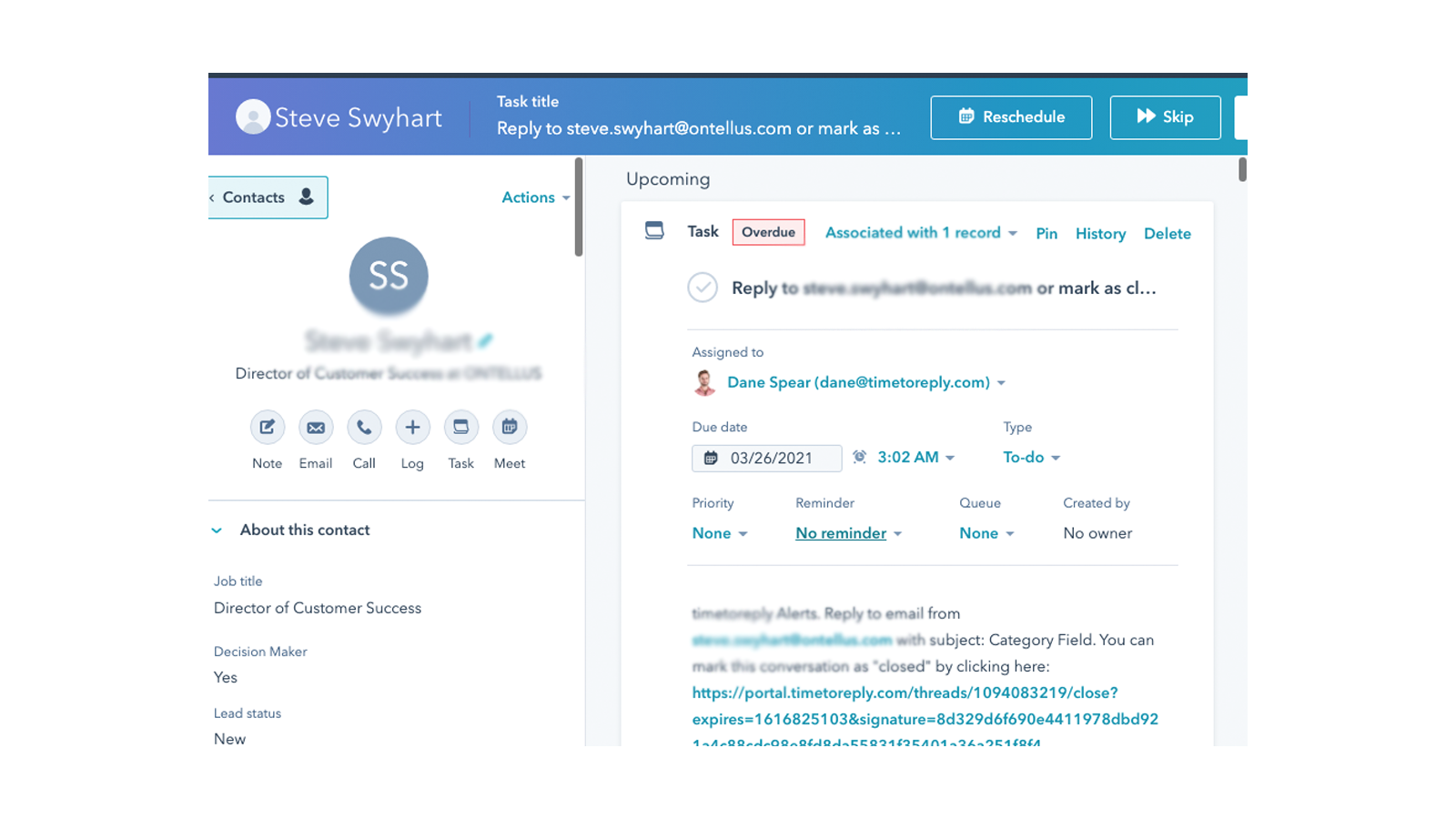
Create a task in HubSpot when a real-time email alert fires
timetoreply allows it's customers to create alerts for when specific emails have not received a reply after X amount of time. When this occurs timetoreply sends out an email alert, but if you link HubSpot and timetoreply you can choose to create a task in HubSpot for the agent responsible to respond to the email.
Sovelluksen toiminnallisuus
Jaetut tiedot
Email metrics | ||
Customer Groups |
Arvostelut
Hinnoittelu
Success Plan (price per mailbox)
15 $
/kuukausiFor customer facing teams that want to provide great service
0Success Plan (price per mailbox)
15 $
/kuukausiFor customer facing teams that want to provide great service
0*Hinnoittelu tässä on vain esittelytarkoituksessa. Kaikki hinnat eivät sisällä veroja, kannustimia, alennuksia tai muita hinnoittelumuuttujia. Pyydä kumppanilta ajantasaiset ja oikeat hintatiedot. HubSpot ei ota vastuuta näistä kumppaneidemme tarjoamista hintatiedoista. Hinnoittelu päivitetty viimeksi: 09.08.2025
Lisätietoja
Rakentanut - Timetoreply Limited
Asennukset - Yli 20 asennusta
Kategoriat Kielet, joilla tämä sovellus on saatavilla Englanti
Nousussa tänään

Fortnox
Muunna kaupat Fortnox-laskuiksi, tarkastele laskujen tilaa ja seuraa asiakastuloja poistumatta HubSpotista.

Microsoft SharePoint & OneDrive
Liitä SharePointin ja OneDriven tiedostot ja kansiot CRM-tietueisiin ja automatisoi tiedostojen hallinta työnkulkujen avulla.
