

timetoreply
Utworzone przez - Timetoreply Limited
Instaluje - Ponad 20 instalacji
Wymagania
Plan HubSpot Uprawnienia konta HubSpot - Wyświetl wymagane uprawnienia konta
Typ dostępu Udostępniono Subskrypcja timetoreply - Success Plan (price per mailbox) lub Sales Plan (price per mailbox per month) planu
Przegląd
1/8
Advanced email analytics for day-to-day business email.
Email reply time tracking and average email reply time stats for individual and shared mailboxes.
Real-time alerts for any emails that have not received a response after a certain threshold that you set.
Customer report (by domain or email address) showing you your team's email peformances per customer email or domain including average reply times, emails received, emails sent, awaiting a customer reply, completed.
Users should use timetoreply and integrate HubSpot so that they can do the following:
1. Sync HubSpot contacts with timetoreply to automatically create and update Customer Groups that can be used to filter data in timetoreply.
2. Create real-time alerts for HubSpot contacts that meet certain criteria to ensure that no email goes unanswered or takes too long to get a reply.
3. Create a task in HubSpot should an alert fire in timetoreply for an email that has missed its response time deadline.
Cechy

Sync email analytics and reply time data from timetoreply to HubSpot
timetoreply tracks avg. email reply times and other day to day business email metrics that can be synced back into HubSpot on a per contact basis so that this data can be used in HubSpot workflows to improve responsiveness and reduce churn.
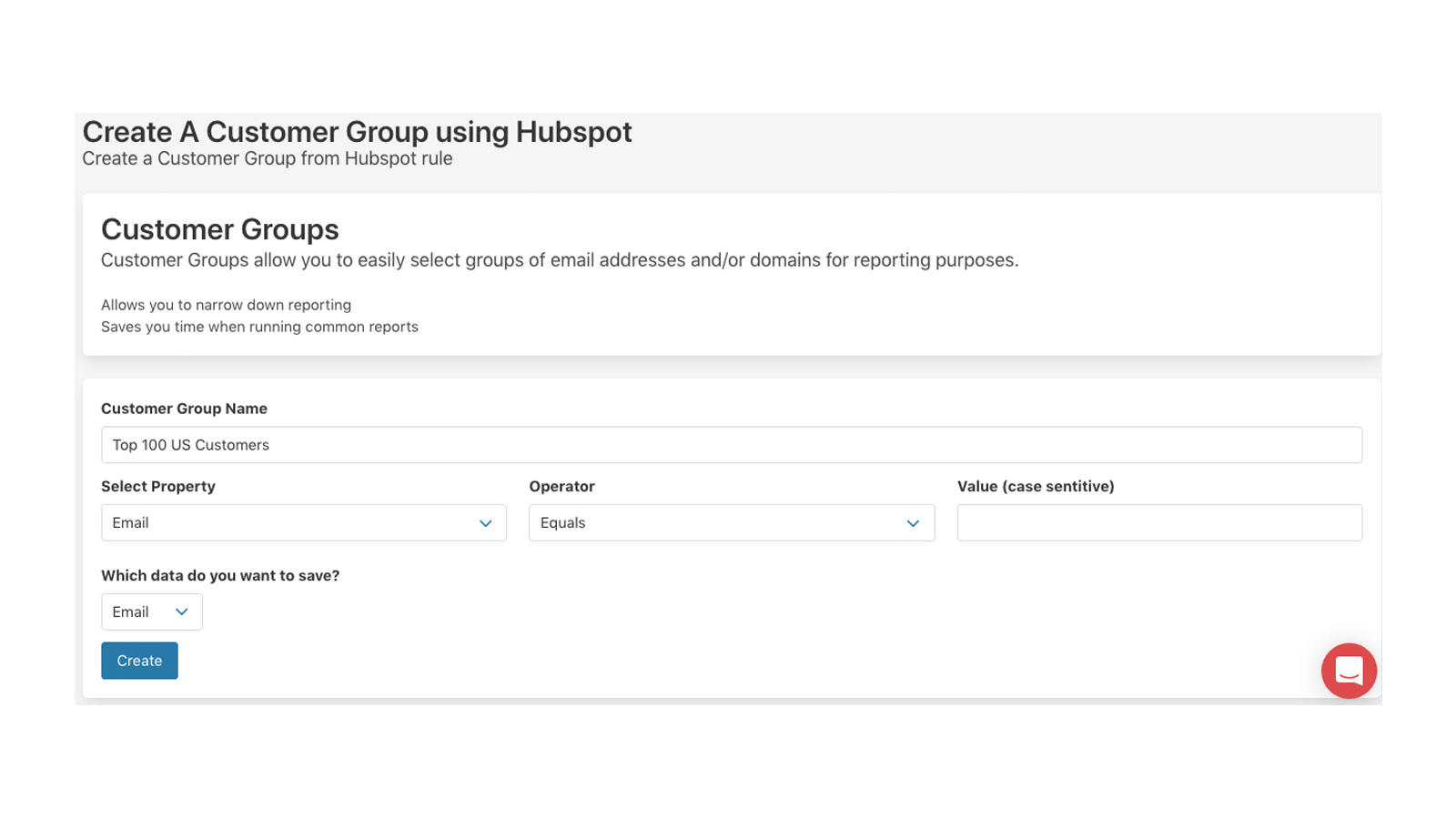
Create Customer Groups in timetoreply using HubSpot Contacts data
Create Customer Groups in timetoreply that can be used for reporting and real-time email alerts. See how well (or badly) you are responding to your key customers on day to day email. By syncing HubSpot with timetoreply your customer group filters will always be up to date and inline with your HubSpot data.
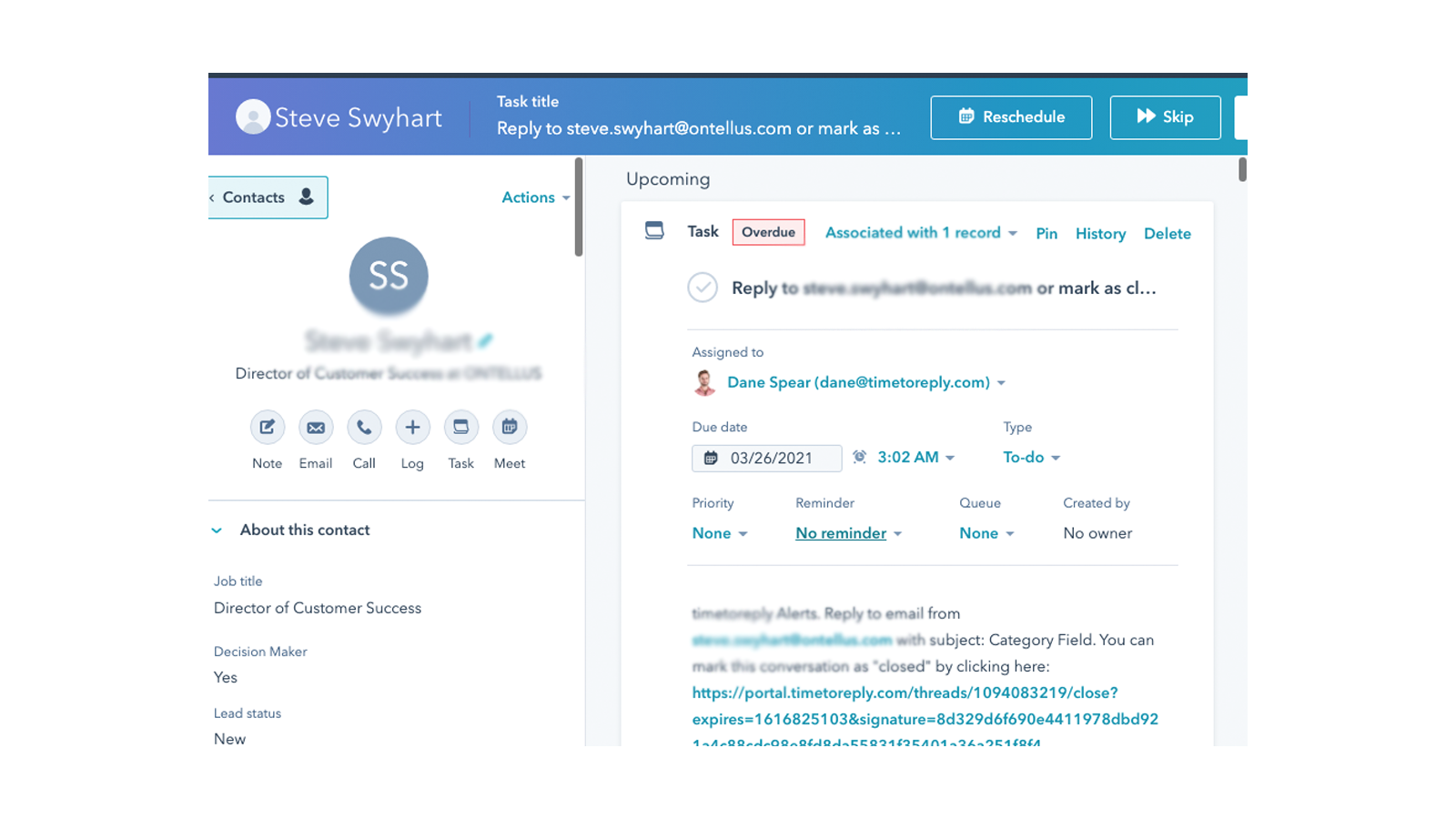
Create a task in HubSpot when a real-time email alert fires
timetoreply allows it's customers to create alerts for when specific emails have not received a reply after X amount of time. When this occurs timetoreply sends out an email alert, but if you link HubSpot and timetoreply you can choose to create a task in HubSpot for the agent responsible to respond to the email.
Funkcjonalność aplikacji
Udostępnione dane
Email metrics | ||
Customer Groups |
Recenzje
Success Plan (price per mailbox)
15 USD
/mies.For customer facing teams that want to provide great service
0Success Plan (price per mailbox)
15 USD
/mies.For customer facing teams that want to provide great service
0* Powyższe ceny zostały podane wyłącznie w celach informacyjnych. Nie zawierają one podatków, premii, zniżek lub innych zmiennych cenowych. Skontaktuj się z partnerem w celu uzyskania najbardziej aktualnych i poprawnych informacji o cenach. HubSpot nie ponosi żadnej odpowiedzialności za informacje cenowe, które są dostarczane przez naszych partnerów. Ostatnia aktualizacja cen: 09.08.2025
Więcej informacji
Utworzone przez - Timetoreply Limited
Instaluje - Ponad 20 instalacji
Kategorie Języki, w których dostępna jest ta aplikacja Angielski
Przyciąganie uwagi już dziś

Slack
Zarządzaj rekordami CRM, korzystaj z pomocy Breeze opartej na sztucznej inteligencji, wysyłaj powiadomienia w czasie rzeczywistym i współpracuj z zespołem - bez opuszczania Slacka.

Zoom
Korzystaj z Zoom w połączeniu z funkcjami HubSpot, takimi jak spotkania, przepływy pracy, rekordy kontaktów i nie tylko.
