

요구 사항
HubSpot 요금제 HubSpot 계정 권한 권한이 필요하지 않음 액세스 유형 공유됨 Zoom 구독 - 기본, Pro 또는 비즈니스 플랜
개요
1/7 - Zoom app for HubSpot demo video
커뮤니케이션 및 CRM 플랫폼 전반에서 미팅, 웹 세미나, 고객 인사이트를 통합하여 모든 고객과의 상호작용을 보다 종합적으로 파악할 수 있습니다. 이제 데이터 지연 시간이 개선되어 몇 시간 내에 안정적이고 빠르게 동기화할 수 있습니다.
이 앱을 설치하세요:
HubSpot 미팅 스케줄러에서 Zoom 미팅을 만듭니다.
Zoom 미팅 및 웹 세미나 세부 정보를 HubSpot CRM에 직접 동기화하여 데이터 사일로를 방지하세요. 참가자 정보, 미팅 및 웹 세미나 녹화, 녹취록을 HubSpot 개체 및 연락처 기록 내에서 자동으로 캡처하여 보다 완벽한 상호 작용 기록을 확보하세요.
동기화할 데이터를 선택하고(예: 내부 회의에 대한 녹화 도메인 제외 설정), 비즈니스 요구 사항에 맞게 통합을 조정하는 관리자 컨트롤(전역 설정에서)을 통해 개별 사용자 설정을 관리하세요.
실시간 Zoom 미팅 중에 HubSpot의 참가자 세부정보 및 CRM 정보에 액세스하여 고객 대면 팀에게 회의실을 떠나지 않고도 대화에 대한 컨텍스트를 제공하세요.
실시간 미팅 중에 실시간으로 HubSpot CRM을 업데이트하여 미팅 종료 후 수동 데이터 입력을 줄이세요.
프로페셔널 및 엔터프라이즈 요금제의 경우 다음과 같이 할 수도 있습니다:
미팅 및 웹 세미나 참여 데이터를 기반으로 HubSpot에서 대상 세그먼트 목록 및 보기를 만들 수 있습니다.
웨비나 등록 및 참석을 기반으로 자동화된 워크플로를 트리거하여 후속 프로세스를 간소화할 수 있습니다.
기능
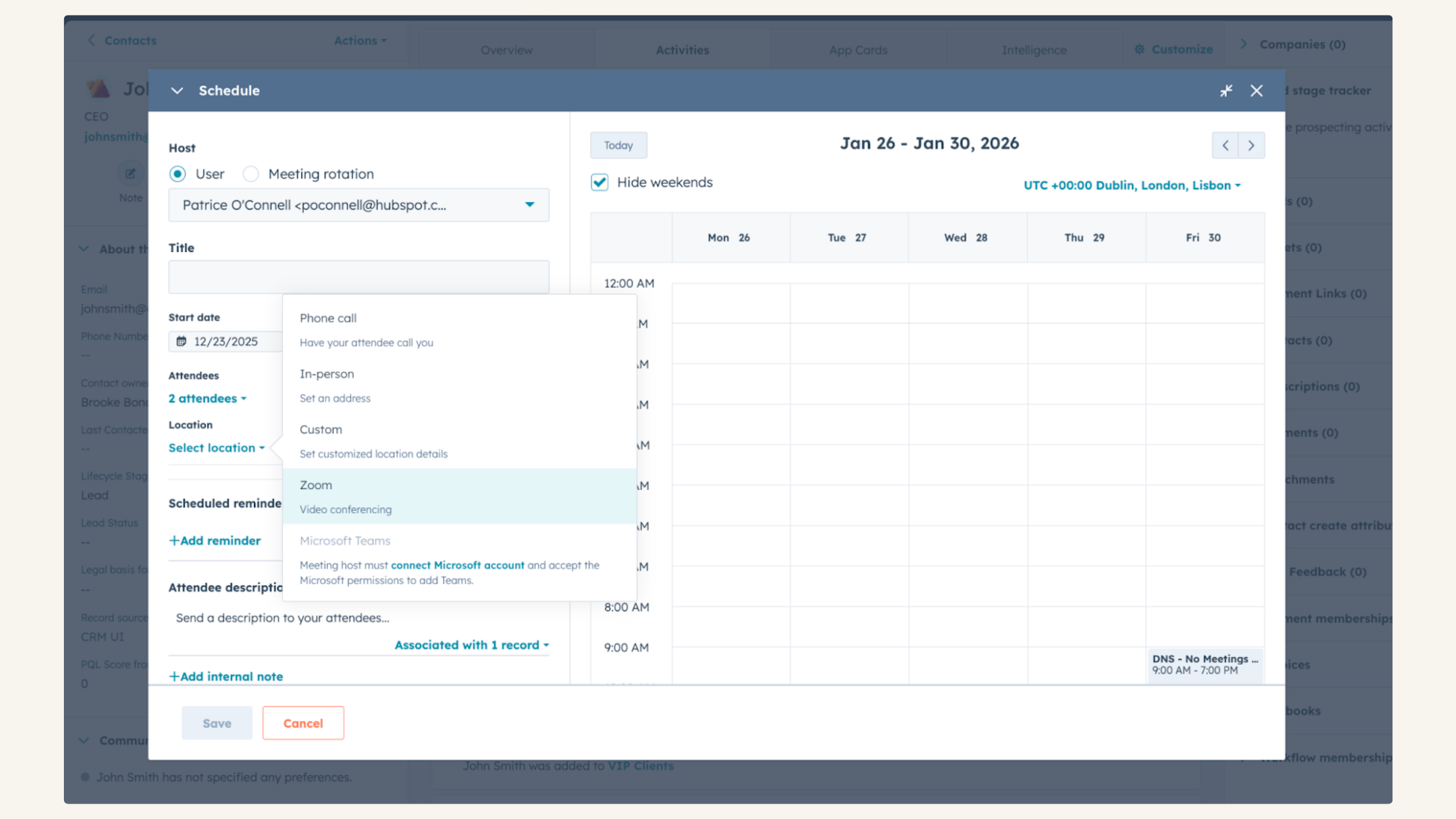
HubSpot 미팅과 통합
잠재 고객이나 고객의 상태를 확인하고 싶으신가요? 영업 또는 서비스 담당자로서 잠재 고객이나 고객이 성공하기 위해 필요한 사항을 파악하는 데 화상 채팅보다 더 좋은 방법은 없습니다. 모든 연락처 기록에서 Zoom 미팅을 간편하게 예약하여 화상 채팅을 시작하세요.
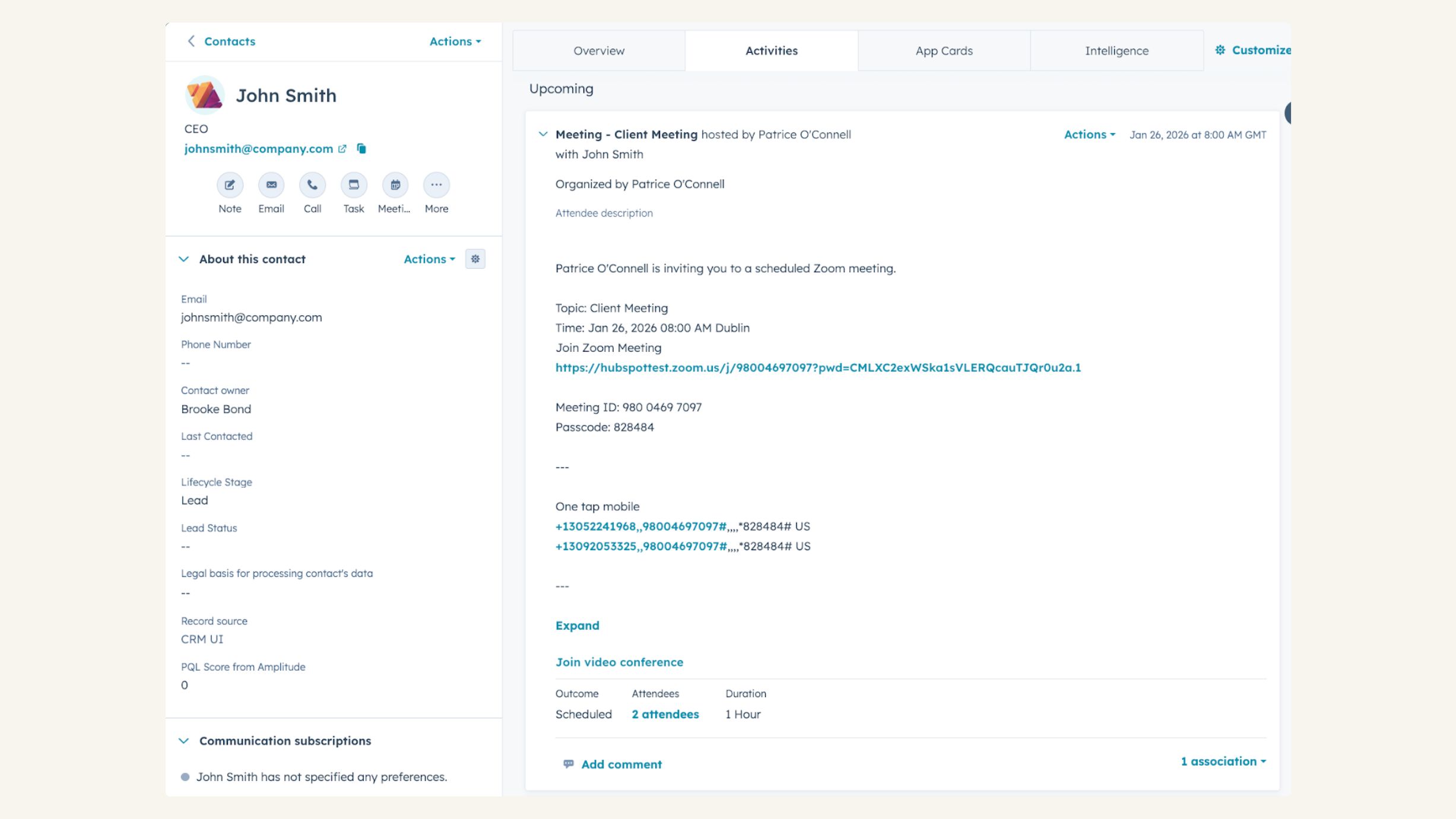
HubSpot CRM에서 Zoom 웹 세미나 참석 추적
타임라인에서 등록 여부, 참석 여부, 등록했지만 불참 여부, 참석 시간, 참석한 웹 세미나 수, 등록한 총 웹 세미나 수, 평균 참석 시간 등 Zoom 웹 세미나 데이터를 확인하세요.
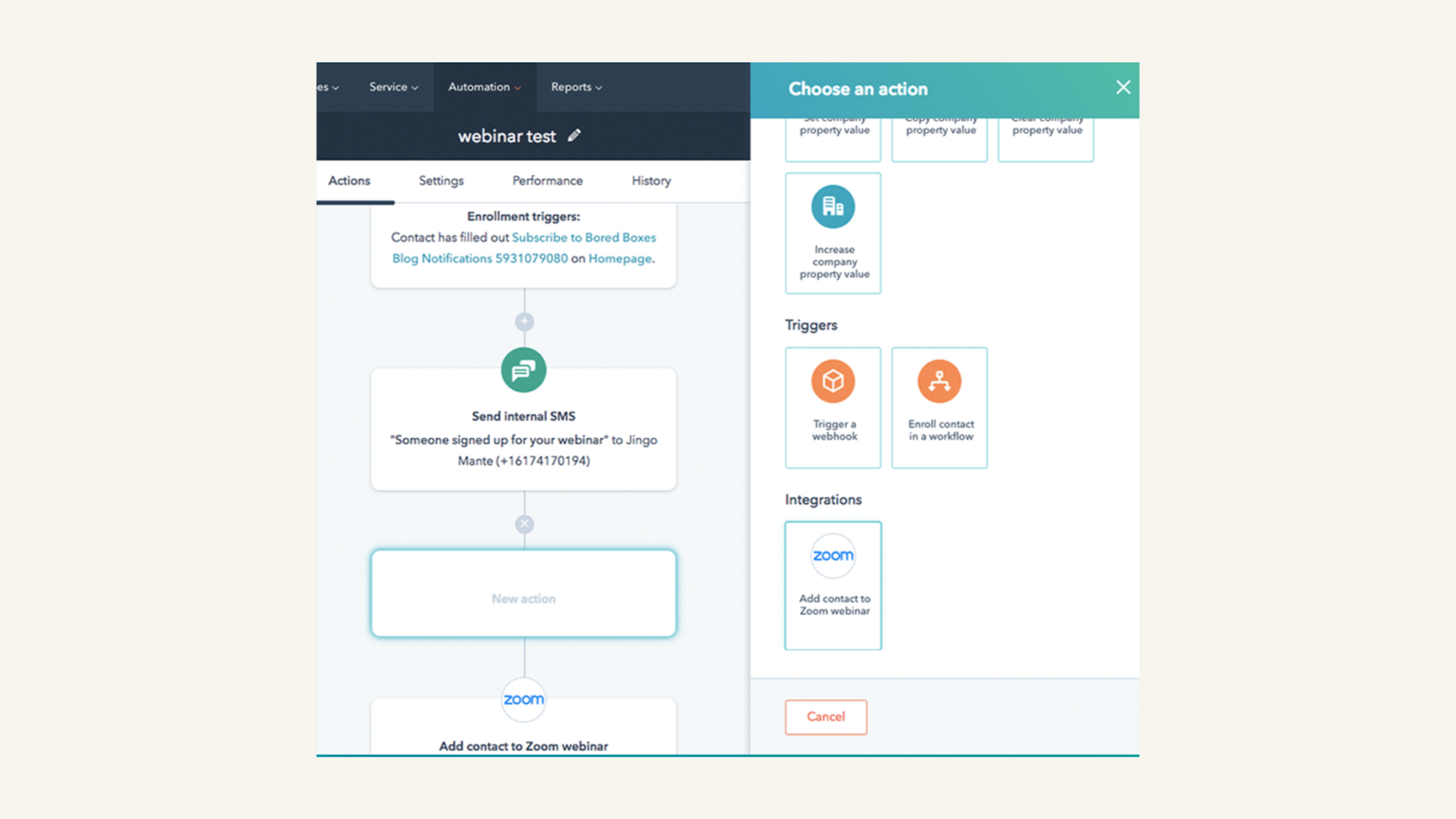
HubSpot 워크플로우로 Zoom 웹 세미나 홍보하기
마케팅 담당자는 웨비나에 등록한 사람들이 실제로 참석하도록 하고 싶겠죠? Zoom 웹 세미나 전에 사람들에게 알림 이메일을 보내는 워크플로우를 HubSpot에서 만드세요.
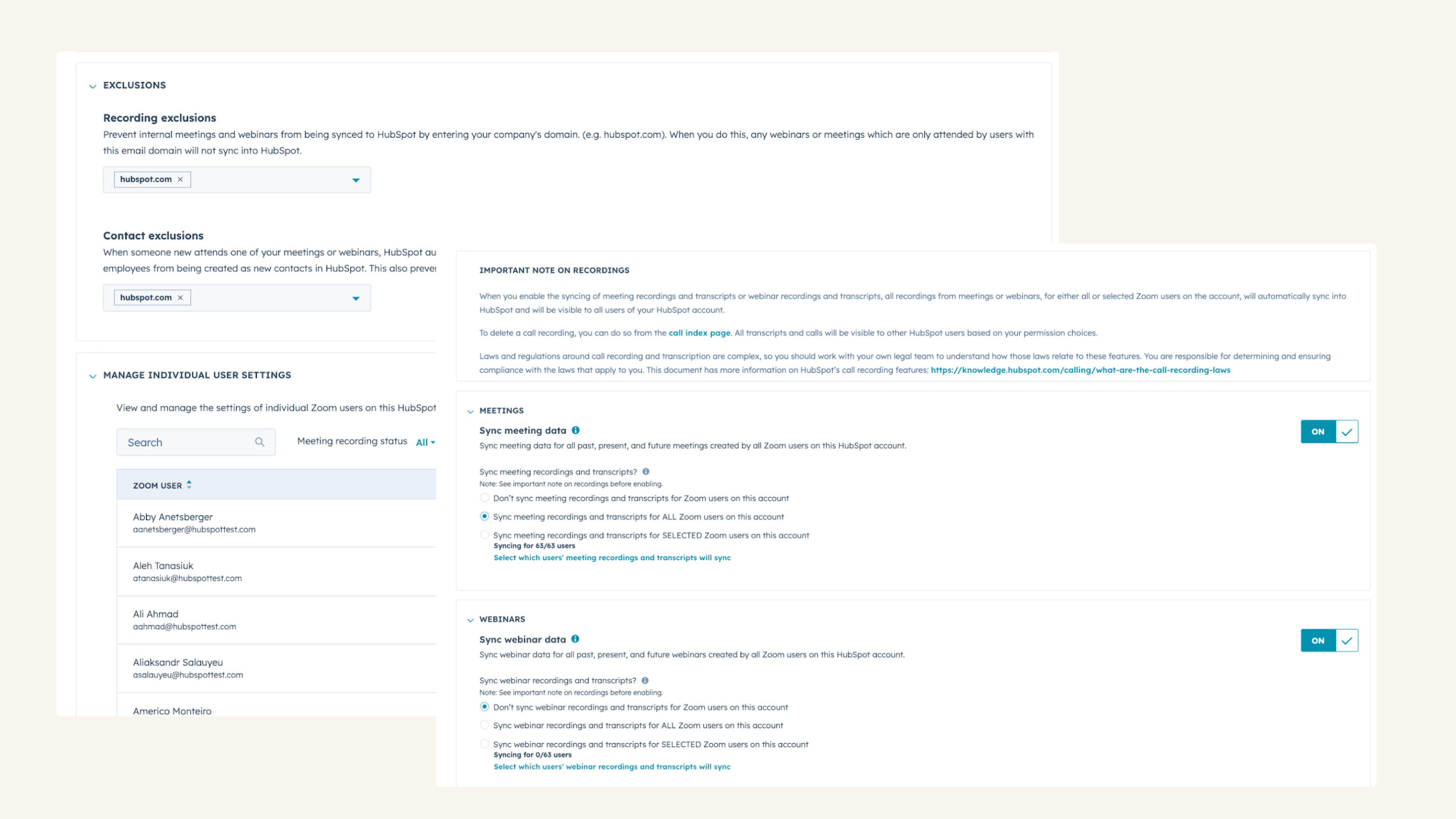
자동으로 통화 녹음, 트랜스크립션 및 분석하기
동기화할 데이터를 선택하고(예: 내부 회의를 위한 녹화 도메인 제외 설정), 비즈니스 요구에 맞게 통합을 조정하는 관리자 컨트롤로 개별 사용자 설정을 관리하세요.
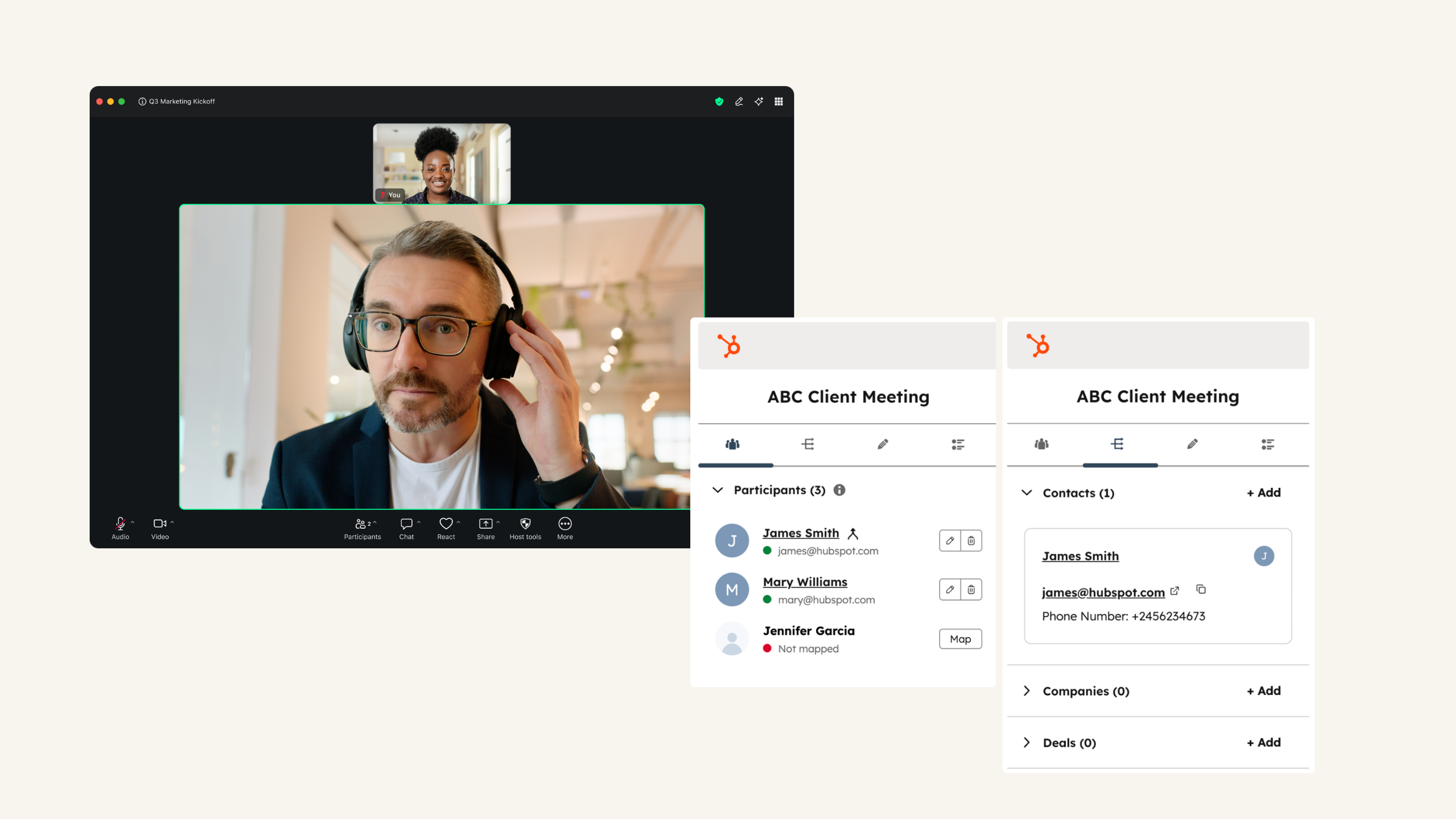
Zoom 미팅 내에서 HubSpot 사용
Zoom 미팅 중에 미팅 참가자에 대한 HubSpot의 연락처 기록을 확인하고 메모를 추가하세요. 또한 미팅과 메모를 HubSpot 회사, 거래, 티켓에 연결할 수 있습니다. 또는 플레이북에 액세스하여 고객과의 대화를 안내하세요.
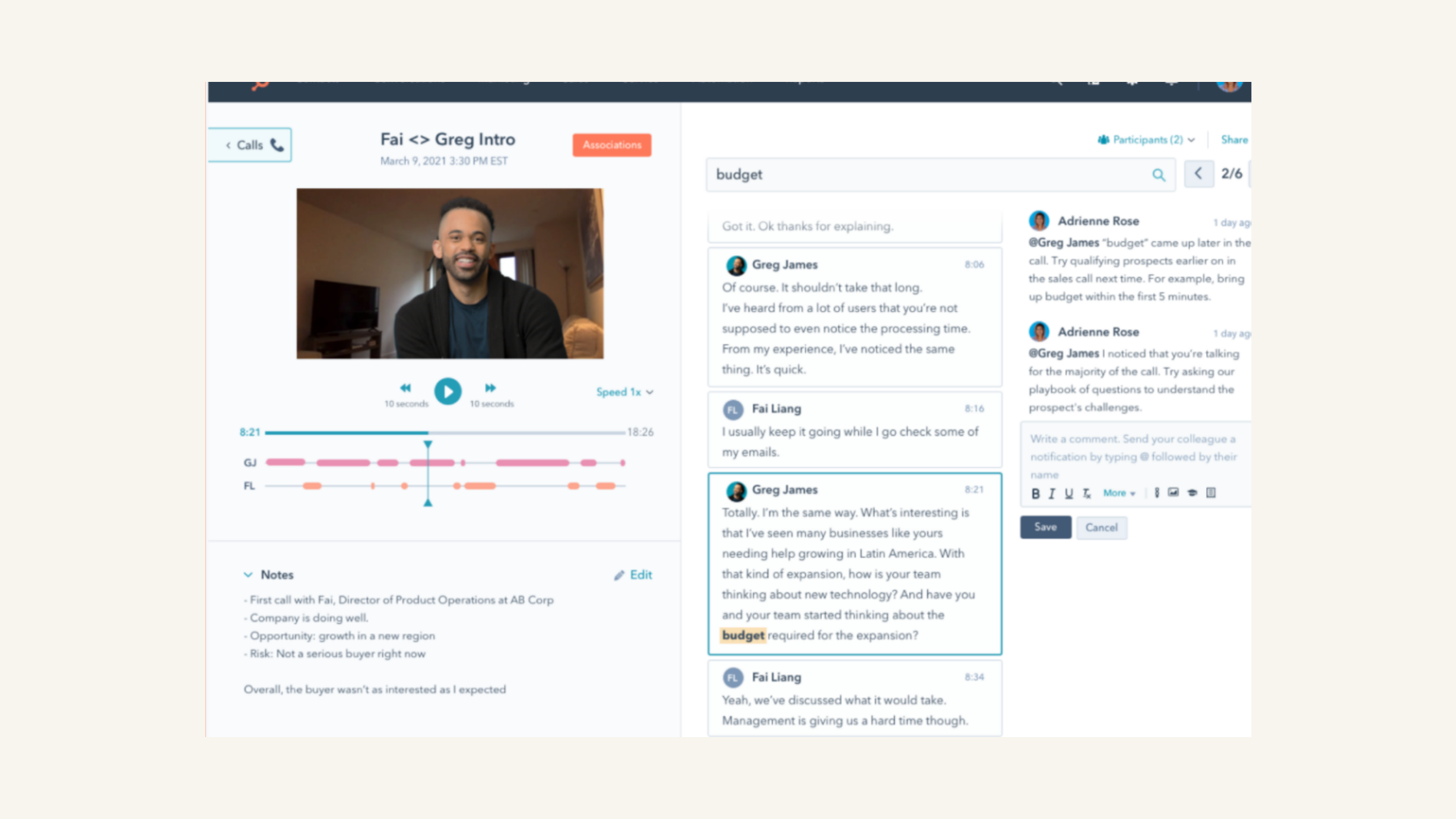
Zoom 녹화 및 녹취록 검토
통화를 재생하고 대화 내용을 검토하고, 개체 속성별로 통화를 필터링하고, 통화 전체에서 주요 키워드를 검색할 수 있습니다.
앱 기능
공유 데이터
Registrants | ||
Average Zoom Webinar attendance duration | ||
Last registered Zoom Webinar | ||
Total number of Zoom Webinar registrations | ||
Total number of Zoom Webinars attended | ||
Webinar date | ||
Webinar join time | ||
Webinar leave time | ||
Webinar view time | ||
Recordings | ||
Transcripts | ||
Participants |
리뷰
3.4
542
3.4
542
사용자들은 이 통합 기능이 예정된 회의에 대한 동영상 링크를 자동으로 생성해 시간을 절약해 주는 점을 높이 평가하지만, 일부 사용자는 가끔 연결이 끊어져 캘린더 초대장에 링크가 포함되지 않는 경우가 있다고 지적합니다. 또한 일부 사용자는 사용자 지정 웨비나 등록 필드 동기화나 여러 개별 팀 계정 연결에 어려움을 겪는다고 언급하지만, 이 도구는 고객이 쉽게 통화 일정을 잡을 수 있도록 함으로써 예약 절차를 간소화합니다.
- 2026년 7월 6일
Henderson, A.
- 2026년 6월 30일
사용하기가 너무 어렵다
HubSpot으로는 아무것도 할 수 없었습니다
사용하기가 너무 어렵다
Montero, R.
가격 책정
기본
US$0
포함:
회의당 최대 40분 회의
미팅당 참가자 100명
팀 채팅
클립 베이직5 2분 동영상
메일 및 캘린더
문서 기본최대 10개의 문서 공유
작업 기본수동 입력
참고
화이트보드 기본3 편집 가능한 보드
기본
US$0
포함:
회의당 최대 40분 회의
미팅당 참가자 100명
팀 채팅
클립 베이직5 2분 동영상
메일 및 캘린더
문서 기본최대 10개의 문서 공유
작업 기본수동 입력
참고
화이트보드 기본3 편집 가능한 보드
* 여기에 표시된 가격은 표시 목적으로만 사용됩니다. 모든 가격에는 세금, 인센티브, 할인 또는 기타 가격 변수가 포함되어 있지 않습니다. 가장 최신의 정확한 가격 정보를 알고 싶다면 파트너에게 연락해야 합니다. HubSpot은 파트너가 제공하는 이 가격 정보에 대해 어떠한 책임도 지지 않습니다. 마지막 가격 업데이트 날짜: 2026.04.13.