

WhatsApp Business
Requirements
HubSpot Plan HubSpot Account permissions No permissions required Access Type Shared WhatsApp Business Subscription - Free or Limit Increase plans
Overview
1/3 - WhatsApp Business and HubSpot
Manage WhatsApp conversations from HubSpot’s shared inbox
Automate and personalize messages via workflows
View WhatsApp message threads on the CRM record.
Features
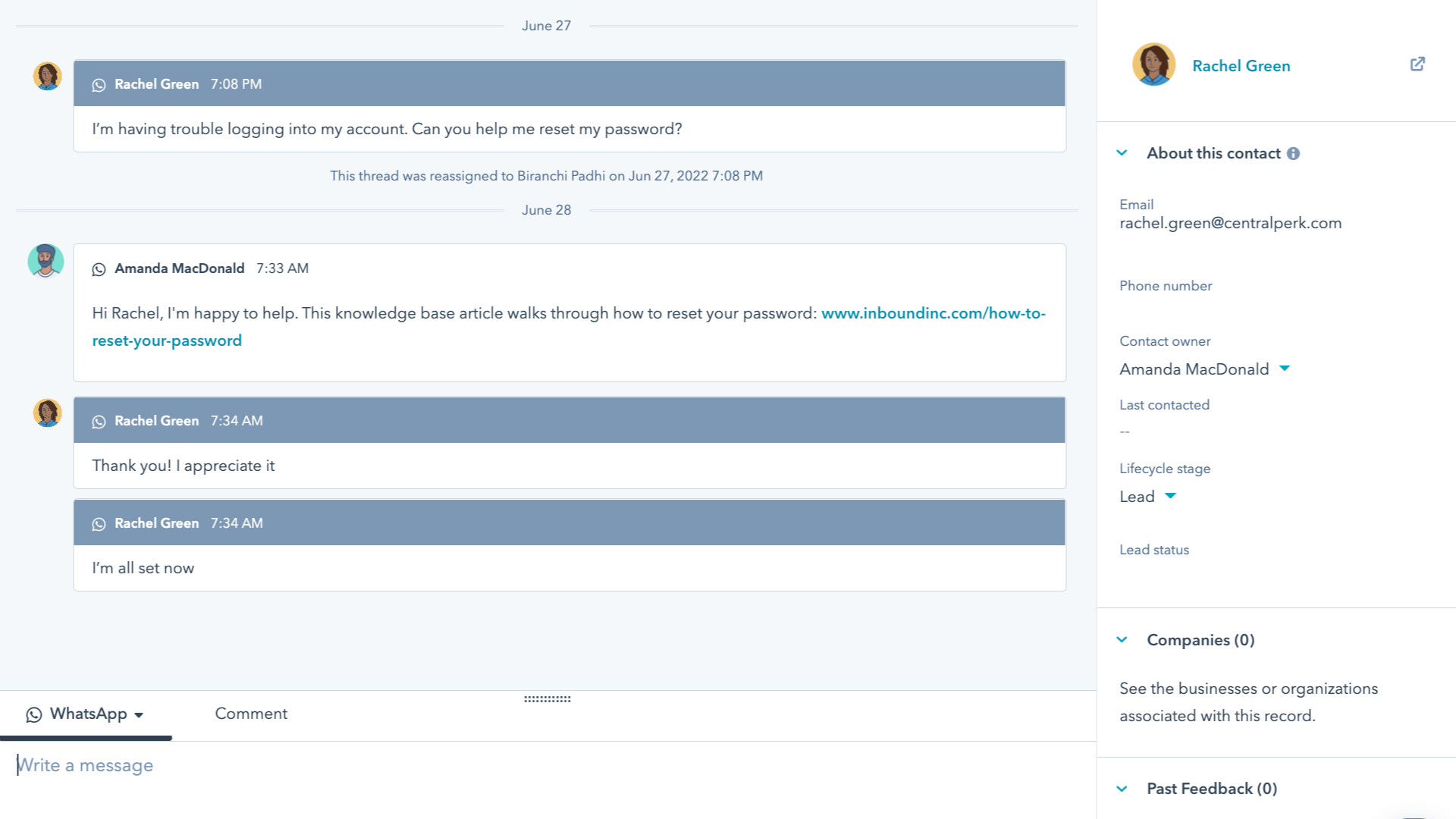
Manage WhatsApp conversations from HubSpot’s shared inbox
Deliver a seamless service experience by leveraging HubSpot’s shared inbox, which gives teams a comprehensive view of each customer’s conversation history - in one unified location.
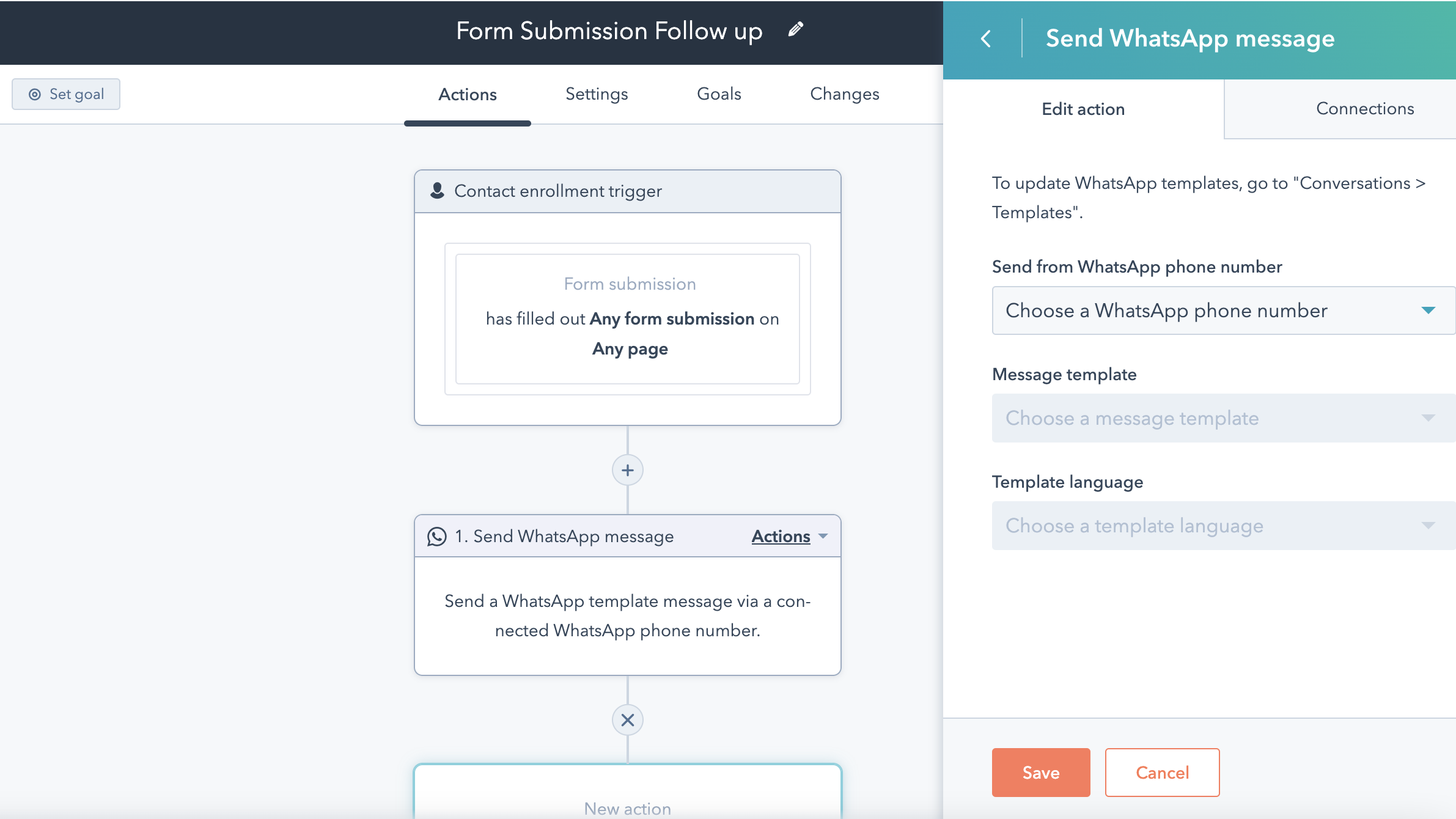
Automate and personalize messages via workflows
Using WhatsApp with your HubSpot CRM allows you to send welcome messages, automate abandoned cart texts, and even send messages based on purchases. Automating and personalizing messages encourages two-way conversations and scales customer connection.
App Functionality
Shared Data
WhatsApp Message threads | ||
WhatsApp Templates | ||
WhatsApp Templates | ||
WhatsApp Message threads |
Reviews
2.2
243
2.2
243
Some note the unified inbox and CRM synchronization provide a helpful way to track conversations, but the setup process is complex and often removes access to the standard WhatsApp Business mobile app. Missing features like audio messaging and chatflows, along with Meta's 24-hour reply window, restrict outgoing communication, though a few users appreciate the ability to organize inbound leads.
- Nov 12, 2026
Unresolved issue
The only recommendation is that it is WhatsApp and go to them
Issue not resolved, told to contact WhtsApp
Clark, M.
- Oct 19, 2026
THERE ARE THINGS THAT COULD BE IMPROVED
ALTHOUGH IT'S USEFUL, THE PLATFORM STILL NEEDS TO BE MORE USER-FRIENDLY SO WE CAN SEND THINGS LIKE AUDIO MESSAGES AND TAG PEOPLE
Játiva Castro, D.
Pricing
Free
$0
1000 conversations are included for free each month
Available to Service Hub Professional and Enterprise, and Marketing Hub Professional and Enterprise customers
Free
$0
1000 conversations are included for free each month
Available to Service Hub Professional and Enterprise, and Marketing Hub Professional and Enterprise customers
* The pricing here is for display purposes only. All prices do not include taxes, incentives, discounts, or other pricing variables. You should contact the partner for the most up to date and correct pricing information. HubSpot does not take any responsibility for this pricing information, which is provided by our partners. Pricing last updated: 09/16/2026
New arrivals

Qmo
AI sales agent inside your CRM that runs your playbook and syncs to HubSpot

Deal Stage Guidance by RevCactus
Tell reps what each stage needs before the deal moves on. Add guidance per pipeline stage, require the fields that matter and add manual checks, all in a live checklist on the deal record. Start from a MEDDIC, BANT or SPICED template, see how long a deal has been in its stage and keep your sales process the same for every rep. Free for one pipeline.
