Zoom
Use Zoom with HubSpot meetings, workflows, contact records and more.
Requirements
HubSpot Plan HubSpot Account permissions No permissions required Access Type Shared Zoom Subscription - Basic, Pro, or Business plans
Overview
1/7 - Zoom app for HubSpot demo video
Unify meeting, webinar, and customer insights across your communication and CRM platforms, to get a more comprehensive view of all your customer interactions. Now with improved data latency for a reliable, faster sync within hours.
Install this app to:
Create Zoom Meetings from HubSpot meeting scheduler.
Sync Zoom Meeting and Webinar details directly into your HubSpot CRM to prevent data silos. Automatically capture participant information, meeting and webinar recordings, and transcripts within HubSpot object and contact records for a more complete interaction history.
Choose what data syncs (i.e. set up recording domain exclusions for internal meetings), and manage individual users settings with admin controls (in Global Settings) that adapt the integration for your business needs.
Access participant details and CRM information from HubSpot during live Zoom Meetings to provide customer-facing teams with context for conversations without leaving the room.
Update HubSpot CRM in real-time during live meetings to reduce manual data entry after your meeting ends.
For Professional and Enterprise plans, you can also:
Create targeted segments lists and views in HubSpot based on meeting and webinar engagement data.
Trigger automated workflows based on webinar registrations and attendance to streamline follow-up processes.
Features
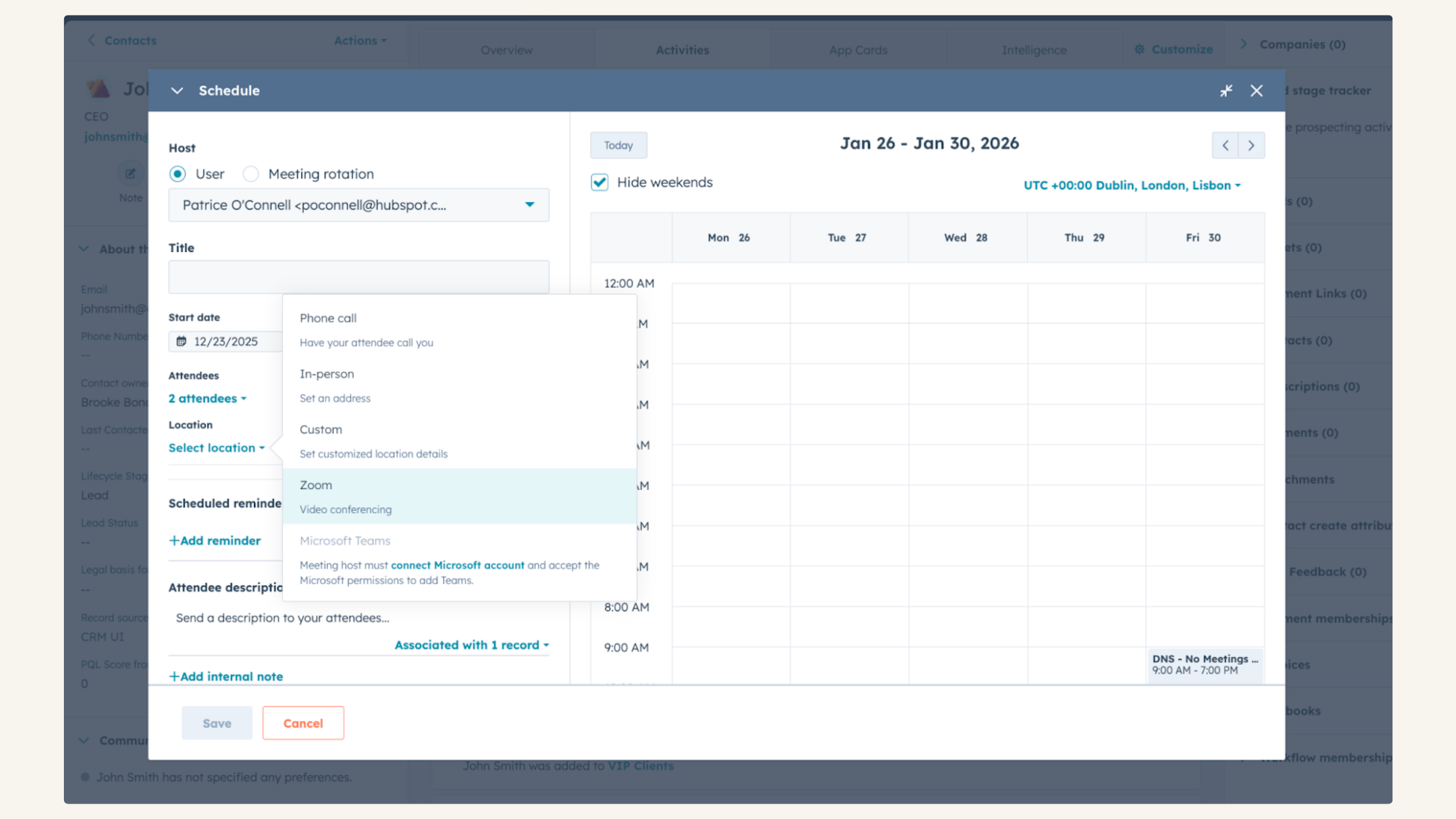
Integrate with HubSpot Meetings
Want to check in on a lead or a customer? As a sales or service rep -- there's nothing better than a quick chat over video to get a pulse on what your lead or customer needs from you to succeed. Easily schedule a Zoom Meeting from any contact record to get your video chat on the books.
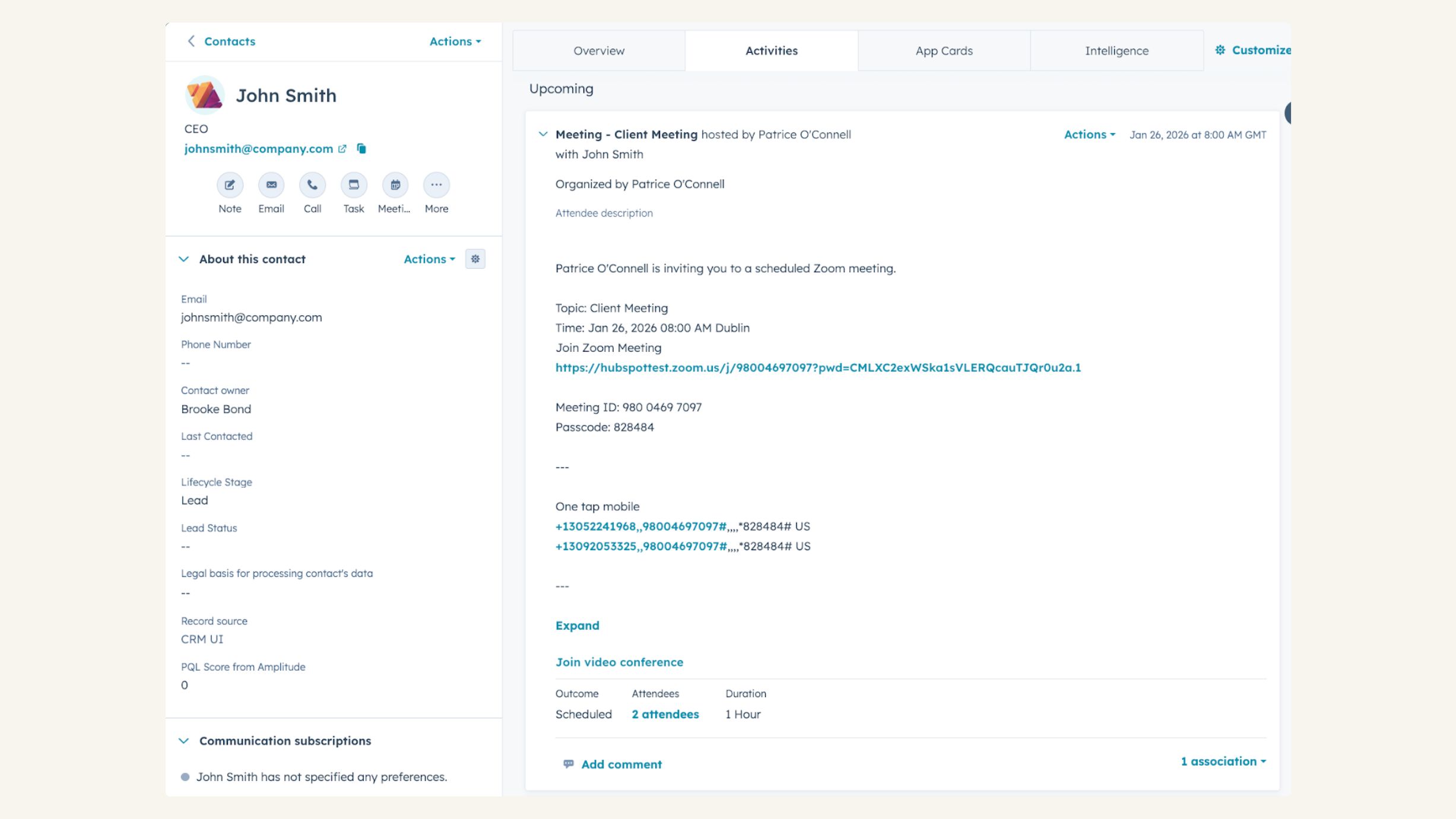
Track Zoom Webinar attendance in HubSpot CRM
See Zoom Webinar data on the timeline, including if someone registered, attended, registered but did not attend, attendance duration, number of webinars attended, total webinars registered for, and average attendance duration.
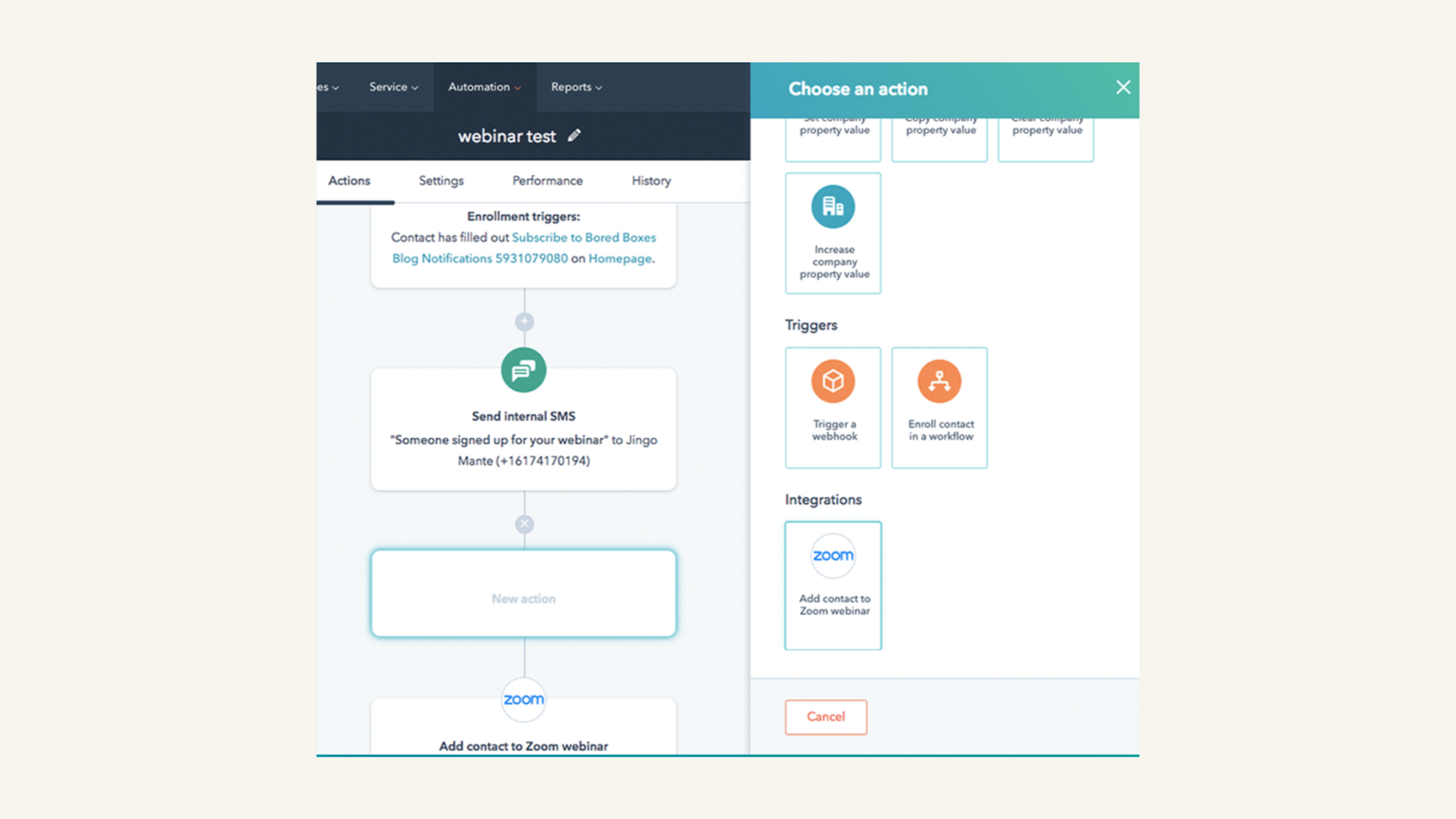
Promote your Zoom Webinars with HubSpot workflows
As a marketer, you want to make sure people who register for your webinar actually show up -- right? Create a workflow in HubSpot that sends reminder emails to folks before the Zoom Webinar.
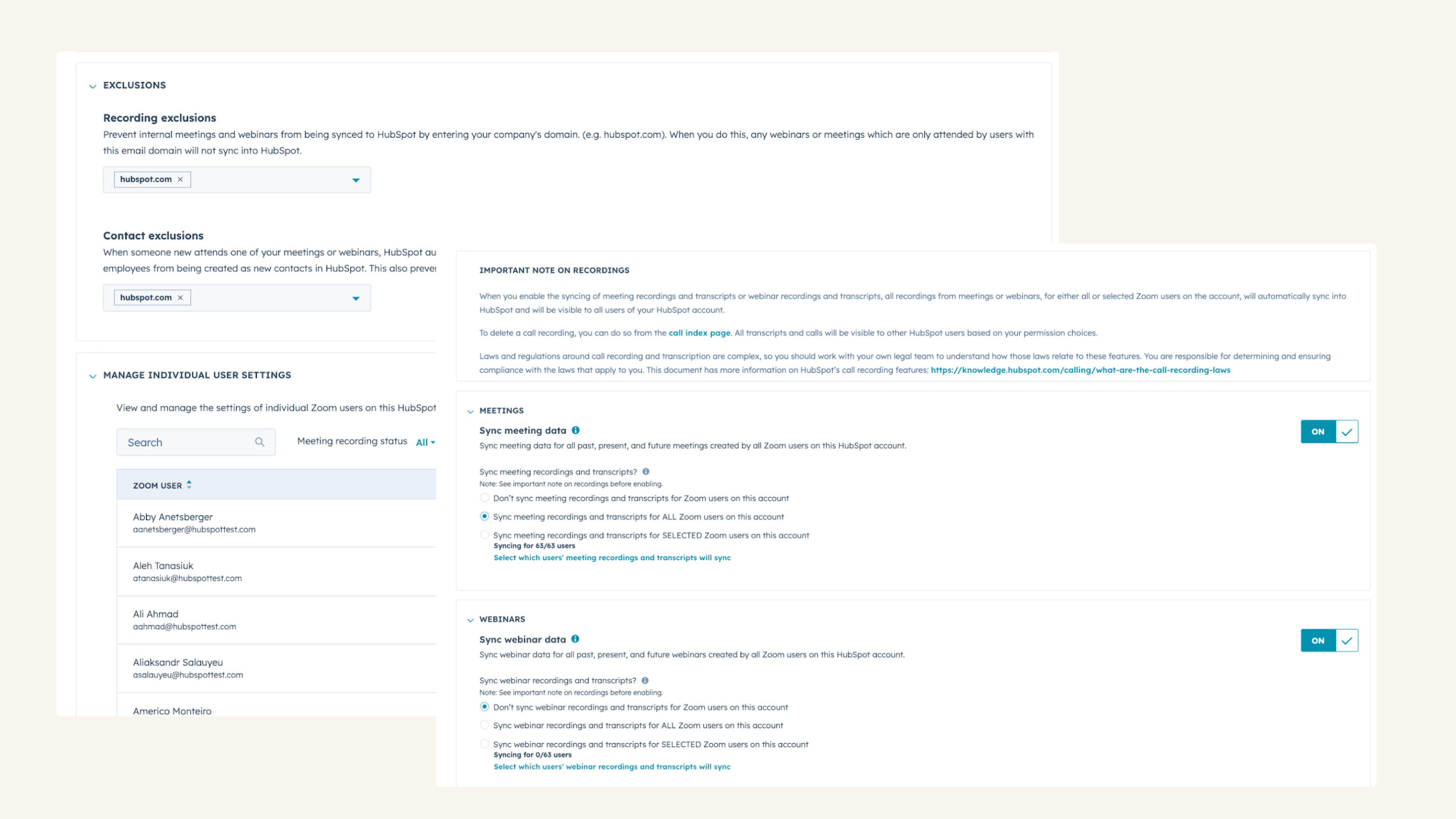
Automatically record, transcribe, and analyze your calls
Choose what data syncs (i.e. set up recording domain exclusions for internal meetings), and manage individual users settings with admin controls that adapt the integration for your business needs.
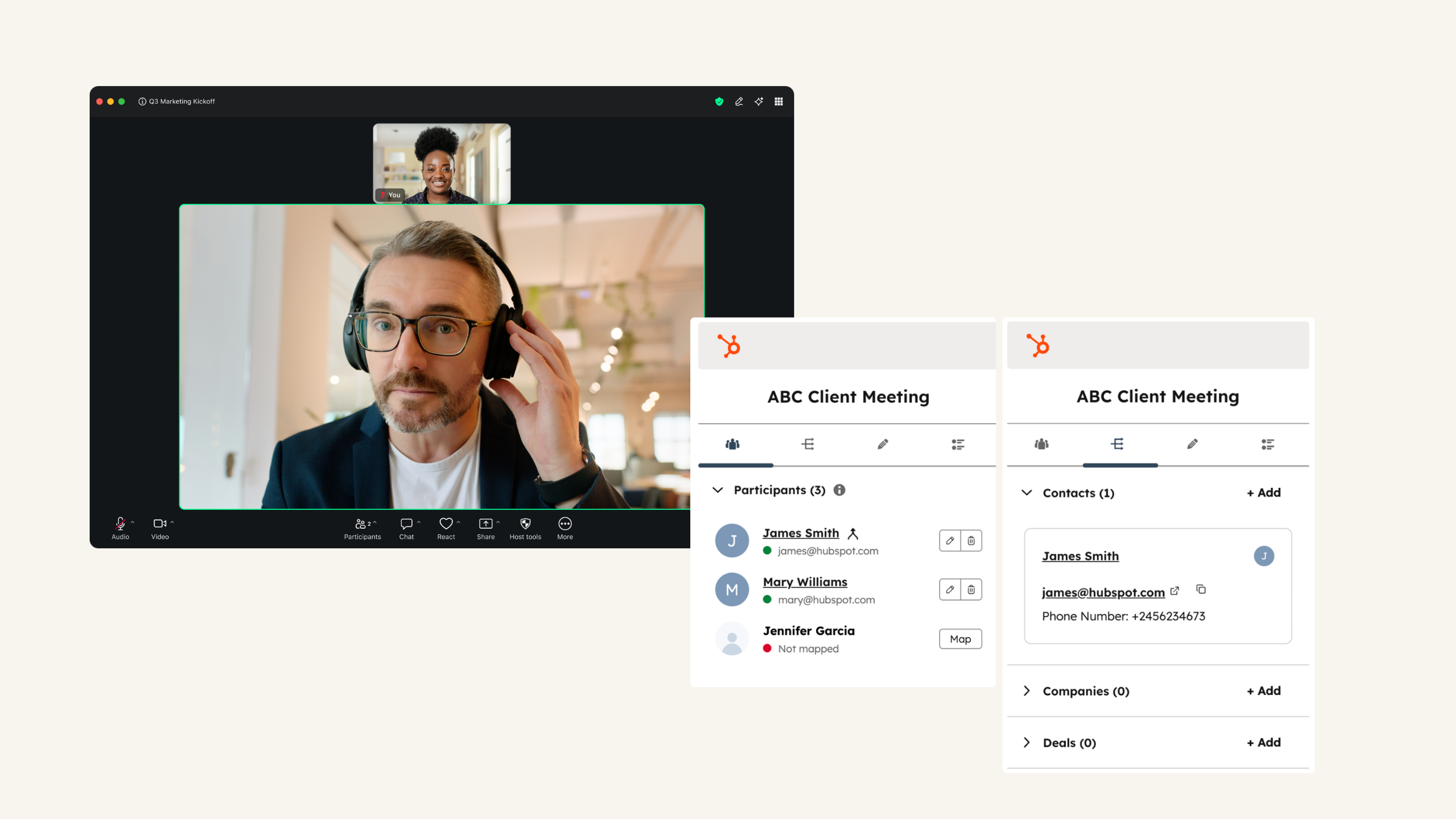
Use HubSpot within your Zoom Meetings
See HubSpot’s contact records for meeting participants and add notes to them during Zoom Meetings. Plus, you can associate meetings and notes to HubSpot companies, deals, and tickets. Or access playbooks to guide your conversations with customers.
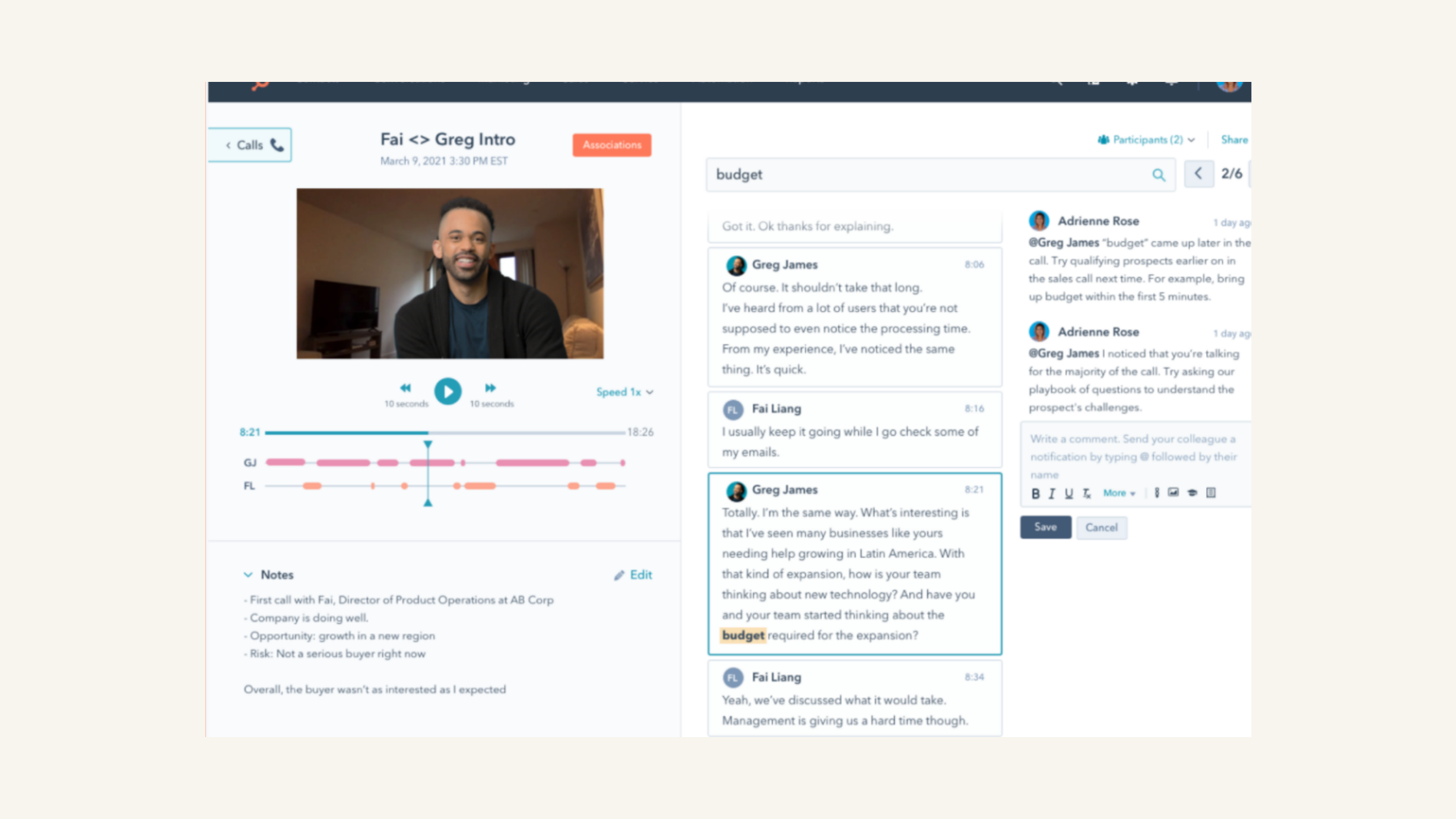
Review Zoom recordings and transcripts
Playback calls and review transcripts, filter calls by object properties, and search across calls for key terms.
App Functionality
Shared Data
Registrants | ||
Average Zoom Webinar attendance duration | ||
Last registered Zoom Webinar | ||
Total number of Zoom Webinar registrations | ||
Total number of Zoom Webinars attended | ||
Webinar date | ||
Webinar join time | ||
Webinar leave time | ||
Webinar view time | ||
Recordings | ||
Transcripts | ||
Participants |
Reviews
3.4
528
3.4
528
- Apr 14, 2026
Complexity of data integration and high operational burden are issues, and the tool is noticeably more difficult to use than the previous tool (Marketo).
Poor convenience when linking data with Salesforce/MA/Zoom and managing campaigns (linking to Salesforce campaigns). High operational load.
Ability for HubSpot and Zoom to work together.
To begin with, the integration specifications between HubSpot and Salesforce, especially Campaign, are difficult to integrate. (Since it is not completed within HubSpot & HubSpot's Campaign is not used, it is not convenient.) Also, when setting up a workflow to register for a Zoom webinar from a HubSpot form, it is necessary to look up the Zoom webinar ID and set it up, which requires a lot of operational time and effort. We are now using Zoom's Webinar ID. (HubSpot's assets are scattered all over the place, so visibility and operational burden are high.)
Yoshiki, Y.
- Apr 6, 2026
Great improvement with universal acceptance, though comes with extra cost
Zoom is a great improvement over my previous tool.
More universally used/welcomed in organizations
it's an added expense from my productivity suite-included tool.
Golden, S.
Pricing
Basic
$0
Include:
Meetings up to 40 minutes per meeting
100 Participants per meeting
Team Chat
Clips Basic5 two-minute videos
Mail and Calendar
Docs BasicShare up to 10 docs
Tasks BasicManual entry
Notes
Whiteboard Basic3 editable boards
Basic
$0
Include:
Meetings up to 40 minutes per meeting
100 Participants per meeting
Team Chat
Clips Basic5 two-minute videos
Mail and Calendar
Docs BasicShare up to 10 docs
Tasks BasicManual entry
Notes
Whiteboard Basic3 editable boards
* The pricing here is for display purposes only. All prices do not include taxes, incentives, discounts, or other pricing variables. You should contact the partner for the most up to date and correct pricing information. HubSpot does not take any responsibility for this pricing information, which is provided by our partners. Pricing last updated: 04/13/2026
New arrivals