

ClickSync
Requirements
HubSpot Plan HubSpot Account permissions - View the required account permissions
Access Type Shared ClickSync Subscription - Free Forever or Pro plans
Overview
1/8 - How I Sync HubSpot Deals to ClickUp Tasks in 2 Minutes (Custom Fields Included)
Your sales team closes deals in HubSpot. Your delivery team manages work in ClickUp. The handoff between those two systems is where information gets lost.
Someone copies the deal amount, stage, and close date into a ClickUp task. Maybe they forget a field. Maybe the deal amount changes next week and nobody updates the task. Your delivery team works from incomplete or outdated information, and nobody catches it until something goes wrong.
ClickSync is a purpose-built, bidirectional sync between HubSpot deals and ClickUp tasks.
Changes in HubSpot flow to ClickUp. Changes in ClickUp flow back to HubSpot. Your custom fields map exactly where they should: Amount to Budget, Deal Stage to Status, Close Date to Due Date, and any custom properties you need. ClickSync reconciles both systems every 5 minutes, catching every update that one-time automations miss. Works on every HubSpot tier including Free and Starter.
Key Features
Bidirectional Sync — Update a deal in HubSpot and the linked ClickUp task updates. Change a task in ClickUp and the HubSpot deal updates. Automatically, every 5 minutes.
Custom Field Mapping — Map any HubSpot deal property to any ClickUp custom field. Supports text, number, date, dropdown, and checkbox fields.
Visual Field Mapper — Pick your HubSpot property, pick your ClickUp field, and see which fields are compatible instantly.
Plain-English Activity Log — Every sync action logged with clear status messages. Retry failed records with one click.
Works on HubSpot Free — No plan upgrade required. Works on Free, Starter, Professional, and Enterprise.
5-Minute Setup — Connect both accounts, choose a ClickUp list, map your fields, and sync.
Automatic Duplicate Prevention — Every deal-task pair is tracked. Existing tasks get updated, never duplicated.
Features
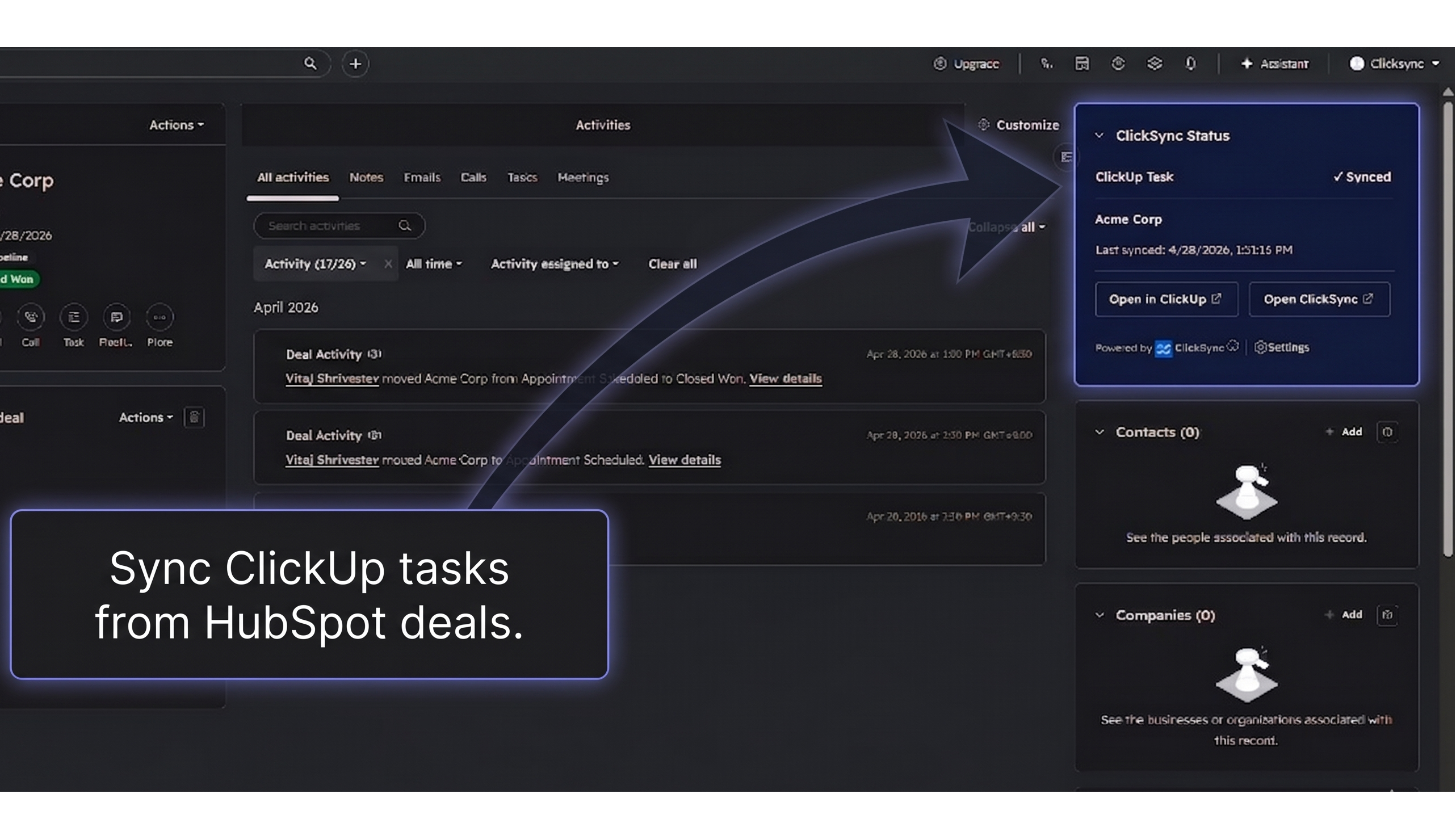
Deal Sync Status Card
See which ClickUp task is linked to each deal — right inside HubSpot. The ClickSync Status card shows the task name, sync health, last synced time, and a direct link to open the task in ClickUp. Watch the 2nd video for the Status Card walkthrough for one-time setup.
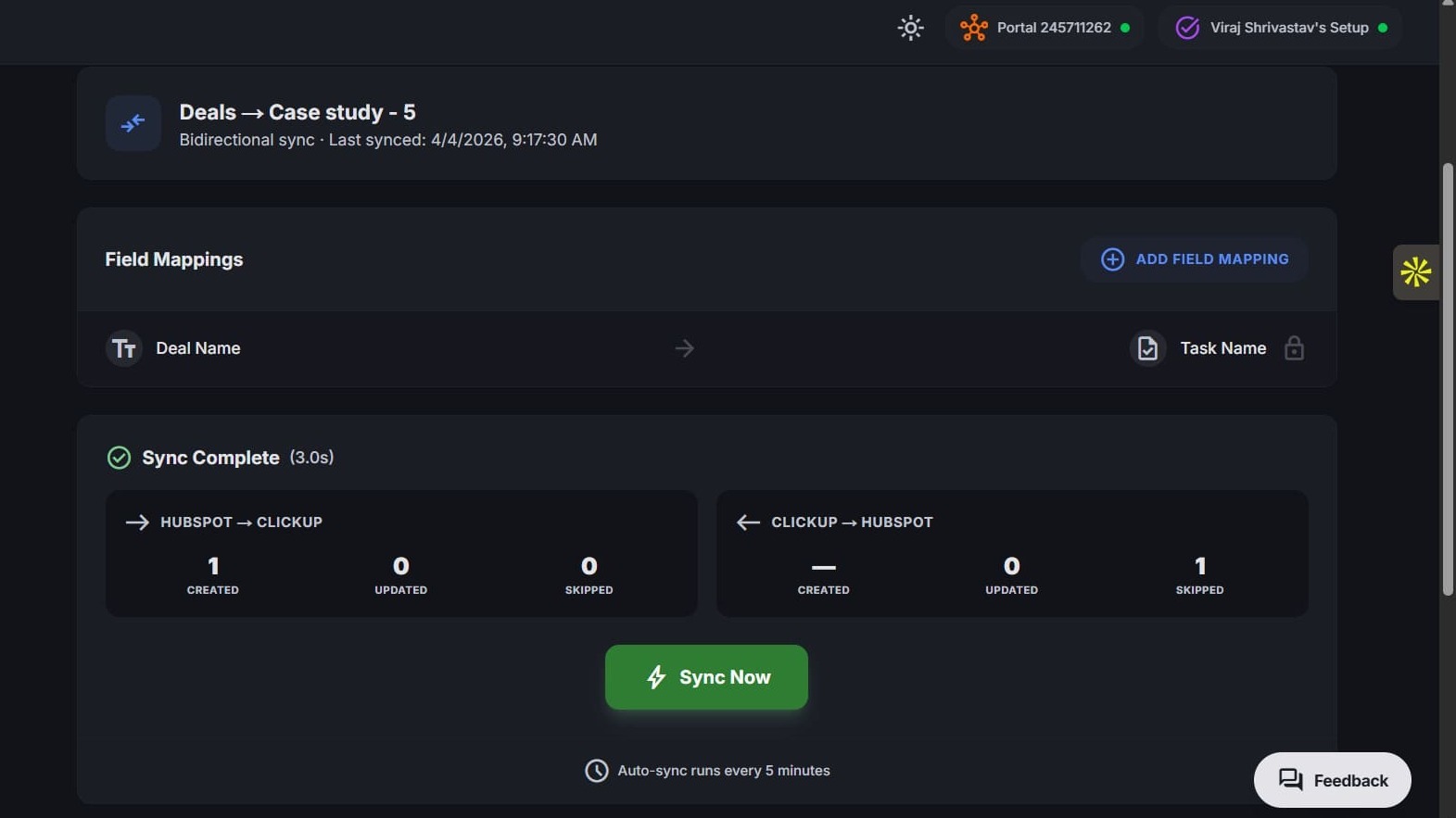
Bidirectional Deal-Task Sync
Changes flow both ways. Update a HubSpot deal and the ClickUp task updates. Change a ClickUp task and the deal updates. Automatically, every 5 minutes. No manual copying. No data drift.
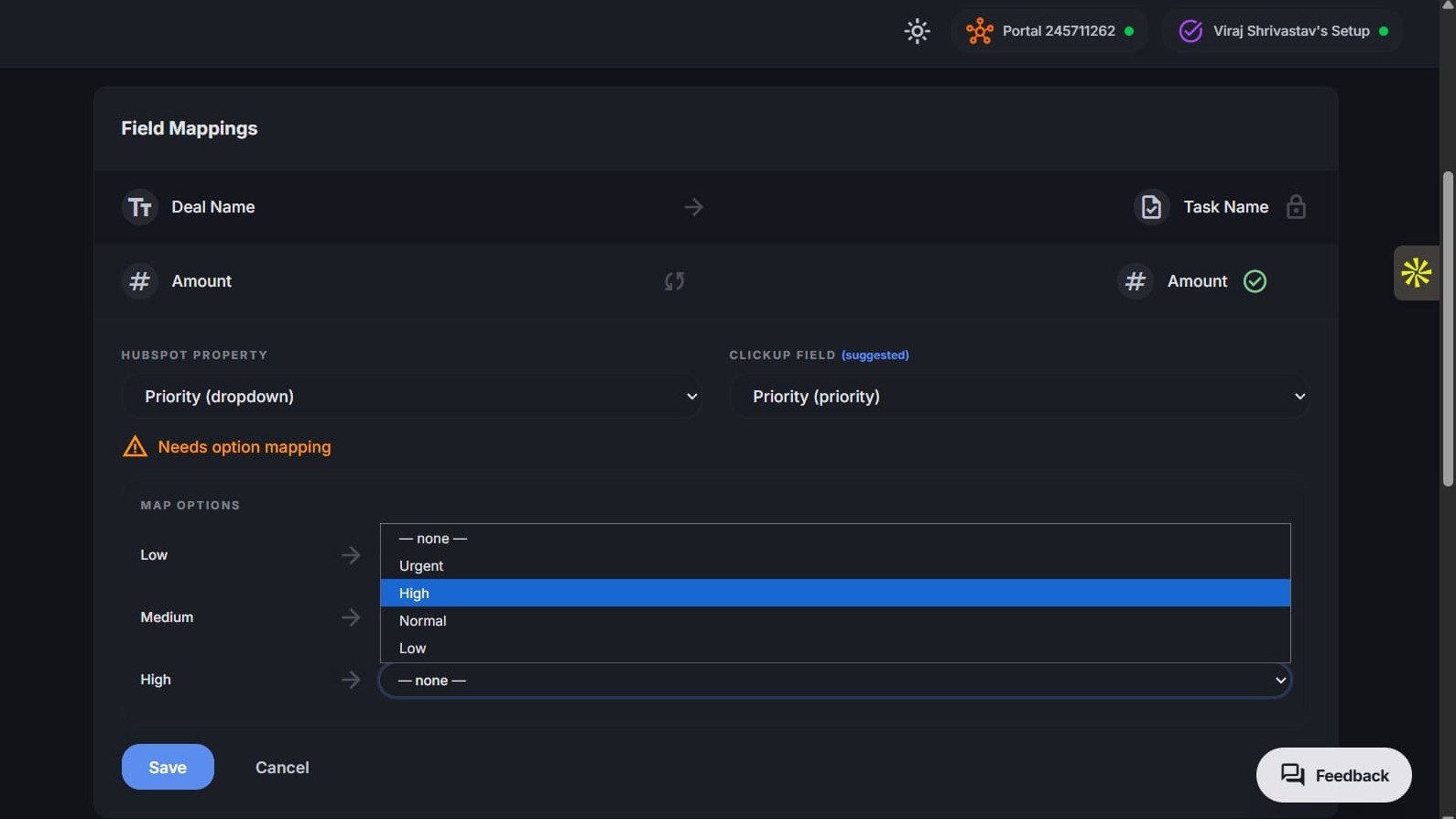
Visual Field Mapper
Map any HubSpot deal property to any ClickUp custom field visually. For dropdown fields like Deal Stage, map each value individually — Closed Won goes exactly where you want it.
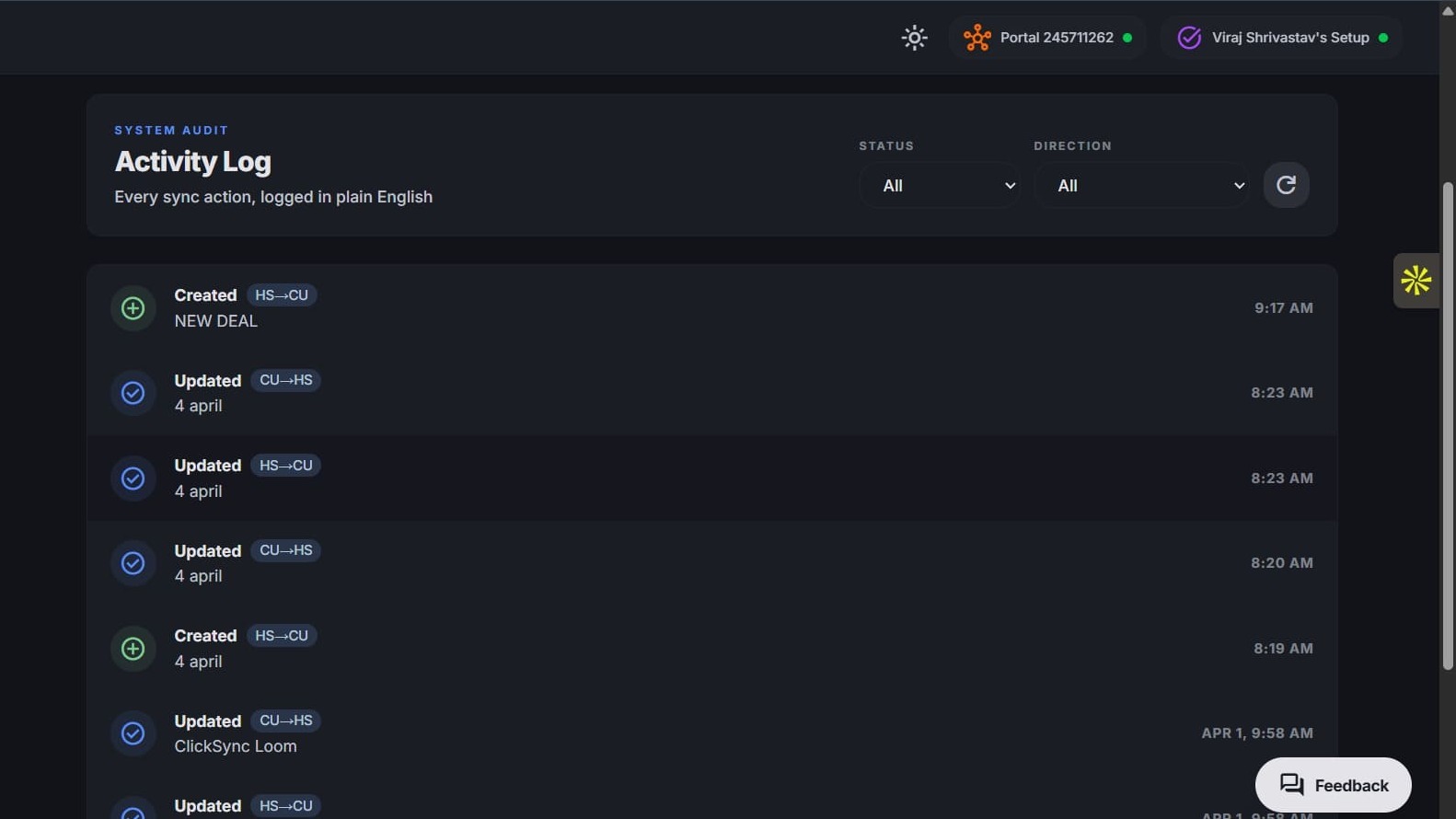
Plain-English Activity Log
Every sync action logged with clear status messages — created, updated, skipped, or failed. See exactly what happened and retry failed records with one click.
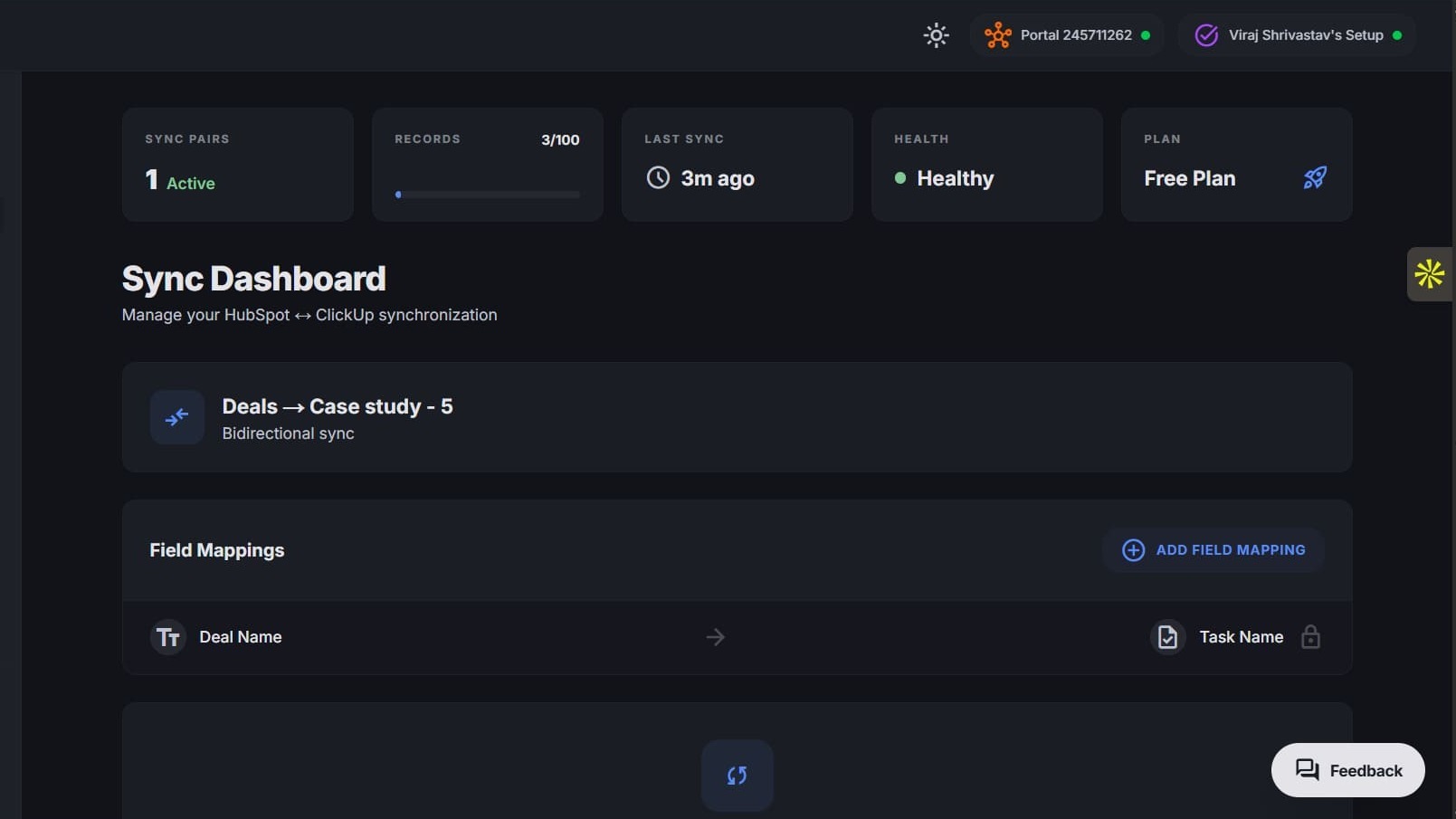
Works on HubSpot Free
No plan upgrade required. ClickSync works on HubSpot Free, Starter, Professional, and Enterprise tiers. Start syncing without changing your HubSpot subscription.
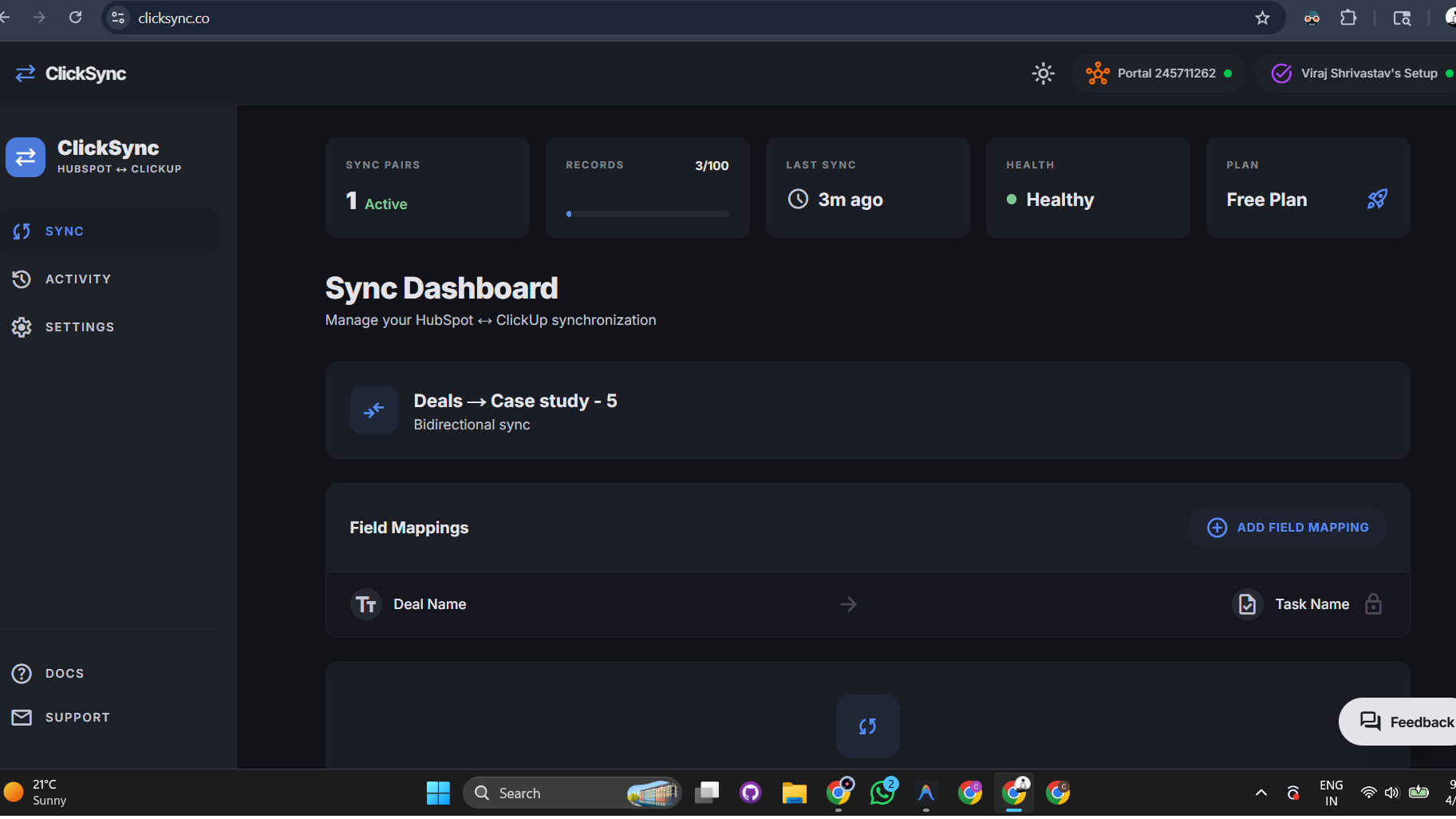
Open ClickSync Dashboard
Connect your ClickUp workspace and configure field mappings to start syncing deals.
App Functionality
Shared Data
ClickUp Tasks | ||
Deal Properties |
Reviews
- May 4, 2026
correctly syncs with HubSpot with clickup does what it says.
does what it says. saves me from manually updating clickup when deals change. pretty straightforward setup.
easy to get going.
does only deals and tasks, no tickets
Little, A.
- Apr 30, 2026
The sidebar on deals is a handy feature
Deals automatically sync to clickup, works fine. theres a new card on the deal page now that shows that the linked task and sync status. And can open the task in clickup right from there. had to go add it to my deal layout in settings first, wasnt immediately obvious
seeing the clickup task right on the HubSpot deal page
have to manually add the card to your deal layout, doesnt appear on its own
Bhat, S.
Pricing
Free Forever
$0
For teams getting started
1 Sync Pair
100 Records
Bidirectional Sync
Custom Field Mapping
Activity Log
Works on all HubSpot tiers
Free Forever
$0
For teams getting started
1 Sync Pair
100 Records
Bidirectional Sync
Custom Field Mapping
Activity Log
Works on all HubSpot tiers
* The pricing here is for display purposes only. All prices do not include taxes, incentives, discounts, or other pricing variables. You should contact the partner for the most up to date and correct pricing information. HubSpot does not take any responsibility for this pricing information, which is provided by our partners. Pricing last updated: 05/03/2026
More info
Built by - ClickSync
Installs - 20+ installs
Categories Languages this app is available in English
New arrivals

AdvancedRollups
Create the rollup metrics your business needs without complex workflows or custom code.

Ingenious Pixies
Contextualize your data by comparing your performance against industry standards
