
QuickBooks Online
Requirements
HubSpot Plan HubSpot Account permissions No permissions required Access Type Shared QuickBooks Online Subscription - Simple Start, Essentials, Plus, or Advanced plans
Overview

1/6 - Connect tools to sync data bidirectionally
HubSpot’s QuickBooks Online integration enables you to connect data between tools to get a complete view of the customer, streamline your billing & payments process, and keep accurate financial records.
Sync data between HubSpot and QuickBooks Online in a few clicks
Sync Invoices, Contacts/Customers, and Products bi-directionally between HubSpot and QuickBooks Online. Whether invoices, customers, products, or payments are created in HubSpot or QuickBooks Online, the integration provides a complete view of your customer in HubSpot. Synced data can be used to generate reports, trigger automation, or simply be viewed by users with the appropriate permissions, without ever having to leave HubSpot.
You decide which data should sync and the direction that data syncs. Data syncs at regular intervals, and you can also sync on demand when you want the most recent updates. The integration's health reports and alerts identify records that have failed to sync and provide helpful recommendations on how to resolve sync errors.
Streamline your billing process and keep QuickBooks Online up-to-date
Revenue Hub offers tools like quotes, invoices, subscriptions, and payment links to help you bill customers and collect payments. Create invoices from scratch or convert quotes or deals into invoices or subscriptions, all within HubSpot. Two-way invoice sync creates HubSpot invoices in QuickBooks Online, while payments sync automatically.
Revenue Agent helps you manage outstanding invoices with personalized collection plans, payment reminders, follow-ups, and escalations drafted for your approval. Empower your front office to send bills and manage collections so your accounting team can focus on the financial health of your business.
Features
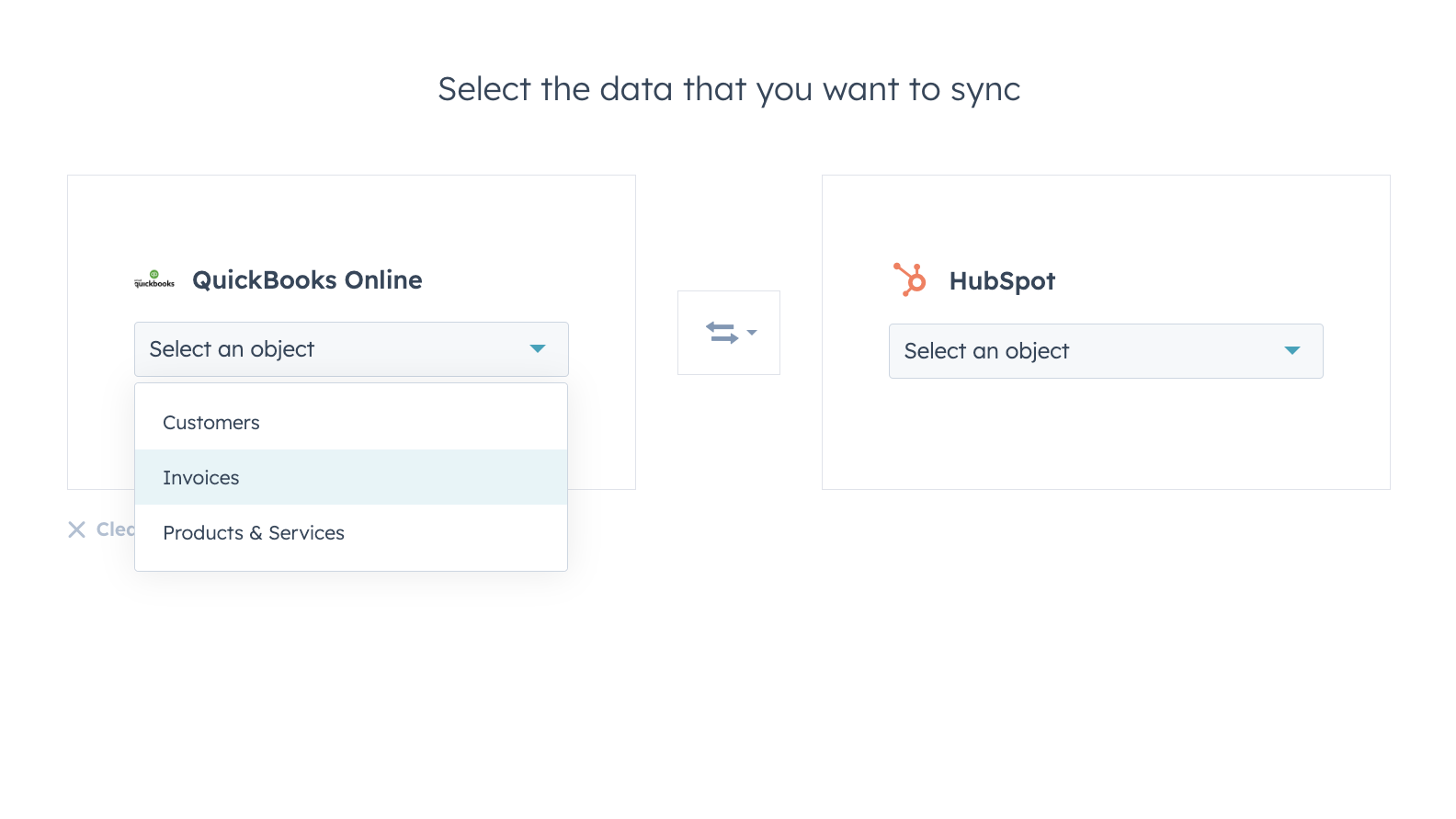
Sync data between HubSpot and QuickBooks Online confidently
Contacts, Invoices, and Products can be synced to HubSpot, from HubSpot, or both ways. The integration’s sync filters give you full control over what, when and how your data is synced between HubSpot and QuickBooks Online.
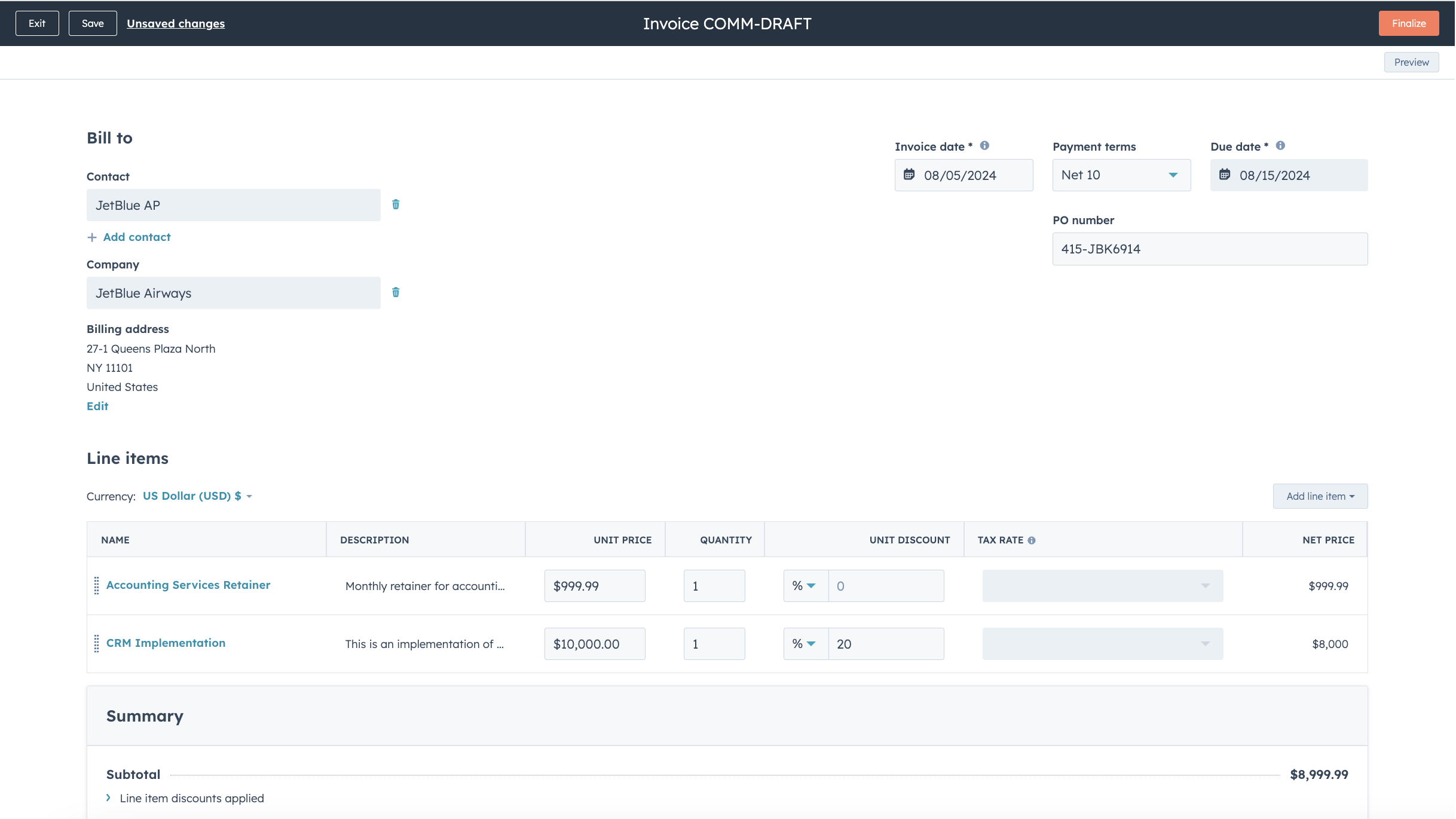
Streamline your billing process and keep QuickBooks Online up to date
Convert Quotes and Deals into invoices and subscriptions in just a few clicks, or create invoices from scratch, speeding up your billing process. Published Invoices are synced to QuickBooks Online and updated with payments when they are paid via HubSpot, or when payments are recorded in QuickBooks Online.
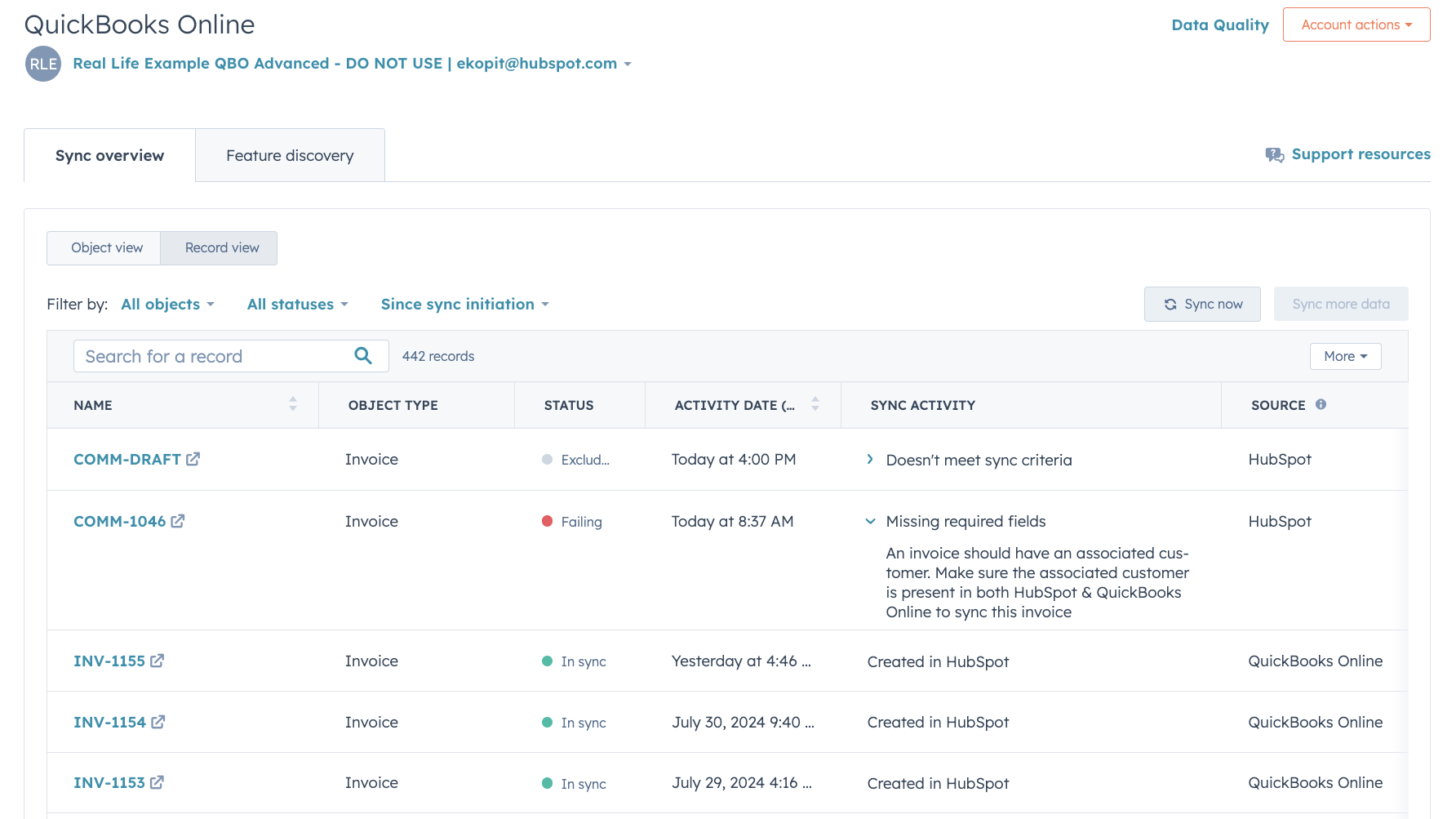
In-depth sync health reporting and error resolution
In-depth sync health reporting helps you identify in real time which records are syncing, and how to resolve sync errors quickly.
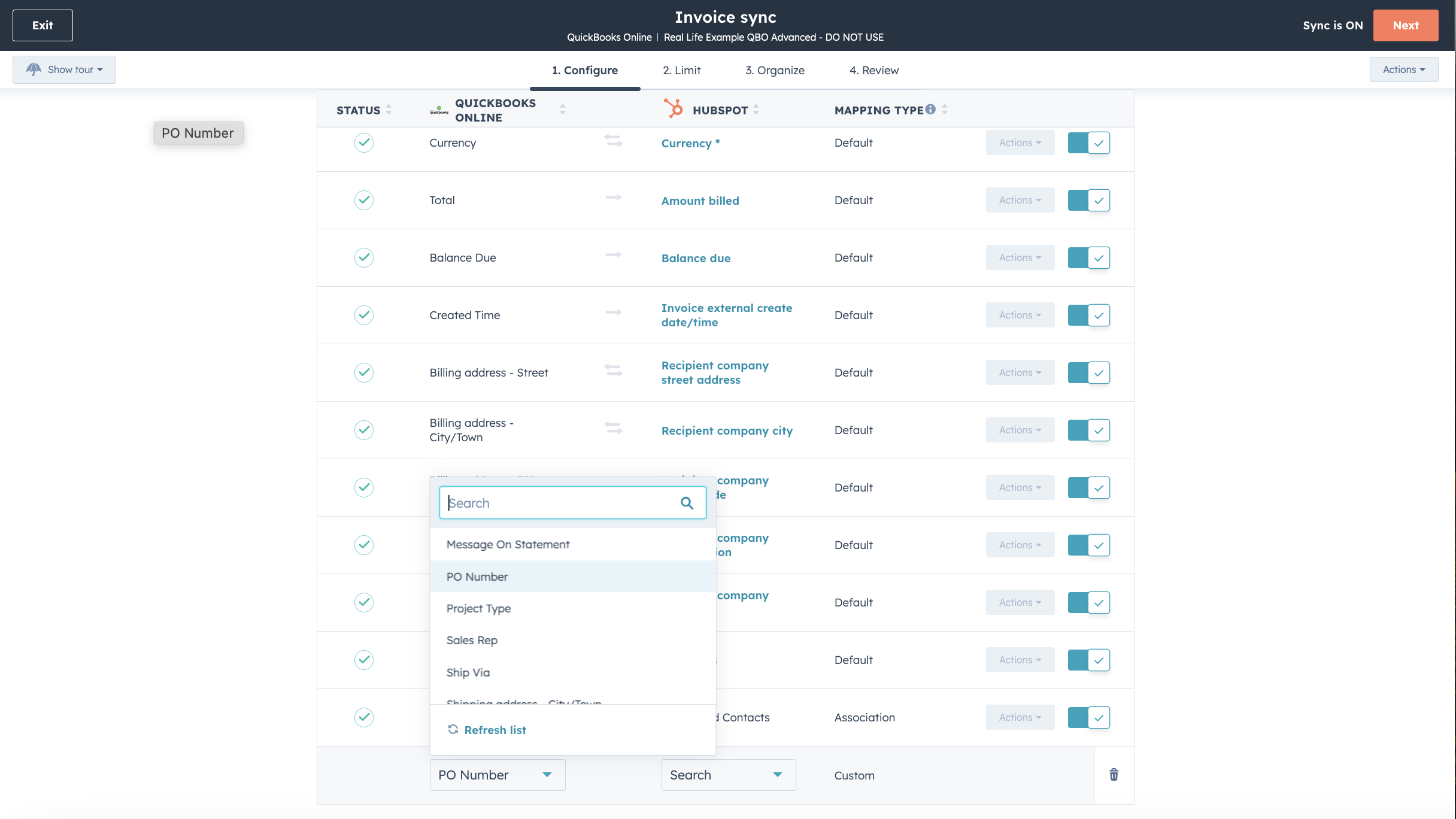
Customize your field mappings
With Operations Hub Starter or above, you can customize your invoice, contact, or product sync field mappings to better match your data model.

Works with data studio in Data Hub
Built for marketers, data studio in Data Hub lets anyone blend data in a familiar, spreadsheet-like interface with the help of AI. Create custom datasets that power advanced segmentation, automation, and reporting. You can also easily manage the flow of data between multiple external data sources, including Stripe, and the HubSpot CRM
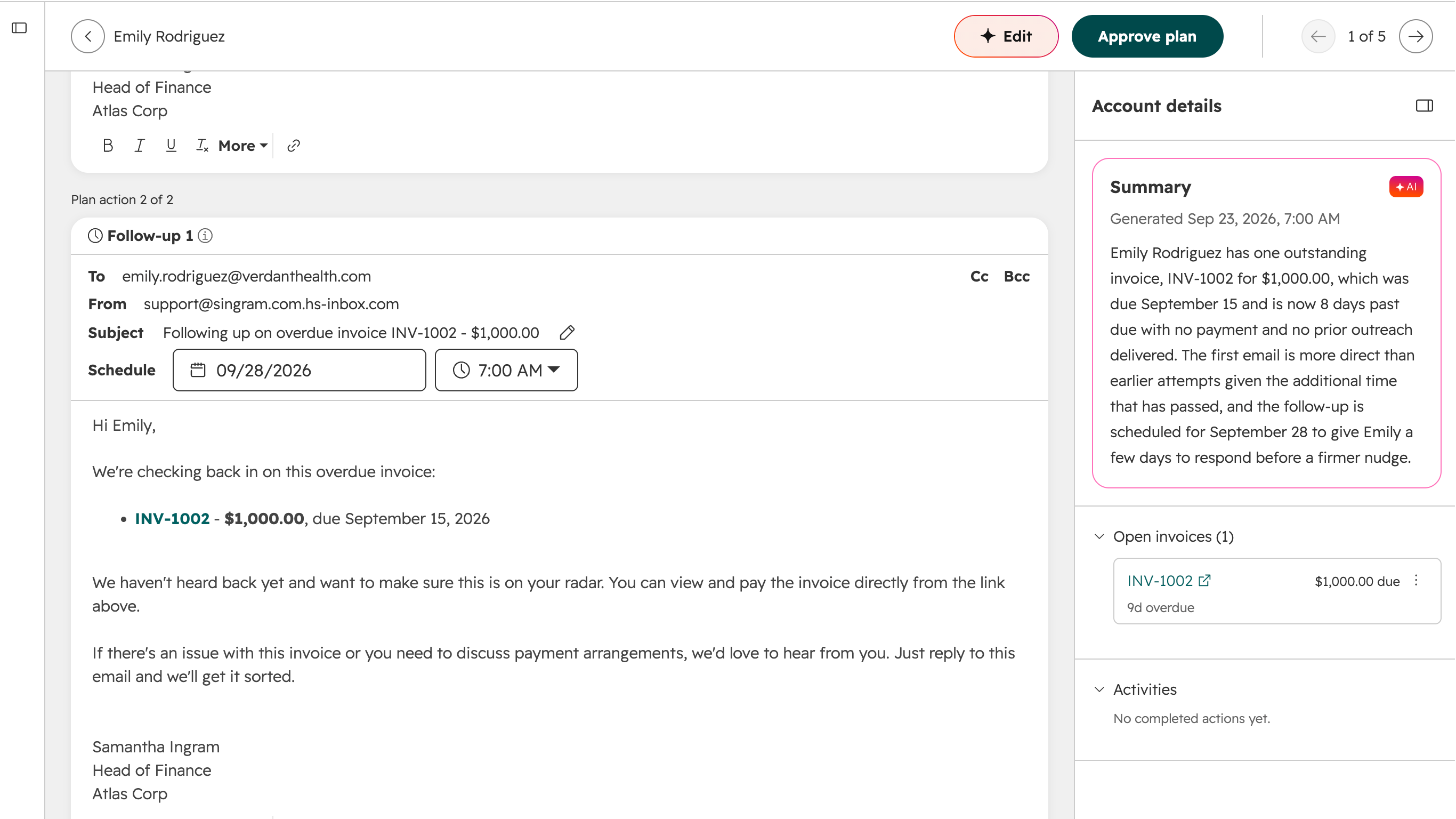
Use Revenue Agent for automated collections
Revenue Agent monitors outstanding QuickBooks Online invoices synced to HubSpot and creates personalized collection plans with reminders, follow-ups, and escalations. Revenue Agent adjusts each plan as invoice and payment details change.
App Functionality
Each object has field mappings that match information across HubSpot and QuickBooks Online. Default mappings are listed below. Changing the default mappings requires Operations Hub Starter or up. QuickBooks Online offers limited custom fields support in their API (maximum 3 on invoices only).
Customers | ||
Invoices | ||
Products & Services | ||
QuickBooks Online data |
Reviews
2.1
106
2.1
106
Users report duplicate records, B2B data mapping errors, and incompatibility with non-US tax requirements, alongside the loss of legacy features like PDF viewing and draft invoice creation. However, some users appreciate the custom field mapping options and find that tracking payment statuses directly within the CRM streamlines their invoicing workflows.
- Sep 17, 2026
Syncing Issue
HubSpot was not able to sync historical data
Kadri, S.
- Aug 23, 2026
Too many unnecessary features for
It has some good features that I suppose are useful for accountants, but not necessarily for business owners.
Globally recognized
Too many unnecessary features, overpriced for what I need, terrible customer service.
Martínez-Díaz, J.
Pricing
Simple Start
$35
/monthTrack income & expenses
Capture & organize receipts
Maximize tax deductions
Invoice & accept payments
Track miles
Send estimates
Track sales & sales tax
Manage 1099 contractors
Run general reports
Simple Start
$35
/monthTrack income & expenses
Capture & organize receipts
Maximize tax deductions
Invoice & accept payments
Track miles
Send estimates
Track sales & sales tax
Manage 1099 contractors
Run general reports
* The pricing here is for display purposes only. All prices do not include taxes, incentives, discounts, or other pricing variables. You should contact the partner for the most up to date and correct pricing information. HubSpot does not take any responsibility for this pricing information, which is provided by our partners. Pricing last updated: 09/25/2026
Most popular

Gmail
Bring HubSpot to your inbox with the HubSpot integration for Gmail.

Google Calendar
Book meetings quickly and easily with HubSpot and Google Calendar.
