

Skydive
Built by - Skydive
Installs - <10 installs
Requirements
HubSpot Plan HubSpot Account permissions No HubSpot permissions required. Skydive may request additional permissions while connecting. Access Type Personal Skydive Subscription - Free plan
Overview
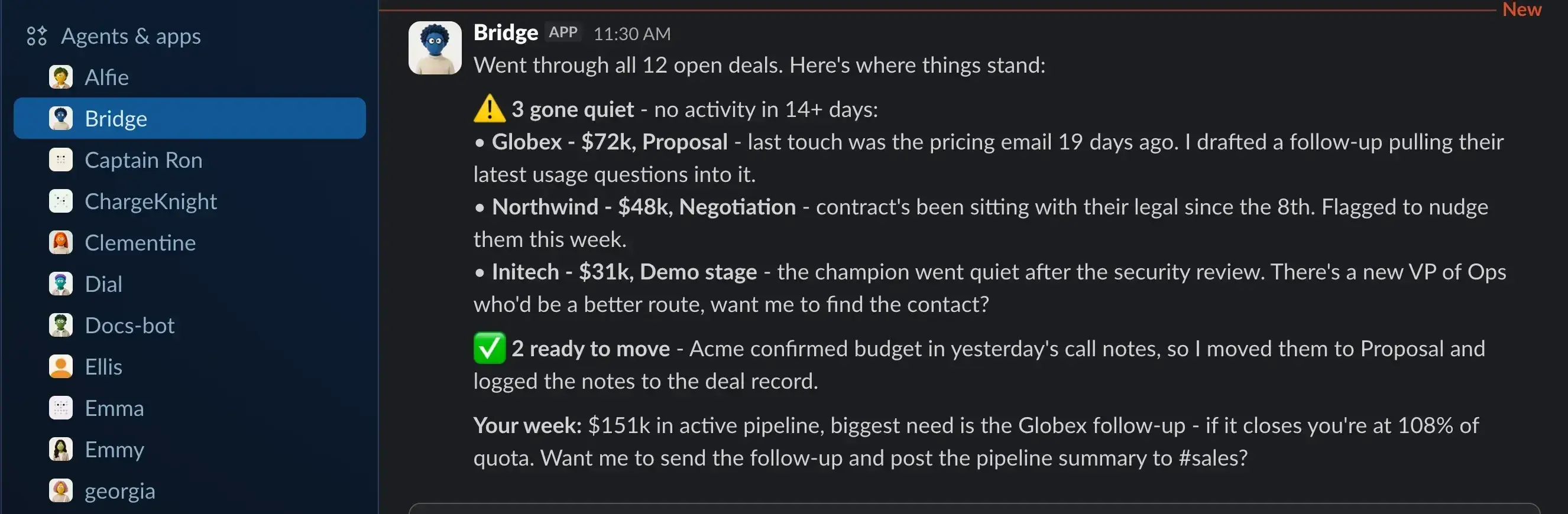
1/1 - AI Agent using using data over slack
Sales and marketing teams live in HubSpot, but the actual work doesn't stay there: the deal context is in Slack, the contract is in DocuSign, the invoice is in Stripe, the follow-up lands in Gmail. Getting any of it into or out of the CRM means copy-paste, tab-switching, and manual data entry. Skydive fixes that. Connect HubSpot once, and an AI agent reads and updates your CRM records on command — ask "which deals in proposal stage have gone quiet?" or "log this call and move Globex to Negotiation" in plain English, right where you already work. But the agent isn't locked to HubSpot: it can also be connected to your other tools, so the CRM becomes the hub of real workflows rather than an island. "Globex signed — mark the deal Closed Won, post the win in #sales, and draft the onboarding email" becomes one instruction: the agent updates the deal in HubSpot, posts to Slack, and drafts the mail, pulling context from your CRM records to do it. Teams keep their pipeline current without manual entry, spot stalled deals before they slip, and close the loop between HubSpot and the rest of their stack. HubSpot stays the system of record; Skydive just makes it speak human — and talk to everything else.
Features
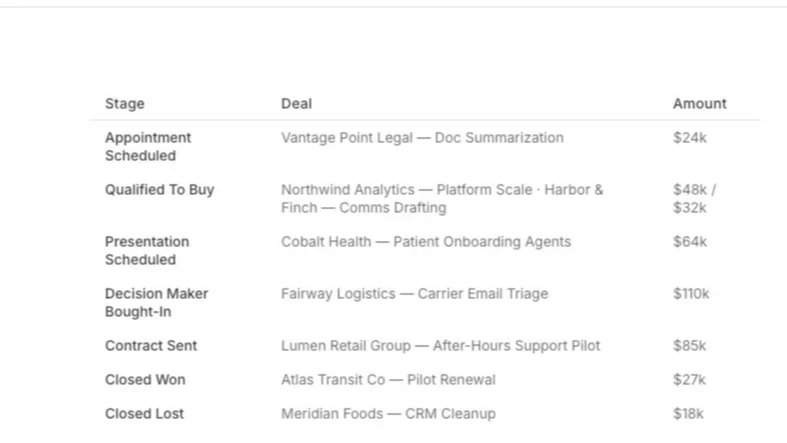
Query your entire dataset from Slack, Web or iMessage
Ask about your pipeline in plain English and get answers from your HubSpot data — which deals are stalled, what changed, who owns what — without building a report or digging through records.
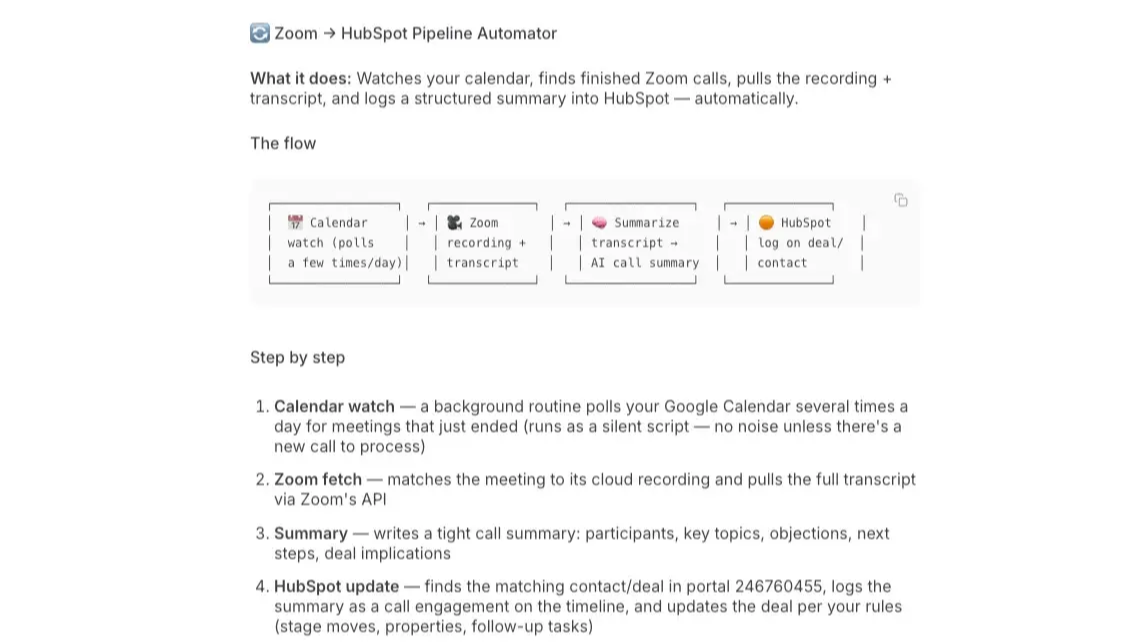
Update records automatically
Tell your agent to log a call, update a deal stage, or add a contact, and it writes the change straight to HubSpot — do it automatically by syncing with other tools like Zoom and Google Calendar. Call ends - recording parsed - Hubspot Updated all managed by your agent.
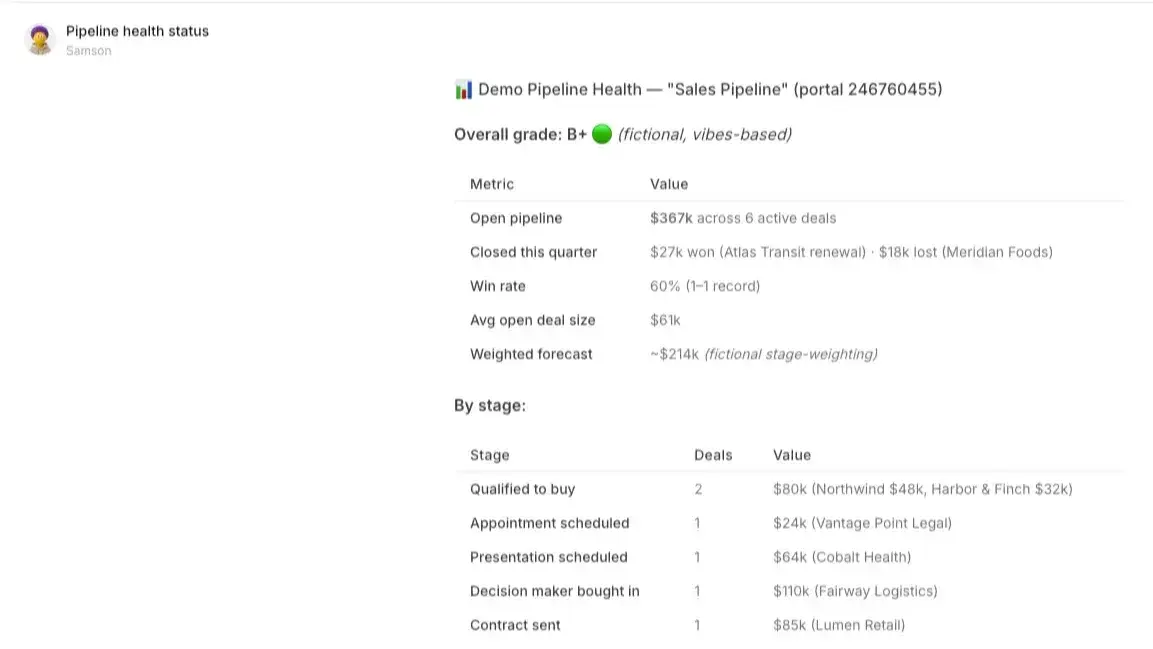
Fully Automated Pipeline Monitoring
Your agent watches your open deals and flags what needs attention — gone-quiet opportunities, deals ready to move, gaps in your pipeline — before they slip. Set a watch schedule, target, etc and let the agent keep you updated on the go.
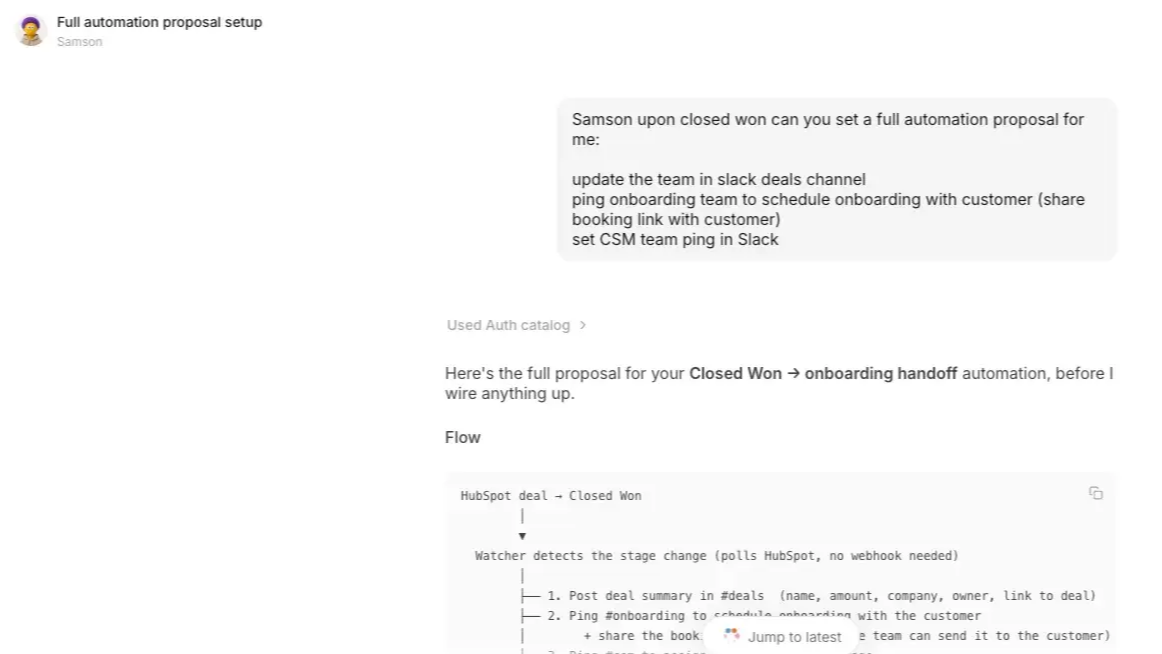
Hubspot data now attaches to your entire stack
Connect your other tools and HubSpot becomes part of real workflows, not an island: "Globex signed — close the deal, post the win in Slack, draft the onboarding email" is one instruction or one automation based on a status change in Hubspot. Connect Hubspot to 300+ other tools via your agent.
Reviews
Free
$0
Free
$0
* The pricing here is for display purposes only. All prices do not include taxes, incentives, discounts, or other pricing variables. You should contact the partner for the most up to date and correct pricing information. HubSpot does not take any responsibility for this pricing information, which is provided by our partners. Pricing last updated: 10/07/2026
Getting attention today

Zoom
Use Zoom with HubSpot meetings, workflows, contact records and more.

Microsoft Teams
Use Microsoft Teams and HubSpot for meetings, conversations, and more!
