
.jpeg)
Canva
Krav
HubSpot-abonnement HubSpot-kontotillatelser Ingen tillatelse nødvendig Tilgangstype Delt Canva-abonnement - Canva, Canva Pro eller Canva-team-abonnementer
Oversikt
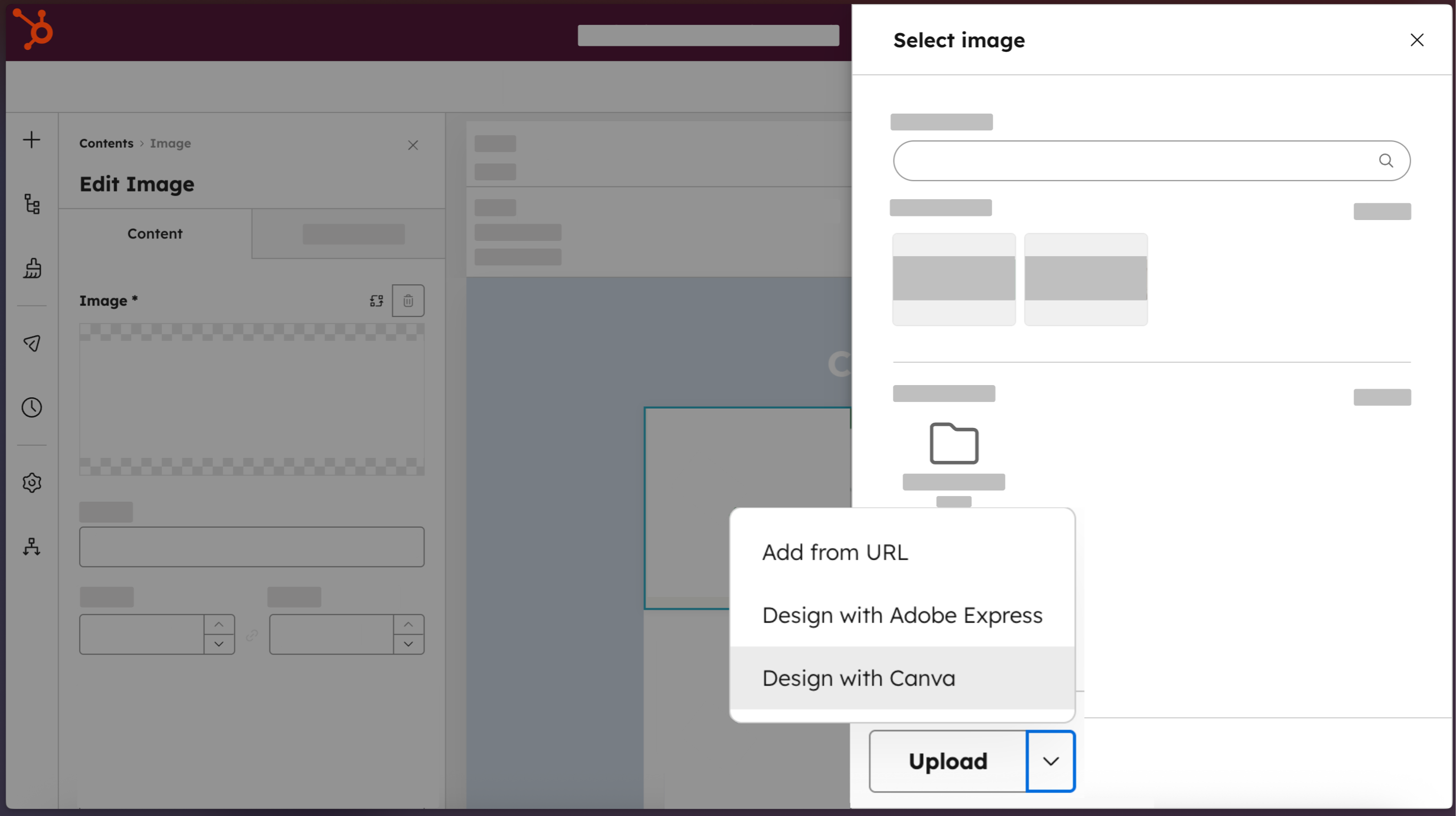
1/4 - Få tilgang til Canva direkte fra HubSpot.
Markedsføringsteam skal ikke måtte velge mellom å være raske og å holde seg til merkevaren. Canva-appen for HubSpot kobler sammen begge plattformene, slik at alle i teamet ditt kan gå direkte fra HubSpot til Canvas fullstendige redigeringsprogram. Bruk Canvas AI-drevne verktøy, merkevaregodkjente maler og samarbeidsfunksjoner i sanntid for å skape ressurser av profesjonell kvalitet uten designekspertise. Ferdig design flyttes tilbake til HubSpots filbehandling med ett klikk, klar til å distribueres på tvers av e-post, nettsider, sosiale innlegg og annonser. Resultatet: visuelt innhold som beveger seg i den hastigheten Loop Marketing krever.
Funksjoner
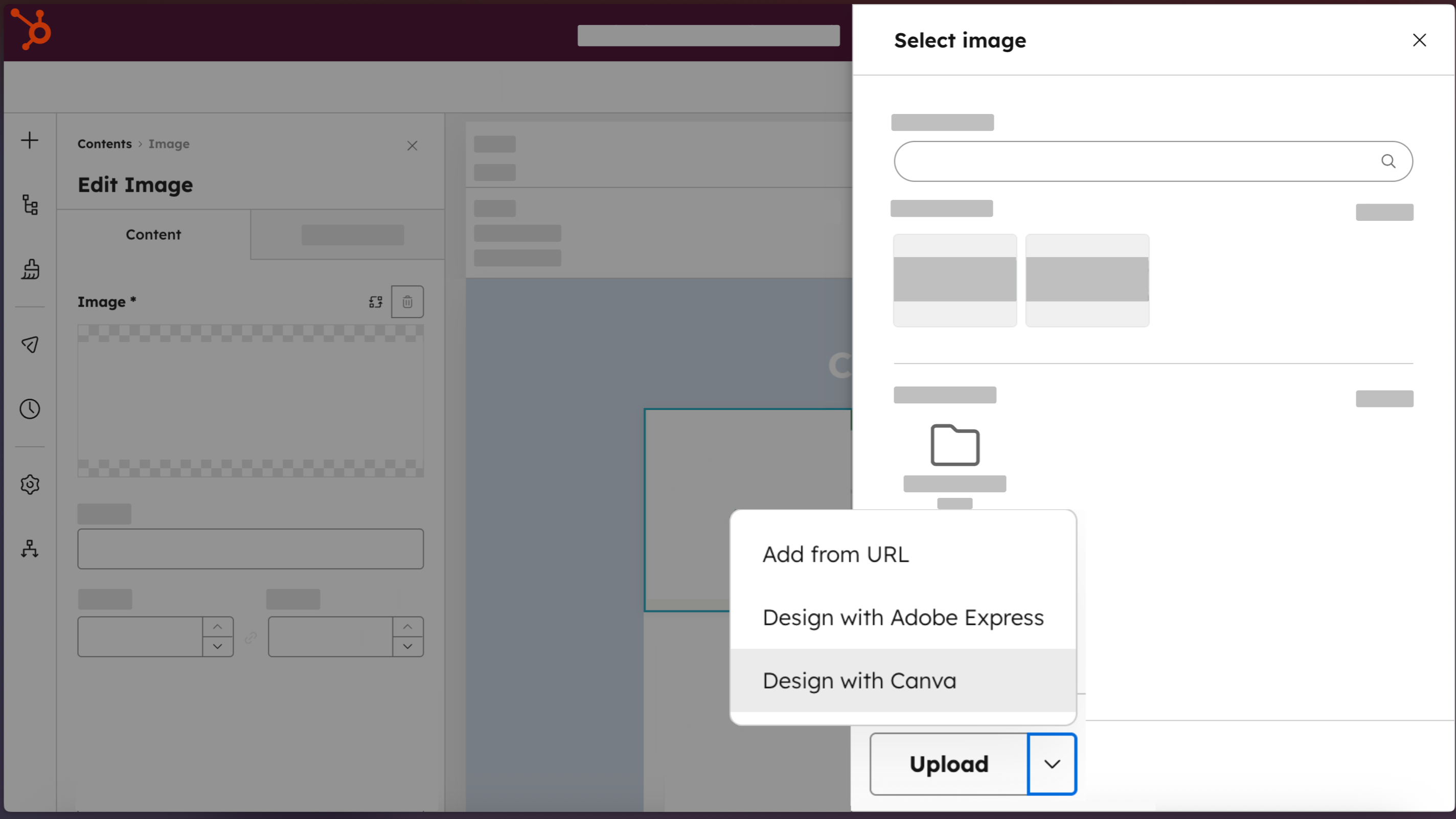
Få tilgang til Canva direkte fra HubSpot
Lag profesjonelle design med "Design med Canva"-knappen, som er tilgjengelig i alle HubSpot-redaktører for e-post, sosiale medier, annonser, destinasjonssider, nettsider og blogginnlegg.
-2-1.png)
Lag ressurser av profesjonell kvalitet, uten behov for designkompetanse
Lag markedsføringsressurser som ser ut som de er laget av en designer, ved hjelp av merkevaresett, Canva AI, Ask Canva, dra-og-slipp-redigeringsprogrammet og et bibliotek med maler.
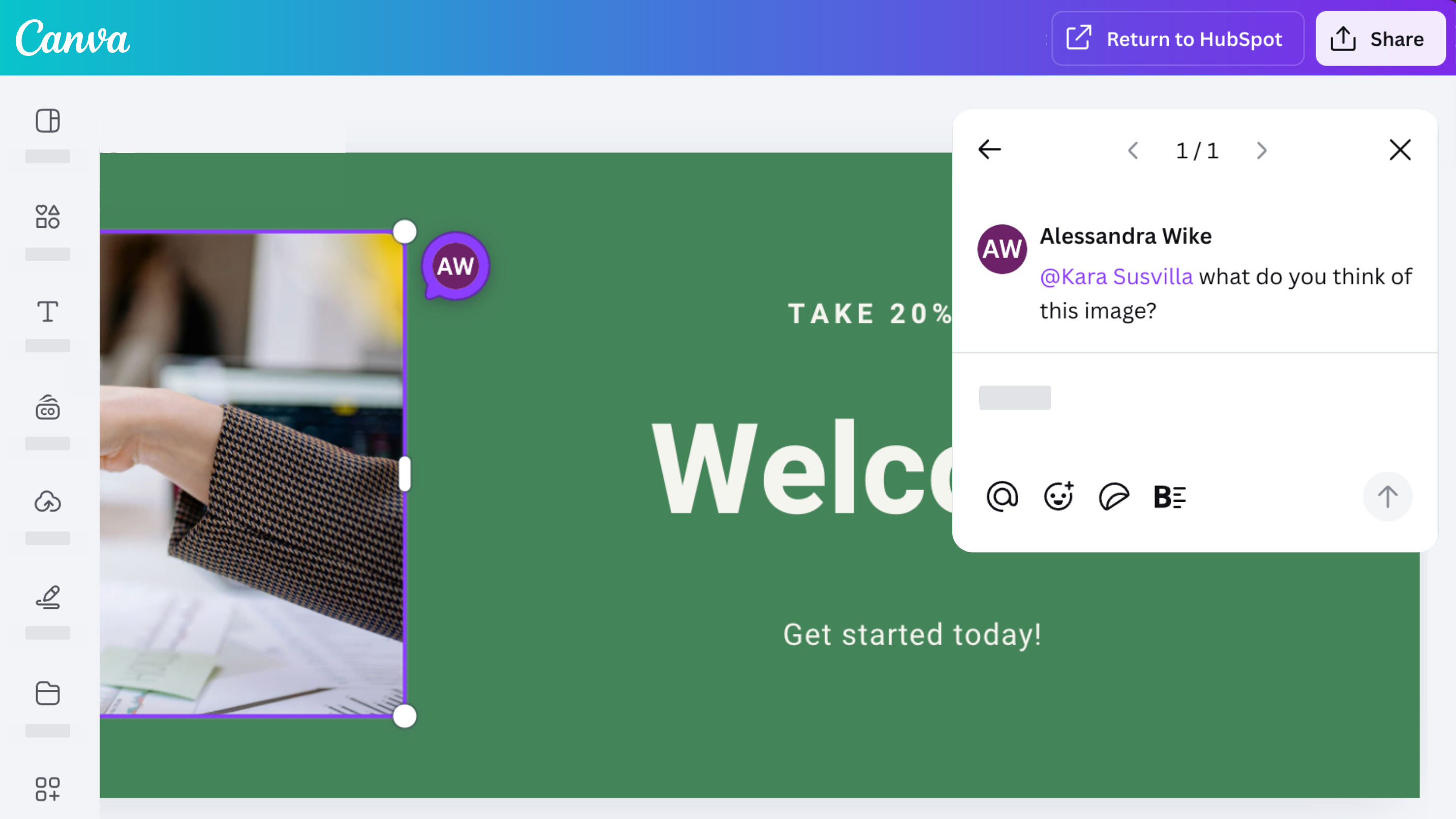
Samarbeid, kommenter og del med teamet ditt
Få tilgang til Canvas robuste samarbeidsfunksjoner med Canva-appen for HubSpot. Design, kommenter, del og iterer på design sammen med teamet ditt.
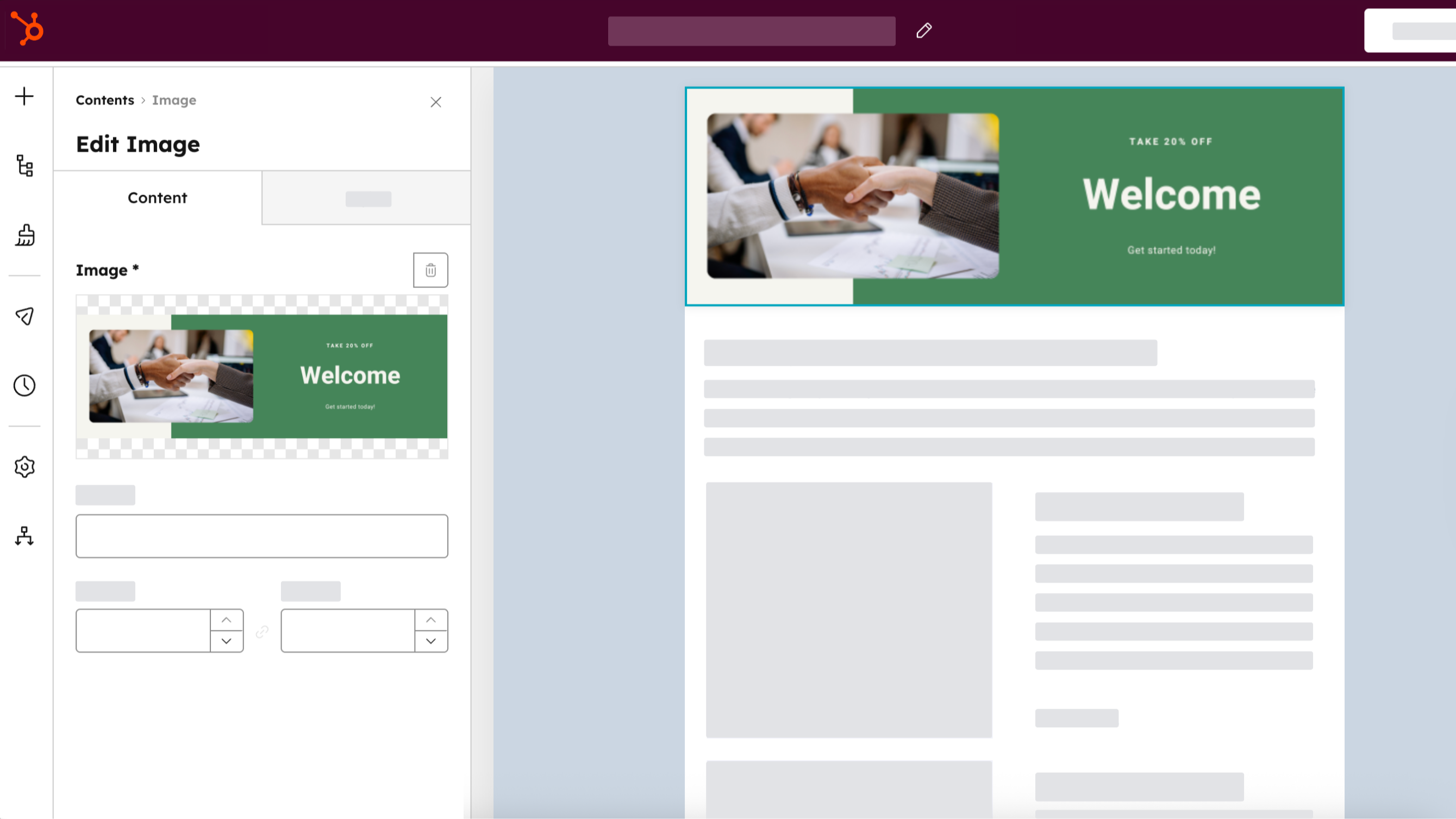
Distribuer på tvers av alle HubSpot-kanaler
Opprett en ressurs én gang, lagre den i HubSpot-filbehandleren ved å velge "Return to HubSpot", og bruk den deretter i annonser, e-poster, sosiale innlegg og innhold på nettstedet ditt. Klon Canva-ressurser direkte fra HubSpot ved å velge "Klon og rediger" fra HubSpots filbehandling.
Appfunksjonalitet
Delt data
Canva Design |
Gjennomganger
3,3
230
3,3
230
Brukerne setter pris på integrasjonen fordi den effektiviserer arbeidsflyten, og påpeker at den gjør det enkelt å lage og eksportere enkle grafiske elementer direkte til HubSpot. Mange rapporterer imidlertid om begrenset funksjonalitet sammenlignet med den opprinnelige Canva-plattformen, og nevner at de ikke har tilgang til eksisterende design, merkevaresett eller tilpassede dimensjoner. Noen påpeker også at komplette e-postoppsett eksporteres som statiske bilder uten klikkbare lenker, selv om tillegget fortsatt er nyttig for å generere raske innlegg til sosiale medier.
- 28. sep. 2026
Difícil de integrar
Canva y HubSpot son geniales por separado. Pero es un problema unirlos.
Si se integra sencillo, genial para no descargar y eliminar roces de usabilidad.
Es dificil administar los archivos en HubSpot.
02-20, A.
- 21. sep. 2026
Email creations
I love canva but the intergration into HubSpot doesn't work well. For example in emails, creating it through canva only uploads it as an image, lacking the ability to actually integrate the design well.
Not being able to actually integrate the design.
D, S.
Canva
USD 0
Design hva som helst og gi liv til ideene dine. Ingen kostnad, bare kreativitet.
Enkel dra-og-slipp-redigering
Mer enn 1 million profesjonelt utformede maler
1000+ designtyper (sosiale innlegg og mer)
3M+ arkivbilder og grafikk
AI-generert skriving og design
Design, trykking og levering
5 GB skylagringsplass
Canva
USD 0
Design hva som helst og gi liv til ideene dine. Ingen kostnad, bare kreativitet.
Enkel dra-og-slipp-redigering
Mer enn 1 million profesjonelt utformede maler
1000+ designtyper (sosiale innlegg og mer)
3M+ arkivbilder og grafikk
AI-generert skriving og design
Design, trykking og levering
5 GB skylagringsplass
* Prissettingen her er kun for illustrasjonsformål. Prisene inkluderer ikke avgifter, insentiver, rabatter eller andre prissettingsvariabler. Kontakt partneren for å få oppdatert og riktig prissettingsinformasjon. HubSpot tar ikke ansvar for denne prissettingsinformasjonen, som gis av våre partnere. Prissetting sist oppdatert: 01.04.2026