
QuickBooks Online
Wymagania
Plan HubSpot Uprawnienia konta HubSpot Nie wymaga uprawnień Typ dostępu Udostępniono Subskrypcja QuickBooks Online - Prosty początek, Najważniejsze informacje, Dodatkowo lub Zaawansowane planu
Przegląd

1/6 - Connect tools to sync data bidirectionally
Integracja HubSpot z QuickBooks Online pozwala na synchronizację danych między narzędziami, co zapewnia pełny obraz klienta, usprawnia procesy rozliczeniowe i płatności oraz umożliwia prowadzenie dokładnej dokumentacji finansowej.
Synchronizuj dane między HubSpot a QuickBooks Online za pomocą kilku kliknięć
Synchronizuj faktury, kontakty/klientów i produkty w obu kierunkach między HubSpot a QuickBooks Online. Niezależnie od tego, czy faktury, klienci, produkty czy płatności są tworzone w HubSpot, czy w QuickBooks Online, integracja zapewnia pełny obraz klienta w HubSpot. Zsynchronizowane dane można wykorzystać do generowania raportów, uruchamiania automatyzacji lub po prostu przeglądania przez użytkowników z odpowiednimi uprawnieniami, bez konieczności opuszczania HubSpot.
To Ty decydujesz, które dane mają być synchronizowane oraz w którym kierunku ma przebiegać synchronizacja. Dane są synchronizowane w regularnych odstępach czasu, a ponadto możesz przeprowadzić synchronizację na żądanie, gdy potrzebujesz najnowszych aktualizacji. Raporty dotyczące stanu integracji oraz powiadomienia wskazują rekordy, których synchronizacja nie powiodła się, i zawierają pomocne zalecenia dotyczące sposobu rozwiązania błędów synchronizacji.
Usprawnij proces rozliczeniowy i dbaj o aktualność QuickBooks Online
Revenue Hub oferuje funkcje takie jak oferty, faktury, subskrypcje i linki do płatności, które służą do wystawiania rachunków i pobierania płatności. Możesz tworzyć faktury od podstaw lub przekształcać oferty lub transakcje w faktury lub subskrypcje – wszystko to w ramach platformy HubSpot. Dwukierunkowa synchronizacja faktur spowoduje utworzenie faktur z HubSpot w QuickBooks Online, a płatności będą synchronizowane automatycznie.
Umożliw działowi obsługi klienta wysyłanie rachunków i monitorowanie płatności, dzięki czemu dział księgowości będzie mógł skupić się na tym, co lubi najbardziej: zarządzaniu kondycją finansową firmy.
Cechy
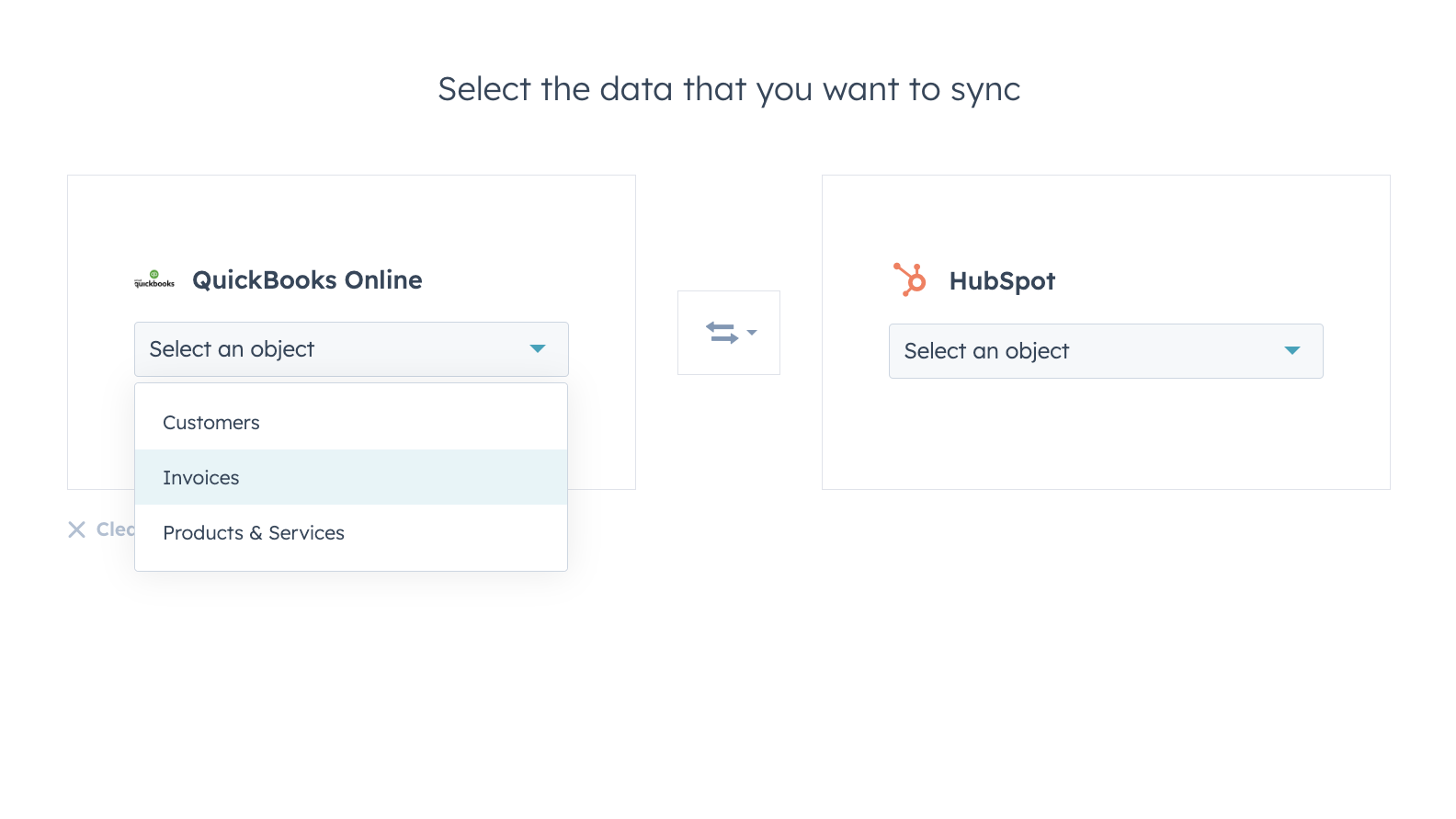
Bez obaw synchronizuj dane między HubSpot a QuickBooks Online
Kontakty, faktury i produkty można synchronizować z platformą HubSpot, z platformy HubSpot lub w obie strony. Filtry synchronizacji tej integracji zapewniają pełną kontrolę nad tym, jakie dane, kiedy i w jaki sposób są synchronizowane między platformami HubSpot i QuickBooks Online.
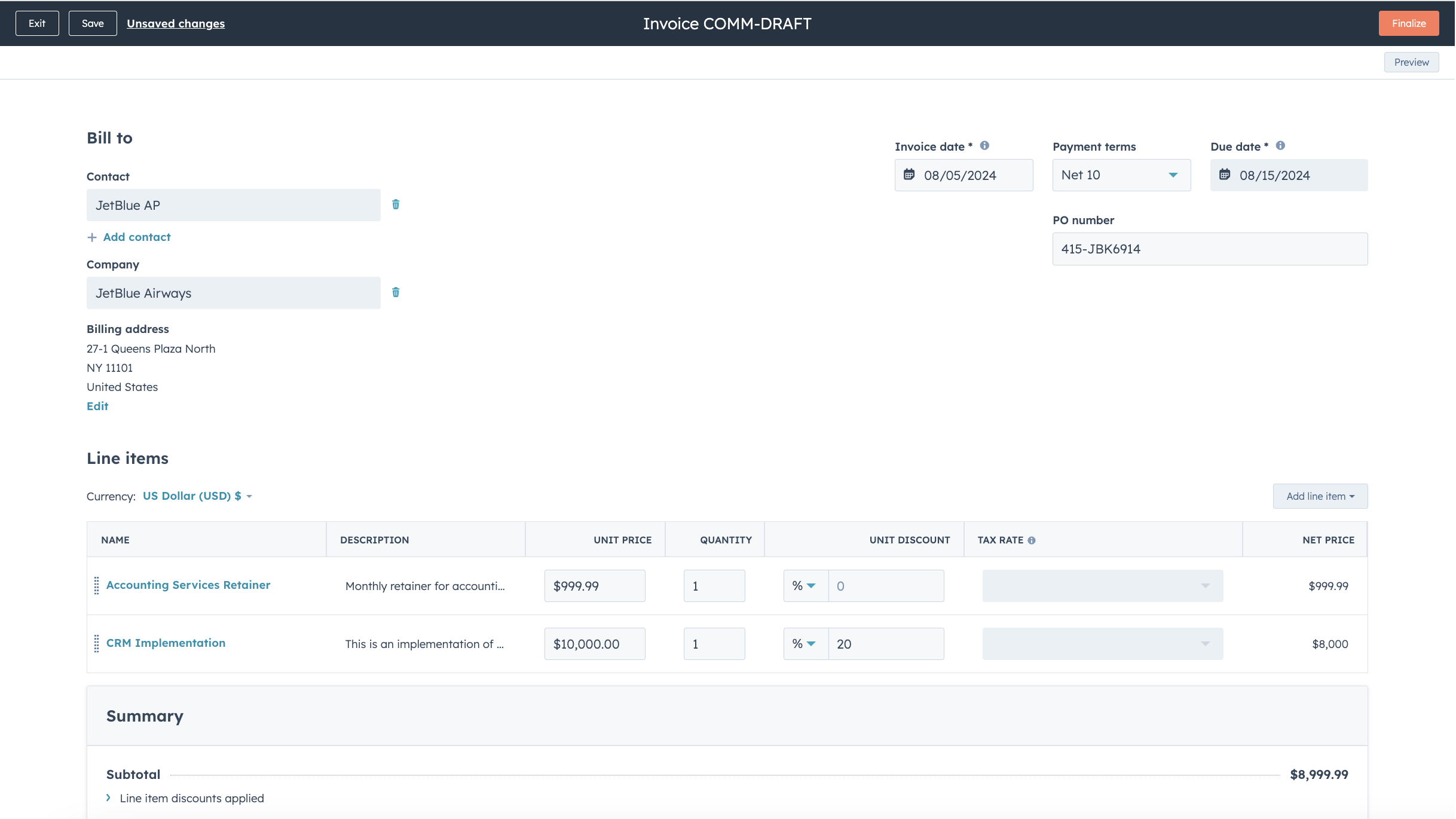
Usprawnij proces rozliczeniowy i dbaj o aktualność programu QuickBooks Online
Wystarczy kilka kliknięć, aby przekształcić oferty i umowy w faktury oraz subskrypcje, albo tworzyć faktury od podstaw, co przyspiesza proces rozliczeniowy. Opublikowane faktury są synchronizowane z QuickBooks Online i aktualizowane o informacje o płatnościach, gdy są one realizowane za pośrednictwem HubSpot lub gdy płatności są rejestrowane w QuickBooks Online.
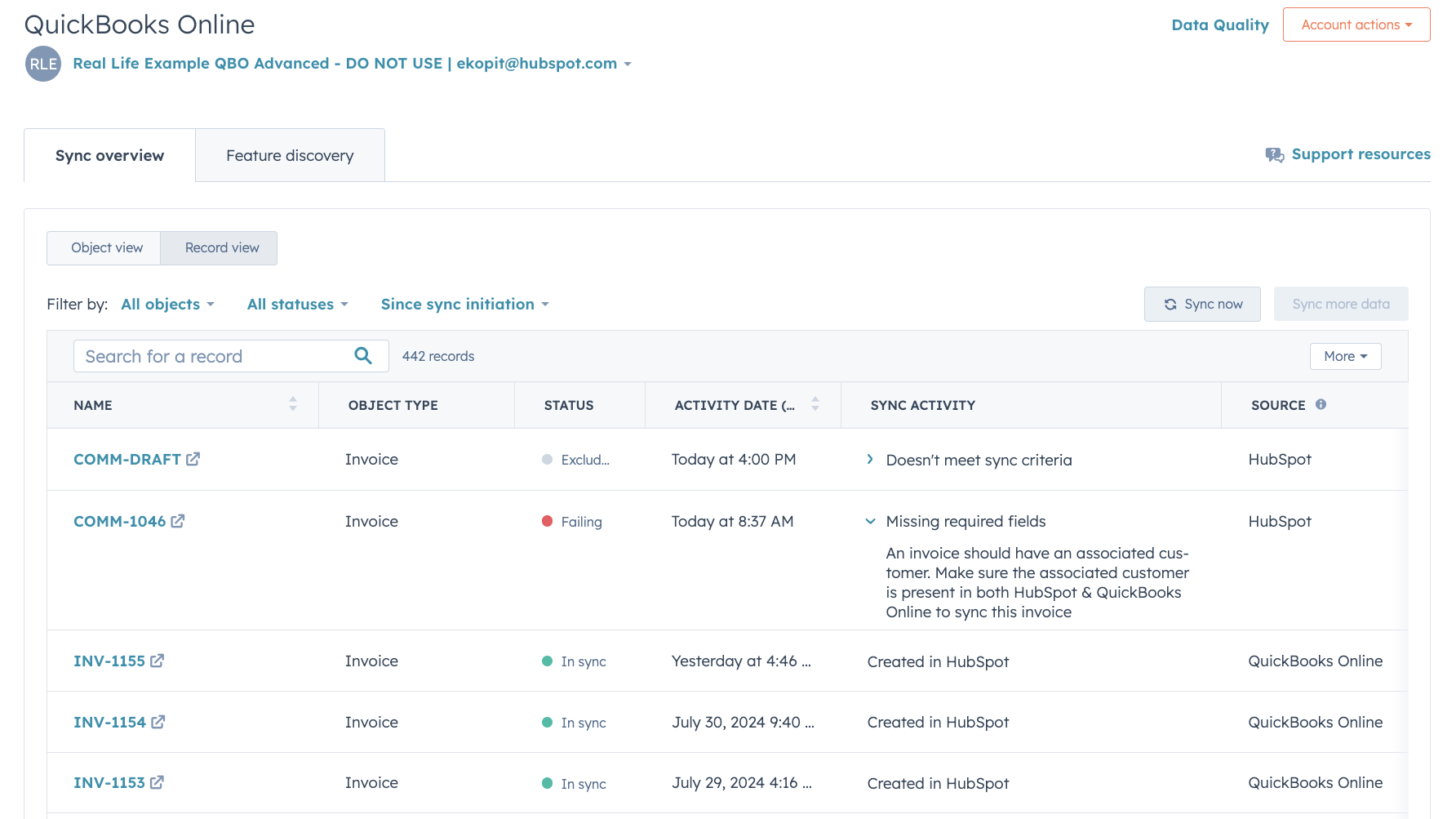
Szczegółowe raporty dotyczące stanu synchronizacji oraz usuwanie błędów
Szczegółowe raporty dotyczące stanu synchronizacji pozwalają w czasie rzeczywistym zidentyfikować, które rekordy są synchronizowane, oraz szybko rozwiązać problemy związane z synchronizacją.
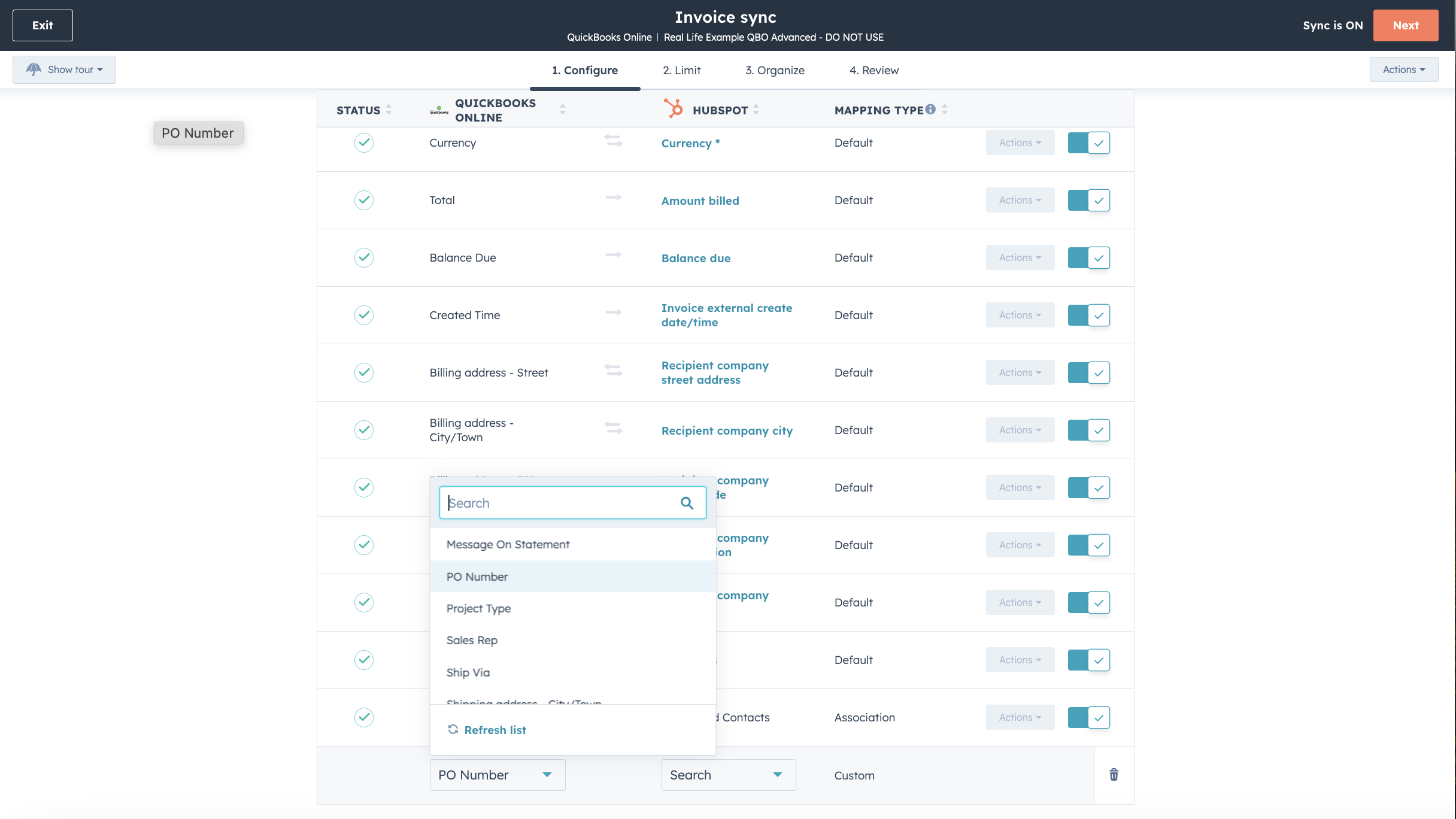
Dostosuj mapowania pól
W ramach pakietu Operations Hub Starter lub wyższego możesz dostosować mapowania pól synchronizacji faktur, kontaktów lub produktów, aby lepiej odpowiadały Twojemu modelowi danych.

Współpracuje z Data Studio w Data Hub
Stworzone z myślą o specjalistach ds. marketingu narzędzie Data Studio w Data Hub pozwala każdemu łączyć dane w znanym, przypominającym arkusz kalkulacyjny interfejsie z wykorzystaniem sztucznej inteligencji. Twórz niestandardowe zbiory danych, które umożliwiają zaawansowaną segmentację, automatyzację i raportowanie. Możesz również z łatwością zarządzać przepływem danych między wieloma zewnętrznymi źródłami danych, w tym Stripe i HubSpot CRM.
Funkcjonalność aplikacji
Udostępnione dane
Każdy obiekt posiada mapowania pól, które zapewniają zgodność informacji między platformami HubSpot i QuickBooks Online. Domyślne mapowania wymieniono poniżej. Zmiana domyślnych mapowań wymaga planu Operations Hub Starter lub wyższego. QuickBooks Online oferuje ograniczoną obsługę pól niestandardowych w swoim API (maksymalnie 3, wyłącznie na fakturach).
Customers | ||
Invoices | ||
Products & Services | ||
Quickbooks Online data |
Recenzje
2,1
101
2,1
101
Chociaż użytkownicy zgłaszają ograniczenia w zakresie dwukierunkowej synchronizacji oraz występowanie zduplikowanych wpisów, niektórzy doceniają możliwość bezpośredniego przeglądania faktur i śledzenia płatności. Niektórzy uważają tę integrację za pomocną w porządkowaniu danych dotyczących sprzedaży, choć inni zwracają uwagę na trudności związane z mapowaniem danych oraz brak obsługi podatków w przypadku kont międzynarodowych.
- 27 cze 2026
Problemy związane z synchronizacją faktur z HubSpot do QuickBooks. Faktury można jednak zsynchronizować z HB do QB tylko wtedy, gdy zostały opłacone, i to w określonym dniu i o określonej godzinie.
Łatwe do zintegrowania
Krish, A.
- 1 cze 2026
Ograniczony interfejs API
Nie za dobrze
The Pom, C.
Prosty początek
35 USD
/mies.Śledź przychody i wydatki
Rejestrowanie i porządkowanie paragonów
Zmaksymalizuj ulgi podatkowe
Wystawianie faktur i przyjmowanie płatności
Mil na torze
Wyślij wyceny
Śledzenie sprzedaży i podatku od sprzedaży
Zarządzanie wykonawcami rozliczanymi na formularzu 1099
Wygeneruj raporty ogólne
Prosty początek
35 USD
/mies.Śledź przychody i wydatki
Rejestrowanie i porządkowanie paragonów
Zmaksymalizuj ulgi podatkowe
Wystawianie faktur i przyjmowanie płatności
Mil na torze
Wyślij wyceny
Śledzenie sprzedaży i podatku od sprzedaży
Zarządzanie wykonawcami rozliczanymi na formularzu 1099
Wygeneruj raporty ogólne
* Powyższe ceny zostały podane wyłącznie w celach informacyjnych. Nie zawierają one podatków, premii, zniżek lub innych zmiennych cenowych. Skontaktuj się z partnerem w celu uzyskania najbardziej aktualnych i poprawnych informacji o cenach. HubSpot nie ponosi żadnej odpowiedzialności za informacje cenowe, które są dostarczane przez naszych partnerów. Ostatnia aktualizacja cen: 01.07.2026
Więcej informacji
Utworzone przez - HubSpot
Instaluje - Instalacje (15 tys.)
Kategorie Języki, w których dostępna jest ta aplikacja Angielski ,Chiński ,Francuski ,Hiszpański iWłoski
Nowości

Disparate Labs
Wizja kierownictwa oparta na analizie danych.

Blazly GEO
Blazly GEO umożliwia ChatGPT, Gemini, Perplexity, Claude i Grok wspominanie i cytowanie nazwy Twojej marki.
