
-2-1.png)
Bullhorn
Wymagania
Plan HubSpot Uprawnienia konta HubSpot Nie wymaga uprawnień Typ dostępu Udostępniono Subskrypcja Bullhorn - Review Bullhorn's Pricing Page plan
Przegląd
1/2
Sync Bullhorn opportunities, leads, candidates, contacts and companies without manual data entry or messy, time-consuming imports.
Here’s what you get with Data Sync by HubSpot:
- Two-way sync: Data is shared between Bullhorn and HubSpot in real time
- Default field mappings: Set-up is quick with out-of-the-box field mappings already created for you
- Historical syncing: Your existing data will sync right away, and updates will sync as they happen
Cechy
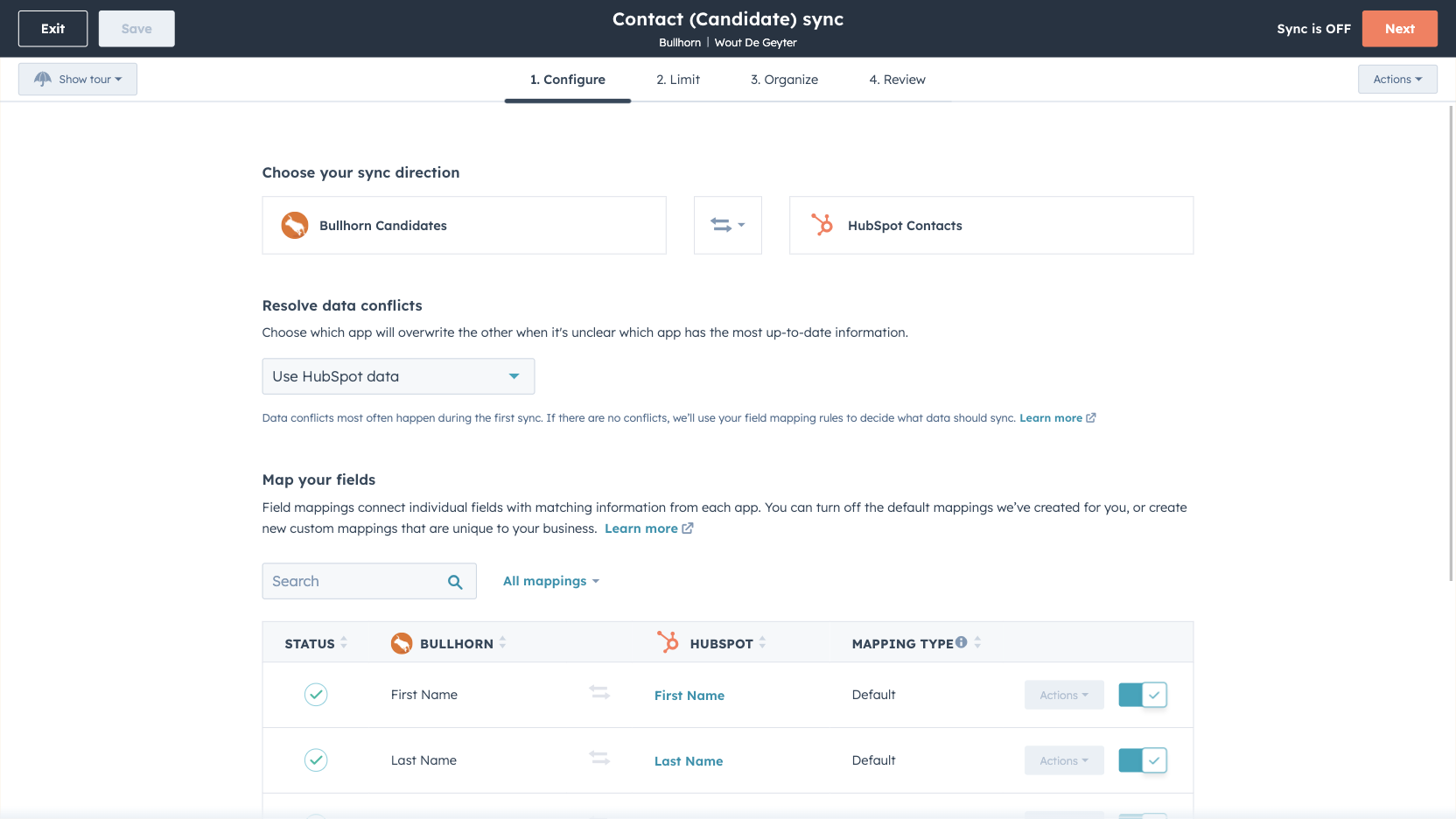
Custom field mappings
Custom field mappings are available with Data Hub Starter or Professional plans. Custom mappings add the flexibility to create your own mappings or make changes to your default ones.
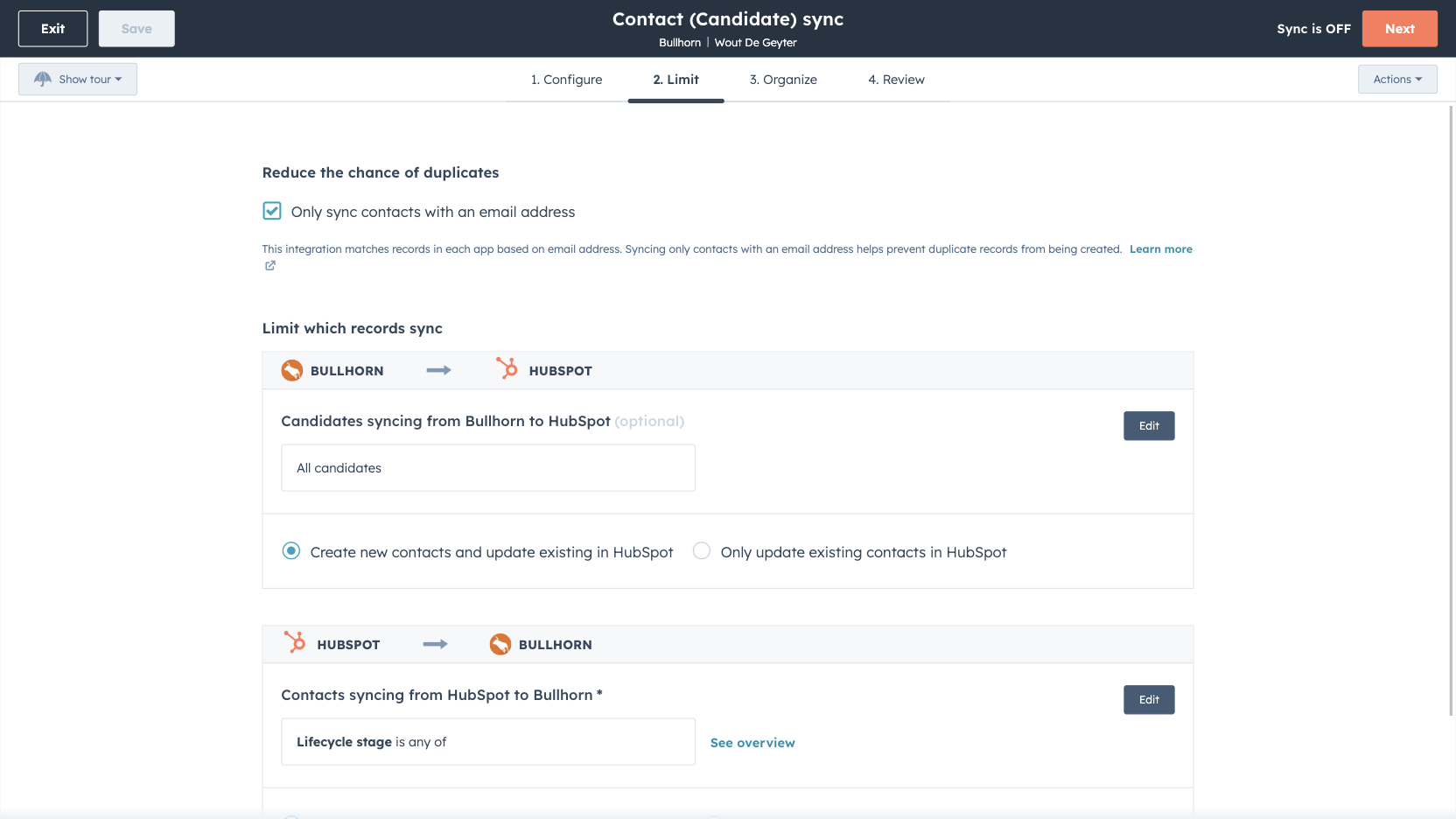
Sync Bullhorn and HubSpot data
Make manual data entry a thing of the past by syncing Opportunities, Candidates, Contacts, Leads and Companies between HubSpot and Bullhorn. When records are created or updated in either app, that information will be automatically shared with the other one.
Funkcjonalność aplikacji
Udostępnione dane
Each object has field mappings that connect matching information from each app. Default mappings are listed below. If you want to change these default mappings or create your own, custom field mappings are available with Data Hub Starter and up.
Appointments | ||
Candidates | ||
Companies | ||
Contacts | ||
Leads | ||
Notes | ||
Opportunities | ||
Tasks | ||
Jobs | ||
Placements |
Recenzje
2,0
11
2,0
11
- 10 wrz 2026
Aby to zadziałało, potrzebny jest pełny pakiet HubSpot
Jeśli szukasz absolutnie minimalnej łączności, to na pewno wystarczy, ale żeby wymieniać między systemami cokolwiek więcej niż proste dane identyfikacyjne, potrzebujesz modułów Enterprise i Data Hub. Bez modułu Enterprise obiekty typu „Zlecenia” i „Przydziały” są całkowicie niedostępne w natywnym łączniku. Musiałem współpracować z inżynierem, aby stworzyć API pozwalające ominąć ten łącznik, a ostatecznie całkowicie go wyłączyłem.
Łączność w zakresie przesyłanych danych działa bez zarzutu i sprawdza się dobrze.
Sposób działania modelu cenowego HubSpot, dzięki któremu to rozwiązanie jest użytecznym łącznikiem.
Largent, C.
- 30 kwi 2026
Mapowanie i testowanie w terenie - brak pomocy
Minął już miesiąc, a ja w ogóle nie używam HubSpot z Bullhorn.
Jeszcze nie.
Połączenia, integracje, mapowanie pól - wszystkie one są obecnie blokerami.
Eisenberg, J.
Review Bullhorn's Pricing Page
0 USD
Use the 'See all pricing options' link on the righthand side
Make sure to confirm the HubSpot subscription and the Bullhorn subscription needed to install this integration
Note: "Free" is referring to the cost of the integration, not the app subscriptions
Review Bullhorn's Pricing Page
0 USD
Use the 'See all pricing options' link on the righthand side
Make sure to confirm the HubSpot subscription and the Bullhorn subscription needed to install this integration
Note: "Free" is referring to the cost of the integration, not the app subscriptions
* Powyższe ceny zostały podane wyłącznie w celach informacyjnych. Nie zawierają one podatków, premii, zniżek lub innych zmiennych cenowych. Skontaktuj się z partnerem w celu uzyskania najbardziej aktualnych i poprawnych informacji o cenach. HubSpot nie ponosi żadnej odpowiedzialności za informacje cenowe, które są dostarczane przez naszych partnerów. Ostatnia aktualizacja cen: 03.09.2025
Więcej informacji
Przyciąganie uwagi już dziś

Slack
Zarządzaj rekordami CRM, korzystaj z pomocy Breeze opartej na sztucznej inteligencji, wysyłaj powiadomienia w czasie rzeczywistym i współpracuj z zespołem - bez opuszczania Slacka.

Zoom
Korzystaj z Zoom w połączeniu z funkcjami HubSpot, takimi jak spotkania, przepływy pracy, rekordy kontaktów i nie tylko.
