

Forecast
Utworzone przez - Forecast ApS
Instaluje - Ponad 100 instalacji
Wymagania
Plan HubSpot Uprawnienia konta HubSpot - Wyświetl wymagane uprawnienia konta
Typ dostępu Udostępniono Subskrypcja Forecast - Zawodowiec lub Plus planu
Przegląd
1/4
Forecast to platforma do zarządzania projektami umożliwiająca efektywne zarządzanie projektami i zasobami w jednym miejscu. Łącząc wszystkie operacje projektowe od wyceny do faktury, Forecast zapewnia kompleksową widoczność w całym cyklu życia projektu.
Połącz HubSpot z Forecast, aby dostosować swój dział sprzedaży i zespoły realizacji projektów. Integracja umożliwia przekształcenie transakcji HubSpot w projekty Forecast, dzięki czemu można uzyskać lepszy wgląd w przebieg projektu i dokładniej zaplanować dostępne zasoby. Dzięki importowi klientów z HubSpot można również mieć jedno źródło prawdy dla rekordów klientów bez konieczności aktualizowania informacji o klientach w oddzielnych systemach.
Cechy
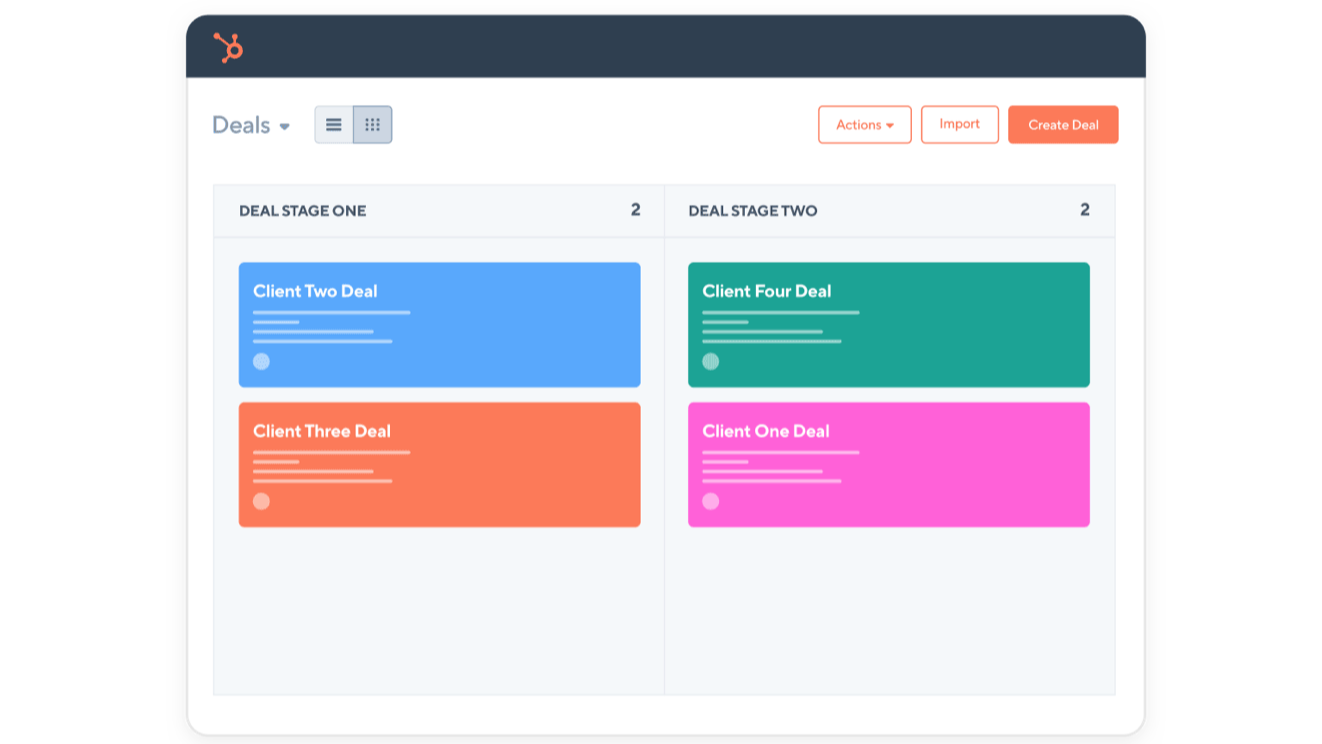
Przekształć transakcje HubSpot w prognozowane projekty
Gdy transakcje w HubSpot osiągną określony etap, zostaną utworzone jako projekt w Forecast. Etap transakcji, na którym ma zostać utworzony projekt w Forecast, jest wybierany przez użytkownika, podobnie jak status projektu i prawdopodobieństwo wygranej. W miarę jak transakcje przechodzą przez każdy etap w HubSpot, prawdopodobieństwo wygranej Forecast i status projektu będą aktualizowane.
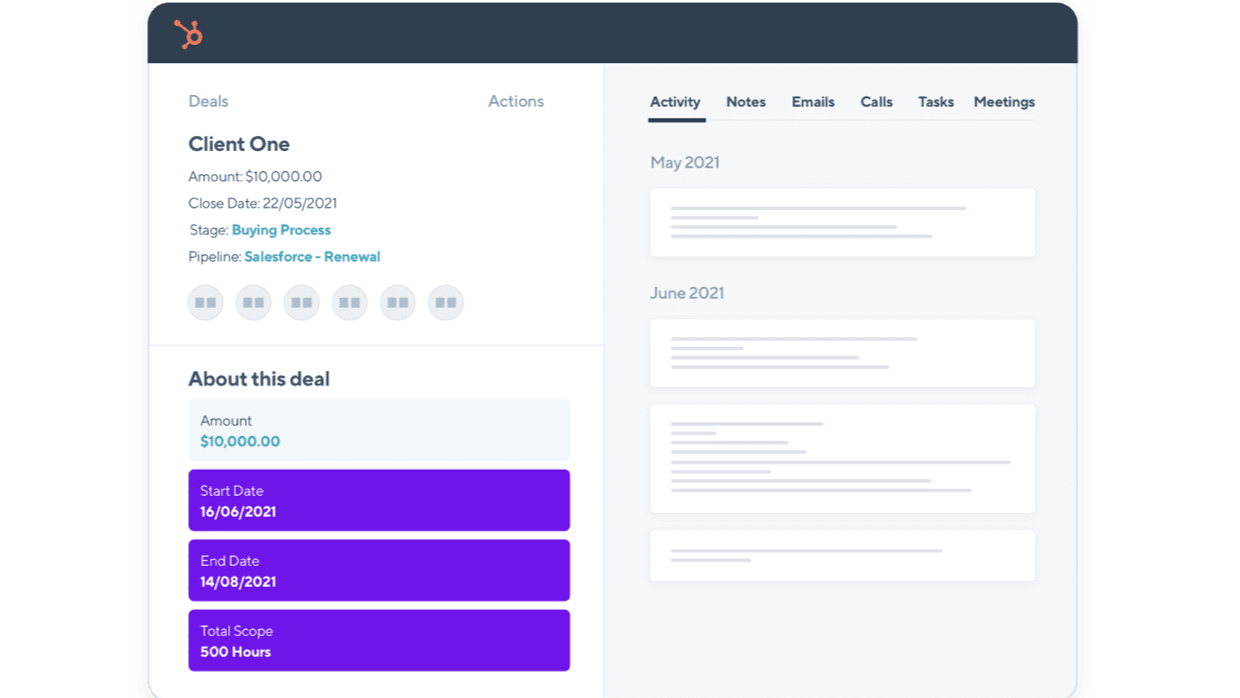
Informacje o prognozowanych projektach są automatycznie aktualizowane w HubSpot.
Po skonfigurowaniu integracji HubSpot i Forecast, Forecast utworzy 22 właściwości informacji o projekcie w HubSpot. W miarę szczegółowego planowania projektu Forecast właściwości informacji o projekcie (np. data rozpoczęcia i zakończenia) będą aktualizowane w HubSpot. Możesz wybrać, które właściwości chcesz zobaczyć w widoku transakcji w HubSpot.
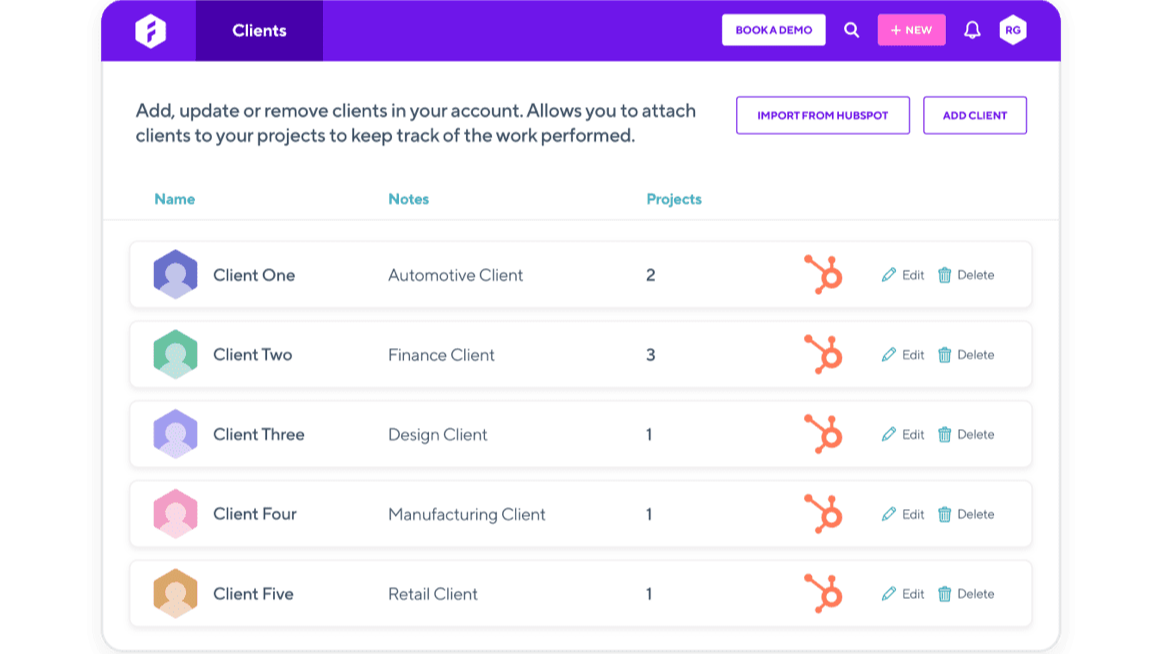
Importuj swoich klientów z HubSpot do Forecast
Zaimportuj swoich klientów z HubSpot do Forecast, aby nie musieć ich ręcznie tworzyć, a następnie aktualizować informacji o nich w dwóch różnych systemach. Wszelkie zmiany wprowadzone w informacjach o klientach w HubSpot zostaną automatycznie zaktualizowane w Forecast.
Funkcjonalność aplikacji
Udostępnione dane
Projects | ||
Clients | ||
Project Information |
Recenzje
Zawodowiec
49 USD
/mies.Dla firm, które są zainteresowane dopracowaniem operacji i finansów, aby działały w sposób zrównoważony.
Wszystko w Lite +
Raportowanie portfela finansowego
Zarządzanie retainerami
Budżety projektów
Zarządzanie wydatkami
Profesjonalne integracje
Zawodowiec
49 USD
/mies.Dla firm, które są zainteresowane dopracowaniem operacji i finansów, aby działały w sposób zrównoważony.
Wszystko w Lite +
Raportowanie portfela finansowego
Zarządzanie retainerami
Budżety projektów
Zarządzanie wydatkami
Profesjonalne integracje
* Powyższe ceny zostały podane wyłącznie w celach informacyjnych. Nie zawierają one podatków, premii, zniżek lub innych zmiennych cenowych. Skontaktuj się z partnerem w celu uzyskania najbardziej aktualnych i poprawnych informacji o cenach. HubSpot nie ponosi żadnej odpowiedzialności za informacje cenowe, które są dostarczane przez naszych partnerów. Ostatnia aktualizacja cen: 15.05.2026
Więcej informacji
Utworzone przez - Forecast ApS
Instaluje - Ponad 100 instalacji
Kategorie Języki, w których dostępna jest ta aplikacja Angielski
Najbardziej popularne

Gmail
Bring HubSpot to your inbox with the HubSpot integration for Gmail.

Google Calendar
Book meetings quickly and easily with HubSpot and Google Calendar.
