
Focus Contact Center Connector
Boost sales, improve customers services, more efficient processes
Criado por - Focus Telecom Polska
Instalações - mais de 30 instalações
Requisitos
Plano da HubSpot Permissões da conta da HubSpot - Ver permissões de conta necessárias
Tipo de acesso Shared Assinatura Focus Contact Center Connector - Standard plano
Visão geral
1/4
Boost Customer Service Efficiency with Focus Contact Center and HubSpot Integration
Thanks to integration the user will have access to all information from a given contact. Each call will be reported on the contact, in Focus Contact Cente reports and in mini CRM, thanks to which it will be easy to find details of the call, i.e. date, time, duration, call recording, name and surname, e-mail address or call status and more.
· Streamline the work of agents by using the features of WebPhone and CRM system.
· Increase the efficiency of agents' work and reduce the time it takes to serve customers with access to all the necessary information about the contact.
· Simplify communication with customers with the ability to make calls from an integrated system.
· Improve the quality of customer service with an integration that enables calls and provides access to the information you need.
Get started today and revolutionize your customer service!
Recursos
-1.png)
Click to call
The user can call the chosen contact by clicking on the "call" button. WebPhone will automatically dial the indicated number.
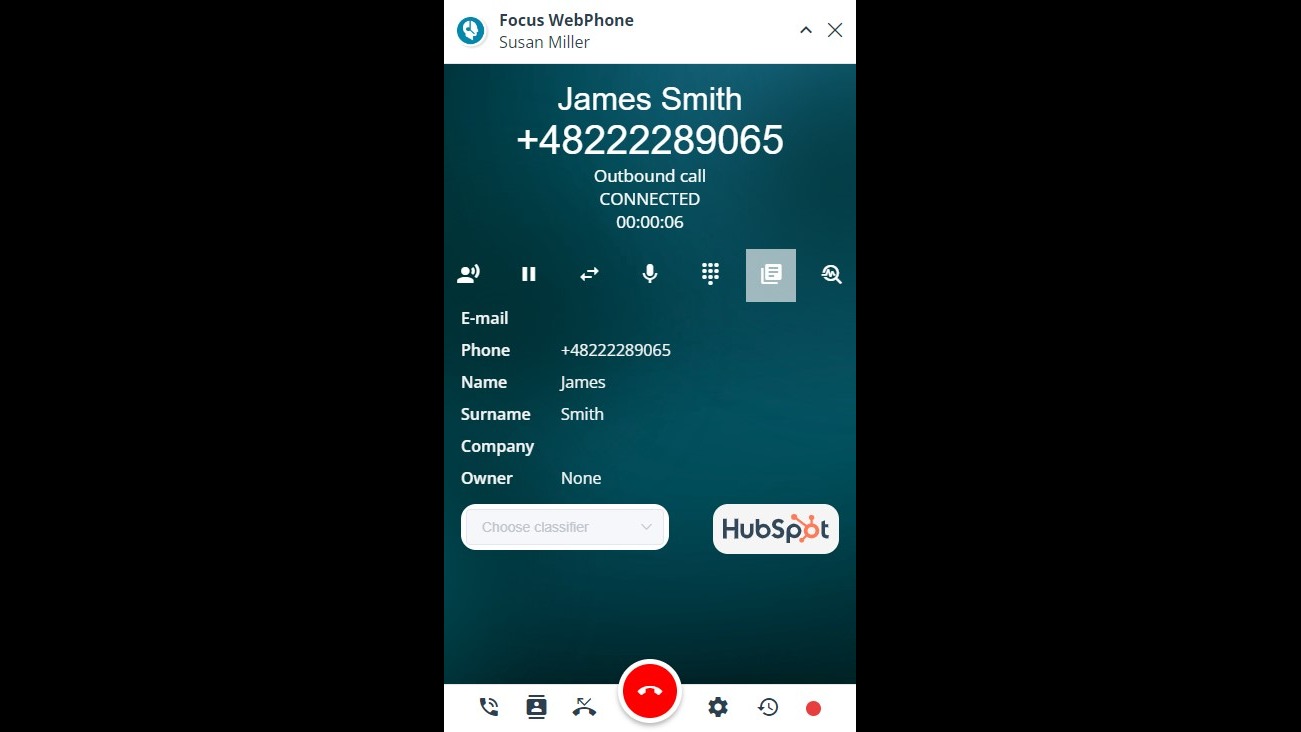
Displaying the contact card in HubSpot
After clicking on the HubSpot logo previewed in WebPhone, the magic link will redirect the user to the contact card in HubSpot, where all the contact data and contact history is displayed.
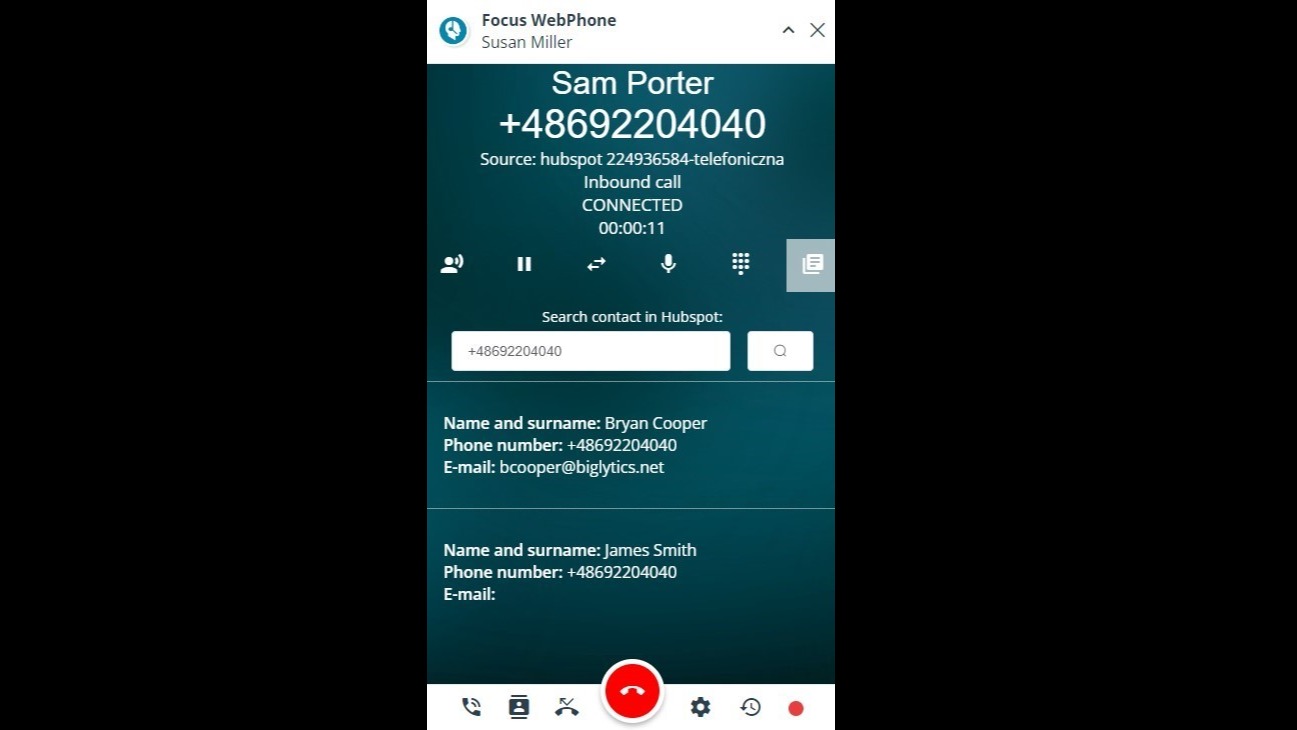
Contact identification
WebPhone is identifing the incoming calls based on phone number. If the phone number is identified in HubSpot, its details will be displayed in WebPhone. If there are more contacts connected with a given phone number, the user can choose the proper one.
-1.png)
Inbound and outbound calls registration
Both inbound and outbound calls made via WebPhone are saved in HubSpot and displayed in "Activities" tab.
Funcionalidade do aplicativo
Dados compartilhados
Calls | ||
Records |
Avaliações
Seja o primeiro a escrever uma avaliação do cliente
Standard
Standard plan
All of our standard features
Standard
Standard plan
All of our standard features
* O preço aqui é apenas para fins de exibição. Todos os preços não incluem impostos, incentivos, descontos ou outras variáveis de preços. Você deve entrar em contato com o parceiro para obter informações mais atualizadas e precisas. A HubSpot não se responsabiliza por essas informações de preços, que são fornecidas pelos nossos parceiros. Preços atualizados pela última vez: 11/08/2025
Most popular


