Focus Contact Center Connector
Boost sales, improve customers services, more efficient processes
Utworzone przez - Focus Telecom Polska
Instaluje - Ponad 30 instalacji
Wymagania
Plan HubSpot Uprawnienia konta HubSpot - Wyświetl wymagane uprawnienia konta
Typ dostępu Shared Subskrypcja Focus Contact Center Connector - Standard plan
Przegląd
1/4
Boost Customer Service Efficiency with Focus Contact Center and HubSpot Integration
Thanks to integration the user will have access to all information from a given contact. Each call will be reported on the contact, in Focus Contact Cente reports and in mini CRM, thanks to which it will be easy to find details of the call, i.e. date, time, duration, call recording, name and surname, e-mail address or call status and more.
· Streamline the work of agents by using the features of WebPhone and CRM system.
· Increase the efficiency of agents' work and reduce the time it takes to serve customers with access to all the necessary information about the contact.
· Simplify communication with customers with the ability to make calls from an integrated system.
· Improve the quality of customer service with an integration that enables calls and provides access to the information you need.
Get started today and revolutionize your customer service!
Cechy
-1.png)
Click to call
The user can call the chosen contact by clicking on the "call" button. WebPhone will automatically dial the indicated number.
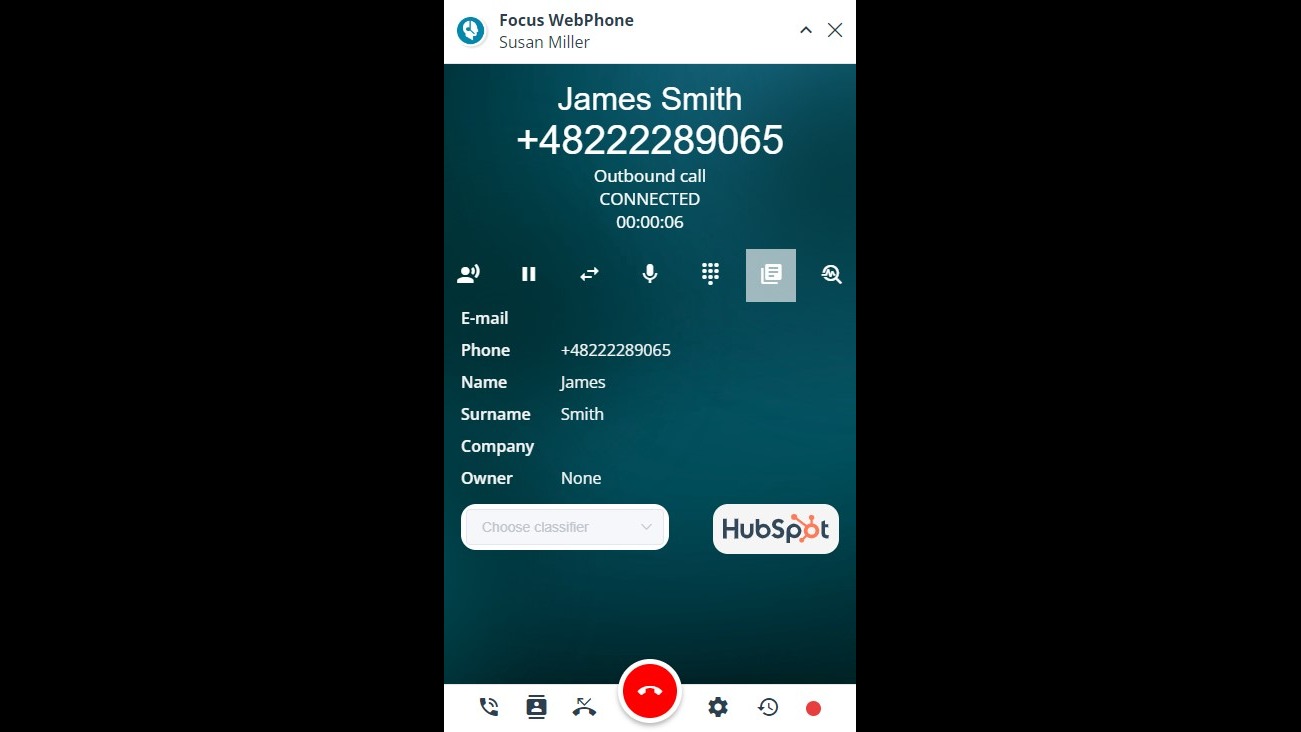
Displaying the contact card in HubSpot
After clicking on the HubSpot logo previewed in WebPhone, the magic link will redirect the user to the contact card in HubSpot, where all the contact data and contact history is displayed.
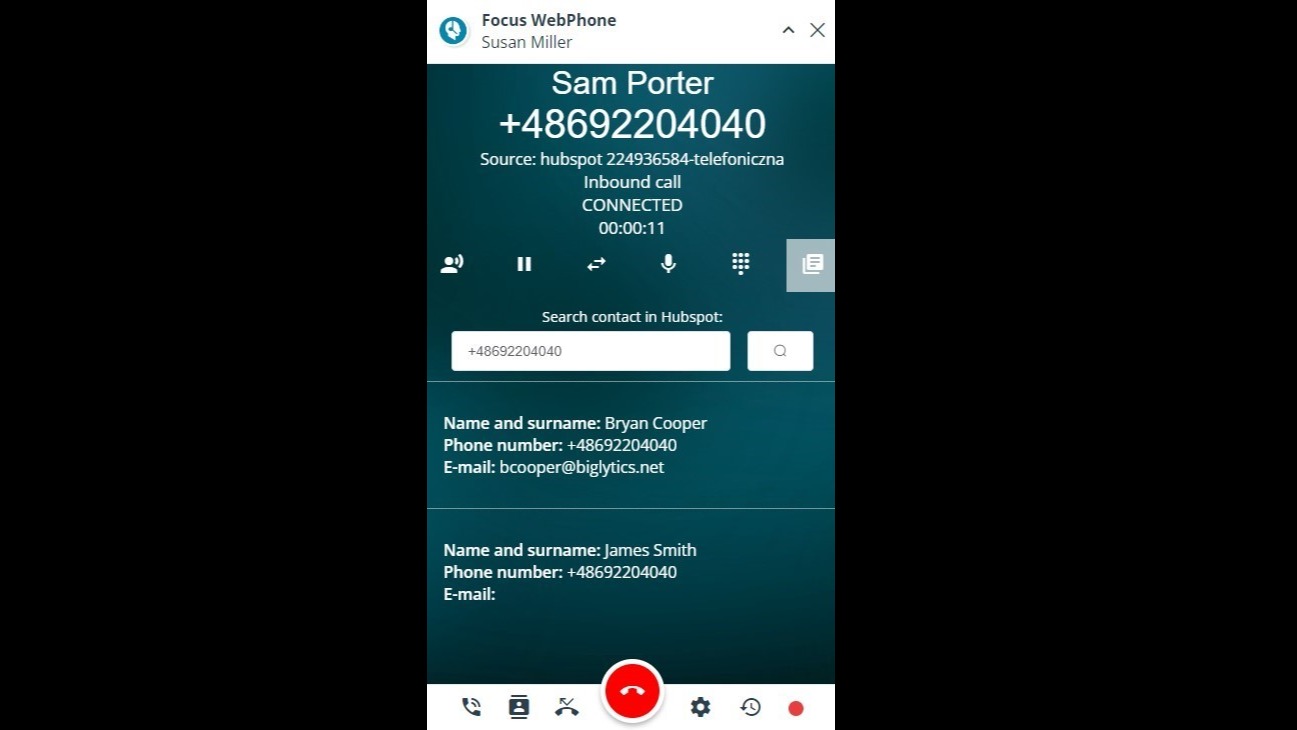
Contact identification
WebPhone is identifing the incoming calls based on phone number. If the phone number is identified in HubSpot, its details will be displayed in WebPhone. If there are more contacts connected with a given phone number, the user can choose the proper one.
-1.png)
Inbound and outbound calls registration
Both inbound and outbound calls made via WebPhone are saved in HubSpot and displayed in "Activities" tab.
Funkcjonalność aplikacji
Udostępnione dane
Calls | ||
Records |
Recenzje
Napisz pierwszą recenzję klienta
Standard
Standard plan
All of our standard features
Standard
Standard plan
All of our standard features
* Powyższe ceny zostały podane wyłącznie w celach informacyjnych. Nie zawierają one podatków, premii, zniżek lub innych zmiennych cenowych. Skontaktuj się z partnerem w celu uzyskania najbardziej aktualnych i poprawnych informacji o cenach. HubSpot nie ponosi żadnej odpowiedzialności za informacje cenowe, które są dostarczane przez naszych partnerów. Ostatnia aktualizacja cen: 11.08.2025
Więcej informacji
Utworzone przez - Focus Telecom Polska
Instaluje - Ponad 30 instalacji
Kategorie Języki, w których dostępna jest ta aplikacja Angielski ,Niemiecki iPolski
Przyciąganie uwagi już dziś