

Jira Sync by IssueLinker
สร้างโดย - IssueLinker
ติดตั้ง - 10+ การติดตั้ง
ข้อกำหนด
แผน HubSpot สิทธิ์บัญชี HubSpot - ดูสิทธิ์บัญชี ที่จำเป็น
ประเภทสิทธิ์การเข้าถึง แชร์แล้ว การสมัครใช้บริการ Jira Sync by IssueLinker - Growth หรือ Business แพ็กเกจ
ภาพรวม
1/4 - IssueLinker Demo
IssueLinker keeps your HubSpot tickets and Jira issues in sync, so your support team and your engineering team work from the same source of truth, without copying anything between tools.
When a customer reports a bug in HubSpot, your support team can create or link a Jira issue directly from the ticket card. As engineers move the issue through your Jira workflow, the status flows back to HubSpot automatically. Comments work both ways: a note added to the HubSpot ticket appears as a Jira comment, and replies from engineering surface as ticket notes, so support reps always know what's happening without leaving HubSpot.
Built for teams running customer support on HubSpot Service Hub and engineering on Jira. Install once, configure nothing, and stop bouncing between two tabs every time a customer hits a bug.
ฟีเจอร์
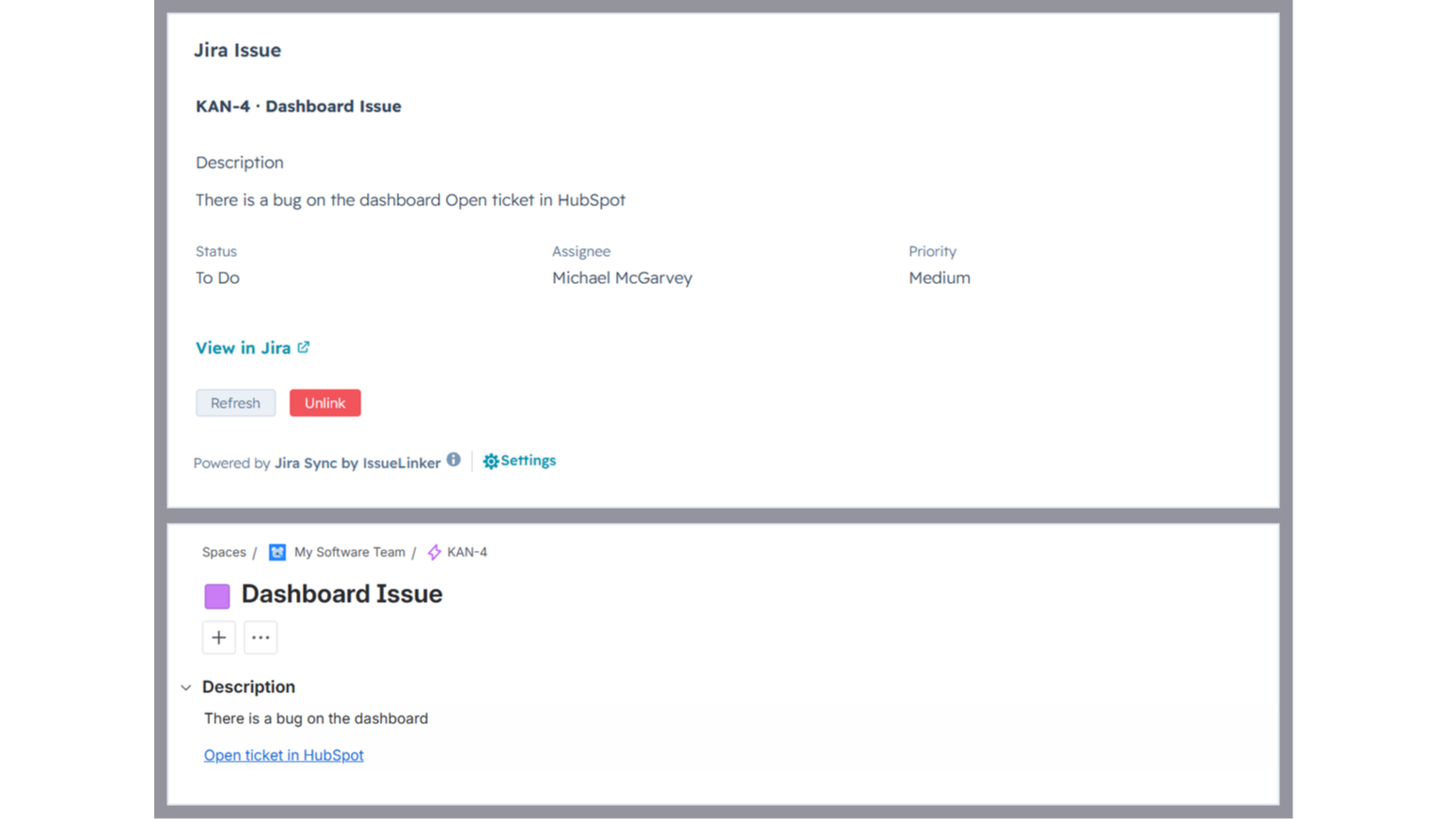
Two-way sync between HubSpot tickets and Jira issues
Every linked ticket and issue stays in sync automatically. Comments, status changes, and closures flow in both directions in real time. No manual updates, no copy-paste.
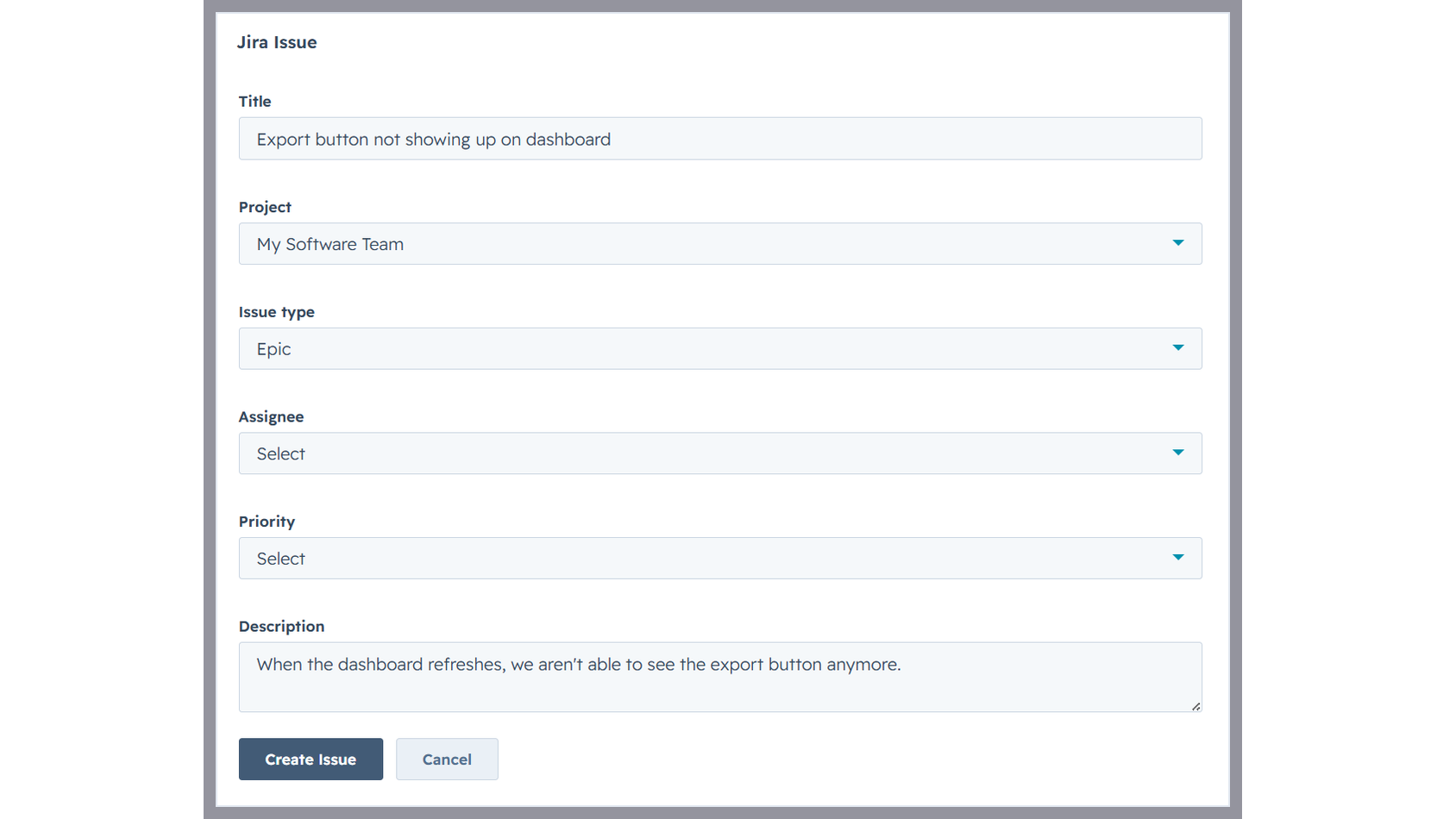
Create Jira issues from a HubSpot ticket
Open any ticket, click Create Issue on the IssueLinker card, pick a Jira team, and the new issue is created and linked in one step, with the ticket subject and description already filled in.
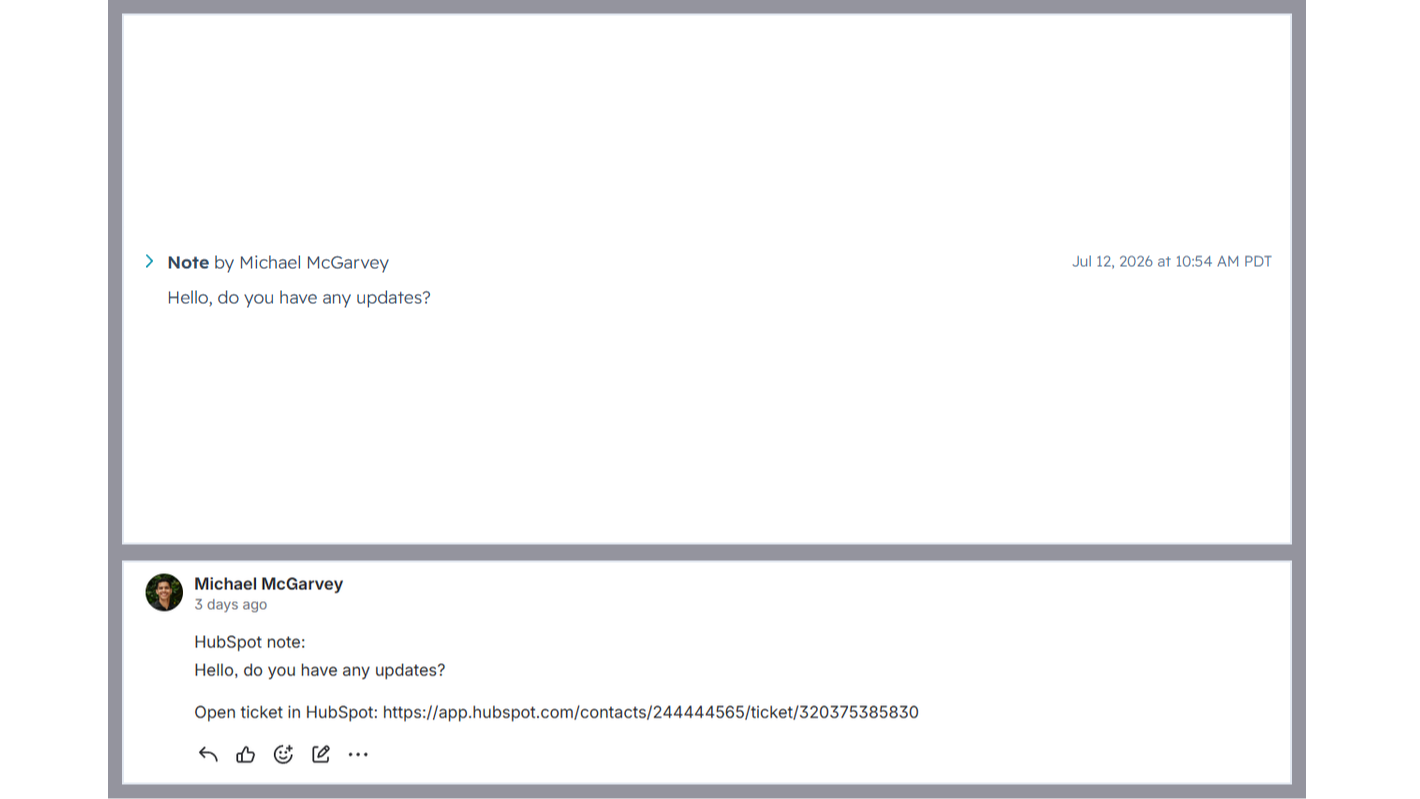
Two-way comment sync
Notes added to a linked HubSpot ticket appear as comments on the Jira issue, and Jira comments are mirrored back as ticket notes, so support and engineering stay in the loop without switching tools.
ฟังก์ชันการทำงานแอป
ข้อมูลที่แบ่งปัน
Jira Issues | ||
Contacts | ||
Owners | ||
CMS Files | ||
Conversations |
IssueLinker only reads HubSpot ticket data (subject, description, notes, pipeline stage) for tickets your team explicitly links or creates a Jira issue for via the IssueLinker card. We do not crawl, index, or store data from other tickets.
For linked tickets, IssueLinker syncs the following in real time via HubSpot and Jira webhooks:
• Ticket subject and description → Jira issue (one-time, on creation)
• HubSpot notes → Jira comments (whenever a new note is added)
• Jira comments → HubSpot notes (whenever a new comment is added)
• Jira issue status → HubSpot "Jira Issue Status" custom property (whenever the status changes)
• HubSpot ticket closed → Jira issue transitioned to Done (whenever the pipeline stage changes to closed)
What IssueLinker stores: an installation record per HubSpot portal (portal ID, OAuth tokens, Jira site ID), and a link record per ticket↔issue pair (HubSpot ticket ID and Jira issue key). We do not store the contents of
tickets, issues, comments, or notes. Those live in HubSpot and Jira and are read on demand.
Data is stored in an encrypted Postgres database (Neon, US region). Access is restricted to IssueLinker's serverless functions running on Vercel. We never share, sell, or repurpose your data. On uninstall, all installation and link records for your portal are deleted within 30 days.
รีวิว
การกำหนดราคา
Growth
US$32.50
/เดือนSimple pricing for teams that move fast.
Inline card on every HubSpot ticket
Two-way comment sync (HubSpot notes ↔ Jira comments)
Unlimited ticket ↔ Jira issue links
Email Support
Growth
US$32.50
/เดือนSimple pricing for teams that move fast.
Inline card on every HubSpot ticket
Two-way comment sync (HubSpot notes ↔ Jira comments)
Unlimited ticket ↔ Jira issue links
Email Support
* ราคาที่แสดงนี้มีไว้เพื่อแสดงข้อมูลเท่านั้น ราคาทั้งหมดยังไม่รวมภาษี สิทธิพิเศษ ส่วนลด หรือตัวแปรราคาอื่นๆ คุณควรติดต่อพาร์ทเนอร์เพื่อรับข้อมูลราคาล่าสุดและถูกต้องที่สุด HubSpot จะไม่รับผิดชอบใดๆ ต่อข้อมูลราคานี้ซึ่งจัดทำโดยพาร์ทเนอร์ของเรา การกำหนดราคาอัปเดตล่าสุด: 21/08/2026
ข้อมูลเพิ่มเติม
สร้างโดย - IssueLinker
ติดตั้ง - 10+ การติดตั้ง
หมวดหมู่ ภาษาที่แอปนี้สามารถใช้ได้ อังกฤษ
กำลังได้รับความสนใจในวันนี้

Sinch Engage SMS
The easiest way to send SMS, MMS, WhatsApp, and RCS in HubSpot.

Ringover
Calls, Video, SMS, WhatsApp and Conversation Analysis in HubSpot
