
.svg)
Sim AI CRM Integration
สร้างโดย - Sim
ติดตั้ง - 40+ การติดตั้ง
ข้อกำหนด
แผน HubSpot สิทธิ์บัญชี HubSpot - ดูสิทธิ์บัญชี ที่จำเป็น
ประเภทสิทธิ์การเข้าถึง แชร์แล้ว การสมัครใช้บริการ Sim AI CRM Integration - Community, Pro, Max หรือ Enterprise แพ็กเกจ
ภาพรวม
1/6 - HubSpot + LLM Agent Demo
Sim helps HubSpot customers build AI agents and automated workflows that can read from, reason over, and take action on CRM data. By connecting HubSpot to Sim, teams can give agents access to current customer context across contacts, companies, deals, tickets, lists, owners, and related sales objects, then use that context to make decisions, route work, draft responses, enrich records, and trigger follow-up actions.
Teams can use Sim to create, update, search, and retrieve HubSpot CRM records without manual data entry. HubSpot changes can also start workflows automatically when records are created or updated, when specific properties change, or when contacts join lists. This makes it possible to automate sales and support processes that depend on real-time CRM context, such as qualifying leads, escalating tickets, updating deal records, or notifying internal teams.
Sim can also sync HubSpot CRM records into knowledge bases so AI agents and LLM-powered steps can reference relevant customer, company, deal, and ticket information during execution. This helps teams build agents that make more informed decisions while keeping HubSpot as the source of truth for customer data.
ฟีเจอร์
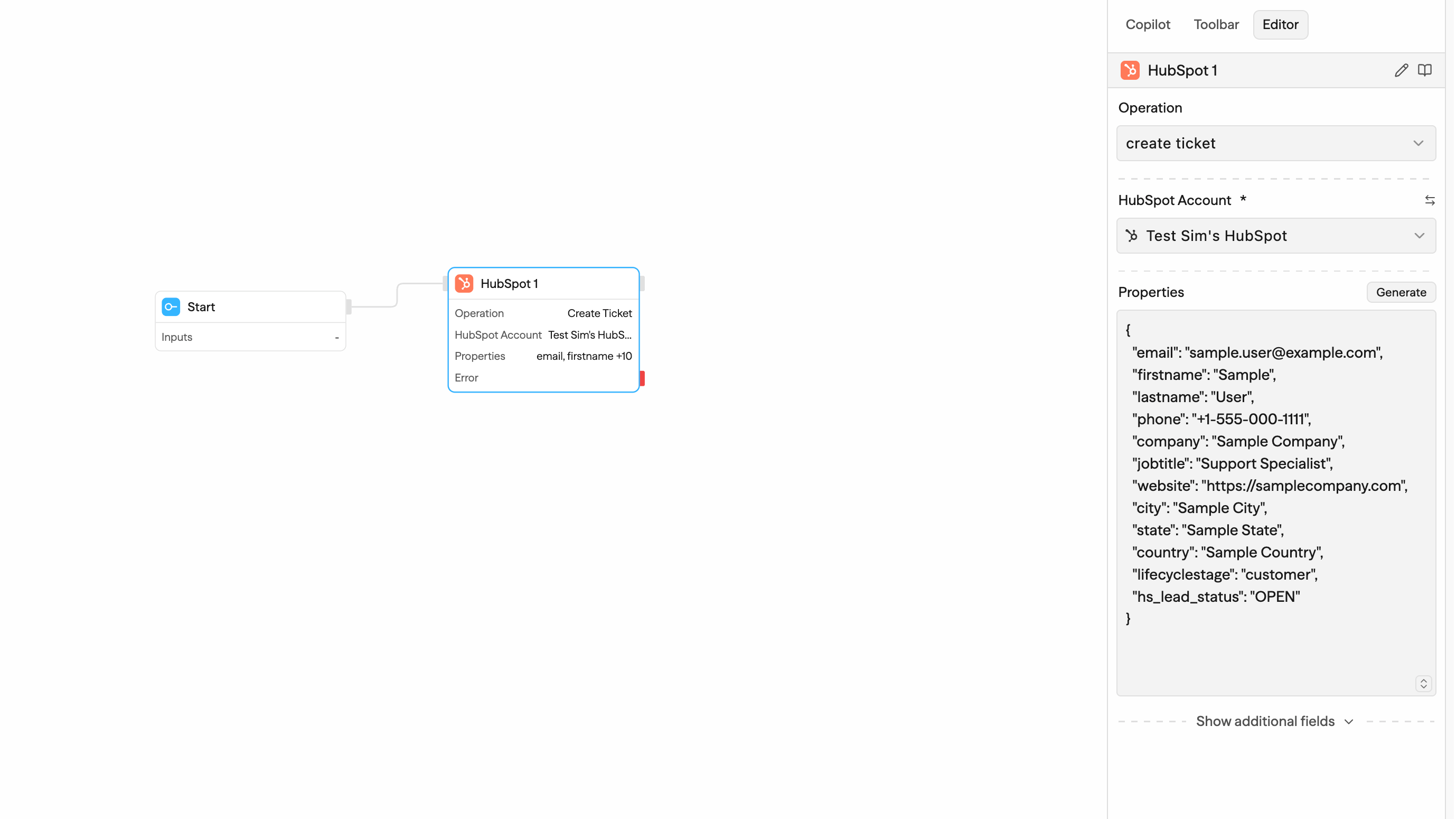
Automate HubSpot CRM records
Create, update, search, list, and retrieve HubSpot CRM records from Sim workflows, including contacts, companies, deals, tickets, line items, appointments, lists, owners, and users. Use workflow data to keep HubSpot current without manual entry.
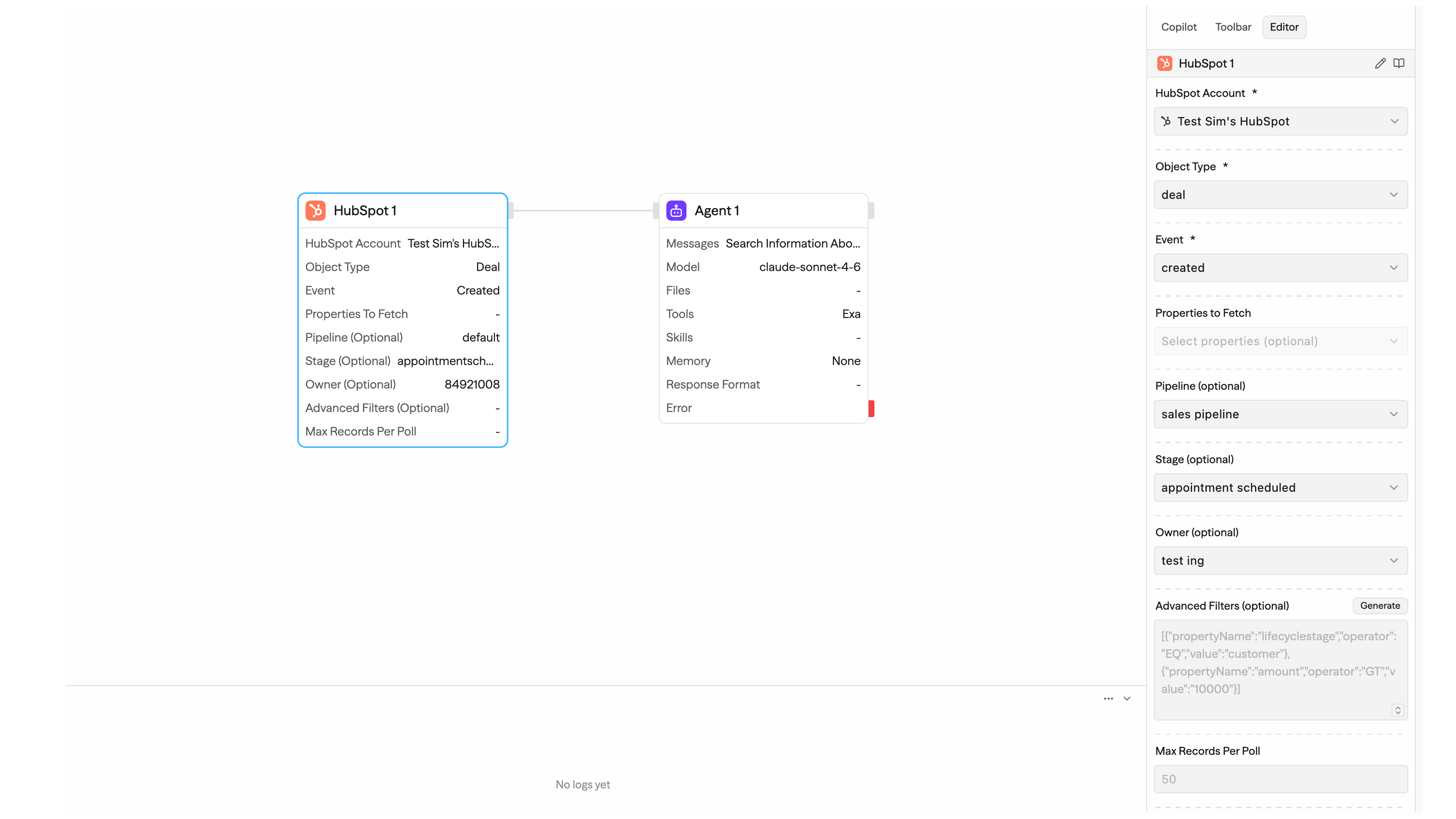
Trigger workflows from HubSpot changes
Start Sim workflows when HubSpot contacts, companies, deals, tickets, or custom objects are created or updated, when a specific property changes, or when a contact joins a list. Filter triggers by pipeline, stage, owner, or HubSpot search filters.
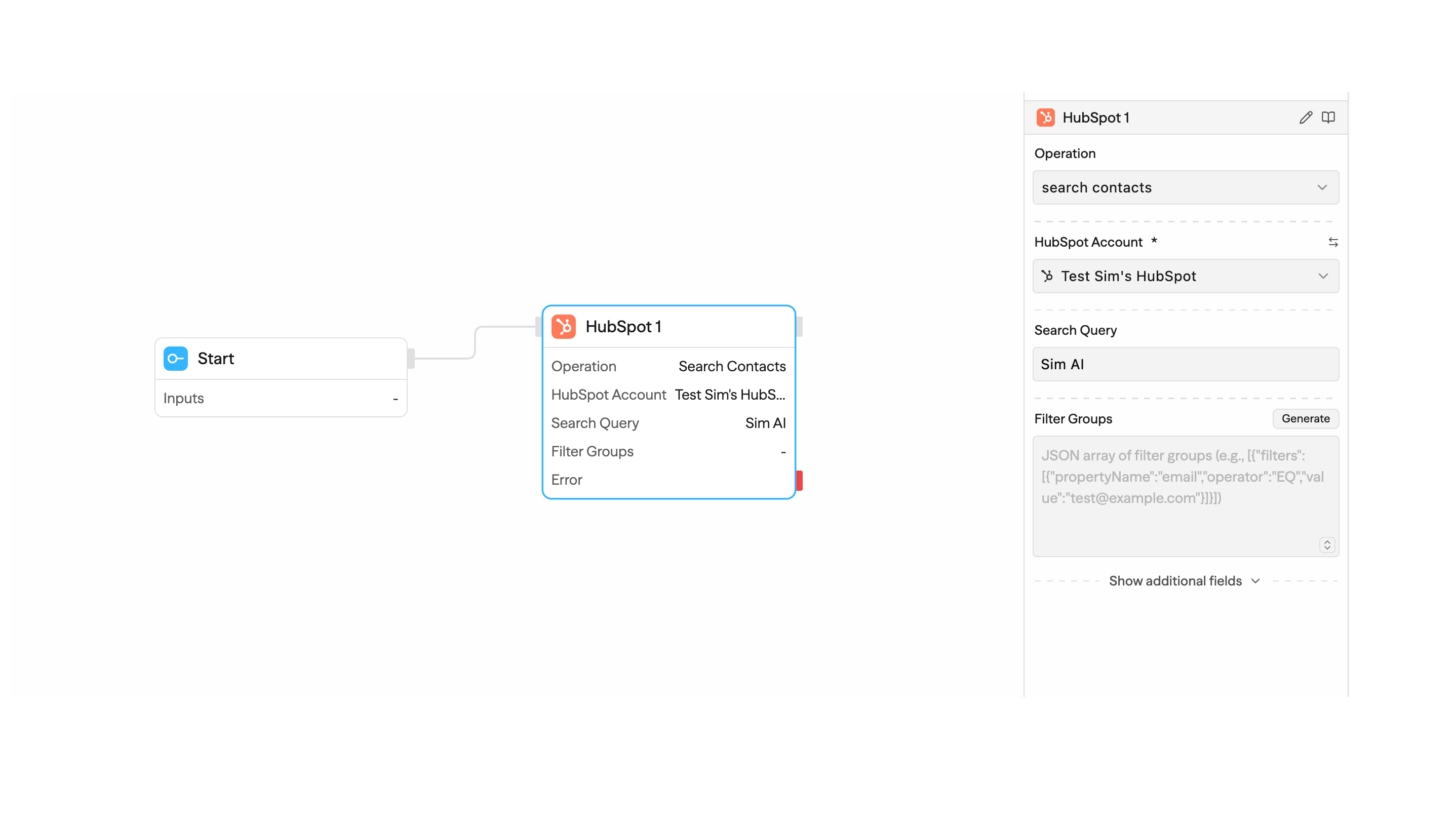
Search HubSpot data in workflows
Look up HubSpot contacts, companies, deals, and tickets using queries, filters, sorting, selected properties, pagination, and associations. Use the results to route workflows, enrich AI steps, or update downstream systems.
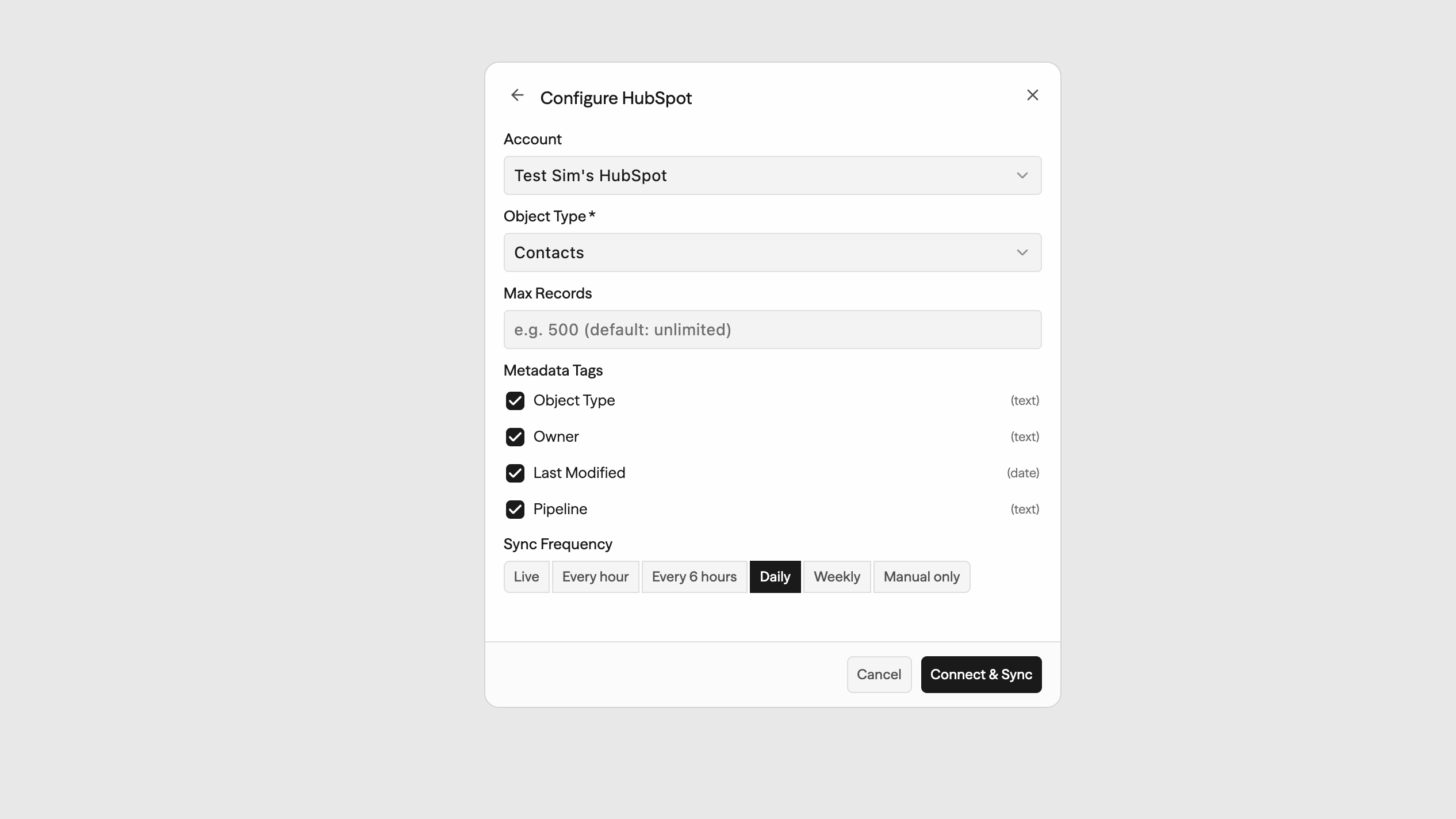
Sim knowledge base connector syncing HubSpot CRM records
Sync HubSpot contacts, companies, deals, and tickets into Sim knowledge bases so agents and workflows can reference current CRM context when answering questions or making decisions. Scopes: contacts read, companies read, deals read, tickets
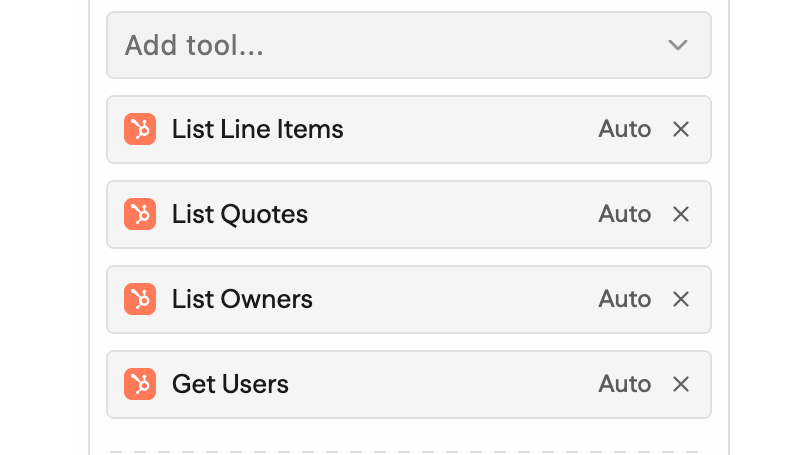
Work with HubSpot sales objects
Retrieve and use HubSpot line items, quotes, appointments, carts, marketing events, lists, owners, and users in Sim workflows. Combine these records with CRM actions, AI steps, and other app integrations. Scopes: line items read/write, quotes read, appointments read/write, carts read, marketing events read, lists read/write, owners read, users read
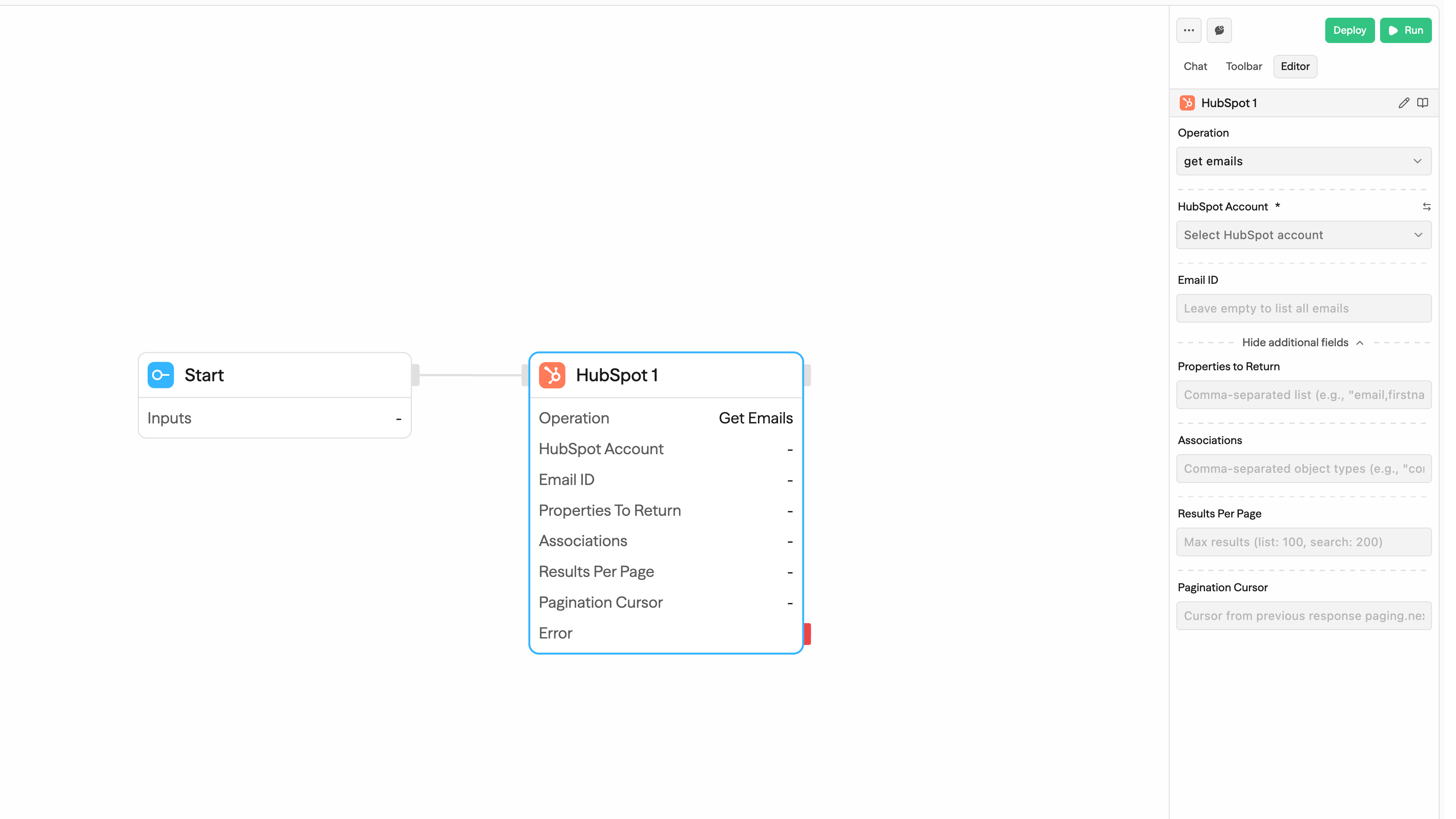
Log notes & emails to contacts
Log notes and email engagements onto HubSpot contacts and backfill missing email history from your inbox. Activity created by your agents and workflows appears right on the contact timeline.
ฟังก์ชันการทำงานแอป
ข้อมูลที่แบ่งปัน
Contacts | ||
Companies | ||
Deals | ||
Tickets | ||
Line items | ||
Lists | ||
Quotes | ||
Owners | ||
Marketing events | ||
Carts | ||
Users | ||
Contacts |
Sim only accesses HubSpot data when a user connects their HubSpot account and configures a workflow, trigger, action, or knowledge base sync that uses HubSpot.
HubSpot data may flow from HubSpot into Sim when a workflow retrieves or searches CRM records, when a HubSpot trigger starts a workflow after a record is created or updated, when a specific property changes, when a contact joins a list, or when a user syncs CRM records into a Sim knowledge base. This can include record IDs, selected CRM properties, timestamps, owners, pipeline or stage values, list membership information, and associated record information.
Sim may send data back to HubSpot when a user configures a workflow action to create or update HubSpot records such as contacts, companies, deals, tickets, line items, appointments, or lists. The exact fields sent to HubSpot are determined by the user’s workflow configuration.
When users include HubSpot data in AI or agent steps, Sim may provide the selected CRM context to the configured LLM provider so the workflow can summarize, classify, route, draft, or make decisions based on that context. HubSpot remains the source of truth for CRM records, and Sim does not access or transfer HubSpot data unless configured by the user.
รีวิว
การกำหนดราคา
Community
US$0
For individuals getting started with AI agents
CLI/SDK/MCP Access
7-day log retention
5 min execution limit
1 personal workspace
3 tables · 1,000 rows each
5GB file storage
1,000 credits
Access to All Integrations
Community
US$0
For individuals getting started with AI agents
CLI/SDK/MCP Access
7-day log retention
5 min execution limit
1 personal workspace
3 tables · 1,000 rows each
5GB file storage
1,000 credits
Access to All Integrations
* ราคาที่แสดงนี้มีไว้เพื่อแสดงข้อมูลเท่านั้น ราคาทั้งหมดยังไม่รวมภาษี สิทธิพิเศษ ส่วนลด หรือตัวแปรราคาอื่นๆ คุณควรติดต่อพาร์ทเนอร์เพื่อรับข้อมูลราคาล่าสุดและถูกต้องที่สุด HubSpot จะไม่รับผิดชอบใดๆ ต่อข้อมูลราคานี้ซึ่งจัดทำโดยพาร์ทเนอร์ของเรา การกำหนดราคาอัปเดตล่าสุด: 22/06/2026
ข้อมูลเพิ่มเติม
สร้างโดย - Sim
ติดตั้ง - 40+ การติดตั้ง
หมวดหมู่ ภาษาที่แอปนี้สามารถใช้ได้ อังกฤษ
สินค้ามาใหม่

Meticulate
Radically better sales outreach

Dripify
Send your Dripify leads to HubSpot automatically — no manual exports.
