

Outlook Contacts
Data Sync - Sync Outlook contacts to phone. Also for Exchange.
Vaatimukset
HubSpot-tilaus HubSpot-tilin käyttöoikeudet Ei vaadi käyttöoikeuksia Outlook Contacts-tilaus - Review Outlook Contacts's Pricing Page paketti
Yhteenveto
1/2
Sync your Outlook (personal) contacts without manual data entry or messy, time-consuming imports. Works for Exchange Server and up too!
Here’s what you get with Data Sync by HubSpot:
- Two-way sync: Data is shared between Outlook and HubSpot in real time
- Default field mappings: Set-up is quick with out-of-the-box field mappings already created for you
- Historical syncing: Your existing data will sync right away, and updates will sync as they happen
Personal contacts
This app needs to be installed by the individual HubSpot users and will sync with their personal Outlook contact folder. This is the contacts folder that would also sync with a smartphone.
This app does not sync shared contacts, or the Active Directory.
Permissions required
Your HubSpot user needs read/write permissions to all contacts, as well as have the ability to edit properties.
Using Exchange Server?
In case you like to use this sync with on-premise Exchange Servers, they need to meet all hybrid deployment requirements. Your on-premise Active Directory must be in sync with the Azure Active Directory and all Exchange 2016 servers must be upgraded to CU3 or later (earlier versions are not supported).
Ominaisuudet
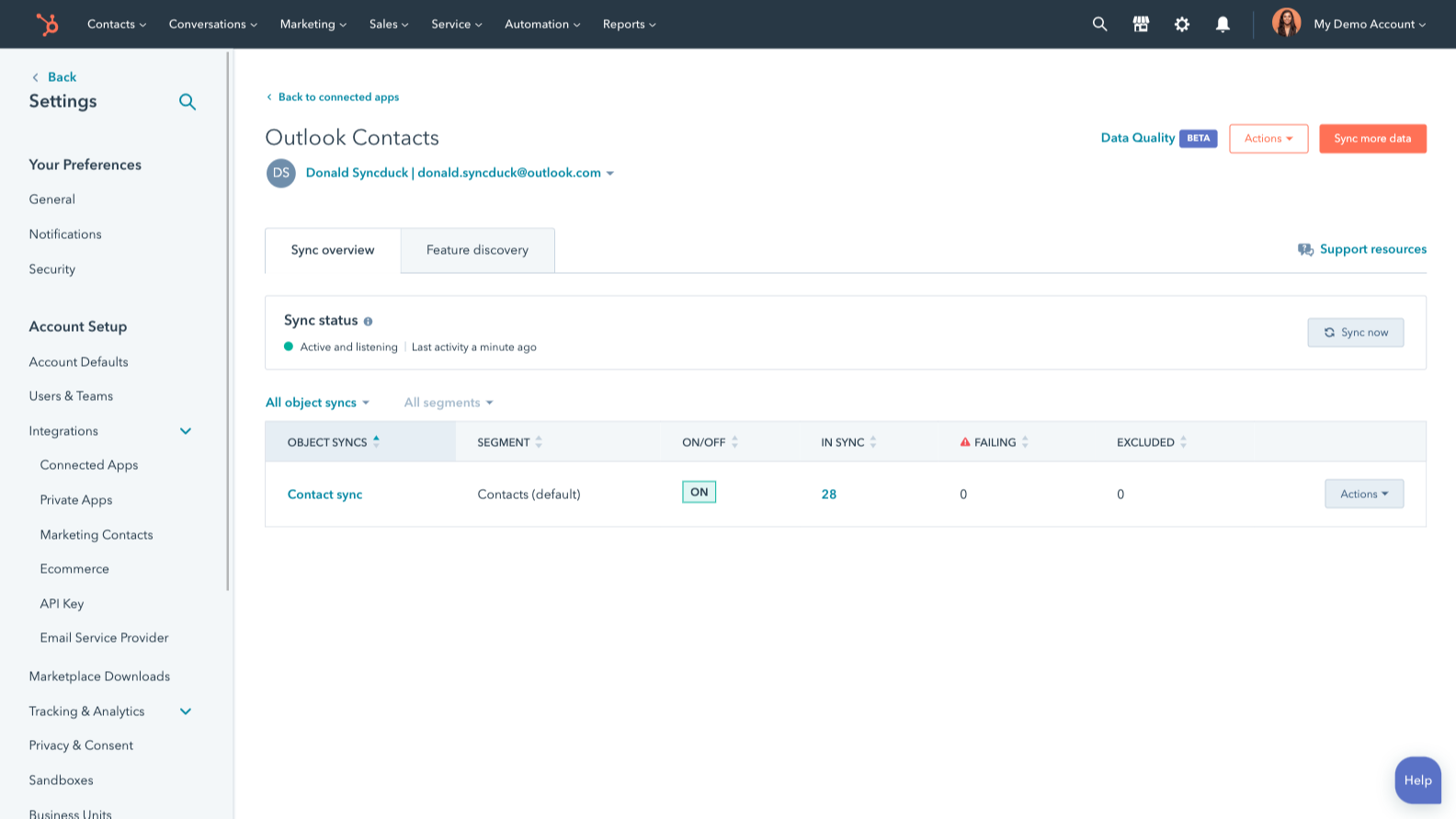
Sync Outlook/Exchange and HubSpot data
Make manual data entry a thing of the past by syncing contacts between HubSpot and Outlook/Exchange. When records are created or updated in either app, that information will be automatically shared with the other one.
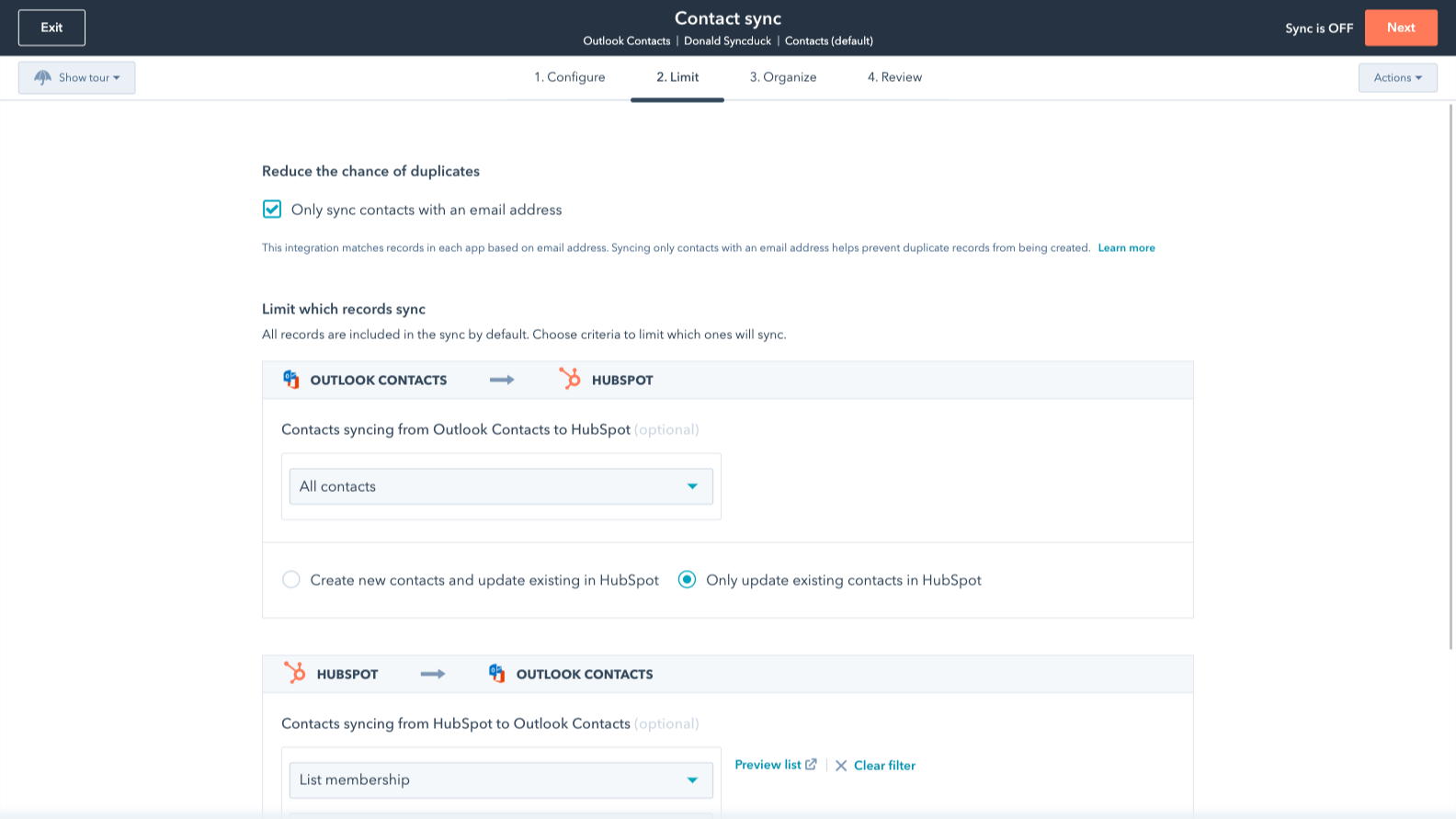
Sync only the data you want
You’re in control of your data. You can set up a one- or two-way sync, which means you can either sync data from only one app to the other or back-and-forth between both apps. You can also add a filter for any Outlook/Exchange field (like categories or company name) or HubSpot list to sync exactly what you want—and nothing you don’t.
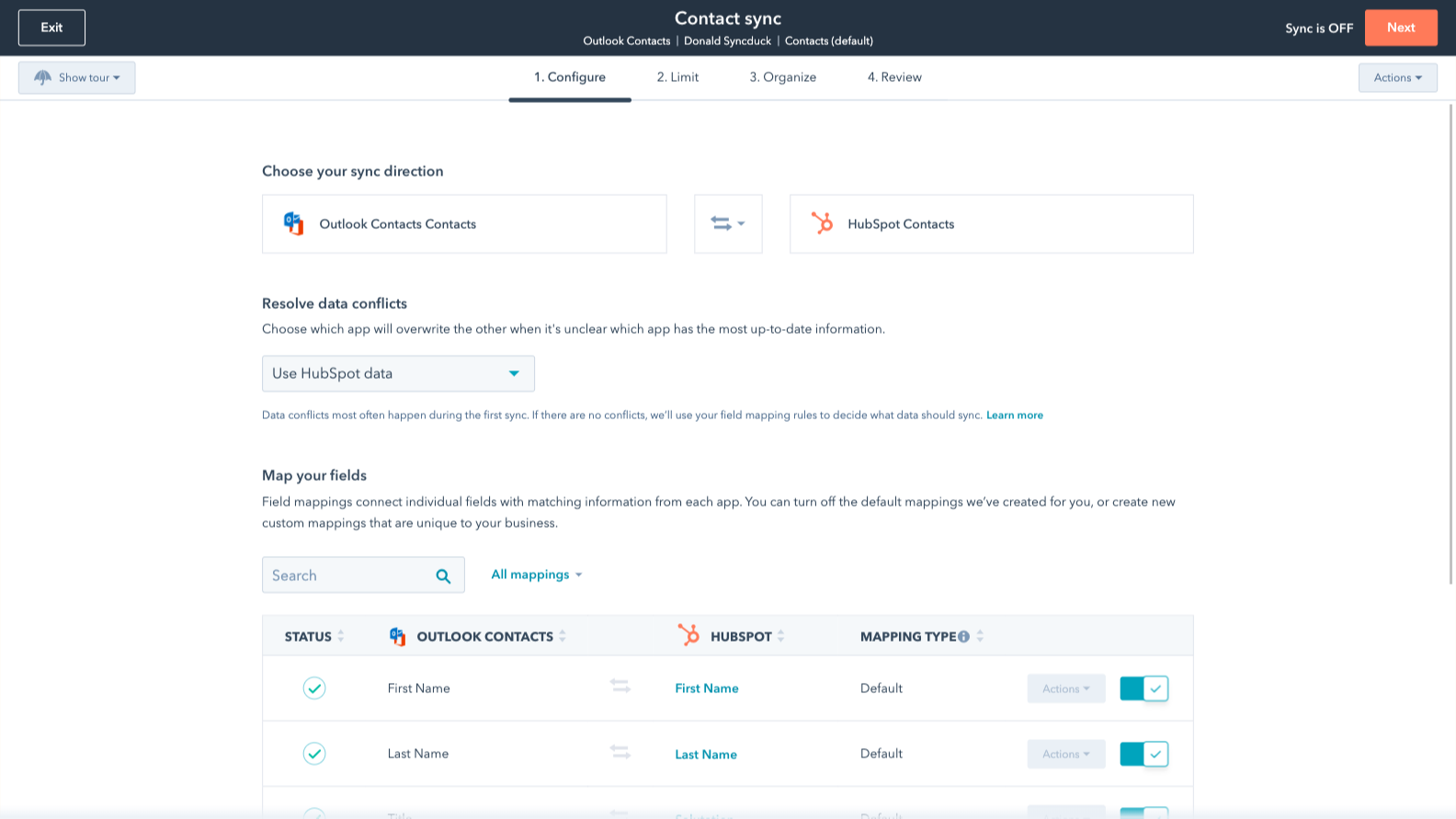
Default field mappings
Field mappings connect matching information in each app—and we’ve already created them for you. Our out-of-the-box default field mappings make set-up quick and keep your data clean and organized. Plus, there are no surprises: You can see exactly which fields come already mapped in the “Shared data” section below.
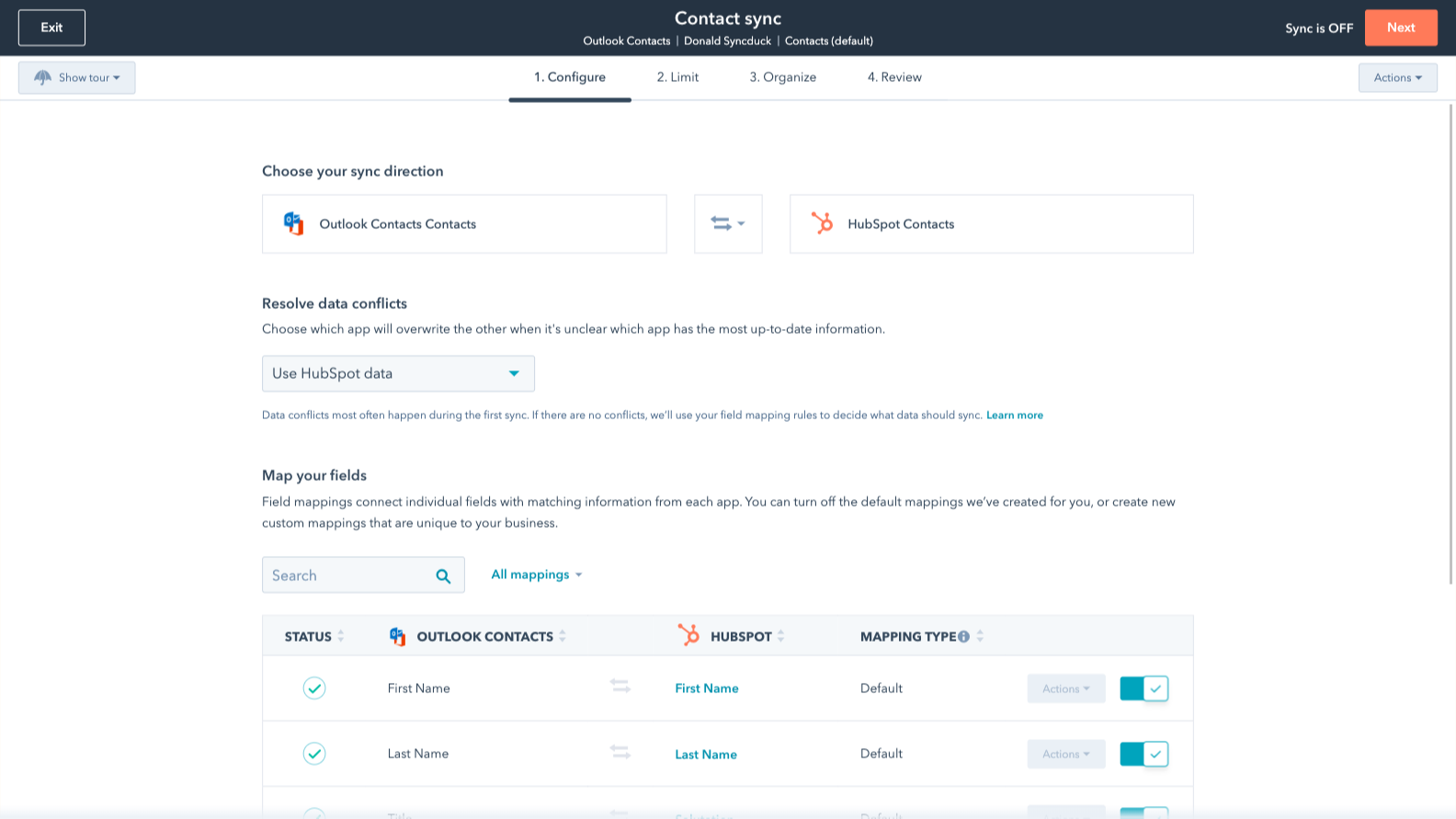
Custom field mappings
Custom field mappings are available with Data Hub Starter or Professional plans. Custom mappings add the flexibility to create your own mappings or make changes to your default ones.
Sovelluksen toiminnallisuus
Jaetut tiedot
Each object has field mappings that connect matching information from each app. Default mappings are listed below. If you want to change these default mappings or create your own, custom field mappings are available with Data Hub Starter and up.
The following will not sync: Public folders, Global Address List
Contacts |
Arvostelut
3,1
226
3,1
226
- 2. syys 2025
Työkalu, joka mahdollistaa tekstiviestien soittajan tunnistuksen!
Työkalu toimii yhteystietojen synkronoimiseksi Outlookiin.
Mahdollisuus synkronoida yhteystiedot Outlookiin, jotta tekstiviestien soittajan tunnistus voidaan sallia.
Se sallii vain yhden alkuperäisen synkronoinnin kerrallaan. On nyt oletusarvoisesti tapa lisätä Outlook-luokka yhteystietojen synkronoinniksi.
Knight, G.
- 21. elo 2025
Synkronointi täysin rikki ja tukitiimi kieltäytyy auttamasta - täysin hyödytön!!!
En saa yhteystietojen synkronointia toimimaan, eikä tuki halunnut tietää!!!
Synkronointi ei toimi
Synkronointi ei toimi
Woodman, T.
Hinnoittelu
Review Outlook Contacts's Pricing Page
0 $
Use the 'See all pricing options' link on the righthand side
Make sure to confirm the HubSpot subscription and the Outlook Contacts subscription needed to install this integration
Note: "Free" is referring to the cost of the integration, not the app subscriptions.
Review Outlook Contacts's Pricing Page
0 $
Use the 'See all pricing options' link on the righthand side
Make sure to confirm the HubSpot subscription and the Outlook Contacts subscription needed to install this integration
Note: "Free" is referring to the cost of the integration, not the app subscriptions.
*Hinnoittelu tässä on vain esittelytarkoituksessa. Kaikki hinnat eivät sisällä veroja, kannustimia, alennuksia tai muita hinnoittelumuuttujia. Pyydä kumppanilta ajantasaiset ja oikeat hintatiedot. HubSpot ei ota vastuuta näistä kumppaneidemme tarjoamista hintatiedoista. Hinnoittelu päivitetty viimeksi: 03.09.2025
Lisätietoja
Rakentanut - HubSpot
Asennukset - 42 t. asennusta
Kategoriat Kielet, joilla tämä sovellus on saatavilla Englanti ,espanja ,Hollanti ,Italia ,Japani ,Portugali ,Puola ,ranska ,Ruotsi ,saksa jaSuomi
Nousussa tänään


