

Microsoft Teams
Use Microsoft Teams and HubSpot for meetings, conversations, and more!
Vaatimukset
HubSpot-tilaus HubSpot-tilin käyttöoikeudet Ei vaadi käyttöoikeuksia Pääsytyyppi Shared Microsoft Teams-tilaus - Free (no commitment), Microsoft 365 Business Basic, Microsoft 365 Business Standard tai Office 365 E3 paketit
Yhteenveto
1/8
Sales, marketing, and services are all about building relationships -- but it can be difficult to form those relationships when a rep spends precious time completing menial tasks. In fact, a report from HubSpot Research found that sales reps spend up to a quarter of their day on tasks like writing emails and data entry.
Software should exist to help minimize that time spent, not create extra steps. HubSpot's integration for Microsoft Teams aims to do just that.
Integrate with HubSpot Meeting Scheduler
Automatically send dial-in and conference call details to your HubSpot prospects. Turn every meeting booked in your HubSpot CRM into a Microsoft Teams meeting.
Sync Microsoft Teams Meeting Recordings and Transcripts to HubSpot
Unify your meeting data in HubSpot through Microsoft Teams meeting recording and transcript sync to HubSpot for coaching and analysis.
Share Notifications
Stay connected to activities in your HubSpot CRM by receiving notifications for chats, reminders, mentions, form submissions, and more within Microsoft Teams. You can even create specialized workflows within HubSpot to customize your notifications.
Manage Conversations
Recieve and reply to your conversation inbox messages from HubSpot directly in your Microsoft Teams channels
Automate with Workflows
Use HubSpot workflows to customize notifications and create new channels in Microsoft Teams.
Create Tasks and Tickets
Stay on top of your work by quickly creating a HubSpot task or ticket right from a Microsoft Teams message.
Associate HubSpot Deals and Companies with Microsoft Teams Channels
Connect Microsoft Teams channels to HubSpot company and deal records to sync activity updates and keep your team in the loop
Have feedback about this integration? Please use this form to submit any suggestions, requests or ideas.
Ominaisuudet
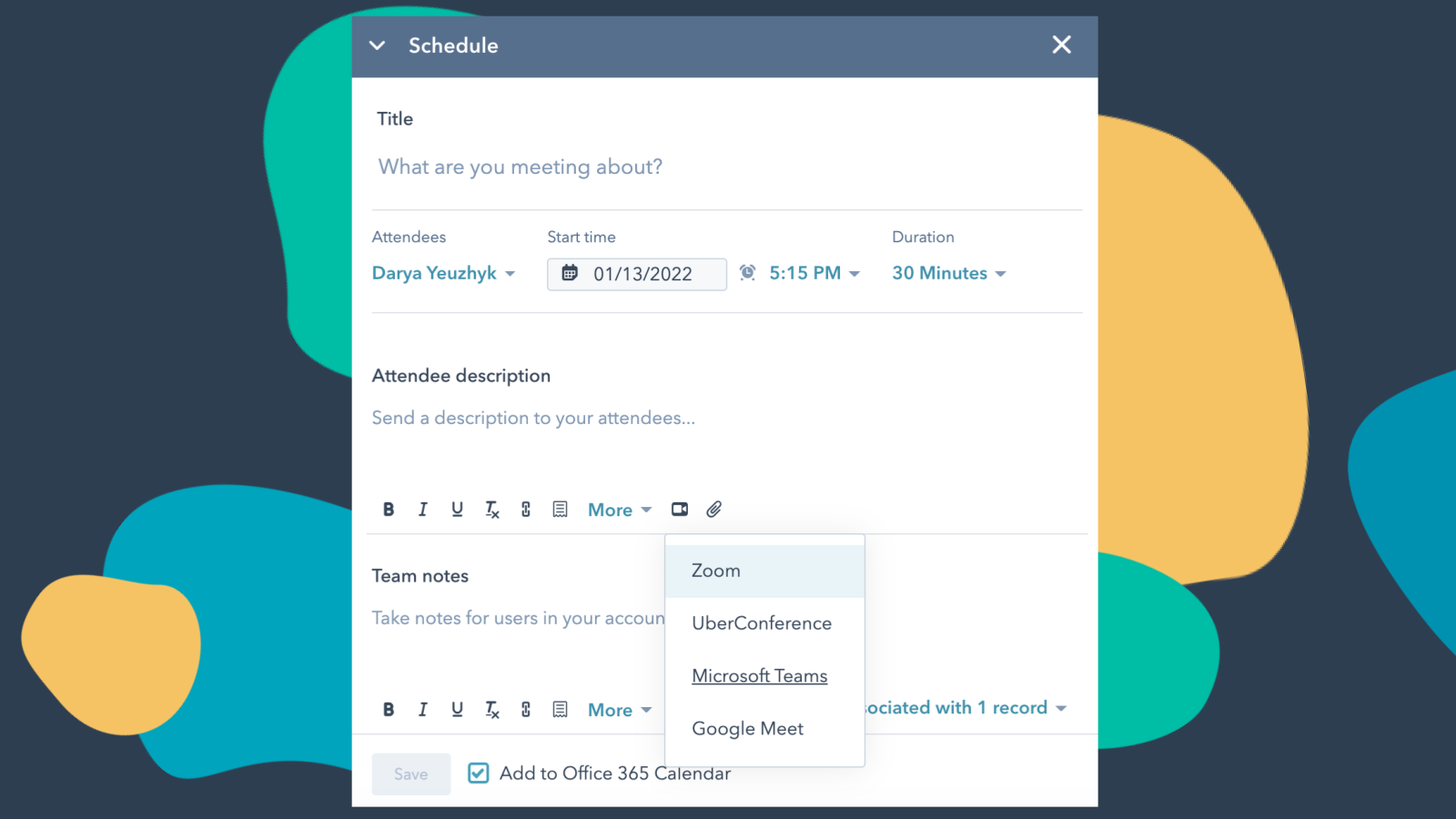
Integrate Microsoft Teams with HubSpot Meetings
Want to check in on a lead or a customer? As a sales or service rep -- there's nothing better than a quick chat over video to get a pulse on what your lead or customer needs from you to succeed. Easily schedule a Microsoft Teams meeting from any contact record to get your video chat on the books.
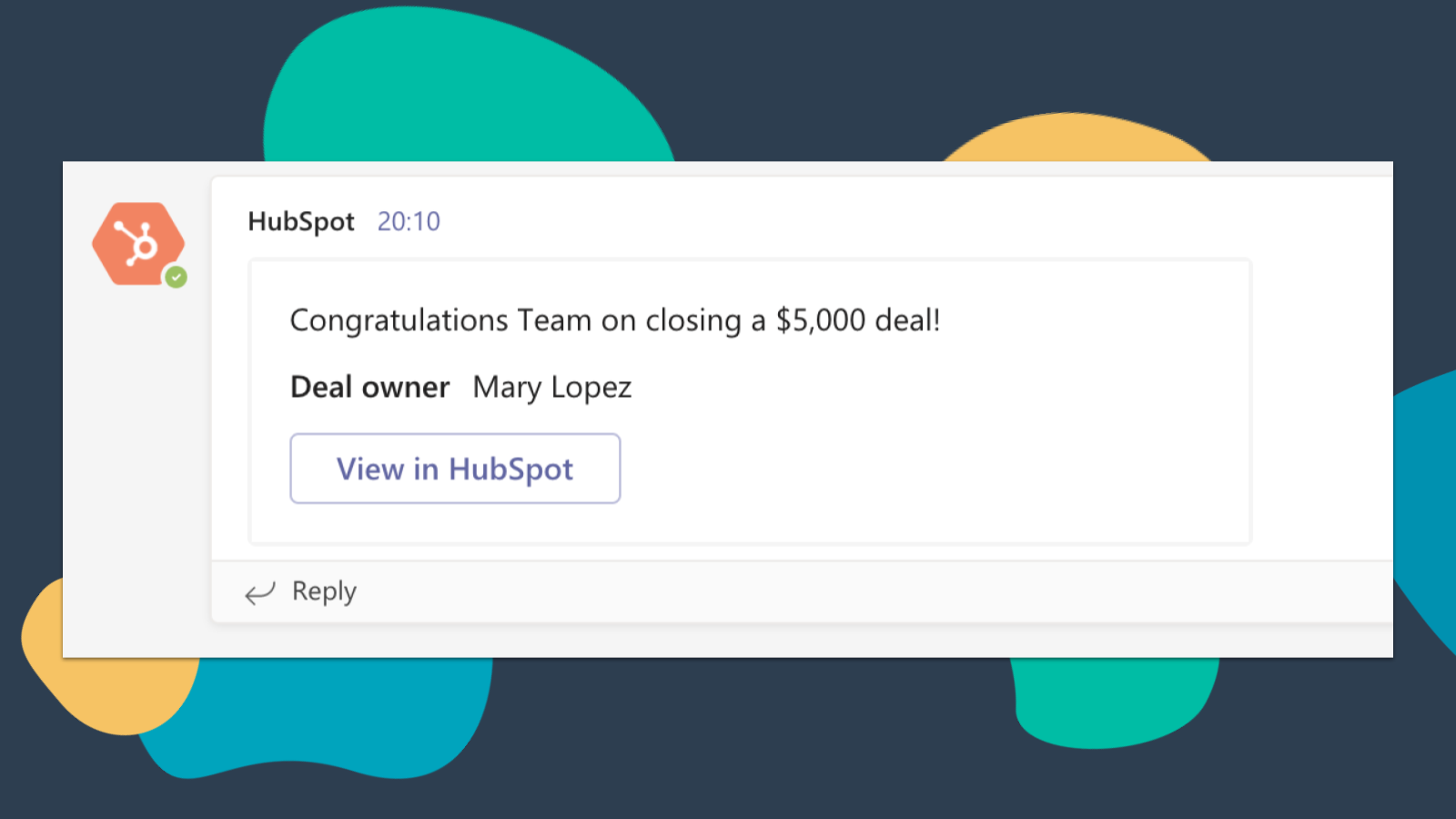
Get HubSpot Notifications in Microsoft Teams
Get notified in Microsoft Teams when you get assigned a new ticket or when a deal you own closes! By default, you will receive notifications for these types of activities: Assignments, Comments, Follows, Mentions, Overdue Items, Reminders, Replies, Submissions, Views
-4-1.png)
Sync Microsoft Teams Meeting Recordings and Transcripts to HubSpot
Preview meetings on associated records and automatically record and transcribe meetings for playback. In the HubSpot index page, you can access a full list of team's meetings, filter meetings by object properties, and search across meetings for key terms.
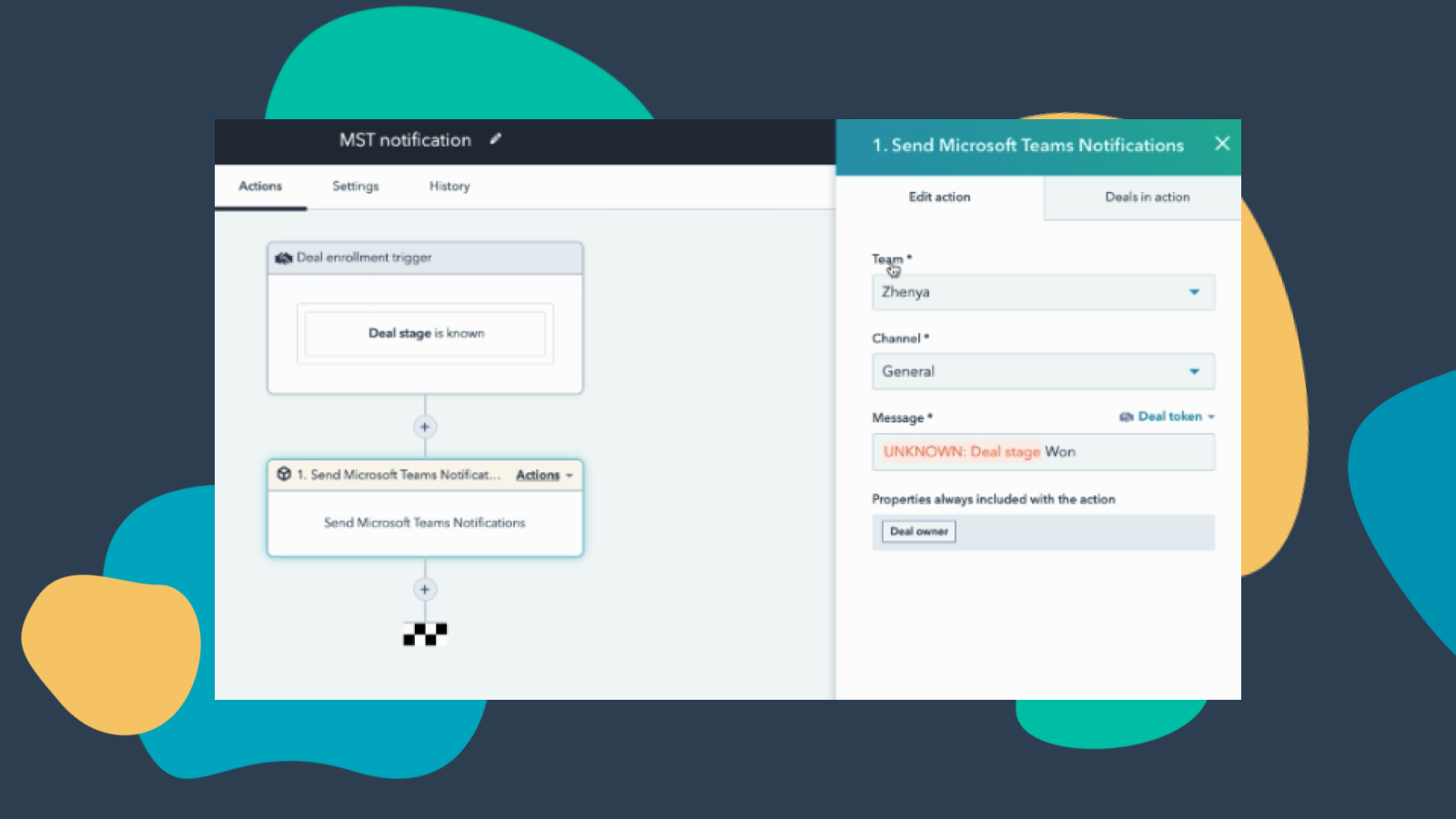
Customize Teams Notifications through Workflows
Create notification workflows for Microsoft Team to allow you to get notified when your deals change status or when new companies that fit within your territory are added to HubSpot and much more! Note: this feature requires a paid subscription.
-Apr-13-2023-06-54-18-0205-PM.jpeg)
Manage your Conversations in Microsoft Teams
Receive and reply to HubSpot Conversations Inbox Messages directly in Microsoft Teams channels. Note: this feature requires a paid subscription.
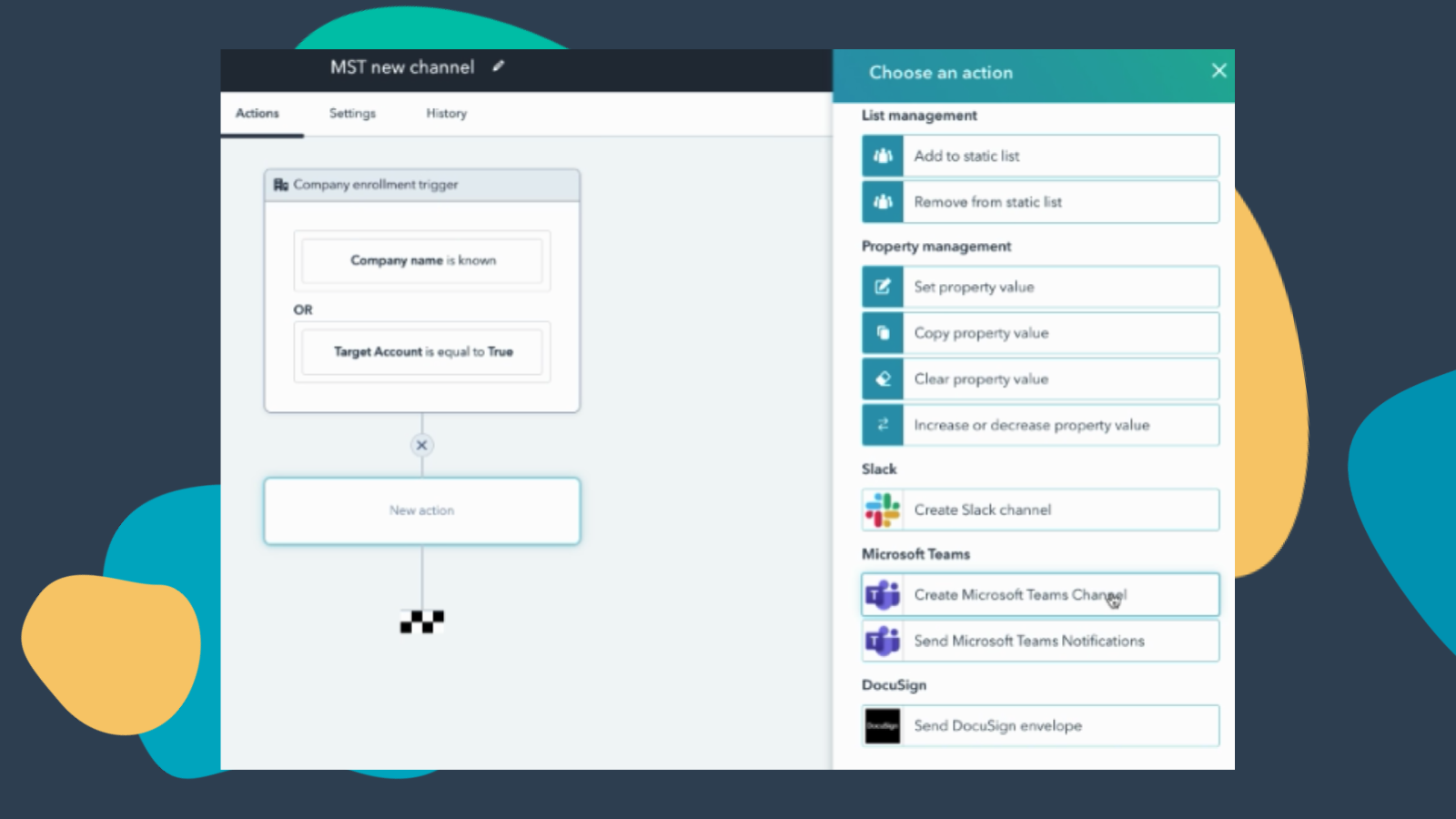
Create Workflows to Add Channels to Microsoft Teams
Create a new Microsoft Teams channel when new companies or deals are created that meet a certain set of criteria. Note: this feature requires a paid subscription.
Sovelluksen toiminnallisuus
Jaetut tiedot
Direct Message | ||
Messages |
Arvostelut
3,2
227
3,2
227
- 9. huhti 2026
Turhauttavat uudelleen kirjautumisongelmat varjostavat kaiken potentiaalin, joka tällä alustalla voisi olla.
Vaikuttaa puuttuvan tiettyjä ominaisuuksia
On potentiaalia
Jatkuva uudelleen kirjautuminen on tuskallista.
Weaver, M.
- 7. huhti 2026
Puolivalmis integraatio, jossa on rajoitettu toiminnallisuus, joka kalpenee Slackin rinnalla - liian monimutkainen asennus minimaalisiin tuloksiin.
Tämä on lupaava, mutta tällä hetkellä se on suunnilleen niin perusintegraatio kuin vain mahdollista. Tietoja ja tietoja synkronoidaan vain rajoitetusti, ja käytettävissä on vain vähän konfigurointia/räätälöintiä. Esimerkiksi webinaari-integraatiossa voit synkronoida vain nimen, sähköpostin, työnimikkeen ja organisaation nimen. Lisäksi jos luot lomakkeen, jolla voit ilmoittautua webinaariin HubSpotin kautta, synkronointi ei onnistu, jos teet muista kentistä pakollisia. Lisäksi jos haluat käyttää hyväksymistoimintoa Teamsin webinaareihin rekisteröitymiseen, tämä estää automaattisen synkronoinnin, kun yhteystiedot on hyväksytty rekisteröitymistä varten, ja sinun on pakko synkronoida säännöllisesti manuaalisesti. Muu integraatio on hyvin onnistunut ja epäonnistunut. Toistaiseksi olemme saaneet HubSpot-agentin toimimaan Teamsissa, edellä mainitun webinaarisynkronoinnin ja mahdollisuuden lähettää viestejä yksittäisille henkilöille, mutta monien ponnistelujen jälkeen emme ole vielä saaneet integraatiota toimimaan kanavien/tiimien kanssa. Liian monimutkaiset asetukset ja rajalliset toiminnot. Slackiin verrattuna se on yö ja päivä.
Se toimii joskus
Rajoitetut toiminnot, rajoitettu mukauttaminen, hyvin yksinkertainen integrointi
MacInnes-Manby, K.
Hinnoittelu
Free (no commitment)
0 $
Meetings and calling
Chat and collaboration
Productivity apps and services
Security and compliance
Free (no commitment)
0 $
Meetings and calling
Chat and collaboration
Productivity apps and services
Security and compliance
*Hinnoittelu tässä on vain esittelytarkoituksessa. Kaikki hinnat eivät sisällä veroja, kannustimia, alennuksia tai muita hinnoittelumuuttujia. Pyydä kumppanilta ajantasaiset ja oikeat hintatiedot. HubSpot ei ota vastuuta näistä kumppaneidemme tarjoamista hintatiedoista. Hinnoittelu päivitetty viimeksi: 15.10.2025
Lisätietoja
Rakentanut - HubSpot
Asennukset - 60 t. asennusta
Kategoriat Kielet, joilla tämä sovellus on saatavilla Englanti
Suosituin


